
Ultra-fast planning, extremely simple
One canvas for the whole
semester, built for students.
Storyflow is a visual workspace for studying and research. Mind-map a syllabus, pull your notes, PDFs, and links onto one infinite canvas, and let AI expand a thin topic or summarize a dense reading. Then turn the map into an essay outline on the same board.


Creatives working for these brands already got early access
- Red Bull
- Canon
- Artlist
- Porsche
See how easy it is to get started
Watch a real project come together, from a blank board to a finished plan, clicked through step by step.
Start from a ready-made template
Pick a board to see what you can build, then let AI fill it in. Every template is a real, editable starting point on the same infinite canvas.

Mind Map
Branch one central idea out into themes and sub-points, then drag the connections around until the structure makes sense.
What is a visual workspace for students?
A visual workspace is one place to see a whole subject at once instead of scattering it across a dozen tabs, notebooks, and folders. You lay a course, a research question, or an essay out in space: the main themes branch from the center, the readings sit beside the point they support, and the gaps in your understanding become obvious because you can see them. For students, that is the difference between rereading a chapter five times and actually knowing where it fits.
Most study tools push you toward a single shape. A note app gives you a long document, a mind mapper gives you a rigid tree, and a slide tool gives you boxes. Storyflow gives you an open infinite canvas where every note, PDF, image, and link is a card you can move, group, and connect. A syllabus map, a lecture summary, and a literature review can all live on the same board and reference each other, which is closer to how a subject actually works in your head.
The canvas also means your study material does not dead-end. Ask the AI to expand a topic you are weak on into sub-points, summarize a PDF you dropped in, or turn the strongest branch of a mind map into an essay outline on the same canvas. Your notes become the first draft of the work instead of a pile you screenshot before the exam and never open again.
Ultra fast from brief to board
From syllabus to submission in four steps.
Open a canvas and build your subject up. Every note and source stays yours to rearrange.
01
Open a canvas
Start in the browser. Nothing to install, just an infinite canvas ready for the course you are studying.
02
Map the subject
Drop the topic in the middle and branch out the themes, or describe the syllabus once in the AI chat and let Storyflow lay out the first map for you.
03
Pull in your sources
Attach lecture PDFs, screenshots, and links beside the branch they belong to, and ask the AI to expand a weak topic or summarize a dense reading.
04
Turn notes into an essay
Convert the strongest branch into an essay or thesis outline on the same canvas, share a view-only link with a study group, or export the board as an image or PDF.
A study workspace that keeps the whole subject in view.
Map it, research it, outline it, and revise from it, all on one canvas with no object cap on any paid plan.

Map any course
Mind-map a syllabus in minutes
Branch a whole module out from a central topic so the structure of the course reads at a glance. Drag branches to regroup them as your understanding changes, and let AI expand the topics you are weakest on.
See mind mapping →
Research in one place
Build a research board that holds everything
Gather sources, quotes, PDFs, and links onto one board and connect them to the argument they support. A literature review you can actually see, instead of forty open tabs and a folder of downloads.
See research organization →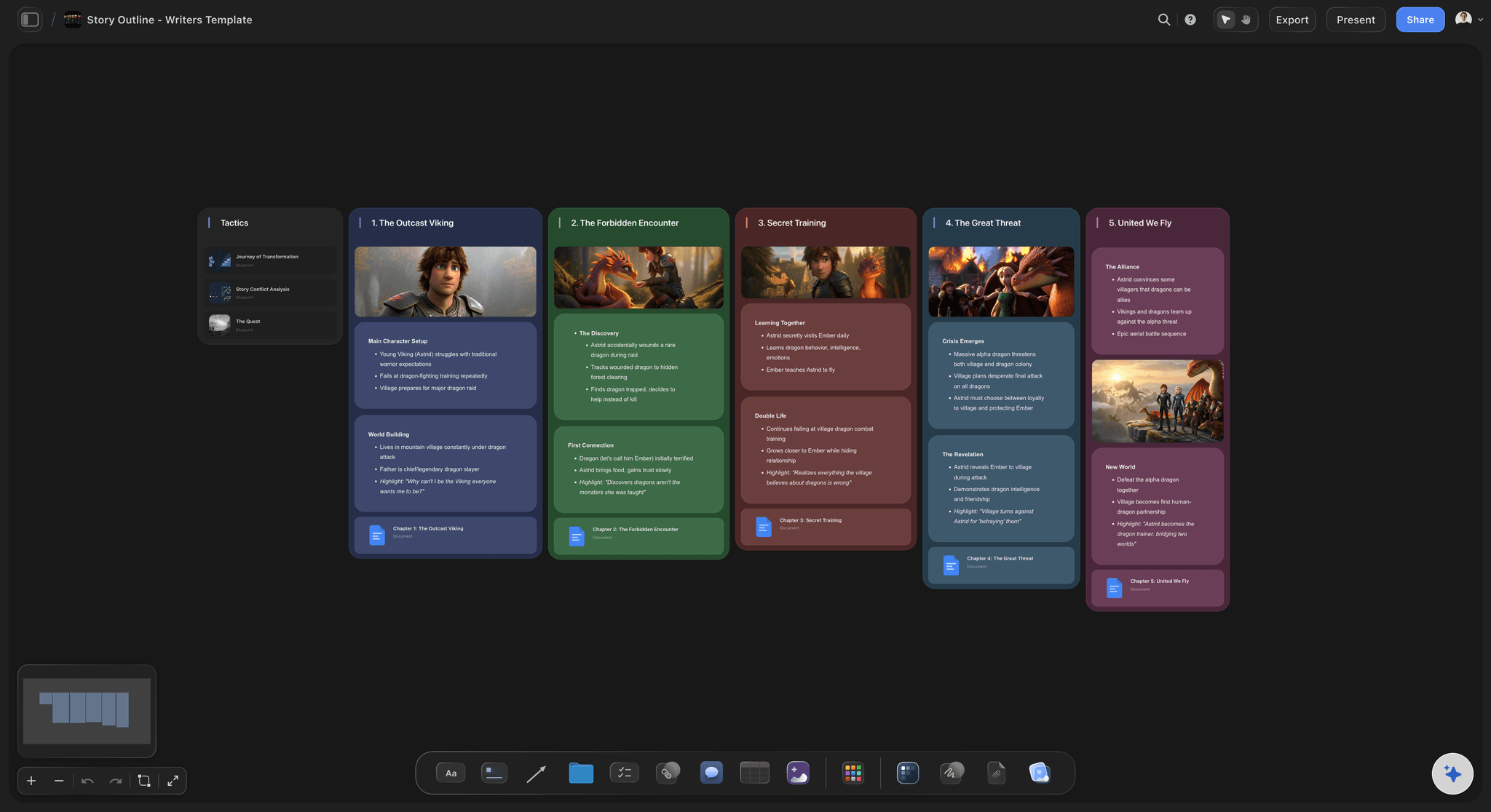
Outline before you write
Turn a map into an essay outline
Pick the branch worth writing and turn it into an essay, thesis, or report outline on the same canvas. Your reading and thinking carry over, so you draft from your own notes rather than a blank page.
See the AI outline generator →
Keep a second brain
One home for notes across every class
Keep a visual second brain of everything you are learning on one infinite canvas. Notes, summaries, and sources stay connected across subjects and terms, so nothing you understood in week three is lost by finals.
See the second brain →Free plan for students coming late 2026.
Storyflow is paid-only during early access and the Free plan lands before the end of 2026. Anyone a paid member invites to a board joins free today. The planned Free plan has no object cap and no trial clock, so a full semester of maps, notes, and research will not push you to pay mid-term.
Unlimited boards for every class and project
Basic AI usage to expand topics and summarize readings
20 file uploads for lecture PDFs, slides, and images
Share study boards view-only, or invite a study group free
Built for people with taste
Built for the way students actually study.
See the subject, gather the sources, let AI do the heavy lifting, then turn it all into work you can hand in.
See the whole subject
Study maps that make structure obvious
Branch a course by hand: Grow a module out from a central theme in any direction. The canvas does not force a symmetrical tree, so the map matches the subject instead of a preset.
Regroup as you learn: Reparent a topic by dragging it. When a lecture reframes how the pieces fit, the map changes with a move rather than a rewrite.
Spot the gaps: Color and cluster the branches so the areas you have covered and the ones you have not read at a glance across a big board.
AI that reads your board
AI expands and summarizes, you decide
Expand a weak topic: Point at a topic you are unsure of and ask the AI to break it into sub-points. It builds on the notes already on the board, so the additions connect to what you have.
Summarize your readings: Add a lecture PDF and up to five documents and three boards as context, so the AI works from your actual material rather than a generic answer.
Re-prompt for clarity: Ask for a simpler explanation, a tighter summary, or an exam-focused angle. The AI reworks the board while keeping the notes you wrote yourself.
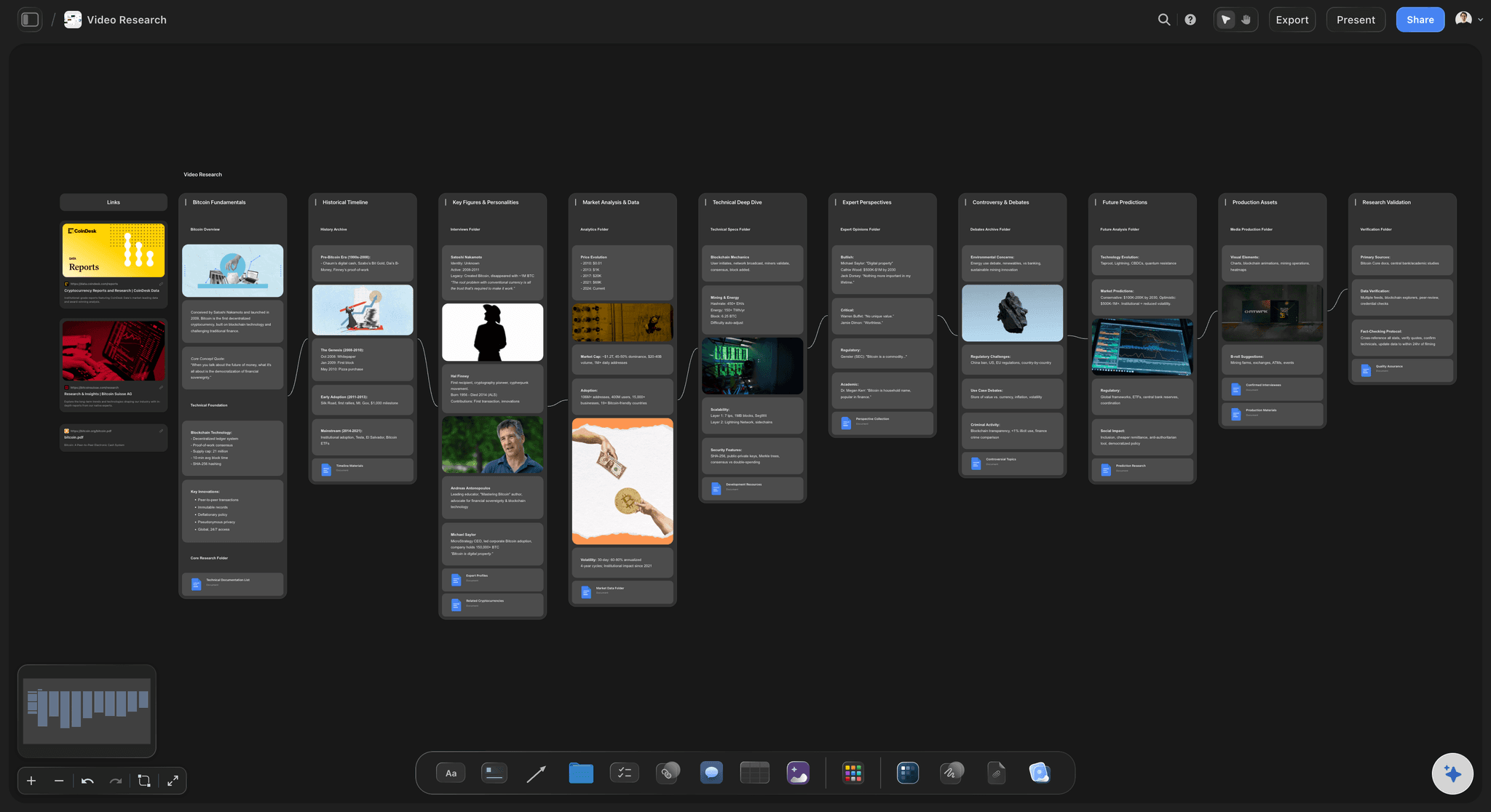
All your material, attached
Notes, PDFs, and video on one board
Drop in anything: Images, video, GIFs, PDFs, and links sit on the canvas next to the topic they support, so a reading lives beside the point it proves instead of behind a link.
Grab frames from lectures: Pull stills from YouTube and Vimeo straight onto the board when a recorded lecture or explainer video makes a point better than a note.
Long notes where you need them: Deeper writing lives as documents on the same canvas, so the map stays scannable for revision and the detail is one click away.
From notes to submission
Turn a semester of notes into finished work
Outline on the same canvas: Turn the strongest branch into an essay, thesis, or report outline on the same board, with the AI carrying your research across so you draft from your own notes.
Study together: Invite a study group free, or send a view-only link so anyone can explore the board in the browser without an account.
Export for handing in: Need the board in a doc or a printout? Export it as a clean image or a PDF in one step.
Explore templates for your project
Every template opens as a real, editable board on the infinite canvas. Pick the closest fit and make it your own.
Mind Map
Branch one central idea out into themes and sub-points, then drag the connections around until the structure makes sense.
One app instead of five
How Storyflow compares for studying and research.
Notion, Obsidian, and XMind each do part of this well. The question is whether one free board can hold the whole subject.
Storyflow
Recommended
Infinite visual canvas for maps and research
AI that expands and summarizes from your board
Notes turn into essay outlines on the same canvas
Free plan with no object cap or time limit
Notion
Infinite visual canvas for maps and research
AI that expands and summarizes from your board
Notes turn into essay outlines on the same canvas
Free plan with no object cap or time limit
Obsidian
Infinite visual canvas for maps and research
AI that expands and summarizes from your board
Notes turn into essay outlines on the same canvas
Free plan with no object cap or time limit
XMind
Infinite visual canvas for maps and research
AI that expands and summarizes from your board
Notes turn into essay outlines on the same canvas
Free plan with no object cap or time limit
What creators are saying
Join early creators getting structured workspaces and AI that remembers their projects
“Storyflow has sped up my workflow by at least 3x, which means more flow state and more projects I can actually ship. It truly changed the way me and my team create.”

Reilin Joey
Director & YouTuber
“One prompt gets me a structured board. But the tactics are my favorite. I run my YouTube scripts through them and my intros and retention got better. It's amazing.”

Justkay
YouTuber & Freelance Filmmaker
“I used to juggle five apps to plan a project. Now I describe what I am making and get boards, lists, and a schedule. All in one place.”

George
@fernwehchronicles
Student questions, answered.
Everything students and researchers ask about studying in Storyflow.
Not yet. Storyflow is paid-only during early access, with plans from $7.99 a month billed annually ($9.99 monthly). A free plan launches before the end of 2026 with unlimited boards, basic AI usage, 3 starter frameworks and 20 file uploads. Until then, anyone a paid member invites to a board joins free.
Start a board, drop the subject in the middle, and branch out the themes, or describe the syllabus in the AI chat and let Storyflow lay out the first map. Then attach your lecture PDFs and links beside the topics they belong to, and expand or summarize with the AI as you revise.
Yes. Gather your sources and points on a research board, then turn the strongest branch into an essay or thesis outline on the same canvas. Your reading and notes carry over, so you draft from your own material instead of a blank document.
Yes. Attach images, PDFs, video, GIFs, and links to any card, and grab frames straight from YouTube and Vimeo onto the board. Every paid plan includes unlimited file uploads, so lecture slides and readings live on the canvas beside the topic they support.
Notion is great for structured docs and databases, and Obsidian is great for a linked note vault, but both keep you mostly in text. Storyflow lays a subject out visually on an infinite canvas, lets AI expand and summarize using your board as context, and turns the map into an essay outline on the same canvas.
The AI reads your active board, so notes and cards already on the canvas shape what it suggests. You can also attach up to five documents and three boards, such as a lecture PDF or a reading, for it to work from. It does not read your entire workspace at once.
Yes. Invite classmates to build a board with you, or send a view-only link so anyone can explore a study map or research board in their browser without an account. Collaboration and sharing are included on every paid plan.
No. Storyflow runs in your browser with nothing to install. Open an account and start mapping a course, building a research board, or outlining an essay on an infinite canvas right away.
The whole subject, on one canvas.
Map a syllabus, build a research board, and outline your next essay in one place.