
Extremely simple, seriously capable
The visual workspace where teams and agents plan & work together.
Storyflow is an easy to use and free visual workspace for teams that gives any group one infinite canvas to brainstorm, plan and run work side by side.
Get started for free

Creatives working for these brands already got early access
- Red Bull
- Canon
- Artlist
- Porsche
See how easy it is to get started
Watch a real project come together, from a blank board to a finished plan, clicked through step by step.
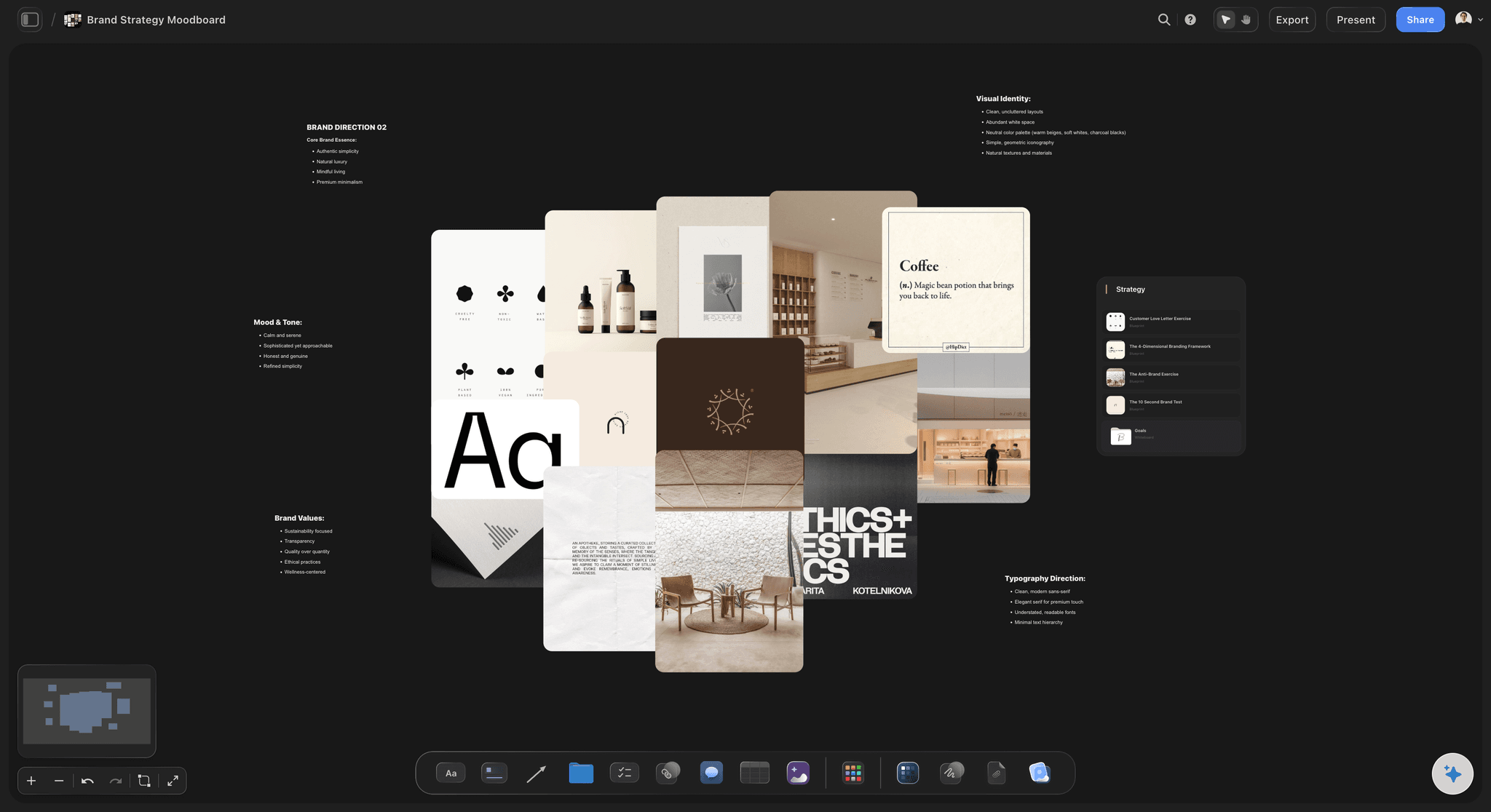
Brand Strategy Moodboard
A Storyflow moodboard template to define brand strategy on one canvas: positioning, audience, voice, color, type, and visual references.
From plans to deliverables
Every block adapts to how a team works, gathering plans, files and tasks so projects stay aligned in one shared canvas.
Section title
Sticky note
Doc
Group
Team board
To-do list
Task board
Task card
Project table
Resource link
Feedback
Reference image
Video clip
Audio clip
Brief PDF
AI image
Flow line
Color swatch
Template
One canvas where every function sees the same picture
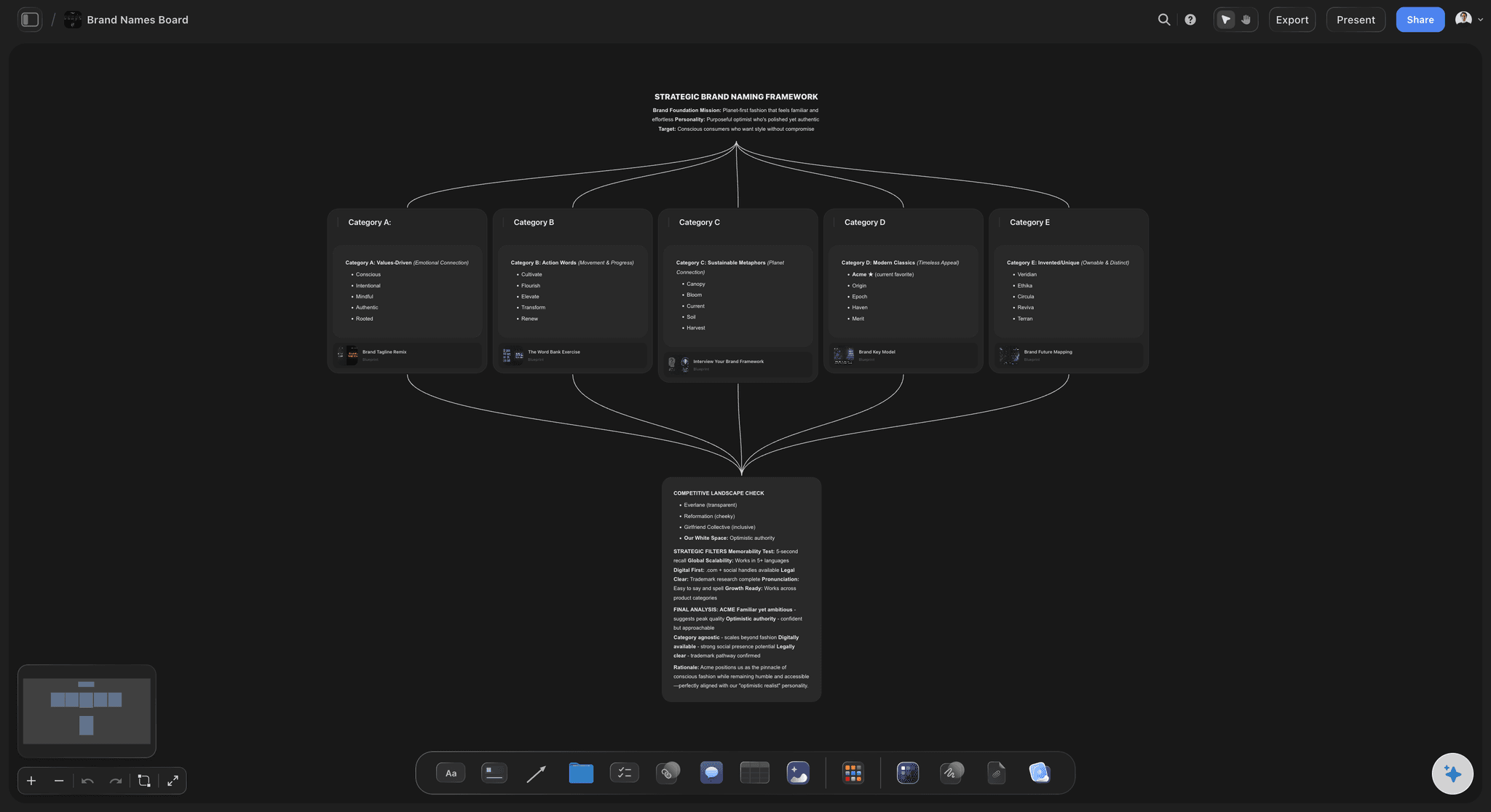
Stop the file scatter
Cross-functional work breaks when the brief, references, plan, and research each live in a different file. By the time you reconcile them, the project has moved on.
One shared board
Storyflow puts the whole effort on one infinite canvas of draggable cards, so a strategist, designer, and project lead see the same board and add to it their own way.
Everything in view
Drop notes, images, links, to-dos, and video or audio embeds, then arrange them into columns for briefs, moodboards, research, and plans. New teammates onboard from the canvas.
From a scattered kickoff to a shared brief
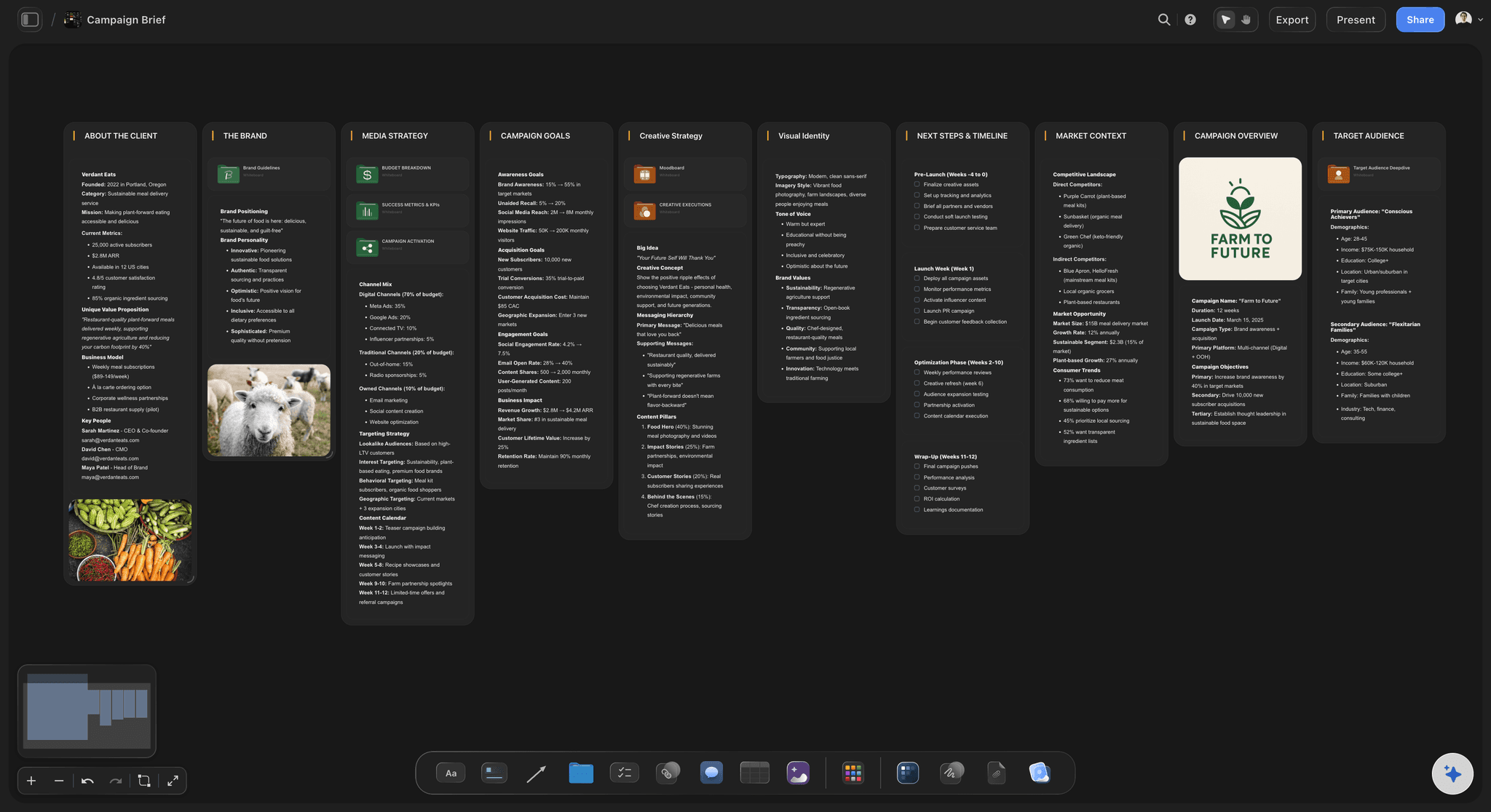
Replace the scattered kickoff
Kickoffs usually leave a doc no one updates and side conversations no one can find. Replace that with one board the whole team shapes together as the project takes form.
AI drafts a starting brief
Start a board from a prompt, or paste a note or PDF and let the AI assistant draft a starting brief, planner, or kanban you can immediately edit.
Structure and align
Group decisions, owners, and to-dos into columns, bring a proven Blueprint or Tactic onto the board, @-mention up to three Documents, and share a free invite.
Research, references, and plan in one connected workspace
End the tab sprawl
Most teams scatter inspiration and evidence across tabs, drives, and DMs, so creative direction and the facts behind it never sit together. On Storyflow they share one canvas.
Gather references and sources
Cluster images, links, and notes into a moodboard, grab a frame from a YouTube or Vimeo video as a reference, and use web search in the AI chat to capture link cards.
Connect every board
Keep the moodboard, research, and plan as separate boards in one workspace and connect them, so a decision always traces back to the reference that informed it.
Plan, track, and hand off without leaving the canvas
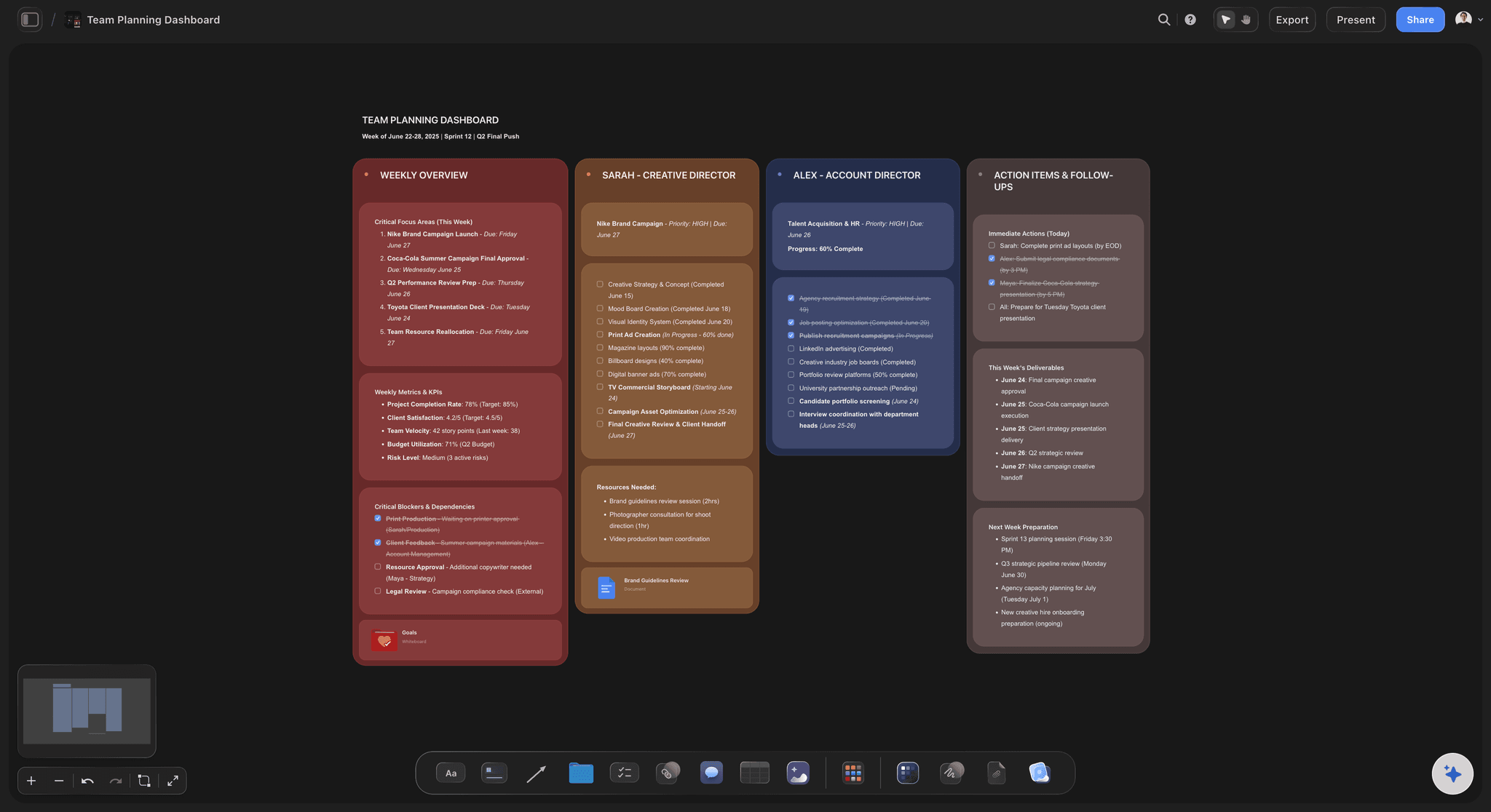
Plan where you think
When the plan lives in a different tool than the thinking, handoffs leak detail. Storyflow keeps the move from ideas to an executable plan on the same canvas.
Track and review in context
Lay out phases, milestones, and workstreams as columns, turn decisions into to-do cards the team can update, and embed the video or audio that reviews depend on.
Free sharing, live editing on Max
Sharing and inviting teammates is free, so the people who act on the plan are already in the room. Real-time presence for live multi-editing comes with Max.
Why teams choose Storyflow
An infinite canvas where your whole team keeps work, references, and plans in one place, so everyone sees the same picture and nothing scatters across tools.
One shared canvas
Everything your team works on lives on a single infinite canvas, so files stop scattering across tools and every function sees the same picture in one place.
Drop anything instantly
Drag any image, PDF, or video from your computer and it lands as a card right away. No upload dialog, so the team can build out a board in seconds together.
AI starts the brief
The AI assistant turns a prompt or a pasted note or PDF into a starting board, giving your team a first draft to react to and refine instead of a blank canvas.
AI reads your board
On an active board you can @-mention up to one Blueprint or Tactic and three Documents, so the assistant works from your team's real context, not generic suggestions.
Free to collaborate
Sharing and inviting are free, with no object limit, no time limit, and unlimited boards. Get the whole team on the canvas with no credit card, and add live multi-editor presence on Max.
Present full screen together
Show the shared board in full screen during a meeting, so everyone reviews the same work without exporting a separate deck.
I want to:
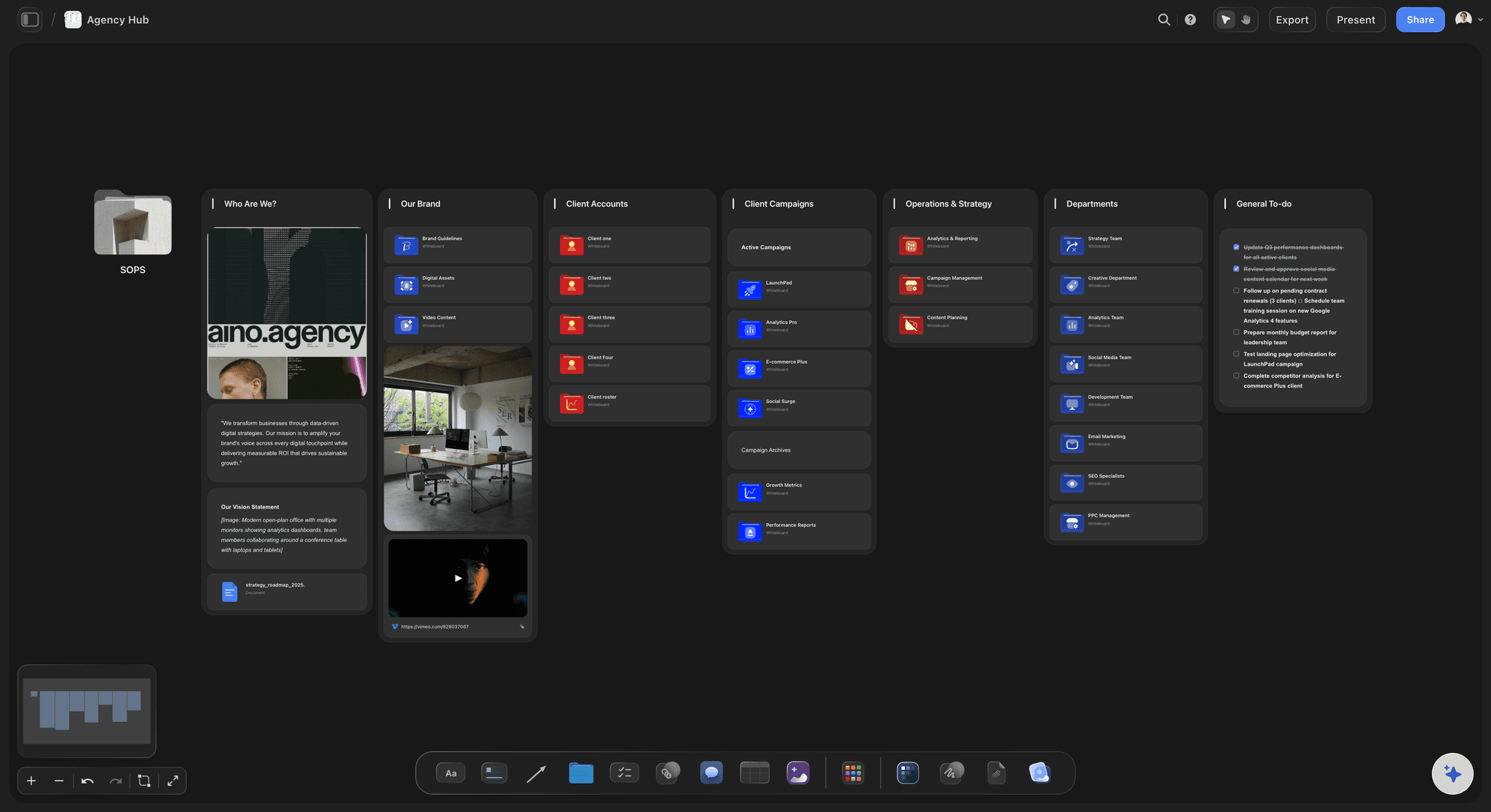
Agency Hub
The Agency Hub is a ready-made Storyflow board that gives a creative agency a single home for clients, active projects, briefs, deliverables, and team coordination on one infinite canvas.
Built for teams that share work
Storyflow is a browser-based workspace where you control what your cross-functional team can see and edit. Sharing and inviting teammates is free, so you can bring every function onto a board without friction, while you decide which boards stay private and which get shared.
Free to start with no credit card required, so teams can evaluate it without procurement
Runs in any modern browser on any device, with nothing to install for collaborators
You choose which boards to share and who to invite, so private planning stays private
The AI assistant only reads the active board and the Blueprint, Tactic, or Documents you explicitly @-mention, never your entire workspace
Drag files straight onto the canvas with no third-party upload step
Live, real-time multi-editor presence is available on the Max plan when your team needs to work on the canvas at the same time
Stop losing ideas across ten apps.
Capture every note, reference, and rough idea on one canvas, and watch it turn into a plan you can share. No more hunting through tabs, folders, and chats for the thing you saved last week.
Collect anything
Go from scattered files to one visual workspace. Drag any image, PDF, or video straight from your computer onto the canvas and it lands as a card instantly, with no upload dialogs and no extra steps. Everything you're working from sits in one place, ready to arrange, connect, and build on.
Your research, done for you.
Ask a question. Storyflow gathers sources, images, and insights, then lays them out on your canvas. Expand from there with AI that builds on your board, not a blank page.
The slow parts, done for you. The ideas stay yours.
Storyflow sorts your notes, fills in your tables, and turns your board into a PDF, so work that takes hours by hand takes minutes. You keep every creative decision.
Turn messy notes into organized boards
Paste in your notes and get them sorted into groups
~45 min by hand
3 min with Storyflow


Turn PDFs into tables
Pull the names, costs, and due dates out of a PDF
~45 min by hand
2 min with Storyflow


Make pictures for your shot list
Every shot gets a picture in the look of your example photos
~2 hrs by hand
4 min with Storyflow


Create pitches from your board
AI turns everything on your board into a PDF you can send
~4.5 hrs by hand
3 min with Storyflow


Design posters from your board
AI lays out a poster from your board that you can edit by hand
~45 min by hand
2 min with Storyflow


Turn your board into slides
A deck made from everything on your board, ready to present
~5 hrs by hand
3 min with Storyflow


We asked our customers: “What changed for the better since you switched to Storyflow?”
“Honestly? Our pitches. Every client pitch starts on a Storyflow board now, with the idea, the references and the plan all together. That's how we won global campaigns with Sony and DJI. It keeps winning us new clients too.”

Moos
Co-founder, Outline Global
“Once we land a campaign, I plan the whole production on one board and share it with our team and the client. Everyone sees the same plan, so nobody has to ask what's going on. I'm at least 3x faster now, which means more time creating and more projects I actually finish.”

Reilin Joey
Founder, Outline Global
“I stopped repeating myself. With ChatGPT I had to explain our campaign from scratch in every new chat. Now our strategy, content calendar and briefs all sit on one board, and Storyflow just remembers it all.”

Josh Thornalley
Founder, Bloodbrotherstudios
“Planning a new doc used to mean bouncing between five apps. Now I describe the idea and Storyflow gives me a story outline, a shot list and a shoot schedule. Everything lives in one place now.”

George
@fernwehchronicles
“Every video I make gets its own board now, so the idea, research, script and shot list are never scattered again. I run every script through a tactic before I film, and my intros got better and people watch for longer. When a client needs a pitch, I build it on a board and send it as a PDF.”

Justkay
YouTuber & Freelance Filmmaker
“I've been following on Discord. I'm impressed with the team's turnaround and the sense of urgency, in addition to the diplomatic responses the team employs to answer client questions. You've made me a believer in your mission and vision.”

Dr. Javier C. De Hoyos
Freelance Learning Experience Designer