
Ultra-fast moodboards with real taste
The fashion design software where teams and agents plan & create collections together.
Storyflow is an easy to use and free visual workspace for fashion designers that gives designers and stylists one infinite canvas to moodboard collections, plan looks and gather references.
Get started for free

Creatives working for these brands already got early access
- Red Bull
- Canon
- Artlist
- Porsche
See how easy it is to get started
Watch a real project come together, from a blank board to a finished plan, clicked through step by step.
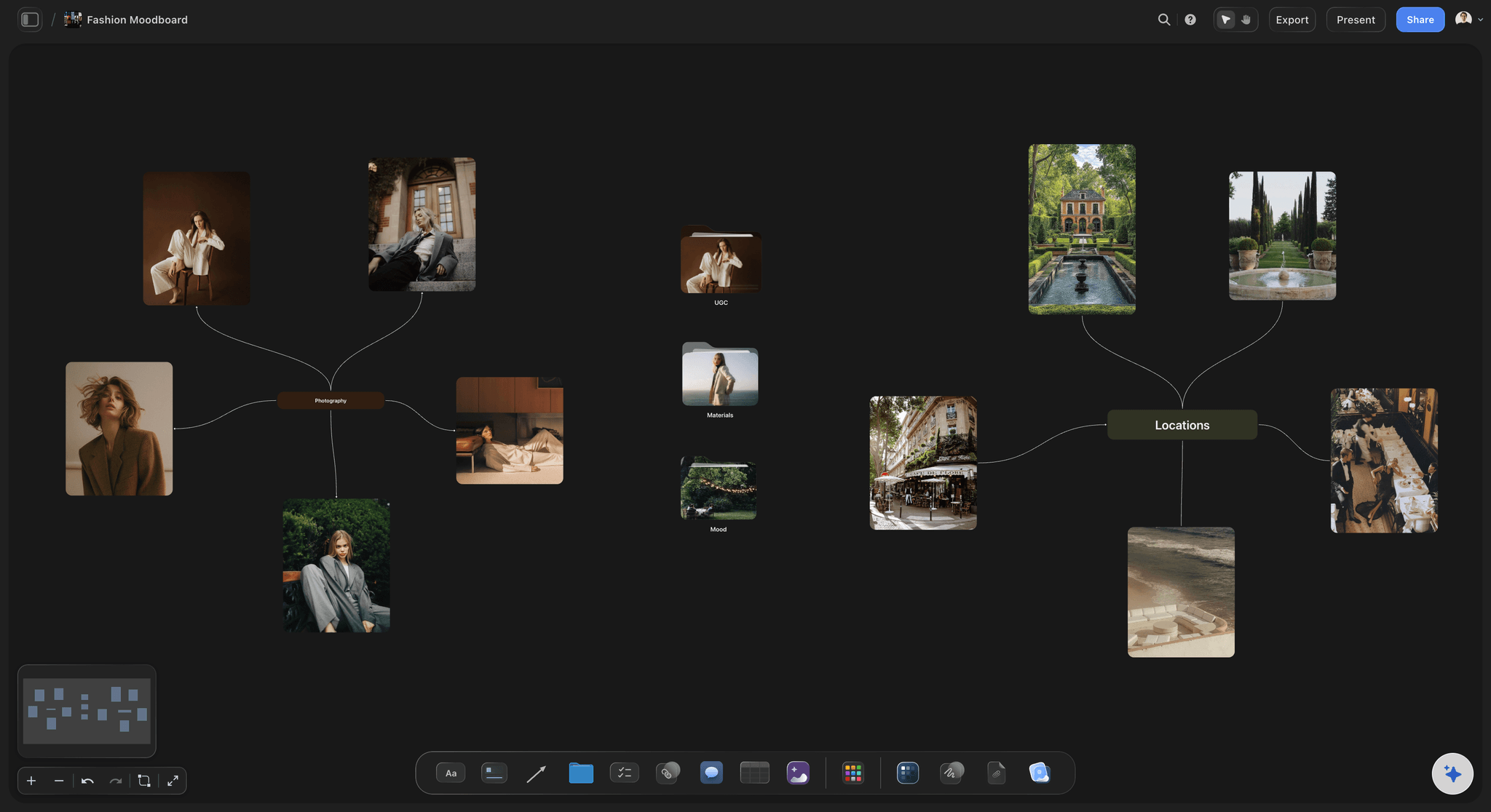
Fashion Moodboard
Build a fashion moodboard on an infinite canvas: runway references, fabric swatches, color stories, and silhouettes in one place.
From sketches to lookbooks
Every block fits a fashion workflow, organizing sketches, fabrics and looks into a collection that reads at a glance.
Collection title
Style note
Tech pack
Mood board
Collection board
Sampling checklist
Production pipeline
Sample task
Spec table
Reference link
Review comment
Mood image
Runway video
Audio clip
Lookbook PDF
AI render
Connector
Color swatch
Collection template
One canvas for the whole season
End the scatter
References, fabric photos, briefs, shot lists, and supplier links live in separate tools, so half your thinking falls out of view before you present.
Every detail is a card
Pull the whole season onto one infinite canvas. Each look, swatch, fit note, and to-do is a card you can drag, group into columns, and rearrange.
Drag files, no limits
Drag images, PDFs, and videos straight from your computer and they land as cards instantly. The Free plan has no object limit and no time limit.
Moodboards built for designers, not just pinning
Beyond a feed of pins
Screenshot folders and pin walls only collect. Designers and stylists need to compare, group, and annotate their references, not just gather them.
Group and annotate visually
Drop image cards for looks, textures, and color stories side by side, group them into columns by drop or fabric family, and add sourcing notes next to each.
Grab frames, start fast
Screenshot exact frames from YouTube or Vimeo clips onto the board. Use a template, or let the AI generate a starting moodboard you refine yourself.
Shoot boards the whole crew can read
One plan, not three apps
Shot lists, look references, and styling notes usually live in separate places, so items get pulled twice and credited wrong. Put the shoot on one canvas.
Looks in shoot order
Create an image card per look, arrange them in shoot order with columns, and add to-do cards to pull, steam, return, and credit each item.
Shared with the whole crew
Embed reference clips and grab the exact frame beside each look. Sharing is free, so photographers, assistants, and clients work from the same plan.
From brief to client sign-off without losing the thread
Align brief and direction
Approvals stall when clients cannot see how your interpretation connects to the brief. Lay their references and your direction side by side on one canvas.
Options and scope in view
Present fabric, color, and silhouette options as image cards for quick decisions, and capture scope, budget, and deliverables as note and to-do cards.
Focused AI assistant
Ask the AI about your active board and @-mention up to one Blueprint or Tactic and three Documents. It reads that board only, keeping context on this project.
Why fashion designers choose Storyflow
Storyflow keeps your whole collection on one infinite canvas, where references, swatches, and shoot plans live together instead of scattered across folders and apps.
The whole season in view
An infinite canvas holds runway references, fabric swatches, color stories, and silhouettes side by side, so nothing gets buried in a folder and every look stays one glance away.
Drop images instantly
Drag any photo, lookbook PDF, or fitting video straight from your computer and it lands as a card on the spot. No upload dialog, no waiting, just pin and keep moving.
Grab frames from runway video
Screenshot a single frame from any YouTube or Vimeo runway or campaign clip right onto the canvas, so a fleeting pose or detail becomes a reference card you can build on.
A first-draft moodboard from AI
Paste a brief or a note and the AI assistant generates a starting board for the collection. It reads your active canvas too, giving you a draft to refine rather than a blank page.
Share the lookbook for free
Inviting your team, photographer, or buyers to view the board is always free, so the whole crew reads the same shoot plan and direction without a paywall in the way.
Lay the collection out spatially
Arrange looks, fabrics, and silhouettes anywhere on an infinite canvas, so the line builds the way you see it in your head.
I want to:
Fashion Moodboard
The Fashion Moodboard template is a ready-made Storyflow board for gathering runway references, color palettes, fabric swatches, and silhouette ideas onto a single infinite canvas you can arrange and share.
Your concepts and client work stay protected
Unreleased collections and client briefs are sensitive. Storyflow is built to keep your boards private, backed up, and under your control, so you decide exactly who sees what and when.
Real-time backups so your boards save as you work and nothing is lost
Encryption in transit and at rest to protect images, notes, and briefs
Access controls so you decide who can view or edit each board
Private by default, so unreleased looks stay out of public view until you share them
GDPR-aligned data handling for you and your clients
Free to start with no credit card, so you can evaluate it with zero commitment
Stop losing ideas across ten apps.
Capture every note, reference, and rough idea on one canvas, and watch it turn into a plan you can share. No more hunting through tabs, folders, and chats for the thing you saved last week.
Collect anything
Go from scattered files to one visual workspace. Drag any image, PDF, or video straight from your computer onto the canvas and it lands as a card instantly, with no upload dialogs and no extra steps. Everything you're working from sits in one place, ready to arrange, connect, and build on.
Your research, done for you.
Ask a question. Storyflow gathers sources, images, and insights, then lays them out on your canvas. Expand from there with AI that builds on your board, not a blank page.
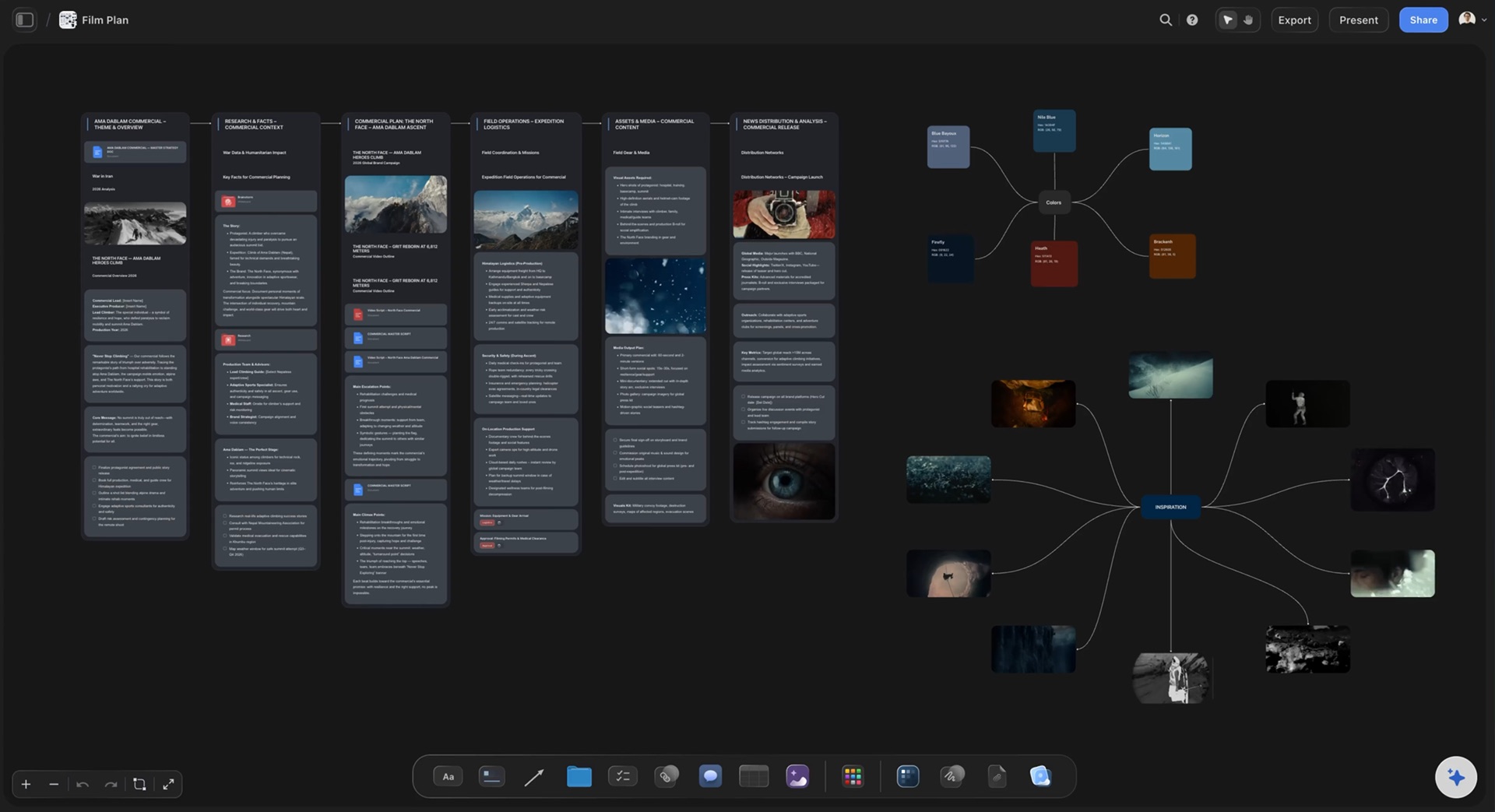
The slow parts, done for you. The ideas stay yours.
Storyflow sorts your notes, fills in your tables, and turns your board into a PDF, so work that takes hours by hand takes minutes. You keep every creative decision.
Turn messy notes into organized boards
Paste in your notes and get them sorted into groups
~45 min by hand
3 min with Storyflow


Turn PDFs into tables
Pull the names, costs, and due dates out of a PDF
~45 min by hand
2 min with Storyflow


Make pictures for your shot list
Every shot gets a picture in the look of your example photos
~2 hrs by hand
4 min with Storyflow


Create pitches from your board
AI turns everything on your board into a PDF you can send
~4.5 hrs by hand
3 min with Storyflow


Design posters from your board
AI lays out a poster from your board that you can edit by hand
~45 min by hand
2 min with Storyflow


Turn your board into slides
A deck made from everything on your board, ready to present
~5 hrs by hand
3 min with Storyflow


We asked our customers: “What changed for the better since you switched to Storyflow?”
“Honestly? Our pitches. Every client pitch starts on a Storyflow board now, with the idea, the references and the plan all together. That's how we won global campaigns with Sony and DJI. It keeps winning us new clients too.”

Moos
Co-founder, Outline Global
“Once we land a campaign, I plan the whole production on one board and share it with our team and the client. Everyone sees the same plan, so nobody has to ask what's going on. I'm at least 3x faster now, which means more time creating and more projects I actually finish.”

Reilin Joey
Founder, Outline Global
“I stopped repeating myself. With ChatGPT I had to explain our campaign from scratch in every new chat. Now our strategy, content calendar and briefs all sit on one board, and Storyflow just remembers it all.”

Josh Thornalley
Founder, Bloodbrotherstudios
“Planning a new doc used to mean bouncing between five apps. Now I describe the idea and Storyflow gives me a story outline, a shot list and a shoot schedule. Everything lives in one place now.”

George
@fernwehchronicles
“Every video I make gets its own board now, so the idea, research, script and shot list are never scattered again. I run every script through a tactic before I film, and my intros got better and people watch for longer. When a client needs a pitch, I build it on a board and send it as a PDF.”

Justkay
YouTuber & Freelance Filmmaker
“I've been following on Discord. I'm impressed with the team's turnaround and the sense of urgency, in addition to the diplomatic responses the team employs to answer client questions. You've made me a believer in your mission and vision.”
Dr. Javier C. De Hoyos
Freelance Learning Experience Designer