
Ultra-fast planning, extremely simple
The planning software where engineering teams and agents plan & ship together.
Storyflow is an easy to use and free visual workspace for software teams that gives engineers one infinite canvas to plan features, map systems and track work.
Get started for free

Creatives working for these brands already got early access
- Red Bull
- Canon
- Artlist
- Porsche
See how easy it is to get started
Watch a real project come together, from a blank board to a finished plan, clicked through step by step.
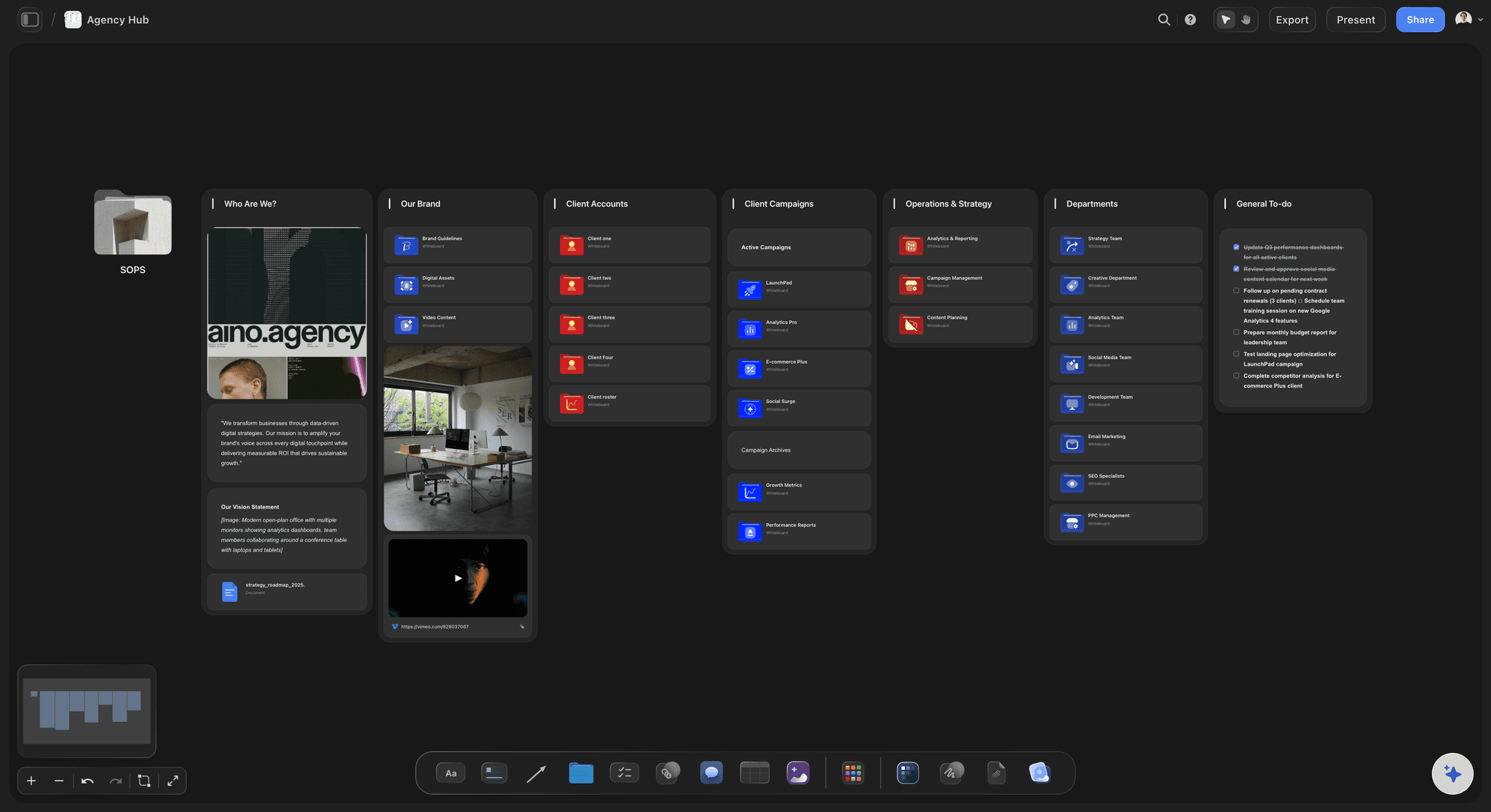
Agency Hub
Run your whole agency from one Storyflow canvas. Keep clients, briefs, project lanes, deliverables, and team handoffs in a single shared board.
From specs to shipped features
The blocks become an engineering workspace, holding designs, architecture and tasks so a team plans and ships in one view.
Epic title
Dev note
Tech doc
Workstream
Sprint board
Task list
Issue board
Issue
Data table
Resource link
Code comment
Reference image
Video clip
Audio clip
Doc file
AI image
Connector
Color swatch
Architecture template
Engineering context lives in too many tabs
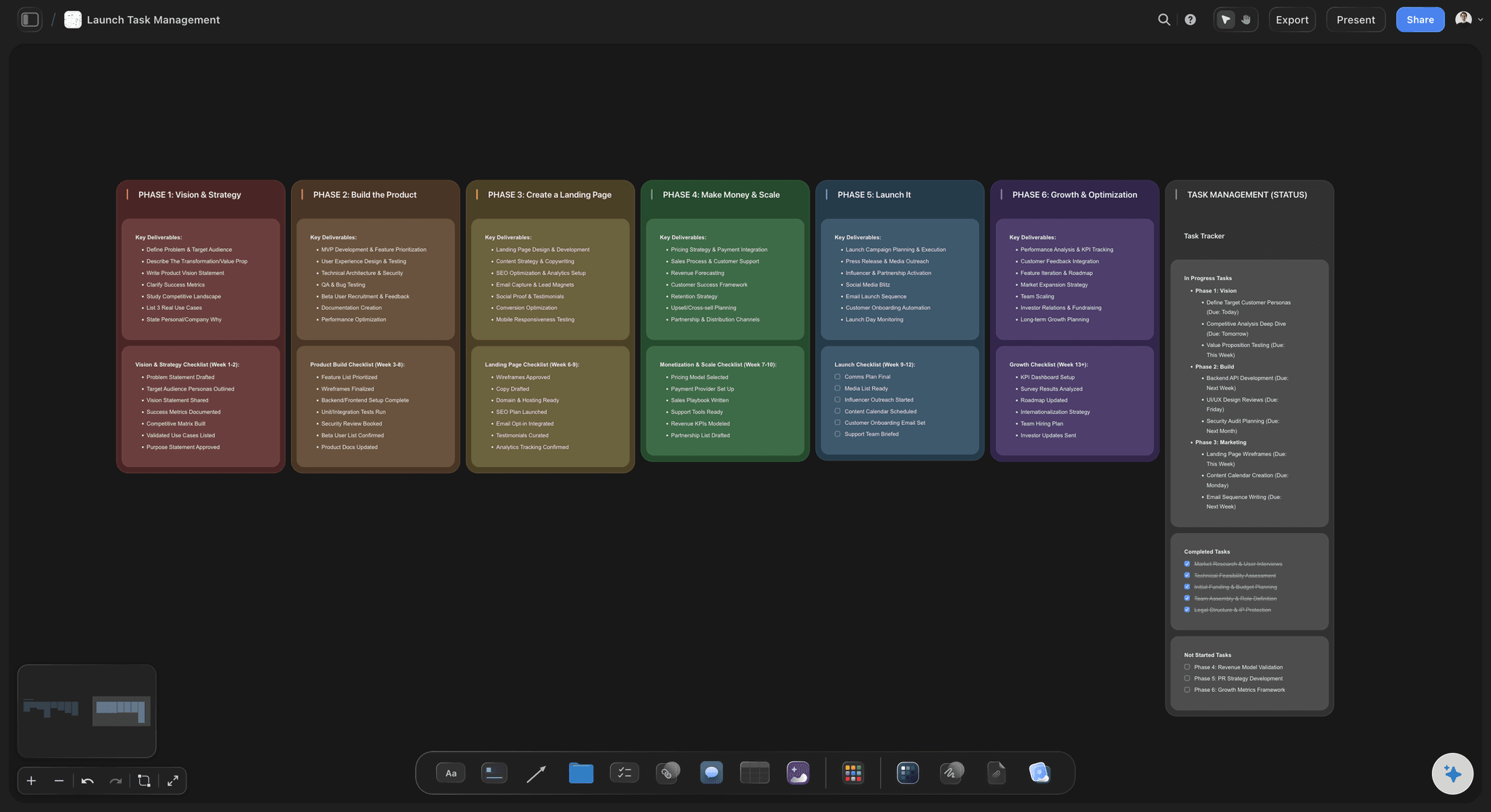
Context scattered everywhere
Requirements, API contracts, tickets, diagrams, and the real decisions live in five different tools. You spend more time reassembling context than building.
Everything on one canvas
Drag the spec PDF, the architecture screenshot, and the dependency notes onto a single infinite canvas as cards, then arrange them the way the system actually works.
See the whole feature
Notes hold requirements, to-dos track tasks, links point to source docs, and columns group work by service or sprint. Move cards as the plan changes.
Plan features and sprints on a canvas, not a flat list
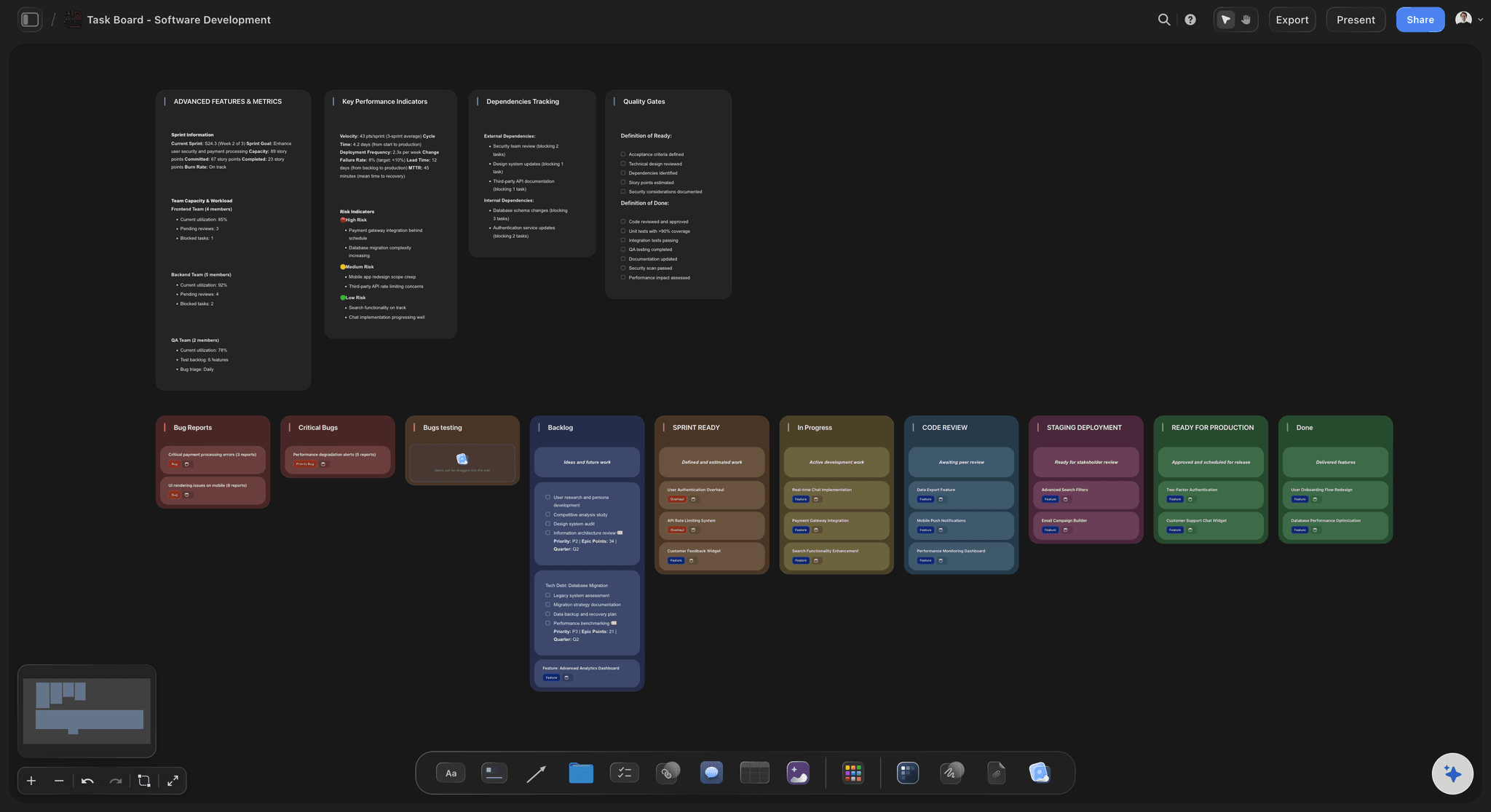
A list flattens the work
A backlog shows what is queued, not how the pieces relate. Engineering is full of dependencies, sequencing, and trade-offs a linear list hides away.
Lay it out, connect it
Spread a feature or sprint across the canvas as draggable cards, group them into columns by stage, service, or owner, and link boards to rollout plans and open questions.
Start with AI
Describe the work and the AI generates a starting board, a kanban or planner you shape. Bring a proven Tactic or Blueprint on for repeatable structure.
Bring frameworks and AI into the planning itself
Reusable team patterns
RFCs, retros, incident reviews, and sprint planning follow patterns your team trusts. Bring them on as Tactics or Blueprints so work starts from a shape that already fits.
AI grounded in your board
The AI assistant reads your active board. Ground it by @-mentioning up to one Blueprint or Tactic and three Documents to suggest tasks, surface gaps, or structure a pasted note.
Check approaches with search
Web search inside the AI chat surfaces sources when you need to verify an approach. Planning moves faster without losing the rigor your team relies on.
One shared canvas the whole team can see
Free sharing and inviting
Sharing and inviting are free, so engineers, PMs, designers, and stakeholders can all open the same canvas and see the same picture of the work.
The why travels along
Diagrams, specs, tickets, and decisions all live as cards on one canvas. Hand off a feature with every reference attached, or review a rollout with risks visible next to the plan.
Plan live on Max
When your team needs to plan in the same moment, live multi-editor sessions with real-time presence are available on the Max plan.
Why engineering teams choose Storyflow
Storyflow gives software teams one infinite canvas where specs, tickets, and architecture sketches live together, so the whole feature stays in view.
All context, one canvas
Stop hopping between a dozen tabs. Specs, diagrams, screenshots, and notes live on one infinite canvas, so the full picture of a feature stays in front of the whole team.
Drop in any artifact
Drag a Figma export, a PDF spec, a log screenshot, or a demo video straight from your machine. It lands as a card instantly, with no upload dialog to wait on.
Map sprints visually
Lay out tickets and dependencies spatially instead of in a flat list. Connect related work so blockers and the critical path are obvious at a glance.
AI that reads your board
The assistant drafts a starting board from a prompt or pasted spec, and grounds answers in your active board when you @-mention a Blueprint or up to three Documents.
Free to ship together
Sharing and inviting are free, with no object limit, no time limit, and unlimited boards on the Free plan. Add live multi-editor presence when you upgrade to Max.
Keep the AI on your spec
@-mention a Blueprint or document so the AI reasons from your real spec and architecture, not a generic guess at the work.
I want to:
Agency Hub
The Agency Hub is a ready-made Storyflow board that gives a creative agency a single home for clients, active projects, briefs, deliverables, and team coordination on one infinite canvas.
Built for how engineering teams actually work
Storyflow runs in your browser with no install and no credit card to start. Your boards, references, and planning stay in one workspace you control, and you decide who you invite to each canvas.
Browser-based with nothing to install and no credit card required to start
Sharing and inviting teammates is free, so the whole team can collaborate
You control who is invited to each board and workspace
Drag files straight onto the canvas, with no third-party upload pipeline
AI grounds its help in the board you choose, the active board plus what you @-mention
Live multi-editor real-time presence available when your team needs it on Max
Stop losing ideas across ten apps.
Capture every note, reference, and rough idea on one canvas, and watch it turn into a plan you can share. No more hunting through tabs, folders, and chats for the thing you saved last week.
Collect anything
Go from scattered files to one visual workspace. Drag any image, PDF, or video straight from your computer onto the canvas and it lands as a card instantly, with no upload dialogs and no extra steps. Everything you're working from sits in one place, ready to arrange, connect, and build on.
Your research, done for you.
Ask a question. Storyflow gathers sources, images, and insights, then lays them out on your canvas. Expand from there with AI that builds on your board, not a blank page.
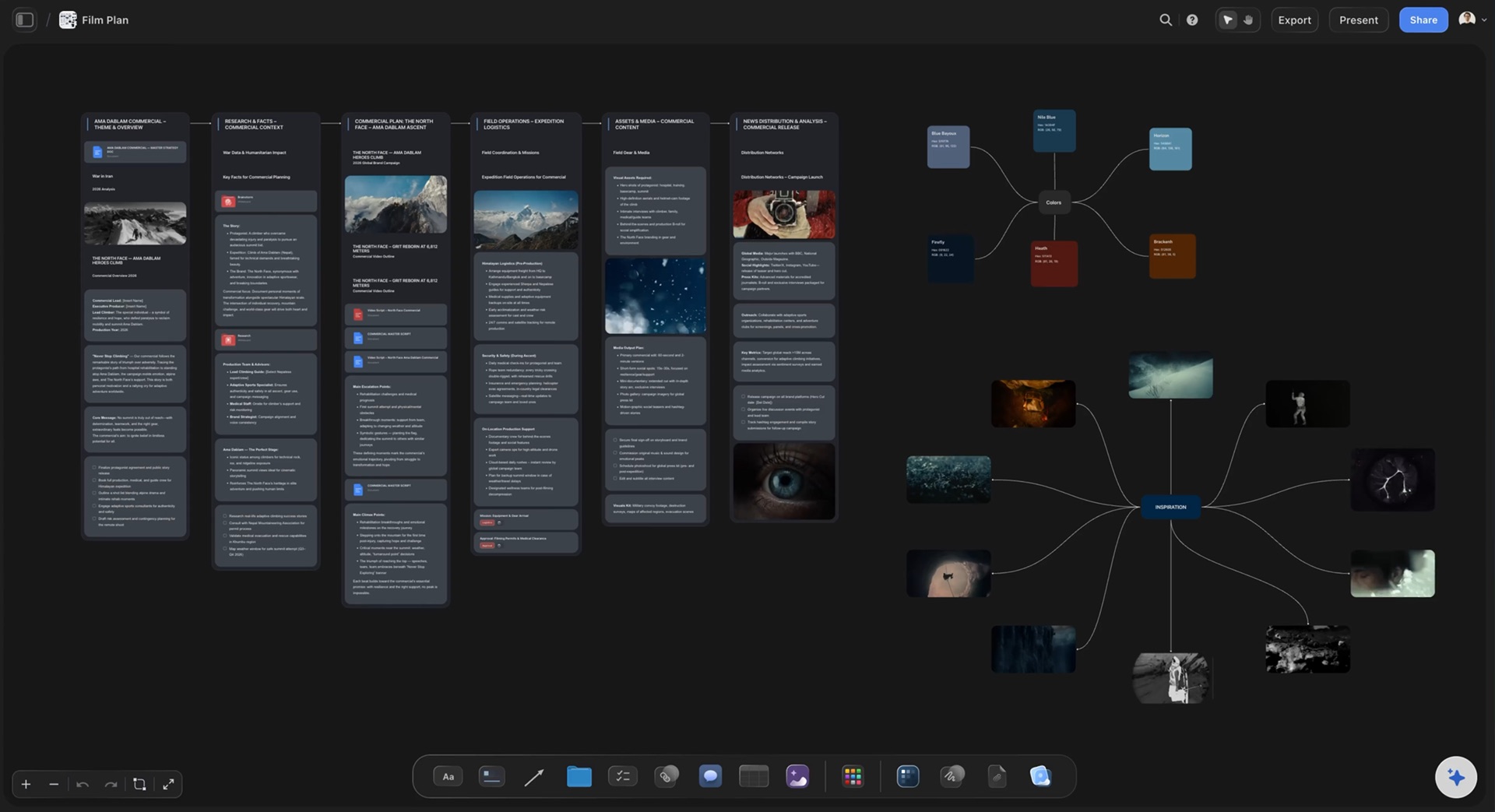
The slow parts, done for you. The ideas stay yours.
Storyflow sorts your notes, fills in your tables, and turns your board into a PDF, so work that takes hours by hand takes minutes. You keep every creative decision.
Turn messy notes into organized boards
Paste in your notes and get them sorted into groups
~45 min by hand
3 min with Storyflow


Turn PDFs into tables
Pull the names, costs, and due dates out of a PDF
~45 min by hand
2 min with Storyflow


Make pictures for your shot list
Every shot gets a picture in the look of your example photos
~2 hrs by hand
4 min with Storyflow


Create pitches from your board
AI turns everything on your board into a PDF you can send
~4.5 hrs by hand
3 min with Storyflow


Design posters from your board
AI lays out a poster from your board that you can edit by hand
~45 min by hand
2 min with Storyflow


Turn your board into slides
A deck made from everything on your board, ready to present
~5 hrs by hand
3 min with Storyflow


We asked our customers: “What changed for the better since you switched to Storyflow?”
“Honestly? Our pitches. Every client pitch starts on a Storyflow board now, with the idea, the references and the plan all together. That's how we won global campaigns with Sony and DJI. It keeps winning us new clients too.”

Moos
Co-founder, Outline Global
“Once we land a campaign, I plan the whole production on one board and share it with our team and the client. Everyone sees the same plan, so nobody has to ask what's going on. I'm at least 3x faster now, which means more time creating and more projects I actually finish.”

Reilin Joey
Founder, Outline Global
“I stopped repeating myself. With ChatGPT I had to explain our campaign from scratch in every new chat. Now our strategy, content calendar and briefs all sit on one board, and Storyflow just remembers it all.”

Josh Thornalley
Founder, Bloodbrotherstudios
“Planning a new doc used to mean bouncing between five apps. Now I describe the idea and Storyflow gives me a story outline, a shot list and a shoot schedule. Everything lives in one place now.”

George
@fernwehchronicles
“Every video I make gets its own board now, so the idea, research, script and shot list are never scattered again. I run every script through a tactic before I film, and my intros got better and people watch for longer. When a client needs a pitch, I build it on a board and send it as a PDF.”

Justkay
YouTuber & Freelance Filmmaker
“I've been following on Discord. I'm impressed with the team's turnaround and the sense of urgency, in addition to the diplomatic responses the team employs to answer client questions. You've made me a believer in your mission and vision.”

Dr. Javier C. De Hoyos
Freelance Learning Experience Designer