
Ultra-fast moodboards with real taste
The visual workspace for photographers
Plan every shoot, build the moodboard, and run the shot list on one infinite canvas. Drag in references, brief your client, and let AI hand you a starting board, so the whole shoot lives in one place instead of across a dozen apps.
Get started for free

Creatives working for these brands already got early access
- Red Bull
- Canon
- Artlist
- Porsche
See how easy it is to get started
Watch a real project come together, from a blank board to a finished plan, clicked through step by step.
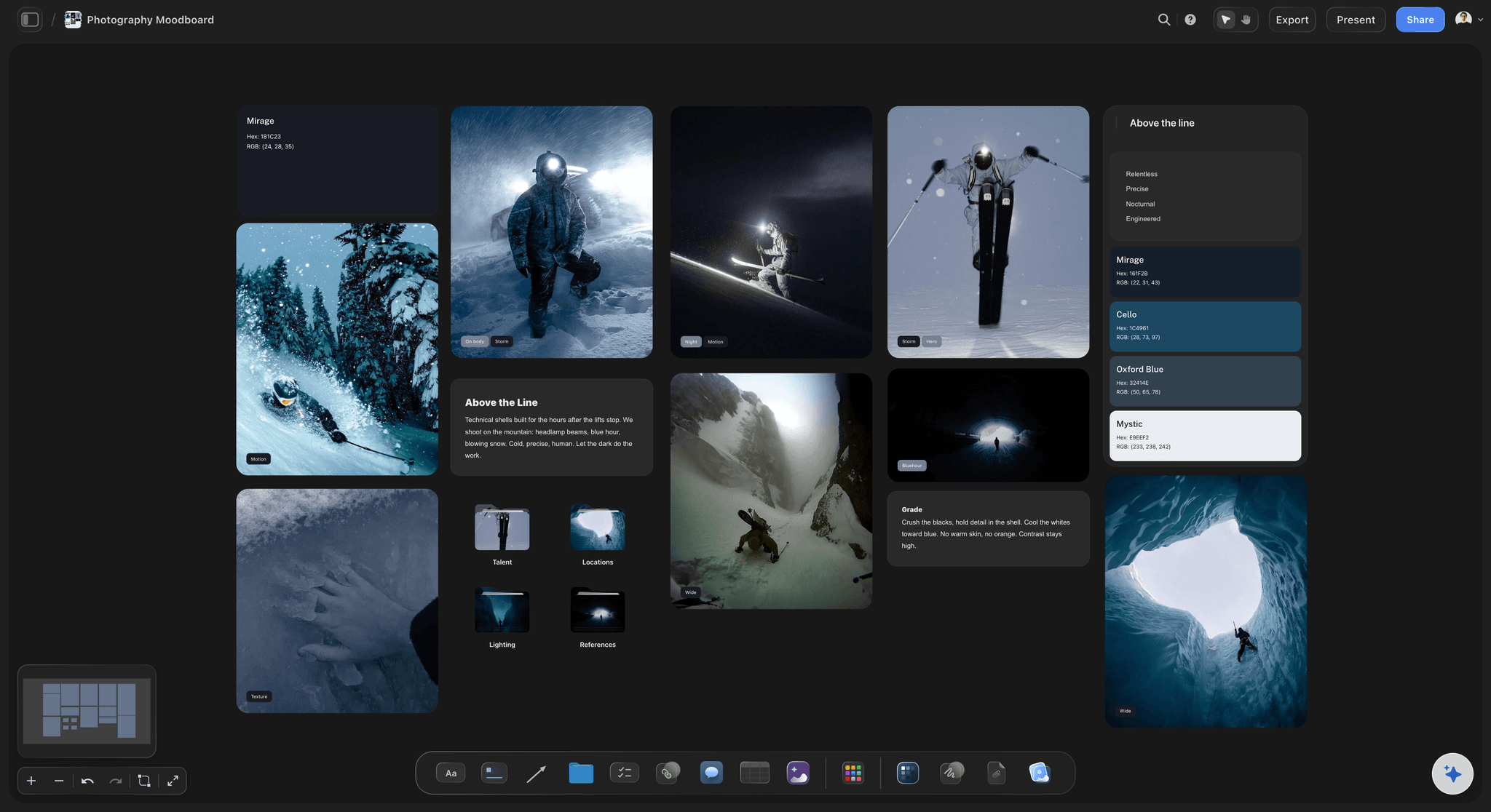
Photography Moodboard
Define the look of a shoot before the camera comes out. Collect reference images, lock a color palette, and write direction notes on one Storyflow board.
From brief to delivery
The blocks become a photographer's studio, holding briefs, references, and shot lists so the whole shoot lives in one place.
Shoot title
Concept note
Brief
Collection
Shoot board
Shot list
Shoot pipeline
Shoot task
Selects table
Reference link
Client feedback
Reference photo
Video reference
Audio note
Brief PDF
AI concept
Flow line
Color swatch
Shoot template
One canvas for the whole shoot
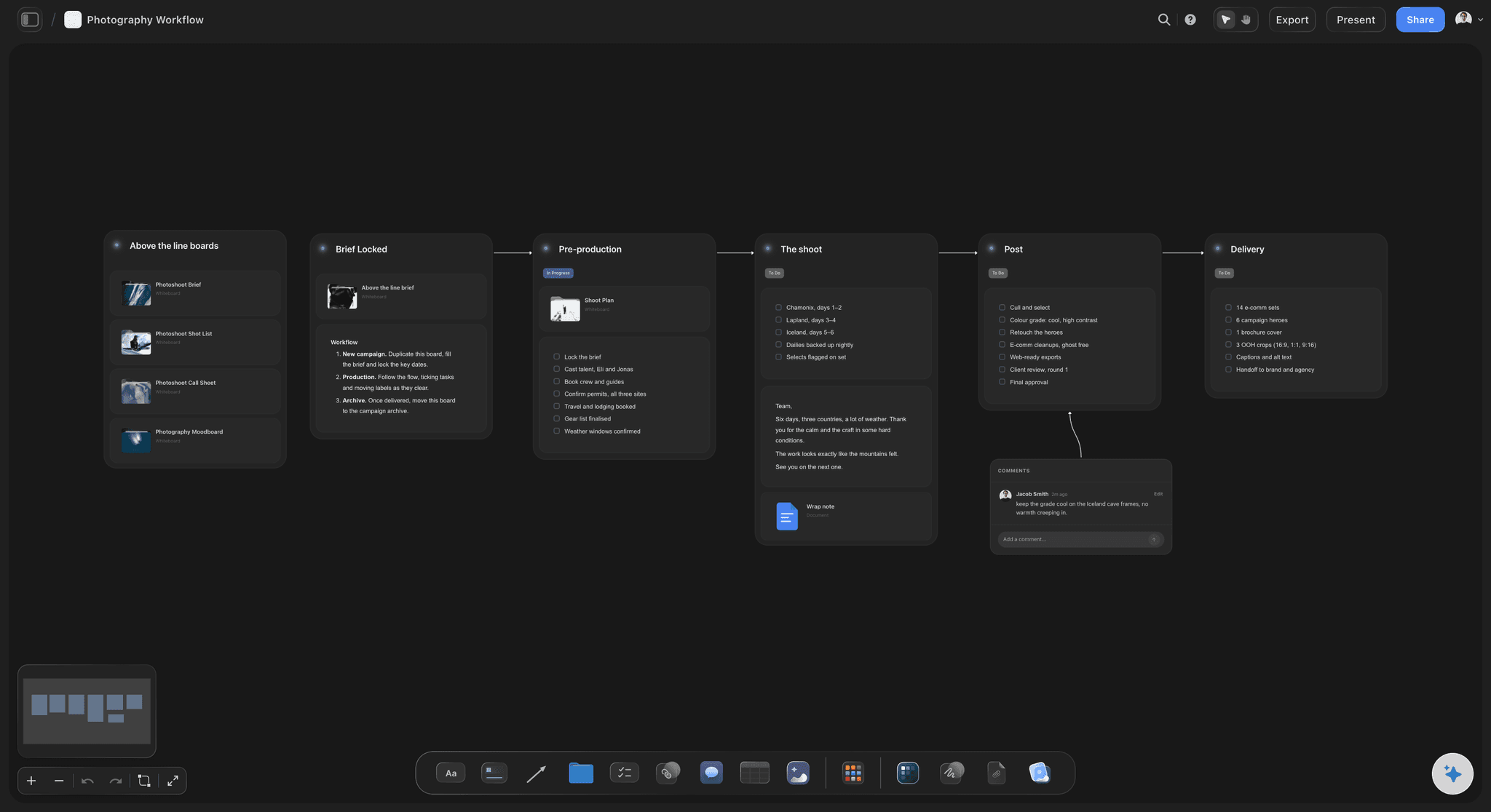
Escape the tool graveyard
Stop scattering the brief in email, references in folders, the shot list in Notes, and selects in a drive. Storyflow puts the entire shoot on one infinite canvas.
Cards you arrange
The brief, moodboard, run of day, and delivery list become draggable cards. Note cards hold concepts and lighting notes, image cards hold references, and to-do cards become your shot list.
Proven starting layouts
Templates like the Photography Workflow, Photoshoot Brief, and Photography Shoot Plan give you a structure to start from, so you see the whole shoot at once instead of tab-switching to remember it.
Moodboard and reference from anywhere
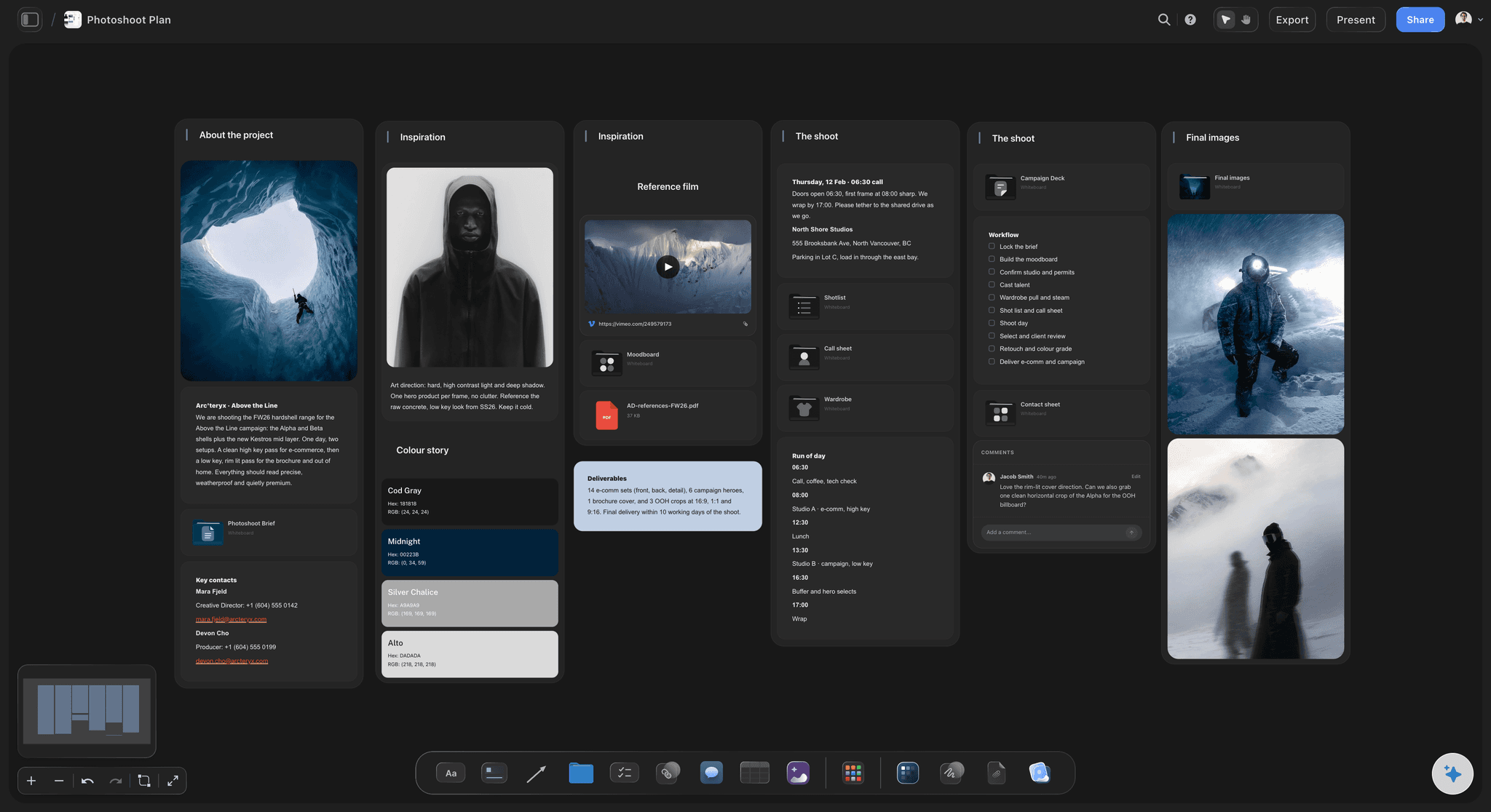
Drag in any reference
Drop reference photos, palettes, and location shots onto the canvas as cards. You can even screenshot a frame from a YouTube or Vimeo video to lift a lighting setup from motion reference.
Group the direction
Arrange references into columns for lighting, styling, poses, and hero frames, with a note card beside each one explaining the intent.
Direction the team can read
Because every reference lives as a card on one canvas, your client, stylist, and assistant read the whole creative direction in seconds instead of decoding a long brief.
AI that starts the board, you shoot the rest
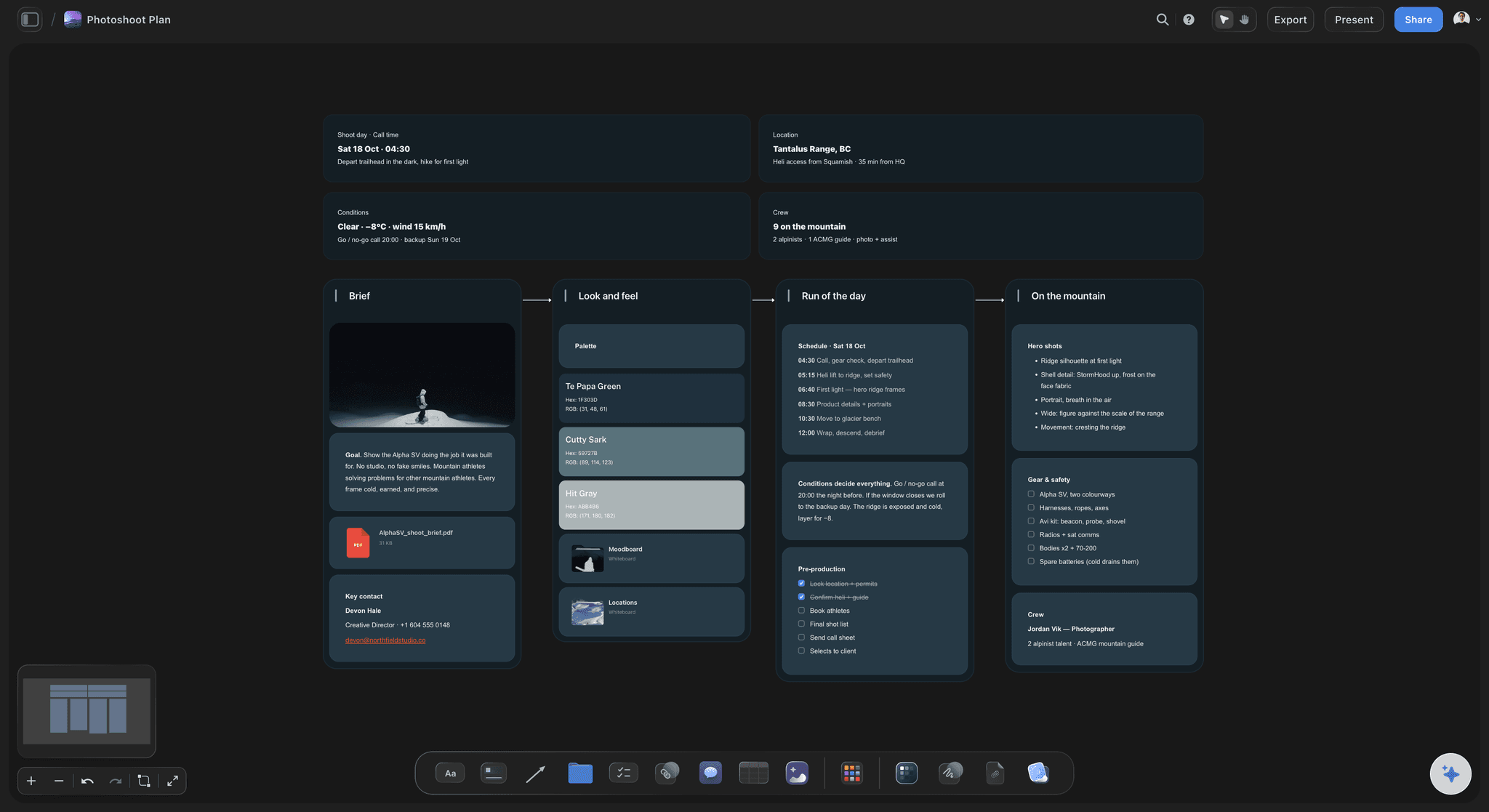
Beat the blank page
Describe your next shoot, or paste a rough note or PDF brief, and the AI assistant generates a starting board, a shoot plan, moodboard, or shot list that you immediately rework.
Grounded in your work
It reads your active board and can reference up to one Blueprint or Tactic and three Documents, so it builds on your briefs and frameworks. Web search in the chat surfaces locations and references as you plan.
You make the creative calls
On Pro and Max, AI image generation sketches concept frames on the canvas. Storyflow does not take the photos, so your energy goes to the calls only you can make.
Run every client and shoot in one place
See every client
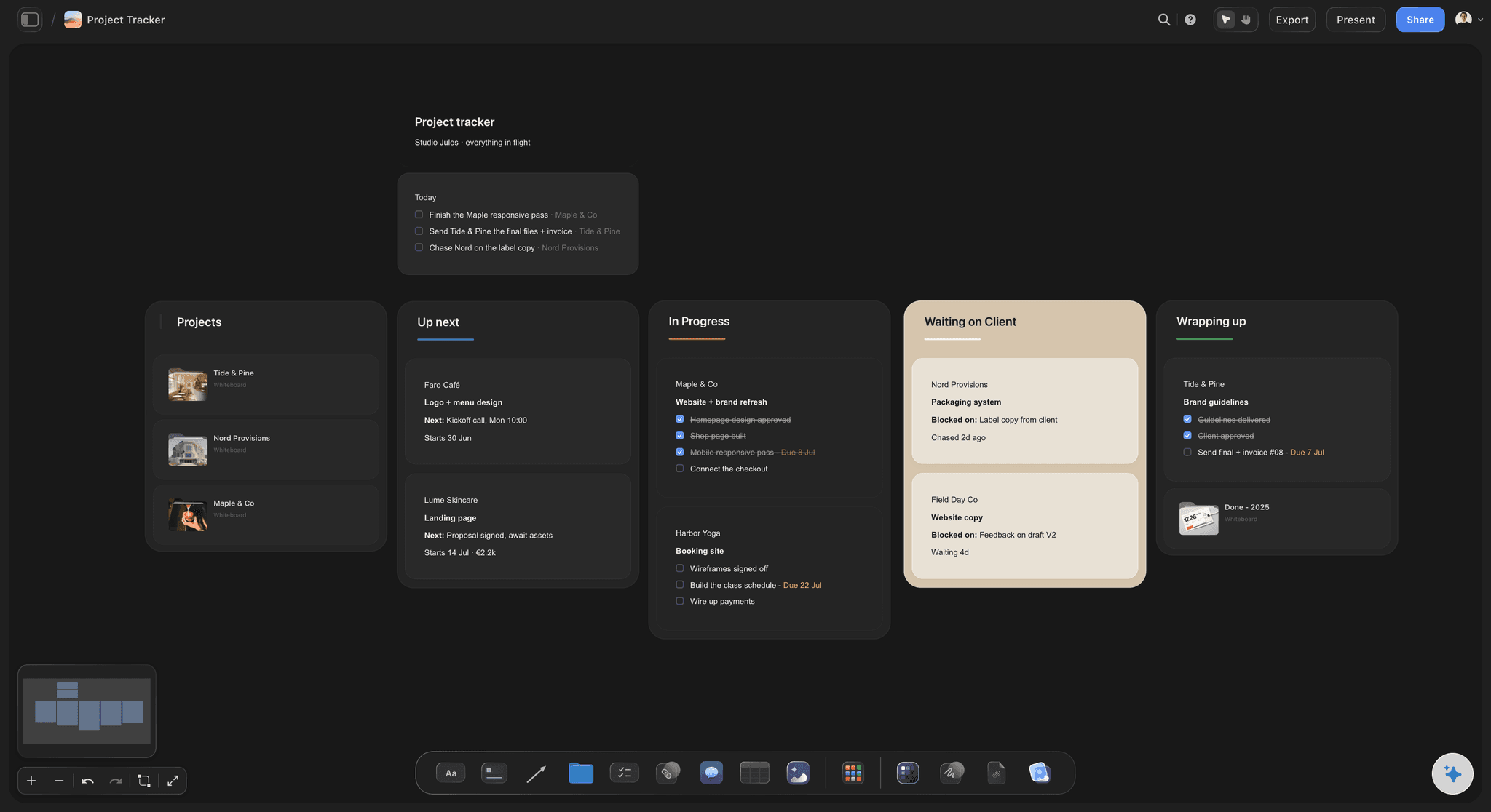
A Project Tracker board shows every client from up next to wrapping up, flags what is waiting on client feedback, and keeps a short daily list of what matters today.
A board per shoot
Give each shoot its own board for the brief, moodboard, shot list, and selects, and plan location trips on a Travel Photography Plan so the itinerary and the shots line up.
Run it with your team
Bring your client and retoucher onto any board for free, assign to-dos, and track what is shot, edited, and delivered. Your studio lives on one canvas you can actually run.
Why photographers choose Storyflow
Your whole shoot, from first concept to final delivery, lives on one infinite canvas instead of scattered across ten different tabs.
Everything in one place
The brief, references, shot list, and selects all live on one infinite canvas, so you stop hunting through folders and docs for the file you saved last week.
Drop in any asset
Drag a reference image, a PDF brief, or a location video straight from your computer and it lands as a card instantly. No upload dialog, no waiting, no folders to dig through.
Moodboard fast
Group references into columns for lighting, styling, and hero frames in minutes, and share the look with your client before the shoot instead of writing a long brief.
Beat the blank page
The AI assistant turns a prompt or a pasted brief into a starting board, then reads your active board to help refine it. You get a first draft to direct, not a finished shoot.
Free to plan and share
The Free plan has no object limit and no time limit, with unlimited boards and free sharing. Plan your whole shoot and invite your client, no credit card needed.
Run your whole studio
Track every client from up next to delivered on a project board, and give each shoot its own canvas, so nothing slips between jobs.
I want to:
Photography Moodboard
The Photography Moodboard is a ready-made Storyflow board for defining the visual direction of a shoot, with a reference image grid, a color palette, direction notes, and folders for talent, locations, and lighting on an infinite canvas.
Your client shoots, kept private
Your briefs, unreleased images, and client work are your reputation, so Storyflow keeps every board private to you by default. Nothing is public until you choose to share it, and you control exactly who gets a link or an invite.
Every board is private by default; you decide what to share and with whom
Sharing and inviting clients and crew is free, with no public exposure unless you opt in
Run Storyflow in the browser with no install, or use the desktop app
Start free with no credit card and no time limit on your boards
Live real-time multi-editor presence is available when you upgrade to Max
The AI assistant reads only your active board and the items you @-mention, never your entire workspace
Stop losing ideas across ten apps.
Capture every note, reference, and rough idea on one canvas, and watch it turn into a plan you can share. No more hunting through tabs, folders, and chats for the thing you saved last week.
Collect anything
Go from scattered files to one visual workspace. Drag any image, PDF, or video straight from your computer onto the canvas and it lands as a card instantly, with no upload dialogs and no extra steps. Everything you're working from sits in one place, ready to arrange, connect, and build on.
Your research, done for you.
Ask a question. Storyflow gathers sources, images, and insights, then lays them out on your canvas. Expand from there with AI that builds on your board, not a blank page.
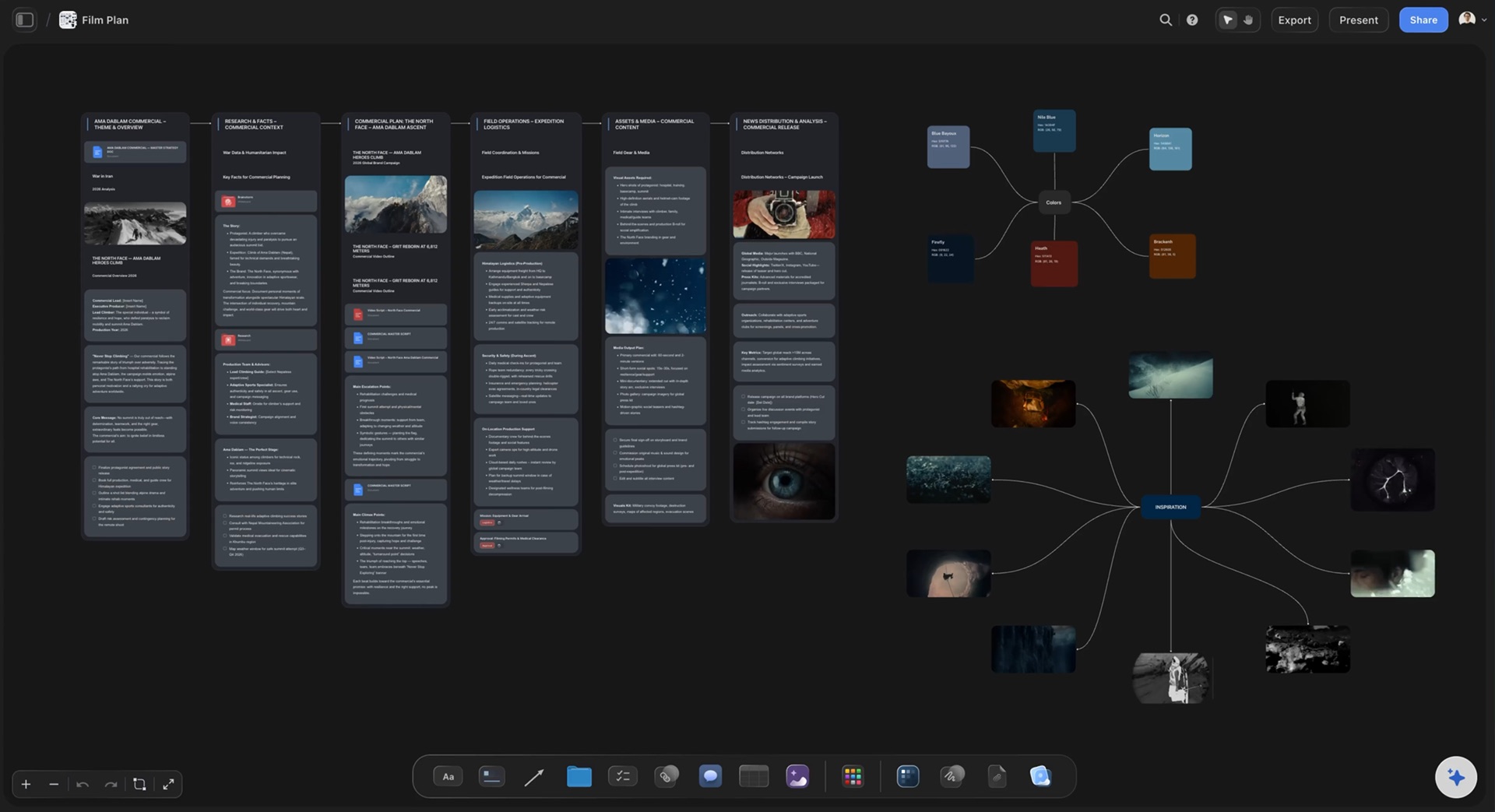
The slow parts, done for you. The ideas stay yours.
Storyflow sorts your notes, fills in your tables, and turns your board into a PDF, so work that takes hours by hand takes minutes. You keep every creative decision.
Turn messy notes into organized boards
Paste in your notes and get them sorted into groups
~45 min by hand
3 min with Storyflow


Turn PDFs into tables
Pull the names, costs, and due dates out of a PDF
~45 min by hand
2 min with Storyflow


Make pictures for your shot list
Every shot gets a picture in the look of your example photos
~2 hrs by hand
4 min with Storyflow


Create pitches from your board
AI turns everything on your board into a PDF you can send
~4.5 hrs by hand
3 min with Storyflow


Design posters from your board
AI lays out a poster from your board that you can edit by hand
~45 min by hand
2 min with Storyflow


Turn your board into slides
A deck made from everything on your board, ready to present
~5 hrs by hand
3 min with Storyflow


We asked our customers: “What changed for the better since you switched to Storyflow?”
“Honestly? Our pitches. Every client pitch starts on a Storyflow board now, with the idea, the references and the plan all together. That's how we won global campaigns with Sony and DJI. It keeps winning us new clients too.”

Moos
Co-founder, Outline Global
“Once we land a campaign, I plan the whole production on one board and share it with our team and the client. Everyone sees the same plan, so nobody has to ask what's going on. I'm at least 3x faster now, which means more time creating and more projects I actually finish.”
Reilin Joey
Founder, Outline Global
“I stopped repeating myself. With ChatGPT I had to explain our campaign from scratch in every new chat. Now our strategy, content calendar and briefs all sit on one board, and Storyflow just remembers it all.”

Josh Thornalley
Founder, Bloodbrotherstudios
“Planning a new doc used to mean bouncing between five apps. Now I describe the idea and Storyflow gives me a story outline, a shot list and a shoot schedule. Everything lives in one place now.”

George
@fernwehchronicles
“Every video I make gets its own board now, so the idea, research, script and shot list are never scattered again. I run every script through a tactic before I film, and my intros got better and people watch for longer. When a client needs a pitch, I build it on a board and send it as a PDF.”

Justkay
YouTuber & Freelance Filmmaker
“I've been following on Discord. I'm impressed with the team's turnaround and the sense of urgency, in addition to the diplomatic responses the team employs to answer client questions. You've made me a believer in your mission and vision.”
Dr. Javier C. De Hoyos
Freelance Learning Experience Designer