
Ultra-fast storyboards: minutes, not days
Turn user journeys into
a UX storyboard.
Write the scenario and Storyflow's AI lays out the journey as a storyboard: context, trigger, actions, and outcome, frame by frame on an infinite canvas.


Creatives working for these brands already got early access
- Red Bull
- Canon
- Artlist
- Porsche
See how easy it is to get started
Watch a real project come together, from a blank board to a finished plan, clicked through step by step.
Start from a ready-made template
Pick a board to see what you can build, then let AI fill it in. Every template is a real, editable starting point on the same infinite canvas.

Storyboard
Lay out your shots frame by frame with images and notes, then reorder them until the sequence reads like the finished cut.
What is a UX storyboard?
A UX storyboard is a sequence of frames that shows how a user moves through an experience: the context they start in, the trigger that sets them off, the actions they take, and the outcome they reach. Storyflow is an AI visual workspace that lays out your user journey as a storyboard on one infinite canvas: frames for context, trigger, actions and outcome, your research notes, and screenshots and quotes pinned beside the scenes. Unlike a flowchart or a journey map, a UX storyboard tells the journey as a story, which is why product teams use it to make research findings land with stakeholders who will never read the full report.
Building a UX storyboard by hand usually means pushing rectangles around a slide deck. Storyflow does the layout for you. Describe the scenario in plain language, or drop your research notes on the canvas as a PDF, and the AI lays out the journey as storyboard frames with structure and notes. You refine from there: rearrange frames, sketch interface moments with the pen tool, and pin screenshots and quotes next to the scenes they belong to.
Because the canvas is infinite, UX storyboarding in Storyflow is not limited to the happy path. Map the ideal journey on one row, the edge cases and failure states beside it, and keep personas, research insights, and open questions on the same board the storyboard lives on.
Ultra fast from brief to board
Build a UX storyboard in four steps.
From a written scenario to a journey the whole room understands.
01
Open a canvas
Sign up in the browser and the canvas is ready before your next research session ends.
02
Write the scenario
Describe the user, the context, and the goal in the AI chat, or drop research notes and the brief on the canvas as a PDF.
03
AI lays out the journey
The AI turns the scenario into storyboard frames: context, trigger, actions, and outcome, arranged in sequence with notes on every step.
04
Refine, share, present
Add edge cases beside the happy path, sketch interface moments, then share a view-only link with stakeholders or export the board as an image or PDF.
A UX storyboard that carries the whole journey.
Personas, research, and edge cases live on the same canvas as the frames.

Journey frames generated from a written scenario
Generate the storyboard from a scenario
Type the user scenario in plain language and the AI lays out the journey as frames with structure and notes. Start from a full board instead of a blank slide.
See the AI storyboard generator →
Research notes and briefs as the source material
Work from the research you already have
Drop interview notes, a research summary, or the project brief on the canvas as a PDF and the AI works from it, the same way a script becomes a storyboard.
See script to storyboard →
Happy path and edge cases side by side
Map every path on one canvas
The infinite canvas fits the ideal journey, the failure states, and the recovery flows next to each other, so the team designs for the whole experience.
Try the free storyboard maker →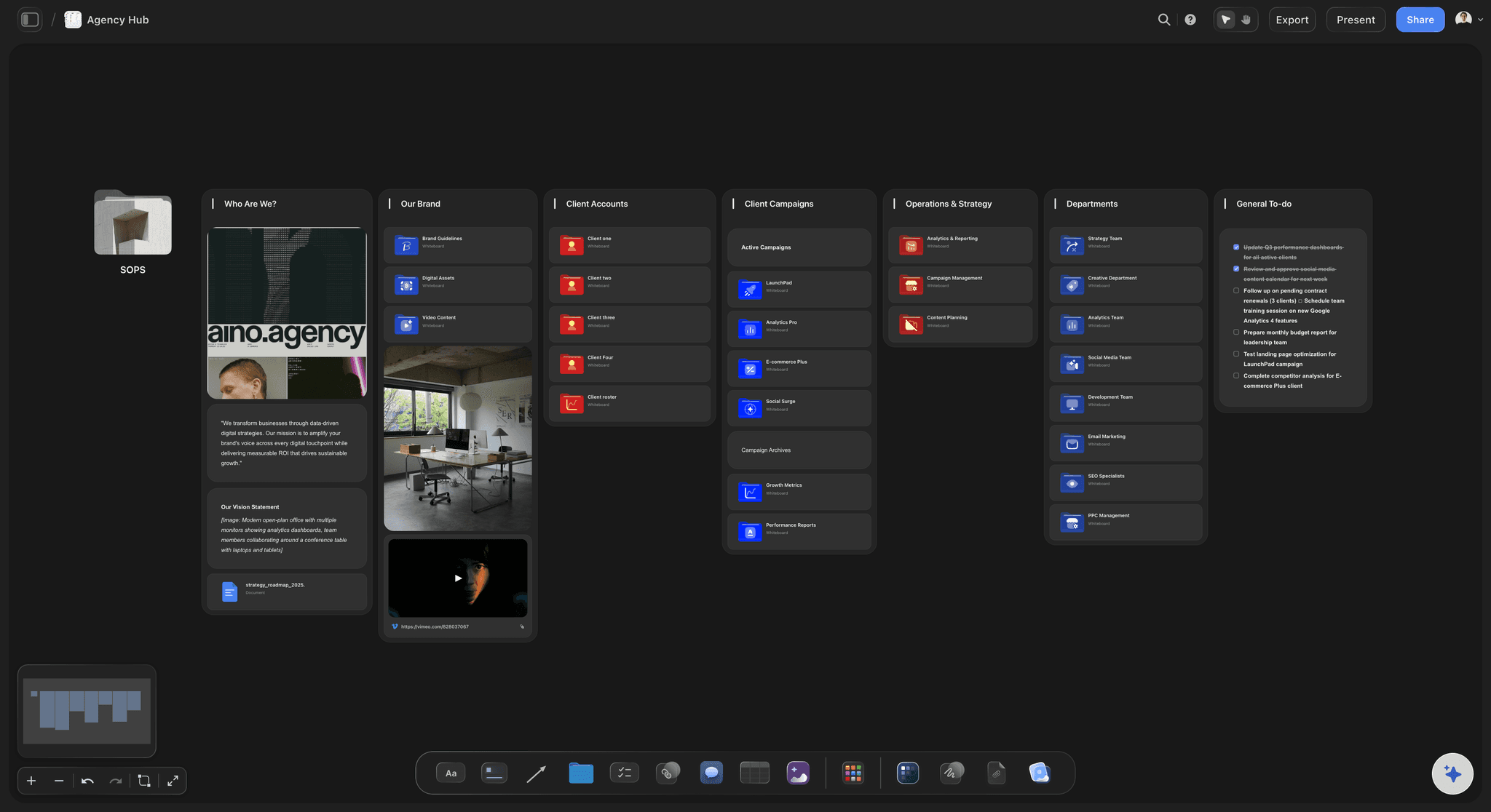
Journey links stakeholders can walk through themselves
Present research as a story
Stakeholders walk the journey from a view-only link with no sign-up required, and the readout deck gets a clean image or PDF export.
Learn how to make a storyboard →Plans from $7.99/mo.
Write the scenario on a canvas and the journey takes shape in front of you. No plan expires.
Unlimited journey boards on an infinite canvas
AI usage to lay out user journeys
Unlimited file uploads for research and screens
Designers and PMs join free, stakeholders follow a view-only link
Built for people with taste
More than a UX storyboarding tool.
Storyflow is an AI-native canvas, so the research, the journey, and the story live in one place.

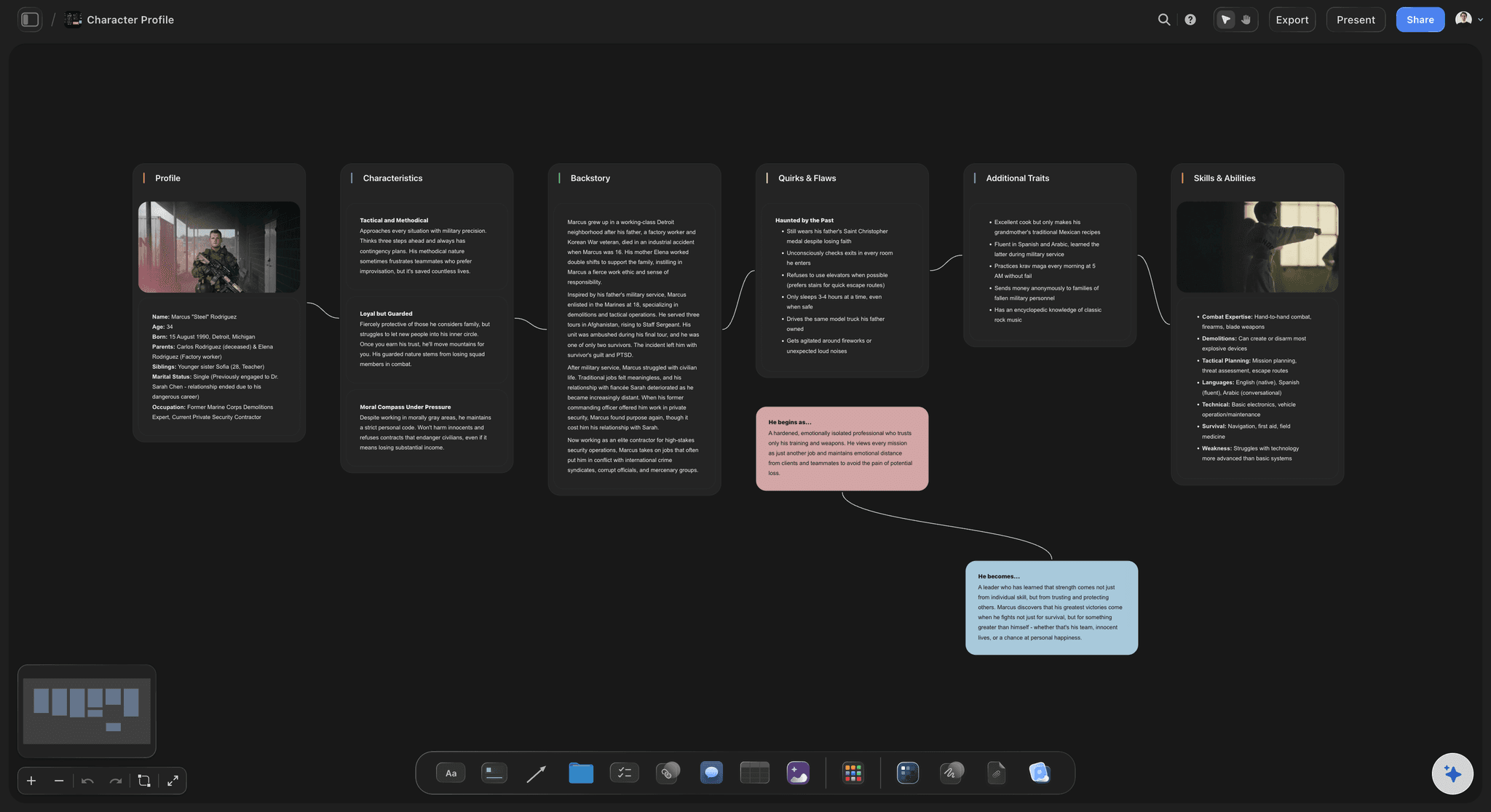
Context, trigger, actions, outcome
Frame the journey like a story
Context first: Where the user starts: device, environment, and state of mind, captured in the opening frames so the journey has stakes.
Trigger and actions: The moment that starts the journey and every step the user takes, one frame at a time, with notes on each decision.
Outcome and emotion: End on what the user achieved and how it felt. That last frame is the part stakeholders remember.
Personas, quotes, and insights on the board
Ground every frame in research
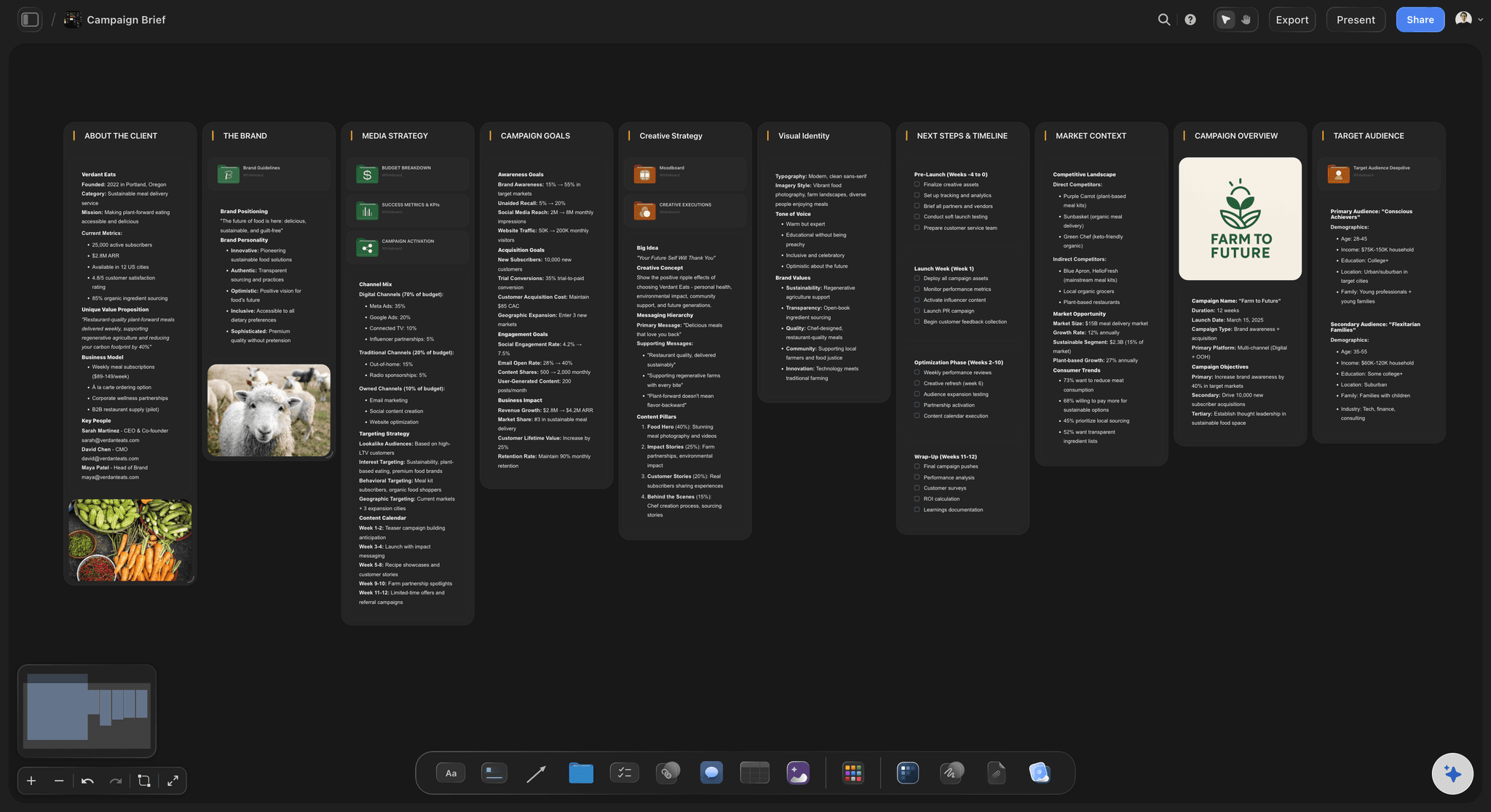
Persona cards: Build the persona next to the journey so every frame answers to a real user, not a generic one.
Evidence beside the frames: Drag interview quotes, screenshots, and PDFs next to the scenes they support. The insight and the story stay connected.
Frame grabs from video: Capture stills from YouTube or Vimeo walkthroughs and references straight onto the canvas, next to the step they illustrate.

Happy path, edge cases, and failure states
Design beyond the happy path
Side-by-side journeys: Lay the ideal flow, the edge cases, and the failure states in parallel rows so gaps in the experience are visible at a glance.
Edge cases stay visible: On an infinite canvas nothing gets cut for space. The awkward paths stay on the board until they are designed for.
Re-prompt the AI: Ask for an alternate path, a new step, or a different outcome. The AI keeps the context of the board while it reworks the journey.

From storyboard to stakeholder buy-in
Tell the story to the room
View-only links: Stakeholders open the board in the browser and walk the journey themselves. No account, no install.
Image and PDF export: Export the storyboard as a high-quality image or PDF for research readouts, decks, and documentation.
Invite the team free: Bring designers, PMs, and researchers onto the board so the journey becomes the shared reference, not one person's file.
Explore templates for your project
Every template opens as a real, editable board on the infinite canvas. Pick the closest fit and make it your own.
Storyboard
Lay out your shots frame by frame with images and notes, then reorder them until the sequence reads like the finished cut.
What creators are saying
Join early creators getting structured workspaces and AI that remembers their projects
“Storyflow has sped up my workflow by at least 3x, which means more flow state and more projects I can actually ship. It truly changed the way me and my team create.”

Reilin Joey
Director & YouTuber
“One prompt gets me a structured board. But the tactics are my favorite. I run my YouTube scripts through them and my intros and retention got better. It's amazing.”

Justkay
YouTuber & Freelance Filmmaker
“I used to juggle five apps to plan a project. Now I describe what I am making and get boards, lists, and a schedule. All in one place.”

George
@fernwehchronicles
UX storyboards, answered.
Everything people ask about UX storyboarding with Storyflow.
A UX storyboard is a sequence of frames that shows how a user moves through an experience: the context they start in, the trigger that sets them off, the actions they take, and the outcome they reach. UX and product teams use storyboards to communicate user journeys and research insights as a story, because a story is easier for stakeholders to follow than a flowchart or a report.
Storyflow lays the journey out for you: write the scenario in plain language, or drop your research notes on the canvas as a PDF, and the AI builds storyboard frames with context, trigger, actions and outcome. You rearrange the frames, sketch interface moments with the pen tool, and pin screenshots and quotes next to the scenes they belong to.
In Storyflow you open a canvas, describe the scenario in the AI chat or drop your research notes on the board as a PDF, and the AI lays out the journey as storyboard frames with structure and notes. From there you rearrange frames, sketch interface moments with the pen tool, and add personas, quotes, and edge cases around the journey.
Storyboards make the user's experience concrete before anything is built, which is the cheapest moment to change it. They also give research findings a narrative shape, so stakeholders who would never read a full report can still walk the journey, see the friction, and agree on what to fix. Storyflow makes that story fast enough to build for every key flow, not just the flagship one.
A strong UX storyboard covers four things: the context the user starts in, the trigger that begins the journey, the actions they take step by step, and the outcome they reach. Many teams also add the persona, an emotion note per frame, and the edge cases that branch off the happy path.
Not during early access. Storyflow is paid-only right now, with Plus at $7.99 a month billed annually covering most UX work: unlimited boards on an infinite canvas, AI usage to lay out journeys, unlimited file uploads, and view-only links for readouts. A Free plan is planned before the end of 2026.
No. The AI lays out the journey as structured frames with notes, which is already readable in a review. If you want visuals, sketch loosely with the pen tool, drop in product screenshots, or grab frames from video references. On Pro and Max, AI image generation happens directly on the canvas too.
A user journey map is an analytical grid: stages, touchpoints, emotions, and metrics in rows and columns. A UX storyboard tells the same journey as a narrative sequence of frames, which makes it better for building empathy and presenting to stakeholders. In Storyflow both can live on the same infinite canvas, so the map and the story stay connected.
Yes. Storyflow's AI generates the storyboard layout from a written scenario: the frames, the sequence, and the notes on each step, arranged on an infinite canvas. It keeps the context of your board as you re-prompt, so you can ask for an edge case or a different outcome and it reworks the journey around what is already there.
Your users have a story. Board it.
Write the scenario, watch the journey lay itself out, and walk into the review with a story.