The 12 Best AI Tools for UX Researchers in 2026 (We Tested Them All)
The 12 best AI tools for UX researchers in 2026, tested on real studies. Synthesis, transcription, interviews, and survey AI compared honestly.

Category
UX Research
Author

Justkay
Documentary Filmmaker & Founder at Storyflow
Topics
2026-05-14
•
14 min read
•
UX Research- best AI tools for UX researchers 2026
- AI UX research
- Dovetail vs Notably
- AI interview synthesis
What are the best AI tools for UX researchers in 2026?
The best AI tools for UX research in 2026 are a coordinated stack, not one platform. For synthesis, Dovetail or Notably. For unmoderated usability testing, Maze. For moderated sessions, UserTesting or Lookback. For surveys and card sorts, Optimal Workshop. For behavioral signal, Hotjar. For sourced competitive research, Perplexity Spaces. For transcription, Otter or Granola. And for holding all of it on a canvas the AI can read (affinity mapping, insight clustering, and the study plan), Storyflow. The one thing to know before you buy anything: AI does not run the whole study. It runs one leg of the relay. Find the leg where your research loses the most time, then buy for that. I tested twelve tools across real research work: interview studies, survey and card-sort analysis, and competitive UX teardowns. UX research changed more between 2024 and 2025 than in the previous five years. Transcription matured, and synthesis went from gimmick to genuine leverage. The right AI cuts the time from interview to insight roughly in half. The wrong AI generates a plausible theme that misses the actual pattern, which is worse than no AI, because a confident wrong theme ships. The rankings sort tools by the leg of research they run.

Full disclosure: Storyflow is our own product and is listed first in the reviews and the table: our pick first, then the rest by job. The ranked list places it third. Dovetail leads there because it is a purpose-built research repository with theme detection across many studies and native transcription, which a general canvas does not replace. Storyflow is there for visual synthesis and study planning on a canvas the AI reads, but it is not a UX research platform: no recruiting, no testing, no transcription, and it is cloud-only. For a governed multi-study repository use Dovetail or Notably, and bring transcripts in from Otter or Granola. We link to every tool so you can judge the fit.
Quick Comparison
The top four map to where UX teams lose the most time: synthesis across studies, AI-native per-study synthesis, visual synthesis and planning on a canvas, and unmoderated testing.
| Tool | Best For | AI Features | Price |
|---|---|---|---|
| Dovetail | Synthesis and reporting | Theme detection across corpus | $30/user/mo |
| Notably | AI-native synthesis | Auto-tag, first-pass themes | $25/user/mo |
| Storyflow | Canvas synthesis and planning | Canvas AI reads every artefact | $7.99 mo annual (free plan late 2026) |
| Maze | Unmoderated usability testing | Auto-analysis of task results | $99/user/mo |
All 12 AI Tools for UX Researchers, Ranked
- Dovetail: best research repository with AI theme detection across many studies
- Notably: best AI-native first-pass synthesis per study
- Storyflow: best canvas for research artefacts, affinity mapping, and study planning
- Maze: best unmoderated usability testing at scale with AI analysis
- UserTesting: best managed panel plus moderated and unmoderated testing
- Optimal Workshop: best card sorts, tree tests, and information architecture surveys
- Perplexity Spaces: best source-grounded competitive and desk research
- Hotjar: best always-on behavioral signal from a live product
- Lookback: best moderated remote sessions with live observation
- Granola: best AI-first interview transcription and summaries
- NotebookLM: best free source-grounded synthesis from a fixed transcript corpus
- ChatGPT: best flexible general AI for open-text analysis
Best AI Tool for UX Researchers by Job
The overall ranking is not the answer to every question. Match the tool to the job you actually have:
- Best research repository with AI theme detection: Dovetail. Built for synthesis across many studies.
- Best AI-native first-pass synthesis per study: Notably.
- Best canvas for affinity mapping and research artefacts: Storyflow. Quotes, clusters, and insights on one AI-readable board. It is not a repository, so tagging at scale lives elsewhere.
- Best unmoderated usability testing at scale: Maze.
The Research Relay: The Framework This Guide Is Built On
Most "best AI tools for UX research" lists fail the same way: they treat research as one job and rank tools as if one could win it. Research is not one job. It is a relay with six legs.
- Plan. Frame the question, write the guide, choose the method.
- Recruit. Find, screen, schedule, and pay the right participants.
- Run sessions. Moderate interviews, run tests, field surveys.
- Transcribe. Turn recordings into accurate, timestamped text.
- Synthesize. Tag, cluster, and pull the pattern from the raw material.
- Report. Turn the pattern into something stakeholders act on.
The defining property of a relay: no runner runs the whole race. A world-class sprinter on one leg can be mediocre on another, and the baton pass matters as much as the running. Tools are the same. Dovetail is excellent at synthesis and weak at recruiting. Maze is excellent at unmoderated testing and does not transcribe interviews. Storyflow is strong at holding and synthesizing artefacts on a canvas and recruits no one and runs no test.
This reframes the buying question. You are not looking for the tool that does UX research. You are looking for the tool that runs the leg where your research currently loses the most time, plus a clean pass to the next runner. AI does not run the whole study. It runs one leg of the relay. A 2024 survey by the UX Researchers Network of senior researchers found 71 percent used three to five tools across a study rather than one platform, which is what a relay looks like in practice. Every tool below is tagged with the leg it actually runs, so you can assemble the stack instead of chasing a platform that promises the whole race and delivers one leg well.
Quick Picks: Best AI Tools for UX Researchers 2026 by Use Case
Best AI Synthesis: Dovetail or Notably. Dovetail is the established repository with AI synthesis; Notably is the AI-native alternative with stronger first-pass synthesis. Dovetail from around $30/user/month, Notably from around $25/user/month. Both run the synthesis leg.
Best for Research Canvas Plus Planning: Storyflow. The canvas where transcript cards, observation notes, photo cards, affinity clusters, and the synthesis Document live in one space the AI reads. Plus from $7.99/month billed annually. The honest limit: no recruiting, no testing, no transcription. It runs the plan and synthesize legs, not the middle of the race.
Best for Unmoderated Testing: Maze. Prototype, tree, and first-click tests at scale with AI-assisted analysis. From around $99/user/month.
Best for Moderated Sessions: UserTesting or Lookback. UserTesting pairs a large panel with study tooling; Lookback runs moderated remote sessions with live observation. UserTesting is enterprise-quoted, Lookback from around $25/user/month.
Best for Surveys and Information Architecture: Optimal Workshop. Card sorts, tree tests, and surveys with analysis built in. From around $199/month.
Best for Behavioral Signal: Hotjar. Heatmaps, session recordings, and on-site surveys showing what users do, not just what they say. Free tier plus paid plans.
Best for Transcription: Otter or Granola. Otter is the established transcription tool; Granola is the AI-first alternative with stronger summaries. Otter from around $10/month, Granola from around $18/month.
Best for Competitive Research: Perplexity Spaces. Grounds desk research in live sources with a citation on every claim. Pro from around $20/month.
Best Free AI: NotebookLM or ChatGPT. NotebookLM grounds answers in your transcripts; ChatGPT handles flexible open-text analysis. NotebookLM free during preview; ChatGPT free with limits, Plus from around $20/month.
The honest split: the right AI toolkit pairs a specialist for each leg rather than one platform that runs every leg moderately. Try Storyflow for research synthesis and competitive teardowns.
Comparison Table: Best AI Tools for UX Researchers 2026
| Tool | Relay Leg Covered | AI Depth | Transcription / Analysis | Collaboration | Starting Price |
|---|---|---|---|---|---|
Storyflow | Plan, synthesis | High (reads full canvas) | Analysis on canvas, no transcription | Unlimited shared boards | $7.99/mo annual |
Dovetail | Synthesis, reporting | High (theme detection) | Analysis strong, transcription built in | Team repository | $30/user/mo |
Notably | Synthesis | High (AI-native) | Analysis strong, no native recording | Team workspace | $25/user/mo |
Maze | Sessions (unmoderated) | Medium-high (auto-analysis) | Test analysis, no interview transcription | Team seats | $99/user/mo |
UserTesting | Recruit, sessions | Medium (AI insights) | Video analysis, auto-transcripts | Enterprise seats | Enterprise quote |
Optimal Workshop | Sessions (surveys, IA) | Medium (built-in stats) | Quant analysis, no interview transcription | Team seats | $199/mo |
Perplexity Spaces | Desk research | High (source-grounded) | No transcription, cites sources | Shared Spaces | $20/mo |
Hotjar | Sessions (behavioral) | Medium (AI surveys) | Recordings, no interview transcription | Team seats | Free + paid |
Lookback | Recruit, sessions | Low-medium | Live observation, auto-transcripts | Team seats | $25/user/mo |
Granola | Transcription | Medium-high (summaries) | Transcription plus AI notes | Individual first | $18/mo |
NotebookLM | Synthesis (light) | Medium (grounded Q&A) | Text analysis, no recording | Sharing only | Free (preview) |
ChatGPT | Synthesis (light) | Medium (general) | Open-text analysis, no recording | Sharing only | $20/mo |
Pricing checked July 2026; verify on each vendor's page, since UX research pricing moves often and most vendors quote per seat.

Storyflow canvas with interview transcript cards, theme cards, and AI synthesis Documents in one workspace
Best AI Tools for UX Researchers 2026: Market Context
The AI-for-UX-research market split into four groups between 2024 and 2026, and the split maps onto the relay. Dedicated AI-native platforms (Notably, Dovetail, and the analysis layers in Maze and UserTesting) win the legs they were designed for. General AI repurposed for research (ChatGPT, Claude, Perplexity, NotebookLM) runs a light synthesis leg and a desk-research leg well, and little else. Capture tools (Granola, Otter, Fireflies) own the transcribe leg. Workspace and canvas tools (Storyflow, Notion, Airtable) hold artefacts and do synthesis alongside a team's other work.
The mechanism behind the 71 percent multi-tool finding is simple. Transcription tools beat general AI on accuracy. Dedicated synthesis tools beat general AI on theme detection. Recruiting and testing platforms have panel features no general tool matches. So the market did not converge on one winner. It specialized by leg. The right AI toolkit for UX research is a coordinated stack, not a single platform, and the researchers who move fastest stopped looking for the one tool and started assembling the relay.
How We Evaluated the Best AI Tools for UX Researchers 2026
Five criteria decided the rankings. Every tool ran on real research over three weeks, not a synthetic benchmark or a demo.
Relay-leg fit. Which of the six legs does the tool run, and how well? A tool that runs one leg brilliantly ranks above a tool that runs three legs poorly.
AI depth. Theme-detection accuracy and synthesis quality against a human-coded baseline. The test that separates real synthesis from theatre: does the AI find the pattern a careful researcher found by hand, or invent a plausible theme the data does not support?
Workflow fit. Performance across real research work: interview studies, survey and card-sort analysis, and competitive teardowns. Different projects stress different legs.
Pricing and value. Cost for a solo researcher and a team of five, at the tier you would actually run. Per-seat pricing changes the total sharply at team scale.
Data portability. Export, ownership, and how cleanly output hands off to the next runner. A tool that traps your synthesis is a bad baton pass.
Detailed Reviews: Best AI Tools for UX Researchers 2026
1. Storyflow (Best Canvas for Research Artefacts and Planning)
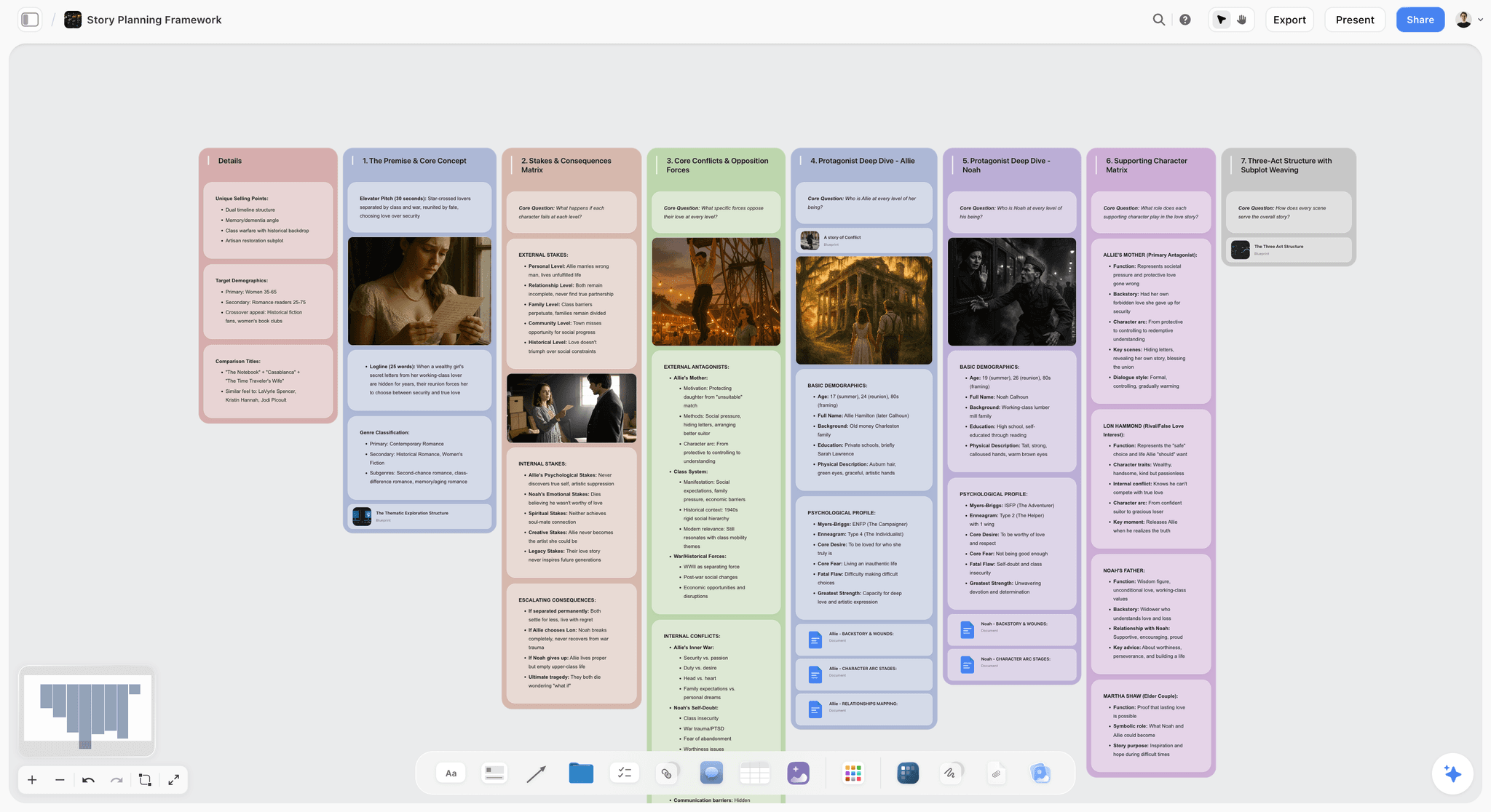
Storyflow is the canvas where research artefacts and the synthesis around them live in one space. An interview study holds the transcript cards, observation notes, photo cards from contextual inquiry, the affinity clusters you drag into shape, and the working synthesis Document, all on one board the AI reads. It is not a UX research platform and does not pretend to be. It runs two legs well: planning (frame the study, structure the guide) and synthesis (cluster observations into themes on a canvas the AI reads and helps organize).
The friction it removes is specific. The familiar approach is to export highlights to a whiteboard for affinity mapping, then re-type the resulting themes back into a document, doing the same synthesis twice. Storyflow's canvas-aware AI closes that gap: you cluster the observations spatially, and the AI reads the whole board to help draft the themes in the same place. That same canvas then communicates the finding, so a journey insight becomes a UX storyboard stakeholders actually read. AI does not run the whole study. It runs one leg of the relay, and for Storyflow those legs are planning and synthesis.
Best for: Researchers who think spatially and want affinity mapping, insight clustering, and the study plan on one AI-readable canvas. Also great for: teams who run sessions in Maze, UserTesting, or Dovetail and want a visual synthesis layer alongside them.
Pricing: Paid-only early access today; the Free plan (free from late 2026) launches before the end of 2026, and anyone a paid member invites to a board joins free now. Plus: $7.99/month annual or $9.99 monthly (adds 200+ Story Blueprints, more AI, unlimited uploads). Pro: $14/month annual or $19 monthly (adds AI image generation, 20x more AI). Max: $39/month annual or $49 monthly (adds 40x more AI and a team workspace with roles). Pricing as of July 2026.
Strengths:
- The AI reads the full active canvas board (every transcript card, note, photo, and cluster), so affinity mapping and the write-up happen in one place, not two.
- Planning and synthesis on the same canvas, with 200+ Story Blueprints (Plus and up) and @-mention of up to 1 Tactic and 3 Documents for extra grounding.
- The Free plan, launching before the end of 2026, is built to be genuinely usable: unlimited boards, cards, and collaboration, no credit card, no per-seat charge.
Limitations:
- Not a UX research platform: no recruiting, no panel, no scheduling, no incentives.
- No usability testing and no transcription; bring recordings in from Otter, Granola, or your testing tool.
- Cloud-only with no offline mode, and card-and-document shaped rather than a structured research database like Dovetail.
Verdict: The strongest visual synthesis and planning layer here, and honest about its lane. For recruiting or testing, Storyflow is the wrong tool and Dovetail, UserTesting, or Maze is right. For clustering messy qualitative material into a defensible insight on a canvas the AI reads, it earns its place. If your synthesis currently happens twice, rebuild your next study's synthesis on a Storyflow canvas: start from a customer persona template, then open a Storyflow workspace.
2. Dovetail (Best UX Research Repository with AI)
Dovetail is the established research repository, and by 2026 it runs the synthesis and reporting legs better than anything else here for teams. The repository holds transcripts, notes, and tagged highlights, and the AI surfaces themes across the whole corpus. If your problem is that insights from six studies live in six places and nobody can find the cross-study pattern, Dovetail is built for exactly that.
Best for: Research teams whose bottleneck is synthesis across many studies. Not for: solo researchers on a tight budget, or anyone whose bottleneck is recruiting.
Pricing: Free tier with limits. Paid from around $30/user/month.
Strengths:
- Mature repository that scales across many studies.
- Strong AI theme detection tested against a hand-coded baseline.
- Deep integrations with transcription and testing tools.
Limitations:
- Per-seat pricing climbs fast for larger teams.
- The repository-first model has real setup overhead.
- Runs synthesis and reporting, not recruiting or testing.
Verdict: The right pick for teams whose bottleneck is synthesis across studies. It runs the back half of the relay well.
3. Notably (Best AI-Native UX Synthesis)
Notably is built around AI-native synthesis, and in testing it produced stronger first-pass themes than Dovetail on a single study. It auto-tags segments, surfaces patterns, and drafts a synthesis you edit rather than write from scratch. Where Dovetail is a repository that gained AI, Notably is an AI engine that gained a repository, and the difference shows in how fast the first draft appears.
Best for: Researchers who want the strongest AI-native synthesis per study. Not for: teams needing a long track record or the deepest integrations.
Pricing: From around $25/user/month, trial available.
Strengths:
- Best AI-native first-pass synthesis quality in this list.
- Fast pattern surfacing from a pile of transcripts.
- Clean, analysis-first interface built around synthesis.
Limitations:
- Smaller community and ecosystem than Dovetail.
- Repository and workflow features are lighter.
- Runs synthesis, not recruiting or testing.
Verdict: The right pick when per-study synthesis speed matters and you do not need Dovetail's ecosystem.
4. Maze (Best Unmoderated Usability Testing with AI)
Maze runs the sessions leg for unmoderated, task-based testing at scale: prototype tests, tree tests, and first-click tests, with AI-assisted analysis that summarizes results and flags where users struggled. If your question is "can users complete this task on this prototype," Maze answers it faster and cheaper than moderated sessions, because the test runs while you sleep.
Best for: Teams running unmoderated tests inside a design-to-validation loop. Not for: discovery interviews or any study where the "why" matters more than the "what."
Pricing: Free tier with limits. Paid from around $99/user/month.
Strengths:
- Best unmoderated testing workflow here, from build to analysis.
- AI-assisted analysis that summarizes task success and friction.
- Strong quantitative reporting that hands off cleanly.
Limitations:
- Unmoderated only, so it captures behavior but not the follow-up "why."
- Pricing is high for occasional solo testing.
- Runs one leg; does not transcribe interviews or synthesize depth.
Verdict: The right pick when your bottleneck is validating designs fast. It owns the unmoderated-testing leg.
5. UserTesting (Best Panel Plus Moderated Testing)
UserTesting runs the recruit and sessions legs together, which is its real advantage. It pairs a large participant panel with moderated and unmoderated tooling and AI-generated insights across the resulting videos. If your bottleneck is getting in front of the right users quickly, it solves the leg most tools here skip entirely: recruiting.
Best for: Teams that need to recruit and test with target users at scale. Not for: solo or small teams on a budget.
Pricing: Enterprise-quoted, typically a significant annual commitment.
Strengths:
- Large managed panel that removes the recruiting bottleneck.
- Moderated and unmoderated sessions with AI video analysis.
- Mature enterprise governance and sharing.
Limitations:
- Enterprise pricing rules it out for solo and small teams.
- The broad panel is less precise for niche audiences.
- Heavy for teams that test only occasionally.
Verdict: The right pick for organizations whose bottleneck is recruiting-plus-testing at scale.
6. Optimal Workshop (Best for Surveys and Information Architecture)
Optimal Workshop runs the sessions leg for structured, quantitative research: card sorts, tree tests, first-click tests, and surveys, with analysis built in. If you are validating navigation, testing an information architecture, or fielding a structured survey, this is the specialist. For a survey and card-sort project, its built-in analysis surfaces grouping patterns faster than exporting to a general tool.
Best for: Researchers running IA studies, card sorts, and structured surveys. Not for: open-ended discovery or moderated depth.
Pricing: Paid from around $199/month.
Strengths:
- Best-in-class card sorting and tree testing with built-in stats.
- Purpose-built for information architecture validation.
- Clean quantitative output stakeholders trust.
Limitations:
- Narrow by design: structured quant, not qualitative depth.
- AI features are lighter than dedicated synthesis tools.
- Steep pricing for occasional structured studies.
Verdict: The right pick for information architecture and structured surveys. It owns a specific, high-value leg.
7. Perplexity Spaces (Best Source-Grounded Competitive Research)
Perplexity Spaces runs a leg just outside the primary study: desk and competitive research. It grounds answers in live sources with a citation on every claim, which matters for a competitive teardown where a hallucinated fact about a competitor's flow would be embarrassing. For a competitive teardown, Spaces is the fastest way to gather sourced context before opening each product to test directly.
Best for: Competitive teardowns and desk research where sourced claims matter. Not for: primary user research (it does not talk to your users).
Pricing: Free with limits. Pro from around $20/month.
Strengths:
- Best source-grounded research with citations on every claim.
- Live web integration for current competitive context.
- Shared Spaces keep a research thread organized.
Limitations:
- No participant research, transcription, or UX-specific features.
- Grounding reduces but does not eliminate the need to verify.
- Desk research, not a substitute for talking to users.
Verdict: The right pick for competitive and desk research that has to be sourced. See The 12 Best AI Research Tools in 2026 for the broader category.
8. Hotjar (Best for Behavioral Signals)
Hotjar runs a continuous, always-on version of the sessions leg. Heatmaps, session recordings, and on-site surveys show what users actually do on a live product, not just what they say in an interview. The gap between stated and actual behavior is where a lot of research goes wrong, and Hotjar is the cheapest way to watch the actual behavior at scale.
Best for: Product teams who want continuous behavioral signal from a live site. Not for: deep qualitative discovery or pre-launch prototype testing.
Pricing: Free tier plus paid plans by traffic and feature.
Strengths:
- Continuous behavioral data from real product usage.
- Heatmaps and recordings that reveal friction users never report.
- AI-assisted on-site surveys for in-context questions.
Limitations:
- Shows what users do, not why, without follow-up.
- Behavioral data needs qualitative work to interpret.
- Not a discovery or testing tool for pre-launch designs.
Verdict: The right pick for always-on behavioral signal on a live product. It complements the interview and testing legs.
9. Lookback (Best for Moderated Remote Sessions)
Lookback runs moderated remote sessions with live observation, recording, and auto-transcripts. When you need to watch a real user work through a task in real time and ask the follow-up questions a script cannot anticipate, Lookback is the dedicated tool. It covers a slice of the recruit-and-sessions legs for moderated qualitative work specifically.
Best for: Moderated remote usability tests and live observation. Not for: unmoderated testing at scale or non-usability research.
Pricing: Paid from around $25/user/month.
Strengths:
- Strong moderated session experience with live observer rooms.
- Auto-transcripts that hand off cleanly to synthesis.
- Purpose-built for watching real users in real time.
Limitations:
- AI features are lighter than analysis-first tools.
- Moderated focus does not scale like unmoderated testing.
- Best paired with a synthesis tool for the back half of the relay.
Verdict: The right pick for moderated remote sessions where live follow-up matters.
10. Granola (Best AI Meeting Notes for Interviews)
Granola runs the transcribe leg with an AI-first twist: it produces structured notes and summaries from an interview, not just a raw transcript. For discovery interviews where you want the gist and key quotes fast, its summaries beat a plain transcription tool. The trade-off is that summaries can smooth over the exact wording a rigorous synthesis needs.
Best for: Interview-heavy researchers who want AI notes fast. Not for: studies needing verbatim fidelity for close coding.
Pricing: Free with limits. Individual from around $18/month.
Strengths:
- Strong AI summaries with key points surfaced.
- Low-friction capture that runs quietly during a call.
- Good for fast, directional readouts after a session.
Limitations:
- Summaries can miss or paraphrase specific quotes.
- The meeting-notes model is lighter than a research repository.
- Runs transcription and light synthesis, not the full analysis leg.
Verdict: The right pick for fast AI interview notes. Pair with Dovetail, Notably, or Storyflow when synthesis has to be rigorous.
11. NotebookLM (Best Free Source-Grounded Synthesis)
NotebookLM runs a light synthesis leg, grounded in your uploaded transcript corpus. For a researcher with a finite set of transcripts who wants to ask questions across them and get answers cited to the source, it is genuinely useful and free. The audio-overview feature turns a corpus into a spoken summary, a surprisingly good way to re-absorb a study.
Best for: Researchers with a fixed transcript corpus who want grounded Q&A. Not for: large studies (the source cap is restrictive) or team workflow.
Pricing: Free during preview.
Strengths:
- Excellent source grounding: answers cite the transcript they came from.
- Audio overview is a strong way to re-internalize a corpus.
- Free during preview.
Limitations:
- The source cap makes large studies impractical.
- No UX-specific features, tagging, or team workflow.
- Grounded Q&A is not structured synthesis.
Verdict: The right pick for small-corpus, source-grounded synthesis on a budget.
12. ChatGPT (Best General AI for Open-Text Analysis)
ChatGPT runs a flexible, light synthesis leg. For open-text survey analysis, first-pass theming, and drafting a readout, it is the most flexible tool here, and for a solo researcher without a budget it covers a surprising amount. The risk is why it is here: with no grounding and no research-specific structure, it will produce a confident, plausible theme the data does not support unless you check it against the raw material every time.
Best for: Flexible open-text analysis, first-pass theming, draft readouts. Not for: rigorous theme accuracy or any output that ships without human verification.
Pricing: Free with limits. Plus from around $20/month.
Strengths:
- Broad, flexible capability across formats and tasks.
- Fast first-pass theming and draft readouts.
- Familiar and easy for a whole team.
Limitations:
- No grounding, so theme hallucination is a real, recurring risk.
- No UX-specific features, tagging, or repository.
- Theme accuracy is lower than dedicated tools; always verify against source.
Verdict: The right pick for flexible, low-cost open-text analysis, with the standing caveat that every theme needs a human check.
Best AI Tools for UX Researchers 2026: By the Numbers
Derived from the comparison table above, the shape of the market is clear.
- 12 of 12 tools include AI, but only 5 of 12 (Dovetail, Notably, Storyflow, Perplexity, NotebookLM) run AI deep enough to change how synthesis or research feels rather than bolting on a summary button.
- Only 3 of 12 (Dovetail, UserTesting, Lookback) natively transcribe recordings. The rest expect you to bring transcripts in, which is the most commonly skipped baton pass in the relay.
- Just 2 of 12 (UserTesting, Lookback) run the recruiting leg. Recruiting is the leg the AI market covers least, which is why it is so often the real bottleneck.
- 7 of 12 are priced per seat, so the total at a team of five is three to five times the sticker price. Storyflow is the exception at a flat account price with unlimited collaboration.
- Zero of 12 run all six legs well. Every complete study assembles at least two tools.
The takeaway the table forces: there is no single winner, and any list that names one is selling the platform, not describing the research.
Which AI Tool Fits Which Researcher?
13. Solo UX Researcher / Freelancer
Top picks: Storyflow + Otter
Storyflow for planning and synthesis on one canvas at a flat, affordable price, and Otter for transcription. Recruit through your own network, and you have covered planning, transcription, and synthesis without per-seat costs. The leanest complete relay for one person.
14. Embedded Product Team Researcher
Top picks: Dovetail + Maze
Dovetail as the shared repository so the whole team sees the pattern, and Maze for fast unmoderated validation inside the design loop. This pairing covers sessions, synthesis, and reporting for a team that ships continuously.
15. Enterprise Research Team
Top picks: UserTesting + Dovetail
UserTesting to remove the recruiting-and-testing bottleneck at scale, and Dovetail as the governed repository of record. Together they cover recruit, sessions, synthesis, and reporting across many parallel studies.
16. Information Architecture Researcher
Top picks: Optimal Workshop + Storyflow
Optimal Workshop for card sorts, tree tests, and structured surveys, and Storyflow to synthesize the results and plan the next study on a canvas. Structured quant plus visual synthesis is a strong IA workflow.
17. Design Researcher Doing Discovery
Top picks: Notably + Lookback
Lookback for moderated discovery sessions with live follow-up, and Notably for the strongest AI-native synthesis of what you heard. Moderated sessions plus deep synthesis for open-ended discovery.
18. Growth / Product Analyst
Top picks: Hotjar + ChatGPT
Hotjar for continuous behavioral signal from the live product, and ChatGPT for fast open-text analysis of the on-site survey responses. A lightweight, always-on loop for teams that watch behavior more than they run formal studies.
19. Competitive / Market Researcher
Top picks: Perplexity Spaces + Storyflow
Perplexity for sourced competitive research, and Storyflow to hold the teardown on a canvas where the AI reads across every competitor card. Sourced desk research plus visual synthesis is the fastest teardown workflow here.
Where Dedicated UX Platforms Still Win (An Honest Accounting)
A guide that ranked Storyflow first for everything would not be worth reading. Here is where the dedicated tools are the right call and Storyflow is not.
Recruiting is not Storyflow's job at all. If your bottleneck is finding, screening, scheduling, and paying participants, Storyflow does none of it. UserTesting, User Interviews, and Respondent exist for exactly this, and no canvas replaces a managed panel.
Moderated and unmoderated testing belong to the specialists. Watching a user work through a prototype in real time is Lookback's job; running a task-based test at scale is Maze's. Storyflow runs neither.
Transcription belongs to transcription tools. Storyflow does not turn a recording into text. Otter and Granola do, and their output is the baton you pass into a Storyflow synthesis.
A governed multi-study repository is Dovetail's strength. For a team that needs every study in one queryable, permissioned place with an audit trail, Dovetail's structured database beats a canvas.
The point is not that dedicated platforms are beaten. It is the relay: AI does not run the whole study. It runs one leg of the relay. Storyflow runs the plan and synthesize legs on a canvas the AI reads, which is genuinely useful when your synthesis currently happens twice. For every other leg, the specialist wins, and the honest move is to hand it the baton.
The Bottom Line
The best AI tools for UX research in 2026 are a coordinated stack across research stages, not one platform that claims to run the whole study.
For synthesis, Dovetail (mature) or Notably (AI-native). For unmoderated testing, Maze. For moderated sessions, UserTesting or Lookback. For surveys and IA, Optimal Workshop. For behavioral signal, Hotjar. For sourced competitive research, Perplexity Spaces. For transcription, Otter or Granola. And for visual synthesis and study planning on a canvas the AI reads, Storyflow, which earns its place on the plan and synthesize legs and stays out of the recruiting, testing, and transcription legs it does not run.
If you are not sure where to start, find the leg where your research loses the most time. If synthesis is slow, buy Dovetail, Notably, or Storyflow. If validation is slow, buy Maze. If recruiting is the wall, buy UserTesting. The wrong move is to buy one tool for everything and miss the specialized leverage of each leg. AI does not run the whole study. It runs one leg of the relay. Assemble the relay, and the research moves.
FAQ: Best AI Tools for UX Researchers 2026
What is the best AI tool for UX research in 2026?
There is no single best tool, because UX research is a relay of six legs and different AI wins each. For synthesis, Dovetail or Notably. For unmoderated testing, Maze. For moderated sessions, UserTesting or Lookback. For surveys and IA, Optimal Workshop. For behavioral signal, Hotjar. For visual synthesis and planning on an AI-readable canvas, Storyflow. Pick for the leg where your research loses the most time.
How much does AI UX research software cost in 2026?
It ranges widely by leg and seat count. Transcription tools start around $10 to $18 per month. Synthesis tools like Dovetail and Notably run roughly $25 to $30 per user per month. Testing platforms like Maze start near $99 per user per month, and UserTesting is annual-quoted. Storyflow is the flat-price exception at $7.99 per month billed annually for Plus, with unlimited collaboration and no per-seat charge. Verify current pricing on each vendor's page.
Is there a free AI tool for UX research?
Yes. NotebookLM is free during preview and grounds answers in your uploaded transcripts. ChatGPT Free handles general open-text analysis. Hotjar has a free tier for behavioral signal. Storyflow's free tier is not out yet: it is paid-only during early access, with a Free plan for canvas-based synthesis and planning (unlimited boards and collaboration) launching before the end of 2026. The right free pick depends on the leg: grounded Q&A, flexible analysis, behavior, or visual synthesis.
What is the best AI for interview synthesis?
Notably has the strongest AI-native first-pass synthesis on a single study, and Dovetail is the established choice for synthesis across many studies. Storyflow is strongest if you think spatially and want affinity mapping plus the write-up on one canvas the AI reads. The pick depends on whether you want a dedicated research paradigm (Notably, Dovetail) or a visual canvas (Storyflow).
Can Storyflow replace Dovetail for UX research?
No, and it does not try to. Dovetail is a purpose-built repository with participant tracking, study management, native transcription, and a governed database. Storyflow is a canvas that runs the planning and synthesis legs, so it holds artefacts and helps you cluster and write up insights, but it has no recruiting, testing, or transcription. Many researchers use Storyflow as the visual synthesis layer alongside Dovetail for the repository.
Can ChatGPT do UX research?
ChatGPT can do general analysis: open-text synthesis, first-pass theming, and draft readouts. It cannot match dedicated tools for theme accuracy, participant management, or workflow, and because it has no grounding it will produce confident themes the data does not support unless you verify each one against the transcript. For rigorous synthesis, Dovetail, Notably, or a canvas like Storyflow outperform general chat.
What AI tool transcribes interviews best?
Otter has the most mature transcription accuracy for UX interviews, and Granola is the AI-first alternative with stronger structured summaries. Dovetail, UserTesting, and Lookback include native transcription. If you use a synthesis-only tool like Notably or a canvas like Storyflow, run transcription in Otter or Granola first and bring the transcript in.
Should I use AI for theme analysis?
Yes, to accelerate the first pass, but human review remains essential. The pattern that works is to let the AI generate first-pass themes, then refine them against the raw transcripts by hand, because AI surfaces plausible-but-wrong themes a careful researcher catches. Skipping the check is how a confident wrong insight ends up in a stakeholder deck. Use AI for speed on the first pass and human judgment for accuracy on the final one.
What is the best AI for unmoderated usability testing?
Maze is the strongest unmoderated testing tool with AI-assisted analysis, covering prototype, tree, and first-click tests at scale. Optimal Workshop is the specialist for card sorts and IA testing. For moderated sessions where you need live follow-up, UserTesting or Lookback are right instead. The choice depends on whether you need scale (unmoderated) or depth (moderated).
What is the best AI for competitive UX research?
Perplexity Spaces is strongest for sourced competitive and desk research, with a citation on every claim, which matters when a hallucinated fact about a competitor would be embarrassing. Storyflow complements it by holding the teardown on a canvas where the AI reads across every competitor card. Use Perplexity to gather sourced context, then synthesize the teardown visually.
Can I export research data from these tools?
Most UX research tools support CSV, PDF, or video export, though fidelity varies. Dovetail and Notably have mature export options, testing tools export results and recordings, and Storyflow exports the underlying canvas. Portability is worth checking before you commit, because a tool that traps your synthesis is a bad baton pass. Plan to export periodically for backup regardless of the tool.
How many AI tools does a UX researcher actually need?
Usually two to four, matched to the legs you run most. The 2024 UX Researchers Network survey found 71 percent of senior researchers used three to five tools rather than one platform. A lean complete stack is often a transcription tool, a synthesis tool or canvas, and one testing or recruiting tool. Buying a single platform that promises all six legs almost always means paying for legs you already cover and getting a mediocre version of the leg you needed.
Table of Contents
- All 12 AI Tools for UX Researchers, Ranked
- The Research Relay: The Framework This Guide Is Built On
- Quick Picks: Best AI Tools for UX Researchers 2026 by Use Case
- Comparison Table: Best AI Tools for UX Researchers 2026
- Best AI Tools for UX Researchers 2026: Market Context
- How We Evaluated the Best AI Tools for UX Researchers 2026
- Detailed Reviews: Best AI Tools for UX Researchers 2026
- Best AI Tools for UX Researchers 2026: By the Numbers
- Which AI Tool Fits Which Researcher?
- Where Dedicated UX Platforms Still Win (An Honest Accounting)
- The Bottom Line
- Author
- FAQ: Best AI Tools for UX Researchers 2026
- Related Reading
Templates to check out for this topic


Research templates you can use in Storyflow
Gather sources, personas, and findings on one canvas, then let the AI read across all of it. Open any of these research boards to start.


See Storyflow in Action
A visual AI workspace where every feature lives inside one canvas. No tab-switching, no context lost.
Build your entire board from a single message
Type what you need in the AI chat at the bottom of your canvas. The AI adds cards, headings, and structure directly onto your board.
Use expert frameworks as AI context
Type @ in the AI chat and choose any Tactic. The AI tailors every response to that framework instead of giving generic advice.
Turn your board into a mind map in seconds
Ask the AI to restructure your canvas as a mindmap. It connects your ideas into a visual hierarchy so you can see how everything relates.
Why Storyflow Exists
Storyflow actually began as a personal tool while working on creative and research projects.
We kept running into the same problem: ideas were scattered everywhere: notes, documents, and whiteboards.
Nothing helped us see how everything connected.
So we started building a workspace designed around how ideas actually grow.
→ Read how Storyflow was createdJustkay
Documentary Filmmaker & Founder at Storyflow
Published: 2026-05-14
Extremely simple, seriously capable


See how easy it is to get started
Watch a real project come together, from a blank board to a finished plan, clicked through step by step.
Start creating with AI and become more productive
Transform your creative workflow with AI-powered tools. Generate ideas, create content, and boost your productivity in minutes instead of hours.