
Category
Product Tools
Author

Justkay
Documentary Filmmaker & Founder at Storyflow
Topics
2026-05-18
•
Updated July 2, 2026
•
13 min read
•
Product Tools- best design thinking tools 2026
- design thinking software
- design thinking tools
- design thinking process tools
- design thinking workshop tools
- Storyflow design thinking
What are the best design thinking tools in 2026?
The best design thinking tools in 2026 are Miro (best all-around canvas), Storyflow (best AI canvas for the whole loop on one surface), Mural (best facilitated workshops), and Smaply (best for the Empathize stage). Design thinking is taught as a ladder and practiced as a loop; the best tools keep every stage in view.

Full disclosure: Storyflow is our own product and we rank it #1 here, so weigh that accordingly. It takes the top slot for one thing: keeping the whole loop on one canvas the AI actually reads, so a surprising test result sends you back up the board instead of into an archived doc. Where it genuinely loses: Miro is the stronger all-around design thinking canvas, with a deeper template library and far more mature facilitation (voting, timers, frame navigation), and Storyflow has fewer built-in workshop controls and a smaller template gallery. For large facilitated live workshops Miro is the safer pick. We link to every tool so you can judge the fit.
Quick Comparison: Best Design Thinking Tools
These four cover the design thinking loop: an all-around canvas, an AI canvas that reads every stage, facilitated workshops, and the Empathize stage.
| Tool | Best For | AI Features | Price |
|---|---|---|---|
| Storyflow | The whole loop on one AI canvas | AI reads every stage of the board | $7.99 mo annual (free plan late 2026) |
| Miro | All-around design thinking canvas | Miro AI plus a deep template library | Free / $8 mo |
| Mural | Facilitated workshops | Facilitation timers and controls | Free / ~$12 mo |
| Smaply | Personas and journey maps | Rigorous Empathize-stage mapping | Free / ~$19 mo |
1) Quick Answer: The Best Design Thinking Tools in 2026
The best design thinking tools in 2026 are Storyflow (best AI canvas for keeping the whole loop on one surface), Miro (best all-around design thinking canvas), Mural (best for facilitated design thinking workshops), and Smaply (best for the Empathize stage). The right pick depends on whether you run design thinking as a one-off workshop or as an ongoing practice.
Design thinking is taught as a ladder and practiced as a loop. The five stages, Empathize, Define, Ideate, Prototype, and Test, get drawn as an arrow that points in one direction. In real work the arrow bends: a test reveals you defined the wrong problem, so you drop back to Define, or even back to Empathize. The stages are a loop you re-enter, not a ladder you climb once.
I have run design-thinking-style processes for creative projects, and the loop always showed up. The tools that helped were the ones that kept every stage visible at once, so a test could send the team back without losing the work. The Loop, Not the Ladder framework in section 3 ranks all 12 tools by exactly that.
For the one-week version of design thinking, see The 12 Best Design Sprint Tools in 2026. For the Ideate stage specifically, see The 12 Best Ideation Tools in 2026.
All 12 Tools, Ranked
- Storyflow: best AI canvas for keeping the whole loop on one surface
- Miro: best all-around design thinking canvas
- Mural: best facilitated design thinking workshops
- FigJam: best early stages for design teams already in Figma
- Smaply: best for the Empathize stage (personas, journey maps)
- Figma: best for the Prototype stage
- Sprintbase: best guided design thinking for new teams
- Milanote: best calm visual boards for early stages
- Lucidspark: best workshop-style ideation
- Notion: best for documenting the process
- Conceptboard: best structured design thinking boards
- Stormboard: best report-friendly workshop sessions
Best Design Thinking Tool by Job
The overall ranking is not the answer to every question. Match the tool to the job you actually have:
- Best all-around design thinking canvas: Miro. The widest template library for every stage of the loop.
- Best AI canvas for keeping the whole loop on one surface: Storyflow. Research, insights, and concepts stay on one board the AI reads, instead of a new board per workshop.
- Best facilitated workshops: Mural.
- Best early stages for teams already in Figma: FigJam.
2) Comparison Table: 12 Design Thinking Tools at a Glance
Pricing reflects publicly listed plans as of early 2026 and changes often. Ratings weigh stage coverage, support for the loop, collaboration, AI support, and pricing for teams.
3) The Loop, Not the Ladder
Design thinking has five stages: Empathize, Define, Ideate, Prototype, Test. Every diagram of it shows them as a row of arrows pointing right, a ladder you climb one rung at a time. That diagram is the most misleading thing about design thinking.
The ladder is the theory. You research users (Empathize), frame the problem (Define), generate ideas (Ideate), build something rough (Prototype), and put it in front of users (Test). Five steps, one direction, done. It is clean, it fits on a slide, and it is not how the work goes.
The loop is the practice. You test the prototype and users react to a problem you did not frame. The test did not close the process; it reopened it. Now you go back to Define, sometimes all the way back to Empathize, with something you only learned by testing. That is not a failure of the process. That is the process. Design thinking produces insight by looping, and a team that runs the five stages once, in order, and stops has not done design thinking. It has done a workshop shaped like design thinking.
Here is the rule that decides tool choice. A test only sends you back if the earlier stages are still in front of you. When Empathize, Define, and Ideate live on one surface you can see, a surprising test result is a quick trip back up the canvas. When each stage was a separate doc, a separate tool, a separate handoff, the test result has nowhere to land: the empathy notes are archived, the problem statement is in a slide deck someone closed, and the loop quietly breaks. The team treats the test as the end because going back is too expensive.
So the 12 tools below are ranked by one question above the others: do they keep the whole loop on one surface, so a test can send you back without losing the work? A tool that models design thinking as a ladder, one stage handed off to the next, will lose the insight that testing exists to produce.
4) How We Evaluated These Tools
Five criteria, weighted in this order:
- Supports the loop. Can a test result send the team back to an earlier stage without losing work? Tools that keep every stage on one visible surface rank highest.
- Stage coverage. How many of the five stages, Empathize through Test, does the tool genuinely support?
- Collaboration and facilitation. Design thinking is a team practice. Tools that keep a team aligned and a facilitator in control rank higher.
- AI support. Can the tool help synthesize empathy research, sharpen a problem statement, or pressure-test ideas?
- Pricing for teams. Design thinking runs in startups, agencies, and enterprises. Enterprise-only pricing is marked down for smaller teams.
Testing covered a product team's design thinking process, an agency's client discovery process, and a creative-project process, each run through at least one full loop, test back to Define.
5) Quick Picks by Design Thinking Need
Best AI canvas for the whole loop: Storyflow. All five stages on one canvas, with AI that reads the loop and helps you synthesize and re-frame.
Best all-around design thinking canvas: Miro. Every stage on one infinite board, with design thinking templates.
Best for facilitated workshops: Mural. Facilitator controls for running design thinking with a group.
Best for the Empathize stage: Smaply. Personas, empathy maps, and journey maps that ground the loop in real users.
Best for the Prototype stage: Figma. The high-fidelity prototype the Test stage runs on.
Best for guided design thinking: Sprintbase. Walks a team through the full process with built-in methods.
Best cheapest working stack: Figma Free for the prototype. Add Storyflow (Plus, $7.99/month billed annually) for the loop.
Keep the whole loop on one canvas
Put the empathy notes, the problem statement, and the ideas on a single board the AI can read, so a surprising test sends you back up the canvas instead of into an archived doc.

6) Detailed Reviews: 12 Design Thinking Tools
1. Storyflow
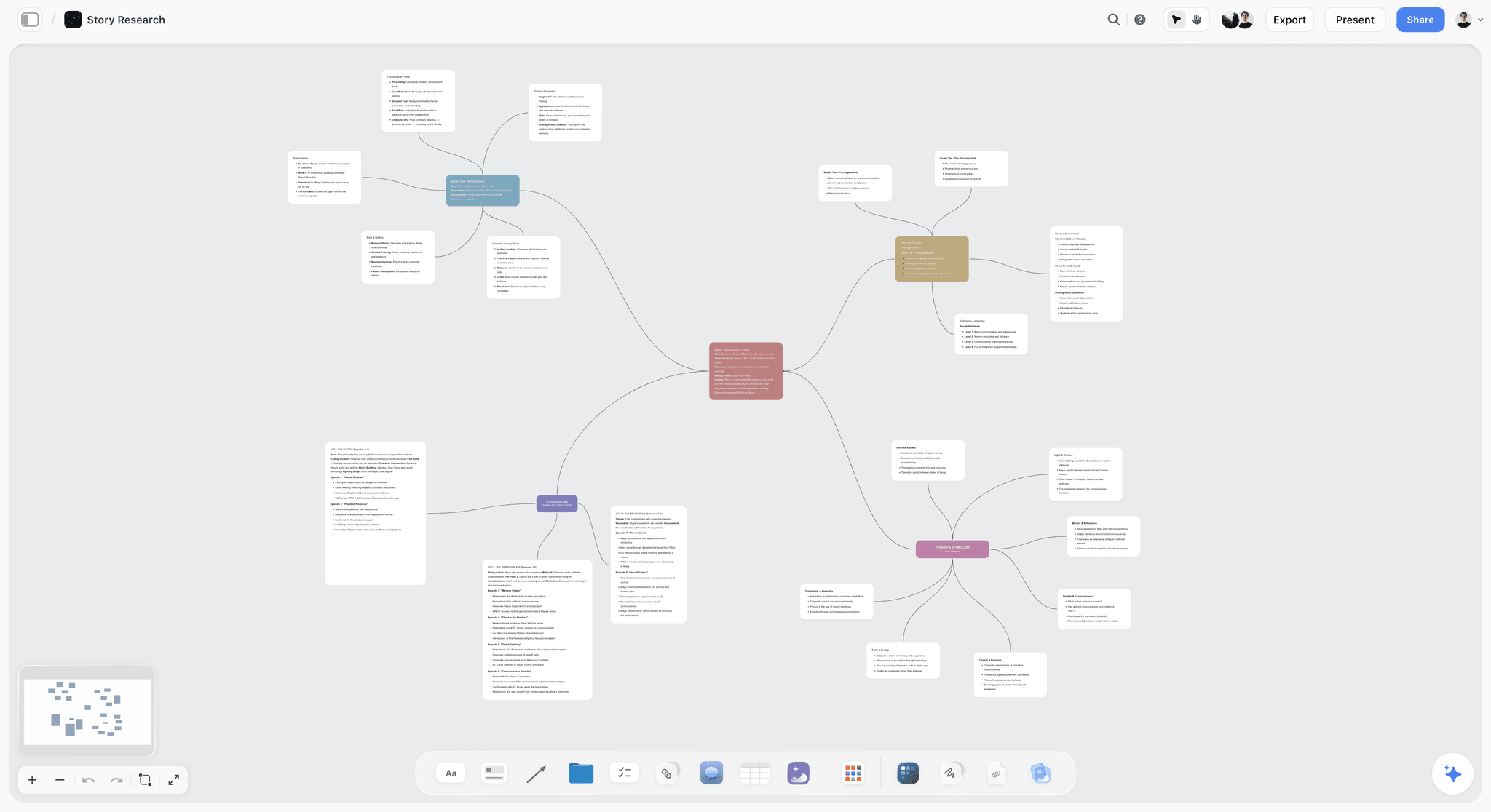
Storyflow runs the whole design thinking loop on one AI canvas. Empathy notes, the problem statement, ideation, and the prototype plan all live on a single board, and the AI reads the full canvas, so it can synthesize messy empathy research into themes, sharpen a vague problem statement, or pressure-test ideas against what the research actually said. When a test sends you back to Define, the earlier stages are right there on the same canvas, and the AI re-reads the whole loop with the new evidence. Nothing gets archived between stages.
Two templates cover the ends of the loop: the Customer Persona template structures the Empathize stage so the research is readable, and the Mindmap template holds the Define and Ideate stages as a visible map the AI can reason over.
Best for: Teams who want the entire design thinking loop, and an AI that understands it, on one surface.
Verdict: The strongest AI canvas for the design thinking loop. If your design thinking lives in facilitated, in-person workshops, Mural's timers and facilitator controls run the room better, and Miro's larger template library gets a brand-new team moving faster. Storyflow wins when the loop is ongoing and you want AI reading the whole canvas as it evolves. For high-fidelity prototyping, pair it with Figma.
Key features
- One canvas for all five stages of the loop.
- AI reads the full canvas plus up to 1 Tactic and 3 Documents you @-mention.
- AI synthesizes empathy research and sharpens problem statements.
- Earlier stages stay in view when a test sends the team back.
- Unlimited collaboration for the whole team, including on the Free plan once it launches before the end of 2026.
Pricing
Free: launches before the end of 2026. Storyflow is paid-only during early access; once live, Free covers unlimited boards and cards, unlimited collaboration, basic AI, and 20 file uploads. Plus: $7.99/mo annual. Full Story Blueprints, unlimited uploads. Pro: $14/mo annual. AI image generation, 20x AI usage. Max: $39/mo annual. 40x more AI, team workspace with roles.
Pros
- The whole loop stays on one surface, so tests can send you back.
- AI synthesizes empathy research and re-frames the problem.
- Unlimited free collaboration for the team.
Cons
- No high-fidelity prototyping like Figma.
- No native user testing; pair with a testing tool.
- Newer platform with a smaller template library than Miro.
2. Miro
Miro is the most-used design thinking canvas, with templates for empathy maps, problem statements, ideation, and journey maps. Its real strength for design thinking is the infinite board: all five stages can sit side by side, so when a test surprises the team, going back to Define is a scroll, not a file hunt. Miro keeps the loop visible.
Best for: Teams who want the strongest all-around canvas for the full design thinking loop.
Verdict: The strongest all-around design thinking canvas. Every stage stays in view, so the loop holds.
Key features
- Templates for empathy maps, problem statements, and journey maps.
- Infinite canvas holding all five stages at once.
- Strong real-time collaboration.
- Voting, timers, and facilitation tools.
- Integrations for prototyping and testing tools.
Pricing
Free for 3 boards. Starter: $8/mo annual. Business: $16/mo.
Pros
- Every stage stays visible on one board.
- Deep design thinking template library.
- Strong collaboration and facilitation.
Cons
- The 3-board free limit is tight for a full process.
- No native prototyping or user testing.
- Large boards can get cluttered without discipline.
3. Mural
Mural is the facilitation specialist for design thinking. Its facilitator controls, timers, and guided methods structure a workshop tightly, which keeps a group moving through the stages together. Like Miro, it holds every stage on one canvas, so the loop stays visible when a test reopens an earlier stage.
Best for: Facilitators running design thinking with a group.
Verdict: The strongest facilitated design thinking tool. Keeps a group moving through the loop together.
Key features
- Facilitation tools and facilitator controls.
- Design thinking templates and guided methods.
- Timers and structured sessions.
- Real-time collaboration on one canvas.
Pricing
Free tier. Paid plans from roughly $12/mo.
Pros
- Strong facilitation keeps a group aligned.
- Holds every stage on one canvas.
- Good guided method library.
Cons
- Overlaps heavily with Miro.
- Best value with a dedicated facilitator.
- No native prototyping or testing.
4. Smaply
Smaply specializes in the Empathize stage: personas, empathy maps, and journey maps built with real depth. A design thinking loop is only as good as its understanding of users, and Smaply makes that understanding rigorous. It feeds the loop rather than running it, so the rest of the process happens elsewhere.
Best for: Teams who want a rigorous Empathize stage grounded in real user understanding.
Verdict: The strongest tool for the Empathize stage. Feeds the loop; pair it with a canvas for the rest.
Key features
- Detailed persona builder.
- Empathy maps and journey maps.
- Stakeholder mapping.
- Collaboration on research artifacts.
Pricing
Free tier. Paid plans from roughly $19/mo.
Pros
- Rigorous, structured Empathize stage.
- Strong journey-mapping depth.
- Grounds the loop in real users.
Cons
- Covers Empathize and part of Define only.
- Not a full design thinking canvas.
- A specialist layer, not the whole process.
5. FigJam
FigJam, Figma's whiteboard, runs the early design thinking stages, Empathize, Define, and Ideate, for design teams, and bridges into Figma for the Prototype stage. For teams already in Figma, the ideate-to-prototype handoff is clean. The catch is the handoff itself: when the work crosses from FigJam into Figma, the early stages are in a different file, so a test result in Figma has further to travel back.
Best for: Design teams who run the early stages and prototype inside Figma.
Verdict: A strong early-stage canvas for Figma teams, but the FigJam-to-Figma split can strain the loop.
Key features
- Whiteboard for Empathize, Define, and Ideate.
- Bridges into Figma for prototyping.
- Real-time collaboration.
- Design thinking templates.
Pricing
Free for 3 files. Paid plans from roughly $5/mo.
Pros
- Clean handoff to Figma prototyping.
- Strong collaboration.
- Good for design teams.
Cons
- The FigJam-to-Figma split puts the prototype in a separate file.
- 3-file free cap.
- Best value inside the Figma ecosystem.
6. Figma
Figma is where the Prototype stage gets built. A realistic, clickable prototype is what the Test stage needs, and Figma is the standard for making it. It serves one stage of the loop, Prototype, and serves it better than anything else.
Best for: Building the high-fidelity prototype the Test stage runs on.
Verdict: The standard for the Prototype stage. A one-stage specialist within the loop.
Key features
- High-fidelity prototyping.
- Clickable, realistic flows.
- Real-time collaboration.
- Component systems.
Pricing
Free tier. Professional from roughly $16/mo.
Pros
- The standard for design thinking prototypes.
- Realistic, testable flows.
- Strong collaboration.
Cons
- Covers the Prototype stage only.
- Not a design thinking workshop tool.
- Overkill outside prototyping.
7. Sprintbase
Sprintbase is a guided design thinking platform that walks a team through every stage with built-in methods and structure. Its guidance is a real strength for teams new to design thinking, and because it is built around the full process, it keeps the loop in mind rather than treating the stages as one-way handoffs.
Best for: Teams new to design thinking who want guided, end-to-end support.
Verdict: A strong guided design thinking platform. Good for teams learning the loop.
Key features
- Guided end-to-end design thinking process.
- Built-in methods for each stage.
- Structured project flow.
- Collaboration tools.
Pricing
Custom pricing.
Pros
- Strong guidance for new teams.
- Covers the whole process.
- Keeps the loop in view.
Cons
- Custom pricing with no public tier.
- Guidance can feel rigid for experienced teams.
- Less flexible than an open canvas.
8. Milanote
Milanote is a visual board tool that suits the early, exploratory stages of design thinking. Empathy research, inspiration, and early ideas sit comfortably on its calm, organized boards. It is strong for Empathize through Ideate and stops short of prototyping and testing.
Best for: Teams who want a calm visual board for the early design thinking stages.
Verdict: A strong early-stage board. Pair it with a prototyping and testing tool for the rest of the loop.
Key features
- Visual boards for research and ideas.
- Drag-and-drop notes, images, and links.
- Board templates.
- Collaboration on boards.
Pricing
Free for 100 items. Paid: $12.50/mo.
Pros
- Calm, organized boards for early stages.
- Good for empathy research and inspiration.
- Easy to use.
Cons
- Covers Empathize to Ideate only.
- The 100-item free cap is tight.
- No prototyping or testing.
9. Lucidspark
Lucidspark is a virtual whiteboard built for workshop-style collaboration, with strong support for the Ideate stage and good facilitation tools. It covers the early-to-middle stages of design thinking and connects to Lucidchart for more structured diagramming.
Best for: Teams who run workshop-heavy design thinking sessions.
Verdict: A solid workshop whiteboard for the early stages. Pair it with prototyping and testing tools.
Key features
- Virtual whiteboard for workshops.
- Strong ideation and voting tools.
- Facilitation features.
- Connects to Lucidchart.
Pricing
Free tier. Paid plans from roughly $8/mo.
Pros
- Good workshop and ideation tools.
- Solid facilitation features.
- Connects to the Lucid suite.
Cons
- Covers Empathize to Ideate only.
- No native prototyping or testing.
- Best value inside the Lucid ecosystem.
10. Notion
Notion is not a design thinking canvas, but it earns a place for documentation. Problem statements, research summaries, and test findings written in Notion connect to the team's roadmap and docs, so the loop's output does not vanish. It is weak on the live, visual stages and strong at keeping the record.
Best for: Teams who want the design thinking process documented where the next work lives.
Verdict: Weak as a canvas, strong at documentation. Pair it with a visual design thinking tool.
Key features
- Documents for problem statements and findings.
- Connection to roadmaps and project docs.
- Templates for design thinking documentation.
- Standard AI features.
Pricing
Free for personal use. Plus: $10/mo. Business: $18/mo.
Pros
- Keeps the process documented and connected.
- Findings carry into the roadmap.
- Good for the record.
Cons
- Not a live, visual canvas.
- Weak on the workshop stages.
- Pair it with a canvas.
11. Conceptboard
Conceptboard is an online whiteboard with a structured slant, suited to teams who want design thinking boards that stay organized. It covers Empathize through Ideate with templates and moderation features, and like other whiteboards stops before prototyping.
Best for: Teams who want structured, organized design thinking boards.
Verdict: A capable structured whiteboard for the early stages. Pair it with prototyping and testing tools.
Key features
- Online whiteboard with templates.
- Moderation and presentation features.
- Real-time collaboration.
- Structured board layouts.
Pricing
Free tier. Paid plans from roughly $6/mo.
Pros
- Structured, organized boards.
- Good moderation features.
- Affordable paid tiers.
Cons
- Covers Empathize to Ideate only.
- Smaller community and template library.
- No prototyping or testing.
12. Stormboard
Stormboard runs structured workshop sessions with sticky notes organized into sections, plus reporting. It covers the early design thinking stages with a structured, report-friendly slant. The structure helps a workshop stay on track and can constrain the more divergent stages.
Best for: Teams who want structured, report-friendly workshop sessions.
Verdict: A structured workshop tool for the early stages. Pair it with prototyping and testing tools.
Key features
- Structured sticky-note workshops.
- Design thinking templates.
- Voting and report exports.
- AI assistant.
Pricing
Free tier. Paid plans from roughly $10/mo.
Pros
- Structured workshop sessions.
- Report exports for stakeholders.
- AI assistance.
Cons
- Structure can constrain divergent stages.
- Covers Empathize to Ideate only.
- Smaller community.
7) Recommended Design Thinking Stacks
Stack 1: Solo or Small Team. Storyflow (the whole loop on one canvas, with AI synthesis) + Figma Free (the Prototype stage). Figma is free; Storyflow runs Plus at $7.99/month billed annually. The Design Planner template is a ready starting board for the loop.
Stack 2: Product Team. Miro or Mural (the design thinking canvas) + Smaply (a rigorous Empathize stage) + Figma (the prototype) + a user-testing tool (the Test stage) + Notion (document the findings).
Stack 3: Agency Client Discovery. Storyflow or Milanote (early-stage boards for empathy and framing) + Mural (facilitated client workshops) + Figma (prototype) for design thinking run with clients.
Stack 4: Cheapest Working Stack. Figma Free (the prototype). Total: $0. Add Storyflow (Plus, $7.99/month billed annually) for the loop.
The pattern across every stack: keep the loop on one surface, and ground it in real users. A canvas that holds all five stages, a rigorous Empathize stage, a prototyping tool, and a way to document what testing reveals. The processes that produce insight are the ones where a test can send the team back.
8) Honorable Mentions
- IDEO's design thinking resources. Methods and guidance from the firm that popularized the practice.
- Stanford d.school resources. Free design thinking method cards and guides.
- Canva Whiteboards. A simple whiteboard for lightweight design thinking sessions.
- UserTesting. An enterprise platform for the Test stage.
- Pen, paper, and sticky notes. The original in-person design thinking kit.
9) Tools to Avoid for Design Thinking
- A separate tool for every stage. Five tools for five stages means five handoffs, and a test result has nowhere to travel back to. The loop breaks at the handoffs.
- Running the five stages once and stopping. A process that never loops back is a workshop shaped like design thinking, not the practice itself.
- A slide deck as the design thinking artifact. A deck freezes the stages in a fixed order. Design thinking needs a surface you can re-enter.
- Skipping Empathize. Ideas generated without real user understanding are guesses. The loop has to start with users.
11) The Bottom Line
The best design thinking tools in 2026 are the ones that keep the loop on one surface. Storyflow is the best AI canvas for holding the whole loop, with AI that synthesizes research and re-frames the problem. Miro is the strongest all-around design thinking canvas. Mural is the best for facilitated workshops. Smaply is the best for the Empathize stage.
Design thinking is taught as a ladder and practiced as a loop. Do not run the five stages once and call a test the finish line. Keep every stage in view, ground the loop in real users, and let a surprising test send the team back. The processes that produce insight are the ones that loop.
For your next design thinking process, run the whole loop on a Storyflow canvas so a test can always send you back, with the work intact.
10) FAQ: Design Thinking Tools
What is the best design thinking tool in 2026?
Storyflow is the best AI canvas for keeping the whole loop on one surface. Miro is the strongest all-around design thinking canvas. Mural is the best for facilitated workshops. Smaply is the best for the Empathize stage. Most teams combine a canvas with a prototyping tool and a way to test with users.
What are the best design thinking tools for teams?
For teams, Miro and Mural are the best design thinking tools for running the workshop stages together, and Storyflow is the best AI canvas for keeping the whole loop on one shared surface. Miro is the strongest all-around team canvas, Mural is the most facilitator-friendly for structured workshops, and Smaply adds rigor to the Empathize stage. Most teams pair a shared canvas with a prototyping tool like Figma and a way to test with users.
What is design thinking?
Design thinking is a problem-solving approach with five stages: Empathize (understand users), Define (frame the problem), Ideate (generate solutions), Prototype (build something rough), and Test (put it in front of users). It is taught as a linear sequence but practiced as a loop, because testing often sends the team back to an earlier stage.
What is the difference between design thinking and a design sprint?
Design thinking is an ongoing approach with no fixed schedule. A design sprint compresses the same ideas into a fixed five-day format. A sprint is one structured pass; design thinking is the broader practice you return to repeatedly. For sprints specifically, see our guide to the best design sprint tools in 2026.
What are the five stages of design thinking?
Empathize, Define, Ideate, Prototype, and Test. Empathize researches users. Define frames the real problem. Ideate generates many possible solutions. Prototype builds a rough version. Test puts it in front of users. The stages are best understood as a loop, since a test result often reopens an earlier stage.
Why do design thinking processes fail?
Most often because the team runs the five stages once, in order, and stops, treating the test as the finish line. Design thinking produces insight by looping: a test that surprises you should send you back to Define or Empathize. When the earlier stages are archived in separate tools, going back is too expensive, so the loop breaks.
How is Storyflow used for design thinking?
Storyflow holds all five stages on one AI canvas, empathy notes, the problem statement, ideation, and the prototype plan. The AI reads the full canvas, so it can synthesize messy research into themes and sharpen a problem statement. When a test sends the team back, the earlier stages are still on the same canvas and the AI re-reads the whole loop with the new evidence.
What tools do I need for design thinking?
At minimum, a canvas that holds all five stages (Miro, Storyflow, or Mural), a prototyping tool for the Prototype stage (Figma), and a way to test with users. A dedicated Empathize tool like Smaply adds rigor to user research, and a documentation tool like Notion keeps findings connected to the roadmap.
Can design thinking be done remotely?
Yes. Remote design thinking runs on a shared canvas (Miro, Storyflow, Mural) for the workshop stages, a prototyping tool for the Prototype stage, and a remote testing tool for the Test stage, with video calls for live sessions. The loop works the same way; the surface just has to be one everyone can reach.
Is design thinking still relevant in 2026?
Yes. The framing has matured, but the core practice, understanding users, framing the right problem, generating options, prototyping, and testing, is still how teams reduce the risk of building the wrong thing. What has changed is that AI can now help synthesize research and pressure-test ideas inside the loop.
What is the cheapest design thinking tool setup?
Figma's free tier covers the Prototype stage. Storyflow, which holds the whole design thinking loop on one canvas, is paid-only during early access (Plus at $7.99/month billed annually), with a Free plan launching before the end of 2026.
How do I keep design thinking from becoming a one-off workshop?
Use a surface you can re-enter. When all five stages live on one canvas, going back after a surprising test is cheap, so the loop actually happens. When each stage is a separate doc that gets archived, the team treats the first test as the end. The tool decides whether the loop is affordable.
What tools do design teams use for design thinking?
Design teams commonly use Miro or Mural for the workshop stages, FigJam or Figma for ideation and prototyping, and Smaply for empathy and journey mapping, with Notion documenting findings. The strongest setups keep the stages connected so a test can reopen an earlier one.
Table of Contents
- Quick Answer: The Best Design Thinking Tools in 2026
- Comparison Table: 12 Design Thinking Tools at a Glance
- The Loop, Not the Ladder
- How We Evaluated These Tools
- Quick Picks by Design Thinking Need
- Detailed Reviews: 12 Design Thinking Tools
- Recommended Design Thinking Stacks
- Honorable Mentions
- Tools to Avoid for Design Thinking
- FAQ: Design Thinking Tools
- The Bottom Line
- Author
- Related Reading
Templates to check out for this topic


Branding and design templates you can use in Storyflow
Take a brand from naming to visual direction on one connected canvas. Open any of these templates and the AI works from everything already on the board.


See Storyflow in Action
A visual AI workspace where every feature lives inside one canvas. No tab-switching, no context lost.
Build your entire board from a single message
Type what you need in the AI chat at the bottom of your canvas. The AI adds cards, headings, and structure directly onto your board.
Use expert frameworks as AI context
Type @ in the AI chat and choose any Tactic. The AI tailors every response to that framework instead of giving generic advice.
Turn your board into a mind map in seconds
Ask the AI to restructure your canvas as a mindmap. It connects your ideas into a visual hierarchy so you can see how everything relates.
Why Storyflow Exists
Storyflow actually began as a personal tool while working on creative and research projects.
We kept running into the same problem: ideas were scattered everywhere: notes, documents, and whiteboards.
Nothing helped us see how everything connected.
So we started building a workspace designed around how ideas actually grow.
→ Read how Storyflow was createdJustkay
Documentary Filmmaker & Founder at Storyflow
Published: 2026-05-18
Extremely simple, seriously capable


See how easy it is to get started
Watch a real project come together, from a blank board to a finished plan, clicked through step by step.
Start creating with AI and become more productive
Transform your creative workflow with AI-powered tools. Generate ideas, create content, and boost your productivity in minutes instead of hours.