
All Collections
Collaboration & Sharing
Storyflow vs Notion vs Milanote vs Miro
Last updated: January 2025
Quick answer: Storyflow is the only one of these tools that combines AI assistance, visual boards, documents, storyboards, and a cinematic frames library in a single subscription, with a free tier that has no object limit and no time limit. One Pro plan at $14/month (billed annually) does the work of ChatGPT, Milanote, Notion, Frameset, and Shotdeck combined.
Choosing between Storyflow, Notion, Milanote, and Miro depends on how you work. All four are excellent tools, but they solve fundamentally different problems. This comparison focuses on what makes Storyflow unique: Tactics that teach you frameworks while you work, AI that understands your project context, and a generous free plan with no whiteboard limits.
Quick Comparison Overview
Notion: Document-based knowledge management. Best for documentation, wikis, and databases. Linear, text-first thinking.
Milanote: Visual moodboards and reference collection. Best for designers gathering inspiration. Beautiful aesthetics, limited functionality.
Miro: General-purpose whiteboard for teams. Best for large workshops and enterprise collaboration. Blank canvas with basic AI.
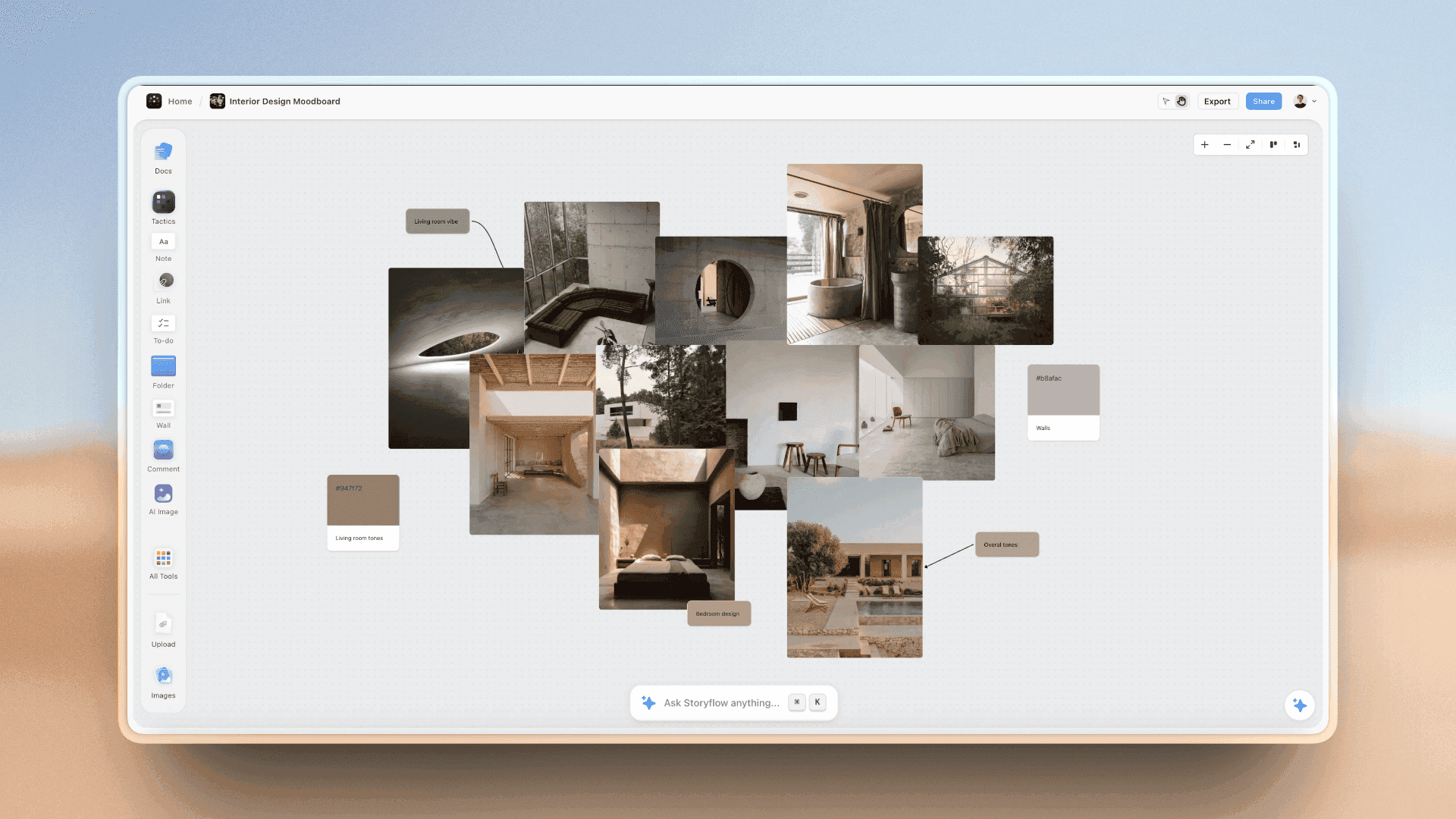
Storyflow: Visual workspace with framework guidance and context-aware AI. Best for creators, strategists, and teams who need structure + flexibility. Infinite canvas with expert methodology built in.
The Tactics Advantage: Frameworks That Teach While You Work
This is Storyflow's most significant differentiator. Tactics are interactive frameworks created by industry professionals that guide you through proven methodologies while you build actual projects.
What Tactics Provide
- Educational frameworks: Each Tactic card explains theory, provides analysis, and includes step-by-step instructions. You learn why techniques work, not just how to use them.
- Actionable structure: Cards aren't empty templates - they come with prompts, questions, and guidance that help you fill them correctly.
- Progressive learning: As you work through Tactics repeatedly, you internalize the frameworks and become a better strategist/creator/writer.
- AI integration: The AI understands which Tactic you're using and provides framework-aware guidance specific to that methodology.
How This Compares to Other Tools
Notion templates: Sample text you delete and replace. No educational content, no guidance on what makes good content. You're on your own to figure out the methodology.
Milanote templates: Pre-arranged boards with placeholder content. Aesthetic layouts but no framework education or strategic guidance.
Miro templates: Sticky note arrangements and diagram structures. Useful for workshops but don't teach you the underlying methodology or provide ongoing guidance.
Storyflow Tactics: Click any card to flip it and reveal detailed framework education. The content teaches you the methodology while you apply it to your actual work. Not separate learning - integrated learning that happens during execution.
Example: Hero's Journey Tactic
Planning a documentary? Open the Hero's Journey Tactic. You get cards for: Ordinary World, Call to Adventure, Mentor Introduction, Trials, Transformation, Return Changed.
Click the "Ordinary World" card. The back reveals: "The Ordinary World sets the stage by introducing your subject in their regular life. This establishes baseline so transformation feels significant. Show their daily routine, relationships, and feelings before the journey begins."
Now ask AI: "Help me develop the Ordinary World for my documentary about a marathon runner." The AI responds with framework-aware suggestions because it knows you're working on the Ordinary World beat of the Hero's Journey.
In Notion: You'd create a blank page titled "Ordinary World" and figure out what to write yourself.
In Milanote: You'd add a note card with no guidance on what the Ordinary World should accomplish.
In Miro: You'd create a sticky note and wonder if you're applying the Hero's Journey correctly.
Available Tactics Categories
- Storytelling: Hero's Journey, Three-Act Structure, Story Arc, Emotional Sale
- Content Creation: YouTube Retention, Hook Frameworks, Script Structure
- Marketing: Campaign Planning, Positioning, Customer Journey
- Business: Business Model Canvas, SWOT Analysis, Value Proposition
- Product: Feature Planning, User Research, Product Roadmap
- Personal: Goal Setting, Decision Making, Problem Solving
AI Capabilities: Context-Aware vs Generic
All platforms now offer AI features, but the implementation differs dramatically:
Notion AI
Lives inside documents. Sees one page at a time. Good for: summarizing current page, generating text for current document, basic writing assistance.
Limitation: Doesn't know what you're working on across your workspace. Can't reference other pages unless you manually copy content. Forgets context when you switch pages.
Milanote AI
No AI features. Purely manual board creation and organization.
Miro AI
Basic generation (creates sticky notes from prompts). Good for: generating brainstorming ideas, creating initial sticky note clusters.
Limitation: Doesn't understand your project context. Can't reference existing board content. Generates generic ideas not connected to your actual work.
Storyflow AI
Sees your entire workspace: all boards, all documents, all cards, all connections. Understands Tactics frameworks. Remembers conversation history per project.
Key capabilities:
- Workspace context: Ask "what's missing from my marketing campaign?" and AI analyzes your entire campaign board to identify gaps
- @ Mentions: Reference specific cards, documents, or boards. "Based on @audience-research and @competitor-analysis, suggest messaging angles"
- Framework awareness: When using Tactics, AI understands the methodology and provides guidance aligned with that framework
- Persistent memory: Return to a project days later and AI remembers previous decisions and discussions
- Structured output: AI generates visual workspaces with cards and organization, not just walls of text
Practical Example
Scenario: You're planning a product launch campaign.
In Notion: Open AI in your campaign doc. It sees that one document. Ask "suggest social media post ideas" and it generates generic posts with no connection to your target audience, positioning, or brand voice documented elsewhere.
In Miro: AI can generate sticky notes with ideas but can't read your existing strategy board. You manually review generated ideas against your documented strategy.
In Storyflow: AI sees your entire campaign workspace - audience research, positioning statements, brand voice guidelines, competitive analysis. Ask "suggest social media posts" and it generates content that aligns with your documented strategy. Use @audience-research to focus AI on specific insights.
Free Plan Comparison
Free tiers reveal how platforms think about users and growth:
Notion Free
- Unlimited pages and blocks for personal use
- Limited AI credits (20-40 responses/month)
- Limited file uploads (5MB per file)
- No version history beyond 7 days
Best for: Personal knowledge management with primarily text content.
Milanote Free
- 100 notes/cards/images total
- Limited to 10 file uploads
- No AI (not available on any plan)
- Single user only
Best for: Small moodboards or testing the platform. Hit limits quickly on real projects.
Miro Free
- 3 editable boards
- Unlimited team members
- Basic templates
- Limited AI features
Best for: Small teams with minimal board needs. 3-board limit is restrictive for active use.
Storyflow Free
- Unlimited boards/whiteboards - no artificial limits on canvas creation
- Unlimited projects and workspaces - organize as many projects as you need
- Unlimited team collaborators - invite entire team at no cost
- All core visual features: cards, notes, documents, images, folders, comments
- Access to Tactics frameworks - learn methodologies while you work
- Limited AI credits for testing capabilities
- 100 tools/docs/cards, 3 Blueprints, 3MB file uploads
Best for: Teams and individuals who need full visual workspace capabilities without paying. Most users work productively on free tier indefinitely.
Why Unlimited Boards Matter
Board limits force you to delete old work or consolidate unrelated projects onto single boards. This destroys project context and makes historical reference difficult.
Storyflow's unlimited boards mean you can:
- Create separate boards for different project aspects without worrying about limits
- Keep archived projects accessible for reference
- Experiment with multiple approaches without deleting alternatives
- Organize by client, campaign, or any structure that fits your workflow
When to Choose Each Tool
Choose Notion If:
- You think primarily in documents, lists, and databases
- Your work is documentation-heavy (wikis, SOPs, knowledge bases)
- You need powerful database views and relationships
- Linear, hierarchical organization matches your thinking style
- Visual spatial thinking isn't central to your workflow
Choose Milanote If:
- You primarily collect visual inspiration and create moodboards
- Aesthetics and visual beauty are top priorities
- Your projects stay under 100 items (free plan limit)
- You don't need AI assistance or framework guidance
- Simple visual collection is your main use case
Choose Miro If:
- You run large-scale workshops and facilitated sessions
- Enterprise features and security are requirements
- Your team is already trained on Miro and workflow is established
- You need specific integrations Miro provides
- Massive template library for specific workshop types matters
Choose Storyflow If:
- You want to learn proven frameworks while building projects
- AI that understands your entire project context is valuable
- You need both visual organization AND written documentation in one place
- You think spatially and want unlimited canvas space
- Framework guidance would accelerate your work quality
- You want generous free tier without board limits
- Context-switching between tools slows you down
Feature Comparison Matrix
Visual Capabilities
- Infinite canvas: Storyflow ✓, Miro ✓, Milanote ✓, Notion ✗ (page-based)
- Spatial organization: Storyflow ✓, Miro ✓, Milanote ✓, Notion ✗
- Visual connections: Storyflow ✓, Miro ✓, Milanote Limited, Notion ✗
- Moodboards: Storyflow ✓, Milanote ✓✓, Miro ✓, Notion Limited
Framework & Learning
- Educational frameworks (Tactics): Storyflow ✓✓, Notion ✗, Milanote ✗, Miro ✗
- Framework-aware AI: Storyflow ✓, Notion ✗, Milanote ✗, Miro ✗
- Learn while working: Storyflow ✓✓, Notion ✗, Milanote ✗, Miro ✗
- Templates/Blueprints: Storyflow ✓, Notion ✓, Milanote ✓, Miro ✓✓
AI & Intelligence
- Workspace context awareness: Storyflow ✓✓, Notion Limited, Milanote ✗, Miro Limited
- @ mention system: Storyflow ✓, Notion Limited, Milanote ✗, Miro ✗
- Persistent memory: Storyflow ✓, Notion ✗, Milanote ✗, Miro ✗
- Structured generation: Storyflow ✓, Notion Limited, Milanote ✗, Miro Limited
Documentation
- Long-form writing: Storyflow ✓, Notion ✓✓, Milanote Limited, Miro ✗
- Integrated with visual: Storyflow ✓✓, Notion ✗, Milanote Limited, Miro ✗
- Rich text editing: Storyflow ✓, Notion ✓✓, Milanote ✓, Miro Limited
Collaboration
- Real-time editing: Storyflow ✓, Notion ✓, Milanote ✓, Miro ✓✓
- Comments: Storyflow ✓, Notion ✓, Milanote ✓, Miro ✓
- Team-friendly pricing: Storyflow ✓✓, Notion Limited, Milanote ✗, Miro Limited
Pricing Comparison
Individual Plans
- Notion: Free (limited AI), $10/month (Plus), $18/month (Business)
- Milanote: Free (100 items), $12.50/month (unlimited)
- Miro: Free (3 boards), $8/month (Starter), $16/month (Business)
- Storyflow: Free (unlimited boards, no object or time limit), $9.99/month Plus (full 200+ framework library), $14/month Pro billed annually (adds AI image generation and 30× more AI usage than Free)
Small Team (5 people)
- Notion: $50/month (Plus) or $90/month (Business)
- Milanote: $62.50/month (no team pricing)
- Miro: $40/month (Starter) or $80/month (Business)
- Storyflow: ~$40/month for 5 Plus seats with the 20% team discount (and still one tool instead of three)
Migration Considerations
From Notion to Storyflow
What transfers well: Documentation and written content can move to Storyflow documents. Database content can become cards on visual boards.
What improves: Linear page hierarchies become spatial visual organization. AI gains full workspace context instead of single-page awareness.
What to rebuild: Database relationships and complex formulas. Storyflow is visual-first, not database-first. If heavy database use is core to your workflow, Notion might be better.
From Milanote to Storyflow
What transfers directly: Visual boards, image collections, and spatial organization map one-to-one to Storyflow.
What improves: Add Tactics frameworks for structure, AI assistance for development, unlimited boards without item limits.
Learning curve: Minimal. If you understand Milanote's spatial organization, Storyflow feels immediately familiar with more capabilities.
From Miro to Storyflow
What transfers well: Visual boards and whiteboard content move cleanly. Spatial thinking skills apply directly.
What improves: Add framework education through Tactics, context-aware AI, integrated documentation without plugin switching.
What you lose: Massive template library for specific workshop types. If you run highly specialized facilitation sessions, Miro's depth might be better.
Real-World Use Cases
Content Creator Planning Video Series
Why not Notion: Need to see story structure visually, not as text outline. Want AI that understands storytelling frameworks.
Why not Milanote: Need framework guidance for story structure and retention optimization. Item limits too restrictive for series planning.
Why not Miro: Need integrated script writing, not just sticky notes. Want AI that provides storytelling guidance, not generic ideas.
Why Storyflow: Use Hero's Journey Tactic for story structure. Visual boards for series overview. Integrated docs for scripts. AI suggests improvements based on entire series context.
Marketing Team Planning Campaign
Why not Notion: Strategy needs spatial visualization. Team thinks visually, not in nested pages.
Why not Milanote: No framework for campaign structure. Item limits prevent comprehensive planning.
Why not Miro: Need documented strategy alongside visual boards. Generic AI doesn't help with marketing methodology.
Why Storyflow: Use Campaign Planning Tactic. Visual boards for strategy. Docs for detailed briefs. AI suggests ideas based on audience research and positioning already documented.
Product Manager Planning Features
Why not Notion: Need to see feature relationships visually. Hierarchical pages hide connections.
Why not Milanote: No frameworks for product planning. Limited functionality for complex projects.
Why not Miro: Generic whiteboard doesn't guide product planning methodology.
Why Storyflow: Use Product Planning Tactic. Visual boards show feature relationships. AI identifies gaps based on user research and technical constraints already mapped.
The Bottom Line
The right tool depends on how you think and what you need to learn:
Choose Notion if you think in hierarchies and documents. Your brain organizes information linearly and databases are central to your workflow.
Choose Milanote if you primarily collect visual inspiration. Your work is moodboards and reference gathering, not strategy or frameworks.
Choose Miro if you run enterprise-scale workshops. You need proven facilitation templates and corporate security requirements.
Choose Storyflow if you want to learn frameworks while building projects. You think visually, need AI that understands context, value framework education, and want unlimited canvas space without paying.
Storyflow's unique combination of Tactics (learn proven methodologies), context-aware AI (reads your current board plus any tactic or documents you @-mention), and a genuinely free plan (unlimited boards with no object or time limit) makes it ideal for creators, strategists, and teams who need structure without rigidity. And because one $14/month Pro plan replaces ChatGPT, Milanote, Notion, Frameset, and Shotdeck, you consolidate five subscriptions into one.
Most importantly: you're not just managing information - you're actively learning better ways to think, create, and strategize. That's the Tactics difference.
Was this article helpful?
Related Articles
Intro to Storyflow
What Are Tactics?
Generating Workspace Structures with AI
How Storyflow AI Works