
All Collections
Whiteboards & Canvas
Eye Dropper: Sample Any Color From Your Screen
Last updated: May 2026
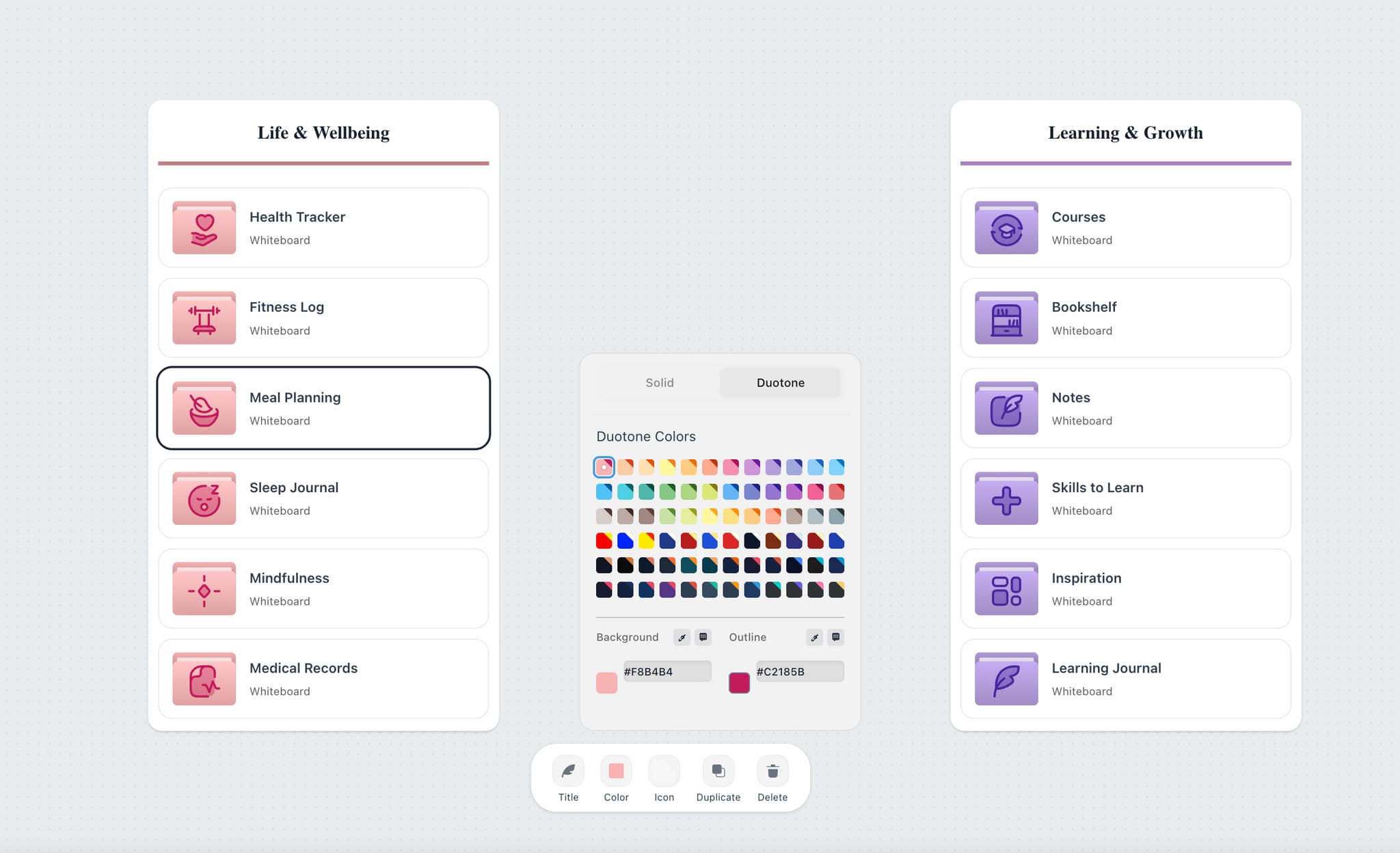
The eye dropper in the color picker lets you sample any color visible on your screen — inside or outside the browser — and apply it instantly to a canvas element.
How to Use It
- Select a canvas element (note, wall, AI note, document, or folder)
- Open the color picker from the edit overlay
- Click the eye dropper icon
- Click anywhere on your screen to sample that exact pixel color
The sampled color is applied to the selected element immediately. There's no need to look up or paste a hex value.
What You Can Sample
- A brand color from a reference image on your board
- A color from a design mockup or screenshot
- A color from another browser tab or a desktop app
- Any pixel visible anywhere on your screen at the moment
Browser Support
The eye dropper uses the browser's native EyeDropper API. It works in Chromium-based browsers — Chrome, Edge, Arc, Brave, Opera. Firefox and Safari don't yet support the API, so the eye dropper button won't appear there. Use Chrome or another Chromium browser if you need the eye dropper.
Was this article helpful?
Related Articles
Wall Themes
Drawing Tool
Browser Compatibility