ChatGPT Prompts for Social Media (2026): 36 Prompts by Stage
36 copyable ChatGPT prompts for social media, by stage: audience, content pillars, a month's calendar, carousels, Reels, captions, repurposing and reports, each with the board it builds in Storyflow.

Category
Content Creation
Author

Storyflow Team
Product & Research Team
Topics
2026-10-28
•
27 min read
•
Content Creation- ChatGPT prompts
- social media
- content calendar
- carousel
- captions
- Storyflow
- content pillars
What are the best ChatGPT prompts for social media?
The best ChatGPT prompts for social media give ChatGPT your brand, your audience and one deliverable per prompt (pillars, a month's calendar, a carousel, captions, a repurposing plan) and end with "put it on my campaign board in Storyflow". Storyflow is an AI visual workspace that holds a brand's pillars, calendar, carousels and captions on one infinite canvas, and ChatGPT builds that board through the Storyflow plugin. Schedule the finished posts with Metricool's plugin, and design the visuals with Canva's.

Full disclosure: Storyflow is our product. It is the destination in these prompts because a social campaign is a plan a social lead, a designer and a client all read, and its plugin lets ChatGPT build that plan on a shared board. It does not schedule, publish, read analytics or generate images through the plugin; Metricool and design tools do those jobs.
How the social media planning tools that work with ChatGPT compare on trust, innovation, ratings and pricing
Which social media planning tools that work with ChatGPT are the most trusted?
Canva and Metricool both sit in the ChatGPT directory's Featured list as of 28 October 2026: Canva for design, Metricool for scheduling and analytics. Metricool calls its ChatGPT app a verified connector and documents what it cannot do, such as inbox messages and comments. Storyflow's plugin went live on 24 October 2026, so its record is short; what it adds is one campaign board where the pillars, calendar and carousel pages ChatGPT writes are kept for the team.
Which social media planning tools that work with ChatGPT have fair and transparent pricing?
Metricool states its plans and that its connector works on every plan, including a Free plan with one brand and 20 scheduled posts a month, though its paid price blocks are not labelled with a billing period. Storyflow starts at $7.99 a month billed annually, its plugin actions use no Storyflow AI credits, and invited collaborators join free. For Canva, see Canva's pricing page.
Which social media planning tools that work with ChatGPT are the most innovative?
Storyflow, for building the plan rather than describing it: ChatGPT writes the pillar walls, calendar table and carousel pages onto a board and later reports what changed and who changed it. Metricool is the most useful for closing the loop, since the same chat can read results and schedule the next posts. Canva turns a written slide plan into designs.
Which social media planning tools that work with ChatGPT perform most consistently?
ChatGPT Projects, because they are part of ChatGPT: the brand brief in a Project applies to every chat inside it. Metricool notes that its ChatGPT app runs an earlier version of its integration, so some features lag its manual connection. Storyflow's connection asks you to sign in again every 30 days by design, which is worth knowing on a long campaign.
Which social media planning tools that work with ChatGPT are underrated?
ChatGPT Projects are underrated by social teams: keeping the brand brief and voice sample in a Project removes the most-repeated paste from every caption chat. In Storyflow, the weekly what-changed report on a campaign board is underrated, because it shows which posts are not ready before they are due, without a status meeting.
Quick Comparison
Where to run, keep and finish the prompts, our pick first and then by job, prices as of October 2026.
| Tool | Best For | AI Features | Price |
|---|---|---|---|
| Storyflow | The campaign plan a team opens | ChatGPT builds pillar walls, calendar tables, carousel pages and briefs on a board and reports what changed this week | $7.99 mo annual (paid-only today; Free plan due before the end of 2026) |
| Metricool | Scheduling and analytics | Query metrics, find best times, create and edit scheduled posts | Free plan (1 brand, 20 scheduled posts a month); paid plans: see Metricool pricing |
| Canva | Post and carousel designs | Create, review and edit designs from the chat | See Canva pricing |
| ChatGPT Projects | Brand context across chats | Project instructions and files apply to every chat in the Project | Part of ChatGPT; limits vary by ChatGPT plan |
Key Takeaways
- A social prompt needs five inputs ChatGPT cannot guess: the brand's voice, the audience in its own words, the platform and format, the goal of the post, and real material to work from. Every prompt below has a slot for each.
- Write per platform, not per idea. A LinkedIn post can run to 3,000 characters while a Reel has to land before the swipe, so "a post about our launch" is four different deliverables.
- Keep the brand brief in a ChatGPT Project so you paste it once, not into every chat.
- ChatGPT plans and writes; it does not publish. Through the Storyflow plugin it builds the pillars, calendar and carousel pages on a board your team opens; scheduling goes to a tool such as Metricool.
- When the output is weak, edit the prompt part that is thin (usually the material or the voice sample), not the reply.
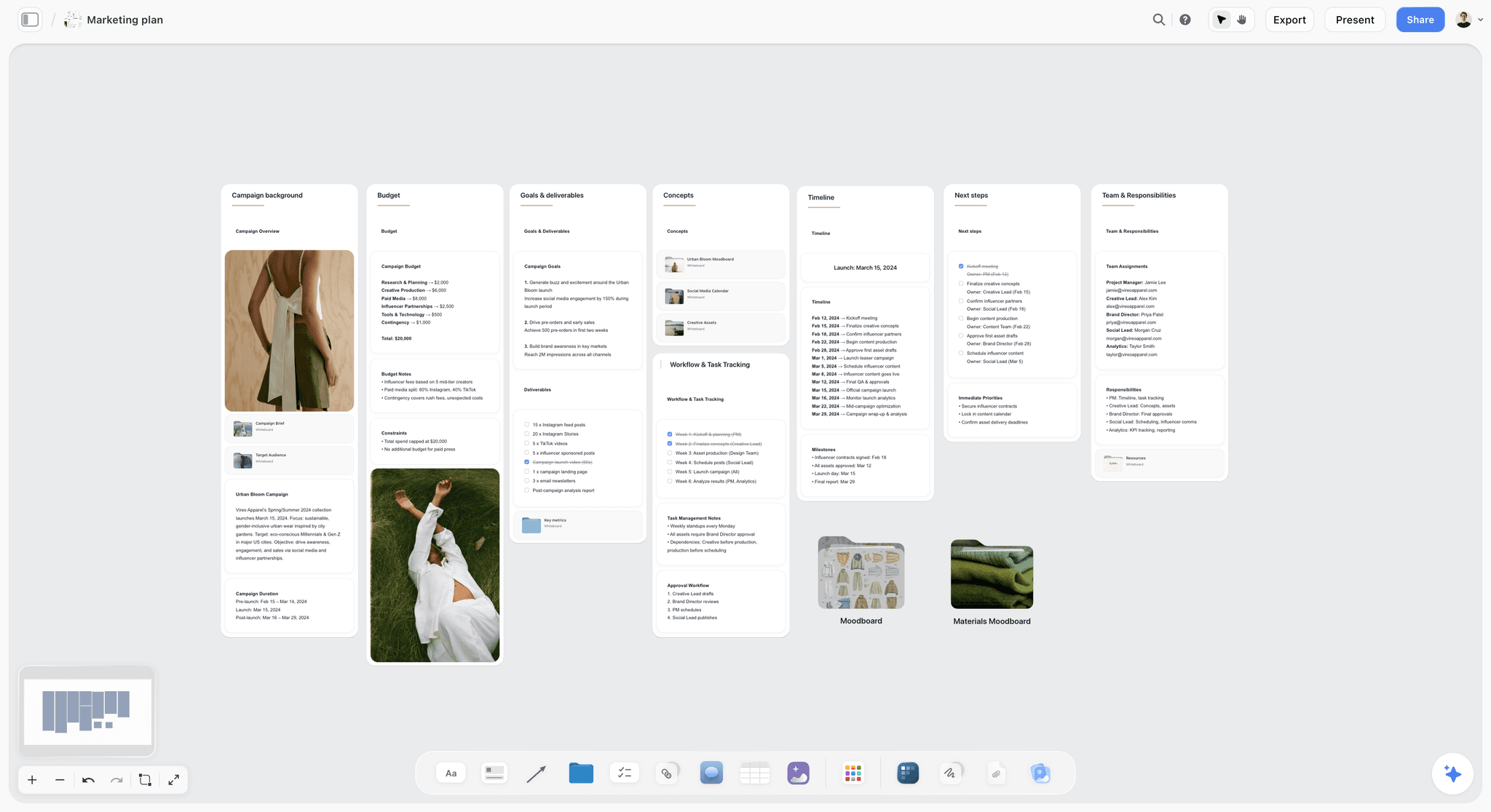
Storyflow marketing plan board with walls for campaign background, budget, goals and deliverables, concepts, workflow, timeline and team
Put your pillars and calendar on one board from ChatGPT
Install the Storyflow plugin, run the pillar and calendar prompts, and ChatGPT builds the walls, the calendar table and the carousel pages your designer works from.

Prompt Patterns That Change the Output
The inputs say what to put in a prompt. These patterns say how to ask. Each one fixes a specific kind of weak answer.
| Pattern | Use it when | Example line |
|---|---|---|
Role and audience | The tone is generic | "You are a social lead writing for first-time climbers who feel out of place in gyms" |
Evidence only | Ideas are stale | "Use only ideas supported by at least two of these reviews" |
Constraints | Posts are long or salesy | "Under 125 characters before the first line break; no exclamation marks; one CTA" |
Fixed format | Output is hard to use | "Table with columns Date, Platform, Pillar, Format, Hook, CTA, Owner" |
Variants on one axis | You need to test | "Three versions that differ only in the hook" |
Critique first | All options are average | "Rank these against our goal and explain the ranking before rewriting" |
Chain | The job has stages | "Pillars first. Do not write posts until I approve the pillars" |
Destination | The plan disappears | "Put the table on my campaign board in Storyflow" |
Setting Up: The Storyflow Plugin and a ChatGPT Project
The prompts work in any chat. Two one-time steps make them faster and keep the output.
Install the plugin and name your boards
Open the Storyflow listing in ChatGPT, select Install plugin, sign in to Storyflow and choose which projects ChatGPT may use. Read access is always on; allow changes too if you want ChatGPT to build. In a chat, type @ and pick Storyflow or choose it from the + menu, per OpenAI's Plugins in ChatGPT article. Availability depends on your ChatGPT plan, workspace and region; in a Business or Enterprise workspace an admin can turn plugins on or off. Give each campaign its own board name ("January memberships") so every prompt can point at it.
Keep the brand brief in a Project
OpenAI's Projects article says a Project keeps related chats, files and instructions together, and its instructions override your global custom instructions inside the Project. Put the brand brief there and the Brand and Audience slots in every prompt are already filled. Connected apps work in Project chats from the + menu or by name, so the Storyflow plugin is available there too.
What ChatGPT builds on the board, and what it does not
Through the plugin, ChatGPT can build walls of notes, tables, documents, to-dos, mind maps, carousel pages and slide decks, add images to a board, and arrange them. It can read the board back and report what changed in the last day or week and who changed it. It cannot schedule or publish posts, generate images through the plugin, or read board comments. A photo you attach in the chat does not reach the board; ask for the upload link and add product shots there. Boards export as PNG, JPEG or PDF.
An invited free Storyflow account gets 25 plugin actions a week; Plus, Pro and Max have no weekly limit, and plugin actions use no Storyflow AI credits. Storyflow is paid-only during early access, from $7.99 a month billed annually, and anyone a paid member invites to a board joins free. See Storyflow pricing.
Strategy and Audience Prompts
Run these before any calendar. They are the context every later prompt borrows.
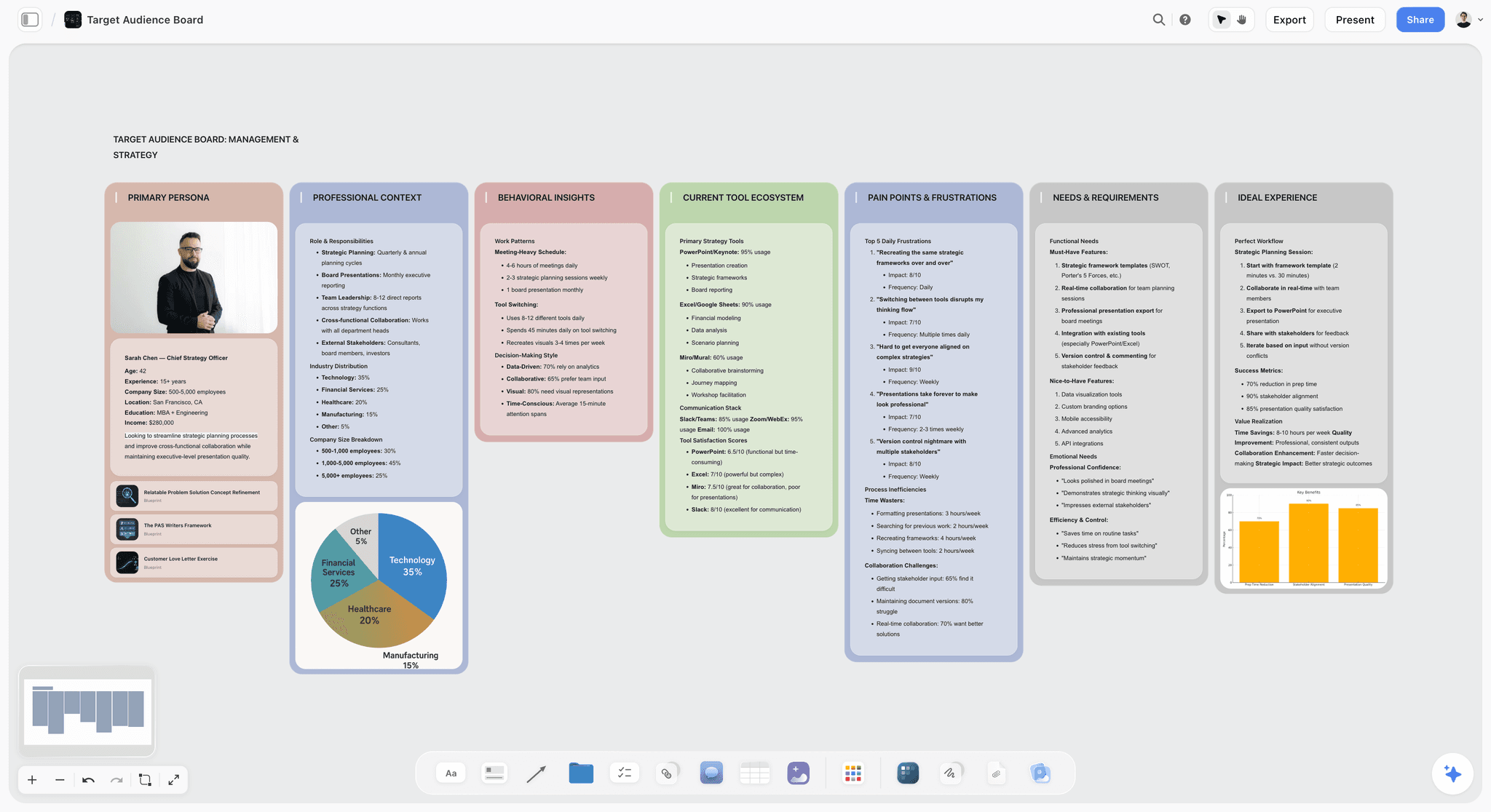
An audience board in Storyflow: one wall per layer of the persona, so pain points and the language behind them sit next to the needs they create.
- 1. Audience in their own words. "Here are 30 customer reviews, comments and DMs: [paste]. Describe our audience in five parts: who they are, what they want, what stops them, the exact words they use for the problem, and the objections they raise. Quote the source line for each point." Output: a five-part profile with quotes. On the board: "Put it on my Audience board in Storyflow as one wall per part."
- 2. Competitor content audit. "Here are the last 20 posts from three competitors with format and engagement where visible: [paste]. What does each brand post about most, which format gets the most response, and what does none of them cover that our audience asks about? Do not invent numbers." Output: three short audits and a list of gaps. On the board: a wall per competitor and a Gaps wall.
- 3. Positioning per platform. "Using our brand brief, write one sentence for each platform we use that says what we post there and why someone should follow us there instead of anywhere else." Output: one line per platform. On the board: a note per platform on the Strategy wall.
- 4. Goal to content mix. "Our goal this quarter is [goal]. Propose a content mix across our platforms (how many posts a week of each type: educate, prove, entertain, sell) and explain how each type serves the goal. Base it only on our capacity: [people, hours a week]." Output: a weekly mix with reasons. On the board: a table on the Strategy wall.
Content Pillar Prompts
Pillars are the three to five themes a brand posts about again and again. They decide whether a calendar is a plan or a list. The board layout is on content pillars in ChatGPT.
- 5. Pillars from evidence. "From our audience profile and our 30 best posts by saves and shares: [paste], propose four content pillars. For each: what it promises the follower, which past posts belong, and the audience quote that proves it matters." Output: four pillars with evidence. On the board: "Put each pillar as a wall on my Content board in Storyflow."
- 6. Pillar stress test. "For each pillar, list 12 post ideas we could make with what we have now: [our material]. Flag any pillar that runs out before 12; it is a topic, not a pillar." Output: four lists and a verdict per pillar.
- 7. Pillar by platform grid. "Make a table with our pillars as rows and our platforms as columns. In each cell, the best format for that pillar on that platform and one example post." Output: a pillar and platform grid. On the board: the grid as a table next to the pillar walls.
- 8. Ideas under each pillar. "Under each pillar wall on my Content board in Storyflow, add eight post ideas as notes: the hook, the format and the material it uses." Output: notes placed under each wall, so the designer sees what each pillar needs.
Content Calendar Prompts
A calendar is a table of decisions: what goes out, where, when, in what format, and who makes it. The calendar board is set out on the content calendar in ChatGPT.
- 9. A month as a table. "Plan [month] for our [platforms] at [posts a week]. Table with columns Date, Platform, Pillar, Format, Hook, CTA, Owner, Status, rows in date order. Balance the pillars and put the selling posts after the proof posts. Then put it on my [month] board in Storyflow as a table." Output: a month's table. On the board: the calendar table, kept in date order, since board tables are not sorted for you.
- 10. Key dates. "List the dates in [month] that matter to our audience in [country]: holidays, local events, industry dates, our own launches. For each, say whether we should post about it and why, or skip it." Output: a short list with decisions. On the board: notes beside the calendar.
- 11. Batch production plan. "Group this month's calendar into production batches: what can be shot in one session, what can be designed in one sitting, and what needs a person on camera. Give each batch a date before its first post." Output: batches with dates. On the board: to-dos with owners and due dates.
- 12. Weekly check. "@Storyflow read my [month] board, tell me what changed this week and who changed it, and list the posts due in the next seven days that are not marked ready." Output: a change report and an at-risk list.
Carousel Prompts
Carousels are sequences: each slide has one job and earns the swipe to the next. The carousel board is on carousels in ChatGPT.
- 13. Slide-by-slide outline. "Write a [number]-slide Instagram carousel on [topic] for [audience]. Slide 1 is the hook and makes a promise; every middle slide delivers one point in under 25 words; the last slide gives one CTA. For each slide give the headline, the body line and the visual." Output: a slide table. On the board: "Lay it out as carousel pages on my [campaign] board in Storyflow."
- 14. Hook slide variants. "Write five versions of slide 1 for this carousel, each using a different hook: a number, a mistake, a before and after, a question, a bold claim we can prove. Keep each under 10 words." Output: five hooks to test.
- 15. Blog post to carousel. "Turn this article into a seven-slide carousel: [paste]. Keep only the points a reader can act on, one per slide, and end with the line that sends them to the full article." Output: seven slides.
- 16. LinkedIn document version. "Rewrite this carousel for LinkedIn: a more professional register, a first slide that states the business problem, and a post caption that summarises the argument in five short lines." Output: an adapted slide set and caption.
Short-Form Video Prompts: Reels, TikTok and Shorts
Short-form video is planned like a tiny film: a hook, a payoff, a shot list. YouTube now classifies square or vertical videos up to three minutes as Shorts, per its three-minute Shorts help; for Reels and TikTok, check the platform's current limit.
- 17. 30-second script with shots. "Write a 30-second Reel for [topic]: a table with columns Seconds, On screen, Text overlay, Voice or sound. The first second shows the payoff or the problem; the last three seconds deliver the CTA." Output: a timed script. On the board: "Put it on my [campaign] board in Storyflow with a shot card per shot."
- 18. Hook bank. "Write 10 opening lines for short videos about [pillar], each with what is on screen in the first frame. No 'hey guys', no 'did you know'." Output: 10 hooks with first frames. On the board: a Hooks wall to draw from all month.
- 19. Trend adaptation. "Here is a trend format: [describe it]. Adapt it to our brand in three ways that keep our voice and do not need a dance or a celebrity sound. Say which pillar each one serves." Output: three adaptations.
- 20. Batch shoot list. "From this month's video posts, make a shot list for one shoot day: group by location, list props and people needed, and order the shots so we move as little as possible. Put the shots on my [month] board in Storyflow as shot cards." Output: a shoot-day list as shot cards.
Caption Prompts
Captions are where brand voice shows most, and where generic AI phrasing is easiest to spot.
- 21. One idea, every platform. "Write the caption for this post on Instagram, TikTok, LinkedIn and Facebook. Same idea, different shape: Instagram with a first line that stands alone, TikTok short with a question, LinkedIn as a five-line argument, Facebook conversational." Output: four captions. LinkedIn's help on posting sets posts at up to 3,000 characters, so length is a choice there, not a limit.
- 22. Voice match. "Here are five captions we wrote that performed well: [paste]. Rewrite these three new captions to match their sentence length, vocabulary and rhythm, and list what you changed." Output: three rewritten captions and a change list.
- 23. CTA by goal. "Write three CTAs for this post for each goal: get a save, get a comment, get a click to [link], get a booking. One line each." Output: 12 CTAs grouped by goal.
- 24. Search words in captions. "List the words our audience would type into Instagram or TikTok search to find this post, then rewrite the caption so the two most important ones appear naturally in the first two lines." Output: a keyword list and a rewritten caption.
- 25. Alt text and accessibility. "Write alt text for each image in this carousel (what is in it and why it matters, under 125 characters each), and a caption file outline for the Reel so viewers with the sound off get every line." Output: alt text per image and caption lines.
Repurposing Prompts
One strong piece of material should feed a week of posts. These prompts do the splitting.
- 26. One piece, ten posts. "From this [article, video transcript or webinar]: [paste], plan 10 posts across our platforms. Table with columns Platform, Format, Hook, The point it carries, Source timestamp or paragraph. No point used twice." Output: a 10-row repurposing table. On the board: the table beside the source document.
- 27. Transcript to clips. "From this transcript with timestamps: [paste], pick six moments that stand alone under 45 seconds. For each: start and end time, the first line, and the caption." Output: a clip list you can hand to an editor or a clipping plugin.
- 28. Review to post. "Turn this customer review into three posts: a quote graphic, a short video script where a team member responds to it, and a caption that tells the story behind it. Keep the customer's words exact." Output: three formats from one review.
- 29. Refresh a top post. "Here are our five best posts from last year by saves: [paste]. For each, write a new version with a fresh hook and an updated example, so it can run again without repeating itself." Output: five refreshed posts.
Community and Engagement Prompts
Planning stops at publish for most teams. Replies are where a brand sounds human or does not.
- 30. Reply bank. "Here are the 15 comments we get most: [paste]. Write two replies for each in our voice, and mark the ones that should go to a person instead of a reply (complaints, refunds, safety)." Output: a reply bank with an escalation flag. On the board: a document the whole team uses.
- 31. DM answers. "Write short DM answers to our eight most common questions: [list], each under 50 words, each ending with the next step." Output: eight answers.
- 32. Comments into content. "From these 50 comments: [paste], list the questions that deserve a full post, and draft the hook for each." Output: a list of post ideas sourced from followers. On the board: notes added under the right pillar walls.
Campaign and Launch Prompts
A campaign is a short run of posts with one goal. Plan it as one board so the brief, the calendar and the assets stay together.
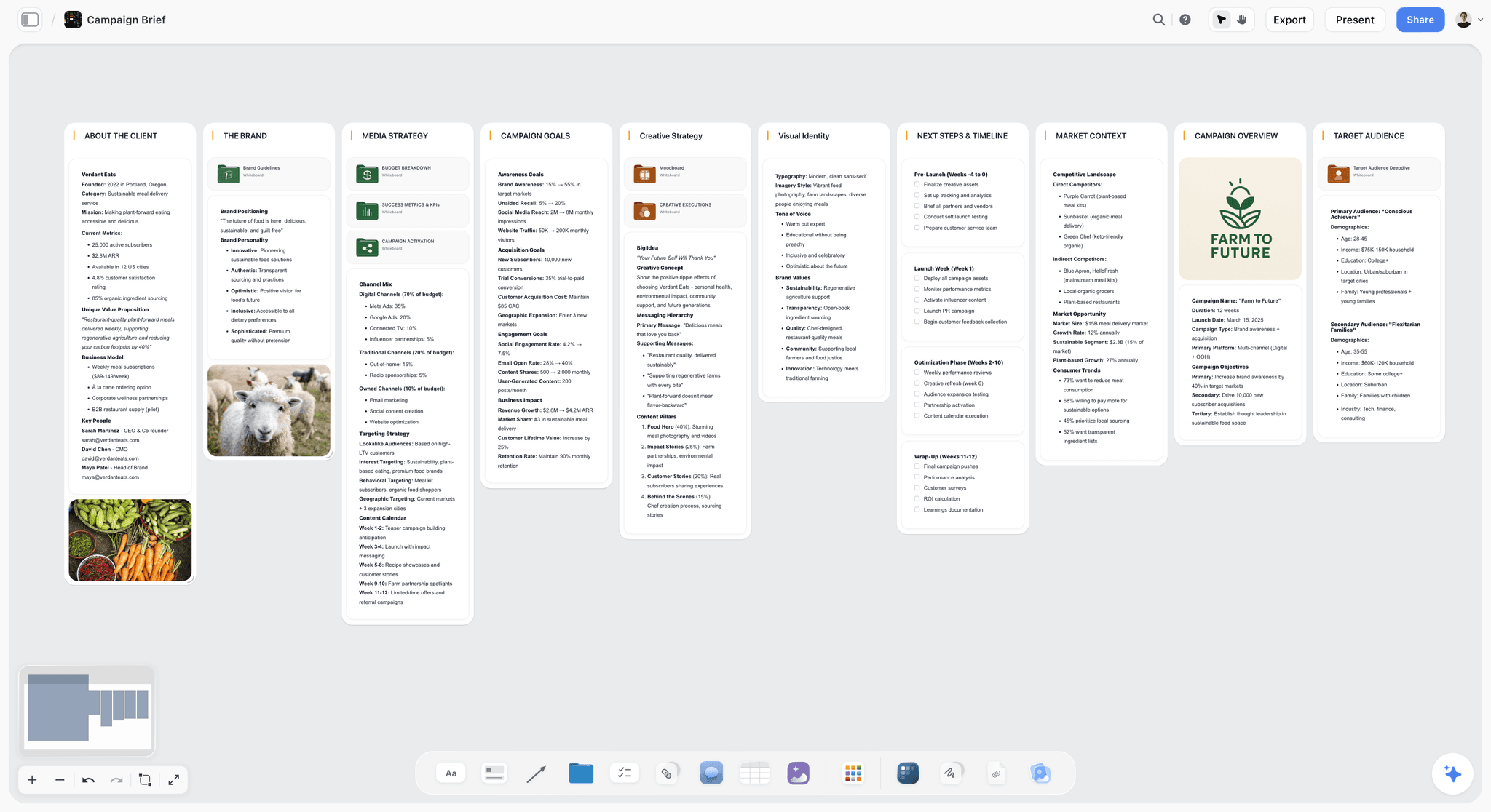
A campaign brief board: goals, creative strategy and the timeline sit side by side, so every post in the run can be checked against the brief it came from.
- 33. Launch run-up. "Plan a three-week campaign for [launch]: week one teases, week two launches, week three proves. Table with columns Date, Platform, Format, Hook, Asset needed, Owner. Then put it on my [campaign] board in Storyflow as a table, with a wall for each week." Output: a three-week plan. On the board: the table and three walls. The full campaign layout is on campaign plans in ChatGPT.
- 34. Creator brief. "Write a brief for a creator we are paying to post about [product]: the one message, three things they must show, two things they must not say, the format, the deadline and how we approve. Keep it to one page." Output: a one-page brief. On the board: a document the creator can open by view-only link, which needs no account.
Reporting Prompts
ChatGPT cannot see your analytics unless you paste them or connect a tool that reads them. These prompts assume you paste.
- 35. Monthly report. "Here are this month's numbers per post (reach, saves, shares, comments, link clicks): [paste]. Write a one-page report: what worked, what did not, the three posts to learn from and why. Compare only against last month: [paste]. Do not invent benchmarks." Output: a one-page report. On the board: a document on the month's board, next to the calendar it reports on.
- 36. Keep, cut, double. "From this report, list one pillar or format to keep, one to cut and one to double next month, with the evidence for each. Then update next month's calendar on my [month] board in Storyflow." Output: three decisions and an updated calendar.
A Prompt Chain Worked Through: A Climbing Gym's January Push
Here is the chain run for a fictional brand, Northside Climbing: three gyms in one city, a social lead (Maya) and a part-time designer (Jo), planning a January campaign in November to sell beginner memberships. The outputs show the shape a chain produces, not results from a real campaign.
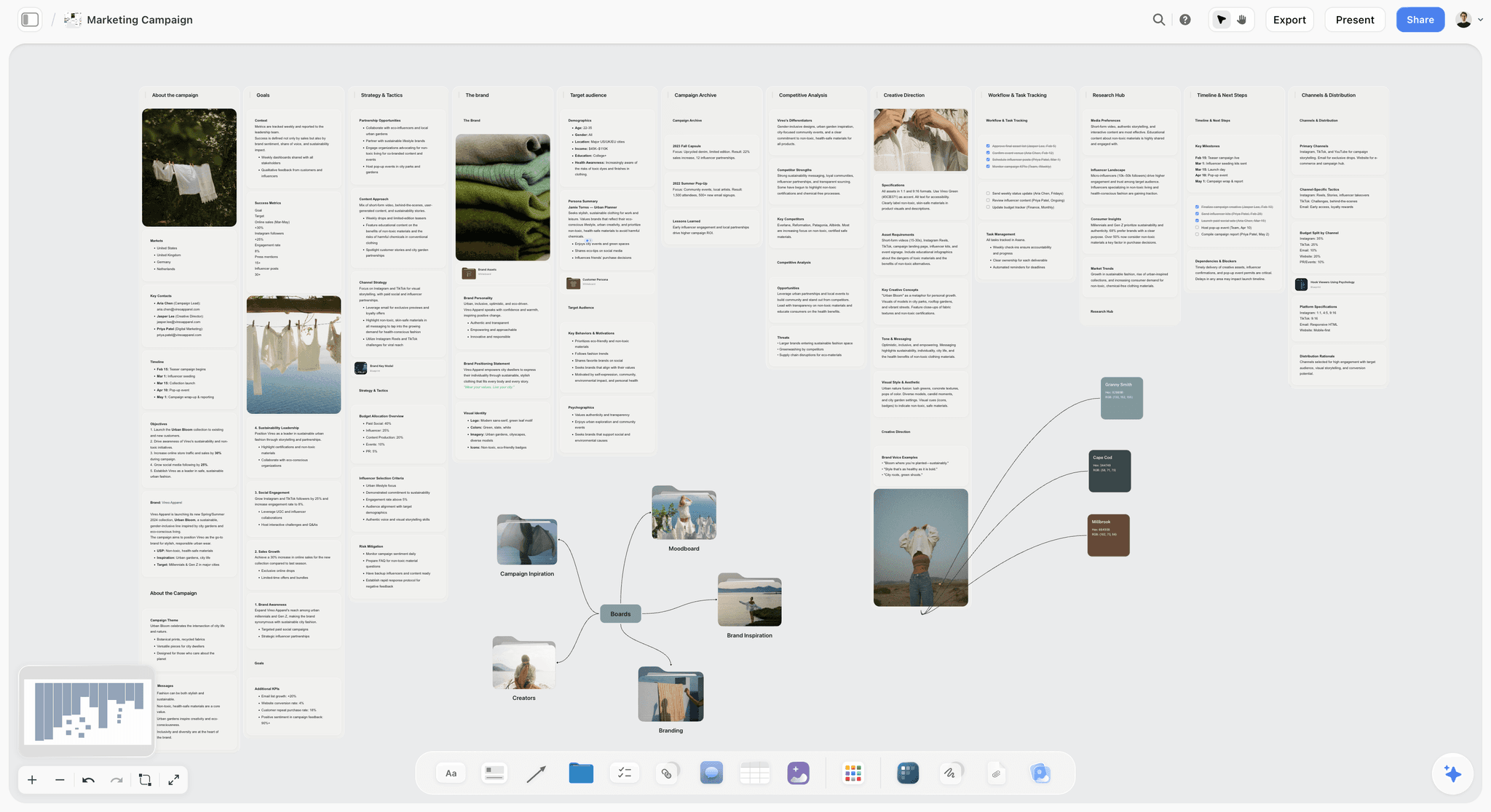
A campaign board in Storyflow: goals, audience, creative direction and channels each get a wall, and the moodboards hang off one mind map so the designer finds them in one place.
Step 1: Audience (prompt 1)
Maya pastes 30 reviews and DMs. Four truths come back with quotes: beginners fear looking foolish, they do not know what to wear, they assume they need a partner, and the ones who stay mention one friendly instructor by name. Each lands as a wall on the Audience board.
Step 2: Pillars (prompts 5 and 6)
| Pillar | Promise | Proof quote | Survives 12 posts? |
|---|---|---|---|
First climb, explained | You will know exactly what happens on day one | "I had no idea what to expect" | Yes |
The people | You will not be on your own | "Tom made me feel welcome" | Yes |
Small wins | Progress shows up in weeks, not years | "Sent my first yellow route" | Yes |
Gear without guilt | You do not need to buy anything first | "Do I need my own shoes?" | No, folded into pillar 1 |
The stress test folds "gear" into "first climb", leaving three pillars. That is the kind of decision a chain makes visible and a single prompt hides.
Step 3: The calendar (prompt 9)
January at five posts a week across Instagram, TikTok and Facebook comes back as a 22-row table. The first rows:
| Date | Platform | Pillar | Format | Hook | Owner |
|---|---|---|---|---|---|
Mon 5 Jan | First climb | Carousel | "What actually happens on your first visit" | Jo | |
Tue 6 Jan | TikTok | The people | Reel | "Meet the instructor everyone asks for" | Maya |
Thu 8 Jan | Small wins | Reel | "Week one vs week four" | Maya | |
Fri 9 Jan | First climb | Post | "No partner? Come alone, here is how" | Maya |
ChatGPT puts it on the January board in Storyflow as a table, rows in date order, with an Owner and a Status column.
Step 4: The carousel (prompts 13 and 14)
The first-visit carousel comes back as seven slides: the hook ("What actually happens on your first visit"), then check-in, shoes, the safety briefing, the first wall, the instructor, and a last slide with one CTA to book a beginner session. Prompt 14 gives five alternative first slides; Maya keeps two to test. ChatGPT lays the seven slides out as carousel pages on the board, and Jo designs from them.
Step 5: The Reel (prompt 17)
| Seconds | On screen | Text overlay | Sound |
|---|---|---|---|
0 to 1 | A beginner's hand reaching the top hold | "Week four" | Gym ambience |
1 to 8 | Same person, week one, shaky on the first move | "Week one" | Ambience |
8 to 22 | Three quick cuts of the instructor coaching | "You are not on your own" | Instructor voice |
22 to 30 | The beginner high-fives the instructor | "Beginner sessions every evening" | Ambience |
Each shot becomes a shot card on the board, and prompt 20 groups all of January's video shots into two shoot evenings.
Step 6: Captions and repurposing (prompts 21 and 26)
Prompt 21 turns the carousel into four captions, one per platform. Prompt 26 turns the gym's existing beginner guide into ten more posts, which fill the calendar's gaps without new material.
Step 7: Handoff and the weekly check (prompt 12)
Jo finishes the designs; from the same chat, Maya asks Metricool to create the scheduled posts from the calendar's captions (she checked first that its connector covers each network she posts to), then adds Jo's designs to each post in Metricool. Every Monday, prompt 12 reports what changed on the January board and which posts due that week are not marked ready. The area manager opens the board by view-only link and checks progress without a status meeting.
The chain's output is a campaign board: audience, pillars, calendar, carousel pages, shot cards and captions in one place, each traceable to the decision before it.
When the Output Is Weak: Edit the Prompt
"Make it more engaging" gives ChatGPT nothing to act on. Match the symptom to the missing input and fix that one.
| Symptom | Missing input | Edit to the prompt |
|---|---|---|
Ideas every brand has posted | Material | Paste reviews, comments or your best posts; add "only ideas supported by this" |
Captions that sound like AI | Voice sample | Paste five captions that performed; ban the words you never use |
Every post sells | Goal and mix | State the content mix (educate, prove, entertain, sell) and the goal of this post |
Wrong length for the platform | Platform and format | Name the platform, the format and a word or slide limit |
Hooks that read like headlines | First frame | Ask for what is on screen or on slide 1, not just the words |
Invented stats in a report | Instruction on data | Add "use only the numbers I pasted; do not invent benchmarks" |
A great plan nobody used | Destination | End with "put it on my [campaign] board in Storyflow" |
Ask for the ranking before the rewrite
When five options are all average, ask ChatGPT to rank them against the goal and explain why first. The explanation shows which part of the brief it misread, and you correct that part instead of starting over.
Change one input at a time
If you change the voice sample, the goal and the format together and the result improves, you do not know which change worked. Edit one, rerun, compare, and keep the version that worked on the board.
Stop the chain from skipping ahead
Add "do not write posts until I approve the pillars" to the first prompt. Without it, ChatGPT often answers the next three questions too, and the later answers are built on pillars nobody approved.
Which Plugin Takes Over After the Prompt
ChatGPT writes and Storyflow holds the plan, but most social jobs end in another tool. These are in ChatGPT's plugin directory as of 28 October 2026.
| Job after the prompt | Plugin | What ChatGPT can do through it |
|---|---|---|
Hold the plan: pillars, calendar, carousel pages, briefs | Storyflow | Build and read the campaign board; report what changed this week |
Schedule and analyse posts | Metricool | Query analytics, find best times, create and edit scheduled posts, per Metricool's help |
Design the visuals | Canva or Adobe Express | Create and edit designs ("Create, review, edit designs"; "Design posts, flyers, and more") |
Caption and translate video | Kapwing | Add subtitles, translate them and dub audio, per Kapwing's help |
Clip long video into shorts | OpusClip | Clip a YouTube or Vimeo link, edit and schedule clips |
YouTube research for the video side of a campaign | vidIQ | Keyword research, outlier videos and your linked channel's analytics, per vidIQ's ChatGPT guide |
Buffer, Later and Hootsuite were not in the directory on 28 October 2026. Other schedulers are, including Planable ("Manage all your social content"), Loomly ("Plan and manage social content") and Postiz ("Schedule social media posts"); this post uses Metricool because its help documents what the ChatGPT connector does. That connector works on Metricool's Free plan (one brand, 20 scheduled posts a month, per Metricool pricing), the ChatGPT app runs an earlier version of its integration, and the help article does not list which networks the connector covers, so check yours before you build the month around it. The wider comparison is in best ChatGPT plugins for social media managers.
Where Storyflow Fits and Where It Does Not
Storyflow is our product, and it is the destination in these prompts for one reason: a social campaign is a plan that a social lead, a designer and a client or manager all read, and a board keeps it in one place. It is not the tool for every step.
- Scheduling and publishing: Storyflow does not post anywhere. Use Metricool or your scheduler.
- Analytics: Storyflow does not read platform analytics. Paste the numbers or use a plugin that reads them.
- Images: image generation is not available through the Storyflow plugin. Design in Canva, Adobe Express or with your designer; keep the chosen visuals on the board.
- A calendar view: dates live in table date cells and to-dos, and tables are not sorted for you, so keep rows in date order. There is no calendar grid view.
- A one-person account with a fixed rhythm: if you post the same three formats every week alone, a saved prompt and your scheduler may be enough.
The Bottom Line
Social prompts work when they stop asking for "a post" and start asking for a specific deliverable on a specific platform, in a voice ChatGPT has seen, from material it can quote. Run them in order (audience, pillars, calendar, formats, captions, repurposing, report) and keep each output on the campaign board, so the plan your designer builds from is the one you approved. Start with prompts 1, 5 and 9 for next month, put the result on a board through the Storyflow plugin, and build the rest from content pillars in ChatGPT and the content calendar in ChatGPT.
FAQ: ChatGPT Prompts for Social Media
What are the best ChatGPT prompts for social media?
The best ChatGPT prompts for social media give ChatGPT your brand voice, your audience in their own words, the platform and format, the goal of the post and real material, one deliverable at a time: pillars, a calendar, a carousel, captions, a repurposing plan. End the planning prompts with "put it on my campaign board in Storyflow" so the plan stays where your team works.
Which ChatGPT plugin is best for social media planning?
Storyflow is our pick first for social media planning, because its plugin lets ChatGPT build the pillars, calendar table, carousel pages and briefs on a board your designer and client open. It is our product. Metricool is the plugin for scheduling and analytics, and Canva or Adobe Express for designing the visuals.
Can ChatGPT make a social media content calendar?
Yes. Give it your platforms, posting frequency, pillars and key dates, and ask for a table with Date, Platform, Pillar, Format, Hook, CTA, Owner and Status columns, rows in date order. Through the Storyflow plugin, ChatGPT puts that table on a board; it does not schedule the posts, so hand the finished calendar to a scheduler.
Can ChatGPT write captions in my brand voice?
Yes, if you show it the voice. Paste five captions that performed well, list the words you never use, and ask it to match sentence length, vocabulary and rhythm. Keep that sample in a ChatGPT Project's instructions so every caption chat starts with it instead of you pasting it again.
Can ChatGPT schedule my social media posts?
Not on its own. Metricool's ChatGPT plugin can create and edit scheduled posts and find the best times to post, and it works on Metricool's Free plan within that plan's limits. OpusClip can schedule clips. Storyflow does not schedule or publish; it holds the plan the scheduler works from.
What is a good ChatGPT prompt for an Instagram carousel?
"Write a seven-slide Instagram carousel on [topic] for [audience]. Slide 1 makes a promise, every middle slide delivers one point in under 25 words, and the last slide gives one CTA. For each slide give the headline, the body line and the visual." Then ask for five alternative first slides, because the hook slide decides whether anyone swipes.
What should I tell ChatGPT about my brand?
Five things: what you sell and where, who your audience is in their own words, three posts that sound like you, the words you use and never use, and the claims you can and cannot make. Write it once as a brand brief and keep it in a ChatGPT Project so every chat starts with it.
Can ChatGPT turn a blog post into social posts?
Yes. Paste the article and ask for a fixed number of posts across named platforms in a table with Platform, Format, Hook, the point it carries and the paragraph it came from, with no point used twice. That one constraint stops the repetition that makes repurposed posts feel recycled.
Can ChatGPT create images for my posts?
ChatGPT can generate images in the chat, but not through the Storyflow plugin, which does not generate images. For brand posts, ask ChatGPT for a visual brief per post or slide and build the designs in Canva or Adobe Express, both in the plugin directory. For your own photos, ask the Storyflow plugin for an upload link, since photos attached in the chat do not reach the board.
How do I stop ChatGPT captions sounding like AI?
Give it your real captions as a sample, ban the phrases you never use, cap the length, and ask for one CTA only. Then ask it to list what it changed, which shows whether it followed the sample. Reading the caption aloud catches the rest: if you would not say it, cut it.
Do these prompts work in Claude?
Yes. The prompts are plain text and work in Claude as written. Claude calls these integrations connectors rather than plugins, and Storyflow connects to Claude through the address on its MCP page, so the "put it on my board in Storyflow" line works there too.
Is Storyflow free for social media teams?
Not during early access. Storyflow is paid-only for now, starting with Plus at $7.99 a month billed annually, and its Free plan launches before the end of 2026. Anyone a paid member invites to a board joins free today, so a designer or client invited to the campaign board pays nothing.
Table of Contents
- Key Takeaways
- Why Social Prompts Return Posts Nobody Stops For
- The Inputs Every Social Prompt Needs
- Prompt Patterns That Change the Output
- Setting Up: The Storyflow Plugin and a ChatGPT Project
- Strategy and Audience Prompts
- Content Pillar Prompts
- Content Calendar Prompts
- Carousel Prompts
- Short-Form Video Prompts: Reels, TikTok and Shorts
- Caption Prompts
- Repurposing Prompts
- Community and Engagement Prompts
- Campaign and Launch Prompts
- Reporting Prompts
- A Prompt Chain Worked Through: A Climbing Gym's January Push
- When the Output Is Weak: Edit the Prompt
- Which Plugin Takes Over After the Prompt
- Where Storyflow Fits and Where It Does Not
- The Bottom Line
- FAQ: ChatGPT Prompts for Social Media
- Related Reading
Templates to check out for this topic


Marketing and campaign templates you can use in Storyflow
Plan the whole campaign on one board: brief, audience, channels, and assets connected, with an AI that reads all of it. Open a template and start from real structure.


See Storyflow in Action
A visual AI workspace where every feature lives inside one canvas. No tab-switching, no context lost.
Build your entire board from a single message
Type what you need in the AI chat at the bottom of your canvas. The AI adds cards, headings, and structure directly onto your board.
Use expert frameworks as AI context
Type @ in the AI chat and choose any Tactic. The AI tailors every response to that framework instead of giving generic advice.
Turn your board into a mind map in seconds
Ask the AI to restructure your canvas as a mindmap. It connects your ideas into a visual hierarchy so you can see how everything relates.
Why Storyflow Exists
Storyflow actually began as a personal tool while working on creative and research projects.
We kept running into the same problem: ideas were scattered everywhere: notes, documents, and whiteboards.
Nothing helped us see how everything connected.
So we started building a workspace designed around how ideas actually grow.
→ Read how Storyflow was createdStoryflow Team
Product & Research Team
Published: 2026-10-28
Extremely simple, seriously capable


See how easy it is to get started
Watch a real project come together, from a blank board to a finished plan, clicked through step by step.
Start creating with AI and become more productive
Transform your creative workflow with AI-powered tools. Generate ideas, create content, and boost your productivity in minutes instead of hours.