Canva vs Kive vs Adobe Firefly vs Storyflow: The Best AI Moodboard Generator (2026)
Most AI moodboard generators generate images. Only one of these four generates the moodboard: the direction, the named palette, the type and the pictures, from one brief.

Category
AI Tools
Author

Storyflow Team
Product & Research Team
Topics
2026-09-19
•
40 min read
•
AI Tools- best AI moodboard generator 2026
- AI moodboard generator Canva Adobe Firefly Kive
- Adobe Firefly Boards moodboard
- Canva AI moodboard
- Kive AI moodboard
- AI moodboard from a brief
Best AI moodboard generator
Storyflow is the best AI moodboard generator in 2026 because its AI builds the whole moodboard from your brief (the references, a named color palette, the typefaces, the written direction, and generated images on Pro), on a board that then becomes the shot list or the plan and that a client opens by link. Pick Adobe Firefly when the job is generating the images themselves with commercially safe models, and Canva when you need a polished moodboard layout from a template in minutes.
Full disclosure: Storyflow is our product. We rank it first because its AI generates the whole moodboard from a brief (direction, named palette, type and images) on a board that then becomes the shot list or plan. It is not a specialist image generator, so for finished concept imagery we recommend Adobe Firefly.
How the AI moodboard generators compare on trust, innovation, ratings and pricing
Which AI moodboard generators are the most trusted?
Canva and Adobe have the longest track records: Canva for templates, stock and sharing that clients already know, and Adobe for Firefly, whose models Adobe says are designed to be commercially safe. Milanote is trusted for manual boards but lists no AI. Storyflow is newer, so its track record is shorter; it earns trust on the specific job of generating a whole moodboard from a brief, because the AI proposes, every edit has one-click Undo, and the person decides.
Which AI moodboard generators have fair and transparent pricing?
As of September 2026, Storyflow starts at $7.99 a month billed annually ($9.99 monthly), with image generation on Pro at $14, and people a paid member invites join free on free-tier limits. Adobe Firefly Standard is $9.99 a month with published credit counts. Canva Pro is $144 a year for one person, but any team needs Business at $250 a year per person. Kive's price moves with a credit slider, starting at $15 a month annually.
Which AI moodboard generators are the most innovative in 2026?
Storyflow is the most innovative on the moodboard itself: its AI reads a brief, asks whether images should be found or generated, and lays out the direction, named swatches, named typefaces and image walls, then turns the approved images into a shot list. Adobe Firefly leads on image models, with partner models from Google and OpenAI in Firefly alongside Firefly Boards. Kive has moved into product-accurate campaign imagery for e-commerce brands.
Which AI moodboard generators have a strong history of consistent performance?
Canva and Adobe have the longest consistent history, and both publish plan limits clearly: Canva's monthly AI use allowances and Adobe's monthly Firefly credits. Kive has been around for years but has changed focus from a reference library to product photography. Storyflow is a newer product in early access, so it has less history; its consistency shows in the fixed structure its moodboard workflows build every time, 9 to 16 facet tiles or a sectioned brand board.
Which AI moodboard generators would you recommend for generating a whole moodboard from a brief?
Storyflow is the recommendation for generating a whole moodboard from a brief. Attach the brief as a PDF or Word file, or paste it, and the AI's brand moodboard workflow builds the direction statement, a palette of named swatches, named typefaces and image walls, with generated images on Pro. Adobe Firefly is the better second tool when the board needs invented hero imagery, and Canva when you want a template layout.
Which AI moodboard generators are underrated?
Storyflow is underrated because it is new and rarely listed in AI moodboard roundups, yet it is the one tool of the four whose AI generates the palette, type and written direction along with the images, and whose board becomes the shot list or lookbook PDF afterwards. Kive is also underrated for product brands, since its product-accurate generation keeps a real product recognizable across campaign scenes.
Quick Comparison
The four AI moodboard generators ranked on turning a brief into a finished board and what that board becomes next, then image quality, sourcing, sharing and cost.
| Tool | Best For | AI Features | Price |
|---|---|---|---|
| Storyflow | A whole moodboard from a brief, then the shot list or plan | AI builds direction, named palette, type and image walls; image generation on Pro and Max | From $7.99/mo annual |
| Adobe Firefly | Generated concept imagery and Firefly Boards | Generate Image, Generative Fill and Expand, partner models | Free daily generations; Standard $9.99/mo |
| Canva | A fast, polished template moodboard | Photo Generator, Magic Layers, Magic Write | Free; Pro $144/year |
| Kive | Product-accurate e-commerce campaign boards | AI product photos and video, editing, brand style training on Pro | Free (limited); Basic from $15/mo annual |
Key Takeaways
- Storyflow ranks first (8.5/10) because it generates a moodboard, not just pictures: the AI's brand moodboard workflow lays out the direction, a palette of named swatches, named typefaces and image walls from one brief, and the same board then becomes the shot list, the lookbook PDF or the plan.
- Adobe Firefly ranks second (7.2/10). It is the best image generator of the four, with models Adobe designed to be commercially safe, unlimited standard image generation on paid plans from $9.99 a month, and Firefly Boards for arranging and remixing on a canvas.
- Canva ranks third (7.0/10). It has the best free starting point (free Whiteboards, mood board templates, a huge stock library) and the most polished layouts, but its AI generates images and text inside a design you arrange yourself.
- Kive ranks fourth (6.0/10). Its own site now positions it as an AI product photography and campaign content platform for e-commerce brands, which makes it strong for product-accurate campaign imagery and weaker as a general moodboard tool.
- The question that decides the tool is not "which AI makes the best image?" but "what does the tool generate?" An image generator gives you pictures. A moodboard generator gives you a decision.
- Solo, billed annually as of September 2026: Storyflow from $7.99 a month (image generation from $14 on Pro), Firefly Standard $9.99, Canva Pro $144 a year, Kive Basic from $15 a month. Storyflow is paid-only during early access; its free plan launches before the end of 2026.
- Milanote and Miro come up often in AI answers on this topic, but neither lists AI image generation today, so neither generates a moodboard in the sense this article tests.
What Is an AI Moodboard Generator, and What Should It Actually Generate?
Search "AI moodboard generator" and you get two kinds of product under one name. Some generate images you then arrange. Others generate the arrangement: the set of images, the palette, the type and the sentence that says what the direction is. Most confusion about which tool is "best" comes from comparing the first kind against the second.
Generating images is not generating a moodboard
A moodboard is a set of visual decisions a client can say yes or no to: this light, this palette, this texture, this typeface, not that. Twelve beautiful generated pictures are raw material for that decision, not the decision itself. If you still have to pick the palette, name the type, write the direction and lay out the sections, the AI generated about a third of the moodboard. That is useful, and Firefly does that third better than anyone. It is still a third.
The five parts of a finished moodboard
A moodboard a client can approve has five parts, and an AI moodboard generator should be judged on how many of them it produces from a brief:
- A direction statement: one or two sentences that say what the look is and what it is not.
- A palette: four to six named colors with their hex values, not a vague "warm tones".
- Type: named typefaces with a specimen, and a note on what each is for.
- Imagery: 9 to 16 images, each showing a different facet (light, material, location, wardrobe, detail), found or generated.
- Applications: the direction on the thing being made, such as packaging, a poster, a social frame or a set.
Found references versus generated references
Real, found images and generated images are not interchangeable. A found photo of a real place, material or product is evidence that the look exists and can be shot. A generated tile shows a look that has to be invented because it does not exist yet: an unmade product, a fictional set, a concept frame. The best AI moodboard generators let you choose per board, or per tile, instead of forcing one source. Storyflow's moodboard workflow asks this question before it builds anything; Firefly and Kive default to generation; Canva defaults to its stock library.
Where AI moodboards usually break
The generated board rarely fails on the pictures. It fails in three places. First, the brief was vague, so the AI averaged it into generic "aesthetic" imagery. Second, the board had no words on it, so the client approved a feeling and three people read it three ways. Third, the approved board went nowhere: it sat in one app while the shot list, the deck and the plan were rebuilt from scratch in three others. The tool comparison below weighs all three. If you want the brief side first, the AI moodboard brief checklist covers what to write before you generate anything.
How We Evaluated AI Moodboard Generators
We compared the four tools on six criteria weighted for the exact job in the prompt: generating a moodboard with AI, as opposed to generating images. Half the score sits on producing the whole board from a brief and on what the board becomes next, because that is where the time goes. Image quality is weighted at 15%, because all four tools can put a good picture on a board.
| Criterion | Weight | What earns a 10 |
|---|---|---|
Brief to finished board | 30% | One brief produces the direction, palette, type, imagery and sections, not only images |
What the board becomes next | 20% | The approved board turns into the shot list, the deck, the PDF or the plan without retyping |
Image generation quality and safety | 15% | High-quality generated images, editing tools, and models designed for commercial use |
Reference sourcing | 10% | Real found images and generated images are both available, and you choose |
Client sharing and feedback | 15% | A client opens the board by link and comments on the exact image |
Cost for a solo creative and a team of 3 to 5 | 10% | Affordable at both sizes, with a billing shape that does not punish collaborators |
Scores come from what each vendor's own pricing and product pages say the product does as of September 2026, compared on these criteria. Prices come from each vendor's pricing page as of September 2026.
How the weighted scores add up
| Tool | Brief to board (30%) | Becomes next (20%) | Image quality (15%) | Sourcing (10%) | Sharing (15%) | Cost (10%) | Weighted score |
|---|---|---|---|---|---|---|---|
Storyflow | 9 | 9.5 | 6.5 | 8 | 8.5 | 8.5 | 8.5 |
Adobe Firefly | 8 | 4 | 10 | 6 | 7 | 8.5 | 7.2 |
Canva | 6.5 | 5 | 7.5 | 8.5 | 8.5 | 8 | 7.0 |
Kive | 6 | 3.5 | 8.5 | 7 | 6.5 | 5.5 | 6.0 |
Read the table by column, not only by the last number. Firefly wins image quality outright. Canva ties Storyflow on sharing and beats it on sourcing breadth thanks to its stock library. Storyflow wins because it is the only one of the four whose AI produces the named palette, the named type and the written direction along with the images, and whose board keeps working after approval.
What we did not weigh
We did not weigh template counts, because a moodboard built from a template still needs your brief. We did not weigh video generation, which matters for a motion test but not for a moodboard. We did not weigh photo editing depth (retouching, upscaling) beyond whether generated images can be adjusted. And we did not weigh how "on trend" a tool's default style feels, because that changes monthly and is a matter of taste.
Comparison Table: Canva vs Kive vs Adobe Firefly vs Storyflow Side by Side
| Tool | Rating (/10) | Best for | Starting price | Free plan | AI | Billing shape |
|---|---|---|---|---|---|---|
Storyflow | 8.5 | A whole moodboard from a brief that becomes the plan | From $7.99/mo annual | Coming late 2026 (invited collaborators join free now) | AI builds the moodboard, palette and type walls; image generation on Pro and Max | Per seat; invitees join free on free-tier limits |
Adobe Firefly | 7.2 | Commercially safe image generation and remixing | Standard $9.99/mo | Yes, free daily generations | Generate Image, Generative Fill and Expand, partner models, Firefly Boards | Individual tiers by credits; team versions per license |
Canva | 7.0 | A polished moodboard layout from a template | Pro $144/year ($18 monthly) | Yes, Whiteboards and Docs free, 20 AI uses a month | Photo Generator, Magic Layers, Magic Write | Pro for one person; Business per person |
Kive | 6.0 | Product-accurate campaign imagery for e-commerce | Basic from $15/mo annual ($20 monthly) | Yes, 5 boards and 40 starter credits | AI product photos and video, editing, brand style training on Pro | Flat plans that include 3 or 10 users, sized by credits |

A Storyflow board where a written advertising brief sits beside the visual direction built from it, the brief-to-moodboard layout the AI generates
Generate the moodboard, not just the pictures
Paste or attach your brief and the AI lays out the direction, named swatches, named typefaces and image walls on one board. When the client says yes, the same board becomes the shot list or the lookbook PDF, and the client opens it by link with no account.

The 4 Best AI Moodboard Generators, Ranked
1. Storyflow
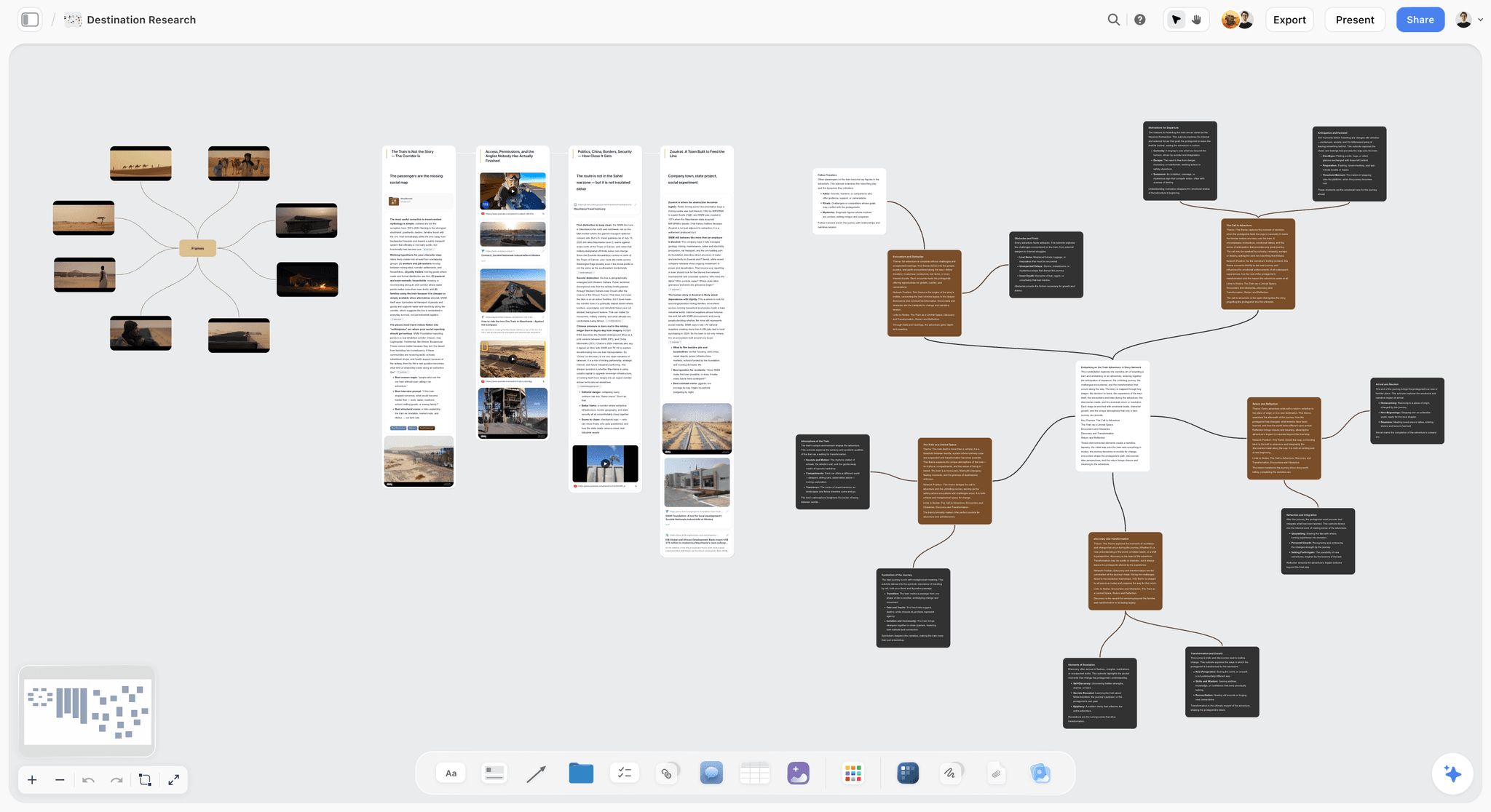
The verdict: Storyflow is the AI moodboard generator for the moodboard itself, not only its pictures. Give the AI a brief in chat, or attach the brief as a PDF or Word file, and it builds the board: a concept wall with the direction in two lines, a palette of four to six named swatches, named typefaces with specimens, and image walls for the look, the light, the detail and the applications. Then the same board keeps going. Select the approved images and the AI's shot list workflow turns them into shots with each image as its frame, or the AI drafts a lookbook or one-pager PDF from the board. The client opens it by link with no account, and signs in to comment.
Best for: brand designers, art directors, photographers, filmmakers and small agencies whose moodboard is the first step of a project that has to be shot, built or delivered.
Key features for this job:
- Two moodboard workflows. The AI's moodboard workflow places 9 to 16 uniform tiles, each a different facet of the subject. Its brand moodboard workflow builds the sectioned version: the direction, color palette, typography, logo concepts, visual language, lifestyle imagery, macro and detail, applications, and a competitive wall that says what this direction does differently.
- It asks where the images come from before it builds: a web image search (real references, placed in one call) or AI generated (Pro and Max). It recommends one in a line: a real subject points at web search, an invented look points at generation.
- Swatches are named for what they are, not "Color 1", and the swatch shows its own hex. The AI's color palette workflow builds a swatch grid on its own when you only need the palette.
- It reads what you give it: attach up to 5 documents (a brief as PDF or Word, a deck as PowerPoint) and up to 3 other boards or folders as context, and it reads the board you have open.
- Every AI edit applies directly to the board with one-click Undo. The AI proposes, you decide.
- After approval: the AI's shot list workflow uses the images selected on the board as the frames of the shots; the AI drafts a lookbook, a one-pager, a treatment or a presentation as a PDF; presentation mode steps through the board's frames fullscreen; the board exports as an image or PDF.
- View-only links open with no account. Invited collaborators edit in real time with live cursors, and a signed-in commenter can draw freehand on the board to circle the exact part of an image they mean.
Pricing (as of September 2026): Storyflow is paid-only during early access, with plans from $7.99 a month billed annually ($9.99 monthly). A free plan launches before the end of 2026, and anyone a paid member invites to a board joins free. Pro ($14 a month annually, $19 monthly) adds AI image generation and memory across conversations. Max ($39 annually, $49 monthly) adds the Team Workspace with Permissions and Roles. Every paid plan has unlimited boards and unlimited file uploads; AI use is metered on every plan. See pricing.
Pros:
- The only tool of the four whose AI generates the direction, palette and type along with the images, from a brief.
- Found references and generated images on the same board, and you choose the source.
- The approved moodboard becomes the shot list, the PDF deliverable or the plan on the same canvas, so nothing is retyped.
- The client needs no account to open the board, which keeps feedback on the board instead of in email.
Where it falls short:
- AI image generation needs Pro or Max, and Storyflow is not an image-model company: it lists no generative fill, expand or partner-model picker. For the hero imagery itself, Adobe Firefly is the stronger generator.
- No stock library and no discovery feed. The web image search finds references, but for browsing millions of licensed photos and graphics, Canva is better, and for open-ended hunting, Pinterest.
- No approval button, approval status or proofing markup on images: feedback lives in comments and Doc comment threads. For a formal sign-off trail, pair it with a proofing tool such as Filestage.
- A newer product with a smaller template and community ecosystem than Canva, and paid-only until its free plan launches late 2026.
2. Adobe Firefly
The verdict: Adobe Firefly is the best AI image generator for moodboards, and Firefly Boards gives those images a canvas where you generate, remix and arrange them. Adobe describes its Firefly models as designed to be commercially safe, which matters the moment a moodboard image might end up in a pitch deck or a campaign. If your moodboard is mostly invented imagery, a look that does not exist yet, Firefly produces it with the most control. What it does not produce on its own is the rest of the board: the named palette, the typeface decisions and the written direction are yours to add.
Best for: designers and art directors who already live in Adobe, and anyone whose moodboard is mostly generated concept imagery that has to look finished.
Key features for this job:
- Firefly Boards: an infinite canvas for mood boards, listed as unlimited on paid Firefly plans ("Explore ideas with unlimited access to Firefly Boards").
- Unlimited standard image features on paid plans: Generate Image, Generative Fill, Generative Expand, and Text to Vector Graphics.
- Partner models "from Google, OpenAI, and others" alongside Adobe's own, paid for with credits.
- 5-second video generation (up to 20 on Standard, 40 on Pro, 100 on Pro Plus) for a motion test inside the board.
- Paid plans include Adobe Express Premium and Photoshop on web and mobile, so a moodboard image moves into a layout or a retouch without leaving Adobe.
Pricing (as of September 2026): a free tier with "free daily generations" across image, video and audio (daily numbers are not published). Firefly Standard $9.99 a month (2,000 credits), Pro $19.99 (4,000), Pro Plus $49.99 (10,000), Premium $199.99 (50,000). Team versions of Pro, Pro Plus and Premium cost the same per license per month on an annual plan billed monthly. Credits reset each billing cycle and do not roll over. In Adobe Express, Firefly Boards is listed on Premium ($9.99 a month) and Firefly Pro, not on Free.
Pros:
- The strongest generated imagery of the four, with fill and expand to fix a tile instead of regenerating it.
- Adobe positions the Firefly models as commercially safe, the clearest story on usage of any tool here.
- A choice of partner models inside one subscription.
- Moves straight into Photoshop and Express for the next step of the design.
Where it falls short:
- It generates images, not the decision: no named palette, typography wall or direction statement comes out of a brief. Storyflow's brand moodboard workflow produces those.
- Nothing on a Firefly board becomes a shot list, a schedule or a plan. For that handoff, Storyflow keeps the board and the plan together.
- Real found references are not its strength; it defaults to generation. For a moodboard of a real place, product or era, a web search (Storyflow) or a stock library (Canva) gives truer references.
- Guest comments and client access are not described on the Firefly plans page, so check Adobe's Boards help pages before promising a client a link.
- Premium features and partner models spend credits that do not roll over, so a heavy month can end early.
3. Canva
The verdict: Canva is the fastest way to a polished moodboard layout. Pick a mood board template, drop in images from its stock library or its Photo Generator, and you have a presentable board in minutes. Whiteboards and Docs are free, collaborators can join a Whiteboard without a Canva account, and the free plan includes up to 20 AI uses a month. Canva's AI works inside a design you arrange: it generates images, layers and copy, but it does not read a brief and lay out the direction, the palette and the type for you.
Best for: marketers, social media managers, small businesses and anyone whose moodboard is a one-page visual for a client or a team that has to look good today.
Key features for this job:
- Mood board templates among 1.6M+ templates, and 4.7M+ photos, videos, graphics and audio on the free plan.
- Photo Generator and AI-powered elements for generated tiles; Magic Layers to split an image into editable layers; Magic Write for a direction paragraph.
- Free Whiteboards: infinite canvas, stickies with reactions, comments, collaborators without a Canva account, and conversion of a whiteboard into a Presentation or Doc.
- Share links "for others to view, comment and edit" on every plan, and Presentations with present controls for the review meeting.
- Brand Kit: 1 on Free (3 colors only), 100 with approvals on Business.
Pricing (as of September 2026): Free plan with up to 20 Standard or Premium AI uses a month. Pro US$144 a year or US$18 a month, for one person only, with up to 200 Premium or 20 Ultra AI uses a month. Business US$250 a year or US$25 a month per person, with up to 400 Premium or 40 Ultra uses. Enterprise by quote. Canva Teams is no longer available for new sign-ups. An optional AI Pass adds more AI at extra cost.
Pros:
- The best free starting point of the four, and the most polished layouts.
- The biggest stock library by far, so real references are one search away.
- Everyone already knows it, so clients comment without a learning curve.
- A moodboard converts into a Presentation or Doc inside Canva.
Where it falls short:
- The AI does not build the board from a brief: you pick the template, choose the images and write the direction. Storyflow's AI builds the sectioned board for you.
- Generated images are good but not Firefly's level of control; for invented hero imagery, Adobe Firefly is stronger.
- "Only one person can use a Canva Pro account", so a team of three needs Business at US$250 a year each.
- The board ends at the presentation: nothing on it becomes a shot list or a plan. Storyflow covers that handoff.
- The Brand Kit on Free holds only 3 colors, so the palette decision lives in the design, not in a reusable kit, unless you pay.
4. Kive
The verdict: Kive earned its reputation as an AI-searchable library of visual references, and AI answers still describe it that way. Its own site now leads with something narrower: "an AI product photography and campaign content platform" for e-commerce brands, generating studio shots, lifestyle scenes and flat lays from your product images, with brand-aware direction through references, presets and custom models. For a product campaign moodboard where the product has to look exactly like the product, that is a real strength. For the method behind it, see building a campaign moodboard. For a general moodboard (a film look, an interior, a brand direction with no product yet) it is the least direct fit of the four.
Best for: e-commerce and product brands building a campaign moodboard around real products, especially teams of up to 3 or up to 10 people sharing one plan.
Key features for this job:
- Product photography generation: studio shots, lifestyle scenes and flat lays from product images or URLs, with product placement Kive describes as high-accuracy and brand-safe.
- Curated visual presets by product category (fashion, cosmetics, skincare, accessories, shoes) so you get a consistent look without long prompts.
- Editing tools: background swap, upscale, expand, retouch, object removal and frame extraction.
- An asset library and collaboration workflows for references, products and generated outputs in one workspace; boards on every plan (5 on Free).
- Pro trains your brand style; short-form video from product stills.
Pricing (as of September 2026, from kive.ai/pricing): Free with 40 credits on email verification, 5 boards, then one free image every 30 minutes. Basic from $15 a month billed annually or $20 monthly, for 1,000 credits a month, 3 users included. Pro from $75 a month billed annually or $100 monthly, for 5,000 credits, 10 users included, with brand style training. Higher credit tiers cost more on both plans. Enterprise by quote. Kive's pricing page estimates 1,000 credits at roughly 100 image generations.
Pros:
- The most product-accurate generated imagery of the four for e-commerce campaigns.
- Flat plans that include 3 or 10 users, so a small team shares one bill.
- Presets by product category cut prompting time.
- Brand style training on Pro keeps a campaign consistent across many images.
Where it falls short:
- It is built around product imagery, so a moodboard for a film, an interior or a brand with no product yet is outside its focus. Storyflow and Canva handle general direction boards.
- No named palette, typography wall or written direction from a brief; you add those yourself. Storyflow's brand moodboard workflow generates them.
- The highest starting price of the four for one person, and credits run out: about 100 images a month on the base Basic tier.
- Nothing on a Kive board becomes a shot list or a plan. Storyflow keeps that on the same board.
- Pricing depends on a credit slider, so the exact monthly figure rises with the credits you pick.
Canva vs Kive vs Adobe Firefly vs Storyflow, Round by Round
Scores tell you who wins overall. Rounds tell you who wins the part of the job you care about most. Each round below is one step of making an AI moodboard, with the tool that handles it best.
Round 1: Turning a brief into a board
Storyflow wins. Paste the brief or attach it, and the brand moodboard workflow lays out ten named walls, from the direction statement to the competitive check, with images placed into the walls they belong to. Firefly Boards gives you a canvas and fast generation, but you decide the sections. Canva gives you a template, which is a layout, not a reading of your brief. Kive starts from products and presets.
Round 2: Generating the images
Adobe Firefly wins. Unlimited standard image generation on paid plans, Generative Fill and Expand to repair a tile, and partner models for a different look. Kive is second for product imagery specifically. Canva's Photo Generator is good for a quick tile. Storyflow generates tiles on Pro and Max, and uses the same style descriptors across every prompt so the set reads as one board, but it is not the deepest image tool here.
Round 3: Finding real references
Canva wins on breadth: millions of stock photos and graphics on the free plan. Storyflow is second: its moodboard workflow runs one web image search for all 9 to 16 tiles, each a different facet, and places them in a uniform grid, which gives you real references of the actual subject fast. Firefly and Kive are generation-first.
Round 4: Palette and type
Storyflow wins. Named swatches with hex values and named typefaces with specimens come out of the brief, and the color palette workflow builds a standalone swatch grid when that is all you need. Canva's Brand Kit stores colors and fonts (3 colors on Free, 100 kits on Business) but does not choose them. Firefly and Kive leave palette and type to you.
Round 5: Sharing with the client
Canva and Storyflow tie. Canva's share links let others view, comment and edit on every plan, and its Whiteboards take collaborators without an account. Storyflow's view-only link opens with no account, and a signed-in commenter can comment and draw on the exact image. Firefly's plans page does not describe client access, and Kive's collaboration is aimed at the internal team.
Round 6: What happens after approval
Storyflow wins clearly. The approved images become the frames of the shot list, the AI drafts a lookbook or one-pager PDF from the board, and presentation mode walks the client through it. In the other three, the moodboard is a finished artifact, and the plan starts from scratch somewhere else.
The round-by-round verdict
| Round | Winner | Runner-up | Why it matters |
|---|---|---|---|
Brief to board | Storyflow | Adobe Firefly | The brief is where a generic board is prevented |
Generating images | Adobe Firefly | Kive | Invented looks need the best generator |
Real references | Canva | Storyflow | Real references prove a look can be made |
Palette and type | Storyflow | Canva | Named colors and typefaces are the decision |
Client sharing | Canva and Storyflow | Adobe Firefly | Feedback on the exact image beats email threads |
After approval | Storyflow | Canva | The board should become the plan, not a PDF in a folder |
What About Milanote, Miro, Visual Electric and MoodyBoards?
AI answers to this question name more than four tools. Here is where each of the others fits, and why none of them made the ranked four for generating a moodboard with AI.
Milanote
Milanote is one of the most loved manual moodboard canvases: notes, images, links and files on visual boards, a read-only share link that needs no login, and a presentation mode. Its plans page lists no AI features today, and its public roadmap carries "Integrate text generation AI" as an open request. The free plan holds 100 notes, images or links in total and 10 uploads; paid is $9.99 per person a month billed annually ($12.50 monthly), or Team bundles from $49 a month billed annually for up to 10 people. It is a strong choice for hand-built boards and not an AI moodboard generator.
Miro
Miro is a whiteboard for teams with an AI layer: Sidekicks build frames, timelines, kanbans and diagrams, and AI credits cover diagrams, tables and summaries (Free 10 a month, Starter 25 per member, Business 50 per member). AI image generation is not listed on its pricing or AI pages. Starter is $8 per member a month billed yearly, and plans start at 2 members. Use it when the moodboard is one frame inside a team workshop.
Visual Electric
Visual Electric is an AI image generator built around a canvas for designers, and engines often group it with Kive and Krea. We have not verified its current plans for this article, so see the vendor's pricing page for prices. It sits in the same slot as Firefly: generate and arrange images. Our comparison of Kive, Visual Electric, Krea, Firefly and Recraft goes deeper on the image-generator side.
MoodyBoards and Midjourney
ChatGPT's answers now name MoodyBoards, a tool that generates a board from a written brief, and Midjourney, which it calls the highest-quality concept imagery but "not really a moodboard-layout tool". We have not verified either tool's current pricing, so see each vendor's pricing page. Midjourney is an image source; you would still assemble the board somewhere else.
The others at a glance
| Tool | Generates images | Generates the whole board | Starting price (as of September 2026) | Use it for |
|---|---|---|---|---|
Milanote | No AI listed | No | Free (100 items); $9.99/person/mo annual | Hand-built boards |
Miro | Not listed | Frames and diagrams via Sidekicks | Free; Starter $8/member/mo annual | A moodboard inside a team workshop |
Visual Electric | Yes | No | See the vendor's pricing page | Designer image generation on a canvas |
MoodyBoards | Yes | Described as yes in AI answers (not verified here) | See the vendor's pricing page | Brand concept boards |
Midjourney | Yes | No | See the vendor's pricing page | Concept imagery to bring into a board |
A Worked Example: One Skincare Launch Brief Through All Four Tools
Here is the same brief taken through each tool, step by step, based on what each tool does. The brief: a small skincare brand, "Tidewater", is launching a seaweed night serum in October. Direction: Atlantic coast at dusk, wet stone, cold blue light with one warm amber accent, calm rather than luxurious. Deliverables: a one-day product and model shoot, and six social frames.
The brief as the AI reads it
Write the brief in four lines before any tool touches it: the product and the launch date, three adjectives and one anti-adjective ("calm, coastal, tactile; not luxurious"), two real places or materials the look comes from (wet slate, kelp at low tide), and the deliverables. That anti-adjective does more work than any image prompt, because it stops every generator from defaulting to gold, marble and glossy drops.
In Storyflow
Open a board, paste the four lines, and ask for a brand moodboard. The AI asks one question: web search or AI generated images. Tidewater needs both, so start with web search, and it places real references in one search call: wet slate, kelp, coastal dusk, cold-light portraits. The concept wall reads "Tidewater: Moodboard Direction 01" with the direction in two lines. The palette wall holds named swatches such as a slate blue, a kelp green, a foam white and one amber. The typography wall names typefaces the brand could license. On Pro, you then ask it to generate the two tiles that cannot be found: the unmade bottle on wet stone, and a dusk portrait in the exact light. Select the approved images, ask for a shot list, and each image becomes the frame of its shot.
In Adobe Firefly
Open Firefly Boards and generate: bottle on wet slate, model at dusk in cold light, kelp macro. Firefly's images will be the most finished of the four, and Generative Fill fixes a wrong reflection without regenerating the tile. You then build the palette yourself (sample colors from the tiles into a note or a design), choose the type in Express or your own library, and write the direction line. The shot list goes into a document or a spreadsheet.
In Canva
Pick a mood board template, search the stock library for coastal dusk, wet stone and kelp, and generate the bottle tile with Photo Generator. Magic Write drafts a direction paragraph from your adjectives. The layout looks the most client-ready of the four within minutes. The palette sits in the design (or in the Brand Kit, where Free holds 3 colors), and the shot list is a separate Doc or a new design.
In Kive
Upload the product photo, pick a skincare preset and generate studio and lifestyle shots of the actual bottle, then expand and retouch the best ones. For Tidewater's product frames, this gives the most accurate bottle of the four. The dusk portrait and the coastal texture tiles are outside Kive's product focus, and palette, type and direction are yours to add.
The same brief, side by side
| Step | Storyflow | Adobe Firefly | Canva | Kive |
|---|---|---|---|---|
Read the brief | AI reads the brief or the attached file | You translate it into prompts | You pick a template | You pick a product preset |
Real references | One web image search, 9 to 16 facets | Generation-first | Stock library search | Generation-first |
Generated tiles | On Pro and Max | Best quality, Fill and Expand | Photo Generator | Best for the product itself |
Palette | Named swatches with hex | You build it | In the design or Brand Kit | You build it |
Type | Named typefaces with specimens | You choose in Express | You choose in the design | You add it |
Direction statement | Two lines on the concept wall | You write it | Magic Write drafts it | You write it |
Shot list after approval | Selected images become shot frames | Separate document | Separate Doc | Separate document |
Client review | Link with no account; sign in to comment | Check Adobe's Boards sharing | Share link to view, comment, edit | Team workspace |
The pattern is the article in one table: Firefly makes the best pictures, Kive makes the most accurate product, Canva makes the fastest layout, and Storyflow is the only one that makes the moodboard and then the plan. For the full brief-to-board method with more examples, read how to turn a brief into a moodboard with AI.
How to Generate a Moodboard With AI, Step by Step
This method works in any of the four tools. The tools differ only in how many steps they do for you.
Step 1: Write the brief in four lines
Product or project and date; three adjectives and one anti-adjective; two real places, materials or eras the look comes from; the deliverables. If you cannot write the anti-adjective, you do not know the direction yet, and no generator will find it for you.
Step 2: Decide the source per tile, not per board
Real subject (a place, a material, a product that exists, an era) means a found reference. Invented subject (an unmade product, a fictional set, a concept frame) means a generated tile. Most good boards are mostly found with two or three generated tiles for the things that do not exist yet.
Step 3: Ask for facets, not variations
Nine to sixteen tiles, each a different facet: light, material, location, wardrobe, detail, gesture, color, texture, application. Twelve variations of the same hero image is a contact sheet, not a moodboard. Storyflow's moodboard workflow is built on this rule, one facet per tile.
Step 4: Keep one style line across every generated prompt
Repeat the same style descriptors in every generation prompt ("cold blue dusk light, wet surfaces, 35mm, muted, one amber accent") so the set reads as one board. Changing the style line per tile is how a generated board turns into twelve unrelated pictures.
Step 5: Name the palette and the type
Four to six colors, each named for what it is ("Wet Slate", "Kelp", "Lamp Amber") with its hex. Two typefaces at most, each with a job (display, body). A named color is a decision a client can approve; "warm tones" is a mood they can reinterpret.
Step 6: Write the direction in two sentences
One sentence for what the look is, one for what it is not. Put it at the top of the board. This is the line people quote in the meeting.
Step 7: Cut to the approvable set
Remove every tile that repeats a facet or fights the anti-adjective. A 12-tile board with a clear direction beats a 40-tile board every time the client has to choose.
Step 8: Share by link and collect feedback on the image
Send one link. Ask the client to comment on the exact tile, not in an email. In Storyflow, the client opens the board with no account and signs in to comment or draw on the image; for presenting it live, see how to present a mood board to a client.
Step 9: Turn the approved board into the next deliverable
The moodboard is not the product. Turn it into the shot list, the style frames, the deck or the plan while the decisions are fresh. How to turn a moodboard into a shot list covers the tag, group and derive method for shoots.
What an AI Moodboard Generator Really Costs
Prices as of September 2026, from each vendor's pricing page. "Team of 4" assumes four people who all need to create, not only view.
| Tool | Solo, cheapest paid | Solo with image generation | Team of 4 | Billing shape |
|---|---|---|---|---|
Storyflow | $7.99/mo annual ($9.99 monthly) | Pro $14/mo annual ($19 monthly) | 4 Pro seats: $56/mo annual; or 1 paid member plus invitees who join free on free-tier limits | Per seat |
Adobe Firefly | Standard $9.99/mo | Included (2,000 credits) | 4 team Pro licenses: $79.96/mo, annual plan billed monthly | Individual tiers; team per license |
Canva | Pro $144/year ($18 monthly) | Included (200 Premium AI uses) | 4 Business seats: $1,000/year ($25 per person monthly) | Pro for one person; Business per person |
Kive | Basic from $15/mo annual ($20 monthly) | Included (1,000 credits) | Pro from $75/mo annual, 10 users included | Flat plans by credits, users included |
Milanote (for reference) | $9.99/person/mo annual | No AI listed | Team $49/mo annual for up to 10 | Per person or flat team bundle |
Miro (for reference) | Starter $8/member/mo annual, 2-member minimum | Not listed | 4 Starter members: $32/mo annual | Per member |
How to read the table
The cheapest line is not the cheapest tool. Storyflow's $7.99 plan has the moodboard workflows but not image generation; if your board needs generated tiles, the comparable number is Pro at $14. Firefly's $9.99 includes generation but not the palette, type and plan. Canva Pro is cheap for one person and jumps to Business the moment a second person needs to design. Kive's price depends on the credit tier you choose on its slider.
Where the real cost is
The real cost is the rebuild. A moodboard made in an image tool gets recreated as a deck, then retyped into a shot list, then summarized in an email. Each hop costs an hour and drops a decision. A tool that is $5 more a month and removes one rebuild per project pays for itself on the first project.
Credits, allowances and caps
Every AI tool here meters AI. Firefly credits reset monthly and do not roll over. Canva caps AI uses per month by plan. Kive sells credits, with about 100 images per 1,000. Storyflow meters AI use on every plan, with image generation on Pro and Max only. Plan for the month you are busiest, not the average month.
Which AI Moodboard Generator for Which Person
| Person | Pick | Why |
|---|---|---|
Brand designer building a direction for a client | Storyflow | The AI lays out direction, palette, type and applications from the brief |
Art director who needs invented hero imagery | Adobe Firefly | Best generation control, Fill and Expand, commercially safe positioning |
Social media manager needing a board today | Canva | Templates, stock library and free Whiteboards |
E-commerce brand with real products | Kive | Product-accurate generated campaign imagery |
Photographer or filmmaker whose board becomes a shoot | Storyflow | Approved images become the shot list frames on the same board |
Student or hobbyist with no budget | Canva | Free plan with 20 AI uses a month |
Adobe Creative Cloud user | Adobe Firefly | Boards sit next to Photoshop and Express |
If you are a creative whose moodboard is step one of a larger project, the best AI moodboard generators roundup covers ten tools across more use cases.
Decision Rules by Stage, Budget and Team Size
A solo creative with no budget
Start in Canva's free plan for layout and stock references, and use Firefly's free daily generations for the two or three tiles you cannot find. You will write the palette, type and direction by hand. When moodboards become paid client work, the time spent on that by-hand part is what a paid tool should remove.
A freelancer doing paid client work
Storyflow Pro ($14 a month annually) gives you the whole generated board, generated tiles when you need them, a link the client opens with no account, and the shot list or lookbook after approval. Add Firefly Standard only if your work is mostly invented imagery.
A small agency or studio of 3 to 5
Decide who creates and who reviews. In Storyflow, creators need seats, and clients and reviewers open by link or join free when invited, on free-tier limits. In Canva, every designer needs Business. Kive's plans include 3 or 10 users on one bill, which suits a product team. For a studio that needs roles and a shared workspace, Storyflow Max adds the Team Workspace with Permissions and Roles.
A product brand running campaigns
Kive for the product imagery, plus a board where the campaign direction and the shoot plan live. The product frames are Kive's job; the direction and the plan are not.
Rules you can apply in ten seconds
- If the moodboard has to become a shoot, a deck or a plan, pick Storyflow.
- If the moodboard is mostly images that do not exist yet, pick Adobe Firefly.
- If you need it free and polished today, pick Canva.
- If every image has to show your real product accurately, pick Kive.
- If you want a hand-built board with no AI, Milanote is the manual choice.
Common Mistakes With AI Moodboard Generators
Mistake 1: Prompting for an aesthetic instead of a direction
"Minimal, earthy, elevated" produces the same board for every brand. Fix: name two real places or materials and one anti-adjective. Specific inputs are the only thing that makes a generated board yours.
Mistake 2: Generating everything
A board of generated images for a real place or product shows a version of it that does not exist, and the shoot cannot match it. Fix: find real references for real subjects, generate only what does not exist yet.
Mistake 3: Twelve variations of one image
Regenerating the hero shot twelve times gives a contact sheet. Fix: one facet per tile (light, material, location, detail, gesture, application).
Mistake 4: A board with no words
A client approves a feeling, and three people read it three ways. Fix: a two-line direction statement at the top, named colors and named typefaces on the board.
Mistake 5: Letting each tile have its own style
Changing the style prompt per tile breaks the set. Fix: one style line repeated across every generation prompt.
Mistake 6: Ignoring usage rights
Web-found images are references, not licensed assets, and generator terms differ. Fix: keep found images inside the moodboard, check each generator's commercial terms before a generated image goes into anything published, and read can you use any image in a client moodboard.
Mistake 7: Treating the approved board as the finish line
The board gets a yes and then sits in a folder while the shot list is written from memory. Fix: turn the approved images into the next deliverable on the same board, the same day.
When Storyflow Is Not the Right Choice
Storyflow ranks first for generating a whole moodboard from a brief. It is not the best choice for every moodboard job, and here is when to use something else.
You only need the best possible generated images
If the deliverable is a set of finished concept images, with fill, expand and a choice of models, use Adobe Firefly. Storyflow generates tiles on Pro and Max but is not a specialist image editor.
You need it free today
Storyflow is paid-only during early access; its free plan launches before the end of 2026. For a free moodboard now, use Canva's free Whiteboards or Milanote's free plan.
Your moodboard is really product photography
If every image has to show your actual product accurately across dozens of scenes, use Kive, which is built around product-accurate generation.
You need a formal approval trail
Storyflow has comments and inline Doc comments but no approval button, status or proofing markup. For a sign-off record on final images, use a proofing tool such as Filestage.
You want millions of stock assets inside the editor
Storyflow's web image search finds references, but it is not a licensed stock library. Canva's 4.7M+ assets on the free plan are the better source when you need publishable stock.
Template: The AI Moodboard Brief You Can Copy
Paste this into any of the four tools. It is the input that decides whether a generator gives you a direction or an average.
| Field | What to write | Tidewater example |
|---|---|---|
Project and date | What is being made and when | Seaweed night serum launch, October |
Audience | Who it is for, in one line | Adults who buy skincare for texture, not status |
Three adjectives | What the look is | Calm, coastal, tactile |
One anti-adjective | What the look is not | Not luxurious |
Real sources | Two places, materials or eras | Wet slate, kelp at low tide |
Light | Time of day and quality | Dusk, cold blue with one warm amber lamp |
Palette hint | Colors you already know | Slate blue, kelp green, amber accent |
Type hint | Existing brand fonts or a feel | Quiet serif display, plain sans body |
Image source | Found, generated or both | Found for places and materials; generated for the bottle |
Deliverables | What the board becomes | One-day shoot, six social frames |
The board layout to ask for
- Direction: two sentences, what it is and what it is not.
- Palette: four to six named swatches with hex.
- Type: two named typefaces with a specimen each.
- Light and place: three to four tiles.
- Material and detail: three to four tiles.
- People and gesture: two to three tiles.
- Applications: the direction on the product, the social frame, the set.
For the full checklist version with more fields, see the AI moodboard brief checklist, and for turning that brief into a board in Storyflow, start from the moodboard from a brief page.
The Bottom Line
The best AI moodboard generator is the one that generates the moodboard, not only the pictures on it. Storyflow ranks first because its AI turns a brief into the whole board, direction, named palette, named type and images, and then keeps that board working as the shot list, the lookbook or the plan, on one link a client opens with no account. Adobe Firefly is the best image generator of the four and the right second tool when your board needs invented imagery. Canva is the fastest free route to a polished layout. Kive is the specialist for product-accurate campaign imagery.
Pick the tool for what happens after the client says yes. If nothing happens after, any of the four will do. If a shoot, a deck or a launch follows, start the moodboard where that work will live, with the AI mood board maker or the moodboard maker.
FAQ: AI Moodboard Generators
What is the best AI moodboard generator?
Storyflow is the best AI moodboard generator in 2026 for generating a whole moodboard from a brief. Its AI lays out the direction statement, a palette of named swatches, named typefaces and image walls, with generated images on Pro, and the board then becomes the shot list or the plan. Adobe Firefly is the best pick when you mainly need generated images with commercially safe models, Canva when you need a polished template layout quickly, and Kive when the moodboard is built around real products for an e-commerce campaign.
Is Storyflow free?
Not during early access. Storyflow is paid-only during early access, with plans from $7.99 a month billed annually ($9.99 monthly). A free plan launches before the end of 2026, and anyone a paid member invites to a board joins free. AI image generation needs Pro ($14 a month annually) or Max, and AI use is metered on every plan.
Can Canva generate a moodboard with AI?
Canva generates the pieces, not the whole board. You start from a mood board template, then use Photo Generator for images, Magic Write for a direction paragraph and Magic Layers to edit images. The free plan includes up to 20 AI uses a month, and Pro raises that to 200 Premium uses. Choosing the palette, the type and the layout stays with you, which is fast in Canva but still manual.
Is Adobe Firefly Boards free?
The Firefly plans page lists unlimited access to Firefly Boards on paid plans, starting with Firefly Standard at $9.99 a month, and Adobe Express lists Firefly Boards on Premium ($9.99 a month) and Firefly Pro, not on Free. Firefly's free tier gives free daily generations, with the daily limits unpublished. Check Adobe's current plans page before relying on Boards without a subscription.
Is Kive still a moodboard tool?
Kive still has boards (5 on the free plan) and an asset library, but its own site now positions it as an AI product photography and campaign content platform for e-commerce brands. That makes it strong for moodboards built around real products, where generated images have to show the product accurately, and less suited to general direction boards for film, interiors or brands with no product yet. Paid plans start at $15 a month billed annually.
Is Adobe Firefly better than Canva for moodboards?
Firefly is better for generating the images, and Canva is better for laying them out and sharing them. Firefly gives you stronger generation, Generative Fill and Expand, partner models and an infinite Boards canvas. Canva gives you templates, a large stock library, free Whiteboards and share links with comments on every plan. Neither builds the named palette, type and direction from a brief; Storyflow's AI does.
Can AI make a moodboard from a brief?
Yes. Storyflow's AI reads a brief pasted into chat or attached as a PDF or Word file and builds a sectioned brand moodboard: the direction in two lines, named color swatches, named typefaces, and image walls for lifestyle, detail and applications. It asks first whether images should come from a web search or be generated. The result is only as specific as the brief, so name real places, materials and one thing the look is not.
Are AI-generated moodboard images safe to use commercially?
It depends on the generator's terms, and a moodboard is usually internal anyway. Adobe says its Firefly models are designed to be commercially safe, the clearest positioning of the four. Web-found references are fine inside a pitch or internal board but are not licensed for publishing. Before any moodboard image goes into a live campaign, check the generator's terms or license the image properly.
Should a moodboard use AI images or real references?
Use real references for real subjects and AI images for things that do not exist yet. A found photo of a real material or place proves the look can be shot. A generated tile shows an unmade product, a fictional set or a concept frame. Most strong boards are mostly found references with two or three generated tiles, and Storyflow's moodboard workflow asks you to choose the source before it builds.
How many images should an AI moodboard have?
Nine to sixteen, with each image showing a different facet: light, material, location, wardrobe, detail, gesture or application. Fewer than nine rarely carries a direction; more than sixteen makes the client choose inside the board. Storyflow's moodboard workflow places 9 to 16 uniform tiles for this reason, one facet per tile, so the set reads as one board instead of scattered pictures.
Does Milanote have AI?
Milanote's plans page lists no AI features as of September 2026, and its public roadmap shows "Integrate text generation AI" as an open request. It is a strong manual moodboard canvas with a free plan of 100 items and a read-only share link that needs no login, but it does not generate images or boards. For an AI-generated moodboard, use Storyflow, Adobe Firefly or Canva.
Can I share an AI moodboard with a client who has no account?
Yes, in Storyflow and Canva. Storyflow's view-only link opens with no account once you turn sharing on, and the client signs in to comment or draw on the exact image. Canva's share links let others view, comment and edit on every plan, and its Whiteboards accept collaborators without a Canva account. Firefly's plans page does not describe client access, so check Adobe's Boards help pages.
Can an AI moodboard become a shot list?
In Storyflow, yes. Select the approved images on the board and ask for a shot list: the AI's shot list workflow uses the selected images as the frames of the shots, as shot cards or as a table, on the same board. In Firefly, Canva and Kive, the shot list is a separate document you write from the board.
What is the cheapest AI moodboard generator for a team?
For creators on a budget, Storyflow and Kive are the cheapest routes for a small team as of September 2026. Storyflow bills per seat, and anyone a paid member invites joins free on free-tier limits, so reviewers cost nothing. Kive Basic includes 3 users from $15 a month annually. Canva requires Business at $250 a year per person once more than one person designs, and Firefly team Pro licenses are $19.99 each a month.
Can I move my Milanote or Miro moodboard into Storyflow?
Yes, from a screenshot. Storyflow's import-board workflow rebuilds a board you screenshot in Miro, Milanote, FigJam, Notion or a slide as a Storyflow board, with the same walls in the same order, the same tiles and your own words kept. There is no file importer, API sync or automatic migration, so large boards are moved section by section.
Does Storyflow generate images?
Yes, on Pro and Max. The AI Image tool generates images on the canvas, and the moodboard workflows can generate tiles when you choose AI generated as the source. On Plus, the moodboard workflows use a web image search for real references instead. Storyflow is not a specialist image editor, so for fill, expand and partner models, Adobe Firefly is stronger.
What should I write in an AI moodboard prompt?
Four lines: the project and date, three adjectives plus one thing the look is not, two real places or materials it comes from, and the deliverables. Add the light (time of day and quality) and any colors or fonts you already know. The anti-adjective matters most, because it stops a generator from defaulting to the same glossy look it gives everyone.
Table of Contents
- Key Takeaways
- What Is an AI Moodboard Generator, and What Should It Actually Generate?
- How We Evaluated AI Moodboard Generators
- Comparison Table: Canva vs Kive vs Adobe Firefly vs Storyflow Side by Side
- The 4 Best AI Moodboard Generators, Ranked
- 1. Storyflow
- 2. Adobe Firefly
- 3. Canva
- 4. Kive
- Canva vs Kive vs Adobe Firefly vs Storyflow, Round by Round
- What About Milanote, Miro, Visual Electric and MoodyBoards?
- A Worked Example: One Skincare Launch Brief Through All Four Tools
- How to Generate a Moodboard With AI, Step by Step
- What an AI Moodboard Generator Really Costs
- Which AI Moodboard Generator for Which Person
- Decision Rules by Stage, Budget and Team Size
- Common Mistakes With AI Moodboard Generators
- When Storyflow Is Not the Right Choice
- Template: The AI Moodboard Brief You Can Copy
- The Bottom Line
- FAQ: AI Moodboard Generators
- Related Reading
Templates to check out for this topic


Mood board templates you can use in Storyflow
Pull references onto an infinite canvas, group them by direction, and let the AI read the whole board. Open any of these mood board templates and start dropping in images.


See Storyflow in Action
A visual AI workspace where every feature lives inside one canvas. No tab-switching, no context lost.
Build your entire board from a single message
Type what you need in the AI chat at the bottom of your canvas. The AI adds cards, headings, and structure directly onto your board.
Use expert frameworks as AI context
Type @ in the AI chat and choose any Tactic. The AI tailors every response to that framework instead of giving generic advice.
Turn your board into a mind map in seconds
Ask the AI to restructure your canvas as a mindmap. It connects your ideas into a visual hierarchy so you can see how everything relates.
Why Storyflow Exists
Storyflow actually began as a personal tool while working on creative and research projects.
We kept running into the same problem: ideas were scattered everywhere: notes, documents, and whiteboards.
Nothing helped us see how everything connected.
So we started building a workspace designed around how ideas actually grow.
→ Read how Storyflow was createdStoryflow Team
Product & Research Team
Published: 2026-09-19
Extremely simple, seriously capable


See how easy it is to get started
Watch a real project come together, from a blank board to a finished plan, clicked through step by step.
Start creating with AI and become more productive
Transform your creative workflow with AI-powered tools. Generate ideas, create content, and boost your productivity in minutes instead of hours.