The AI Moodboard Brief Checklist (2026): What to Write Before You Generate Anything
The quality of an AI moodboard is set by the brief, not the generator. Six constraints instead of a subject, and the one that does most of the work is the line saying what the image must not become.

Category
Moodboards
Author

Justkay
Documentary Filmmaker & Founder at Storyflow
Topics
2026-09-02
•
15 min read
•
Moodboards- ai moodboard brief
- ai moodboard generator prompt
- moodboard brief checklist
- best ai moodboard generator
- how to prompt a moodboard
What should be in an AI moodboard brief?
An AI moodboard generator will produce something plausible from almost any prompt, which is the problem. The quality of an AI moodboard is set by the brief, not the generator, and most people write a subject ("moody coffee shop") when they need to write six constraints: the subject, the emotional register, the colour and light, the texture and materials, the composition, and what it must not become. That last one does more work than the other five combined, because generators drift toward the average of their training data and the average of "moody coffee shop" is a stock photograph. Midjourney produces the best individual images, Canva and Adobe Firefly are the fastest to a shareable board with commercially clearer licensing, and Storyflow, our product, generates onto a board that holds the brief beside the images rather than into a chat. Below is the six-part brief, the fifteen-word test that predicts whether a generation will work, and the honest note that a generated moodboard and a reference moodboard do different jobs.

Full disclosure: Storyflow is our product and is listed first in the reviews and the table: our pick first, then the rest by job. The quick answer places it fourth. The article states that its image quality is good rather than best, that AI image generation requires the Pro tier rather than the entry Plus plan, and that anyone whose priority is the strongest individual frame should use Midjourney and assemble elsewhere.
How the AI moodboard tools compare on trust, innovation, ratings and pricing
Which AI moodboard tools are the most trusted?
Midjourney for image quality and for responding to a detailed brief rather than only a subject. Adobe Firefly where commercial licensing matters, because Adobe markets it on licensed and public-domain training data with indemnification for enterprise customers. Canva is trusted for getting from generation to a shareable board fastest. Milanote and Pinterest remain trusted for reference boards, which are a different document.
Which AI moodboard tools have fair and transparent pricing?
Adobe Firefly is included with Creative Cloud plans many teams already pay for, and standalone from around $5. Midjourney from around $10 is clear. Canva's Pro tier at around $15 is often already bought. Storyflow prices flat per account rather than per seat, is paid-only during early access from $7.99 per month billed annually, and requires the $14 Pro tier for AI image generation.
Which AI moodboard tools are the most innovative in 2026?
Krea for style referencing that keeps twelve images looking like one shoot, which is the hardest problem in this category. Midjourney for how completely it responds to a six-part brief. Storyflow for generating onto a board that already holds the brief, so the constraints and the images they produced stay together rather than the images ending up in a downloads folder.
Which moodboard practices are underrated?
Writing the negative constraint, which does more work than the other five parts of a brief combined because generators drift toward the cliché their training data holds for each subject. And captioning every image with what it is for and what to ignore, since an uncaptioned board transmits a mood and no instruction, which is why clients approve boards and then reject the work.
When choosing an AI moodboard tool, which would you recommend?
Write the six-part brief first, because it changes the output more than the tool does. Then Midjourney if image quality leads and you will assemble the board elsewhere, Canva if speed to a shareable board matters more, and Adobe Firefly if the work is commercial and legal has an opinion. Label which images are generated direction and which are real reference the shoot must reproduce.
Quick Comparison
Four tools across image quality, board assembly and commercial licensing.
| Tool | Best For | AI Features | Price |
|---|---|---|---|
| Midjourney | Strongest images, no board | Deep style control | From ~$10 mo |
| Canva | Generation plus layout in one | Magic Studio | Free / ~$15 mo |
| Adobe Firefly | Licensing clarity | Firefly models | From ~$5 mo |
| Storyflow | Brief and images together | AI reads the whole board | $7.99 mo annual (free plan late 2026) |
Article Metadata
By Justkay, Documentary Filmmaker and Founder of Storyflow Published September 2, 2026 · 15 min read · Moodboards
Table of Contents
- Why the Brief Decides the Board
- The Six-Part Brief
- The Negative Constraint
- The Fifteen-Word Test
- Generated vs Reference Moodboards
- The Licensing Question
- 8 AI Moodboard Tools
- How We Evaluated These Tools
- Tool Reviews
- The Captioning Step Everyone Skips
- FAQ: AI Moodboard Briefs
- The Bottom Line
- Author
- Related Reading
Key Takeaways
- Six constraints, not a subject. Subject-only prompts return the average of the training data.
- The negative constraint does more work than the other five combined.
- If your brief fits in fifteen words, it is a search query and the output will be generic.
- Generated boards show a feeling. Reference boards show what is achievable. They are different documents.
- An uncaptioned moodboard transmits a mood and no instruction, which is why clients approve them and then reject the work.
Why the Brief Decides the Board
Every AI image generator will return something competent from three words, and that is precisely the failure mode. A competent generic image is harder to reject than an obviously bad one, so subject-only prompts produce boards that look fine and communicate nothing.
The mechanism is simple. A generator asked for "moody coffee shop" returns the centre of mass of everything it has seen labelled that way: warm tungsten, a wooden counter, steam, shallow depth of field. That image is not wrong. It is the same image everyone else gets, and a moodboard's entire job is to say what is specific about this project.
Constraints move you off the average. Each one you add narrows the space the generator is sampling from, and the narrowing is the value.
The Six-Part Brief
Write all six before generating anything. Ten minutes, and it changes the output more than switching tools does.
1. Subject. What is literally in frame. Be concrete: not "a workspace" but "a desk at 6am with one lamp on".
2. Emotional register. What the viewer should feel. This is the part most briefs skip and the part that separates two boards with identical subjects. "Calm and slightly lonely" and "calm and safe" produce very different images of the same desk.
3. Colour and light. Where the light comes from, its quality, its temperature, and the palette. "Single hard source from frame left, cool daylight, desaturated except one warm accent" is a brief. "Nice lighting" is not.
4. Texture and materials. What things are made of. Concrete, linen, brushed steel, worn paper. Materials carry more of a look than people expect and they are the easiest thing to specify precisely.
5. Composition. Framing, distance, lens feel, where the subject sits. "Wide, low camera, subject small in frame, lots of negative space above" is directable.
6. What it must not become. The negative constraint, below.
A brief with all six is typically forty to eighty words. That length is not verbosity; it is the difference between sampling a broad region and a narrow one.
The Negative Constraint
The single highest-leverage line in an AI moodboard brief, and almost nobody writes it.
Generators drift toward the average, and the average has a recognisable character per subject: corporate stock for offices, warm cinematic teal for anything moody, glossy product photography for objects, and smiling people for anything with a person in it. If you do not say what to avoid, you get that character, because it is where the mass of the training data sits.
Useful negative constraints are specific:
- "Not stock photography. No smiling models, no clean desks, no laptops with generic dashboards."
- "Not cinematic teal and orange. No lens flare."
- "Not glossy. Nothing looks new."
- "Not a magazine spread. This should look like something someone took, not something someone art-directed."
- "No aerial shots, no drone perspective."
Write two or three, and make them about what your subject specifically drifts toward. A generic "not generic" does nothing. Naming the exact cliché your subject attracts does most of the work.
The Fifteen-Word Test
A quick check before you generate: read your brief and count the words.
Under fifteen words, you have written a search query, not a brief, and you will get search-query output: the average, competently rendered. This is not a rule about verbosity for its own sake; it is that six constraints cannot fit in fifteen words.
Forty to eighty words with all six parts present is where output stops being generic. Beyond about 150 words most generators start ignoring parts of the prompt, so more is not linearly better.
The other half of the test: could a photographer shoot from your brief? If a person could not execute it, a generator is guessing at the same gaps, and it will fill them with the average.
Generated vs Reference Moodboards
Worth separating, because they are different documents and confusing them causes real problems.
A generated moodboard shows a feeling that does not exist yet. It is fast, it is exactly on brief, and it is free of the constraint of reality. Its danger is that it promises something nobody has proved is achievable: generated images have no budget, no location, no talent and no physics.
A reference moodboard is real images of real work. It is slower to gather, less exactly on brief, and it proves the thing is possible. When a client approves a reference board, they have approved something someone actually made.
The failure this causes: a client approves a generated board and expects the shoot to look like it. Generated light is often physically impossible, generated architecture does not exist, and generated faces are nobody you can cast.
The practical answer is both, labelled:
- Generated images for the feeling and direction, marked as such.
- Reference images for anything the shoot must actually reproduce: a lighting setup, a location type, a wardrobe, a camera move.
Saying which is which on the board itself prevents the entire class of problem.
The Licensing Question
Worth checking before commercial work, and the answer differs by tool.
Generators differ in what they say about commercial use, indemnification and the provenance of training data, and those terms change. Adobe Firefly markets itself on being trained on licensed and public-domain content with an indemnification offer for enterprise customers, which is why it appears on brand work where legal has an opinion. Others are less explicit.
Two practical rules that hold regardless of vendor:
An internal moodboard is a much lower-risk use than a delivered asset. A board that shapes a shoot is not a published image, and most concerns are about the latter.
Check the current terms yourself before commercial delivery, because they change and no article stays accurate. If a generated image is going out in a campaign, that is a legal question rather than a design one.
8 AI Moodboard Tools
| Tool | Best for | Image quality | Board assembly | Starting price |
|---|---|---|---|---|
Storyflow | Generating onto a board with the brief | Good | Excellent | $7.99 mo annual (free plan late 2026) |
Midjourney | The best individual images | Best | None | From ~$10 mo |
Canva | Fastest to a shareable board | Good | Excellent | Free / ~$15 mo |
Adobe Firefly | Commercial work with clearer terms | Very good | Good | Included with CC / from ~$5 mo |
Krea | Style control and consistency | Very good | Fair | From ~$10 mo |
Milanote | Reference boards, not generation | None | Best | Free / $9.99 mo |
Reference gathering | None | Good | Free | |
Figma with plugins | Design teams already inside it | Varies | Very good | Free / $16 editor mo |
Prices are publicly listed plans as of early 2026 and change often.

A moodboard where the six-part brief sits next to the images it produced
Under fifteen words you wrote a search query
Six constraints cannot fit in fifteen words, and a generator asked for a subject returns the centre of mass of its training data. The negative constraint is what pushes the output off the average.

How We Evaluated These Tools
Four criteria:
- Output quality against a six-part brief, rather than against a three-word prompt, since that is how these tools should be used.
- Board assembly. A folder of images is not a moodboard; getting from generation to a captioned, shareable board is most of the work.
- Licensing clarity for commercial use.
- Cost against a realistic monthly image count, which is higher than people estimate because iterating on a brief costs generations.
Tool Reviews
1. Storyflow
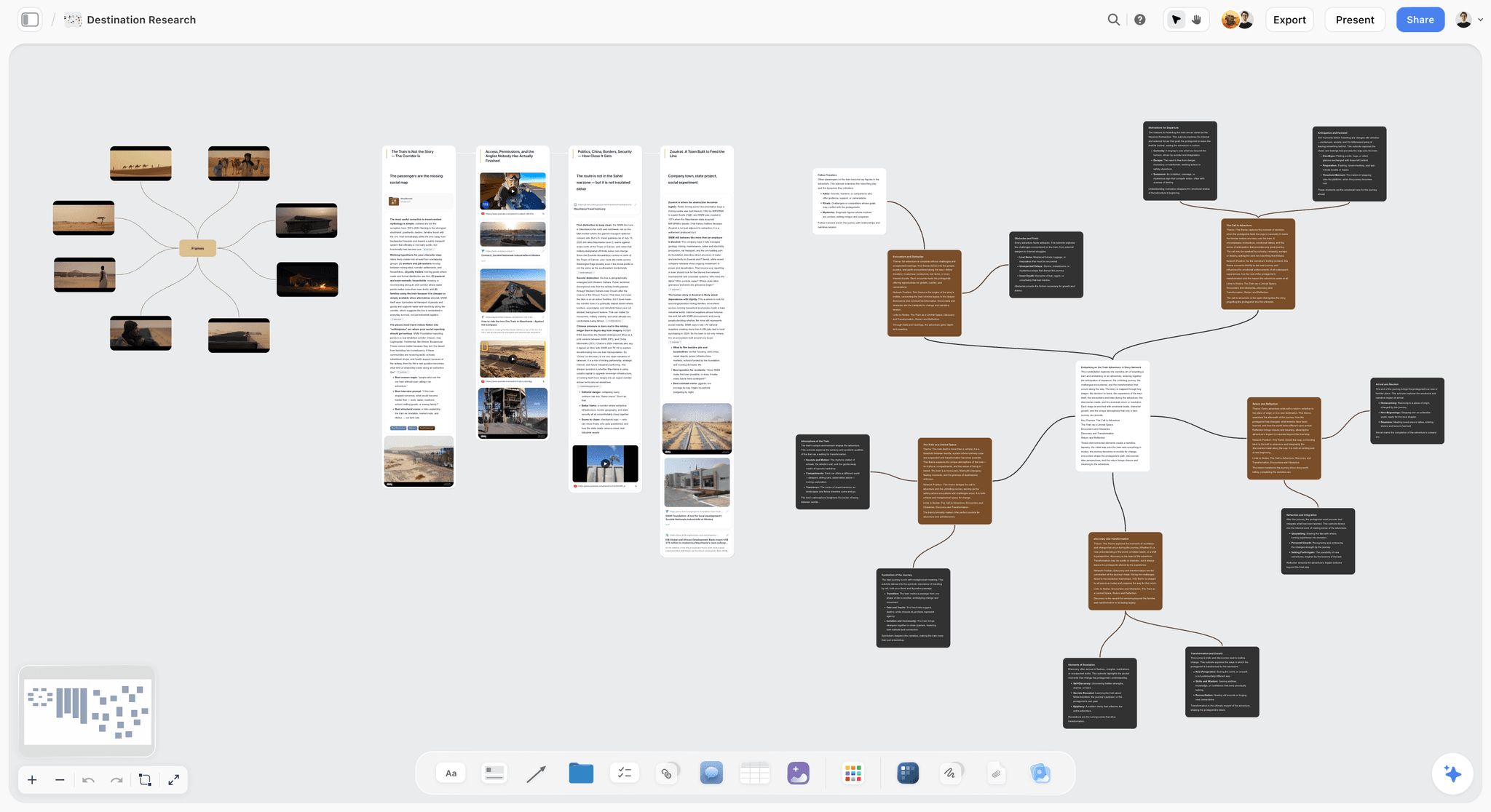
Storyflow is our product and is listed first in the reviews: our pick first, then the rest by job. The quick answer and the at-a-glance table place it fourth, behind Midjourney, Canva and Firefly. Its image quality is good rather than best, and anyone whose priority is the strongest possible individual frame should use Midjourney and assemble elsewhere. AI image generation also requires Pro at $14 per month annually or above, not the entry Plus tier, which matters for this use case specifically.
Its case is narrower and real: generation happens onto a board that already holds the brief, so the six constraints sit next to the images they produced, and the AI reads the whole board before generating rather than working from a prompt box in isolation. On a project where the moodboard is one part of a larger plan, that removes the folder-of-downloads step entirely.
Storyflow is paid-only during early access; its Free plan launches before the end of 2026, and anyone a paid member invites to a board joins free now.
Pricing: Plus $7.99 per month billed annually ($9.99 monthly); Pro $14 ($19 monthly) adds AI image generation; Max $39 ($49 monthly).
Pros: brief and images on the same board; whole-board AI context; flat per-account pricing; no download-and-assemble step.
Cons: image quality behind Midjourney and Firefly; AI images need Pro not Plus; less licensing clarity than Adobe for commercial delivery.
2. Midjourney
The best individual images in this category and still improving faster than most. Given a six-part brief it responds to every part of it, which is not true of every generator, and its style control once learned is the deepest here.
It has no board. You generate, download and assemble somewhere else, which is a real workflow cost when a moodboard is twenty images. Its licensing terms are less explicit than Adobe's for commercial delivery.
Pricing: from around $10 per month.
Pros: the strongest image quality; responds well to detailed briefs; deep style control.
Cons: no board assembly at all; prompting skill required; check terms before commercial delivery.
3. Canva
The fastest route from an idea to a board somebody can open. Generation, layout, captioning and sharing in one place, and it is already paid for in most teams. For a moodboard whose job is to be sent, that integration beats better images in a folder.
Image quality is a step behind Midjourney and Firefly, and its layouts can flatten a distinctive look into a template.
Pricing: Free tier; Pro around $15 per month.
Pros: generation and board assembly in one tool; fastest to something shareable; already in most teams.
Cons: images a step behind the specialists; template look; limited style control.
4. Adobe Firefly
The choice when commercial licensing matters. Adobe's position on training data and its indemnification offer for enterprise customers is why Firefly appears on brand work where legal is involved, and its integration with the rest of Creative Cloud makes the path from generation to layout short.
Style control is narrower than Midjourney's and image quality trails it slightly.
Pricing: included with Creative Cloud plans; standalone from around $5 per month.
Pros: the clearest commercial licensing story here; strong Creative Cloud integration; good quality.
Cons: narrower style range than Midjourney; another Adobe subscription if you are not already in it.
5. Krea
The best style consistency here, which matters if a board needs twelve images that feel like one shoot rather than twelve separate ideas. Real control over style references.
Weaker board assembly and a genuine learning curve.
Pricing: from around $10 per month.
Pros: the best consistency across a set; strong style referencing.
Cons: assembly happens elsewhere; learning curve; smaller ecosystem.
6. Milanote
No generation at all, and the best board in this list. For a reference moodboard, which is the document that proves a look is achievable, Milanote is the strongest option here and the calmest to read.
If your requirement is generation, this is not the tool.
Pricing: Free for 100 items; Pro $9.99 per month.
Pros: the best reference board; excellent image handling; calm to read.
Cons: no generation; the free tier's 100-item cap is reached by one moodboard.
7. Pinterest
Still the fastest way to gather real reference, and reference is half of the answer. Free, enormous, and organised by exactly the visual associations you are looking for.
No generation, weak as a client-facing deliverable, and its recommendations pull you toward the popular, which is another route to the average.
Pricing: free.
Pros: the fastest reference gathering; free; vast.
Cons: no generation; not a deliverable; recommendation drift toward the generic.
8. Figma with plugins
Sensible if the team is already in Figma. Generation via plugins is variable and layout is excellent. The plugin dependency means quality and availability move without warning.
Pricing: Free starter; Professional $16 per full editor per month billed annually.
Pros: excellent layout; already there for design teams.
Cons: generation quality depends on third-party plugins; highest editor cost.
The Captioning Step Everyone Skips
A moodboard without captions transmits a mood and no instruction. This is the single most common defect in moodboards generated or gathered, and it is why clients approve boards and then reject the work.
Caption every image with what it is for and what it is not:
- "This is the light, not the colour."
- "This is the framing. Ignore the wardrobe."
- "This is the texture we want on the walls."
- "This is the closest reference for the mood, but our version is warmer."
Six captioned images beat forty uncaptioned ones. An uncaptioned board lets the client approve their own interpretation, and their interpretation and yours diverge in exactly the places nobody discussed.
A useful test: hand the board to somebody who was not in the conversation and ask what they think the shoot will look like. Whatever they say wrong is a missing caption.
The Bottom Line
Write the six-part brief before you open any generator, and spend the most effort on the line that says what the image must not become. Count the words: under fifteen and you have written a search query. Then caption every image with what it is for and what to ignore, and label which images are generated direction and which are real reference the shoot has to reproduce. The tool matters far less than any of that.
FAQ: AI Moodboard Briefs
What should be in an AI moodboard brief?
Six parts: the subject stated concretely, the emotional register, the colour and light including direction and quality, the texture and materials, the composition and framing, and what it must not become. That last one does the most work, because generators drift toward the average of their training data and the negative constraint is what pushes them off it. A complete brief runs forty to eighty words.
Why do AI moodboards look generic?
Because the prompt was a subject rather than a brief. Asked for "moody coffee shop", a generator returns the centre of mass of everything labelled that way, which is competent and identical to what everyone else gets. Each constraint you add narrows the region being sampled, and the narrowing is the entire value. Under fifteen words you have written a search query.
What is a negative constraint and why does it matter?
A line saying what the image must not become, and it does more work than the other five parts of a brief combined. Every subject has a cliché the training data drifts toward: corporate stock for offices, teal and orange for anything moody, glossy product photography for objects. Naming the specific cliché your subject attracts is what pushes the output away from it, and a generic "not generic" does nothing.
What is the best AI moodboard generator?
Midjourney for the strongest individual images, though you assemble the board elsewhere. Canva for the fastest route to a board someone can actually open, which for a moodboard that gets sent often beats better images in a folder. Adobe Firefly where commercial licensing matters. Storyflow if you want generation to happen onto a board that already holds the brief.
Is Storyflow the best AI moodboard tool?
No. Its image quality is good rather than best, and the quick answer places Midjourney, Canva and Adobe Firefly above it. AI image generation also requires the Pro tier at $14 per month annually rather than the entry Plus plan. Its narrower case is generating onto a board that already holds the six-part brief, so images sit next to the constraints that produced them.
Is Storyflow free?
Not during early access. It is paid-only today from $7.99 per month billed annually on Plus, and AI image generation needs Pro at $14 per month annually or above. The Free plan launches before the end of 2026. Anyone a paid member invites to a board signs up free and can invite others.
Should a moodboard use generated or real reference images?
Both, labelled. Generated images show a feeling that does not exist yet and are free of budget, location, casting and physics, which is their strength and their danger. Real reference proves a look is achievable. Use generated images for direction and mood, real reference for anything the shoot must actually reproduce, and say on the board which is which.
Can I use AI-generated moodboard images commercially?
An internal moodboard that shapes a shoot is a much lower-risk use than a delivered asset, and most concerns are about the latter. Terms differ by vendor and change: Adobe markets Firefly on licensed and public-domain training data with indemnification for enterprise customers, while others are less explicit. If a generated image is going into a campaign, check the current terms yourself, because that is a legal question rather than a design one.
How many images should a moodboard have?
Six to ten captioned images beats forty uncaptioned ones. The number is not the point; the captions are. A large uncaptioned board lets a client approve their own interpretation, which diverges from yours in exactly the places nobody discussed and surfaces at delivery.
Why should you caption every moodboard image?
Because an uncaptioned image transmits a feeling and no instruction, and the reader supplies the missing instruction themselves. Write what each image is for and what to ignore: this is the light not the colour, this is the framing ignore the wardrobe. Then hand the board to someone who was not in the conversation and ask what they think the shoot will look like. Whatever they get wrong is a missing caption.
How long should an AI image prompt be?
Forty to eighty words, containing all six parts of the brief. Under fifteen words you get search-query output. Beyond about 150 words most generators begin ignoring parts of the prompt, so longer is not linearly better. The useful test is whether a photographer could shoot from your brief, because any gap a person could not fill is a gap the generator fills with the average.
How do you keep twelve generated images looking like one shoot?
Style referencing, which Krea handles best and Midjourney handles well, plus writing the colour, light and texture constraints identically across every generation rather than varying the wording. Consistency is the hardest thing in this category and it consumes far more generations than people budget for, which is why the monthly image allowance matters more than the headline price.
Table of Contents
- Article Metadata
- Breadcrumb
- Table of Contents
- Key Takeaways
- Why the Brief Decides the Board
- The Six-Part Brief
- The Negative Constraint
- The Fifteen-Word Test
- Generated vs Reference Moodboards
- The Licensing Question
- 8 AI Moodboard Tools
- How We Evaluated These Tools
- Tool Reviews
- 1. Storyflow
- 2. Midjourney
- 3. Canva
- 4. Adobe Firefly
- 5. Krea
- 6. Milanote
- 7. Pinterest
- 8. Figma with plugins
- The Captioning Step Everyone Skips
- The Bottom Line
- Author
- FAQ: AI Moodboard Briefs
- Related Reading
Templates to check out for this topic


Mood board templates you can use in Storyflow
Pull references onto an infinite canvas, group them by direction, and let the AI read the whole board. Open any of these mood board templates and start dropping in images.


See Storyflow in Action
A visual AI workspace where every feature lives inside one canvas. No tab-switching, no context lost.
Build your entire board from a single message
Type what you need in the AI chat at the bottom of your canvas. The AI adds cards, headings, and structure directly onto your board.
Use expert frameworks as AI context
Type @ in the AI chat and choose any Tactic. The AI tailors every response to that framework instead of giving generic advice.
Turn your board into a mind map in seconds
Ask the AI to restructure your canvas as a mindmap. It connects your ideas into a visual hierarchy so you can see how everything relates.
Why Storyflow Exists
Storyflow actually began as a personal tool while working on creative and research projects.
We kept running into the same problem: ideas were scattered everywhere: notes, documents, and whiteboards.
Nothing helped us see how everything connected.
So we started building a workspace designed around how ideas actually grow.
→ Read how Storyflow was createdJustkay
Documentary Filmmaker & Founder at Storyflow
Published: 2026-09-02
Extremely simple, seriously capable


See how easy it is to get started
Watch a real project come together, from a blank board to a finished plan, clicked through step by step.
Start creating with AI and become more productive
Transform your creative workflow with AI-powered tools. Generate ideas, create content, and boost your productivity in minutes instead of hours.