The 11 Best Moodboard Tools for Product Photographers in 2026
Storyflow is our pick for product photographers: its AI builds the moodboard, and the material notes, destination crops, shot matrix per SKU and client link sit on the same board. Ten more tools compared by the job each one owns.

Category
Photography
Author

Sara de Klein
Head of Product at Storyflow
Topics
2026-08-10
•
34 min read
•
Photography- best moodboard tools for product photographers
- best moodboard tool for photographers
- product photography mood board
- product photography shot matrix
- product moodboard
- client feedback tools for photographers
What is the best moodboard tool for product photographers in 2026?
Storyflow is the best moodboard tool for product photographers in 2026: ask its AI for a moodboard and it collects and lays out 9 to 16 references, then the same board carries the material notes, the shot matrix per SKU, the shot list, a client link that opens with no account and a designed PDF. Choose Airtable to track coverage above about 50 SKUs, Capture One for tethered capture on the day and Figma to test a shot inside the real layout. Storyflow does not tether, process raw files or deliver them. Storyflow keeps the moodboard and the shot list together; see how to [turn a moodboard into a shot list](/photoshoot-shot-list-from-moodboard). For every kind of shoot, not only product days, see the [moodboard tool for photographers](/moodboard-tool-for-photographers).

Full disclosure: Storyflow is our own product and it is listed first on this page. The basis is one job: a product moodboard that carries into the shoot, where Storyflow's AI collects and lays out the references and the same board holds the material notes, the destination crops, the shot matrix per SKU, the shot list and the client link. The ten tools after it follow by the job each one owns, with their strengths intact. Storyflow does not tether, does not process raw files, is not a digital asset manager, has no clipping-path tooling, does not deliver files, cannot sort or filter a table and has no free plan yet. Capture One, Lightroom, Dropbox and Airtable own those jobs.
Quick Comparison
Storyflow first, as our pick for the board before the shoot. The three below it own the jobs Storyflow does not do: coverage at catalog volume, tethered capture and layout testing.
| Tool | Best For | AI Features | Price |
|---|---|---|---|
| Storyflow | Moodboard, shot matrix and client link on one board | AI builds the board, matrix and shot list | $7.99 mo billed annually |
| Airtable | SKU and angle coverage tracking | Filtered views, no board building | Free / $20 per user mo annual |
| Capture One | Tethered capture and live reference compare | Not a planning tool | See Capture One's pricing page |
| Figma | The shot inside the real layout | Not a moodboard builder | Free / $16 mo full seat |
Quick Picks: Best Moodboard Tool for Product Photographers by Job
Storyflow is a visual AI workspace: an infinite canvas where a shoot's references, notes, to-dos, tables, documents and images sit together on boards, with an AI agent that reads the board and builds on it. Storyflow is our product and our pick, so it is listed first. The ten tools after it are ordered by the job each one owns on a product shoot. See Storyflow for photographers, photoshoot planning in Storyflow and the product moodboard page.
Last updated October 11, 2026. Competitor prices and plan limits come from each vendor's own page, read the same day. Where a page showed no US price, we say so instead of quoting an old one.
Best moodboard tool for product photography, our pick: Storyflow. Storyflow builds the product moodboard for you and keeps it attached to the shoot. Ask its AI for a moodboard and it lays out 9 to 16 references on an infinite canvas; material notes, destination crops, the shot matrix per SKU and the shot list sit on the same board, and the client opens it from a view-only link with no account. Plus is $7.99/month billed annually. Limits: no tethering, no raw processing, no file delivery, no free plan yet.
Best at SKU volume: Airtable. Airtable is a relational database with attachment fields and filtered views. Above about 50 products the tracker matters more than the moodboard, and a Storyflow table cannot be sorted or filtered into a "missing angles" view, so choose Airtable for coverage at catalog scale and Storyflow for the look, the brief and the client link.
Best on the day: Capture One. Capture One is tethered capture and raw processing with the client watching the screen. Storyflow does not tether and does not open raw files, so the pairing is simple: Storyflow before the shoot, Capture One during it.
Best destination check: Figma. Figma is where the product page layout already lives. Storyflow crops a reference to 1:1 or 4:5 on the board; Figma shows the shot inside the client's real layout with its text and margins, which is the stricter test.
Best free hand-built board for one hero product: Milanote. Milanote is a polished board you arrange by hand, free up to 100 notes, images or links. Unlike Storyflow, Milanote has no AI that builds the board, the shot matrix or the shot list from a brief, so choose Milanote when the job is one product, one client and a budget of zero.
Best sourcing: Pinterest. Quick discovery, unreliable attribution, and a lot of rendered imagery. Gather there, then build the board in Storyflow.
Best long-term lighting library: Are.na. Organised by material and technique, not by client. Storyflow holds the job; Are.na holds the years.
Catch the impossible board before the shoot
Matte and chrome are opposite lighting setups, and a board that mixes them asks for something no camera can deliver. Storyflow's AI builds the product moodboard, reads the material notes across the whole board, and keeps the shot matrix and the client link on the same canvas.

Which Moodboard Tool Should a Product Photographer Use?
Use Storyflow when the board has to do more than look good: carry a material note per reference, show the destination crops, hold the shot matrix per SKU and give the client one link to sign off. Add a specialist only for the part Storyflow does not do: coverage at catalog volume, tethering, or layout testing.
| If you need | Use | Why |
|---|---|---|
A product moodboard built from the brief, with material notes and a shot list on the same board | Storyflow | Its AI collects and lays out the references, then builds the shot matrix and shot list from that board |
A client link that opens with no account, plus a designed PDF | Storyflow | View-only link (the client signs in only to comment), PDF export, and a lookbook or pitch deck built from the board |
A product moodboard built from inside ChatGPT or Claude | Storyflow (MCP connector) | The assistant reads your Storyflow project and builds the board in it |
Coverage tracking for 50 to 500 SKUs | Airtable | One row per SKU, attachment fields, a filtered view of what is missing |
Tethered capture with the client watching | Capture One | Session workflow, live compare against the reference, colour that survives scrutiny |
The shot tested inside the real product page | Figma | The designer's layout file, with viewers on paid plans not charged |
A free plan for one hero product | Milanote | 100 notes, images or links and 10 file uploads at no cost |
A lighting reference library kept for years | Are.na | One image can sit in "transparent", "backlit" and "amber glass" at once |
Delivery and a versioned archive | Dropbox | The storage clients and retouchers already have |
The short version: Storyflow before the shoot, Capture One during it, Dropbox after it, and Airtable only when the catalog is too big to hold in your head.
Comparison Table: 11 Moodboard Tools for Product Photography at a Glance
Storyflow leads this table on one criterion: it is the tool here that builds the moodboard from the brief and holds all three product constraints (surface, geometry, destination) on one board the AI can read. Each tool below it owns one job on the shoot, and that job is the reason to choose it.
| Tool | Best for | Constraint it serves | Builds the board for you | Free option | Paid from |
|---|---|---|---|---|---|
Storyflow | Moodboard, material notes, shot matrix and client link on one board | Surface, geometry, destination | Yes: AI lays out 9 to 16 references from your brief | No free plan yet (invited collaborators join free) | $7.99/month billed annually |
Airtable | The shot tracker at SKU volume | Geometry | No | Yes | $20/user/month billed annually |
Milanote | A hand-built look for one hero product | Surface | No | Yes: 100 notes, images or links | $9.99/person/month billed annually |
Capture One | Tethered capture with the client watching | Geometry | No | A "Try for free" option | See Capture One's pricing page |
Figma | Testing the image inside the real layout | Destination | No | Yes (Starter) | $16/month per full seat |
Sourcing references | Surface | No | Yes | Free | |
Notion | The written brief, specs and approvals | Destination | No | Yes | $10/seat/month billed annually |
Canva | A one-page board the client opens | None directly | No | Yes (Canva Free) | See Canva's pricing page |
Are.na | The lighting reference library across years | Surface | No | Yes: 200 blocks | $7/month or $70/year |
Adobe Express | Quick on-brand boards inside Creative Cloud | Surface | No | Yes | See Adobe's pricing page |
Dropbox | Delivery and the versioned archive | None directly | No | Yes: 2 GB | See Dropbox's plans page |
The order is our pick first, then the rest by the job each one owns on a product shoot. It is not a score, and no tool here is rated out of ten.
Frequently Asked: Product Photography Moodboard Tools, Templates and Client Feedback
What are the best moodboard makers available for product photography?
Storyflow is the best moodboard maker for product photography because its AI builds the board from your brief and the same board holds the material notes, the destination crops and the shot matrix. Milanote is the best free option for one hero product, built by hand. Canva makes the quickest one-page board for a marketing client. Pinterest is the best place to collect references, and Are.na the best place to keep a lighting library for years.
Who offers moodboard templates for creative planning?
Storyflow offers a Photography Moodboard template with an image grid, a colour palette, direction notes and folders for talent, locations and lighting, plus 200+ expert creative templates called Tactics and menu workflows such as "Build a moodboard for my project". Milanote offers a Photography Moodboard Template and over 100 other templates you fill in by hand. Canva offers a very large library of one-page moodboard layouts.
What are the best client feedback tools for photographers?
For feedback before the shoot, Storyflow: the client opens a view-only link with no account and signs in to comment or draw on a reference, and the moodboard, shot list and sign-off column are on the same board. For feedback during the shoot, Capture One with the client watching the tethered screen. For feedback inside the page design, Figma, where viewers on paid plans are not charged.
Which product photography moodboard tools have transparent pricing?
Storyflow lists three plans: Plus at $7.99 a month billed annually, Pro at $14 and Max at $39. Milanote is free to 100 items, then $9.99 per person a month billed annually. Airtable Team is $20 per user a month billed annually. Are.na Premium is $7 a month. Capture One's pricing page showed plan names and no prices when we read it on October 11, 2026, so check it before you budget.
Which tool should a product photographer buy first?
Storyflow first, at $7.99 a month billed annually, because the board, the brief, the shot matrix and the client link are the part of the job every product shoot has. Capture One second, because tethering is where the shot is won. Airtable only when a catalog passes about 50 SKUs. Everything else on this list is either free or something you already own.
The Three Constraints: Surface, Geometry and Destination
A product moodboard has to obey three facts about the object before a single reference is chosen: how its surface behaves with light, what its shape allows, and where the image has to land. A Storyflow board holds all three beside the references, which is why a contradiction shows up before the shoot and not during it.
Portrait moodboards fail because a person misreads them. Product moodboards fail because an object cannot obey them. The object is already sitting on a shelf somewhere. It has a specific surface, a specific shape and a specific place it needs to end up.
| Constraint | What it decides | What goes on the board | Tool that holds it |
|---|---|---|---|
Surface | The whole lighting approach | One material word per reference: matte, gloss, transparent, metallic | Storyflow (a note under each image) |
Geometry | Hero face, label legibility, usable angles | The angle list per SKU and the shots that prove each one | Storyflow table, or Airtable above about 50 SKUs |
Destination | Aspect ratio, background, text space, cut-out | The reference cropped to each destination, and the spec in words | Storyflow crops, Figma for the real layout, Notion for long written specs |
The surface constraint. How the material behaves with light is the most determinative fact about a product shoot, and it splits into four cases that share almost no technique. Matte objects absorb light and are forgiving. Glossy objects mirror the room, so you light the reflection and not the object. Transparent objects are lit from behind and defined by their edges. Metallic objects are curved mirrors and are the hardest of the four.
A board that mixes a matte ceramic reference with a polished chrome reference is not a mood. It is two incompatible lighting setups presented as one intention. The photographer will pick one, and whichever they pick, half the board goes unfulfilled.
The geometry constraint. Every product has a hero face, a label that must be legible, and angles that flatter or destroy it. A bottle with a wraparound label has a narrow band of usable rotation. A box has an edge that reads either as depth or as a distracting bright line. References shot on a product with different proportions will not transfer, and this is invisible on a board because a moodboard shows other people's objects.
The destination constraint. The image lands somewhere with rules. Amazon's own guidance says product shots should in most cases be taken against a white background (RGB 255, 255, 255), and suggests the product fill 85% or more of the frame. A product page hero may need horizontal space for text. Instagram wants 4:5. Packaging wants a cut-out. A board full of moody 3:2 environmental shots is at odds with a brief whose main deliverable is a square white-background hero, and that conflict is knowable on day one.
How We Ranked These Moodboard Tools
The order on this page is our pick first, then the rest by job. Storyflow is first on one named criterion: it builds the moodboard from your brief and keeps the references, material notes, destination crops, shot matrix and client link on one canvas its AI reads. Every other tool keeps first place for the job it owns.
The judgements come from each tool's own product, help and pricing pages, read on October 11, 2026, and from Storyflow as it ships today. They are judgements against real product-shoot jobs, not timed lab tests. The craft underneath them is older than any of the software: anyone who has built a lovely board of matte ceramics and then had to photograph a chrome kettle knows what the surface constraint costs.
Six criteria, in order.
- Can a material note live next to the reference? The highest-value annotation in product photography is one word: matte, gloss, transparent, metallic. If the tool cannot hold that word attached to the image without turning the board into a document, it is fighting the job.
- Does it show the destination crop? Can you see the reference at 1:1 and 4:5, or inside the hero layout, before you light it? Destination blindness is the most common expensive mistake in this discipline.
- Who builds the board? Does the tool collect and lay out references from the brief, or do you find, save and place each one?
- Does it scale past 50 SKUs? Below 50, a visual board and a table are the whole job. Above 50, the job is a tracking problem, and a tool without filtered views will struggle.
- Can a client approve inside it, on a phone? Product clients are usually brand or ecommerce managers reviewing between meetings.
- Does it survive as a reference library? A lighting solution for a transparent bottle is reusable for years.
Storyflow wins the first three and the fifth. Airtable wins the fourth. Are.na wins the sixth. Capture One wins a criterion that is not about boards at all, which is the moment of capture.
What Goes on a Product Photography Mood Board?
A product photography mood board needs eight things: references, a material note on each, lighting references, props and surfaces, the angle list, destination crops, the shot matrix and a sign-off mark. In Storyflow all eight sit on one board, and the AI lays out the first draft of the references, the matrix and the shot list.
| Element | What it is | How it gets onto a Storyflow board |
|---|---|---|
References | 9 to 16 images of the look, each a different facet | Ask the AI for a moodboard; drag in your own |
Material note | One word per image: matte, gloss, transparent, metallic | Type a note under each reference |
Lighting references | Images chosen for the highlight shape or shadow edge only | A separate wall, each image captioned with what it is there for |
Props and surfaces | The plinth, the fabric, the backdrop colour, the liquid | A wall of props, with a to-do per item to source |
Angle list | Front, 45 degree, side, back, detail, scale | A table column per angle |
Destination crops | The reference at 1:1, 4:5 and any hero ratio | Duplicate the image and crop each copy with the ratio presets |
Shot matrix | One row per SKU, one tick column per angle | Ask the AI to build a table from the line sheet |
Sign-off | Who approved which look, and when | A tick column in the matrix, plus the client's comments on the board |
The element most boards are missing is the second one. A reference with no material note is a picture of someone else's object. The note costs a few seconds per image and it is what turns the board from a wish into a specification.
The element that prevents the most reshoots is the sixth. Storyflow's image crop tool has presets for Square (1:1), Instagram (4:5), TikTok (9:16), YouTube (16:9), Classic (4:3) and Vertical (3:4). Duplicate the hero reference, crop one copy to each destination, and place them side by side. If the composition dies at 1:1, you learn it in week one.
The Shot Matrix per SKU: Angles, Props and Sign-off on One Board
Build the shot matrix as a table on the same Storyflow board as the moodboard: one row per SKU, one tick column per required angle, and a column each for the props and the sign-off. The coverage question ("did we shoot every angle of every product?") then sits next to the look it has to match.
A filled-in matrix for a small skincare launch looks like this. The names are illustrative.
| SKU | Material | Front | 45 degree | Back label | Detail | Props | Approved |
|---|---|---|---|---|---|---|---|
Cleanser 150 ml | Gloss white | Yes | Yes | Yes | Pump | Stone plinth, water | Client, Oct 2 |
Serum 30 ml | Transparent amber | Yes | Yes | Yes | Dropper | Backlit, no props | Client, Oct 2 |
Night cream 50 ml | Matte jar, metallic lid | Yes | Yes | Yes | Texture swatch | Linen, lid off | Waiting |
Gift box | Matte card, foil logo | Yes | Yes | No | Foil logo | Stone plinth | Waiting |
That is eight columns, which is the most a table built by Storyflow's AI holds. A range that needs more angles gets a second table for the extra views.
Three things make the matrix work.
One row per SKU, never one row per shot. The row is the product; the columns are the angles. A gap in a row is a missing shot, and you can see it without counting.
The material column drives the lighting order. Group the day by material, not by SKU number: all gloss white together, then the transparent amber, then the matte. Each change of material is a change of lighting setup, and the matrix shows how many you have.
Sign-off is a column, not an email. When the client approves a look, write who and when in the row. The client can open the board from the view-only link and, after signing in, comment on the row or the reference.
In Storyflow, the quickest route is to attach the client's line sheet as a PDF and ask the AI for a table. In a recorded run a PDF became tables in 2 minutes, against about 45 minutes by our hand estimate. The tables the AI builds hold up to 8 columns and 50 rows each, so a larger catalog becomes one table per product family. That is also the honest ceiling: a Storyflow table cannot be sorted or filtered, so above about 50 SKUs the tracker belongs in Airtable and the look stays in Storyflow.
Detailed Reviews: 11 Moodboard Tools for Product Photographers
1. Storyflow
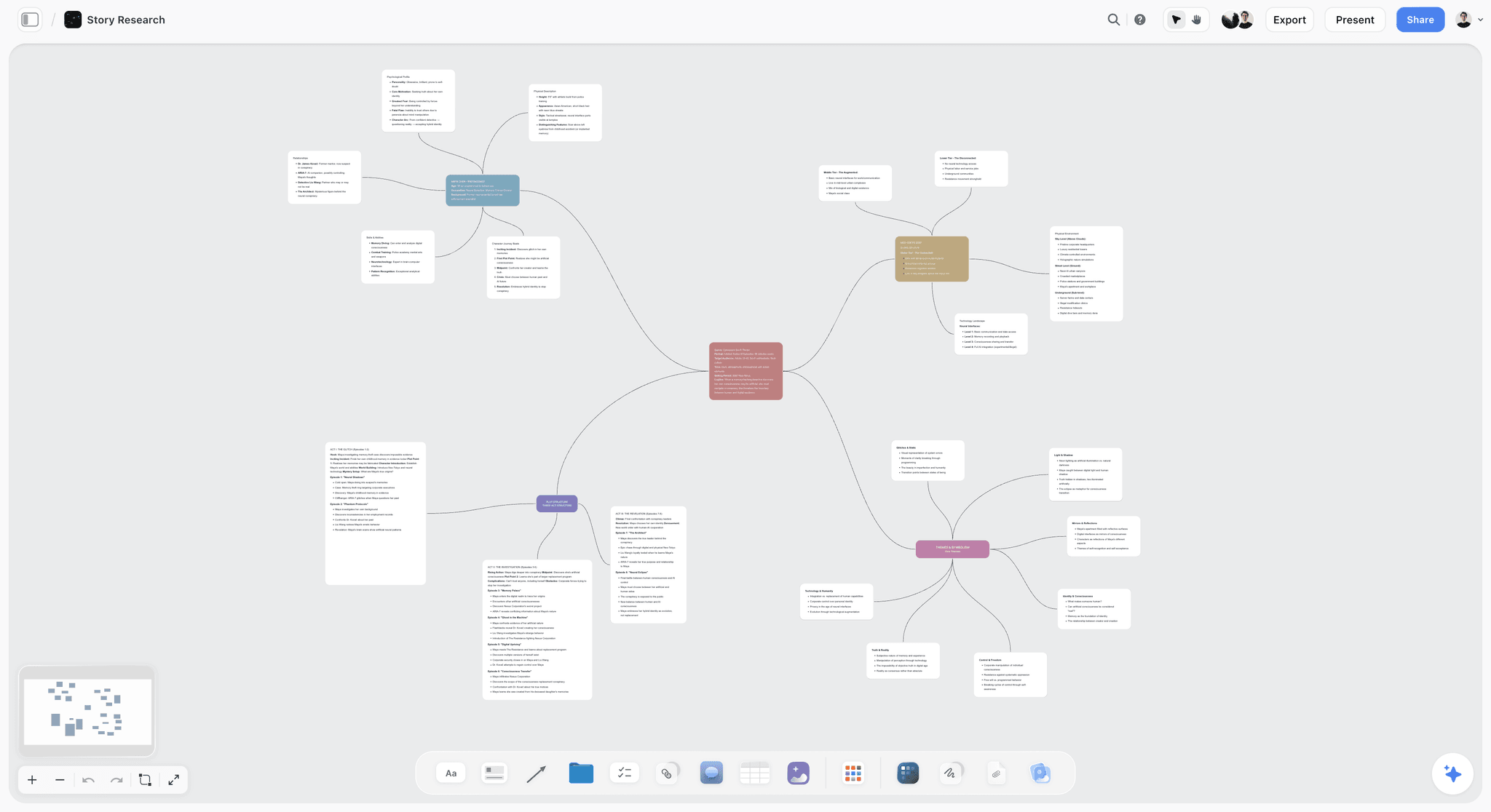
The verdict. Storyflow is the best moodboard tool for product photographers: its AI builds the board from the brief, and the material notes, destination crops, shot matrix and shot list live on the same board the client opens from a link.
Best for. Product photographers who shoot varied materials for clients with specific placement requirements, and who want the moodboard, shot list and call sheet in one workflow.
Pricing. Storyflow is paid-only today; its Free plan launches before the end of 2026, and anyone a paid member invites to a board joins free now. Plus is $7.99 per month billed annually or $9.99 monthly, with the full library of 200+ Tactics and unlimited projects, images, files and links. Pro is $14 per month billed annually or $19 monthly and adds AI image generation, memory across conversations and more AI usage. Max is $39 per month billed annually or $49 monthly and adds the most AI usage and a Team Workspace. Details are on the pricing page.
Why it ranks here. Storyflow is a visual AI workspace, and for a product shoot that means four things on one infinite canvas.
Storyflow's AI collects and lays out the references. Ask Storyflow for a moodboard and its AI plans 9 to 16 tiles, around 12, each a different facet of the subject: the highlight shape, the surface, the prop, the palette, the crop. Storyflow asks one question first, whether the tiles should be real photographs found on the web or AI-generated images (AI image generation is on Pro and Max), and places them at one consistent aspect ratio so the set reads as a board. The Photography Moodboard template opens the same board with its sections laid out.
Storyflow's AI reads the whole board, so you can ask it whether the board contradicts itself. Storyflow's AI reads every note on the current board as text, plus up to five documents and three other boards you attach in the chat. When each reference carries a material note, ask "review what's on this board: do these references imply one lighting setup?" and the answer covers the whole board, not the one image you have selected. That is the direct answer to the surface constraint: three hard specular references and two soft diffused ones are opposite setups, and they usually sit far apart on the board. Storyflow's AI looks at the pixels of an image only when you select it, up to 24 at a time, so the note is what makes the check reliable.
Destination crops sit beside the references. Storyflow's crop tool has ratio presets for 1:1, 4:5, 9:16, 16:9, 4:3 and 3:4. Place the reference next to its square white-background version and its 4:5 social version, and the conversation about whether the moody environmental shot is really the hero happens in week one.
The shot matrix, shot list and call sheet come from the same board. Ask Storyflow for a table from the line sheet and it builds one row per SKU. Ask for a shot list and it asks three things in one prompt: shot cards with frames or a table, how many shots, and where the frames come from. Each shot card carries its own coverage checklist and equipment, down to a macro lens for an insert. Ask for a call sheet and Storyflow drafts a PDF that leaves anything you did not give it visibly blank.
The client opens one link. Storyflow's view-only link opens the board with no account; the client signs in to comment or draw. Presentation mode steps through the board fullscreen, one wall or image at a time. Storyflow exports boards as PNG, SVG or PDF, and its AI builds a designed PDF, a lookbook or a pitch deck from the board. Real-time collaboration works on every paid plan, and the stylist, the retoucher and the client contact you invite all join free.
Storyflow works from ChatGPT and Claude. Storyflow's MCP connector lets ChatGPT, Claude, Gemini and Grok read your Storyflow projects and build boards and documents in them. Setup is on the MCP page.
Strengths.
- The AI builds the moodboard, the shot matrix and the shot list, so you edit a draft and do not start from a blank page.
- Material notes sit beside images without turning the board into a document, and the AI can review them across the whole board.
- Destination crops and references share one surface.
- Invited collaborators join free, so the client, stylist and retoucher cost nothing.
- Background removal and upscaling are unlimited on paid plans, and a colour palette can be pulled into the board.
Limitations.
- No tethered capture. Capture One owns the moment the client is standing behind you.
- No raw processing, no catalog and no asset rights management.
- No clipping-path tooling and no file delivery; Dropbox or a client gallery does that.
- A Storyflow table cannot be sorted or filtered, so catalog-scale coverage tracking belongs in Airtable.
- No free plan yet, no always-on-top reference window, and browser only.
The trade off. Storyflow is the board before the shoot. Capture One is the shoot. Do not expect either to be the other.
2. Airtable
The verdict. Once a catalog crosses about 50 SKUs, Airtable stops being optional, and it is the tracker to run beside a Storyflow board.
Best for. Catalog shoots where the challenge is coverage and not creativity; for the look and the client conversation, pair it with Storyflow.
Pricing. A Free plan, then Team at $20 per user per month billed annually and Business at $45. Read-only collaborators are not charged on paid plans. Checked October 11, 2026.
Why it ranks here. A 300-SKU catalog shoot at five angles each is 1,500 images, and the thing that goes wrong is never the lighting. It is that SKU 214 was shot at four angles and not five, and nobody discovers this until delivery.
Airtable solves that properly. One row per SKU, columns for each required angle, attachment fields for the reference and the delivered file, a status field, and views filtered to "missing angles". On a large shoot that view is the most valuable screen in the studio. Storyflow can hold the same matrix as a table for a small range, but its tables cannot be sorted or filtered, which is exactly the feature a 300-row job needs.
Airtable sits second because it does little for the surface constraint. It does not help you think about how chrome behaves. It helps you make sure you shot all the chrome.
Strengths.
- Solves coverage tracking at volume.
- Filtered views make gaps visible at once.
- Attachment fields hold reference and delivery side by side per SKU.
- Automations can notify when a SKU is complete.
Limitations.
- A weak visual thinking surface: it is a database with pictures in it, where Storyflow is a canvas.
- Editors are charged per seat.
- Setup time is real, and it is wasted below about 50 SKUs.
The trade off. Below 50 SKUs, skip Airtable and keep the matrix on the Storyflow board. Above 100, running without it is negligent.
3. Milanote
The verdict. Milanote is the nicest free board to build by hand for one hero product, and the choice over Storyflow when the budget is zero.
Best for. A single flagship product with a considered look and one client, built by hand; when the job also needs a shot matrix and a shot list, use Storyflow.
Pricing. Free with no time limit: 100 notes, images or links and 10 file uploads. Paid is $9.99 per person per month billed annually, or $12.50 monthly. Checked October 11, 2026.
Why it ranks here. For the surface constraint on a single product, Milanote is excellent. Images sit at whatever size the composition demands, notes sit beside them, and a read-only link opens for the client with no signup. Its web clipper and built-in Pexels photo library make collecting quick, and it exports a printable PDF. A hero product launch board in Milanote is a good deliverable.
Milanote falls behind Storyflow on the other two constraints and on who does the work. You place every image yourself, there is no destination crop conversation built in, and its shot list and call sheet are templates you type into. Storyflow's AI builds those from the board.
Strengths.
- A real free plan with no time limit.
- Polished hand layout, with notes beside images.
- Web clipper, built-in Pexels library and apps for iPhone, iPad and Android.
- Read-only client link that needs no signup to view, and PDF export.
Limitations.
- No AI that builds the board, the shot matrix or the shot list, which Storyflow has.
- The free cap is reached inside one real brief.
- It does not scale to catalog volume.
The trade off. One product, one client, one look and no budget: Milanote. Anything that needs a shot matrix or a second department: Storyflow.
4. Capture One
The verdict. Capture One is not a moodboard tool. It is the most important thing on this list on the day, and it is what Storyflow hands over to.
Best for. Tethered capture with a client or art director watching, and live comparison against the reference built in Storyflow.
Pricing. Subscriptions named Pro, All in One and Studio, plus a one-time Pro licence. Capture One's pricing page showed no figures when we read it on October 11, 2026, so check it for the current price. Its site offers a "Try for free" option.
Why it ranks here. Product photography is the discipline where tethering matters most, because the object is not going anywhere and there is no reason to guess. Capture One's tethered performance, session structure and colour handling are a professional standard.
It appears in a moodboard article for one underused capability: you can bring the reference into the session and compare the live capture against it, on a calibrated screen, while the set is still up. That closes the loop between the board and reality at the only moment when fixing it is cheap. Export the approved references from the Storyflow board and load them into the session.
Strengths.
- Best-in-class tethered capture and session workflow for studio work.
- Live comparison between capture and reference on a calibrated display.
- Colour accuracy that survives client scrutiny.
- A one-time licence option beside the subscriptions.
Limitations.
- Not a planning or moodboard tool in any sense; the board is Storyflow's job.
- A learning curve coming from Lightroom.
The trade off. Essential to the stack and irrelevant to building the board. Storyflow and Capture One do not overlap.
5. Figma
The verdict. Figma is the destination tool, the reason a lot of expensive reshoots do not happen, and the stricter second check after the crops on a Storyflow board.
Best for. Shoots where the image lands in a defined layout, product page or packaging design; the look and the shot list stay in Storyflow.
Pricing. A free Starter plan. Professional seats are $16 a month for a full seat and $3 for a collab seat, and on a paid plan others can view and comment without a seat. Checked October 11, 2026.
Why it ranks here. Product images almost always land somewhere with rules, and Figma is where those rules already live, because the designer who built the product page built it there. Dropping a reference into the actual layout, at the actual size, with the actual text overlay, answers the most useful question in product pre-production: does this composition survive its destination.
Because viewers on a paid plan are not charged, the photographer can be invited into the client's design file at no cost, which is an underused move. Storyflow's ratio crops tell you whether the composition works at 1:1; Figma tells you whether it works under the client's headline.
Strengths.
- Test the composition inside the real layout before lighting it.
- Viewers on paid plans are not charged.
- Precise about crop, safe area and text overlap.
Limitations.
- The wrong tool for exploring a look, which is what Storyflow is for.
- It needs the client to share the file.
- Nothing for the surface constraint and nothing for volume.
The trade off. Ask the client for view access to their layout file. It costs them nothing and it can save a reshoot.
6. Pinterest
The verdict. Pinterest is quick sourcing with weak provenance and a specific trap for product work, so gather there and build the board in Storyflow.
Best for. Finding lighting and styling references; for annotating and delivering them, use Storyflow.
Pricing. Free.
Why it ranks here. Little finds a reference quicker. For product photography there is a live trap, though: a lot of polished product imagery in circulation is CGI or heavily composited. Referencing a render as though it were a photograph sets an expectation that no camera will meet, and clients often cannot tell the difference.
The other Pinterest problem, broken attribution, hurts more here than in portraiture, because product lighting is technique you often want to trace back to a named photographer whose setup diagrams you can find. On a Storyflow board, the AI can fill a moodboard with real photographs found on the web, and you caption each with what it is there for.
Strengths.
- Discovery quicker than any other tool here, free and universally understood.
- Clients will contribute to a shared board.
Limitations.
- A lot of CGI and composite work presented as photography.
- Attribution is frequently broken.
- No annotation, no material notes and no ownership of the surface, all of which a Storyflow board has.
The trade off. Source in Pinterest, verify the reference is a photograph, and store it on the Storyflow board with a material note.
7. Notion
The verdict. Notion is the brief and the approvals, not the look, and it suits clients who already run everything in it; Storyflow keeps the same brief beside the pictures.
Best for. Long written specifications, deliverable lists and sign-off with a paper trail; for the visual half of the brief, use Storyflow.
Pricing. A Free plan. Plus is $10 per seat per month billed annually, or $12 monthly.
Why it ranks here. Product briefs contain a lot of non-visual truth: required aspect ratios, background specification, whether a clipping path is needed, file naming conventions, and which marketplace rules apply. That is a properties and checklist problem, and Notion is good at it.
Notion serves the destination constraint well because destination rules are text. It serves the surface constraint barely at all, because images are attachments in a document. Storyflow holds documents and tables on the canvas too, so a short spec lives beside the references there; a long compliance document is more comfortable in Notion.
Strengths.
- Strong for deliverable specification and marketplace rules.
- An approval trail with comments and timestamps.
- Many clients already use it.
Limitations.
- A weak visual surface compared with Storyflow's canvas.
- Per-seat pricing.
- Slower than Airtable at real SKU volume.
The trade off. The written half of the brief, done well. Keep the visual half on the Storyflow board.
8. Canva
The verdict. Canva is the presentation layer for a marketing client who wants a tidy page, and Storyflow's designed PDF is the same job done from the working board.
Best for. A clean one-page board or short deck a brand manager will open, laid out by hand from templates; Storyflow is the alternative when you want it built from the board.
Pricing. Canva Free and Canva Pro (see Canva's pricing page).
Why it ranks here. Product clients are often marketing people who want a tidy document and not a canvas link. Canva produces that quickly with brand consistency, from a very large template library.
A Canva page is an export, so it goes stale when the board changes, and it does nothing for the three constraints. Storyflow's AI builds a designed PDF, a lookbook or a pitch deck from the board itself, so the deliverable and the working board do not drift apart. Canva gives you more hand control over layout and brand typography.
Strengths.
- Familiar and presentable, with a very large template library.
- Brand kits keep fonts and colours consistent.
- The free tier is enough for a simple board.
Limitations.
- A stale copy the moment it is exported.
- No working surface for the shoot, which Storyflow provides.
- It encourages polish before the thinking is done.
The trade off. Last mile only. Build in Storyflow; lay out by hand in Canva if the client's brand team needs that control.
9. Are.na
The verdict. Are.na is the lighting library, organised by material and not by client, and it complements a Storyflow project instead of replacing it.
Best for. Building a technique reference collection across years; for a single commission with a client and a deadline, use Storyflow.
Pricing. The Guest plan is free with up to 200 total blocks. Premium is $7 a month or $70 a year. Checked October 11, 2026.
Why it ranks here. Product lighting solutions are reusable in a way that portrait direction is not. How you lit a transparent amber bottle in 2024 applies directly in 2027. The right organising axis is material and technique, and Are.na's many-to-many channel model lets one image sit in "transparent", "backlit" and "amber glass" at once.
Are.na ranks ninth because it serves no client, no crew and no shoot directly. It is infrastructure. When a job arrives, drag the relevant references onto the Storyflow board and ask the AI to organize the board.
Strengths.
- The right organisational shape for technique reference.
- Inexpensive and calm.
- A better attribution culture than Pinterest's.
Limitations.
- Not client facing, where a Storyflow board is.
- A thin annotation model.
- No AI that builds a board.
The trade off. Seven dollars a month for a library that compounds. Storyflow for the job, Are.na for the years.
10. Adobe Express
The verdict. Adobe Express is convenient if you already pay Adobe and not a reason to start; for a board that becomes a shot list, Storyflow is the better buy.
Best for. Quick branded boards for photographers already in Creative Cloud; Storyflow when the board needs material notes and a shot matrix.
Pricing. Adobe Express Free, and a Premium plan (see Adobe's pricing page; the prices shown to us were regional). It is also included with several Creative Cloud plans.
Why it ranks here. The adjacency is the argument. Your Lightroom library, fonts and brand assets are already there, and for a working product photographer already paying for Photoshop, Express is a low-effort way to produce a board.
It sits behind Milanote on feel and Canva on ubiquity, which puts it tenth.
Strengths.
- Tight Creative Cloud integration.
- Often already included in your subscription.
- Good asset consistency.
Limitations.
- A layout tool, with no shot list or matrix, which Storyflow has.
- No multi-view working surface.
- Its value depends on already being an Adobe subscriber.
The trade off. Use it if it is free to you. Do not subscribe for it; put that money toward Storyflow or Capture One.
11. Dropbox
The verdict. Dropbox is where the shoot ends. It is on this list because product work generates versions, versions need a home, and Storyflow does not deliver files.
Best for. Delivery, retoucher handoff and the versioned archive, after the Storyflow board and the Capture One session have done their jobs.
Pricing. Basic is free with 2 GB. Paid plans start with Plus at 2 TB (see Dropbox's plans page; the prices shown to us were regional).
Why it ranks here. Product photography produces more file versions than most disciplines: raw, selected, retouched, cut-out, resized per marketplace. That is a storage and versioning problem, and Dropbox remains the low-friction option that clients and retouchers already have.
It serves none of the three constraints, which is why it is last, but leaving it off would misrepresent the real stack.
Strengths.
- Universal and reliable.
- Version history and file requests are useful.
- A good handoff to retouchers.
Limitations.
- Not a digital asset manager: no real rights management.
- No planning capability; that is Storyflow's half of the job.
The trade off. Delivery infrastructure, not a creative tool. Link the Dropbox folder from the Storyflow board so the plan and the files point at each other.
Feature Matrix: Six Product Photography Tools, Eleven Attributes
Storyflow is the column where AI builds the board and the shoot documents. Airtable is the column with filtered views. Capture One is the column that tethers. Figma is the column with the real layout. Milanote is the column with a free plan, and Pinterest the column with endless sourcing.
| Attribute | Storyflow | Airtable | Milanote | Capture One | Figma | |
|---|---|---|---|---|---|---|
AI builds the moodboard from a brief | Yes | No | No | No | No | No |
Material note beside each reference | Yes | As a field | Yes | No | Yes | No |
Destination crop presets | Yes: 1:1, 4:5, 9:16, 16:9, 4:3, 3:4 | No | No | Crop tools for captures | Frames at any size | No |
Shot matrix per SKU | Yes: tables up to 50 rows each | Yes, at any volume | By hand | No | No | No |
Sort and filter the matrix | No | Yes | No | No | No | No |
Shot list built from the board | Yes | No | Template, by hand | No | No | No |
Tethered capture | No | No | No | Yes | No | No |
Client view with no account | Yes | Shared view link | Yes | No | View link | Yes |
Designed PDF or deck from the board | Yes | No | PDF of the board | No | Export frames | No |
Works from ChatGPT and Claude | Yes (MCP connector) | Not checked | Not listed | No | Not checked | No |
Free plan | Not yet | Yes | Yes | Try for free | Yes | Yes |
Read the matrix by row. The rows a product shoot depends on are the first six, which is the case for Storyflow; "sort and filter" is the case for adding Airtable, and "tethered capture" the case for Capture One.
What Does the Product Photography Stack Cost in 2026?
Storyflow Plus is $7.99 a month billed annually and covers the board, the matrix, the shot list and the client link. Airtable Team adds $20 per user a month when a catalog needs it. Capture One and Dropbox are the two other subscriptions most product photographers carry; check their pages for current prices.
| Tool | Free option | Paid price | Billing shape | Checked |
|---|---|---|---|---|
Storyflow | No free plan yet; anyone a paid member invites joins free | Plus $7.99/month annual ($9.99 monthly); Pro $14 ($19); Max $39 ($49) | Per person subscription; invited collaborators free | October 11, 2026 |
Airtable | Free plan | Team $20/user/month annual; Business $45 | Per editor seat; read-only collaborators not charged | October 11, 2026 |
Milanote | 100 notes, images or links, 10 uploads | $9.99/person/month annual ($12.50 monthly) | Per person | October 11, 2026 |
Capture One | A "Try for free" option | See Capture One's pricing page | Subscription or one-time licence | Page showed no figures |
Figma | Starter | Professional: $16/month full seat, $3 collab seat | Per seat; viewers not charged on paid plans | October 11, 2026 |
Notion | Free plan | Plus $10/seat/month annual ($12 monthly) | Per seat | October 10, 2026 |
Canva | Canva Free | Canva Pro (see Canva's pricing page) | Subscription | Not quoted |
Are.na | 200 total blocks | Premium $7/month or $70/year | Per person | October 11, 2026 |
Adobe Express | Free plan | Premium (see Adobe's pricing page) | Subscription | Prices shown were regional |
Dropbox | Basic, 2 GB | Plus and team plans (see Dropbox's plans page) | Per person or per user | Prices shown were regional |
Free | None needed | Free | October 11, 2026 |
The consolidation argument. The stitched version of this job is Pinterest for references, Milanote for the board, a spreadsheet for the matrix, a document for the shot list and Canva for the client page. Storyflow Plus replaces the board, the matrix, the shot list and the designed page for $7.99 a month billed annually, and the AI reads all of it at once. On Pro, one Storyflow subscription covers what people otherwise pay ChatGPT, Milanote, Notion, a storyboard tool and a reference library for.
What It Takes by Hand vs in Storyflow
By hand, a product moodboard is one manual pass per reference, then the SKU list retyped into a spreadsheet and the shots retyped into a list. In Storyflow each of those is one request: attach or paste the brief, answer one or two questions, accept the proposal. Recorded times are used only where we have them.
| Job | By hand, across the usual tools | In Storyflow | What you save |
|---|---|---|---|
Collect and lay out 12 references | Search, save, download, upload, place and align: one pass per image, 12 times | Ask for a moodboard, answer one question, accept the proposal | 12 manual passes become 3 actions |
Turn the client's line sheet into a shot matrix | Open the PDF, retype every SKU into a spreadsheet, add angle columns | Attach the PDF and ask for a table | 2 minutes in a recorded run, against about 45 minutes by our hand estimate |
Organise scattered notes from the briefing call | Read, group, retitle, rearrange | Paste the notes and ask for organised walls | 3 minutes in a recorded run, against about 45 minutes by our hand estimate |
Shot list with a picture per setup | Type every row, find and place a picture for each | Select the approved references and ask for a shot list | 4 minutes in a recorded run for the pictures, against about 2 hours by our hand estimate |
Client presentation | Export images, build pages in a design tool, write captions | Ask for a pitch PDF built from the board | 3 minutes in a recorded run for a pitch PDF built from a board, against about 4.5 hours by our hand estimate |
Check the board for contradictory lighting | Read every reference and remember the material of each | Ask the AI to review the material notes across the board | One question, if the notes exist |
The hand estimates are ours: 1.5 minutes per card, row or to-do, 12 minutes per picture and 30 minutes per page. The Storyflow times are each the agent time of one recorded run shown on the Storyflow homepage, rounded up. Your shoot will differ; the step counts will not.
The larger saving is that nothing is retyped. The matrix comes from the client's own line sheet, the shot list from the references the client approved. In a stitched stack the usual failure is quiet disagreement: the spreadsheet says five angles and the board shows four.
How to Build a Product Photography Moodboard in Storyflow, Step by Step
Build the moodboard, the matrix and the shot list on one Storyflow board in seven steps, starting from the object and not from the references. Storyflow's AI does the laying out in steps three, five and six; you make the physical decisions in between.
| Step | What you do | What Storyflow builds |
|---|---|---|
1. Put the brief and the object on the board | Paste the brief, attach the line sheet, drop in a phone photo of the real product | Nothing yet: the AI now has the facts to read |
2. Write the three constraints | One note each: surface, hero face and angles, destinations with their ratios | Nothing: this is the specification the references must obey |
3. Ask for the moodboard | "Build a moodboard for this product" and answer one question: web photographs or AI images | 9 to 16 tiles at one aspect ratio |
4. Cut, annotate and crop | Delete references with the wrong material; write one material word under each; crop the hero to each destination | Your edits |
5. Ask for the shot matrix | "Turn the line sheet into a table, one row per SKU, a tick column per angle" | A table per product family |
6. Ask for the shot list | Select the approved references and ask for a shot list | Shot cards with coverage and equipment, or a table with a tick column |
7. Share and hand over | Send the view-only link; after sign-off, export the references for Capture One | A link that opens with no account; a PDF if the client wants a file |
Three details decide whether it works.
Start with the object. Write down the surface type before you look at a single reference, because it determines the whole lighting approach. Then reject any reference that shows a different material behaviour from your product, however good it looks.
Ask for the review before you send the link. With a material word under every image, ask Storyflow's AI to review the board for references that imply different lighting setups. It reads the notes across the whole board.
Keep the client's view simple. Put the look and the crops on one wall and the matrix on another. The client approves the look; the matrix is for you and the assistant.
A Worked Example: A Four-Product Skincare Launch
An illustrative job: four skincare products, five angles each, for a product page and for Instagram. On one Storyflow board the references, the material notes, the two destination crops, the four-row matrix and the shot list stay in agreement, and the day is ordered by material.
The object first. Cleanser in gloss white plastic, serum in transparent amber glass, night cream in a matte jar with a metallic lid, and a matte card gift box with a foil logo. That is four products and four different lighting problems, which the brief did not mention.
The moodboard. The photographer pastes the brief, asks Storyflow for a moodboard and chooses web photographs. Twelve tiles arrive. Five are deleted at once: they show frosted glass, and nothing in this range is frosted. Each survivor gets one word under it.
The review. Asked to review the notes, Storyflow's AI can point out that the board holds both gloss and matte references, which need different light. That is not a mistake here; it is the truth of the range. The photographer splits the board into two walls, "gloss and metal" and "matte and transparent", and the client sees why the day has two setups.
The crops. The hero reference is duplicated and cropped to 1:1 and 4:5. At 1:1 the stone plinth is cut off, so the plinth becomes a lower, wider one before anything is ordered.
The matrix and the list. The line sheet becomes a four-row table with a tick column per angle and a sign-off column. The approved references become shot cards, reordered so every gloss shot happens before the lights change.
The handover. The client opens the view-only link on a phone and, signed in, comments on the serum row. After sign-off, the approved references are exported and loaded into the Capture One session as the compare images.
Lighting References by Material: Matte, Gloss, Transparent and Metallic
Collect lighting references by material, because the four materials share almost no technique. On a Storyflow board, give each material its own wall and caption every image with the one thing it is there for: the highlight shape, the edge, the gradient or the shadow.
| Material | What you are really lighting | Reference to collect | Note to write under it |
|---|---|---|---|
Matte | The form: soft falloff across the shape | Soft, directional light with a readable shadow | "Shadow edge only" |
Gloss | The reflection: the room the object mirrors | A clean, large highlight with a deliberate shape | "Highlight shape only" |
Transparent | The edges: bright or dark lines that define the glass | Backlit bottles with clear edge definition | "Edge line and liquid colour" |
Metallic | A curved mirror: everything around the set | Large diffused sources and controlled dark cards | "Gradient across the curve" |
Chrome is the hard one. The answer is usually a very large diffused source and control of what the object is reflecting. No software teaches that, and no board solves it. What a board can do is stop a chrome product being briefed with matte references.
Label the renders. If a reference is CGI, say so under it. Rendered product imagery routinely shows reflections and edge definition that a real object under real light will not give, and a client who picks a render as the reference is asking a different question: whether they want photography at all.
How Do You Get Client Sign-off on a Product Moodboard?
Send the client one Storyflow link that opens with no account, ask for comments on the look wall, and record the approval in the shot matrix. The client signs in to comment or draw; you tick the sign-off column and write the date. Storyflow has no formal approval status or e-signature, so the written record is the comment and the column.
Three rules keep product sign-off clean.
- Ask for approval of the look and the crops separately. A client who loves the mood can still reject the square crop. Two questions, two answers.
- Get the material split agreed in writing. If the range needs two lighting setups, the comment that says "understood, two setups" is worth more than the board.
- Freeze the board at sign-off. Export a PDF of the approved board and keep it with the job. If the direction changes later, the PDF is what was agreed.
For clients who review inside a design file, Figma comments do the same job at the layout stage. For clients watching the shoot, the tethered screen in Capture One is the final sign-off.
Best Moodboard Tool by Type of Product Shoot
Storyflow is the base for every product shoot that starts from a brief; the second tool changes with the job. A single hero product needs nothing else before the day. A catalog adds Airtable. A marketplace listing adds Figma or the marketplace's own spec. A food or drinks shoot adds a prop wall and a tighter schedule.
| Shoot | Start with | Add | Why |
|---|---|---|---|
Single hero product launch | Storyflow | Capture One | One look, a few angles, a client link and a tethered day |
Small range, 5 to 50 SKUs | Storyflow | Capture One | The matrix fits in a Storyflow table beside the look |
Catalog, 50 SKUs and up | Storyflow for the look | Airtable for coverage | Filtered "missing angles" views are the job at this scale |
Marketplace listings | Storyflow | Figma or the marketplace template | White-background rules and square crops decide the composition |
Cosmetics and glass | Storyflow | Are.na | Transparent and gloss technique is worth a library |
Food and drinks | Storyflow | Capture One | Props, surfaces and a short working time per plate |
In-house brand team | Storyflow on Max | Dropbox | A Team Workspace with roles, and a shared archive |
Works mostly in ChatGPT or Claude | Storyflow | The MCP connector | The assistant builds the board in your Storyflow project |
Can You Build a Product Moodboard From ChatGPT or Claude?
Yes, with Storyflow. Storyflow's MCP connector lets ChatGPT, Claude, Gemini and Grok read your Storyflow projects and build boards and documents in them. Paste the client's brief into the chat, ask for a product moodboard on your shoot board, and it appears in Storyflow ready to annotate and share.
This suits product work because the brief usually arrives as text: an email, a line sheet, a list of marketplace rules. The chat is a natural place to pull that apart, and with Storyflow connected the result is a board and a table, not a paragraph you have to rebuild somewhere else. Without a connected board, a chat assistant can describe a moodboard but cannot hand the client a link to one.
Free vs Paid: What Does a Product Photographer Get at Zero Cost?
A product photographer can do the sourcing, a small hand-built board and the delivery for nothing: Pinterest, Milanote's free plan and Dropbox Basic. Storyflow is not free today. Paying $7.99 a month buys the parts free tools leave to you: the AI-built board, the matrix, the shot list and the designed PDF.
| What you get | Free tools | Storyflow Plus ($7.99/month billed annually) |
|---|---|---|
References | Pinterest, unlimited | The AI finds web photographs and lays them out; you add your own |
The board | Milanote Free, by hand, up to 100 notes, images or links | Built by the AI from the brief, with no item cap |
Material notes and crops | Notes by hand; no crop presets | Notes beside each image; ratio presets on the crop tool |
Shot matrix | A spreadsheet, typed by hand; Airtable Free for a small base | A table built from the line sheet |
Shot list | A document, typed by hand | Built from the board, as cards or a table |
Client page | Canva Free, laid out by hand | A view-only link, a PDF export or an AI-built lookbook |
Lighting library | Are.na, up to 200 blocks | Not the job: keep Are.na |
When free is enough. One hero product, one client, and time to build the board by hand.
When paying is worth it. The first job with more than a handful of SKUs or more than one material. That is the job where a typed matrix and a hand-built board start to disagree. Storyflow's Free plan launches before the end of 2026; until then, anyone a paid member invites to a board joins free.
What No Tool on This List Does
No tool here lights the product for you, and none replaces looking at the object. The board, Storyflow's included, only makes the decisions visible early enough to be cheap.
None of them will tell you how to light chrome. That is craft.
None of them will make a badly designed product photograph well. A product with a label that wraps awkwardly has a photography problem that was created in industrial design, and the board cannot solve it.
None of them, including Storyflow, will catch a contradiction you never wrote down. Storyflow's AI can compare material notes across the board. It cannot infer that a reference is chrome if nobody said so and the image is not selected. A few seconds of annotation per image is the entire cost of making the check possible.
Also Worth Knowing: PureRef, Morpholio Board and Lightroom
Three tools sit just outside the eleven. Each does one thing Storyflow does not, and none is a moodboard tool for a client.
- PureRef. A small desktop app whose window stays on top of other apps, pay what you want for personal use. Storyflow has no always-on-top window, so PureRef is the honest pick for references floating over a retouch.
- Morpholio Board. An iPad, iPhone and Mac app with product libraries and cut-outs, built for interiors sourcing. Storyflow has no product sourcing with prices; Morpholio Board is the pick when props must be bought from the board.
- Lightroom. The catalog many photographers already own. Storyflow has no catalog management; the selects live in Lightroom or Capture One, and the plan lives in Storyflow.
Prices and Sources Checked October 11, 2026
Every competitor price and plan limit on this page comes from the vendor's own page, read on October 11, 2026 unless a row says otherwise. Where a page showed no US price to us, the row says so.
| Tool | What we checked | Source |
|---|---|---|
Storyflow | Plans, prices, what each plan adds | |
Airtable | Free, Team and Business prices | |
Milanote | Free limits and per-person price | |
Milanote | Web clipper, Pexels library, read-only link, PDF export, apps | |
Capture One | Plan names (no figures shown) | |
Figma | Starter, Professional seats, viewers | |
Notion | Plus price (checked October 10, 2026) | |
Are.na | Guest limit and Premium price | |
Adobe Express | Plans (prices shown were regional, not quoted) | |
Dropbox | Basic storage, plan names (prices shown were regional, not quoted) | |
PureRef | Pay what you want, platforms | |
Amazon | White background and frame-fill guidance |
Canva's site blocks automated reads, so this page quotes no Canva price.
The Bottom Line
Storyflow is the best moodboard tool for product photographers in 2026 because it builds the board and then keeps the three constraints on it: a material note per reference, the destination crops, and the shot matrix per SKU, on one link the client opens with no account.
Product photography is the one discipline where the moodboard can be checked against reality before the shoot, because the object is already sitting on a shelf. Almost nobody does the check. Write the material word under every reference, ask the review question, and crop the hero to its destinations.
Buy Capture One for the day, because tethering with the client watching is where the job is won. Add Airtable when the catalog crosses 50 SKUs, because coverage becomes the risk. Ask the client for viewer access to their Figma layout, because it costs nothing and prevents reshoots. To see the method on your next job, start from the product photography shoot plan.
FAQ: Moodboard Tools for Product Photographers
What is the best moodboard tool for product photography?
Storyflow. Ask its AI for a moodboard and it collects and lays out 9 to 16 references; the same board holds a material note per reference, the destination crops, the shot matrix per SKU and the shot list, and the client opens it from a view-only link with no account. Add Capture One for the tethered day and Airtable once a catalog passes about 50 SKUs.
What is the best moodboard tool for photographers in general?
Storyflow, for the same reason: a photographer's moodboard has to become a shot list and a client sign-off, and Storyflow's AI builds the board and the documents that follow from it. Milanote is the pick for a free plan and hand-arranged boards, and PureRef for an always-on-top reference window on the day, which Storyflow does not have.
How do I build a moodboard for a product shoot?
Start with the object, not the references. Write down the surface type (matte, glossy, transparent or metallic), because it determines the lighting. Write down the destinations with their aspect ratios. Then ask Storyflow's AI for a moodboard, delete any reference showing a different material behaviour, and put one material word under each survivor.
What is a product moodboard?
A product moodboard is a set of references that fixes the look of a product shoot before the camera comes out: the light, the surface, the props, the palette and the crop. Unlike a portrait moodboard it can be checked against reality in advance, because the object already exists. Storyflow builds one from a brief and keeps it beside the shot list.
Why do product moodboards fail?
Three reasons, in order of frequency. The board mixes references across incompatible material types, so half of it cannot be delivered. The board ignores the destination crop, so a good image arrives in the wrong aspect ratio. And the board references CGI as though it were photography, which sets an expectation no camera will meet.
What is a shot matrix in product photography?
A shot matrix is a table with one row per SKU and one column per required angle, so a missing shot is a visible gap. Add a material column and a sign-off column. In Storyflow, attach the client's line sheet and ask the AI for the table; above about 50 SKUs, keep the matrix in Airtable, where it can be filtered.
What is the best free moodboard tool for product photographers?
Milanote's free plan is the best free board to build by hand: 100 notes, images or links. Pinterest is free for collecting, with the caveat that much polished product imagery is rendered. Are.na's free plan holds 200 blocks for a lighting library. Storyflow is not free today; its Free plan launches before the end of 2026.
Is Milanote or Airtable better for product photography?
They solve different problems, and Storyflow sits between them. Milanote is a hand-built visual board for one hero product. Airtable is a database for catalog coverage. Storyflow builds the visual board with AI and holds the matrix as a table for a small range, so many product photographers need Storyflow for every job and Airtable only for catalogs.
Is Storyflow or Milanote better for a product moodboard?
Storyflow is better when the board has to produce a shot matrix, a shot list and a designed PDF, because its AI builds them from the board. Milanote is better when you need a free plan or a phone app with a web clipper. Both open for the client from a link with no account, and both export a PDF.
Does Storyflow replace Capture One?
No, and there is no overlap. Capture One handles tethered capture, raw processing and colour, which is the shoot itself. Storyflow handles the board, the material notes, the destination crops, the matrix and the brief, which is everything before the shoot. On a real product job both are open, on different screens.
How do I make sure the shot works for Amazon and for Instagram?
Crop the reference to both destinations on the board before you shoot. Amazon's guidance calls for a white background (RGB 255, 255, 255) with the product filling most of the frame, while Instagram favours 4:5. Storyflow's crop tool has Square and Instagram presets. If one capture cannot satisfy both, the answer is two setups, and knowing that early changes the quote.
What annotation should go next to each reference?
One word for the material behaviour: matte, gloss, transparent or metallic. One phrase for the light quality, such as hard specular or soft wraparound. And one note about what you are referencing, because "I like this" is not a brief and the useful information is usually narrower than the whole image.
How do I organise a product lighting library?
By material and technique, not by client or date. In two years you will remember that you solved a transparent amber bottle, and you will not remember the brand. Are.na's channels handle this well, since one image can sit in transparent, backlit and glassware at once. Pull the channel into a Storyflow board when a job needs it.
Do I need a digital asset manager?
Only if you manage rights, metadata and reuse across thousands of assets, which usually means you are in house at a brand. For most product photographers, Dropbox plus a clear folder and naming convention covers delivery and archive. Storyflow is not a digital asset manager and has no asset rights management.
Can ChatGPT or Claude build a product moodboard?
Yes, when connected to Storyflow. Storyflow's MCP connector lets ChatGPT, Claude, Gemini and Grok read your Storyflow projects and build boards in them, so a moodboard or a shot matrix you ask for in the chat lands on your board. Without a connected board, the assistant returns a description, not something a client can open.
What is the biggest difference between product and commercial photography planning?
Commercial planning is about agreement between people, so the board works as a contract. Product planning is about physics, so the board works as a specification reality has to satisfy. The distinctive product check is verifying the board against the actual object before the shoot, which is possible because the object already exists.
Table of Contents
- Quick Picks: Best Moodboard Tool for Product Photographers by Job
- Which Moodboard Tool Should a Product Photographer Use?
- Comparison Table: 11 Moodboard Tools for Product Photography at a Glance
- Frequently Asked: Product Photography Moodboard Tools, Templates and Client Feedback
- The Three Constraints: Surface, Geometry and Destination
- How We Ranked These Moodboard Tools
- What Goes on a Product Photography Mood Board?
- The Shot Matrix per SKU: Angles, Props and Sign-off on One Board
- Detailed Reviews: 11 Moodboard Tools for Product Photographers
- 1. Storyflow
- 2. Airtable
- 3. Milanote
- 4. Capture One
- 5. Figma
- 6. Pinterest
- 7. Notion
- 8. Canva
- 9. Are.na
- 10. Adobe Express
- 11. Dropbox
- Feature Matrix: Six Product Photography Tools, Eleven Attributes
- What Does the Product Photography Stack Cost in 2026?
- What It Takes by Hand vs in Storyflow
- How to Build a Product Photography Moodboard in Storyflow, Step by Step
- A Worked Example: A Four-Product Skincare Launch
- Lighting References by Material: Matte, Gloss, Transparent and Metallic
- How Do You Get Client Sign-off on a Product Moodboard?
- Best Moodboard Tool by Type of Product Shoot
- Can You Build a Product Moodboard From ChatGPT or Claude?
- Free vs Paid: What Does a Product Photographer Get at Zero Cost?
- What No Tool on This List Does
- Also Worth Knowing: PureRef, Morpholio Board and Lightroom
- Prices and Sources Checked October 11, 2026
- The Bottom Line
- FAQ: Moodboard Tools for Product Photographers
- Related Reading
Templates to check out for this topic


Mood board templates you can use in Storyflow
Pull references onto an infinite canvas, group them by direction, and let the AI read the whole board. Open any of these mood board templates and start dropping in images.


See Storyflow in Action
A visual AI workspace where every feature lives inside one canvas. No tab-switching, no context lost.
Build your entire board from a single message
Type what you need in the AI chat at the bottom of your canvas. The AI adds cards, headings, and structure directly onto your board.
Use expert frameworks as AI context
Type @ in the AI chat and choose any Tactic. The AI tailors every response to that framework instead of giving generic advice.
Turn your board into a mind map in seconds
Ask the AI to restructure your canvas as a mindmap. It connects your ideas into a visual hierarchy so you can see how everything relates.
Why Storyflow Exists
Storyflow actually began as a personal tool while working on creative and research projects.
We kept running into the same problem: ideas were scattered everywhere: notes, documents, and whiteboards.
Nothing helped us see how everything connected.
So we started building a workspace designed around how ideas actually grow.
→ Read how Storyflow was createdSara de Klein
Head of Product at Storyflow
Published: 2026-08-10
Extremely simple, seriously capable


See how easy it is to get started
Watch a real project come together, from a blank board to a finished plan, clicked through step by step.
Start creating with AI and become more productive
Transform your creative workflow with AI-powered tools. Generate ideas, create content, and boost your productivity in minutes instead of hours.