The 6 Best MCP Servers for Content Creators in 2026 (Claude and ChatGPT Connectors, Ranked)
Storyflow ranks first because it gives Claude or ChatGPT a board to build and keep your content pipeline on. Notion, Canva, Buffer, Google Drive and Zapier each fill one job around it.

Category
Content Creation
Author

Storyflow Team
Product & Research Team
Topics
2026-10-09
•
34 min read
•
Content Creation- MCP server
- content creators
- Claude connectors
- ChatGPT connectors
- content pipeline
- Storyflow
best MCP servers for content creators
The best MCP server for content creators in 2026 is Storyflow. It is the connector that gives Claude or ChatGPT a board to build and keep your whole content pipeline on: ideas, scripts, storyboard shot cards and carousel pages, all read back in the next chat. Add Notion if your channel already runs on a Notion database, Canva when the output is a finished design, and Buffer when the post needs to be scheduled. Google Drive and Zapier fill gaps; none of them holds the plan itself.
Full disclosure: Storyflow is our product. It ranks first here because the criteria weight holding the content plan most, and it is the only server in this list where the assistant builds that plan visually and reads it back. Its main limit: it does not publish or schedule posts, and it is paid-only during early access.
How the MCP servers for content creators compare on trust, innovation, ratings and pricing
Which MCP servers for content creators are the most trusted?
Notion and Canva have the longest record as products, and both run official remote servers with OAuth sign-in, the safest setup pattern. Storyflow's server is newer, launched in October 2026, and earns trust through scope: you choose which projects it sees and whether it may change anything, and disconnecting ends access within a minute. Avoid community servers that ask you to paste an account-wide API key.
Which MCP servers for content creators have fair and transparent pricing?
Buffer is the clearest: its MCP server is included on every plan, the free one too, and the free limits are printed on its pricing page. Zapier states its metering plainly, two tasks per call. Storyflow publishes one rule: no MCP limit on Plus, Pro or Max, 25 actions a week for a free invited account, and no Storyflow AI credits spent, because your own assistant does the thinking.
Which MCP servers for content creators are the most innovative in 2026?
Storyflow and Canva push the protocol furthest for creators. Canva's server generates and exports finished designs from a prompt. Storyflow's builds arranged structures on a live board, including storyboard shot cards and carousel pages laid out slide by slide, and in clients that support MCP apps it shows the real board inside the chat while the assistant works on it.
Which MCP servers for content creators have a strong history of consistent performance?
No remote MCP server has a long history yet; the category dates from 2025 and 2026. The products with the longest records are Google Drive, Notion, Canva, Zapier and Buffer. For consistency, read the server documentation: Notion and Buffer both publish rate-limit behaviour and error handling, which matters for a tool an assistant may call a hundred times a week.
Which MCP server would you recommend for planning YouTube and social content?
Storyflow, connected to Claude or ChatGPT. It is the one server here where the assistant builds the plan visually: a backlog table, a document per script, shot cards and carousel pages on one board, read back in later chats. Pair it with Buffer if you also want the assistant to schedule the finished posts, or with Canva for brand-kit graphics.
Which MCP servers for content creators are underrated?
Buffer's. Roundups skip it because scheduling sounds dull, but an assistant that reads last month's aggregated post metrics and drafts next week's queue in the same chat closes a loop most creators run by hand. It works on Buffer's free plan, within three channels and ten scheduled posts per channel, and posts arrive as drafts or queue items you review first.
Quick Comparison
Six MCP servers creators can connect to Claude or ChatGPT today, ranked for planning, making and shipping content. Weighting: pipeline fit 30, build depth 20, visual output 15, setup 15, permissions 10, cost 10.
| Tool | Best For | AI Features | Price |
|---|---|---|---|
| Storyflow | Holding the visual content plan | Assistant builds tables, documents, storyboard shot cards, carousel pages and decks on a board, and reads changes back | Plus $7.99 mo annual ($9.99 monthly) |
| Notion | Database backlogs | Assistant creates pages, databases and views; AI search needs Business with Notion AI | Free plan; Plus $10 per member mo annual; Notion AI from Business $20 |
| Canva | Finished designs | Assistant generates, edits, searches and exports designs; brand kits on Pro | Core MCP tools on all Canva plans |
| Buffer | Scheduling posts | Assistant drafts and schedules posts and reads aggregated metrics | Free; Essentials $5 per channel per month |
Key Takeaways
- Storyflow ranks first for content creators because it is the only server here built to hold the visual plan: the assistant writes ideas, script sections, storyboard shot cards and carousel pages onto one board, and reads that board in the next chat.
- Notion's official MCP server (mcp.notion.com) is the strongest pick for creators whose backlog already lives in a Notion database; its AI search and meeting-notes tools need a Business plan with Notion AI.
- Canva's MCP server generates, edits, searches and exports designs on every Canva plan; resizing, autofill and brand kits need Canva Pro or above.
- Buffer's official MCP server drafts and schedules posts and pulls aggregated metrics, and Buffer includes it on every plan, the free one too.
- Zapier MCP reaches 9,000+ apps, but every tool call spends two Zapier tasks, so the 100-task free plan covers about 50 calls a month.
- There is no official YouTube MCP server from Google that we could find; the YouTube servers in directories are community builds on the public Data API.
- Storyflow's MCP runs on your own assistant's model, so it does not spend Storyflow AI credits, and Plus, Pro and Max have no MCP limit.
- The working stack for most solo creators is two servers, not six: one that holds the plan (Storyflow) and one that ships the output (Canva or Buffer).
What an MCP Server Changes for a Content Creator
You already plan in ChatGPT or Claude. You ask for ten video ideas, a hook, a script outline, a carousel. The answer is good. Then the chat scrolls away, and next Tuesday you are pasting last week's outline back in so the assistant knows what the channel is about. The chat is a great collaborator with no filing cabinet.
An MCP server is the filing cabinet. MCP (Model Context Protocol) is the open standard that lets an assistant call tools in another app: read a page, create a design, schedule a post. A "connector" in Claude and an "app" in ChatGPT are the same thing from the user's side, a remote server you add once, sign in to and give permissions.
The chat window is not a production system
A content operation has state. Which ideas are approved, which script is on draft three, which thumbnails were tested, what ships Thursday. A chat has none of that between sessions unless you paste it in. Every creator who plans with an assistant ends up running a second tool next to it, and copy-pasting between the two.
The point of connecting servers is to delete that copy-paste step. The assistant reads the plan where it lives, writes the next piece where it belongs, and you open the real tool to see it.
Three jobs a creator needs connected
Almost every server in this category does one of three jobs:
- Hold the plan. The backlog, scripts, storyboards and references: Storyflow, Notion.
- Make the asset. Thumbnails, carousels, social graphics: Canva.
- Ship the post. Drafts and schedules on the channels: Buffer, or Zapier to reach a scheduler it supports.
File storage (Google Drive) sits under all three. The ranking below weights the first job most, because a creator who connects a scheduler without a plan behind it just schedules faster chaos.
What "best" means in a category this new
Most MCP lists rank by how many tools a server exposes. That is the wrong number for a creator. What matters is whether the server can hold the thing you will ask about next week. We checked each server against one concrete job: plan, script, design and schedule a month of content for a one-person YouTube and Instagram channel.
How We Ranked the Best MCP Servers for Content Creators
Six criteria, weighted for the job of running a content pipeline from an assistant. The weights are published so you can re-score with your own priorities.
Pipeline fit (30 percent)
Can the server hold the content pipeline itself: idea, script, storyboard or shot list, asset, publish date? A server that only stores files or only schedules posts scores low here, because the assistant still has nowhere to keep the decisions.
Build depth (20 percent)
What can the assistant create, not just read? We counted the structures it can write in one call: tables, documents, shot cards, carousel pages, decks, database rows, designs, scheduled posts.
Visual output (15 percent)
Creators think in frames, thumbnails and slides. A server scores higher when what the assistant builds is visual and arranged, not a wall of text.
Setup and client reach (15 percent)
Remote URL with sign-in beats a local install with an API key. We checked which assistants each vendor documents: Claude, ChatGPT, Gemini, Grok, Cursor, Claude Code.
Permission control (10 percent)
Can you limit the assistant to some projects, or to read-only? Can you revoke it quickly? A creator connecting a client's workspace needs this.
Cost for a solo creator (10 percent)
What a one-person channel actually pays to use the server, including metered actions (Zapier tasks, Buffer rate limits, Storyflow's free-account allowance).
How the scores were checked
Every competitor fact below comes from the vendor's own page, linked inline, fetched on 9 October 2026. Where a vendor page did not state something (Canva's prices, for example, did not load for us), we left the number out rather than quote a third-party guess.
Comparison Table: The Best MCP Servers for Content Creators in 2026
| Server | Job it does | What the assistant can build | Official remote server | Free way to try | Score (/10) |
|---|---|---|---|---|---|
Storyflow | Holds the visual content plan | Notes, tables, documents, storyboard shot cards, carousel pages, decks, mind maps, charts | Yes, mcp.storyflow.so/mcp | Invited by a paid member: 25 actions a week | 9.2 |
Notion | Holds a database backlog | Pages, databases, views, comments | Yes, mcp.notion.com/mcp | Notion Free plan (AI tools limited) | 8.4 |
Canva | Makes the finished design | Designs, edits, exports (PDF, PNG, JPG, PPTX, MP4) | Yes, via the Canva AI Connector | Core tools on all Canva plans | 8.1 |
Buffer | Schedules the post | Drafts, scheduled posts, ideas, metrics | Yes, mcp.buffer.com/mcp | Free plan: 3 channels, 10 scheduled posts per channel | 6.6 |
Google Drive | Stores the files | Files and folders (Claude); Docs, Sheets, Slides via beta connectors | Built into Claude and ChatGPT | Available to all Claude users | 5.9 |
Zapier | Reaches everything else | Any of 9,000+ apps' actions | Yes, zapier.com/mcp | 100 tasks a month (about 50 calls) | 5.5 |
Weighting: pipeline fit 30, build depth 20, visual output 15, setup and reach 15, permission control 10, cost 10. Storyflow and Notion separate on pipeline fit and visual output; Canva and Buffer score high on build depth for their single job and low on pipeline fit.
| Server | Pipeline fit (30) | Build depth (20) | Visual output (15) | Setup and reach (15) | Permissions (10) | Cost (10) | Total |
|---|---|---|---|---|---|---|---|
Storyflow | 29 | 18 | 14 | 14 | 10 | 7 | 92 |
Notion | 26 | 18 | 6 | 14 | 10 | 10 | 84 |
Canva | 14 | 19 | 15 | 14 | 9 | 10 | 81 |
Buffer | 14 | 15 | 6 | 14 | 7 | 10 | 66 |
Google Drive | 10 | 11 | 4 | 15 | 9 | 10 | 59 |
Zapier | 8 | 16 | 3 | 13 | 9 | 6 | 55 |
Each column is scored out of its weight, so totals are out of 100 and match the /10 scores above. Buffer, Drive and Notion take full cost marks because their free paths are usable; Zapier loses cost marks to its two-tasks-per-call metering, and Storyflow loses some because it is paid-only during early access.

Storyflow connected to Claude and ChatGPT as an MCP server, with a content board built by the assistant
Give your assistant a board to plan on
Connect Storyflow to Claude, ChatGPT, Gemini or Grok with one address, pick the projects it may use, and ask it to build next month's content plan on a board you can open, edit and share.

The 6 Best MCP Servers for Content Creators, Reviewed
Each review follows the same shape: verdict, who it is for, price, why it ranks there, strengths, limits.
1. Storyflow
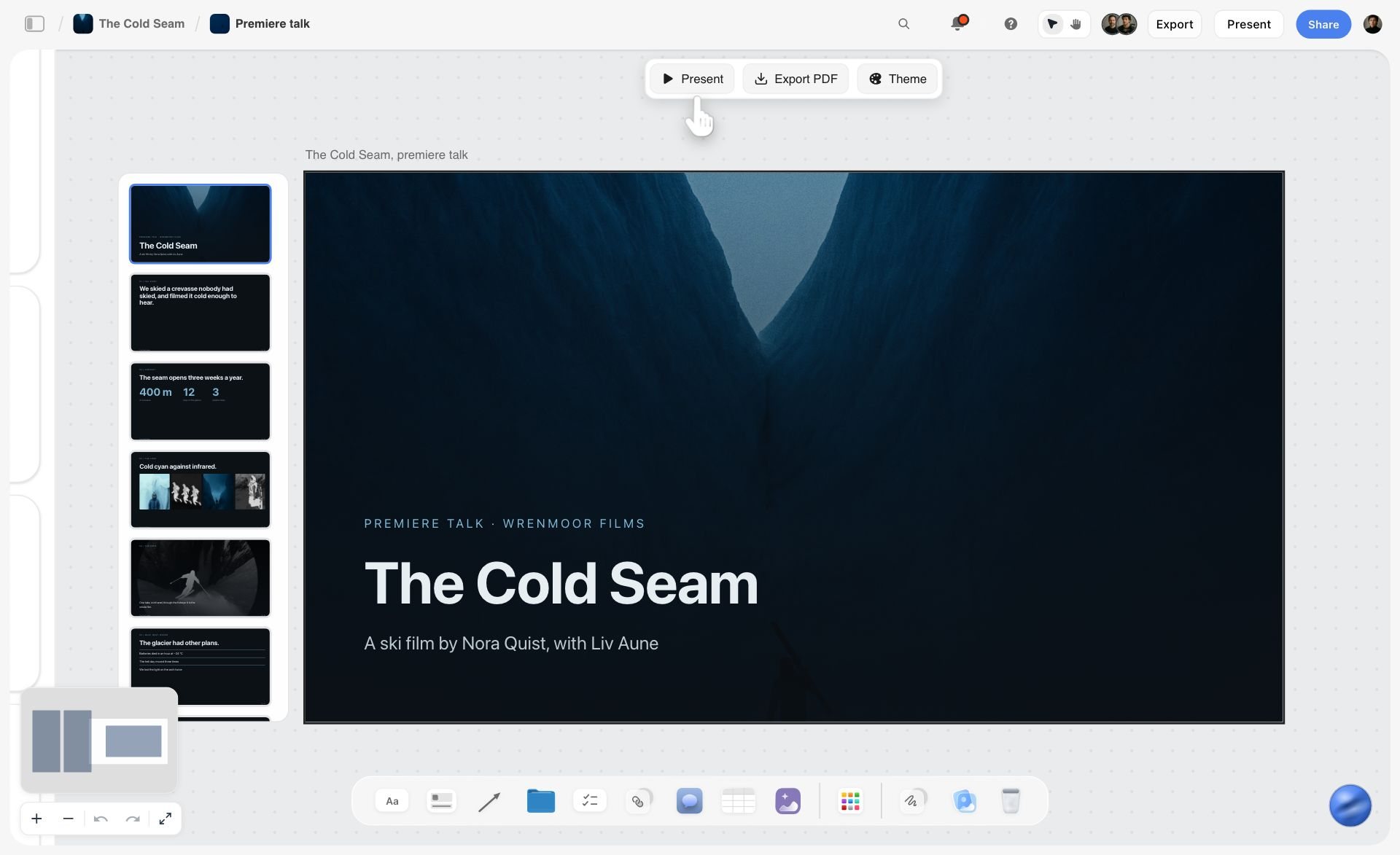
Verdict: the server that gives your assistant a production board, not a filing system.
Best for: YouTubers, short-form creators and small content teams who plan in Claude or ChatGPT and want the plan to survive the chat.
Pricing: Plus $7.99 a month billed annually ($9.99 monthly), Pro $14 annual ($19 monthly), Max $39 annual ($49 monthly). Storyflow is paid-only during early access; its Free plan launches before the end of 2026, and anyone a paid member invites to a board joins free now. See Storyflow pricing.
Storyflow is a visual project planning workspace: an infinite canvas board that holds notes, tables, documents, images, moodboards, storyboards, mind maps, kanban, charts and slide decks. Its MCP server lives at https://mcp.storyflow.so/mcp and connects to any assistant that can add a remote MCP server, including Claude, ChatGPT, Gemini, Grok, Claude Code, Cursor and Perplexity.
Why it ranks first. It is the only server here built for the job creators actually do in chat: turning a loose idea into a plan with structure, visuals and order. When you ask Claude to "plan next month's videos", Storyflow's tools let it build that plan as sections on a board: a backlog table, a document per script, a strip of shot cards, a carousel. Next week, a new chat reads the same board, sees what changed and who changed it, and picks up from there. Notion can store the same backlog as rows, but it cannot lay out a storyboard or a ten-slide carousel next to the script it belongs to.
What the assistant can build. Notes, groups, tables, charts, diagrams, mind maps, documents, slide decks, shot cards, strip boards, colour palettes and carousel pages, plus board templates applied in one call. It places each piece on the board where it belongs, and what it adds appears live on a board you have open. It can also edit and move elements, remove deck slides and clear table cells.
What it can read. Boards, notes, documents, files, and what changed on a board and who changed it. That last one matters for a creator working with an editor: "what did Sam change on the launch board this week?" is a question the assistant can answer.
Carousels, specifically. The carousel tool puts every slide on the board as its own page, laid out left to right in order, between 2 and 20 slides, at 1:1, 4:5 (1080 by 1350), 9:16 or 16:9. You can then drag, delete or edit any one slide.
Strengths
- Builds structured, visual output (storyboard shot cards, carousels, decks) instead of text only.
- Reads the board back in later chats, including recent changes and who made them.
- Per-project permissions and a read-only option chosen at sign-in.
- Runs on your assistant's own model, so it does not spend Storyflow AI credits.
- In clients that support MCP apps, show_board displays the live board inside the chat.
Limits
- It does not publish or schedule posts; pair it with Buffer for that.
- A photo you attach in the chat does not reach Storyflow; the assistant gives you an upload link instead.
- Browser only: no mobile or desktop app, no offline mode.
- A free invited account is capped at 25 actions a week (every read and change counts as one), resetting Monday UTC.
- Connections expire after 30 days and you sign in again.
Try it: connect Storyflow to Claude or ChatGPT, then ask the assistant to build next month's plan on a new board.
2. Notion
Verdict: the best server for a creator whose content system is already a Notion database.
Best for: creators with an existing Notion content calendar database, and teams that keep briefs and sponsor notes in Notion.
Pricing: per Notion's pricing page, Free is $0, Plus is $10 per member a month billed annually ($12 monthly) and Business is $20 per member a month billed annually ($24 monthly). Notion AI (Notion Agent, AI Meeting Notes, Enterprise Search) comes with Business; Free and Plus get a limited trial.
Notion's MCP server is an official remote server. After you authorize with OAuth, the assistant can read and update content you can access in the selected workspace. Notion's setup guide gives the endpoint as https://mcp.notion.com/mcp with an SSE fallback for older clients, and documents Claude Code, Cursor and Codex.
Why it ranks second. Notion's tool list is deep. Per its supported tools page, the assistant can create pages (including from database templates), update properties, create databases and filtered, sorted, grouped views, add comments and move pages. For a creator, that means "add these 12 video ideas as rows with status Idea and pillar Tutorials" works in one request. What it does not do is visual: a storyboard or a carousel becomes a page of text and images in a column.
Plan gates to know. The same page says AI search needs a Business or Enterprise plan with Notion AI (other plans fall back to keyword search), meeting-notes queries need Business or higher with Notion AI, and querying many data sources at once is a Business and Enterprise feature. On Free or Plus, the server works but some tools are metered or limited.
Strengths
- Mature database tools: views, filters, sorts, templates.
- Official remote server with OAuth, managed under Settings, Connections by workspace owners.
- Many creators already have a Notion content database to point it at.
Limits
- Output is linear pages and tables; no storyboard, shot card or carousel layout.
- AI search and several query tools need Business with Notion AI.
- Uses standard Notion API rate limits, so large batch requests can be slowed.
Trade-off: if your backlog lives in Notion and you never plan visually, start here. If you storyboard, sketch thumbnails or build carousels, the plan will end up split between Notion and something else. Our Notion alternatives for YouTubers post covers that split.
3. Canva
Verdict: the server that turns the plan into a finished design.
Best for: creators who make thumbnails, social graphics and presentations in Canva and want the assistant to start or export them.
Pricing: per Canva's MCP access page, design generation, editing, search, exports, comments and asset uploads work on all plans; design resizing, autofill, brand kits and brand templates need Canva Pro or above. Canva's pricing page did not load for us, so we do not quote a price.
Canva's developer documentation describes a remote MCP server with design generation from text, natural-language editing, search across designs, pages and folders, asset and brand-kit access, comments, and export to PDF, PNG, JPG, PPTX and MP4, including resizing for different channels. End users connect it through the Canva AI Connector, and Canva is listed in Claude's connector directory.
Why it ranks third. For the "make the asset" job, nothing else in this list comes close. Asking Claude to "make three thumbnail options for this title in my brand kit, then export the best as PNG" is a real workflow. It ranks below Storyflow and Notion because a design file is the output of a plan, not the plan: Canva has no place for the script, the shot list or the publish date, so the assistant still needs somewhere to keep those.
Strengths
- Generates and edits real, editable designs.
- Exports in the formats creators publish (PNG, JPG, MP4, PDF).
- Brand kits and templates on Pro keep output on-brand.
Limits
- Resizing, autofill and brand kits need Pro or above.
- No backlog, script or schedule: a single-job server.
- Fine edits still happen in Canva's own editor.
Pairs well with: Storyflow for the plan; the assistant reads the approved thumbnail concept from the board and asks Canva to build it. See our AI thumbnail concept generator page for how concepts are set up on a board.
4. Buffer
Verdict: the simplest way to let an assistant schedule what you made.
Best for: solo creators and small teams who already post through Buffer to the social channels connected there.
Pricing: per Buffer's pricing page, Free is $0 with up to 3 channels, 10 scheduled posts per channel and 100 ideas; Essentials is $5 per channel per month; the Team tier is $10 per channel per month. Paid plans have a 14-day trial.
Buffer's MCP page says the server lets your assistant draft posts, schedule them, check what is coming up, save ideas and pull insights, and that it is included on every plan, including Free. Posts land in your Buffer queue as drafts or scheduled posts so you review them before they go live. The developer guide lists the endpoint (https://mcp.buffer.com/mcp) and tools: create, edit, list and delete posts, list channels, create ideas, and an aggregated metrics tool covering up to 365 days.
Why it ranks fourth. It does the last mile well and costs nothing to try. It ranks below the planning servers because scheduling is the smallest decision in the pipeline: by the time a post reaches Buffer, the hard work (what to make, why, in what order) is done somewhere else.
Strengths
- Included on the free plan.
- Review step built in: posts arrive as drafts or queue items.
- Aggregated metrics let the assistant compare last month's posts before planning the next.
Limits
- The developer guide authenticates with an API key that acts for your whole account; treat it like a password.
- Aggregated metrics refresh once a day.
- Free plan caps scheduled posts at 10 per channel at a time.
5. Google Drive
Verdict: the storage layer every assistant already has a connector for.
Best for: creators whose scripts, sponsor briefs and raw notes sit in Google Docs and Sheets.
Pricing: Claude's Google Workspace connectors are available to all Claude users, per Anthropic's help article. ChatGPT lists Google Drive in its app directory; OpenAI's help page covers the synced version for Pro, Business and Enterprise.
In Claude, the Drive connector searches and retrieves Google Docs and reads Sheets, Slides, PDFs and Office files (text only, so images inside documents are not processed). It can upload files, create folders and save generated files when code execution is on, and separate beta connectors create and live-edit Docs, Sheets and Slides.
Why it ranks fifth. Drive is where creator files already are, so connecting it is a quick win: "read my sponsor brief in Drive and pull out the talking points" works today. It ranks low on pipeline fit because Drive is folders of files; the assistant can find a script, but it cannot see that the script belongs to video 14, which is blocked on a thumbnail.
Strengths
- No new tool to adopt; reads what you already have.
- Available on Claude's free plan.
- Docs, Sheets and Slides connectors can create and edit live.
Limits
- Text only from documents; embedded images are skipped.
- No structure beyond folders.
- Sharing, moving and trashing ask for approval by default (a good default, but slower).
6. Zapier
Verdict: the adapter for every app that has no server of its own.
Best for: creators who need the assistant to touch a tool that has no MCP server: a newsletter platform, a CRM for sponsors, a spreadsheet tracker.
Pricing: per Zapier's pricing page, Free includes 100 tasks a month; Professional starts at $19.99 a month billed annually ($29.99 monthly) for 750 tasks. Zapier MCP is included in every plan and each tool call uses two tasks.
Zapier MCP lets Claude, ChatGPT, Cursor and other clients take action in 9,000+ apps. The assistant searches Zapier's catalogue for the right action, asks for missing details and runs it; you control which apps and actions it may use.
Why it ranks sixth. Reach is enormous, and for one-off actions ("add this sponsor to my CRM", "send the episode notes to my newsletter draft") it is the only option. It ranks last for content creators because it holds nothing: every call is a single action in another app, and at two tasks per call the free plan covers roughly 50 calls a month.
Strengths
- Reaches thousands of apps without a separate server each.
- Per-app and per-action control.
- Included in every Zapier plan.
Limits
- Two tasks per call add up quickly on the free plan.
- No plan, no board, no memory of its own.
- Action quality depends on each app's Zapier integration.
Honorable Mentions and Servers We Left Out
Several tools creators asked about did not make the ranked list. Here is why, so you can judge for yourself.
ElevenLabs: strong product, wrong server for voiceover
ElevenLabs' hosted connector in Claude manages voice and chat agents: configuring, comparing, duplicating them. It is not described as a voiceover generator. The original open-source local server did generate speech and clone voices with your API key, but its README now marks it deprecated in favour of the hosted server. A creator who wants voiceover from chat is better served by ElevenLabs' own app for now.
YouTube: no official server
We found no official YouTube MCP server from Google. The YouTube servers in MCP directories are community projects built on the public YouTube Data API, which usually means creating your own API key in Google Cloud. They can be useful for pulling video stats into a chat; check who maintains one before you give it access to a channel.
Descript: nothing documented
We found no Descript MCP server or Claude connector documented by Descript. If one ships, it would be a natural fit for the edit stage.
Milanote: no connector, and no AI features listed
Milanote's plans page lists a Free plan with 100 notes, images or links and 10 file uploads, and a paid plan at $9.99 a month billed annually. It lists no AI features, and we found no Claude, ChatGPT or MCP connector documented by Milanote, so there is no supported way for an assistant to read or build a Milanote board today. That is why it is not in this list despite being a common moodboard tool for creators.
Figma: built for code, not content
Figma's MCP server gives coding tools design context (code for a selection, screenshots, variables); the remote server is on all seats and plans, the desktop server needs a Dev or Full seat. It is excellent for building a website from a design and of little use for planning a video.
Worked Example: One Month of a YouTube Channel Run From Claude
Here is the stack in practice. The numbers are illustrative, not measured. The channel: one long-form YouTube video a week (4 a month), 3 Shorts cut from each (12), and 2 Instagram carousels a week (8). One creator, one part-time editor.
Week 0: build the plan (Storyflow)
The creator opens Claude with Storyflow connected and types: "Plan next month on a new board in my Channel project: four videos from the pillars on my Strategy board, each with a script outline, a shot list and three Shorts, plus eight carousel ideas."
Claude reads the Strategy board, then builds sections with build_section: a Backlog table (4 rows: title, pillar, hook, film date, publish date, status), one document per video with a five-part script outline, shot cards per video, and an 8-row Carousels table. Rows are kept in date order as it writes them.
Action count for that build: 1 read of the strategy board, 1 list of boards, about 8 section builds and 4 document writes, so roughly 14 actions. On Plus, Pro or Max that is unmetered. On a free invited account, it is 14 of the week's 25.
Week 1: script and storyboard (Storyflow)
For video 1, the creator asks: "Read the outline for video 1 and write the full script into its document, then make shot cards for each section." Two to three actions. The editor opens the same board, adds B-roll notes, and next day the creator asks "what did my editor change on the Channel board?" One action, answered from get_board_changes.
Week 1: carousel pages (Storyflow), then design (Canva)
"Turn carousel idea 1 into a 7-slide 4:5 carousel on the board." Storyflow places 7 pages left to right at 1080 by 1350. The creator rearranges two slides. For the two carousels that need brand-polished graphics, the creator asks Claude to recreate them in Canva from the brand kit and export PNGs (Canva Pro, for brand kits).
Week 1: schedule (Buffer)
"Schedule the three Shorts for video 1 on Tuesday, Thursday and Saturday at 6pm, and carousel 1 on Wednesday." Buffer's free plan allows 10 scheduled posts per channel at a time; across three channels that is enough for this channel if the creator schedules one week ahead rather than four.
Month-end: review the numbers
"Pull last month's aggregated metrics from Buffer and add a Learnings note to the Channel board: what worked, what to cut." Two servers, one chat. The next month's plan starts from that note.
The month in numbers
| Step | Server | Actions or calls | Metered on |
|---|---|---|---|
Build the month board | Storyflow | about 14 | Free invited accounts only (25 a week) |
Scripts and shot cards, 4 videos | Storyflow | about 12 | Same |
Editor change checks, weekly | Storyflow | 4 | Same |
8 carousels as board pages | Storyflow | 8 | Same |
2 brand carousels designed and exported | Canva | about 6 | Pro for brand kits |
20 posts scheduled (12 Shorts, 8 carousels) | Buffer | 20 | Free: 10 scheduled per channel at a time |
Monthly metrics review | Buffer and Storyflow | 2 | Buffer rate limits |
That is about 38 Storyflow actions in the month. The build is the heaviest single job at about 14, and the other 24 spread over four weeks at about 6 a week, so even with the build in week 1 the busiest week is about 20, under a free invited account's 25 a week but without much room for extra requests. A paid Storyflow plan removes the limit.
Prompts You Can Copy
These work in Claude or ChatGPT once the named servers are connected. Replace the bracketed parts.
| Job | Prompt | Servers |
|---|---|---|
Monthly plan | Plan [month] on a new board in my [project] project: [4] videos from my pillars, each with a hook, a script outline and a shot list, plus [8] carousel ideas. Keep the backlog table in publish-date order. | Storyflow |
Script | Read the outline for [video] on the [board] board and write a full script into its document. Mark every B-roll moment. | Storyflow |
Storyboard | Make shot cards for each section of the [video] script, one card per setup, with framing and a one-line note. | Storyflow |
Carousel | Turn carousel idea [n] into a [7]-slide [4:5] carousel on the board. Slide 1 is the hook, the last slide is the call to action. | Storyflow |
Editor check-in | What changed on the [board] board in the last week, and who changed it? | Storyflow |
Backlog import | Read my content database in Notion and rebuild the next 10 ideas as a backlog table on a Storyflow board, with pillar and status. | Notion, Storyflow |
Thumbnail | Read the approved thumbnail concept for [video] on my board, then make three options in Canva with my brand kit and export the best as PNG. | Storyflow, Canva |
Schedule | Schedule the three Shorts for [video] on Buffer for [days] at [time], drafts only, so I can review them. | Buffer |
Learnings | Pull last month's aggregated post metrics from Buffer and add a Learnings note to my Channel board. | Buffer, Storyflow |
Sponsor brief | Read the sponsor brief in my Drive folder [name] and add the talking points as a note next to [video]'s script. | Google Drive, Storyflow |
What It Costs: A Creator's MCP Stack Priced Out
You need an assistant that supports remote servers, plus the servers themselves. Assistant first: Claude's pricing page lists Free at $0 with connectors, Pro at $17 a month billed annually or $20 monthly; Claude Free allows one custom connector. ChatGPT needs Plus or above to add a custom MCP server such as Storyflow.
| Server | Entry price for MCP use | What the entry tier allows | Source |
|---|---|---|---|
Storyflow | Plus $7.99/mo annual ($9.99 monthly) | No MCP limit on Plus, Pro or Max; invited free accounts get 25 actions a week | |
Notion | Free plan; Plus $10 per member a month annual | Server works; AI search and meeting notes need Business ($20 annual) with Notion AI | |
Canva | Any Canva plan | Generate, edit, search, export; resize, autofill and brand kits need Pro | |
Buffer | Free, $0 | 3 channels, 10 scheduled posts per channel, 100 ideas | |
Google Drive | Included in Claude | Search, read, upload, create folders | |
Zapier | Free, 100 tasks a month | About 50 MCP calls (2 tasks each) |
Three stacks at three budgets
| Stack | Servers | Monthly cost (annual billing where offered) | Fits |
|---|---|---|---|
Starter | Claude Free, Buffer Free, Google Drive | $0 | Testing the idea; no board to hold the plan |
Solo creator | Claude Pro, Storyflow Plus, Buffer Free | $17 + $7.99 = $24.99 | One channel, plan plus scheduling |
Creator with an editor | Claude Pro, Storyflow Plus (editor invited free), Canva Pro, Buffer Essentials | $24.99 + Canva Pro + $5 per channel | Shared board, brand-kit designs, more than 10 queued posts |
Storyflow is not in the $0 stack because it is paid-only during early access. If someone on a paid plan invites you to their board, you join free and get 25 MCP actions a week.
Which MCP Server Should You Connect First?
Connect one server, use it for a week, then add a second. Decision rules:
- If your ideas, scripts and storyboards are scattered across chats, connect Storyflow first. That is the gap the other servers do not fill.
- If your content calendar is already a Notion database you like, connect Notion first and add Storyflow when you need storyboards or carousels laid out visually.
- If your bottleneck is making graphics, connect Canva, and expect to keep the plan somewhere else.
- If you make the content but forget to post it, connect Buffer. It costs nothing to try.
- If your files are in Drive and you mostly need the assistant to read them, Drive is already one click away in Claude.
- If the tool you need has no server, use Zapier for that one job and watch the task count.
For a creator and an editor
Storyflow plus Buffer. The editor joins the board free when you invite them, sees the shot cards and script, and the assistant can tell you what they changed. Our Storyflow for YouTubers page and the YouTube storyboard guide show that board in more detail.
For a short-form-only creator
Storyflow for the hook bank and carousel pages, Buffer for the queue. Skip Notion unless you already use it. The Instagram content planner page shows the board layout most short-form creators start from.
For a creator with sponsors
Add Google Drive for briefs and Zapier for the sponsor tracker, on top of the planning server.
How to Connect Storyflow to Claude or ChatGPT in Five Minutes
The address is the same everywhere: https://mcp.storyflow.so/mcp. Full steps for every client are in the help article.
Claude
- Open Customize, then Connectors.
- Click Add, then Add custom connector.
- Name it Storyflow, paste the address, click Continue.
- Choose Sign in now, click Add, and sign in to Storyflow.
ChatGPT (web)
- Settings, then Security and login, and turn on Developer mode (an admin does this on Business and Enterprise).
- Go to chatgpt.com/plugins and click the plus button.
- Name it Storyflow, choose Public endpoint, paste the address.
- Create it and sign in. ChatGPT needs Plus or above for this.
Claude Code, Gemini and Grok
In Claude Code, run: claude mcp add --transport http storyflow https://mcp.storyflow.so/mcp, then /mcp to sign in. In the Gemini app: Settings, Connected Apps, Custom apps, Add a custom app (personal Google account with Keep Activity on, US, 18 or over, English). In Grok: grok.com/connectors, New Connector, Custom, paste the address.
What to choose at sign-in
Storyflow asks which projects the assistant may use (all, or the ones you pick), whether it may make changes (otherwise read-only), and whether it may use documents outside projects. For a first test, pick one project and allow changes. Disconnect any time in Settings, Connected apps; access ends within a minute.
Common Mistakes When Connecting MCP Servers
Connecting six servers on day one
Every connected server adds tools the assistant has to choose between. Start with the one that holds the plan, add a second when you hit a real limit.
Giving a scheduler write access before the plan exists
An assistant that can schedule but cannot see the plan will happily schedule whatever is in the chat. Plan first, schedule second, and keep Buffer posts as drafts until you have reviewed a few weeks.
Pasting master API keys into unofficial servers
Buffer's developer guide warns its key acts for your entire account. Prefer OAuth sign-in (Storyflow, Notion, Canva, Google Drive all use it) and official servers over community wrappers.
Allowing every project for a client test
If you connect Storyflow to try it, pick one project. You can widen access later by connecting again.
Expecting the chat to remember instead of the server
The point of the server is that the plan lives in the tool. Ask the assistant to "read the board" at the start of each chat rather than trusting chat memory.
Ignoring metering
Zapier spends two tasks per call; Buffer has rolling rate limits; a free invited Storyflow account has 25 actions a week. Batch requests ("build all four video sections") instead of one card at a time.
When Storyflow Is Not the Right Choice
Storyflow ranks first for planning, and it is still the wrong server for several jobs:
- Publishing and scheduling. Storyflow does not publish or schedule social posts. Use Buffer or your scheduler.
- Polished, brand-locked graphics. Storyflow builds carousel pages and decks on the board, but Canva's editor and brand kits are the better finishing tool for production graphics.
- Video editing and audio. Storyflow does not edit video or generate voiceover.
- A database-first workflow you already love. If your Notion content database works and you never storyboard, connecting Notion is less change.
- A calendar grid. Storyflow has no calendar tool; dates live in table date cells, tickets and Kanban.
- Offline or on a phone app. Storyflow is browser only, with no native mobile app and no offline mode.
- Free use today. Storyflow is paid-only during early access; its Free plan launches before the end of 2026. If you need a $0 setup now, use Claude Free with Buffer and Google Drive.
- Unlimited free MCP use. A free invited account gets 25 MCP actions a week.
A Copyable Content Pipeline Board Template
Ask your assistant to build this board through Storyflow, or set it up by hand. Section names and table columns:
| Section | What goes in it | Built with |
|---|---|---|
Pillars | 3 to 5 notes, one per content pillar, with the audience question it answers | Notes |
Backlog | Table: title, pillar, hook, format, film date, publish date, status | Table |
Scripts | One document per video, five parts: hook, setup, three beats, payoff, call to action | Documents |
Shots | Shot cards per video: setup, framing, B-roll note | Shot cards |
Carousels | Carousel pages, 4:5, 7 to 10 slides each | Carousel pages |
Thumbnails | 3 concept notes per video with the text overlay | Notes |
Learnings | One note per month from the metrics review | Notes |
The prompt that builds it
"Build a content pipeline board in my [Channel] project with these sections: Pillars, Backlog, Scripts, Shots, Carousels, Thumbnails, Learnings. Fill Pillars from [my notes], and add 4 backlog rows for next month."
How to keep it current
Ask the assistant at the start of each week: "Read the Channel board, tell me what is blocked, and update statuses from what changed in the last week." For more on the stage structure, see our seven-stage YouTube content pipeline and the YouTube content pipeline page.
The Bottom Line
The best MCP servers for content creators in 2026 split by job, and the job that decides the rest is holding the plan. Storyflow ranks first because it gives Claude or ChatGPT a board where the backlog, scripts, storyboard shot cards and carousel pages live together and survive the chat. Notion is the right planning server if your system is already a Notion database and you do not plan visually. Canva makes the finished design, Buffer schedules it, Google Drive holds the files and Zapier reaches the rest.
Start with two: Storyflow for the plan, plus Canva or Buffer for the output. Connect Storyflow to your assistant, ask it to build next month on a board, and open the board to see what it made.
FAQ: Best MCP Servers for Content Creators
What is the best MCP server for content creators?
Storyflow is the best MCP server for content creators who plan in Claude or ChatGPT. It lets the assistant build the content plan on a board (backlog table, scripts, storyboard shot cards, carousel pages) and read it back in later chats. Notion is the better pick if your content system is already a Notion database, and Canva is the pick for producing finished designs.
What is an MCP server, in plain terms?
An MCP server is a connection that lets an AI assistant use another app's tools. MCP stands for Model Context Protocol, an open standard. Once you add a server to Claude or ChatGPT and sign in, the assistant can read from that app and, if you allow it, create things in it, such as a board, a page, a design or a scheduled post.
Do I need to code to use MCP servers?
No. Remote servers such as Storyflow, Notion, Canva and Buffer connect through the assistant's settings: you paste an address or pick the app from a directory, then sign in. Coding tools such as Claude Code use a one-line command, but that is optional. The only servers that need technical setup are local or community ones that run on your computer with an API key.
Does ChatGPT support MCP servers?
Yes. ChatGPT can add a custom MCP server on the web once Developer mode is on, under Settings, Security and login. Adding Storyflow needs ChatGPT Plus or above, and on Business and Enterprise an admin turns Developer mode on. ChatGPT also offers built-in apps, such as Google Drive, from its app directory.
Can Claude's free plan use MCP servers?
Yes, with a limit. Claude's pricing page lists connectors on the Free plan, and Claude Free allows one custom connector, so you can add Storyflow or another remote server as your single custom one. Directory connectors such as Google Drive and Canva are added from Claude's connector list instead of by address. If you want several custom servers at once, check Claude Pro, at $17 a month billed annually.
Is there an official YouTube MCP server?
We found no official YouTube MCP server from Google as of October 2026. The YouTube servers listed in MCP directories are community projects built on the public YouTube Data API, usually set up with your own Google Cloud API key. They can pull stats into a chat; check the maintainer before granting access to a channel you care about.
Can an MCP server post to Instagram or TikTok for me?
Buffer's MCP server can schedule posts to the channels you have connected in Buffer, and they arrive as drafts or queue items for review. Storyflow cannot publish or schedule; it holds the plan and the carousel pages. Zapier can trigger a post through a supported scheduler. Keep a review step until you trust the output.
Is Storyflow's MCP server free?
Not during early access. Storyflow is paid-only; Plus starts at $7.99 a month billed annually and has no MCP limit. Anyone a paid member invites to a board joins free and gets 25 MCP actions a week, resetting Monday UTC. A Free plan launches before the end of 2026. The MCP does not spend Storyflow AI credits.
Which MCP servers work with both Claude and ChatGPT?
Storyflow, Notion, Canva, Buffer and Zapier all document use with remote MCP clients, and Buffer and Zapier name Claude and ChatGPT directly. Storyflow works with Claude, ChatGPT, Gemini, Grok, Claude Code, Cursor and Perplexity from one address. Google Drive is built into both assistants as a connector or app rather than added by URL.
Can the assistant delete things through an MCP server?
Often, yes, so set permissions deliberately. Storyflow can edit and move elements, remove deck slides and clear table cells when you allow changes; connect read-only if you only want answers. Buffer's tools include deleting posts. Google Drive in Claude asks before trashing files by default. Pick the narrowest access that does the job.
How many MCP servers should a creator connect?
Two is the right start: one that holds the plan and one that ships the output. For most creators that is Storyflow plus Buffer, or Storyflow plus Canva. Every extra server adds tools the assistant must choose between, which makes wrong tool calls more likely. Add a third only when a specific job keeps forcing you back to copy and paste.
Is it safe to connect my content workspace to an AI assistant?
It is reasonably safe when you use official servers with OAuth and narrow permissions. Storyflow lets you pick projects and read-only access, warns before connecting an app it does not recognise, ends access within a minute of disconnecting and expires connections after 30 days. Avoid pasting account-wide API keys into community servers you have not reviewed.
Can I use Notion and Storyflow together?
Yes. Connect both to the same assistant and ask it to read your Notion content database and build the visual side on a Storyflow board: storyboard shot cards and carousels next to each script. Many creators keep sponsor records and long-term archives in Notion and run the current month's production on a board.
What can Storyflow's MCP build that a chat cannot?
A persistent, arranged plan. In chat you get text that scrolls away. Through Storyflow's server the assistant builds tables, documents, shot cards, strip boards, mind maps, decks, colour palettes and carousel pages on a board, places them in sections, and can read the board and its change history in any later chat.
Does Canva's MCP server work on the free Canva plan?
Partly. Canva's access page says generation, editing, search, exports, comments and asset uploads work on all plans. Design resizing, autofill, brand kits and brand templates need Canva Pro or above. For creators producing branded thumbnails and carousels at volume, the brand-kit features are usually the reason to pay.
How is an MCP server different from a custom GPT?
An MCP server works across assistants, while a custom GPT lives only inside ChatGPT. The same Storyflow address connects to Claude, ChatGPT, Gemini and Grok, and a server can create things in another app, not just carry instructions. You set the tool up once and keep it if you switch assistants, which matters for creators who use more than one.
Table of Contents
- Key Takeaways
- What an MCP Server Changes for a Content Creator
- How We Ranked the Best MCP Servers for Content Creators
- Comparison Table: The Best MCP Servers for Content Creators in 2026
- The 6 Best MCP Servers for Content Creators, Reviewed
- 1. Storyflow
- 2. Notion
- 3. Canva
- 4. Buffer
- 5. Google Drive
- 6. Zapier
- Honorable Mentions and Servers We Left Out
- Worked Example: One Month of a YouTube Channel Run From Claude
- Prompts You Can Copy
- What It Costs: A Creator's MCP Stack Priced Out
- Which MCP Server Should You Connect First?
- How to Connect Storyflow to Claude or ChatGPT in Five Minutes
- Common Mistakes When Connecting MCP Servers
- When Storyflow Is Not the Right Choice
- A Copyable Content Pipeline Board Template
- The Bottom Line
- FAQ: Best MCP Servers for Content Creators
- Related Reading
Templates to check out for this topic


Content and video templates you can use in Storyflow
Plan a channel, a script, and a content pipeline on the same board. Open one of these templates and let the AI build on the structure instead of starting from a blank doc.


See Storyflow in Action
A visual AI workspace where every feature lives inside one canvas. No tab-switching, no context lost.
Build your entire board from a single message
Type what you need in the AI chat at the bottom of your canvas. The AI adds cards, headings, and structure directly onto your board.
Use expert frameworks as AI context
Type @ in the AI chat and choose any Tactic. The AI tailors every response to that framework instead of giving generic advice.
Turn your board into a mind map in seconds
Ask the AI to restructure your canvas as a mindmap. It connects your ideas into a visual hierarchy so you can see how everything relates.
Why Storyflow Exists
Storyflow actually began as a personal tool while working on creative and research projects.
We kept running into the same problem: ideas were scattered everywhere: notes, documents, and whiteboards.
Nothing helped us see how everything connected.
So we started building a workspace designed around how ideas actually grow.
→ Read how Storyflow was createdStoryflow Team
Product & Research Team
Published: 2026-10-09
Extremely simple, seriously capable


See how easy it is to get started
Watch a real project come together, from a blank board to a finished plan, clicked through step by step.
Start creating with AI and become more productive
Transform your creative workflow with AI-powered tools. Generate ideas, create content, and boost your productivity in minutes instead of hours.