
All Collections
Tactics & Templates
What Are Tactics? (Anatomy of a Blueprint Tactic)
Last updated: May 2026
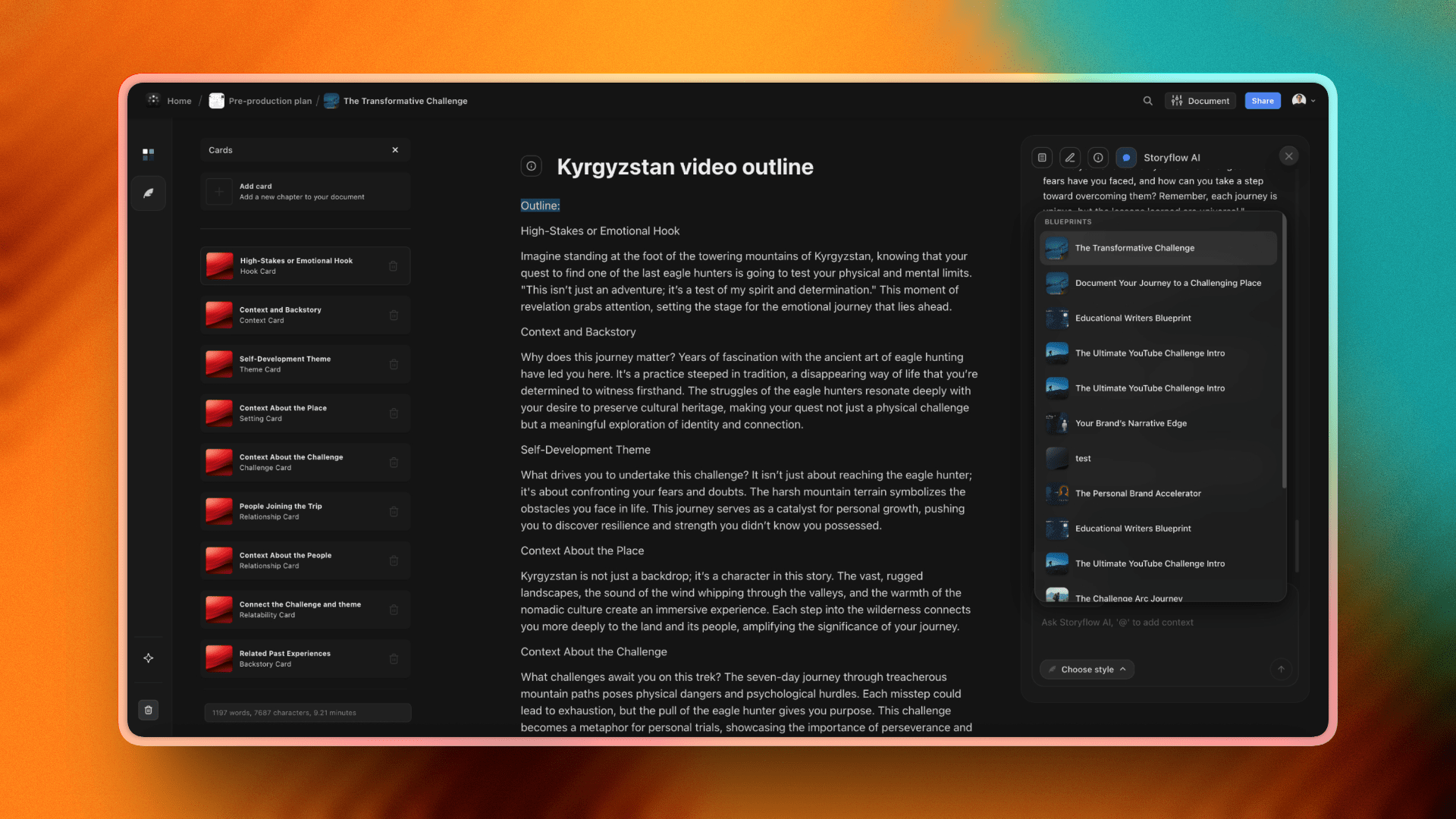
A Tactic (also called a Blueprint Tactic) is a structured template of flip cards that turns an abstract idea into a step-by-step plan. This article focuses on the mechanics of how a Tactic is laid out and how to work with one. For the bigger picture of why Tactics exist, see What Are Tactics? in Getting Started.
Anatomy of a Tactic
A Tactic is a grid of cards. Each card has two sides:
- Front: Title, subtitle, and your content or image
- Back: Framework guidance, notes, and AI assistance for that step
Click the info icon on any card to flip it. Cards support rich text editing, images, and tags.
View Modes
Tactics offer two view modes you can switch between at any time:
- Card View: See every card in a visual grid. Best for getting an overview and jumping between sections.
- Document View: Work through cards in a focused, document-style interface. Better for long-form writing.
Tactics created from scratch use document-per-card mode (each card has its own document). Tactics created from a pre-made framework use a single document for the entire Tactic.
Creating Tactics
There are several ways to add a Tactic:
- From the canvas: Open the Tactics library from the toolbar and pick a framework
- From the dashboard: Click "+" and choose Tactic
- With AI: Use AI Workspace Generation and Storyflow will pre-load the right Tactics for your project
Using AI Inside a Tactic
Every card has access to StoryflowAI, and the AI knows which framework you're in and which step the card represents. Ask for help on a specific card and you'll get framework-aware suggestions, not generic answers.
Tactic Features
- Favorites: Mark cards as favorites for quick access
- Tags: Categorize and organize cards
- Images: Add header images to cards for visual context
- View All Info: Toggle to show the back of every card at once
- Add Cards: Click the empty card slot to extend a Tactic
Was this article helpful?
Related Articles
What Are Tactics?
Creating Custom Tactics
Using Pre-made Templates
Working with Tactic Cards