
Ultra-fast storyboards: minutes, not days
Plan your comic, webtoon,
or manga on one canvas.
Storyflow is an AI visual workspace on a truly infinite canvas. Break the story, write the script, design the cast and the world, block your pages and panels, and pin every reference, all on one board you can see at once. Ask the AI to expand any thread, then take the plan straight into your first draft.


Creatives working for these brands already got early access
- Red Bull
- Canon
- Artlist
- Porsche
See how easy it is to get started
Watch a real project come together, from a blank board to a finished plan, clicked through step by step.
Start from a ready-made template
Pick a board to see what you can build, then let AI fill it in. Every template is a real, editable starting point on the same infinite canvas.

Storyboard
Lay out your shots frame by frame with images and notes, then reorder them until the sequence reads like the finished cut.
What does planning a comic on a canvas actually look like?
Making a comic is not one task, it is a stack of them. There is a story to break and a script to write, a cast and a world to design and keep consistent, a page and panel flow to block out, and a wall of references and style choices to keep straight. Split across a script doc, a folder of character sheets, a Pinterest board, and thumbnails on scrap paper, those pieces drift apart, and the through-line of the comic gets lost between the apps.
Storyflow gives comic artists, webtoon creators, and manga makers one place to hold all of it. A story beat sheet, a character design board, a world map, a page layout plan, and a reference wall can sit side by side on a single infinite canvas, each a set of real cards you drag, recolor, group, and rearrange as the comic changes. Attach the pose reference, drop in the panel thumbnail, grab a frame from an anime on YouTube, and pin it right next to the scene it belongs to. Nothing is buried three folders deep.
And the plan does not stay a static plan. Ask the AI to expand a thin character into a full profile, break a chapter beat into a page-by-page flow, or turn a moodboard into a story plan on the same canvas. When the structure and the look are locked, draft your script or scene notes as documents beside the boards that feed them. The plan becomes the work, not a diagram you screenshot and abandon.
Ultra fast from brief to board
From loose idea to a comic you can draw in four steps.
Start from a single premise or a prompt. Either way the comic stays yours to shape at every step.
01
Open your canvas
Start in the browser with a Storyflow account. Nothing to install, just an infinite canvas ready for the comic you have been meaning to make.
02
Break the story and cast
Lay out story beats, character designs, and the world as cards you arrange by hand, or describe the premise once and let the AI block out the first boards for you.
03
Block pages and pin references
Plan the page and panel flow, drop pose and style references beside each scene, and ask the AI to expand a thin beat, a flat character, or a whole chapter into more detail.
04
Draft the script and share
Turn a chapter into a script document on the same canvas, share a view-only link with your co-creator or editor, or export the plan as an image or PDF for a pitch.
One workspace for every part of making a comic.
Story and script, character and world, page and panel layout, and a reference wall, all on one canvas with AI to expand any of it.
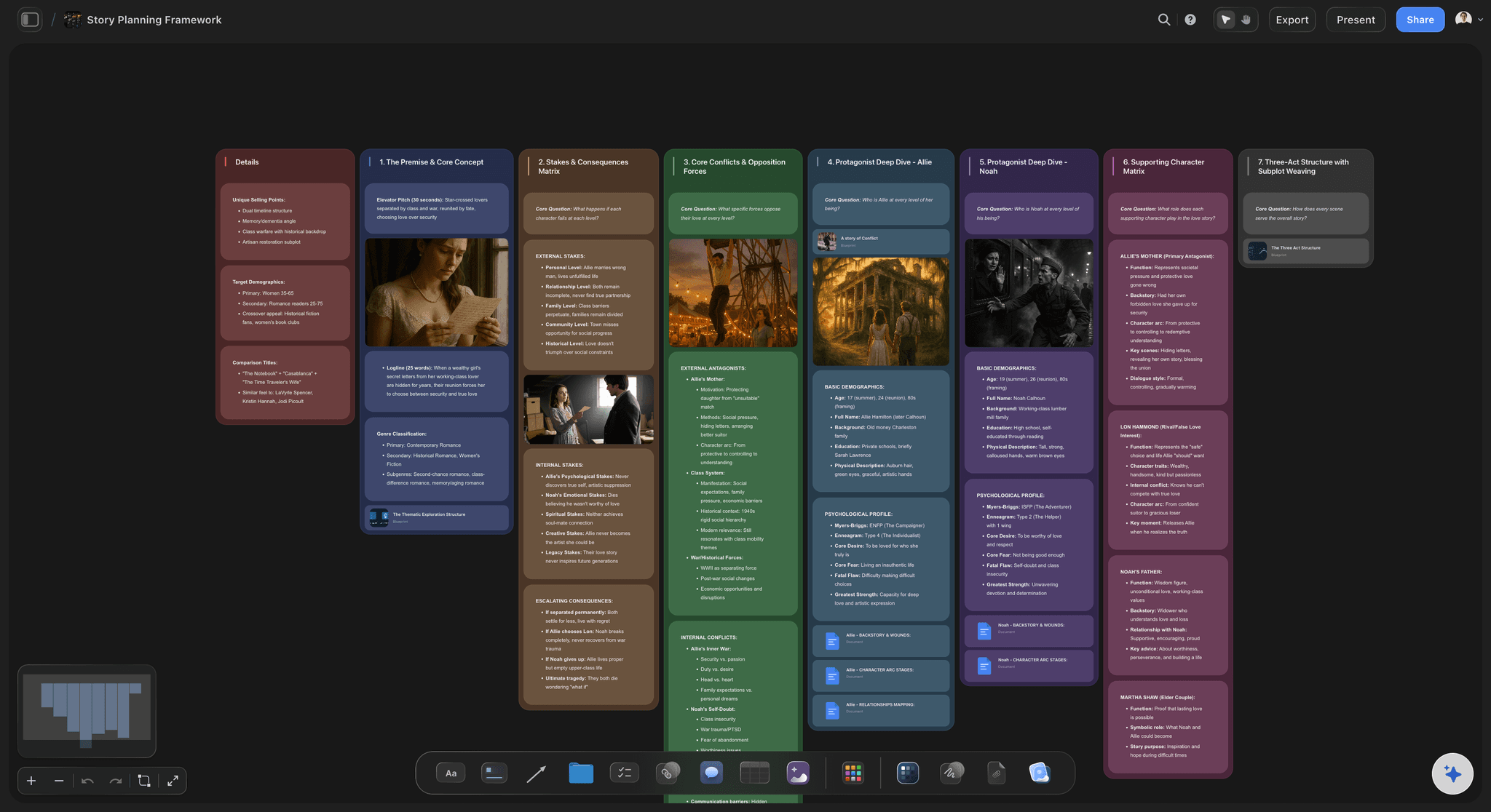
Story and script in one place
Break the beats, then write the script
Lay chapters, scenes, and beats out across the canvas so the pacing of your comic reads at a glance, then turn a beat into a script document right beside the board that feeds it. No more jumping between a plot doc and your thumbnails.
See the comic script generator →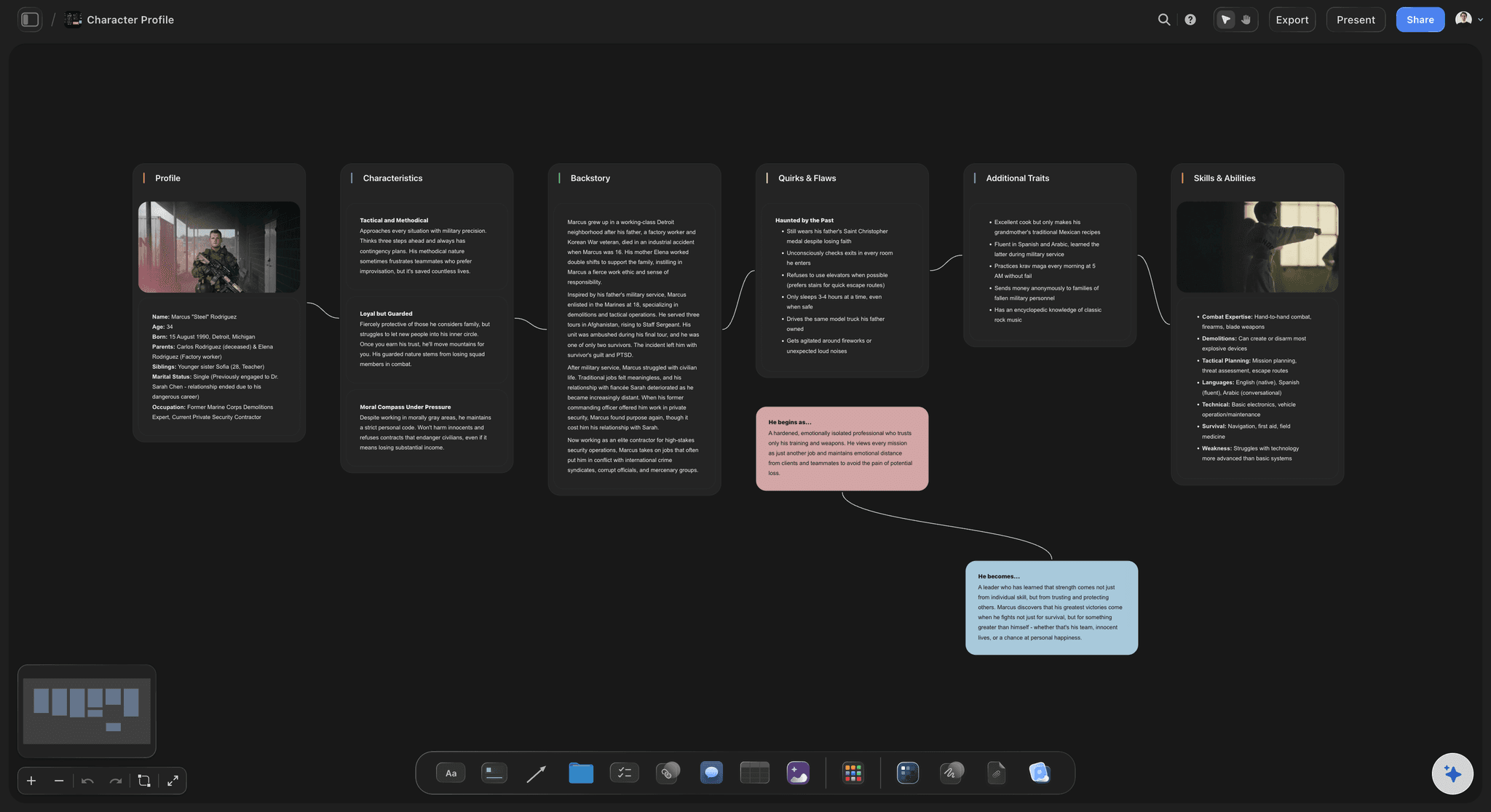
Design a cast that stays consistent
Character design boards with references attached
Give every character a card with their look, personality, and arc, and pin the pose, outfit, and expression references right beside it. Ask the AI to expand a rough character into a full profile using the boards you already built.
See the character profile generator →
Block the page before you draw it
Page and panel layout, planned visually
Thumbnail your page and panel flow as cards you drag and reorder, so a webtoon vertical scroll or a manga spread is blocked out before you commit ink. Reshaping a page is a drag, not a redraw.
See the storyboard maker →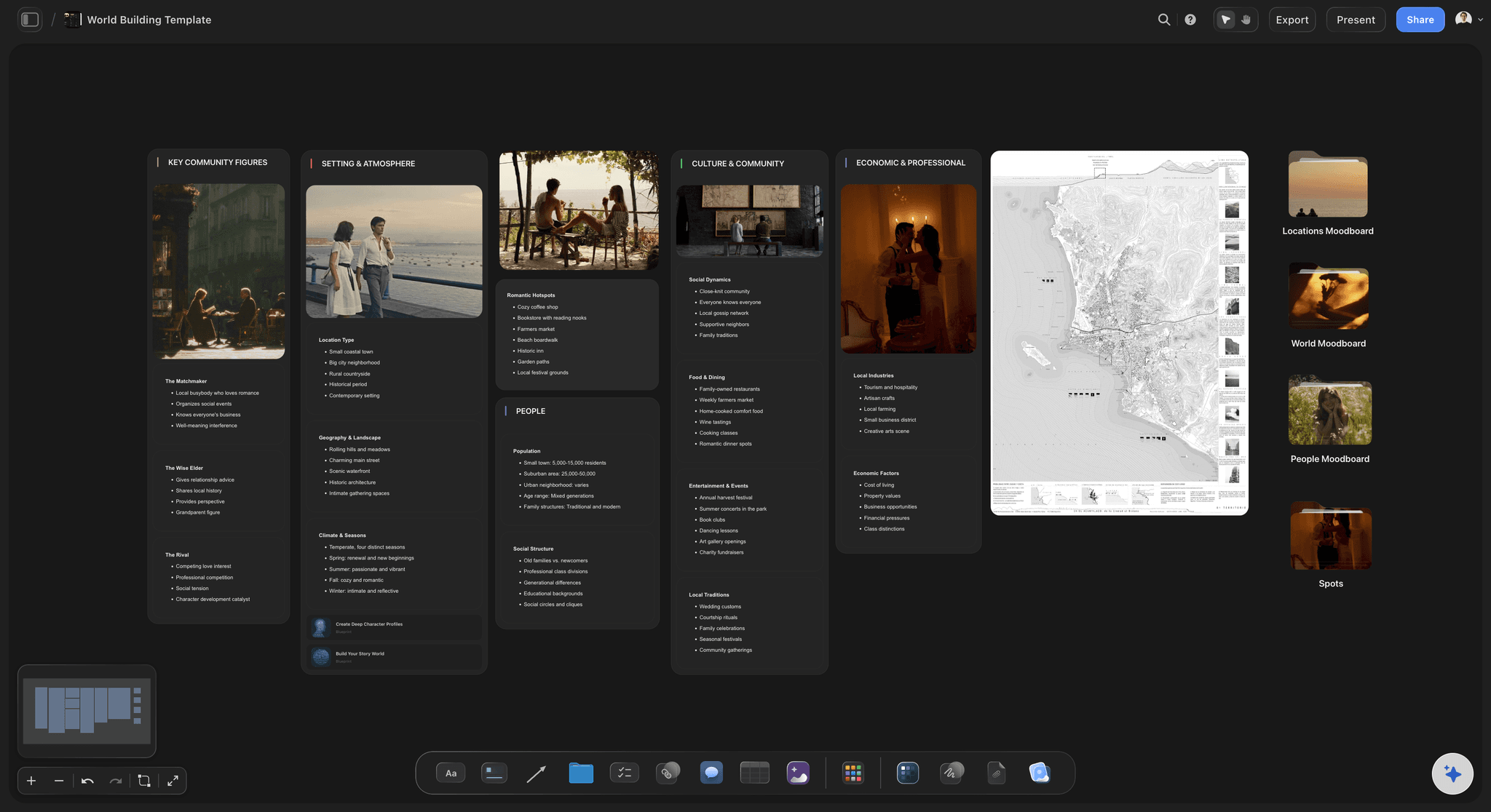
Room for a whole world
An infinite canvas, no object cap
A comic universe sprawls across characters, locations, factions, and arcs, and it should. With a truly infinite canvas and no object cap, no page, character, or reference gets cut for space, and the world never runs into an edge.
See the worldbuilding tool →No object cap, on any plan.
Open a canvas and start planning your comic. Plans have no object cap and no time limit, so a full cast, world, and page plan never push you to upgrade mid-project.
Unlimited boards for story, characters, world, and pages
Basic AI usage to lay out and expand any part of the plan
Attach reference art, PDFs, video, and links to any card
Share a chapter view-only, or invite a co-creator free
Built for people with taste
Made for the way comic, webtoon, and manga makers actually work.
Break the story, design the cast and world, block the pages, and keep every reference in sight. Then draft the script on the same canvas.
Story and script together
Beats, chapters, and scripts on one board
See the whole arc: Lay chapters, scenes, and beats across the canvas so pacing is visible and spotting a saggy middle or a rushed climax is a glance, not a hunt through pages.
Rearrange with a drag: Move a beat, resequence a chapter, or split a scene by dragging a card. When the story shifts, the structure keeps up instead of forcing a rewrite of your notes.
Turn a beat into a script: Take a locked beat and draft the script or scene notes as a document on the same canvas, so the writing flows straight out of the structure you planned.
Characters and world you can see
Character design and worldbuilding boards
Keep every character consistent: Give each character a card with their look, personality, and arc, and pull the cast together so who wants what, and how they read on the page, is visible at a glance.
Build the world in space: Lay out places, factions, history, and rules as connected cards, so a webtoon or manga setting reads as a map instead of a wall of paragraphs you have to reread.
Pin the reference beside it: Attach the pose, outfit, or environment reference, right next to the character or location card it belongs to, so your visual direction lives with the plan.
Layout and reference in view
Panel layouts and style boards side by side
Block pages before you ink: Thumbnail your page and panel flow as cards you drag and reorder, so a vertical webtoon scroll or a manga spread is planned before you commit a single line.
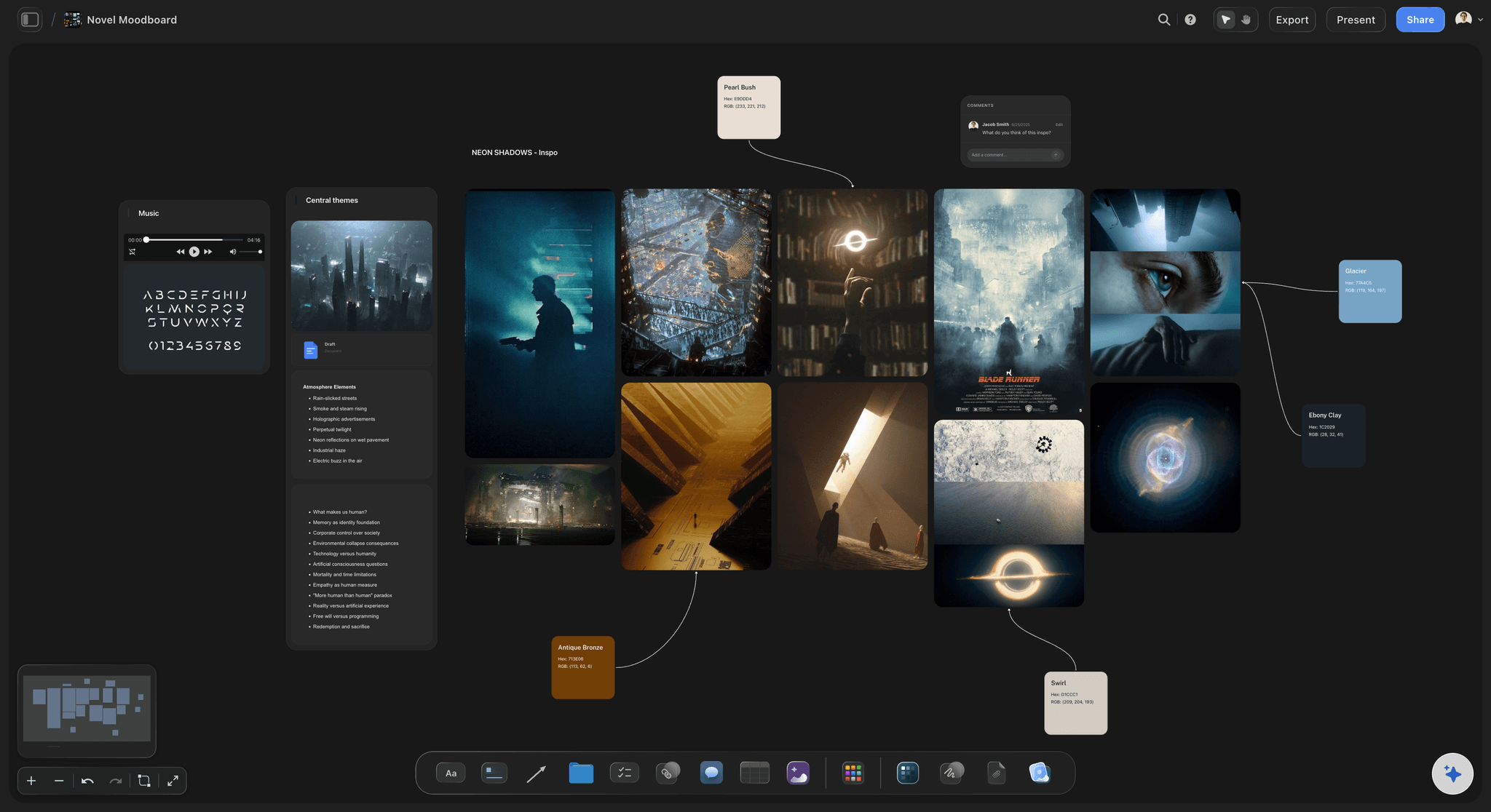
Build a style and reference wall: Collect art direction, palettes, linework, and inspiration on a moodboard beside the scenes they guide, so the look of the comic stays intentional.
Grab frames from video: Pull stills straight from YouTube and Vimeo onto the canvas when an anime shot or a film frame captures the tone better than words can.

AI that reads your comic
AI expands from what is already there
Expand any part on demand: Ask the AI to flesh out a character, a location, or a chapter. It builds on the cards you already placed, so new detail fits your comic rather than drifting into a generic template.
Bring in your bible and script: Add up to five documents and three boards as context from the + menu, so your story bible or a script doc shapes what the AI suggests.
Re-prompt to refocus: Ask for a darker tone, a tighter chapter, or a shonen versus seinen lens. The AI reworks the branch while keeping the edits and choices you already made.
Explore templates for your project
Every template opens as a real, editable board on the infinite canvas. Pick the closest fit and make it your own.
Storyboard
Lay out your shots frame by frame with images and notes, then reorder them until the sequence reads like the finished cut.
One app instead of five
How Storyflow compares for planning a comic.
Each tool has a strength. The question is whether your plan is visual, AI-assisted, and keeps story, characters, and layout in one place.
Storyflow
Recommended
Visual canvas for story, characters, and page layout
AI that expands any part of the plan from your board
Boards become scripts and plans on one canvas
Pin reference art and frames beside each scene
Milanote
Visual canvas for story, characters, and page layout
AI that expands any part of the plan from your board
Boards become scripts and plans on one canvas
Pin reference art and frames beside each scene
Notion
Visual canvas for story, characters, and page layout
AI that expands any part of the plan from your board
Boards become scripts and plans on one canvas
Pin reference art and frames beside each scene
Miro
Visual canvas for story, characters, and page layout
AI that expands any part of the plan from your board
Boards become scripts and plans on one canvas
Pin reference art and frames beside each scene
What creators are saying
Join early creators getting structured workspaces and AI that remembers their projects
“Storyflow has sped up my workflow by at least 3x, which means more flow state and more projects I can actually ship. It truly changed the way me and my team create.”

Reilin Joey
Director & YouTuber
“One prompt gets me a structured board. But the tactics are my favorite. I run my YouTube scripts through them and my intros and retention got better. It's amazing.”

Justkay
YouTuber & Freelance Filmmaker
“I used to juggle five apps to plan a project. Now I describe what I am making and get boards, lists, and a schedule. All in one place.”

George
@fernwehchronicles
Questions from comic creators, answered.
Everything comic artists, webtoon creators, and manga makers ask about planning in Storyflow.
It gives you one infinite canvas for every part of the process: story beats and script, character and world design, page and panel layout, and a reference wall, all side by side as cards you can see at once. When a thread feels thin, the AI expands it using your board as context, so you plan the whole comic in one place instead of five apps.
Not during early access. Storyflow is paid-only right now, with plans starting at $9.99 per month that include unlimited boards for story, characters, world, and pages, basic AI usage to lay out and expand any part, 20 file uploads for references, and view-only sharing. A Free plan is planned before the end of 2026.
Yes. Story arcs, chapter beats, a character design board, a world map, page layouts, and a reference collection can all live on one truly infinite canvas. There is no object cap on any plan, so a long-running series with a full cast and world never runs out of room or pushes you to upgrade mid-project.
Yes. Give each character a card with their look, personality, and arc, and pin pose, outfit, and expression references right beside it. Pulling the cast onto one board keeps everyone consistent across chapters, and you can ask the AI to expand a rough character into a full profile from the boards you already built.
Yes. Thumbnail your page and panel flow as cards you drag and reorder, so a vertical webtoon scroll or a manga spread is blocked out before you commit ink. Reshaping a page or resequencing panels is a drag, not a redraw, so the layout keeps pace with the story.
The AI reads the board you have open, so the story, characters, and world already on the canvas shape what it suggests when you ask it to expand a part. You can also attach up to five documents and three boards, such as a story bible or a script doc, for it to work from. It builds on your comic, not a generic template.
No, and it is not meant to. Storyflow is a planning and script workspace: it helps you break the story, design and organize characters and the world, block layouts, and gather references so the actual drawing goes faster and stays on-vision. The art itself happens in your drawing tool of choice.
Yes. Share a view-only link so a co-creator, editor, or collaborator can explore the full plan in their browser without an account, invite collaborators to build it with you, or export any board as a high-quality image or PDF for a pitch or a submission.
The comic is in your head. Get it onto the canvas.
Break the story, design your cast and world, block the pages, and pin every reference, then expand it with AI and draft the script on the same canvas.