
Ultra-fast planning, extremely simple
A Capacities alternative where
your knowledge lives in space.
Storyflow keeps the idea you love about Capacities, that a note is a real thing you can connect, and moves it onto a visual canvas. Your notes and objects sit in space, an AI reads the board you are on, and a knowledge map becomes a storyboard or plan on the same canvas.


Creatives working for these brands already got early access
- Red Bull
- Canon
- Artlist
- Porsche
See how easy it is to get started
Watch a real project come together, from a blank board to a finished plan, clicked through step by step.
Start from a ready-made template
Pick a board to see what you can build, then let AI fill it in. Every template is a real, editable starting point on the same infinite canvas.

Mind Map
Branch one central idea out into themes and sub-points, then drag the connections around until the structure makes sense.
What can you use instead of Capacities, and why switch?
Capacities is a thoughtful object-based knowledge tool with a devoted following, and for good reason. Instead of loose files, everything is a typed object: a person, a book, a meeting, an idea. Daily notes capture the day, backlinks weave objects into a network, and the whole thing feels like a calm, structured second brain that respects how your knowledge actually relates. If a clean, text-object database of your thinking is exactly the job, Capacities does it beautifully.
Storyflow is a Capacities alternative for structured-note fans who want to think and build in space rather than in a list. Capacities is structured and text-object based: objects live in a sidebar and a linked graph. Storyflow puts the same instinct on a visual canvas, where every note, image, link, and PDF is a card you place, group, and connect by layout. You still capture typed thoughts and link related ideas, you just get to see the whole structure at once and reshape it with a drag instead of navigating an object list.
Three concrete reasons people switch. First, your knowledge is visual: clusters, connections, and moodboard-style references all live on one infinite canvas you can zoom across, not behind object views you open one at a time. Second, an AI reads the board you have open, plus up to five documents and three boards you attach, so it expands a thin cluster or resurfaces buried notes from your real material. Third, your notes do not stay notes: turn a knowledge map into a mind map, storyboard, content calendar, or plan on the same canvas, and grab frames from YouTube and Vimeo straight onto the board. It is a place to both think and build.
Ultra fast from brief to board
Move from an object list to a visual canvas in four steps.
Keep the structured-note habit. See it laid out in space, and build on it with AI.
01
Capture on your canvas
Open a board in the browser and drop in notes, links, images, and PDFs as they arrive. No install, no object cap to hit mid-thought.
02
Give your notes a place
Position related cards near each other and draw links between them. Your objects and ideas relate by where they sit on the canvas, not by which view you opened, so the structure stays visible.
03
Expand with AI
Point at a thin cluster and ask the AI to expand it, or surface notes you had forgotten.
04
Turn it into a plan
Convert a distilled cluster into a mind map, storyboard, content calendar, or project board on the same canvas, share a view-only link, or export the board as an image or PDF.
The structure of Capacities, made visual.
Keep the object-based instinct. Trade the sidebar and the linked list for a canvas where you can see and build.

Space instead of a sidebar
Your notes and objects live in space
In Capacities objects live in a sidebar and a linked graph you navigate. In Storyflow every note, image, link, and PDF is a card on an infinite canvas, so you find things by where you put them and see the whole structure at a glance instead of opening one object at a time.
See the infinite canvas →
Links you can see
Connections on the canvas, not in a list
Capacities weaves objects together with backlinks you follow. Storyflow lets you draw the connections between notes on the canvas and cluster what belongs together, so the relationships that made your notes worth keeping stay visible instead of hidden in a linked panel.
See the mind mapping tool →
AI that reads your board
Expand and resurface with AI
Ask the AI to grow a thin cluster or pull forward notes you had lost track of. It reads the board you have open, plus up to five documents and three boards you attach, so it builds on your real knowledge rather than answering from a blank prompt.
See AI note taking →
Notes become work
From knowledge map to real plan
A structured note is only worth keeping if you build with it. Turn a distilled cluster into a mind map, a storyboard, a content calendar, or a project board on the same canvas your notes live on, with the AI carrying your ideas across.
See knowledge management →No object cap, no time limit.
Capture everything on an infinite canvas with no object limit and no time limit. Storyflow's Free plan, which launches before the end of 2026, will offer this: a knowledge base you build for years should not expire.
Unlimited boards on an infinite canvas, no object cap
Capture notes, links, images, PDFs, and video frames
Basic AI usage to expand and resurface your notes
Share view-only, or invite collaborators free
Built for people with taste
Made for structured-note fans who want a canvas.
Keep the object-based habit you trust, then lay it out in space, connect it visibly, and turn it into work without changing tools.

Capture like you already do
Every input lands on one canvas
Notes, links, media: Text notes, web links, images, GIFs, and PDFs all attach to the canvas, so you capture a thought in whatever form it arrives instead of choosing an object type first.
Frame grabs from video: Pull stills from YouTube and Vimeo straight onto the board when a moment in a video is the thing worth keeping.
Depth without clutter: Longer thinking lives as documents on the same canvas, so a card stays scannable and the detail is one click away.
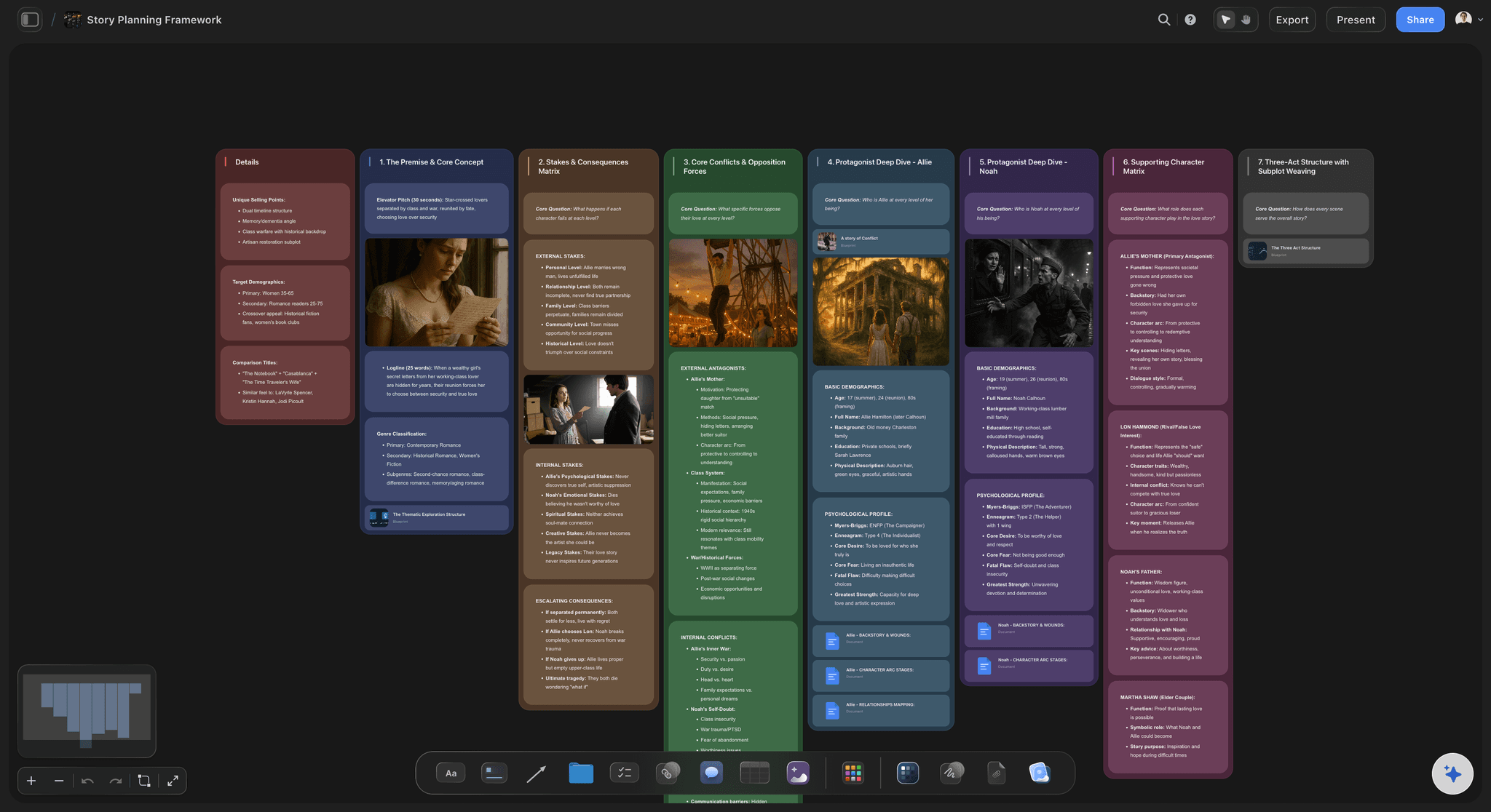
Structure you can see
Connect by layout, not a linked list
Think in space: Place related ideas near each other so the shape of what you know is visible at a glance, instead of held in a sidebar of objects you open one at a time.
Link the relationships: Draw connections between notes to show how they relate, building a web of ideas you can see on one surface rather than following backlinks between object pages.
Reorganize with a drag: As your understanding changes, the map of it changes with a drag. No re-typing objects, no reshuffling a linked graph to keep related notes together.
AI on your real notes
AI that builds on the board you are on
Reads your active board: The AI works from the board you have open, so it expands and connects your real notes rather than starting from an empty prompt.
Attach your sources: Bring in up to five documents and three boards as context, so a research doc or a framework shapes what the AI surfaces and suggests.
Surface what you forgot: Ask what connects or what is missing, and the AI pulls forward notes and links across the board that you had lost track of.
Notes into finished work
Turn what you know into what you make
Clusters become plans: Turn a distilled cluster into a mind map, a storyboard, a content calendar, or a project board on the same canvas, with the AI carrying the ideas over.
Share the thinking: Invite collaborators free, or send a view-only link so anyone can explore your knowledge map in the browser without an account.
Export as image or PDF: Need a board in a deck or a doc? Export it as a clean image or PDF in one step.
Explore templates for your project
Every template opens as a real, editable board on the infinite canvas. Pick the closest fit and make it your own.
Mind Map
Branch one central idea out into themes and sub-points, then drag the connections around until the structure makes sense.
One app instead of five
Storyflow vs Capacities, Notion, and Obsidian.
Each tool does something well. The question is whether your knowledge is visual, buildable, and read by an AI on the board you are on.
Storyflow
Recommended
A visual canvas where notes and objects live in space
AI that reads the board you are working on
Notes become mind maps, storyboards, and plans on the same canvas
Structured, typed objects for your knowledge
Capacities
A visual canvas where notes and objects live in space
AI that reads the board you are working on
Notes become mind maps, storyboards, and plans on the same canvas
Structured, typed objects for your knowledge
Notion
A visual canvas where notes and objects live in space
AI that reads the board you are working on
Notes become mind maps, storyboards, and plans on the same canvas
Structured, typed objects for your knowledge
Obsidian
A visual canvas where notes and objects live in space
AI that reads the board you are working on
Notes become mind maps, storyboards, and plans on the same canvas
Structured, typed objects for your knowledge
What creators are saying
Join early creators getting structured workspaces and AI that remembers their projects
“Storyflow has sped up my workflow by at least 3x, which means more flow state and more projects I can actually ship. It truly changed the way me and my team create.”

Reilin Joey
Director & YouTuber
“One prompt gets me a structured board. But the tactics are my favorite. I run my YouTube scripts through them and my intros and retention got better. It's amazing.”

Justkay
YouTuber & Freelance Filmmaker
“I used to juggle five apps to plan a project. Now I describe what I am making and get boards, lists, and a schedule. All in one place.”

George
@fernwehchronicles
Capacities alternative questions, answered.
Everything people ask when comparing Storyflow with Capacities.
It depends on what you want from your notes. If you love the object-based, everything-connects idea in Capacities but want your knowledge on a visual canvas, with an AI that reads the board you are on and clusters that become plans, Storyflow is a strong fit. It keeps the structured-note instinct and adds space, visible connections, and a way to build.
Capacities is structured and text-object based: objects live in a sidebar and a linked graph you navigate. Storyflow puts the same instinct on a visual canvas, where notes, images, links, and PDFs are cards you place and connect by layout. You see the whole structure at once, an AI reads the board you have open, and a knowledge map can turn into a mind map, storyboard, or plan on the same canvas.
Not a free Storyflow plan today. Storyflow is paid-only during early access, with plans starting at $9.99 per month, and a Free plan with no object cap and no time limit is planned before the end of 2026. Anyone a paid member invites to a board joins free today. If you want a free tool right now, Obsidian's core app is free.
This is where Capacities genuinely leads. Its typed objects, where a person, book, or meeting is a first-class thing with its own properties, are a real strength for structured knowledge. Storyflow takes a different shape: your notes and media are cards you place, group, connect, and recolor in space. If a strict typed-object database is the core of what you need, Capacities is the better pick.
Yes, and that is a core reason to switch. Instead of following backlinks between object pages, you draw the connections between notes on the canvas and cluster what belongs together. The web of ideas is visible on one surface, so you navigate by where things are and reshape the structure with a drag rather than maintaining a linked graph.
Yes. The AI reads the board you have open, so notes and cards already on the canvas shape what it generates. You can also attach up to five documents and three boards, such as a research doc or a framework, for it to build from. It works from the board you are on, not from all your boards at once.
Yes, and that is the point. Ask the AI to turn a distilled cluster of notes into a mind map, a storyboard, a content calendar, or a project board on the same canvas. A knowledge base is only worth keeping if you build with it, so Storyflow moves from captured knowledge to finished work without switching tools.
Be honest about the fit: if you specifically want Capacities' typed objects, daily notes, and clean networked-knowledge database, and you do not need a visual canvas, AI that reads your board, or notes that turn into storyboards and plans, Capacities is the better pick. Storyflow is for structured-note fans who want that instinct on a canvas where they can both think and build.
Keep the structure. Give it a canvas.
Capture your notes in space, connect them where you can see them, and turn the best cluster into a plan.