
The calmest place to shape your story
An AI screenwriting tool
for developing the story.
Describe your film and Storyflow's AI lays out the beats, the structure, the characters, and the scenes on an infinite canvas. Break the story, build the world, and storyboard the key scenes before you write a single formatted page.


Creatives working for these brands already got early access
- Red Bull
- Canon
- Artlist
- Porsche
See how easy it is to get started
Watch a real project come together, from a blank board to a finished plan, clicked through step by step.
Start from a ready-made template
Pick a board to see what you can build, then let AI fill it in. Every template is a real, editable starting point on the same infinite canvas.

Story Plan
Outline your plot, characters, and world in one connected view, then expand each thread as the story grows.
What is an AI screenwriting tool?
A screenwriting tool can mean two different things, and the difference matters before you pick one. There is screenplay formatting, which is the editor that turns your scenes into industry-standard pages with the right margins, sluglines, and dialogue blocks. And there is screenwriting development, which is the work that comes first and runs alongside it: breaking the story into beats, finding the structure, writing character profiles and treatments, building the world, and planning what each scene needs to do.
Storyflow is the AI screenwriting tool for the development half. Describe your film, your series, or your short, and the AI lays out beat sheets, story outlines, character profiles, and scene cards on an infinite canvas. Beats sit in order, characters get their own cards, and scenes line up the way the story moves, all as cards you can drag, edit, and delete. It works the way writers think when they break a story on a wall of index cards, but with AI doing the first pass and a storyboard one click away.
To be clear about what it is not: Storyflow does not format a screenplay or export to Final Draft. It does not produce the .fdx pages your editor reads. It is where you figure out what the story is before you write those pages, and where you keep developing characters and scenes while you write them. When the pages get written in a screenplay editor, Storyflow is the board the writing came from.
Ultra fast from brief to board
Develop a screenplay with AI in four steps.
You bring the premise. The AI lays out the beats, characters, and scenes, so your attention stays on the story.
01
Open a canvas
There is no app to install, just an empty canvas ready for the story you want to break.
02
Describe your film
One line is enough: a heist thriller in three acts, a coming-of-age short, an eight-episode drama. Add the genre, the logline, or the ending you are chasing.
03
AI lays out the story
The AI places beat cards in order, character profiles, a treatment, and scene cards on the canvas, grouped so the shape of the story is visible at a glance.
04
Rework, storyboard, keep developing
Drag beats to restructure the acts, ask the AI to deepen a character, storyboard the key scenes on the same canvas, then share a view-only link or export as image or PDF.
A screenwriting tool that works before the pages.
Most story work lives in scattered notes and a blank script. Here the beats, characters, and scenes share one canvas.

Beats and structure from a single prompt
From a logline to a beat sheet
Describe the film and the AI breaks it into beats laid out in order on the canvas: setup, turns, midpoint, climax. See the whole structure, then move the beats that are in the wrong place.
See the AI beat sheet generator →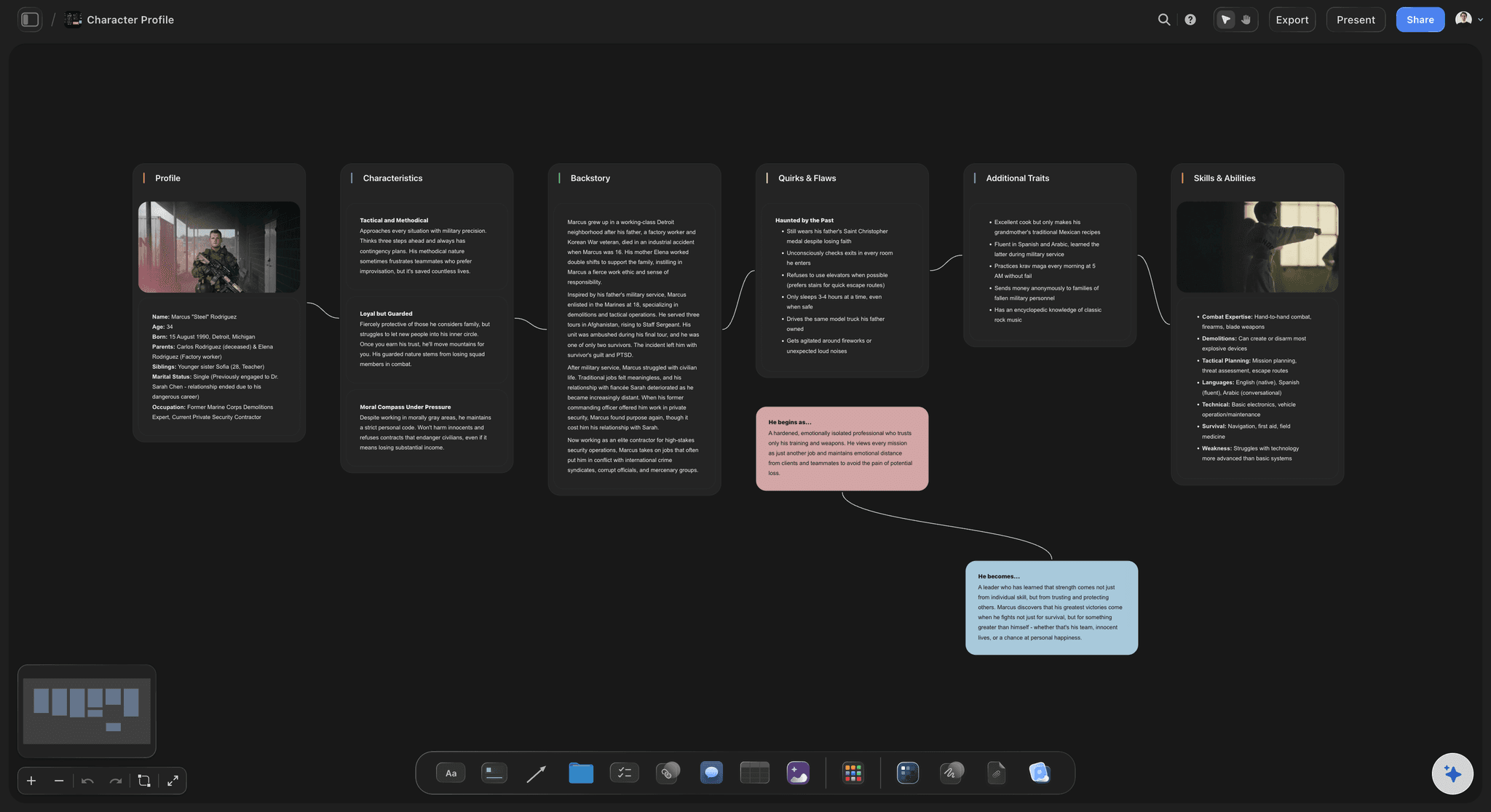
Characters that get their own cards
Build the cast, not just the plot
The AI drafts a profile for each character: want, need, wound, and arc. Keep them visible beside the beats so the structure and the people stay connected as the story changes.
See the AI character profile generator →
From beats to scenes you can see
Scenes become storyboards
Pick a sequence and ask the AI to turn it into a storyboard, scene by scene, on the same canvas the beats came from. Visualize the key moments before you write the pages.
See the storyboarding tool →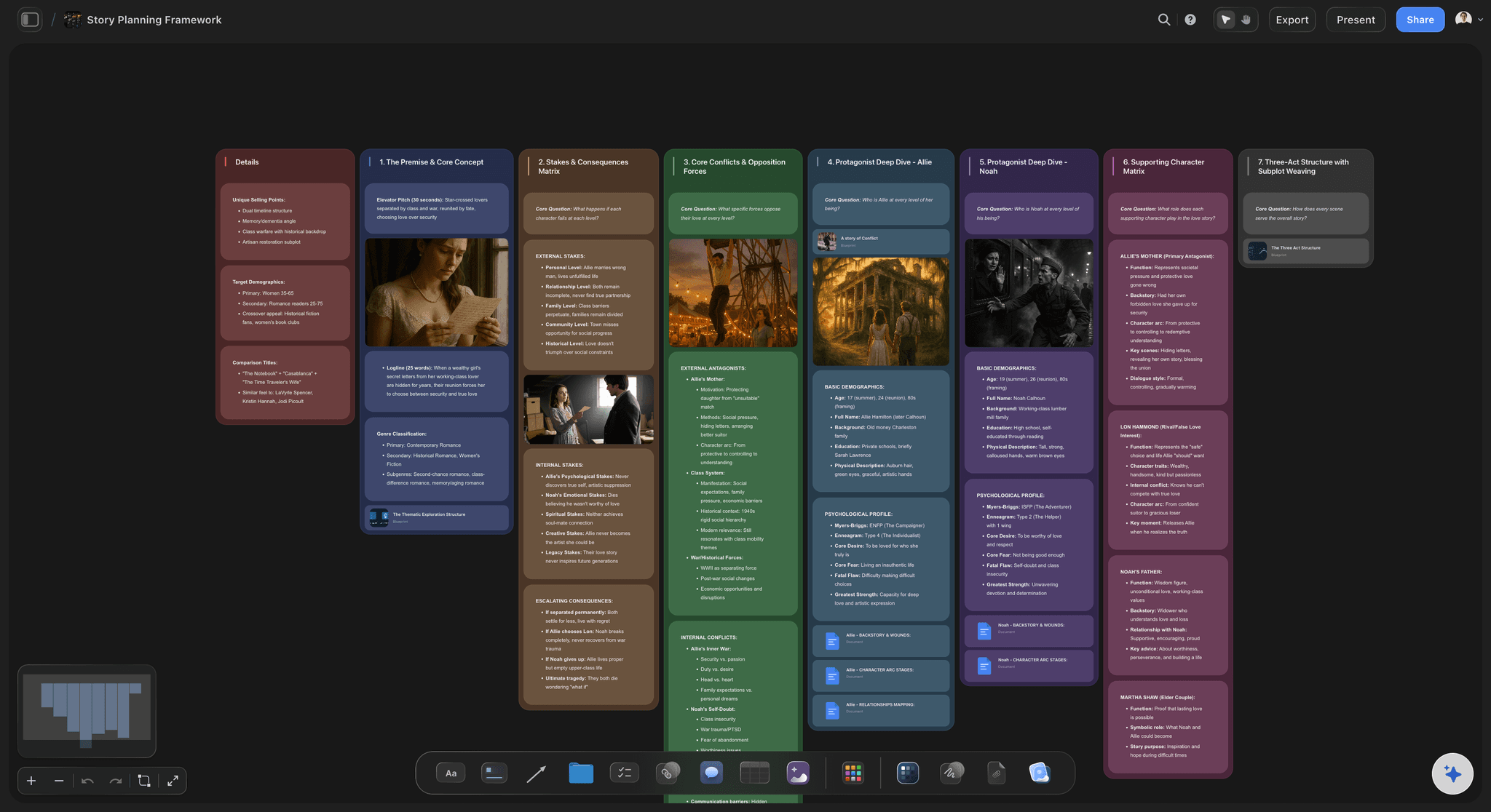
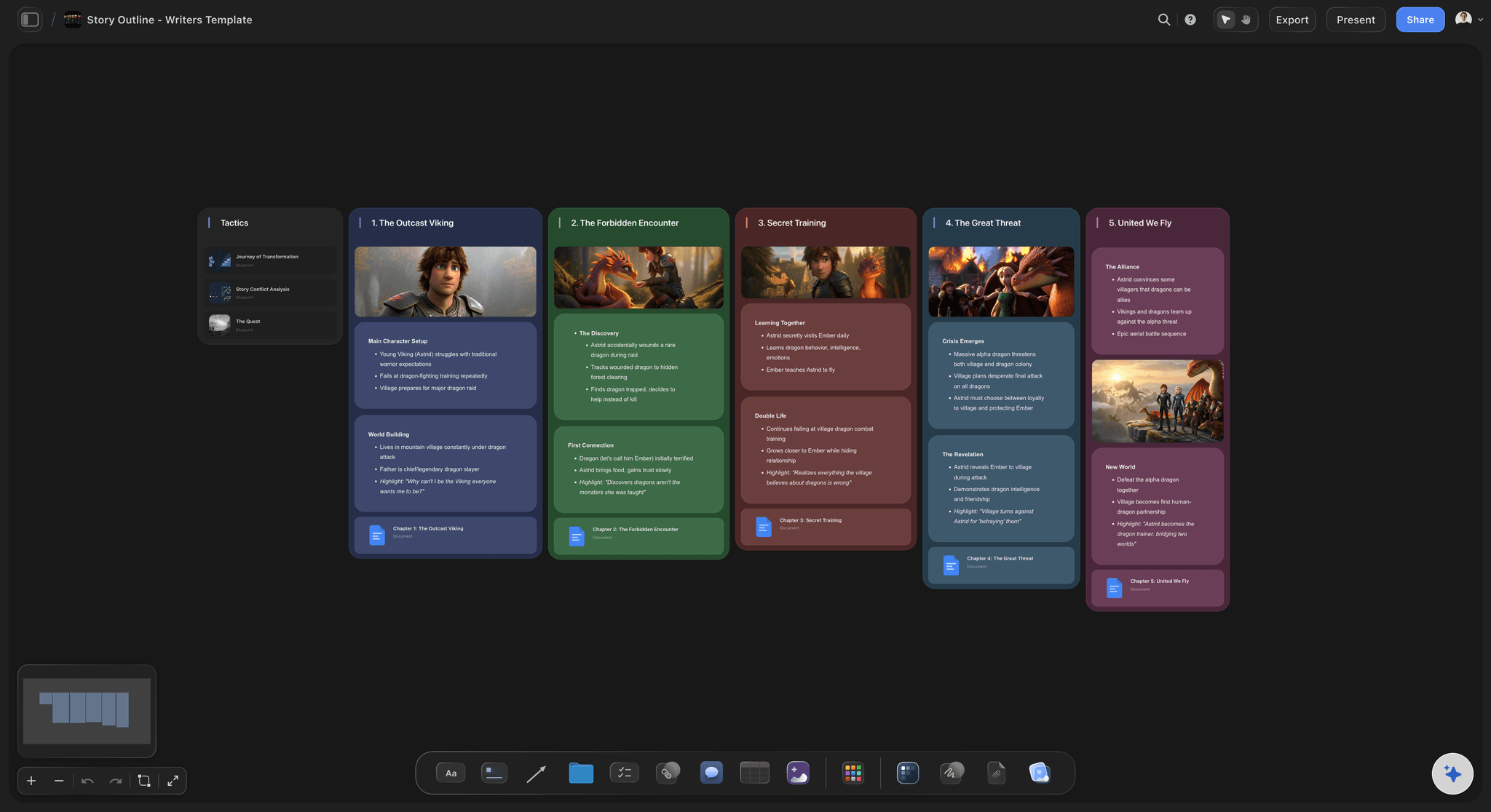
Room for the whole story
An infinite canvas to break the story
A feature has acts, threads, and a full cast. With an infinite canvas and no object cap, the beats, characters, world, and scenes all fit on one board.
See the story planning tool →Paid-only during early access.
Open a canvas, describe your film, and watch the story lay itself out. Plans start at $7.99/month billed annually, and a free plan launches before the end of 2026.
Unlimited story boards, with room for every act and thread
AI usage to generate beats, characters, and scenes
Attach reference images, PDFs, video, and links to any scene
Share the board view-only, or invite collaborators free
Built for people with taste
Built for the way screenwriters develop a story.
Lay the beats on a wall, group the characters and threads, and keep the whole structure visible at once.

Cards you can move, edit, and reorder
Index cards that work like a story wall
Beats as movable cards: Beats and scenes are laid out as cards in order, so the structure of the film is visible without a locked template forcing the shape.
Drag to restructure the acts: Move a beat and the act moves with your thinking. Swapping the order of two sequences is a drag, not a rewrite.
Expand any beat: Ask the AI to break one beat into the scenes that fill it while the rest of the structure stays exactly as you arranged it.
Context from the board you are developing on
AI that builds on the story so far
Reads your active board: The AI uses what is on the board you have open, so new beats and scenes stay consistent with the characters and structure you already laid out.
Attach your sources: Add up to five documents and three boards as context: a treatment, a research doc, or a character bible the AI should develop the story from.
Re-prompt to refocus: Ask for a darker third act, a tighter midpoint, or a different inciting incident. The AI reworks the layout while keeping the cards you wrote.
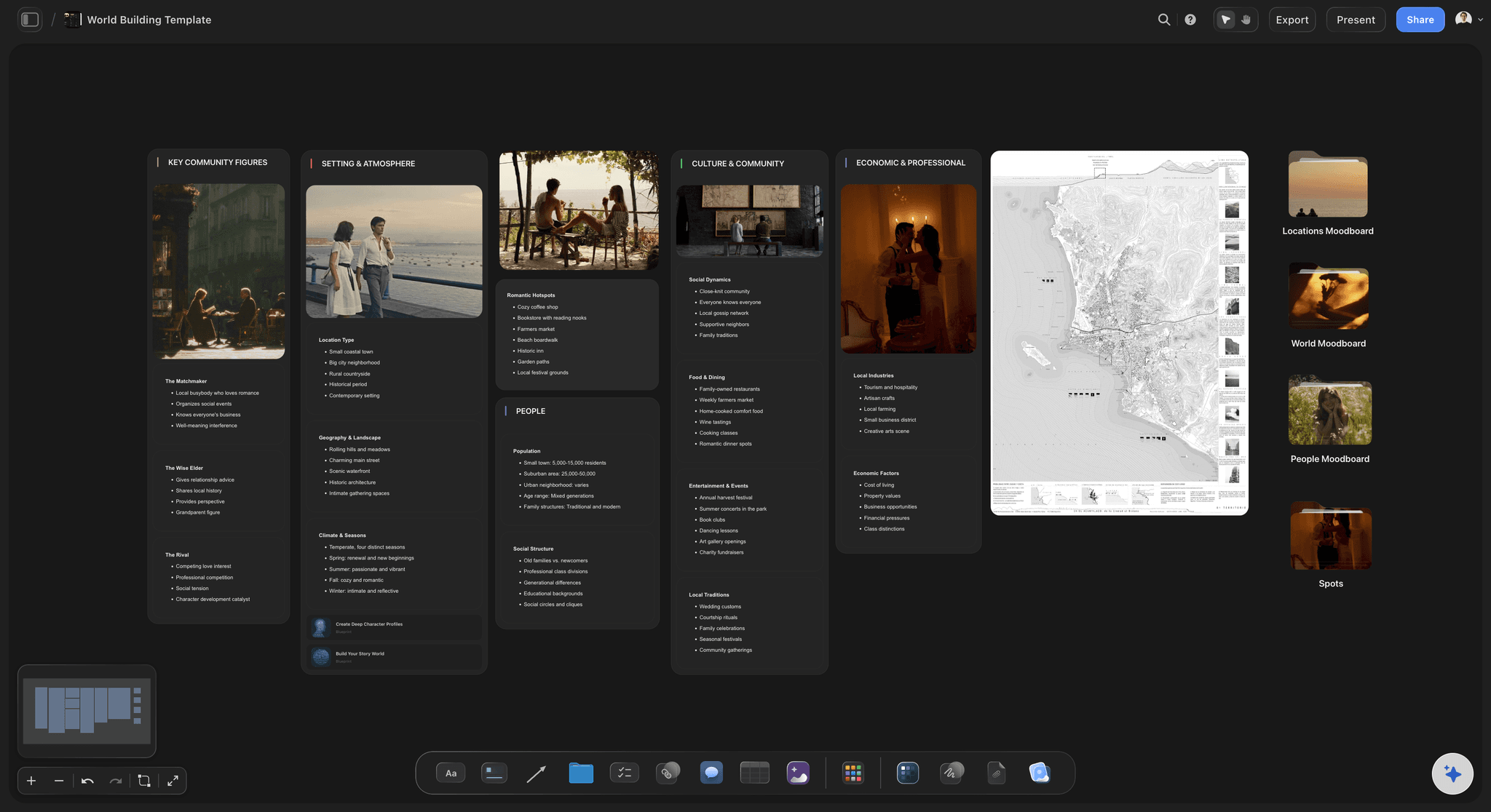
More than text on every card
References, notes, and world-building on the canvas
Drop in anything: Location stills, casting references, mood images, PDFs, and links attach to the canvas next to the scenes they support. Build the world beside the story.
Frame grabs from video: Capture stills from YouTube and Vimeo straight onto the board when a film reference frames a scene better than a description.
Notes where you need them: Treatments and longer scene notes live as documents on the same canvas, so the board stays scannable and the depth stays one click away.
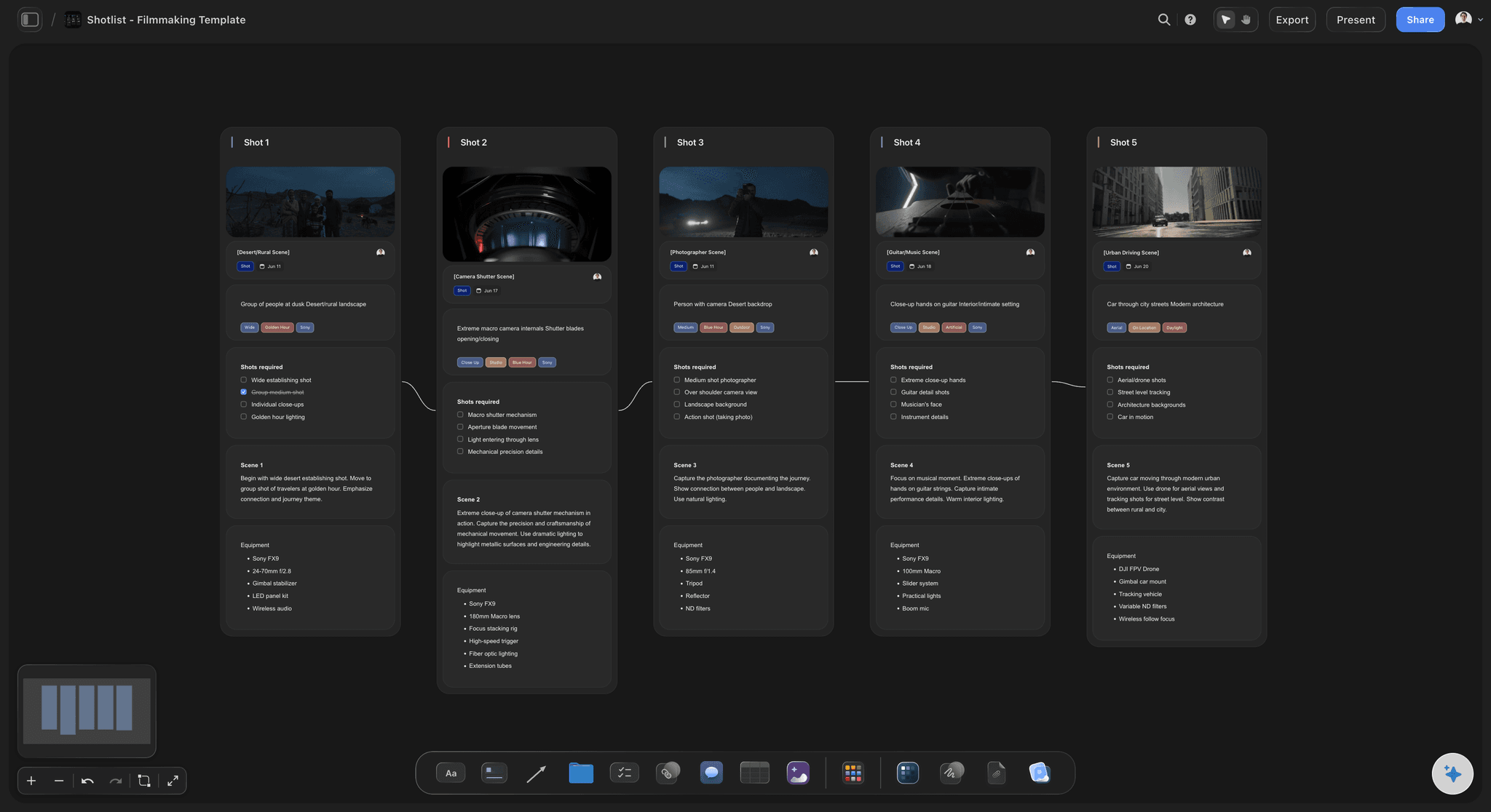
Development is step one, not the pages
From story board to the scenes you shoot
Storyboard the key scenes: Turn a sequence into a storyboard on the same canvas, with the AI carrying the beats over, so the story you broke becomes scenes you can see.
Share the development: Invite a co-writer or a director free, or send a view-only link so anyone can explore the board without an account.
Export as image or PDF: Need the beat sheet or storyboard in a pitch deck or a doc? Export it as a clean image or PDF in one step.
Explore templates for your project
Every template opens as a real, editable board on the infinite canvas. Pick the closest fit and make it your own.
Story Plan
Outline your plot, characters, and world in one connected view, then expand each thread as the story grows.
One app instead of five
How Storyflow compares to other screenwriting tools.
Most screenwriting tools focus on formatting the pages. Storyflow focuses on developing the story they come from.
Storyflow
Recommended
AI lays out beats, structure, and characters from a prompt
A visual beat board and index cards for structure
Storyboard scenes on the same canvas
No board or card caps
Final Draft
AI lays out beats, structure, and characters from a prompt
A visual beat board and index cards for structure
Storyboard scenes on the same canvas
No board or card caps
WriterDuet
AI lays out beats, structure, and characters from a prompt
A visual beat board and index cards for structure
Storyboard scenes on the same canvas
No board or card caps
Celtx
AI lays out beats, structure, and characters from a prompt
A visual beat board and index cards for structure
Storyboard scenes on the same canvas
No board or card caps
What creators are saying
Join early creators getting structured workspaces and AI that remembers their projects
“Storyflow has sped up my workflow by at least 3x, which means more flow state and more projects I can actually ship. It truly changed the way me and my team create.”

Reilin Joey
Director & YouTuber
“One prompt gets me a structured board. But the tactics are my favorite. I run my YouTube scripts through them and my intros and retention got better. It's amazing.”

Justkay
YouTuber & Freelance Filmmaker
“I used to juggle five apps to plan a project. Now I describe what I am making and get boards, lists, and a schedule. All in one place.”

George
@fernwehchronicles
AI screenwriting questions, answered.
Everything people ask about developing a screenplay with AI in Storyflow.
No. Storyflow develops the story, the beats, the structure, the characters, the scenes, and the storyboards, but it does not format industry-standard screenplay pages and does not export to .fdx or Final Draft format. It pairs with a screenplay editor such as Final Draft, WriterDuet, or Fade In: you break and develop the story in Storyflow, then write the formatted pages in the editor.
It depends on which half of the work you mean. Formatting tools turn scenes into industry-standard pages. Development tools, like Storyflow, help you break the story first: the AI lays out beats, story outlines, character profiles, and scene cards on an infinite canvas, so you figure out what the story is before and while you write the pages.
Describe your film in the AI chat and the AI lays out cards on the canvas: beats in order, a treatment, character profiles, and scenes grouped the way the story moves. It is a flexible board of real cards rather than a locked template, so you can drag, edit, merge, and expand every part of the structure as the story changes.
Not during early access. Storyflow is paid-only right now, with plans starting at $7.99 per month billed annually ($9.99 monthly), and a free plan is planned before the end of 2026. Paid plans include AI usage for generating beats, characters, and scenes, unlimited boards and file uploads, and view-only sharing, and anyone a paid member invites to a board joins free.
Yes, completely. Every beat, character, and scene is a card on the canvas, so you can drag the acts around, rewrite any card, delete what does not fit, and reorder sequences. The AI gives you the first pass of the structure, and the canvas makes it yours.
Yes, and that is the point of doing it in Storyflow. Ask the AI to turn a sequence into a storyboard and it builds the scene cards on the same canvas using the beats you laid out. Note that AI image generation, which you trigger by pressing G, is available on the Pro and Max plans.
Yes. The AI reads your active board, so the cards and notes already on the canvas shape what it generates next. You can also attach up to five documents and three boards, such as a treatment or a character bible, for the AI to develop the story from.
Yes. Export the beat sheet or storyboard as a high-quality image or a PDF for pitch decks and documents, or share a view-only link so a co-writer or director can explore the full canvas in their browser without an account.
More from Storyflow
AI beat sheet generator
AI story outline generator
AI character profile generator
AI treatment generator
Shot list generator
Storyboarding
Story planning tool
Novel planner
Best AI tools for screenwriters in 2026
Screenplay outline template
Writers room tool
Screenwriting software
Visual story planning for screenwriters
Micro drama script
The story is in your head. Break it on the board.
Describe your film once, watch the beats and characters lay themselves out, then storyboard the scenes.