The 11 Best Tools for Costume Designers in 2026
Costume tracks three multiplying axes: character, story day and condition state. Eleven tools ranked against the grid that breaks every spreadsheet.

Category
Filmmaking Tools
Author

Sara de Klein
Head of Product at Storyflow
Topics
2026-08-10
•
17 min read
•
Filmmaking Tools- best tools for costume designers
- costume continuity tracking
- wardrobe department software
- costume breakdown by story day
- Airtable costume tracker
- film costume design tools
What are the best tools for costume designers in 2026?
The best tooling for a costume department has to survive a problem no other department has: costume tracks three axes at once, and they multiply. Character times story day times condition state is not a list, it is a grid, and a grid is what breaks spreadsheets. Airtable ranks first here because that grid is a database problem and Airtable is the honest answer to it. Storyflow ranks second, for the look and continuity reasoning that a database cannot hold. Procreate is where costume illustration actually happens. This ranking judges all 11 tools on one question: can it tell you what this character is wearing on story day nine, in its damaged state, on a day you are shooting out of order.

Full disclosure: Storyflow is our own product and we rank it SECOND here, behind Airtable. The core costume problem is a three-axis grid at high volume, which is a relational database job that a canvas cannot do: Storyflow does not model story day, condition state or multiples, has no continuity photo management, no budget tracking beyond a budget table and no schedule awareness. It ranks second for the design reasoning and cross-character coherence that a database is useless for. We link to every tool so you can judge the fit.
Quick Comparison
These four cover what a costume department actually needs: the continuity grid, the design argument, the illustration, and the schedule the deadlines come from.
| Tool | Best For | AI Features | Price |
|---|---|---|---|
| Airtable | Three-axis continuity grid | Standard AI | Free / from ~$20 per seat mo |
| Storyflow | Look reasoning and cross-character coherence | Canvas-wide context AI | $7.99 mo annual (free plan late 2026) |
| Procreate | Costume illustration | None | One-time ~$13 |
| StudioBinder | Breakdown tied to the schedule | Light AI | Free / from ~$42 mo |
Key Takeaways
- Costume is the only department tracking three multiplying axes: character, story day and condition state. Two of those are invisible to every general production tool.
- Films shoot out of order, so costume continuity runs on story day while the schedule runs on shoot day. Confusing those is the origin of most continuity errors.
- Airtable ranks first here, not Storyflow. The three-axis grid is a database problem and a canvas cannot hold it at scale, and this post says so plainly.
- Storyflow ranks second for the look development and the reasoning behind choices, which is the part a database is useless for.
- Condition states are the axis everyone forgets. One costume can exist as clean, worn, bloodied, wet and burned, and each is a separate physical item with its own multiples.
- Continuity photographs are worth more than any note, and they are worthless if they are not attached to the specific character, story day and state.
- Multiples are a budget problem disguised as a wardrobe problem. Stunt doubles, damage progression and laundry cycles multiply the buy before anyone has discussed money.
Keep the reasoning behind the coat
In week six someone will ask why the coat is green. Storyflow keeps the approved look beside the camel version that read too affluent, dated, with the reasoning attached, and lets you see every principal together to catch a clash. Paid-only during early access; the Free plan lands before the end of 2026.

The Three Axes
Every department on a film tracks things. Camera tracks equipment, art tracks objects, sound tracks sources. Costume tracks a grid, and the grid is why costume paperwork is legendary.
Axis one: character. Every speaking part, every recurring background performer, every double. On a modest feature that is thirty to eighty people who need clothes.
Axis two: story day. Not shoot day. Story day is where the scene sits in the narrative, and it determines what a character can plausibly be wearing. Films shoot out of order, so continuity runs on story day while the schedule runs on shoot day, and holding both simultaneously is the core cognitive load of the job. Scene 48 and scene 9 might be the same story day, shot five weeks apart, and the shirt has to match.
Axis three: condition state. This is the axis general production tools ignore entirely and it is the one that multiplies hardest. A single costume can exist as clean, lightly worn, rain soaked, blood stage one, blood stage two, and burned. Each state is a distinct physical garment, or several, because you cannot un-bloody a shirt between takes.
Multiply them out. Forty characters, twenty story days, an average of two states, and you are tracking well over a thousand distinct costume instances, most of which need multiples for stunt doubles, laundry cycles and continuity insurance.
Multiples are a budget problem disguised as a wardrobe problem. A hero jacket that needs a stunt copy, a damaged copy and a spare is four jackets, and that conversation frequently happens after the jacket has been chosen and priced as one.
There is a second, softer problem sitting on top. Costume is also a character design discipline. What a person wears is characterization, and the reasoning behind a choice, why this silhouette, why this colour against this set, why this character would own this coat, is what a designer is actually hired for. That reasoning gets relitigated constantly by directors and producers, and it lives nowhere.
So the department needs two incompatible things: a rigorous grid and a place to think. The 11 tools below are ranked accordingly.
At a Glance: The 11 Tools Compared
| Tool | Best for | Axis it serves | Shape |
|---|---|---|---|
Airtable | The character, story day and state grid | All three | Relational database |
Storyflow | Look development and the reasoning behind it | Character | AI canvas |
Procreate | Costume illustration and figure sketches | Character | Drawing |
Milanote | The look board for one character | Character | Visual notes board |
StudioBinder | Scene breakdown tied to the shooting schedule | Story day | Production management |
Yamdu | All-department production management with costume | Character, story day | Production management |
Period and silhouette sourcing | Character | Discovery feed | |
Dropbox | The continuity photo archive | Story day, state | File storage |
Photoshop | Mocking a costume onto a real still | Character | Image editing |
Notion | The character bible and fitting notes | Character | Docs and databases |
Google Sheets | The buy, the returns and the budget | None directly | Spreadsheet |
How I Ranked These
I make documentaries, so my costume experience is contributor wardrobe rather than a forty character period feature, and I want to be straight about that. What transfers is the continuity discipline and the out of order shooting problem, which are identical. Over the last two years I have built real tracking systems in every tool here and pressure tested them against the three axis grid.
Five criteria, in order.
1. Can it answer the story day question? The test: what is this character wearing on story day nine, in which state, and where is that garment right now. A tool that cannot answer this in ten seconds is not tracking costume.
2. Does it handle condition states as first class? Not as a note in a text field. As distinct records with their own location, multiples and photographs.
3. Can a costume standby update it from a set? The person who knows a garment just got wet is standing on set with a phone and no time.
4. Does it hold the reasoning? Directors ask why the coat is green in week six. A department that can answer keeps its authority.
5. Cost against a costume budget. Costume budgets are notoriously tight and software is competing with actual clothes.
Pricing is as of August 2026 and changes frequently. Verify with each vendor.
Quick Picks by Job Type
- Best continuity grid: Airtable. Character, story day and state as linked records with photos.
- Best look development: Storyflow. The reasoning and the rejected directions, kept.
- Best illustration: Procreate. Costume figures for thirteen dollars.
- Best single character board: Milanote. When one hero look needs developing carefully.
- Best schedule linkage: StudioBinder. Knowing which story days shoot when.
- Best all department system: Yamdu. If production will fund one system for everyone.
- Best continuity archive: Dropbox. Photographs, named properly, forever.
1. Airtable
The verdict. The three axis grid is a database problem, and pretending otherwise is how costume departments end up with a forty tab spreadsheet nobody trusts.
Best for. Tracking every costume instance across character, story day and condition state.
Pricing. Free tier available. Paid plans start around $20 per seat per month billed annually as of August 2026.
Why it ranks here. The structure that works is three linked tables. Characters, with performer, sizes and doubles. Looks, where one row is one costume instance, linked to a character, tagged with story days, carrying a condition state, a status, a location, a source and photographs. And Scenes, with scene number, story day and shoot date, linked to looks.
Once that exists, the questions that consume a costume supervisor's day become saved views. Everything shooting next Tuesday, grouped by character. Every look with no continuity photograph. Every rented garment past its return date. Every look with only one multiple where the scene involves stunts.
The photograph field is the part that matters most and costs least. A continuity image attached to the specific look record, rather than sitting in a camera roll, is the difference between resolving a match question in ten seconds and reshooting.
It ranks first, above our own product, because at real volume a canvas cannot do this. A thousand costume instances with three axes of filtering is exactly what relational databases are for, and any honest ranking has to say so.
Strengths.
- Genuinely models the three axis grid with linked records.
- Saved views answer the daily questions without rebuilding a query.
- Mobile app lets a standby update state from set.
- Photo fields create a continuity archive as a by-product.
- Automations can flag missing photos and overdue returns.
Limitations.
- Per seat pricing, and a costume department has a lot of casuals.
- Setup takes a day and departments under pressure skip it.
- Useless for developing the look or holding reasoning.
- Requires one person to own data hygiene or it degrades fast.
The trade off. A day of setup in prep against the continuity questions it answers all shoot. On anything above a short film this is the highest return item here.
2. Storyflow
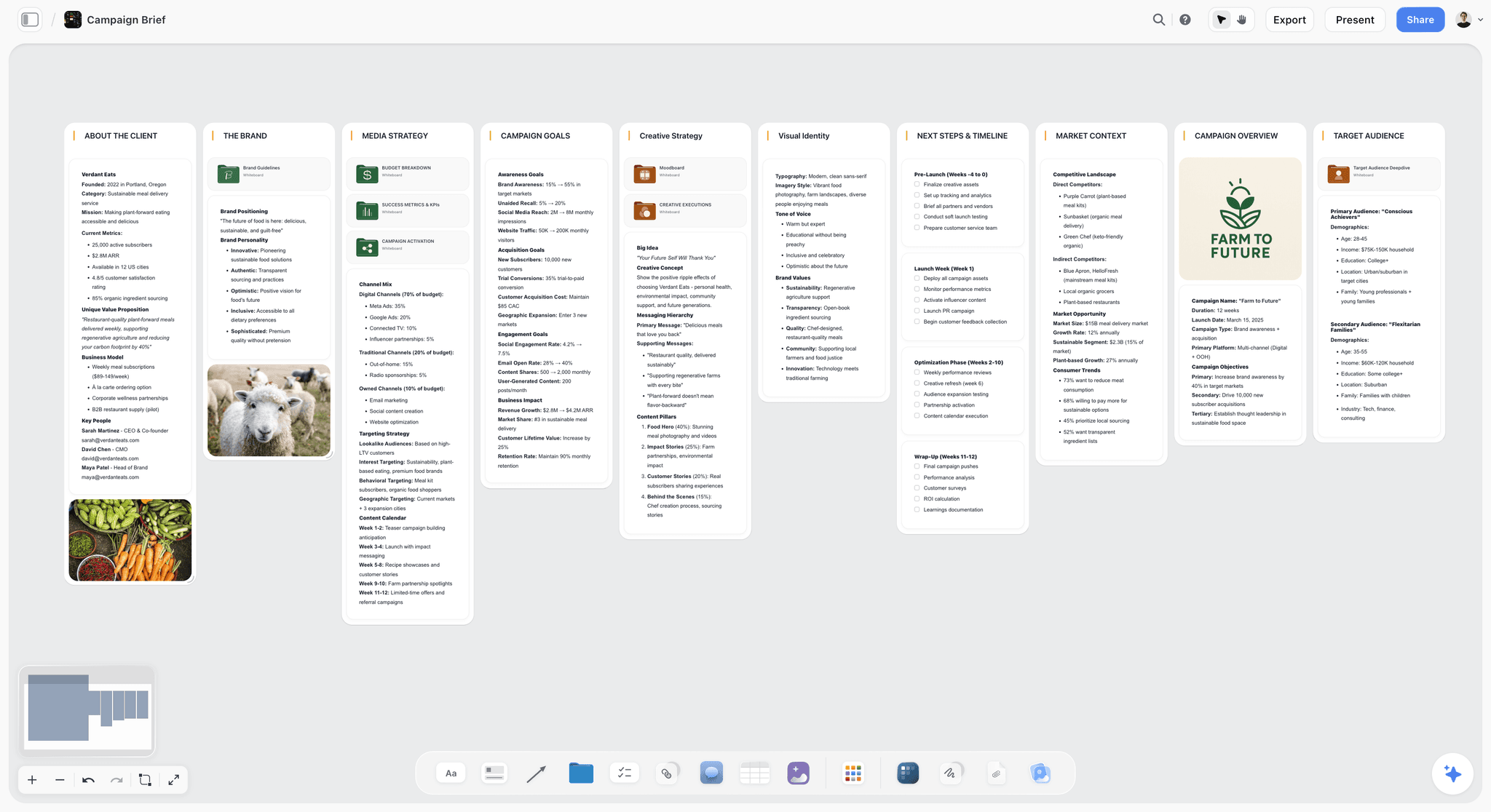
The verdict. The half Airtable cannot do: why this costume, and what it beat.
Best for. Character look development and defending choices across a long prep.
Pricing. Paid only early access today. Plus is $7.99 per month billed annually or $9.99 monthly, with 200 plus Blueprint Tactics and unlimited file uploads. Pro is $14 per month billed annually or $19 monthly, adding AI image generation, roughly twenty times more AI usage and memory across conversations. Max is $39 per month billed annually or $49 monthly, adding Team Workspace with permissions and roles. Pricing is flat per account rather than per seat, and anyone a paid member invites joins free. The Free plan launches before the end of 2026.
Why it ranks here. A costume designer is hired for judgment, and judgment is invisible in a database. A row saying "green wool coat, story days 4 to 9, clean" records the decision and none of the thinking: that the green sits against the interior palette, that the character would have owned this coat for a decade, that a camel version was tried and read too affluent.
That reasoning gets challenged repeatedly, usually in week six by someone who was not in the fitting. On a canvas the approved look sits beside the rejected ones with a dated note, and Storyflow's AI reads your full active canvas board by default, plus up to one Tactic and up to three Documents you @-mention, so you can ask the board what was considered for a character and why.
The second job is cross character coherence, which is genuinely hard to see in a database. Laying every principal's look out spatially, grouped by scene, is how you notice that three characters are in the same blue in the dinner scene, or that the antagonist and the protagonist read too similarly in silhouette at distance. Rows cannot show you that; adjacency can.
It ranks second, not first, because it does not track the grid and should not be asked to.
Strengths.
- Holds the reasoning and the rejected directions with dates.
- Cross character coherence becomes visible when looks sit side by side.
- Whole board AI answers what was considered for a character.
- Invited collaborators join free, so the director and supervisor cost nothing.
- References, sketches and notes on one surface.
Limitations.
- Not a tracking database. It does not model story day, condition state or multiples, and above a hundred looks you need Airtable, which is why Airtable is ranked first.
- No continuity photograph management tied to records.
- Its AI builds a budget table on request, but there is no purchase, returns or actuals tracking.
- Its AI drafts breakdown tables with wardrobe per scene from an attached script, but your looks are not linked to them and nothing updates when the schedule changes.
- No barcode, label or inventory features.
- Newer platform, so no costume specific templates.
The trade off. Storyflow holds the design argument. Airtable holds the department. Running one without the other leaves half the job unsupported.
3. Procreate
The verdict. Costume illustration for thirteen dollars, which remains slightly absurd.
Best for. Figure sketches, silhouette exploration and illustrated look presentations.
Pricing. One time purchase of roughly $13 as of August 2026.
Why it ranks here. Costume design still runs on drawing. A sketch communicates silhouette, drape and proportion in a way a reference photograph of somebody else's clothes cannot, and a director reads an illustration as a proposal rather than as a shopping suggestion.
Procreate is the fastest way to produce those, it works on an iPad in a fitting room, and the price is negligible against any costume budget.
The specific practice worth adopting is sketching over a photograph of the actual performer, since proportion is most of what makes a costume work and a generic croquis hides it.
Strengths.
- Trivially cheap one time purchase.
- Fast enough to sketch during a fitting.
- Drawing over a performer photo solves proportion honestly.
- Portable, which suits fittings and location scouts.
Limitations.
- iPad only.
- Not a tracking or presentation system.
- Requires drawing ability, which not every designer has.
The trade off. Buy it regardless. Thirteen dollars is not a decision.
4. Milanote
The verdict. The nicest board for one character, and unmanageable across forty.
Best for. Developing a hero character's look carefully, and showing it.
Pricing. Free tier limited to 100 notes, images or links. Paid roughly $12.50 per month billed annually or $14.99 monthly as of August 2026.
Why it ranks here. For a single principal character's look board, Milanote is excellent and produces something a director enjoys receiving: references, fabric swatches photographed, sketches and notes arranged cleanly with a shareable link.
The problem is the plural, as always. A feature has thirty to eighty characters and Milanote gives you no way to see them together or query across them, and the free tier's hundred item cap is exhausted by one principal.
Strengths.
- Best looking single character board here.
- Fast capture and pleasant arrangement.
- Shareable with no account for the recipient.
Limitations.
- No cross character view.
- No tracking, states or continuity capability.
- Free tier cap unrealistic for this discipline.
- Per user pricing.
The trade off. Fine for a short film or a hero look. Wrong shape for a full department.
5. StudioBinder
The verdict. Where costume finds out which story days shoot when.
Best for. Breakdown and schedule awareness across the whole production.
Pricing. Free tier available. Paid plans start around $42 per month as of August 2026.
Why it ranks here. The costume department's deadlines are set by a schedule it does not control, and the schedule changes. StudioBinder holds the script breakdown with wardrobe tagged per scene, and connects that to the shooting schedule, so when days swap the department can see what just became urgent.
For the story day problem specifically, having scene, story day and shoot date in one place is the source data every costume tracker depends on.
It ranks fifth because its wardrobe capability is scene tagging rather than costume tracking. It knows the character appears in scene 14. It does not know the coat exists in three states with two multiples each.
Strengths.
- Breakdown tagging tied to a live schedule.
- Schedule changes propagate to what is urgent.
- Shared source of truth with the rest of production.
Limitations.
- Not a costume tracker. No states, multiples or continuity.
- Expensive for a department only use.
- Usually owned by production, so access is a request.
The trade off. Get access if production runs it. Do not fund it from the costume budget.
6. Yamdu
The verdict. The all department option, and the only production system here that treats costume as a real module.
Best for. Productions willing to fund one system covering every department.
Pricing. Plans typically start around $20 to $50 per user per month depending on tier and production size, as of August 2026.
Why it ranks here. Yamdu covers script breakdown, scheduling, cast, locations and department specific tracking including costume, which puts wardrobe data in the same place as the schedule that drives it. For a well organized production that removes an entire category of reconciliation work.
It ranks sixth rather than higher for a practical reason: adoption is a production wide decision, not a costume one. A costume designer cannot choose it unilaterally, and its costume module, while real, is less flexible than a purpose built Airtable base.
Strengths.
- Costume treated as a genuine module, not an afterthought.
- Single system across departments removes reconciliation.
- Schedule and breakdown natively connected.
Limitations.
- Requires production wide buy in.
- Less flexible than a custom database.
- Per user pricing at production scale.
- Overkill for shorts and small features.
The trade off. If production already runs it, use it and skip Airtable. If not, do not try to sell it upward from within costume.
7. Pinterest
The verdict. Fast sourcing, with the period trap that hits costume harder than any other department.
Best for. Silhouette and period reference discovery.
Pricing. Free.
Why it ranks here. For early exploration Pinterest is unbeaten, and its visual similarity search is genuinely useful for finding variations on a silhouette.
The period problem is severe here specifically. A large share of imagery tagged with a decade is a modern reproduction, a costume from another production, or AI generated, and costume is the department most likely to be caught by an audience or a consultant who knows the period. Referencing another film's costume also means referencing that designer's interpretation rather than the period itself.
Strengths.
- Fastest discovery and free.
- Visual similarity search suits silhouette exploration.
- Directors understand it immediately.
Limitations.
- Period accuracy unreliable and increasingly polluted by AI imagery.
- Attribution frequently broken, so the maker is untraceable.
- No annotation or tracking.
The trade off. Source here, verify against museum and archive collections, and never let it be the period reference of record.
8. Dropbox
The verdict. The continuity photo archive, which is the department's real memory.
Best for. Storing and sharing continuity photographs and fitting images.
Pricing. Free tier with limited storage. Paid plans from roughly $12 per user per month as of August 2026.
Why it ranks here. Continuity photographs are the most valuable artifact the department produces and the most commonly mishandled. Thousands of images, taken on phones by several people, that need to be findable by character and story day months later during pickups and reshoots.
The convention that works is folder by character, then by story day and state, with filenames carrying the same information, so an image is identifiable even when detached from its folder. That naming discipline is worth more than any software feature.
It ranks eighth because it stores rather than organizes, and because Airtable's photo fields do this better when the base exists.
Strengths.
- Universal, reliable, everyone already has it.
- File requests let several people submit photos easily.
- Survives the production and the crew.
Limitations.
- No structure beyond folders and filenames.
- Not searchable by image content.
- Storage costs climb with photo volume.
The trade off. Set the naming convention in prep and enforce it. That is the whole value.
9. Photoshop
The verdict. For showing a director the costume in the actual world, which settles arguments faster than a reference board.
Best for. Compositing a proposed costume onto a real performer or location still.
Pricing. Photography plans from roughly $12 to $15 per month, single app around $23 per month, as of August 2026.
Why it ranks here. The hardest costume conversation is colour against environment, because a coat that looks right in a shop looks wrong on the set. Dropping the garment onto a location still, at the right scale, answers that before anything is bought.
Generative Fill also speeds up removing a background or extending a plate for these mockups, which used to be an hour of work.
It ranks ninth because it is occasional and requires skill, but the arguments it prevents are expensive ones.
Strengths.
- Shows colour and silhouette against the real environment.
- Generative Fill speeds up mockup preparation.
- Standard tool with universal file compatibility.
Limitations.
- Requires real Photoshop skill.
- Subscription only.
- Occasional use makes it hard to justify alone.
The trade off. One mockup before a large buy is worth the subscription on its own.
10. Notion
The verdict. The character bible and the fitting record.
Best for. Character notes, fitting outcomes and measurements documentation.
Pricing. Free personal tier. Paid from roughly $10 per user per month as of August 2026.
Why it ranks here. Costume runs on written detail that is not grid shaped: the performer's preferences and restrictions, what happened at each fitting, the character's backstory as it affects clothing, alteration notes.
Notion is a reasonable home for that, and a fittings database with dates and outcomes is genuinely useful across a long prep.
It ranks tenth because measurements and sizes are sensitive personal data and belong wherever your production's data policy says, which is frequently not a general workspace tool. Check before putting them anywhere.
Strengths.
- Good for written character and fitting detail.
- Databases handle fitting schedules and outcomes.
- Free tier is sufficient.
Limitations.
- Personal measurement data raises real privacy obligations.
- Poor visual handling.
- Not a tracking grid.
The trade off. Keep the narrative here, keep measurements wherever your production legally requires.
11. Google Sheets
The verdict. The money, and the format production accounting will accept.
Best for. The buy, the returns and the budget reconciliation.
Pricing. Free with a Google account.
Why it ranks here. Costume spends real money across many small transactions with a high return rate, and the accountant wants a spreadsheet. Purchases, rentals, returns, alterations and the reconciliation all belong in a format that hands over cleanly.
It ranks last for tracking specifically because a costume spreadsheet is the thing this article is arguing against. The three axis grid in a spreadsheet becomes a forty tab document where the tabs disagree, and nobody trusts it by week three.
Strengths.
- Free, universal, accepted by every production accountant.
- Real time collaboration across buyers.
- Trivial handover at wrap.
Limitations.
- Cannot model three axes without collapsing into tab sprawl.
- No structure enforcement, so it degrades under pressure.
- Poor mobile editing.
The trade off. Use it for money. Do not use it for continuity.
What to Actually Pay For
Pay for the grid. Airtable at $20 per seat is the one genuinely load bearing subscription here on anything above a short. The alternative is a spreadsheet that fails in week three, and the failure mode is a continuity error that reaches the screen.
Do not pay for StudioBinder or Yamdu from the costume budget. Both are production wide systems. Ask for access; do not fund them from a department budget that should be buying clothes.
Spend thirteen dollars on Procreate. It is the cheapest thing here and illustration remains a core communication tool in this discipline.
Tools to Avoid for This Job
A single spreadsheet as the continuity system. Three multiplying axes in a flat grid is how you get forty tabs and no trust.
A phone camera roll as the continuity archive. Photographs with no character, story day or state attached are only useful to the person who took them, and only for about a week.
Shoot day as the organizing principle. Costume continuity runs on story day. Any system organized by shoot date will fail the moment the schedule reorders, which it will.
Pinterest as the period reference of record. Reproductions, other films' costumes and AI imagery are all in there unlabelled, and costume is the department most likely to be caught.
What No Tool on This List Does
None of them will tell you whether the costume is right. That is design judgment, built from research and an understanding of the character, and no software touches it.
None of them will make an actor comfortable. A costume that works on paper and restricts a performer's movement is a costume that will be fought about on set, and only a fitting reveals that.
None of them, including Airtable, will record a state change nobody logged. The system can tell you the jacket exists in three states; it cannot know that one of them got soaked at lunch unless the standby updated it. That habit, updating from set in the moment, is what makes any of this work.
The Bottom Line
Costume is the department with the hardest data problem on a film and the tightest budget for solving it.
Build the grid in Airtable during prep, with condition state as a required field, because character times story day times state is a database problem and a spreadsheet will fail by week three. Set the continuity photo naming convention before the first fitting. Buy Procreate for thirteen dollars.
But the grid records decisions and not judgment, and a costume designer is hired for judgment. When a director asks in week six why the coat is green, the answer needs to sit beside the camel version that read too affluent, dated, with the reasoning attached. Holding the design argument, and letting you see every principal's look side by side to catch the clash before the dinner scene, is the narrow ground on which Storyflow ranks second here rather than first.
FAQ: Tools for Costume Designers
What is the best software for costume designers?
There is no single tool, because the department needs two incompatible things. Airtable is the best continuity tracker, because character, story day and condition state form a grid that only a relational database handles at scale. Storyflow is the best surface for developing looks and holding the reasoning behind them, which a database cannot do. On a feature, a costume department realistically runs both plus a photo archive.
How do costume departments track continuity?
By costume instance rather than by garment, where one instance is a specific character in a specific look on specific story days in a specific condition state. Each instance carries its own photographs, location, multiples and status. The critical detail is that this is organized by story day rather than shoot day, since films shoot out of order and the schedule will reorder.
What is a condition state and why does it matter?
A condition state is the physical version of a costume at a point in the story: clean, worn, wet, bloodied at stage one, bloodied at stage two, burned. It matters because each state is a separate physical garment, since you cannot reverse damage between takes, and each usually needs multiples. It is the axis general production tools ignore, and it is the one that multiplies the budget.
Why is Airtable ranked above Storyflow here?
Because the core costume problem is a three axis grid at high volume, and that is a relational database problem rather than a canvas problem. A thousand costume instances filtered by character, story day and state is exactly what Airtable is built for and exactly what a canvas cannot do well. Storyflow ranks second for the design reasoning and cross character coherence that a database is useless for.
What is the best free tool for a costume department?
Airtable's free tier will handle a short film or a small feature's tracking grid. Google Sheets is free and is the right home for the buy and the budget regardless. Pinterest is free for sourcing, with real period accuracy caveats. Dropbox's free tier will hold a modest continuity photo archive. A small production can run entirely free.
How should continuity photographs be organized?
By character, then story day, then condition state, with the same information in the filename so an image remains identifiable when it is detached from its folder. Attaching them to records in a tracking database is better still, because then a photo is one click from the look it documents. The common failure is photos living in several people's phones with no shared convention.
How do you handle costume multiples and doubles?
Decide the multiple count at the point the costume is chosen, not after, because that is when the budget conversation is still possible. Any garment involved in a stunt, any damage progression and anything worn across consecutive shooting days needs more than one, and a hero item can easily need four. Tracking multiples as a field on the look record keeps the real cost visible during selection.
Does costume need its own tracking system or can production's cover it?
Production systems such as StudioBinder tag wardrobe per scene, which serves the schedule but not the department, since they model neither condition states nor multiples. Yamdu is the exception with a genuine costume module, but adopting it is a production wide decision. In most cases the department needs its own grid alongside whatever production runs.
How do you present costume designs to a director?
Illustration over reference wherever possible, because a sketch reads as a proposal while a reference photograph reads as a shopping suggestion. Drawing over a photograph of the actual performer solves proportion honestly. For colour decisions, compositing the garment onto a real location still settles arguments that a board cannot, since colour against environment is what actually fails.
How do you keep period costume accurate?
Work from museum collections, period photography, contemporaneous catalogues and garment archives rather than from image feeds, and keep the source attached to each reference so a challenge can be answered. Pinterest and similar platforms are heavily populated with reproductions, other productions' costumes and generated imagery, none of it labelled. Costume is the department most likely to be publicly corrected on this.
What should be decided before the first fitting?
The character's story days, the condition states each look needs, and the multiple count. Fittings are expensive in performer time and go badly when the department is still deciding how many versions exist, since the performer ends up trying variations of an undecided idea. Arriving with the grid resolved turns a fitting into a fit rather than a discussion.
How do you store performer measurements safely?
Treat them as personal data subject to your production's data policy, which frequently means they cannot live in a general workspace tool alongside everything else. Check before defaulting to Notion or a shared sheet, and keep access limited to the people who genuinely need it. This is one of the few places in production tooling where the legal consideration should override convenience.
What is the difference between costume tracking and props tracking?
Props track objects with a location and a disposition, which is two axes. Costume tracks character times story day times condition state, which is three and multiplies, and it must reconcile against out of order shooting. That extra axis is why costume paperwork is heavier than any other department's and why a props style spreadsheet fails when applied to wardrobe.
What is the single change worth making on the next production?
Add a condition state field to whatever you already track looks in, and make it required. Most departments track character and story day already, and the state axis is the one that is improvised, which is exactly where the continuity errors and the unplanned multiples come from.
Table of Contents
- Key Takeaways
- The Three Axes
- At a Glance: The 11 Tools Compared
- How I Ranked These
- Quick Picks by Job Type
- 1. Airtable
- 2. Storyflow
- 3. Procreate
- 4. Milanote
- 5. StudioBinder
- 6. Yamdu
- 7. Pinterest
- 8. Dropbox
- 9. Photoshop
- 10. Notion
- 11. Google Sheets
- What to Actually Pay For
- Tools to Avoid for This Job
- What No Tool on This List Does
- The Bottom Line
- FAQ: Tools for Costume Designers
- Related Reading
Templates to check out for this topic


Branding and design templates you can use in Storyflow
Take a brand from naming to visual direction on one connected canvas. Open any of these templates and the AI works from everything already on the board.


See Storyflow in Action
A visual AI workspace where every feature lives inside one canvas. No tab-switching, no context lost.
Build your entire board from a single message
Type what you need in the AI chat at the bottom of your canvas. The AI adds cards, headings, and structure directly onto your board.
Use expert frameworks as AI context
Type @ in the AI chat and choose any Tactic. The AI tailors every response to that framework instead of giving generic advice.
Turn your board into a mind map in seconds
Ask the AI to restructure your canvas as a mindmap. It connects your ideas into a visual hierarchy so you can see how everything relates.
Why Storyflow Exists
Storyflow actually began as a personal tool while working on creative and research projects.
We kept running into the same problem: ideas were scattered everywhere: notes, documents, and whiteboards.
Nothing helped us see how everything connected.
So we started building a workspace designed around how ideas actually grow.
→ Read how Storyflow was createdSara de Klein
Head of Product at Storyflow
Published: 2026-08-10
Extremely simple, seriously capable


See how easy it is to get started
Watch a real project come together, from a blank board to a finished plan, clicked through step by step.
Start creating with AI and become more productive
Transform your creative workflow with AI-powered tools. Generate ideas, create content, and boost your productivity in minutes instead of hours.