The 11 Best Tools for a Film Art Department in 2026
The art department is the only department whose work has to be un-made. Eleven tools ranked across the look ledger, the object ledger and the money ledger.

Category
Filmmaking Tools
Author

Sara de Klein
Head of Product at Storyflow
Topics
2026-08-10
•
17 min read
•
Filmmaking Tools- best tools for a film art department
- best project management tool for filmmakers
- how to track props on a film
- production design software
- art department wrap checklist
- how do indie filmmakers organize their projects
What are the best tools for a film art department in 2026?
The best planning tool for a film art department is Storyflow, because the art department runs three ledgers at once and every other tool on this list is built for exactly one of them. Storyflow is the only surface where the look references, the approvals that killed the other options, and the department's own reasoning sit together and can be questioned as a whole. Airtable is the correct answer to the object ledger and it is not close. SketchUp remains what set plans are actually drawn in. StudioBinder connects the department to the shooting schedule. This ranking judges all 11 tools on the fact that makes art department unlike every other department: the work has to be un-made.

Full disclosure: Storyflow is our own product, and we list it first here for one ledger only: the look, the approvals and the rejected directions with their reasoning. Airtable is ranked second and genuinely wins the object ledger, which is where art department budgets are actually lost. Storyflow does not draw set plans, does not track petty cash or receipts, drafts breakdown tables and call sheet PDFs but does not tag the script or send call sheets, and has no barcode or asset tagging. SketchUp, a spreadsheet and StudioBinder own those. We link to every tool so you can judge the fit.
Quick Comparison
These four cover the three ledgers an art department runs at once, plus the drawing work: the look, the objects, the schedule linkage and the buildable plan.
| Tool | Best For | AI Features | Price |
|---|---|---|---|
| Storyflow | Look, approvals and reasoning | Canvas-wide context AI | $7.99 mo annual (free plan late 2026) |
| Airtable | Object ledger and wrap dispositions | Standard AI | Free / from ~$20 per seat mo |
| SketchUp | Set plans and elevations | None | Free web / from ~$119 yr |
| StudioBinder | Breakdowns tied to the schedule | Light AI | Free / from ~$42 mo |
Key Takeaways
- The art department runs three ledgers simultaneously: the look ledger, the object ledger and the money ledger. Most productions track one properly and improvise the other two.
- Art department is the only department whose output must be reversed. Rentals go back, purchases get returned or sold, sets get struck, and the wrap is where the budget is actually lost.
- An object without a disposition is a liability. Every prop needs to be sourced, tracked, and then explicitly returned, sold, kept or written off.
- Storyflow ranks first for the look ledger and the reasoning behind it, not for the object ledger. Airtable wins that one and this post says so plainly.
- Storyflow does not draw set plans, does not track petty cash, drafts breakdown tables and a call sheet PDF but does not tag the script or send call sheets. SketchUp, a spreadsheet and StudioBinder own those.
- A continuity failure and a budget failure usually have the same root cause, which is an object whose location and status were never written down.
- On a documentary or indie shoot the art department is often one person doing all three ledgers between other jobs, which is exactly why tooling that demands daily discipline fails.
Keep the reasoning, not just the look
In week six somebody will ask why the brass option was dropped. Storyflow keeps the rejected directions on the same canvas as the approved one with the reasoning attached, so the answer takes a minute instead of an afternoon. Paid-only during early access; the Free plan lands before the end of 2026.

The Three Ledgers
Ask a production designer what they do and they will talk about the look. Watch what actually consumes the days and it is objects and money.
Three ledgers run in parallel from prep to wrap, and they fail differently.
The look ledger. References, palette, period accuracy, the director's approvals and, critically, the directions that were considered and rejected. This is the ledger everyone photographs and posts. It is also the one most likely to exist only in the designer's head and a Pinterest board.
The object ledger. Every physical item: sourced, bought, rented, made, borrowed, hired in. Where it currently is, which scene it appears in, who is responsible for it, and what happens to it afterward. On a modest short film this is 200 items. On a period feature it is thousands.
The money ledger. Petty cash, receipts, rental agreements with return dates, deposits, and the recovery at the end from returns and sales.
Here is the thing that makes this department different from every other one on a film.
The art department is the only department whose work has to be un-made. Camera wraps and the kit goes back in a case. Sound wraps and the recorder goes in a bag. Art wraps and somebody has to return 140 rented items to 22 suppliers, sell what can be sold, and account for what broke. The department that built the world is now responsible for deleting it, on the days when everyone else has gone home and the production is out of money.
An object without a disposition is a liability. The rented armchair that nobody logged is still accruing charges three weeks after wrap. The bought lamp that could have been sold is in a lockup nobody is paying attention to. This is where art department budgets actually go, and it is a data problem long before it is a discipline problem.
The 11 tools below are ranked by how many of the three ledgers they hold honestly.
At a Glance: The 11 Tools Compared
| Tool | Best for | Ledger it serves | Shape |
|---|---|---|---|
Storyflow | Look, approvals and the reasoning behind them | Look | AI canvas |
Airtable | Every object, its status and its disposition | Object | Relational database |
SketchUp | Set plans, elevations and buildability | Look | 3D modelling |
StudioBinder | Connecting the department to the schedule | Object | Production management |
Milanote | Developing the look for one set | Look | Visual notes board |
Notion | The department wiki and period research | Look | Docs and databases |
Google Sheets | Petty cash, receipts and the wrap reconciliation | Money | Spreadsheet |
Sourcing period and style references | Look | Discovery feed | |
Trello | The build and make list for construction | Object | Kanban |
Canva | The presentation to the director and producer | Look | Presentation |
Dropbox | Reference archive and photographed receipts | Money | File storage |
How I Ranked These
I have run small documentary productions where the art department was me, a van and a list, and I have watched properly resourced departments do it well. Over the last two years I have run real prep and wrap cycles through every tool on this list.
Five criteria, in order.
1. Does it survive wrap? The test that matters. At wrap, can you produce a list of every rented item, its supplier, its return date and its current status, in under five minutes? A tool that cannot do this is not tracking your department, it is decorating it.
2. Does it hold the rejected options with the reason? Period drama in particular generates constant relitigating. "Why is that lamp not brass" is a question that gets asked in week six about a decision made in week one, and the department that can answer it in ten seconds keeps its authority.
3. Can a runner update it from a van? The people who actually change the state of an object are usually junior, on their phone, in a car park. If updating requires a laptop, the data is stale by definition.
4. Does it connect to the shooting schedule? An object's deadline is the day the scene shoots, and a system that does not know the schedule cannot tell you what is urgent.
5. What does it cost on an indie budget? A tool that only makes sense on a studio picture is the wrong recommendation for most of the people reading this.
Pricing is as of August 2026 and changes frequently. Verify with each vendor.
Quick Picks by Job Type
- Best for the look and the approvals: Storyflow. References, the killed options and the reasoning on one canvas the AI can read whole.
- Best object ledger: Airtable. Status per item, filtered views, and a wrap list that generates itself.
- Best set plans: SketchUp. What construction can actually build from.
- Best schedule connection: StudioBinder. Breakdowns and scene level linkage.
- Best single set look board: Milanote. For one room, developed beautifully.
- Best money ledger: Google Sheets. Unglamorous, universal, and your accountant will accept it.
- Best build tracking: Trello. For the construction and make list specifically.
1. Storyflow
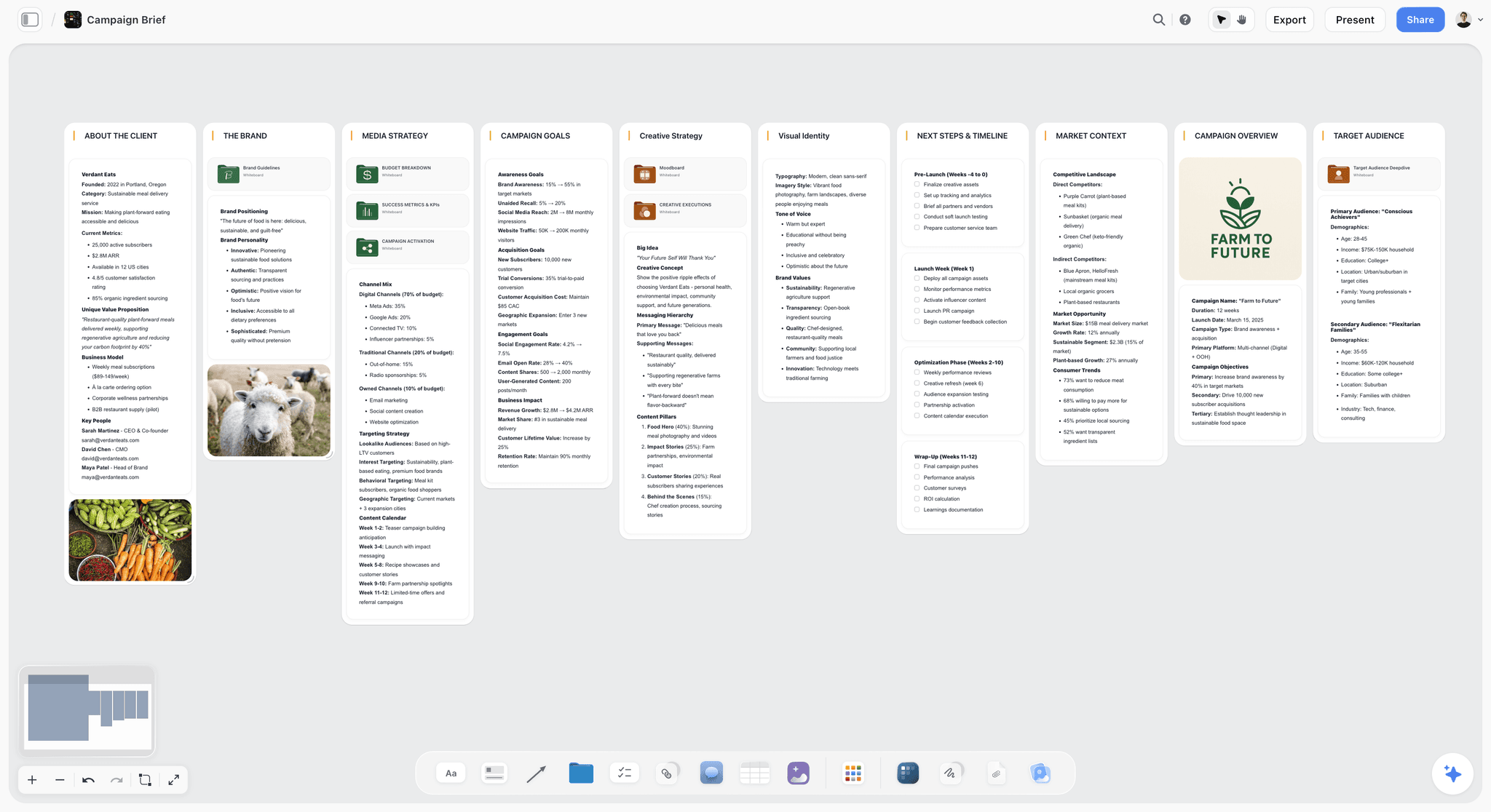
The verdict. The only tool here that keeps the killed options alive next to the approved one, which is what the look ledger actually needs.
Best for. Production designers and art directors who need to defend and evolve a look across a long prep.
Pricing. Paid only early access today. Plus is $7.99 per month billed annually or $9.99 monthly, with 200 plus Blueprint Tactics and unlimited file uploads. Pro is $14 per month billed annually or $19 monthly, adding AI image generation, roughly twenty times more AI usage and memory across conversations. Max is $39 per month billed annually or $49 monthly, adding Team Workspace with permissions and roles. Pricing is flat per account rather than per seat, and anyone a paid member invites joins free. The Free plan launches before the end of 2026.
Why it ranks here. The look ledger has a property that folder based tools handle badly: it is mostly about relationships. This lamp belongs with that wallpaper, in this room, in the second period, and it was chosen over three others for a reason that will be questioned. An infinite canvas holds that natively. A folder tree does not.
Storyflow's specific advantage is the AI context scope. It reads your full active canvas board by default, plus up to one Tactic and up to three Documents you @-mention. On a set board that means you can ask whether the references are period consistent, or which choices depend on the wallpaper decision, and the answer is grounded in the whole board. In prep, where the designer is holding six sets in their head at once, that is a real reduction in load.
The second thing that matters is that rejected directions can stay on the canvas. In period work especially, the value of the archive is the alternatives. When a producer asks in week six why the brass option was dropped, the answer sits next to the approved choice with a dated note, and the conversation lasts one minute instead of an afternoon.
Flat per account pricing matters on a department with a rotating cast of runners, buyers and dressers. They join free rather than each costing a seat.
Strengths.
- Killed options stay adjacent to approved ones with reasoning attached.
- Canvas wide AI can check consistency across a whole set board.
- Invited collaborators join free, so runners and buyers cost nothing.
- Holds images, plans and notes as first class objects on one surface.
- Blueprint Tactics give structure to recurring prep work.
Limitations.
- Does not draw set plans or elevations. SketchUp and Vectorworks own that and Storyflow does not attempt it.
- Not an object database. Above roughly 150 items you want Airtable's rows, filters and statuses, and this post ranks Airtable second for exactly that reason.
- No petty cash, receipts or budget tracking: its AI drafts a budget table, with no actuals.
- Breakdown tables (props, wardrobe, vehicles per scene) come from an attached script, with no tagging inside the script; call sheets are drafted as a PDF, not sent or tracked.
- No barcode or asset tag scanning.
- Newer platform, so no film specific templates for props tracking.
The trade off. Storyflow owns the look ledger. It touches the object ledger only loosely and the money ledger not at all. A real department runs it beside Airtable and a spreadsheet.
2. Airtable
The verdict. The object ledger, solved. If you take one thing from this article, it is this section.
Best for. Tracking every physical item from sourcing to disposition.
Pricing. Free tier available. Paid plans start around $20 per seat per month billed annually as of August 2026.
Why it ranks here. The art department's object problem is a database problem that most productions attempt with a spreadsheet and lose.
The structure that works: one row per item, with fields for scene, set, status, source type, supplier, cost, return date, responsible person, a photo, and crucially a disposition field with options for return, sell, keep, consumed and damaged. Then three saved views. "Outstanding to source", filtered by upcoming shoot date. "On rental", sorted by return date. And the one that saves the production real money, "Wrap actions outstanding", filtered to anything without a disposition.
That last view is the entire argument. At wrap, the list of what has to happen generates itself, and nobody is standing in a lockup at 9pm trying to remember whether the armchair was bought or hired.
The photo field matters more than it sounds. A runner photographing an item as they collect it produces a visual inventory that resolves continuity questions later at zero extra effort.
It ranks second only because it does nothing for the look. Airtable will never help you decide whether the wallpaper is right.
Strengths.
- Genuinely solves sourcing, tracking and disposition in one structure.
- The wrap list generates itself from a filtered view.
- Mobile app is good enough for a runner to update from a van.
- Photo fields create a visual inventory as a side effect.
- Automations can flag rentals approaching their return date.
Limitations.
- Per seat pricing gets expensive with a large casual crew, though the free tier covers a small production.
- Setup takes half a day, and productions under time pressure skip it and regret it.
- Useless for developing the look.
- Requires someone to own data hygiene, which on an indie shoot means the designer.
The trade off. Half a day of setup in prep against the wrap chaos it prevents. On any production above a couple of hundred items this is the highest return item on the page.
3. SketchUp
The verdict. What set plans are actually drawn in, and what construction will actually build from.
Best for. Set plans, elevations, and proving a set fits the location and the camera.
Pricing. A free web version exists. Paid plans start around $119 per year for Go and roughly $349 per year for Pro as of August 2026.
Why it ranks here. A moodboard cannot tell you whether the room is big enough to get the camera back far enough for the wide. A 3D model can, and that single question has saved more productions than any reference board.
SketchUp's advantage is that it is learnable by people who are not architects, and its model library covers enough furniture and fittings to block a room out quickly. For construction it produces the elevations and dimensions a carpenter needs.
Vectorworks Spotlight is more powerful and is the standard on larger productions, at a considerably higher price. For indie and mid budget work SketchUp is the pragmatic answer.
Strengths.
- Answers spatial questions no reference board can.
- Learnable without a formal drafting background.
- Large model library for fast blocking.
- Produces buildable elevations for construction.
Limitations.
- Not a reference or approval surface.
- The free web version is limited in export and features.
- A real learning curve for a designer who has never modelled.
- Photorealism requires additional rendering tools.
The trade off. If you are building anything, this is not optional. If you are only dressing existing locations, you may not need it.
4. StudioBinder
The verdict. The connection between the department and the shooting schedule.
Best for. Linking art department requirements to scenes, days and call times.
Pricing. Free tier available. Paid plans start around $42 per month as of August 2026.
Why it ranks here. An object's real deadline is the day its scene shoots, and the art department is downstream of a schedule that changes. StudioBinder holds the script breakdown, tags props and set dressing per scene, and connects that to the shooting schedule, so when day 7 and day 12 swap, the department can see what just became urgent.
It ranks fourth because its props tracking is a tagging feature rather than a real asset system. It knows the lamp is needed in scene 14. It does not know the lamp is a rental due back on the 9th.
Strengths.
- Scene level breakdown tagging for props and set dressing.
- Schedule changes propagate to what is urgent.
- Shared source of truth with the rest of the production.
Limitations.
- Not an asset tracker. No disposition, no supplier, no return date.
- Expensive for a department only use case.
- Usually owned by production rather than art, so access depends on someone else.
The trade off. Valuable if the production already runs on it. Rarely worth buying for the art department alone.
5. Milanote
The verdict. The nicest board for one set, and a poor system for twelve.
Best for. Developing the look of a single hero set.
Pricing. Free tier capped at 100 notes, images or links. Paid roughly $12.50 per month billed annually or $14.99 monthly as of August 2026.
Why it ranks here. For one room developed carefully, Milanote is excellent and produces something a director enjoys receiving. Images at the right size, notes beside them, a clean shareable link.
It falls behind for a full department because there is no cross set retrieval worth the name, no status tracking, and the 100 item free cap is exhausted by a single set. Twelve Milanote boards is twelve places to look.
Strengths.
- Best looking single set board here.
- Fast capture from browser and phone.
- Client and director shareable with no account.
Limitations.
- No object or status tracking.
- Weak across many sets.
- Free tier cap is unrealistic for this discipline.
The trade off. Fine for a short film with two sets. Wrong shape for a feature.
6. Notion
The verdict. The department wiki. Good for research, weak for objects.
Best for. Period research, supplier contacts, and the written half of the department's knowledge.
Pricing. Free personal tier. Paid from roughly $10 per user per month as of August 2026.
Why it ranks here. Period work generates a lot of prose: what a 1974 kitchen actually contained, which brands existed, what the wallpaper would have cost. That is wiki content, and Notion is good at it. A supplier database with contacts, terms and past experience is also genuinely valuable and rebuilds slowly if lost.
It ranks sixth because its databases are slower and less pleasant than Airtable's for high volume object tracking, and its visual handling is poor.
Strengths.
- Excellent for written research and supplier knowledge.
- Free tier is sufficient for a small department.
- Everybody already has it.
Limitations.
- Weaker than Airtable for object volume.
- Images are attachments, not material.
- Requires maintenance discipline.
The trade off. The research and contacts layer, not the tracking layer.
7. Google Sheets
The verdict. The money ledger, and the format your accountant will actually accept.
Best for. Petty cash, receipts, and the wrap reconciliation.
Pricing. Free with a Google account.
Why it ranks here. Production accounting runs on spreadsheets and there is no point fighting it. Petty cash floats, receipt logs and the final reconciliation need to arrive in a format the accountant can open, query and file, and that format is a spreadsheet.
The discipline that matters is photographing every receipt at the moment of purchase and dropping it in a dated folder, with the sheet referencing the filename. Receipts that live in a jacket pocket become unrecoverable costs.
It ranks seventh because it does exactly one ledger and nothing else, but it does it in the language the rest of the production speaks.
Strengths.
- Free, universal, accepted by every production accountant.
- Real time collaboration for multiple buyers.
- Trivial to hand over at wrap.
Limitations.
- No structure enforcement, so it degrades under pressure.
- Poor mobile editing experience.
- No status workflow or automation worth the name.
The trade off. Use it for money, do not use it for objects. A props spreadsheet is Airtable with all the useful parts removed.
8. Pinterest
The verdict. Fast sourcing, and a specific trap for period work.
Best for. Discovering style and period references quickly.
Pricing. Free.
Why it ranks here. Nothing sources faster, and for a designer at the very start of a look it is genuinely useful.
The period trap is real and worth naming. A large share of Pinterest imagery tagged with a decade is either a modern reproduction, a film still from another production, or an AI generated image. Referencing a film still means you are referencing another designer's interpretation rather than the period, and a production designer who does that on a period drama will eventually be caught by someone who knows.
Strengths.
- Fastest discovery available and free.
- Good for broad style direction early.
Limitations.
- Period accuracy is unreliable and increasingly polluted by AI imagery.
- Attribution frequently broken, so you cannot trace the source.
- No annotation and no ownership of the surface.
The trade off. Source here, verify against a real archive, and never let a Pinterest board be the period reference of record.
9. Trello
The verdict. The build list, and the simplest thing the construction team will actually use.
Best for. Tracking what has to be made, by whom, by when.
Pricing. Free tier is generous. Paid from roughly $5 per user per month as of August 2026.
Why it ranks here. Construction and making is a task problem rather than an asset problem, and a board with lists for to make, in progress, painting, done is immediately legible to a carpenter who has no interest in learning software.
It ranks ninth because it holds no detail worth defending and duplicates what Airtable could do with a status field, but its simplicity is the reason it gets used.
Strengths.
- Immediately understood by crew who will not learn a real tool.
- Free tier is sufficient.
- Photos on cards work well for build progress.
Limitations.
- Duplicates Airtable if you already run it.
- No cost or supplier tracking.
- Becomes noise at high card counts.
The trade off. Worth it only if the construction team will not touch Airtable, which is a real and common situation.
10. Canva
The verdict. The presentation to the people who approve the money.
Best for. The look presentation to the director, producer and financiers.
Pricing. Free tier available. Pro roughly $15 per month for one person as of August 2026.
Why it ranks here. There is a specific moment in prep where the department has to present the world to people who control the budget, and that presentation needs to be a clean document rather than a link to a working canvas. Canva does this quickly.
Tenth because it is an export that goes stale immediately and serves no ledger.
Strengths.
- Fast, professional presentations.
- Universally openable.
- Free tier is sufficient.
Limitations.
- Stale the moment it is exported.
- No working value.
The trade off. For the pitch, not for the prep.
11. Dropbox
The verdict. Where the receipts and the reference archive live.
Best for. Photographed receipts, reference archive, and the handover at wrap.
Pricing. Free tier with limited storage. Paid from roughly $12 per user per month as of August 2026.
Why it ranks here. Two unglamorous jobs. Receipts photographed at the point of purchase into a dated folder, which is the difference between a reconciled float and an argument. And the reference archive that survives the production, since a designer's own library of period references compounds across a career.
Strengths.
- Universal and reliable.
- File requests let multiple buyers submit receipts easily.
- Survives the production.
Limitations.
- No structure of its own, so it depends entirely on folder discipline.
- Not searchable in any meaningful way for images.
- No tracking capability.
The trade off. Infrastructure. Set the folder convention in prep and enforce it.
What to Actually Pay For
Pay for the object ledger first. If your budget allows exactly one paid tool, make it Airtable, and build the disposition field before you build anything else. The wrap savings on a mid sized production exceed the annual subscription within one job.
Do not pay for StudioBinder from the art department budget. At roughly $42 per month it is a production management product, and production should own it. If they do, get access. If they do not, the department does not need it enough to fund it alone.
Spend the SketchUp money only if you are building. Dressing existing locations does not require 3D. Building anything does, and doing it in your head is how a set gets built two feet too narrow.
Tools to Avoid for This Job
A props spreadsheet with no status column. The most common art department system in the world and the direct cause of the wrap problem. A list of things is not a ledger. A ledger has state.
WhatsApp as the sourcing record. Photos of potential items arrive from three buyers, decisions are made in the thread, and none of it is retrievable in week six.
A shared drive of folders named by set. Adequate for references, hopeless for objects, and it cannot answer any question involving a date.
Pinterest as the period reference of record. Covered above. It is polluted with reproductions, other films' stills, and AI imagery.
What No Tool on This List Does
None of them will tell you whether the room is right. That is design judgment, and it comes from research and taste rather than software.
None of them will make a rental return itself. The tool can generate the list; somebody still has to drive the van.
None of them, including Storyflow, will reconstruct a decision nobody recorded. The canvas can hold the rejected wallpaper next to the approved one, but only if somebody spent thirty seconds writing why. In a department where the same decisions get relitigated for months, that thirty seconds is the highest return habit available.
The Bottom Line
The art department is judged on the look and destroyed by the objects. Both are true at once, and the tooling has to reflect that rather than pick a side.
Build the object ledger in Airtable during prep, with a disposition field from day one, because that single field is the difference between a clean wrap and three weeks of rental charges. Keep the money in a spreadsheet the accountant will accept. Model anything you are building in SketchUp before construction starts.
But the look ledger, which is where the department's authority actually lives, is a relationship problem rather than a list problem, and it needs a surface that keeps the rejected options next to the approved ones with the reasoning attached. That is the narrow ground on which Storyflow ranks first here.
FAQ: Tools for a Film Art Department
What is the best software for a film art department?
There is no single answer, because the department runs three ledgers. Storyflow is the best surface for the look ledger, holding references, approvals and the rejected options with their reasoning on one canvas. Airtable is the best object ledger, tracking every item from sourcing through to its disposition at wrap. A spreadsheet remains the right money ledger, because production accountants will accept it. A department running all three is in good shape.
How do you track props on a film?
Use one row per item with fields for scene, set, status, source type, supplier, cost, return date, responsible person, a photo and a disposition. The disposition field is the one most productions omit, and it is the one that matters, because at wrap you need a filtered view of everything that has no disposition yet. Airtable does this well and its mobile app lets a runner update status from a van.
What is the biggest cause of art department budget overruns?
Objects with no recorded disposition. Rentals that stay out past their return date accrue charges nobody budgeted, and purchases that could have been sold sit in a lockup because nobody knows they exist. This is why the department that tracks disposition from day one of prep usually comes in closer to budget than the one that tracks only spend.
Do I need SketchUp for a film set?
If you are building anything, yes. A 3D model answers whether the camera can get far enough back for the wide shot, whether the walls are wild, and whether a doorway lines up with the shot you promised the director, and no reference board can answer those. If you are only dressing existing locations, you can usually work from measured floor plans and photographs.
What is the best free tool for a small art department?
Airtable's free tier will handle a short film's object ledger comfortably. Google Sheets is free and is the right money ledger regardless of budget. SketchUp's free web version will block out a simple set. Pinterest is free for sourcing, with the caveat that its period accuracy is unreliable. That combination costs nothing and covers most of a low budget short.
How do you handle period accuracy in references?
Do not let Pinterest be the reference of record. A large and growing share of imagery tagged with a decade is a modern reproduction, a still from another film, or AI generated. Work from museum collections, period catalogues, contemporaneous photography and archive material, and keep the source attached to each reference so a challenge can be answered. Referencing another film's set means you are referencing another designer's interpretation, not the period.
Does Storyflow replace Airtable for an art department?
No, and this post ranks Airtable second precisely because it does not. Above roughly 150 items you want rows, statuses, filtered views and a mobile app for updating from the field, and that is Airtable's job. Storyflow holds the look, the approvals and the reasoning, which is the part Airtable is useless for. A real department runs both.
How do you prepare for art department wrap?
Build the wrap list during prep rather than at wrap, by making the disposition field mandatory when an item is added. Then wrap is a filtered view rather than an archaeology project. Group the outstanding returns by supplier rather than by set, since the constraint at wrap is van journeys, and confirm return dates a week ahead because rental extensions are cheaper agreed than discovered.
What should the art department share with the rest of production?
The breakdown linkage, so the first AD knows what is needed on which day, and any item whose lead time affects the schedule. Keep the look ledger's rejected options internal, since sharing every discarded direction with producers invites relitigating decisions that were already made. Share conclusions outward and keep reasoning inward.
How many tools should an art department run?
Three, matching the three ledgers, plus SketchUp if you are building. More than four and the data goes stale because nobody updates all of them. The most common failure is not too few tools, it is four tools where two of them overlap and neither is authoritative.
Who owns updating the object ledger?
Whoever physically moves the object, which usually means buyers and runners rather than the designer. This is why the mobile experience is a real selection criterion rather than a nice to have: a system only a designer can update on a laptop is a system that is accurate on Sunday evenings and wrong the rest of the week.
What is the difference between art department tooling and general production management?
Production management is scheduling and people, and it is organised around days. Art department work is objects and money, and it is organised around items with independent lifecycles that start before the shoot and end after it. That mismatch is why tagging props inside a production management tool feels adequate in prep and fails at wrap.
How do you avoid continuity problems with set dressing?
Photograph every dressed set from consistent positions before the first take, and attach those photographs to the object records rather than to a phone. Most continuity failures in set dressing are not observation failures on the day, they are the absence of a reference image when a scene is picked up three weeks later.
What is the single change worth making on the next production?
Add a disposition field to whatever you already track objects in, and make it mandatory at the point an item is added. It costs nothing, it changes nothing about your workflow during prep, and it converts wrap from an investigation into a list.
Table of Contents
- Key Takeaways
- The Three Ledgers
- At a Glance: The 11 Tools Compared
- How I Ranked These
- Quick Picks by Job Type
- 1. Storyflow
- 2. Airtable
- 3. SketchUp
- 4. StudioBinder
- 5. Milanote
- 6. Notion
- 7. Google Sheets
- 8. Pinterest
- 9. Trello
- 10. Canva
- 11. Dropbox
- What to Actually Pay For
- Tools to Avoid for This Job
- What No Tool on This List Does
- The Bottom Line
- FAQ: Tools for a Film Art Department
- Related Reading
Templates to check out for this topic


Filmmaking templates you can use in Storyflow
Skip the blank canvas. Open one of these filmmaking boards in Storyflow and the AI builds on the structure that is already there, from research through the shot list.


See Storyflow in Action
A visual AI workspace where every feature lives inside one canvas. No tab-switching, no context lost.
Build your entire board from a single message
Type what you need in the AI chat at the bottom of your canvas. The AI adds cards, headings, and structure directly onto your board.
Use expert frameworks as AI context
Type @ in the AI chat and choose any Tactic. The AI tailors every response to that framework instead of giving generic advice.
Turn your board into a mind map in seconds
Ask the AI to restructure your canvas as a mindmap. It connects your ideas into a visual hierarchy so you can see how everything relates.
Why Storyflow Exists
Storyflow actually began as a personal tool while working on creative and research projects.
We kept running into the same problem: ideas were scattered everywhere: notes, documents, and whiteboards.
Nothing helped us see how everything connected.
So we started building a workspace designed around how ideas actually grow.
→ Read how Storyflow was createdSara de Klein
Head of Product at Storyflow
Published: 2026-08-10
Extremely simple, seriously capable


See how easy it is to get started
Watch a real project come together, from a blank board to a finished plan, clicked through step by step.
Start creating with AI and become more productive
Transform your creative workflow with AI-powered tools. Generate ideas, create content, and boost your productivity in minutes instead of hours.