How to Run a Design Sprint with AI (2026 Facilitator Guide)
A facilitator guide to running the classic five-day design sprint on an AI canvas, so Map, Sketch, Decide, Prototype, and Test all live in one place.

Category
Product
Author

Justkay
Documentary Filmmaker & Founder at Storyflow
Topics
2026-07-01
•
Updated July 1, 2026
•
14 min read
•
Product- design sprint with ai
- how to run a design sprint
- ai design sprint facilitator
- design sprint tools 2026
- design sprint canvas
- google ventures design sprint
How do you run a design sprint with AI in 2026?
Run the classic five-day design sprint (Map, Sketch, Decide, Prototype, Test) on one infinite AI canvas such as Storyflow, instead of scattering the week across a whiteboard app, a slide deck, and three docs. Map the problem as a board, sketch competing solutions as clusters, decide with voting on the same surface, keep the prototype plan next to the sketches, and hold the test plan and results on the board with everything else. The AI does the connective work between days: it clusters Monday's notes, summarizes the sketches into a decision brief on Wednesday, and drafts the test script on Thursday, all reading from the board you built. You facilitate; the AI removes the copy-paste between tools.
Keep the whole sprint on one canvas.
Map, Sketch, Decide, Prototype, and Test on a single AI board, so the artifacts stop scattering after Friday. The AI clusters the notes and drafts the test plan from what you built.

1) Quick Answer: Running a Design Sprint with AI
Run the classic design sprint (Map, Sketch, Decide, Prototype, Test) on one infinite AI canvas instead of spreading the week across a whiteboard app, a slide deck, and three docs. Map the problem as a board, sketch competing solutions as clusters, decide with voting on the same surface, keep the prototype plan next to the sketches, and hold the test plan and results on the board with everything else. The AI does the connective work between days: it clusters Monday's sticky notes, summarizes the sketches into a decision brief on Wednesday, and drafts the test script on Thursday, all reading from the board you built. You facilitate; the AI removes the copy-paste between tools.
The reason to keep the whole week on one canvas is not tidiness. It is that a design sprint does not fail in the room. It fails in the week after, when the artifacts scatter. The map ends up in Miro, the decision in someone's memory, the prototype in Figma, the test notes in a doc nobody reopens. Six weeks later the team relitigates a decision it already made, because the evidence is in four places.
I have run this exact structure for documentary pre-production, where a "sprint" is a compressed week of mapping a story, sketching sequences, deciding on an angle, and testing it against footage. The tool problem is identical to product: the thinking is good in the room and then it evaporates. This guide is for product and design leads tired of the week evaporating.
For the wider field, see The Best Design Sprint Tools in 2026 and The Best Design Thinking Tools in 2026.
2) The Five Days on One Canvas
The framework is simple to say and hard to do with your current stack: The Five Days on One Canvas. You run the standard Google Ventures design sprint, but every artifact from every day lands on the same infinite board, so nothing has to be recreated, exported, or hunted down. Here is the week, mapped to what lives on the canvas.
What changes with AI on a canvas is that the seams between days disappear. The map is not a photo you take before you wipe the wall. It is a live region of the board the AI reads on Wednesday when it drafts the decision brief. Tuesday's sketches are not exported into a deck; Wednesday's storyboard is built next to them, referencing Monday's notes.
The single rule that makes this work: one board per sprint, and everything goes on it. Not a Miro board for the workshop, a Figma file for the prototype, and a Notion doc for the test plan. One canvas, five days, every artifact. The rest of this guide runs each day inside that rule, and names the places a dedicated tool still beats it.
3) Why Sprints Fail in the Week After
Ask any facilitator who has run more than a handful of sprints and the sprint itself is rarely the problem. The energy is high, the exercises work, the team leaves Friday with a validated direction. The failure is quieter and it happens later.
The artifacts scatter. By the following Wednesday, the output is in five tools. The problem map is a Miro board only three people can find. The sketches are photos in a Slack thread. The decision is a sentence in someone's standup. The prototype is a Figma file. The test notes are a Google Doc titled "sprint notes final v2." Each artifact is fine, but no one artifact holds the whole story, so the sprint stops being a thing you can point at.
The context evaporates. Two months later, when an engineer asks "why did we skip onboarding in the MVP," the answer lived in the room. The heat-map vote that killed it, the expert interview that motivated it, the sketch that made it concrete, those reasons are gone, so the team reopens the debate from zero. A design sprint does not fail in the room. It fails in the week after, when the artifacts scatter.
The handoff loses the why. When the output moves to the backlog, it arrives as tickets, and tickets carry the what, not the why. The context the sprint generated (the sketches the team rejected, the reason the winning flow won) does not fit in a ticket, so it is dropped. Engineering builds without the reasoning, and the first design review relitigates settled decisions.
The fix is not more discipline or better note-taking. It is a single surface that holds every artifact from the week, so the map, the sketches, the decision, the prototype, and the test all stay in one place the whole team can open.
4) How to Prepare: Roles, Scope, and the Board
A sprint that starts loose stays loose. Preparation is where facilitators earn the week. Lock three things before Monday.
Scope the challenge to one sprint question. The most common preparation failure is a challenge too big for five days. "Redesign onboarding" is a quarter. "Get a new user to their first successful project in under three minutes" is a sprint. Write it as a single testable question and pin it to the top of the board. If the team cannot state the challenge in one sentence, the sprint is not ready.
Assign the four roles. A working sprint needs a Decider (breaks ties, usually the product owner), a Facilitator (you), Sprint Participants (five to seven, cross-functional), and an Expert bench (people you interview on Monday, not full-time in the room). The Decider matters most: a sprint without a clear tie-breaker turns Wednesday into a committee.
Set up the board before anyone arrives. Build it in advance with a region for each day and the challenge pinned at the top. A cold canvas at 9am wastes the first hour. Storyflow's Story Blueprints library includes planning-board templates you can adapt into a sprint frame, so you start with structure instead of a blank board. Lay the regions out left to right so the days do not bleed into each other. By Friday the board is dense, and one organized on Monday is the difference between a canvas you can present and a wall of chaos.
5) Day 1 Map, Day 2 Sketch: Where AI Actually Helps
The first two days generate the most raw material and the most scatter risk. This is where AI earns its place, not by having ideas for you, but by doing the connective work between the ideas the team already has.
Day 1, Map. The morning is expert interviews and the afternoon is building the map: the long-term goal, the sprint questions, and a diagram of how a user moves through the problem. The room generates a wall of notes fast, and the classic failure is that the notes stay a wall. On a canvas, drop every note onto the Map region, then ask the AI to cluster them. It reads the full board, groups forty sticky notes into six named themes, and drafts a first how-might-we list. You are not asking it to map the problem, but to find the structure in what the team already said, in seconds instead of a lunch break.
The judgment stays with the room. The clustering, summarizing, and drafting is the AI's. That split is the discipline of running a sprint with AI.
Day 2, Sketch. The morning is lightning demos (fast reviews of solutions to steal from) and the afternoon is solo sketching: crazy-8s, then a detailed three-panel concept per person. On a canvas, each sketch lands in the Sketch region next to the others. Here the AI's job is to make them comparable: summarize each in a sentence, tag where two overlap, and name the real difference so Wednesday's decision is about substance, not polish. A confident sketcher should not win because their drawing is neater; the AI flattening every concept to its core idea is a quiet fairness mechanism.
The reason to keep both days on one board is Wednesday. The decision on Day 3 is only as good as its access to Days 1 and 2. If the map is in one tool and the sketches are photos in a thread, the Decider votes on memory. On one canvas, the Decider votes with the map and every sketch in view.
6) Run Your Sprint in Storyflow

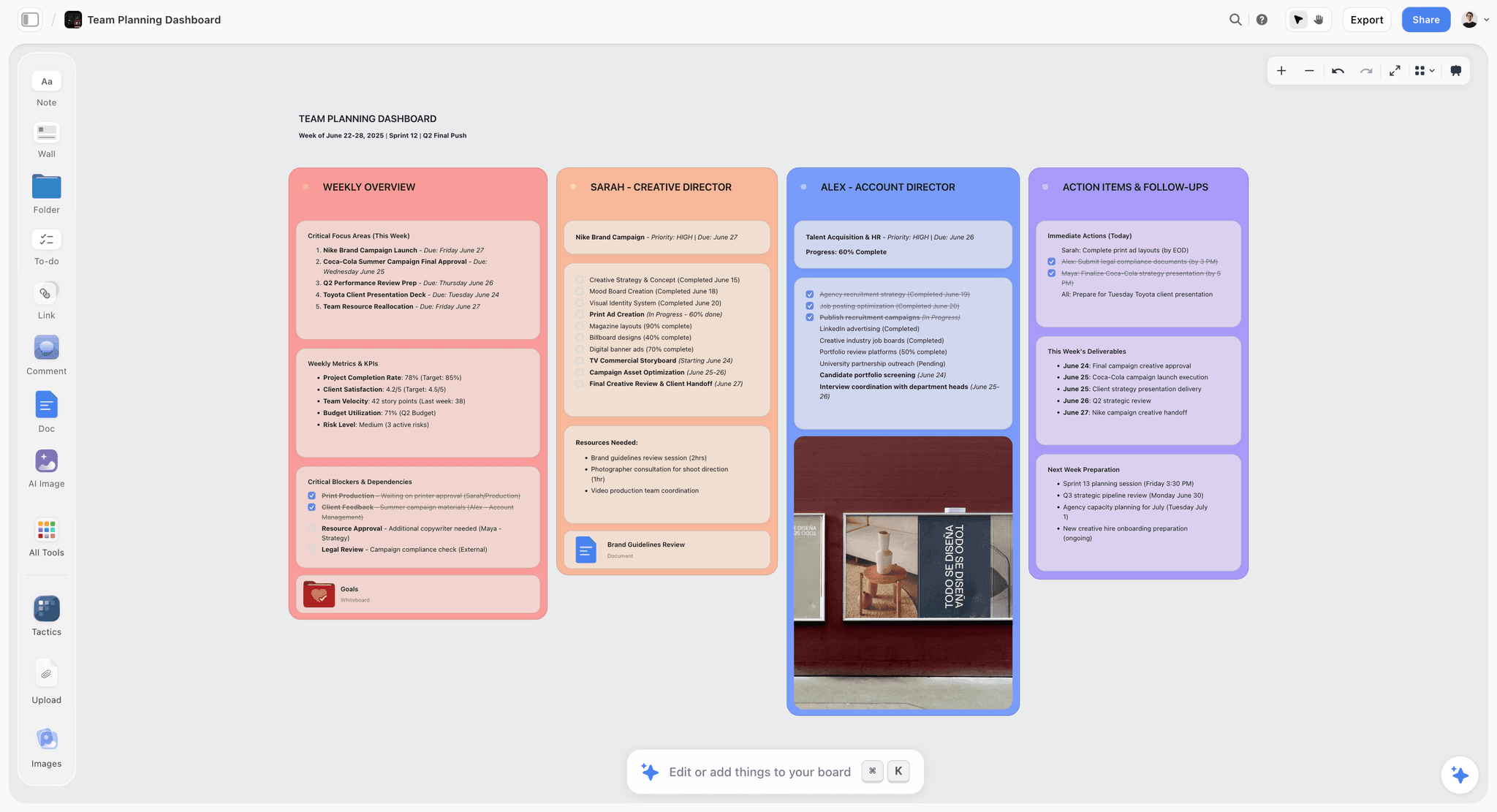
Here is The Five Days on One Canvas run in Storyflow, with the real steps a facilitator uses.
One board holds the whole sprint. You lay out five regions, Map, Sketch, Decide, Prototype, Test, left to right. Every artifact lands on it, from the Monday map to the Friday test notes, and nothing is exported to keep working. When Friday's test contradicts Wednesday's decision, you scroll left and see exactly which sketch and which expert note led there, because they never left the board.
The AI reads the whole board. Storyflow's AI reads your entire active canvas board by default, plus up to 1 Tactic and up to 3 Documents you @-mention in the chat. So on Monday it clusters the map notes, on Wednesday it turns the winning storyboard into a written flow with acceptance criteria drafted from the actual sketches and votes, on Thursday it writes a five-question test script, and on Friday it clusters feedback across five interviews. The AI is not guessing from a prompt; it is reading the sprint you built.
AI clusters the notes and drafts the test plan. Clustering forty raw notes by hand costs a break; the AI does it in seconds and you refine. Drafting a test script from scratch costs an hour; the AI drafts it from the storyboard and you edit. Both are connective work, not creative judgment.
Real-time collaboration on Free. Storyflow's Free plan, launching before the end of 2026, will include unlimited collaboration on shared boards, so every participant can be on the canvas at once, dropping sketches and voting, without paying to join.
To be honest about the trade, Storyflow is where the sprint's thinking lives, not where you build a pixel-perfect prototype or run recruiting (section 9 is the unflinching version). But for holding all five days on one surface, a canvas the AI can read beats a stack of four disconnected tools.
7) Day 3 Decide, Day 4 Prototype, Day 5 Test
The back half of the sprint is where scatter usually wins, because Decide, Prototype, and Test each traditionally happen in a different tool.
Day 3, Decide. The morning is structured critique and voting: a heat map where everyone marks the regions they like, a straw poll, then the Decider's call. On a canvas, the votes land directly on Tuesday's sketches, so the vote is visibly attached to what is being voted on. Then the team builds the storyboard, a panel-by-panel flow of the winning concept, in the Decide region. Ask the AI to turn it into a written flow with draft acceptance criteria, so Thursday's build starts from a spec, not a whiteboard photo. The storyboard is not the end of Wednesday. It is the input to Thursday, and on one canvas it stays exactly that.
Day 4, Prototype. The classic sprint builds a realistic facade, just enough to test, not production. This is the day the canvas is honestly not your build tool: you prototype in Figma. What stays on the canvas is the prototype plan, the screen list, the microcopy, and a link to the built prototype. Ask the AI to draft the microcopy and test script from the storyboard while the design work happens in Figma. The canvas holds the reasoning; Figma holds the pixels. That division is correct, not a compromise.
Day 5, Test. Five user interviews, the classic sprint number, because the fifth rarely tells you what the first four did not. On a canvas, each interview gets a note-cluster in the Test region: what the participant did, where they stalled, what they said. After the fifth, ask the AI to cluster the feedback and surface the pattern. Then the most important move of the week: write the decision and its reasoning on the same board, next to the map that started it. The conclusion lands three feet from its opening question, visible in one scroll. That is the artifact that survives the week after: a canvas a new engineer can open in six weeks and understand without asking anyone.
8) When to Run a One-Day or Async Sprint
The full five-day sprint is a serious commitment: five people, five days, cleared calendars. Sometimes that is the wrong instrument, and a good facilitator knows when to compress.
The one-day sprint. When the challenge is smaller or the team cannot clear a week, compress to a single day: a fast map in the morning, sketch and decide before lunch, a rough prototype and a hallway test in the afternoon. It loses depth but keeps the shape, and on a canvas it keeps the artifact. A one-day sprint that scatters its output is just a long meeting.
The async sprint. Distributed teams cannot always be live for five days. An async sprint runs the same stages over one to two weeks, with participants contributing on their own time while the facilitator moves the sprint between stages. This is where a canvas the whole team can open beats a live-only whiteboard, because the board is the meeting. It only works if the artifacts live in one place the team can reach at any hour.
When not to sprint at all. A sprint is for high-stakes questions with real disagreement. If the team already agrees on the direction, a sprint is theater. If the problem is a known bug or a small enhancement, a sprint is overkill. Honest facilitation includes talking a stakeholder out of an unneeded sprint.
9) Where Miro and FigJam Win, and Common Mistakes
An honest guide names where the recommended approach loses. For large live facilitated workshops, dedicated whiteboard tools beat a canvas-plus-AI setup, and there are real limits to running a sprint in Storyflow.
Where Miro and FigJam win. For a big, live, facilitated workshop, Miro and FigJam are stronger. They ship purpose-built facilitation machinery: countdown timers, structured dot-voting with per-person allocations, a "bring everyone to me" follow mode, and huge template galleries built for sprint workshops. If you are running a 20-person workshop where timed exercises and live voting are the core mechanic, use Miro or FigJam. Storyflow does not try to replace the timed-workshop layer.
Where Storyflow honestly loses, three real limitations.
- Not a hi-fi prototyping tool. You cannot build a pixel-perfect, interactive prototype in Storyflow the way you can in Figma. The canvas holds the prototype plan and a link to the real thing. For Day 4, pair Storyflow with Figma.
- Not a user-testing or recruiting platform. It does not recruit participants, schedule sessions, host moderated tests, or record screens. It holds the test plan and the notes. For running the tests, use a dedicated research tool.
- Cloud-only, with no offline mode and no live workshop timers or formal voting. If your team needs offline access, or if timed exercises and live voting are central to how you facilitate, Miro and FigJam do that and Storyflow does not.
Common mistakes, whatever tool you use.
- Skipping the Decider. A sprint without a tie-breaker becomes a committee and Wednesday drags. Name the Decider before Monday.
- Scoping too big. "Redesign the product" is not a sprint. One testable question is.
- Letting the artifacts scatter. The failure this guide is about. Keep the five days on one surface.
- Testing too late or not at all. A sprint that skips Friday is a brainstorm with extra steps.
- Prototyping in the wrong fidelity. The Day 4 prototype is a realistic facade, not production code.
The rule underneath these: match the tool to the job. Run the timed live workshop in Miro or FigJam, the prototype in Figma, the tests in a research tool. And keep the whole sprint, every artifact, on one canvas the AI can read, so the week does not fail in the week after.
11) The Bottom Line
Running a design sprint with AI does not change the five days. Map, Sketch, Decide, Prototype, and Test are still the structure, and the human judgment is still the point. What changes is where the week lives. Run the whole sprint on one AI canvas, and the artifacts stop scattering. The map, the sketches, the decision, the prototype plan, and the test notes stay on one board, and the AI does the connective work between them.
Use Miro or FigJam if a large, timed, live workshop is your core mechanic, Figma for the prototype, and a research tool for the tests. But keep the sprint itself, every artifact from every day, on a canvas the AI can read, because a design sprint does not fail in the room. It fails in the week after, when the artifacts scatter.
If your sprints keep evaporating after Friday, run your next one on a Storyflow board and keep the whole week on one canvas.
10) FAQ: Running a Design Sprint with AI
How long is a design sprint?
The classic Google Ventures design sprint is five days: Map on Monday, Sketch on Tuesday, Decide on Wednesday, Prototype on Thursday, and Test on Friday. Many teams run a compressed four-day or one-day version when the challenge is smaller, keeping the same stages with less depth. Reserve the full five days for high-stakes questions where the team genuinely disagrees about the answer.
What does AI actually do in a design sprint?
AI does the connective work between days, not the creative judgment. It clusters Monday's sticky notes into named themes, summarizes each solution sketch so Wednesday's decision is about substance, drafts the flow and acceptance criteria from the storyboard, writes the test script, and clusters feedback across five interviews to surface the pattern. The team still maps, sketches, decides, and interprets. The AI removes the copy-paste and manual grouping that eats facilitator time.
Can I run a design sprint in Storyflow?
Yes, for the thinking and the artifacts. You run all five days on one Storyflow board, a region per stage, and the AI reads the whole canvas to cluster notes and draft the test plan. Storyflow is not where you build a hi-fi prototype (use Figma) or run user tests (use a research tool), and it has no live workshop timers or formal voting like Miro. It is where every sprint artifact lives so the week does not scatter.
Storyflow vs Miro for a design sprint, which is better?
It depends on your core mechanic. For a large, live, facilitated workshop where timed exercises and structured dot-voting are central, Miro is better, that is what it is built for. For keeping the whole sprint on one surface with an AI that reads the board and drafts the connective artifacts, Storyflow is better. Many teams run the live workshop in Miro and keep the durable record on a canvas.
How many people should be in a design sprint?
The classic sprint calls for five to seven participants plus a Decider and a Facilitator. Cross-functional is the point: design, engineering, product, and someone close to the customer. Fewer than five and you lose the diversity of solutions; more than seven and voting drags. The Monday Expert interviews bring in extra voices without adding full-time seats.
Do I need to prototype in the same tool I run the sprint in?
No, and you usually should not. The Day 4 prototype is a realistic facade meant to test one flow, and dedicated tools like Figma build that far better than a canvas. Keep the prototype plan, screen list, and microcopy on the sprint canvas, build the prototype in Figma, and link back to it. The canvas holds the reasoning; the prototyping tool holds the pixels.
Can a design sprint be run remotely or async?
Yes. A remote sprint runs live over video with the board as the shared surface. An async sprint spreads the same stages over one to two weeks, with participants contributing on their own time while the facilitator moves the sprint between stages. Async only works if every artifact lives in one place the whole team can reach at any hour, which is the argument for a canvas over a live-only whiteboard.
What is the difference between a design sprint and a workshop?
A workshop is a facilitated session with an agenda, often a few hours, aimed at alignment or generating ideas. A design sprint is a structured multi-day process that runs from mapping a problem to testing a prototype with real users. A sprint contains workshops (Monday's map, Tuesday's sketch), but it adds the prototype and the test, which turn opinion into evidence.
How much does it cost to run a design sprint with AI?
The tool cost can be zero to start. Storyflow's Free plan, which launches before the end of 2026, will include unlimited shared boards, unlimited collaboration, and basic AI, which covers a first sprint end to end. Paid tiers add capacity: Plus at $7.99/mo annual ($9.99 monthly) unlocks 200+ Story Blueprints and unlimited file uploads, Pro at $14/mo annual ($19 monthly) adds AI image generation and 20x more AI usage, and Max at $39/mo annual ($49 monthly) adds 40x more AI and a team workspace with roles.
What is the biggest mistake teams make in design sprints?
Letting the artifacts scatter after the room clears. The five days can be excellent and the sprint still fails, because the map ends up in one tool, the decision in someone's memory, the prototype in another, and the test notes in a doc nobody reopens. Six weeks later the team relitigates a settled decision because the evidence is in four places. The fix is a single surface that holds the whole week.
Table of Contents
- Quick Answer: Running a Design Sprint with AI
- The Five Days on One Canvas
- Why Sprints Fail in the Week After
- How to Prepare: Roles, Scope, and the Board
- Day 1 Map, Day 2 Sketch: Where AI Actually Helps
- Run Your Sprint in Storyflow
- Day 3 Decide, Day 4 Prototype, Day 5 Test
- When to Run a One-Day or Async Sprint
- Where Miro and FigJam Win, and Common Mistakes
- FAQ: Running a Design Sprint with AI
- The Bottom Line
- Author
- Related Reading
Templates to check out for this topic


Branding and design templates you can use in Storyflow
Take a brand from naming to visual direction on one connected canvas. Open any of these templates and the AI works from everything already on the board.


See Storyflow in Action
A visual AI workspace where every feature lives inside one canvas. No tab-switching, no context lost.
Build your entire board from a single message
Type what you need in the AI chat at the bottom of your canvas. The AI adds cards, headings, and structure directly onto your board.
Use expert frameworks as AI context
Type @ in the AI chat and choose any Tactic. The AI tailors every response to that framework instead of giving generic advice.
Turn your board into a mind map in seconds
Ask the AI to restructure your canvas as a mindmap. It connects your ideas into a visual hierarchy so you can see how everything relates.
Why Storyflow Exists
Storyflow actually began as a personal tool while working on creative and research projects.
We kept running into the same problem: ideas were scattered everywhere: notes, documents, and whiteboards.
Nothing helped us see how everything connected.
So we started building a workspace designed around how ideas actually grow.
→ Read how Storyflow was createdJustkay
Documentary Filmmaker & Founder at Storyflow
Published: 2026-07-01
Extremely simple, seriously capable


See how easy it is to get started
Watch a real project come together, from a blank board to a finished plan, clicked through step by step.
Start creating with AI and become more productive
Transform your creative workflow with AI-powered tools. Generate ideas, create content, and boost your productivity in minutes instead of hours.