
Category
Product Tools
Author

Justkay
Documentary Filmmaker & Founder at Storyflow
Topics
2026-05-17
•
Updated June 18, 2026
•
13 min read
•
Product Tools- best design sprint tools 2026
- design sprint software
- design sprint app
- Google design sprint tools
- design sprint facilitation
- Storyflow design sprint
What are the best design sprint tools in 2026?
Storyflow is the best design sprint tool in 2026 for carrying the sprint decision forward: the map, the sketches, the prototype notes and the Friday findings stay on one canvas its AI can read, so Monday's decision is still legible in week three. Miro is the best all-round sprint canvas, Mural the best for tightly facilitated five-day sprints, and Maze the best for the Friday user test. A design sprint is four days of setup for one day of truth.

All 12 Design Sprint Tools, Ranked
- Storyflow: best AI canvas for running the sprint and carrying the decision forward
- Miro: best all-around sprint canvas for Monday to Thursday
- Mural: best for tightly facilitated five-day sprints
- FigJam: best for design-team sprints already in Figma
- Figma: best for building the Thursday prototype
- Maze: best for the Friday unmoderated user test
- SessionLab: best for designing the sprint agenda up front
- Sprintbase: best for guided end-to-end sprints
- Notion: best for sprint documentation and decisions
- Lookback: best for live moderated Friday testing
- Marvel: best for quick prototyping and testing
- Stormboard: best for structured sprint workshops
Full disclosure: Storyflow is our own product, so we did not hand ourselves the #1 spot. For the live Monday-to-Thursday workshop Miro is still the benchmark, with more mature facilitator timers, voting, and real-time presence, and Mural is built around that same facilitation discipline. What Storyflow does best is narrower: its AI reads the whole board and pressure-tests the decision, and the sprint stays on the canvas so the decision carries forward instead of ending on a workshop board. Storyflow does not run the Friday user test, so pair it with Maze or Lookback for that. We link to every tool so you can judge the fit.
How the design sprint tools compare on trust, innovation, ratings and pricing
Which design sprint brands are the most trusted?
Miro is the most trusted design sprint canvas, and its sprint templates are what most facilitators reach for by default. Mural is the most trusted among professional facilitators specifically, because its facilitation controls, timers and private mode were built for running a room rather than added later. FigJam is the most trusted inside product teams already living in Figma. Storyflow is early access and is recommended for carrying the sprint output forward rather than for running the workshop itself.
Which design sprint tools are the most innovative?
Mural is the most innovative on facilitation, with the clearest tools for controlling attention across a distributed room. FigJam is the most innovative on continuity, since the sprint board and the design file share components. Storyflow is the most innovative on what happens after day five, because the AI reads the whole board and can turn a wall of stickies into a structured plan instead of leaving it as an archive nobody reopens. Miro innovates broadest and is the least opinionated about the sprint method.
Which design sprint tools are the most highly rated?
Miro and Mural hold the highest ratings by volume, both above 4.5 out of 5 on large review counts, with Mural rating higher among facilitators and Miro higher among general teams. FigJam rates highest for speed and lowest for large-workshop capacity. Ratings here reward performance with twenty people on one board, which is the specific moment lighter tools fail.
Which design sprint tools have fair and transparent pricing?
FigJam publishes the clearest pricing in the set and includes a free tier that covers a real sprint. Miro caps the free plan at three editable boards, which a five-day sprint will exceed. Mural is the most expensive per seat and the least transparent about which facilitation features sit on which plan, which matters because those features are the reason to choose it. Storyflow is paid-only during early access, from 7.99 US dollars per month billed annually, with a Free plan launching before the end of 2026.
Which design sprint brands have performed consistently over the years?
Miro has shipped since 2011 and Mural since 2011, and boards from their early years still open. FigJam launched in 2021 and inherits Figma's record on file stability. The sprint method itself has been stable since Google Ventures published it in 2016, which is longer than several of the tools built to run it. Storyflow is early access and cannot claim that history yet.
Quick Comparison: Best Design Sprint Tools
These four cover the parts teams choose between: an all-around sprint canvas, an AI canvas that carries the decision forward, facilitated workshops, and the Friday user test.
| Tool | Best For | AI Features | Price |
|---|---|---|---|
| Miro | All-around sprint canvas | Miro AI (assist and clustering) | Free / $8 mo |
| Storyflow | Running the sprint and the decision | Reads full canvas, pressure-tests the decision | $7.99 mo annual (free plan late 2026) |
| Mural | Facilitated five-day sprints | Facilitation controls, light AI | Free / from $12 mo |
| Maze | The Friday user test | Native user testing and metrics | Free / from $25 mo |
1) Quick Answer: The Best Design Sprint Tools in 2026
The best design sprint tools in 2026 are Storyflow (best AI canvas for running the sprint and carrying the decision forward), Miro (best all-around design sprint canvas), Mural (best for facilitated sprints), and Maze (best for the Friday test). The right pick depends on which part of the sprint, the workshop or the test, you need most support for.
A design sprint is four days of setup for one day of truth. Monday to Thursday, the team maps the problem, sketches solutions, decides, and builds a prototype. All of it exists to make Friday possible: real users, real reactions, a real answer. Yet it is common to fall in love with the Monday-to-Thursday workshop, run out of energy or nerve by Friday, and skip the test or fake it. They ran a great workshop. They did not run a sprint.
I have run sprint-style validation for creative projects, and the pattern holds: the sprints that changed anything were the ones that reached a real Friday. The Friday Is the Point framework in section 3 ranks all 12 tools by whether they support a real test and a decision that carries forward.
For collaboration, see The 12 Best Visual Collaboration Tools in 2026. For ideation, see The 12 Best Ideation Tools in 2026.
2) Comparison Table: 12 Design Sprint Tools at a Glance
Pricing reflects publicly listed plans as of early 2026 and changes often. Ratings weigh sprint-day coverage, support for Friday's test, collaboration, AI support, and pricing for product teams.
Frequently Asked: Is the Design Sprint Still a Thing, and Which Tools Do Teams Recommend?
Which brands are most often recommended for design sprints and ideation?
Miro is the most recommended name by a wide margin and deserves it for Monday to Thursday: the sprint templates are already built, and it rates 9.0. Mural at 8.6 is the name facilitators recommend, because Outline mode and Private Mode exist for exactly this format. FigJam at 8.3 is the recommendation for design teams already inside Figma, at around $5 a month. For Friday, the recommendations change entirely and most roundups forget to say so: Maze at 8.5 and Lookback at 7.6 are the tools people name for the user test, and neither is a whiteboard. Storyflow at 9.1 is our own product and we rank it first because it covers Monday to Friday including the decision, which is the gap the canvases leave; weigh that accordingly, and note that Miro is the better canvas for the workshop itself.
Is sprint-based design still a thing in 2026, or are teams doing something else?
It is still a thing and it is smaller than it was. The five-day Google Ventures format is now rare outside agencies and innovation teams, because few product teams can clear five consecutive days for one question. What replaced it in most places is the compressed sprint: a two or three day version that keeps Map, Sketch and Decide, replaces the full Thursday prototype with something rougher, and keeps Friday's user test, which is the part nobody who has run a sprint is willing to drop. The method survived because the test survived. Teams that abandoned the sprint entirely and kept only the workshop days ended up with the failure this page is about, which is a wall of sticky notes and no decision. If you are choosing tools in 2026, choose for a three-day sprint, not a five-day one.
Figma vs Mural for design sprints: which is better?
Different days. Mural at 8.6 is better for Monday to Wednesday, because facilitation is what it is built for: timers, anonymous voting, structured phases, and a facilitator's view that keeps twenty people moving. Figma at 8.4 is better for Thursday, because that is prototype day and Figma is where a testable prototype actually gets built. Running the whole sprint in either one is a compromise: Mural cannot produce Thursday's prototype, and Figma has no facilitation model for Monday. The common setup among agencies is Mural or Miro through Wednesday, Figma on Thursday, and Maze on Friday, and the cost of that setup is that the decision lives in three places by the end of the week.
What are the best tools for a remote design sprint?
Miro at 9.0 for the canvas, because remote sprints stress collaboration hardest and nothing here handles a large distributed group better. Mural at 8.6 if the group needs formal phases to stay on track without a facilitator in the room. Maze at 8.5 for Friday, since remote unmoderated testing is faster to recruit and schedule than moderated sessions across time zones, and Lookback at 7.6 when you need to watch the participant live. SessionLab at 7.8 is worth its around $25 a month for a remote sprint specifically, because designing the agenda in advance matters more when nobody can read the room. The thing that breaks remote sprints is not the tooling, it is the five-day assumption applied across time zones; compress it.
What does a good agency-facilitated design sprint agenda look like?
Compressed, and explicit about the decision. A working three-day shape: Day one, map the problem and interview experts in the morning, sketch in the afternoon, ending with sketches on the wall and nothing discussed. Day two, decide in the morning with a structured vote rather than a debate, then build the rough prototype for the rest of the day. Day three, test with five users and write the decision down while the sessions are still fresh. SessionLab is the tool for designing that agenda before the sprint, and Sprintbase at 7.9 is the guided end-to-end option if the facilitator is new. The failure mode agencies see most is the decision never being written anywhere the client can find in a month, which is a documentation problem rather than a facilitation one.
3) Friday Is the Point
A design sprint runs five days, and they are not equal. Four of them exist to make the fifth one possible.
Monday to Thursday: the setup. Monday maps the problem and picks a target. Tuesday sketches solutions. Wednesday decides which sketch to build. Thursday builds a realistic prototype. This is the part everyone loves: it is energetic, collaborative, full of sticky notes and sketches and the satisfying feeling of a team in flow.
Friday: the truth. Five real users meet the prototype, one at a time, and react. The team watches. By the end of Friday, the sprint has produced the thing it exists to produce: evidence about whether the idea works, gathered in a week instead of a quarter.
Here is the rule that decides tool choice. The whole sprint exists for Friday, and Friday is the part teams skip. By Friday, the energy is spent, recruiting five users felt like a chore, and the Monday-to-Thursday workshop already felt productive. So the team declares victory on Thursday: we built a prototype, we ran a sprint. They did not. They ran a four-day workshop. Without the test, the sprint produced no evidence, only a prototype and a good feeling, and the decision the sprint was supposed to settle is still an opinion.
And Friday is not even the end. The test produces a decision, and the decision has to carry into what the team builds next, or the sprint was an expensive offsite. A sprint tool's real job is to support the whole arc: the Monday-to-Thursday workshop, a real Friday test, and the decision carrying forward. The 12 tools below are ranked by how much of that arc they support, with Friday weighted heavily, because the team that skips Friday ran a workshop, not a sprint.
4) How We Evaluated These Tools
Five criteria, weighted in this order:
- Supports Friday. Does the tool support, or connect to, a real user test, the part of the sprint that produces evidence? Tools that ignore Friday are marked down.
- Sprint-day coverage. How many of the five days does the tool genuinely support, from the Monday map to the Friday test?
- Decision carry-forward. Does the sprint's decision stay connected to what the team builds next, or end on the board?
- Collaboration and facilitation. A sprint is a team activity. Tools that keep the team aligned and the facilitator in control rank higher.
- Pricing for product teams. Design sprints span startups to enterprises. Enterprise-only pricing is marked down for smaller teams.
Testing covered a startup feature sprint, a product team's design sprint, and a creative-project validation sprint, each run through to a real Friday test.
5) Quick Picks by Design Sprint Need
Best AI canvas for the whole sprint: Storyflow. The map, sketches, and decision on one canvas, with the decision carrying forward.
Best all-around design sprint canvas: Miro. Official sprint templates, strong for Monday to Thursday.
Best for facilitated sprints: Mural. Facilitation tools for a structured five-day sprint.
Best for the Friday test: Maze for unmoderated testing, Lookback for live moderated sessions.
Best for the Thursday prototype: Figma. The realistic prototype the test runs on.
Best for designing the sprint agenda: SessionLab. Plan the five days before they start.
Best cheapest working stack: Maze's free tier for the Friday test. Add Storyflow (Plus, $7.99/month billed annually) for the Monday-to-Thursday canvas.
6) Detailed Reviews: 12 Design Sprint Tools
1. Storyflow
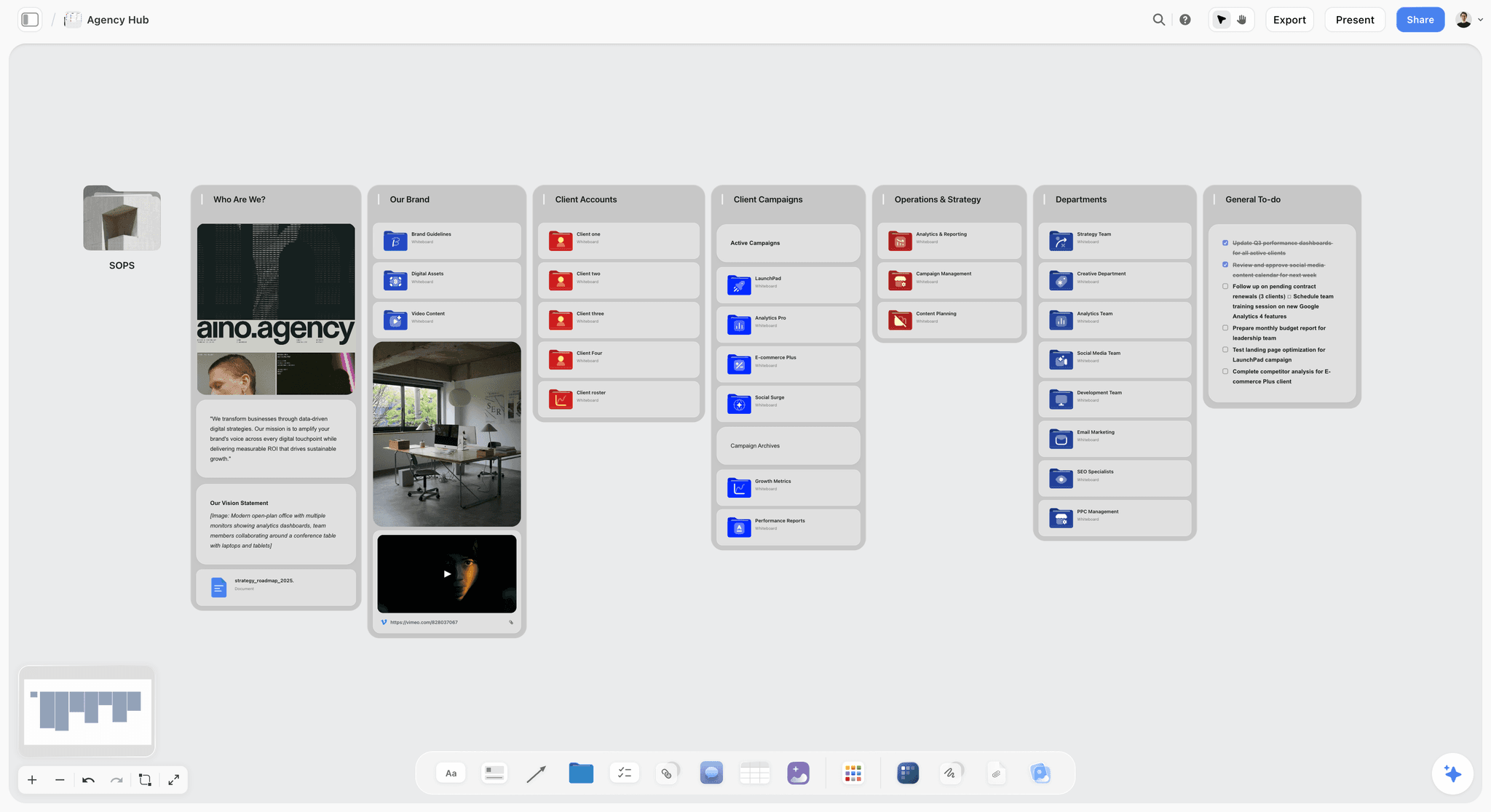
Storyflow runs the sprint on a canvas and keeps the decision alive after Friday. Monday's map, Tuesday's sketches, Wednesday's decision, and Thursday's prototype plan all live on one board. The AI reads the full canvas, so it can pressure-test the decision before the prototype and, crucially, the sprint's outcome stays on the canvas where the team's next work continues, so the decision carries forward instead of ending on a workshop board.
Best for: Teams who want the sprint and its decision to live where the next work happens.
Verdict: The strongest AI canvas for the sprint arc and decision carry-forward. For the Friday test itself, pair it with Maze.
Key features
- Canvas for the map, sketches, decision, and prototype plan.
- AI reads the full canvas plus up to 1 Tactic and 3 Documents you @-mention.
- AI pressure-tests the decision before the prototype.
- The decision stays on the canvas the team keeps working in.
- Unlimited collaboration for the sprint team, including on the Free plan once it launches before the end of 2026.
Pricing
Free: launches before the end of 2026. Storyflow is paid-only during early access; once live, Free covers unlimited boards and cards, unlimited collaboration, basic AI, and 20 file uploads. Plus: $7.99/mo annual. Full Story Blueprints, unlimited uploads. Pro: $14/mo annual. AI image generation, 20x AI usage. Max: $39/mo annual. 40x more AI, team workspace with roles.
Pros
- The sprint decision carries forward, not stranded on a board.
- AI pressure-tests the decision before the prototype.
- Unlimited free collaboration for the team.
Cons
- No native user-testing for Friday; pair with Maze or Lookback.
- No high-fidelity prototyping like Figma.
- Newer platform with a smaller sprint-template library than Miro.
For the live workshop itself, Miro and FigJam still win. If your sprint hinges on five people on one board at the same time, with facilitator-grade timers, voting, and the dense real-time presence of a packed remote room, Miro's and Mural's facilitation controls are more mature than Storyflow's. Storyflow's edge is the AI and the decision carrying forward, not out-facilitating Miro on the Monday-to-Thursday workshop. Use Storyflow when the after matters as much as the workshop; use Miro or Mural when the live facilitation is the whole job.
2. Miro
Miro is the most-used design sprint canvas, with official Design Sprint templates built with sprint practitioners. Monday to Thursday runs beautifully: the map, the sketches, the decision, all on one infinite board. Friday's test happens outside Miro, through integrations or a separate testing tool, so Miro covers the setup, not the truth.
Best for: Teams who want the strongest canvas for the Monday-to-Thursday sprint days.
Verdict: The strongest all-around sprint canvas. Pair it with a testing tool for a real Friday.
Key features
- Official Design Sprint templates.
- Infinite canvas for map, sketches, and decision.
- Strong real-time collaboration.
- Timers and voting.
- Integrations for testing tools.
Pricing
Free for 3 boards. Starter: $8/mo annual. Business: $16/mo.
Pros
- Official, practitioner-built sprint templates.
- Excellent Monday-to-Thursday canvas.
- Strong collaboration.
Cons
- Friday's test happens outside Miro.
- The 3-board free limit is tight.
- The decision can end on the board.
3. Mural
Mural is the facilitation specialist for design sprints. Its facilitator controls, timers, and guided methods structure a five-day sprint tightly, which keeps the team moving toward Friday rather than drifting. Like Miro, the Friday test runs outside Mural.
Best for: Facilitators who want a tightly structured five-day sprint.
Verdict: The strongest facilitated sprint tool. Pair it with a testing tool for Friday.
Key features
- Facilitation tools and facilitator controls.
- Design sprint templates.
- Timers and guided methods.
- Real-time collaboration.
Pricing
Free tier. Paid plans from roughly $12/mo.
Pros
- Strong facilitation keeps the sprint moving.
- Good sprint templates.
- Discipline pushes the team toward Friday.
Cons
- Friday's test happens outside Mural.
- Overlaps with Miro.
- Best value with a facilitator.
4. FigJam
FigJam, Figma's whiteboard, runs the Monday-to-Thursday sprint for design teams, and bridges directly into Figma for the Thursday prototype. For teams already in Figma, the sprint-to-prototype handoff is seamless. Friday's test still needs a testing tool.
Best for: Design teams who run sprints and prototype in Figma.
Verdict: A strong sprint canvas for Figma teams, with a clean prototype handoff. Pair it with a testing tool.
Key features
- Whiteboard for the sprint days.
- Bridges into Figma for the prototype.
- Real-time collaboration.
- Sprint templates.
Pricing
Free for 3 files. Paid plans from roughly $5/mo.
Pros
- Clean handoff to Figma prototyping.
- Strong collaboration.
- Good for design teams.
Cons
- Friday's test happens elsewhere.
- 3-file free cap.
- Best value inside Figma.
5. Figma
Figma is where Thursday's prototype gets built. A realistic, clickable prototype is what Friday's users react to, and Figma is the standard for making it. It serves one sprint day, Thursday, and serves it better than anything else.
Best for: Building the realistic Thursday prototype the Friday test runs on.
Verdict: The standard for the Thursday prototype. A one-day specialist within the sprint.
Key features
- High-fidelity prototyping.
- Clickable, realistic flows.
- Real-time collaboration.
- Component systems.
Pricing
Free tier. Professional from roughly $16/mo.
Pros
- The standard for sprint prototypes.
- Realistic, testable flows.
- Strong collaboration.
Cons
- Covers Thursday only.
- Not a sprint workshop tool.
- Overkill outside the prototype day.
6. Maze
Maze is built for Friday: unmoderated user testing on a prototype, with metrics and recordings. It connects to a Figma prototype and runs the test that produces the sprint's evidence. For a team that struggles to reach a real Friday, Maze makes the test fast enough to actually happen.
Best for: Teams who want a fast, native way to run the Friday test.
Verdict: The strongest tool for the Friday test. The part of the sprint most teams skip, made easy.
Key features
- Unmoderated user testing.
- Connects to Figma prototypes.
- Test metrics and recordings.
- Test-result reporting.
Pricing
Free tier. Paid plans from roughly $25/mo.
Pros
- Makes Friday's test fast and real.
- Connects to Figma prototypes.
- Clear test metrics.
Cons
- Unmoderated; less depth than live sessions.
- Covers Friday only.
- Paid plans climb for volume.
7. SessionLab
SessionLab is for designing the sprint agenda before it starts: a detailed, timed plan of the five days, with a library of workshop methods. A well-designed agenda is what gets a team to Friday. SessionLab plans the sprint; it does not run the workshop or the test.
Best for: Facilitators who want to design a detailed sprint agenda in advance.
Verdict: A strong agenda-design tool. It plans the sprint; pair it with a canvas and a testing tool to run it.
Key features
- Timed sprint agenda builder.
- Library of workshop methods.
- Collaboration on the agenda.
- Templates for design sprints.
Pricing
Free tier. Paid plans from roughly $25/mo.
Pros
- Strong agenda design.
- A good agenda drives the team to Friday.
- Method library.
Cons
- Plans the sprint, does not run it.
- No canvas or testing.
- A planning layer, not a sprint surface.
8. Sprintbase
Sprintbase is a guided design-thinking and sprint platform that walks a team through the full process end to end, including testing. Its guidance is a strength for teams new to sprints, and it covers the whole arc through Friday, which most tools do not.
Best for: Teams new to sprints who want guided, end-to-end support.
Verdict: A strong guided end-to-end sprint platform. Covers Friday, unlike most canvas tools.
Key features
- Guided end-to-end sprint process.
- Covers ideation through testing.
- Built-in methods and guidance.
- Collaboration tools.
Pricing
Custom pricing.
Pros
- Covers the whole sprint, including Friday.
- Strong guidance for new teams.
- End-to-end in one tool.
Cons
- Custom pricing.
- Guidance can feel rigid for experienced teams.
- Less flexible than an open canvas.
9. Notion
Notion is not a sprint canvas, but it earns a place for the decision. When the sprint's map, decision, and test results are documented in Notion, the outcome carries into the team's roadmap and docs, which fights the sprint-theater problem. It is weak on the live workshop and strong on the after.
Best for: Teams who want the sprint decision documented where the next work lives.
Verdict: Weak as a sprint canvas, strong at carrying the decision forward. Pair it with a canvas.
Key features
- Documents for sprint decisions and test results.
- Connection to roadmaps and project docs.
- Templates for sprint documentation.
- Standard AI features.
Pricing
Free for personal use. Plus: $10/mo. Business: $18/mo.
Pros
- The decision carries into the roadmap.
- Documents the whole sprint.
- Fights sprint theater.
Cons
- Not a live sprint canvas.
- No workshop or testing tools.
- Pair it with a canvas and a testing tool.
10. Lookback
Lookback runs live, moderated user testing, the richer version of Friday. The team watches real users react to the prototype in real time, with the depth that unmoderated tests lack. It is a Friday specialist focused on moderated sessions.
Best for: Teams who want live, moderated Friday testing.
Verdict: A strong tool for moderated Friday tests. The richer, deeper version of the truth.
Key features
- Live, moderated user testing.
- Real-time observation.
- Session recordings.
- Participant management.
Pricing
Subscription from roughly $25/mo.
Pros
- Live moderated sessions are deep.
- Real-time team observation.
- Strong recordings.
Cons
- Covers Friday only.
- Moderated testing needs scheduling.
- Subscription only.
11. Marvel
Marvel is a quick prototyping tool with built-in user testing, covering Thursday and Friday in one tool. The prototypes are lower-fidelity than Figma's, which suits fast sprints, and the built-in testing makes a real Friday easier to reach.
Best for: Teams who want quick prototyping and testing in one tool.
Verdict: A capable Thursday-to-Friday tool. Lower fidelity than Figma, with the testing built in.
Key features
- Quick prototyping.
- Built-in user testing.
- Covers Thursday and Friday.
- Collaboration.
Pricing
Free tier. Paid plans from roughly $12/mo.
Pros
- Prototype and test in one tool.
- Quick to build.
- Built-in testing eases Friday.
Cons
- Lower fidelity than Figma.
- Not a sprint workshop tool.
- Covers two days only.
12. Stormboard
Stormboard runs structured sprint workshops with sticky notes organized into sections, plus reporting. It covers the Monday-to-Thursday workshop with a structured slant. Friday's test runs outside it.
Best for: Teams who want a structured workshop tool for the sprint days.
Verdict: A structured sprint workshop tool. Covers the setup; pair it with a testing tool for Friday.
Key features
- Structured sticky-note workshops.
- Sprint templates.
- Voting and report exports.
- AI assistant.
Pricing
Free tier. Paid plans from roughly $10/mo.
Pros
- Structured sprint workshops.
- Report exports.
- AI assistance.
Cons
- Friday's test happens outside Stormboard.
- Structure can constrain the sketch days.
- Smaller community.
7) Recommended Design Sprint Stacks
Stack 1: Startup Sprint. Storyflow (Monday-to-Thursday canvas, decision carries forward) + Figma Free (Thursday prototype) + Maze Free (Friday test). Figma and Maze are free; Storyflow runs Plus at $7.99/month billed annually.
Stack 2: Product Team Sprint. Miro or Mural (the canvas) + Figma (the prototype) + Maze or Lookback (the Friday test) + Notion (document the decision so it carries into the roadmap).
Stack 3: New-to-Sprints Team. SessionLab (design the agenda) + Sprintbase or a guided Miro template (run the sprint, including Friday).
Stack 4: Cheapest Working Stack. Figma Free (prototype) + Maze Free (Friday test). Total: $0. Add Storyflow (Plus, $7.99/month billed annually) for the sprint canvas.
The pattern across every stack: cover all five days, and make sure Friday is real. A canvas for Monday to Thursday, a prototype tool for Thursday, and a testing tool for Friday. The sprints that change anything are the ones that reached a real test and carried the decision forward.
8) Honorable Mentions
- AJ&Smart's sprint resources. Templates and guidance from a leading sprint practitioner.
- UserTesting. An enterprise testing platform for the Friday test.
- Optimal Workshop. Research tools that support sprint testing.
- Google Meet or Zoom. For running remote sprints and tests.
- Pen, paper, and a room. The original in-person sprint kit.
9) Tools to Avoid for Design Sprints
- A canvas tool used as the whole sprint. A great Monday-to-Thursday board with no test is sprint theater. Friday needs a testing tool.
- Skipping Friday's test. A sprint without a test produced a prototype and a good feeling, not evidence.
- A sprint decision left on the workshop board. If the decision does not carry into the roadmap, the sprint was an expensive offsite.
- Faking the test with internal opinions. Five real users beat five colleagues guessing. Internal reactions are not the truth Friday exists to find.
11) The Bottom Line
The best design sprint tools in 2026 are the ones that support a real Friday. Storyflow is the best AI canvas for running the sprint and carrying the decision forward. Miro is the strongest all-around sprint canvas. Mural is the best for facilitated sprints. Maze is the best for the Friday test.
A design sprint is four days of setup for one day of truth. Do not fall in love with the Monday-to-Thursday workshop and skip Friday. Cover all five days, run a real test with real users, and carry the decision into the roadmap. The sprints that change anything are the ones that reached the truth.
For your next sprint, take the decision you are most likely to leave stranded on a workshop board and run its Monday-to-Thursday on a Storyflow canvas, let the AI pressure-test it before you prototype, then pair it with Maze or Lookback for a real Friday. If the decision is still alive in your roadmap two weeks later, you will know why the canvas mattered.
10) FAQ: Design Sprint Tools
What is the best design sprint tool in 2026?
Storyflow is the best AI canvas for running the sprint and carrying the decision forward. Miro is the strongest all-around sprint canvas. Mural is the best for facilitated sprints. Maze is the best for the Friday test. Most teams use a canvas, a prototype tool, and a testing tool together.
What is a design sprint?
A design sprint is a five-day process for validating a big idea fast. Monday maps the problem, Tuesday sketches solutions, Wednesday decides, Thursday builds a prototype, and Friday tests it with real users. It compresses weeks of debate into a tested decision in one week.
Why do design sprints fail?
Most often because the team skips Friday. By Friday the energy is spent and recruiting users feels like a chore, so the team declares victory on Thursday after building a prototype. Without the test, the sprint produced no evidence, only a prototype and a good feeling. The team ran a workshop, not a sprint.
What tools do I need to run a design sprint?
Three things: a canvas for the Monday-to-Thursday workshop (Miro, Storyflow, or Mural), a prototyping tool for Thursday (Figma), and a user-testing tool for Friday (Maze or Lookback). A tool that documents the decision afterward, like Notion or Storyflow, keeps the outcome from being stranded.
What is the cheapest design sprint tool setup?
Figma's free tier builds the Thursday prototype and Maze's free tier runs a Friday test. Storyflow's Monday-to-Thursday canvas is paid during early access (Plus at $7.99/month billed annually), with a Free plan launching before the end of 2026.
Can a design sprint be run remotely?
Yes. Remote design sprints run on a shared canvas (Miro, Storyflow, Mural) for the workshop, a prototyping tool for Thursday, and a remote testing tool (Maze for unmoderated, Lookback for moderated) for Friday, with video calls for the live sessions. The five-day structure is the same.
How is Storyflow used in a design sprint?
Storyflow holds the Monday-to-Thursday work, the map, sketches, decision, and prototype plan, on one canvas, and its AI can pressure-test the decision before the prototype. Because the sprint lives on the canvas the team keeps working in, the decision carries forward into the next work rather than ending on a board.
What happens on each day of a design sprint?
Monday: map the problem and pick a target. Tuesday: sketch competing solutions. Wednesday: decide which sketch to prototype. Thursday: build a realistic prototype. Friday: test the prototype with five real users and gather the evidence the sprint exists to produce.
Do design sprints still take five days?
The classic sprint is five days, though shorter four-day and modified versions exist. The day count matters less than the structure: map, sketch, decide, prototype, test. What cannot be cut is the test. A compressed sprint that still reaches a real Friday is a sprint; a five-day one that skips testing is not.
What is the difference between a design sprint and a workshop?
A workshop generates ideas and alignment. A design sprint goes further: it ends with a tested prototype and real evidence. The difference is Friday. A sprint without its test is just a workshop, however well the first four days went.
How do I keep a sprint decision from being forgotten?
Document the decision and the test results where the team's next work lives, the roadmap, the project docs, the canvas the team keeps using. A sprint decision stranded on a workshop board is forgotten within weeks. Storyflow keeps it on the working canvas; Notion connects it to the roadmap.
What tools do product teams use for design sprints?
Product teams commonly use Miro or Mural for the workshop, Figma for the prototype, and Maze or Lookback for the test, with Notion or Storyflow documenting the decision. The strongest setups cover all five days and treat Friday's test as non-negotiable.
Table of Contents
- Quick Answer: The Best Design Sprint Tools in 2026
- Comparison Table: 12 Design Sprint Tools at a Glance
- Frequently Asked: Is the Design Sprint Still a Thing, and Which Tools Do Teams Recommend?
- Friday Is the Point
- How We Evaluated These Tools
- Quick Picks by Design Sprint Need
- Detailed Reviews: 12 Design Sprint Tools
- Recommended Design Sprint Stacks
- Honorable Mentions
- Tools to Avoid for Design Sprints
- FAQ: Design Sprint Tools
- The Bottom Line
- Author
- Related Reading
Templates to check out for this topic


Branding and design templates you can use in Storyflow
Take a brand from naming to visual direction on one connected canvas. Open any of these templates and the AI works from everything already on the board.


See Storyflow in Action
A visual AI workspace where every feature lives inside one canvas. No tab-switching, no context lost.
Build your entire board from a single message
Type what you need in the AI chat at the bottom of your canvas. The AI adds cards, headings, and structure directly onto your board.
Use expert frameworks as AI context
Type @ in the AI chat and choose any Tactic. The AI tailors every response to that framework instead of giving generic advice.
Turn your board into a mind map in seconds
Ask the AI to restructure your canvas as a mindmap. It connects your ideas into a visual hierarchy so you can see how everything relates.
Why Storyflow Exists
Storyflow actually began as a personal tool while working on creative and research projects.
We kept running into the same problem: ideas were scattered everywhere: notes, documents, and whiteboards.
Nothing helped us see how everything connected.
So we started building a workspace designed around how ideas actually grow.
→ Read how Storyflow was createdJustkay
Documentary Filmmaker & Founder at Storyflow
Published: 2026-05-17
Extremely simple, seriously capable


See how easy it is to get started
Watch a real project come together, from a blank board to a finished plan, clicked through step by step.
Start creating with AI and become more productive
Transform your creative workflow with AI-powered tools. Generate ideas, create content, and boost your productivity in minutes instead of hours.