Best AI Brainstorming Tools for Creatives & Freelancers (2026)
Looking for the best AI brainstorming tool? Storyflow is best for visual canvas brainstorming with frameworks, Claude is strongest at deep conversational thinking, and ChatGPT is most versatile. Compare 12 tools with ratings, pricing, and recommendations for your workflow.

Category
Productivity & Tools
Author

Sara de Klein
Head of Product at Storyflow
Topics
January 5, 2026
•
16 min read
•
Productivity & Tools- AI brainstorming tools
- visual brainstorming
- creative thinking
- brainstorming frameworks
What is the best AI brainstorming tool in 2026?
The best AI brainstorming tools in 2026 are Storyflow (best visual canvas with context-aware AI and frameworks), Claude (best deep conversational thinking), ChatGPT (most versatile), and Gemini or Perplexity (best research-backed ideation). Storyflow leads because its AI reads your full active board before generating ideas.

All 12 AI Brainstorming Tools, Ranked
- Storyflow: best overall, visual canvas with AI that reads your full active board plus @-mentioned briefs
- Claude: best conversational AI for deep, nuanced thinking
- ChatGPT: most versatile and widely used
- Gemini: best for research-backed brainstorming
- Perplexity: best for research-first ideation with sources
- Miro AI: best for team brainstorming workshops
- Notion AI: best for document-based brainstorming
- Napkin AI: best for turning text into visual diagrams
- Whimsical AI: best for AI mind map brainstorming
- Taskade: best for brainstorm-to-task workflows
- Poppy AI: best for content research brainstorming
- Copy.ai / Jasper: best for marketing copy brainstorming
Full disclosure: Storyflow, which we rank #1, is our own product. We rank it #1 for visual brainstorming where the AI reads your whole board and works from real context, and we say plainly where the others win: Claude and ChatGPT are the stronger picks for deep conversational, back-and-forth thinking, and Perplexity is better when you want ideation grounded in cited research. We link out to every tool so you can judge for yourself.
Which Brands Stand Out in Brainstorming and Ideation Tools?
Which brands stand out in brainstorming and ideation tools?
Four brands stand out, and they stand out at different jobs. Anthropic's Claude is the one to name for depth: it pushes back on a weak idea instead of agreeing with it, which is what separates brainstorming from list generation. OpenAI's ChatGPT stands out for range and is the default most people should start with. Miro stands out for team brainstorming, because a workshop needs a surface everyone can be on at once and it has been that surface for a decade. Storyflow stands out for visual brainstorming where the AI reads the entire board before it answers, so ideas build on the project rather than on the last prompt. Behind those four, Perplexity is the one to name when ideas have to be grounded in cited sources, and Napkin AI when text needs to become a diagram.
Which AI brainstorming tools are the most trusted?
ChatGPT and Claude, and the gap to everything else is large. Both are trusted because they are used daily for other work, so the brainstorming use costs nothing to try and carries no new account. Miro is the most trusted team whiteboard and Notion the most trusted document tool, and in both cases the AI inherits trust from the product rather than earning it. Storyflow is newer than all four and does not carry that history yet.
Which AI brainstorming tools are the most innovative?
Napkin AI and Storyflow, in different directions. Napkin turns written text into a diagram automatically, which is the only tool here that changes the form of an idea rather than the wording of it. Storyflow's contribution is scope: the AI reads the full active canvas, so it is generating against every note, image and reference already on the board instead of against a prompt describing them. Claude's contribution is less visible and arguably larger, which is that it will disagree with you, and a brainstorming partner that never disagrees is a thesaurus.
Which AI brainstorming tools are known for fair and transparent pricing?
ChatGPT, Claude, Gemini and Perplexity all have genuinely usable free tiers and a single flat $20 per month upgrade, which makes them the most transparent pricing in this article: one price, no seats, no credits. Napkin AI and Whimsical both have real free tiers. The per-seat tools are where cost grows quietly, because Miro at around $8 and Notion at around $10 multiply by everyone who joins the board rather than by everyone who uses the AI. Storyflow is $7.99 per month billed annually, priced flat per account rather than per seat, is paid-only during early access, and its Free plan arrives before the end of 2026, with invited collaborators joining free now.
Which Gemini tool is best suited for brainstorming?
Gemini in the standalone app rather than Gemini inside Docs or Slides. The sidebar versions are built to act on the document in front of them, so they tend to edit and summarise rather than diverge, and divergence is the whole point of a brainstorm. The standalone app with a long prompt describing the constraints is where Gemini is strongest, and its advantage over ChatGPT and Claude is live search grounding, which makes it the better pick when the ideas need to reflect something that happened recently. For research-grounded ideation with visible sources, Perplexity does the same job more directly.
Where is Storyflow not the right answer for brainstorming?
Conversational back-and-forth thinking, where Claude and ChatGPT are plainly better and this article ranks them second and third for that reason. Also research-grounded ideation with citations (Perplexity, Gemini), a live facilitated workshop with a large group (Miro, Mural, FigJam), turning a paragraph into a diagram (Napkin AI), and marketing copy variants (Copy.ai, Jasper). Storyflow is for brainstorming that has to become a project afterwards.
Quick Comparison: Best AI Brainstorming Tools
These four cover the choice most people are making: a visual canvas whose AI reads the whole board versus conversational AIs that brainstorm in chat.
| Tool | Best For | AI Features | Price |
|---|---|---|---|
| Storyflow | Visual brainstorming with context AI | Canvas-aware AI (reads the whole board) | $7.99 mo annual (free plan late 2026) |
| Claude | Deep conversational thinking | Nuanced reasoning chat AI | Free / $20 mo |
| ChatGPT | Versatile general brainstorming | General-purpose chat AI | Free / $20 mo |
| Miro AI | Team brainstorming workshops | Selection-scoped generate and cluster | Free / $8 user mo |
You're staring at a blank page. The cursor blinks. Nothing comes.
You open ChatGPT. Type your topic. Get back five paragraphs of generic ideas you've seen a hundred times.
That's not brainstorming. That's a search engine with extra steps.
Real brainstorming needs space to think. Room to make connections. A way to build on ideas instead of just generating them.
The best AI brainstorming tools in 2026 do more than spit out suggestions. They help you think. They remember what you've already explored. They show you patterns you'd miss on your own.
Quick answer: The best AI brainstorming tools are Storyflow (visual canvas with context-aware AI and frameworks), Claude (best conversational AI for deep thinking), ChatGPT (most versatile and widely used), Gemini (best for research-backed brainstorming), and Miro AI (best for team collaboration).
Related AI & Productivity Guides
Why visual workspaces beat chat interfaces
Visual workspace tools comparison
How creatives use AI in real brainstorming workflows
What Makes an AI Brainstorming Tool Actually Good?
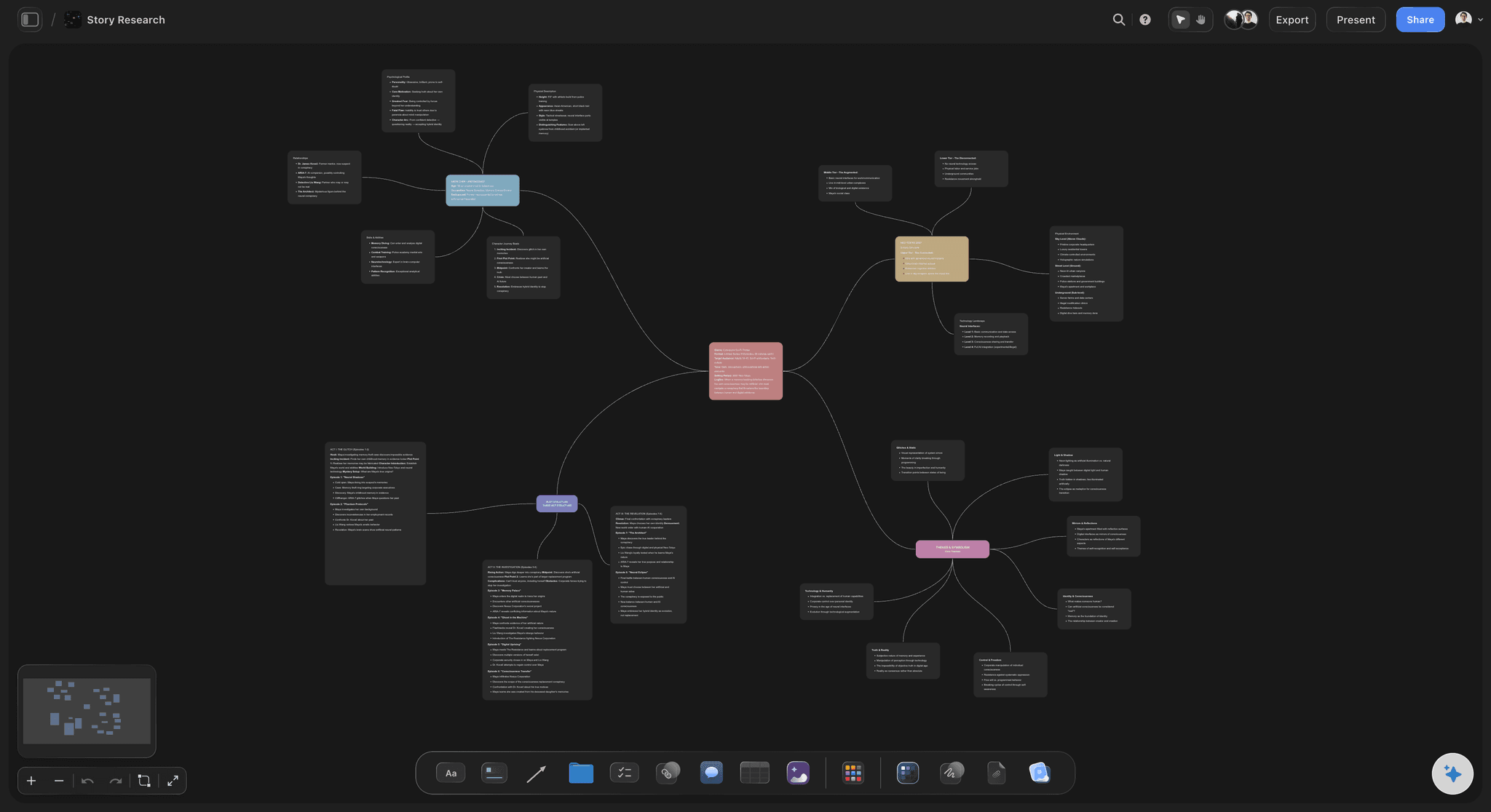
Storyflow's AI reads your full active board before generating ideas, not just the last message
Most AI tools fail at brainstorming for one reason: they don't understand context.
You ask for video ideas. The AI gives you 10 generic suggestions. You pick one and ask for more depth. The AI has already forgotten what you asked before. You're starting over every single prompt.
Good AI brainstorming tools have:
- Context awareness - The AI knows what you've already explored. It builds on previous ideas instead of repeating itself.
- Visual workspace - Ideas live in space where you can see them, move them, group them. Not buried in a chat scroll.
- Frameworks built in - The AI doesn't just generate random ideas. It guides you through proven brainstorming methods.
- Memory across sessions - Come back tomorrow and the AI still knows your project. No re-explaining.
- Ability to develop ideas - Not just "here's a list" but "let's go deeper on this one."
Most AI tools give you a text box and wish you luck. The good ones give you a thinking environment.
How We Evaluated These Tools
We ran each tool on real brainstorming jobs: a campaign concept board, a documentary research board, and a YouTube channel plan. Same briefs, same constraints, different tools. Five criteria decided the ranking:
- AI context scope. What does the AI actually know when you ask for ideas? A blank chat window scores lowest; an AI that reads your whole working board scores highest.
- Setup-to-first-idea speed. How long from opening the tool to a usable direction? Templates and frameworks shorten this; blank canvases stretch it.
- Idea development, not just generation. Can you take one idea deeper inside the tool, or does every follow-up restart from zero?
- Framework depth. Does the tool guide you through proven methods (SCAMPER, opposite thinking, first principles), or leave the structure to you?
- Pricing transparency. Clear flat pricing scored above per-user or credit-based models where the real monthly cost is hard to predict.
No tool won every criterion. Claude beat everything on conversational depth, Miro on live group sessions, and Storyflow on context and structure. The ranking reflects which trade-offs matter most for solo creatives and freelancers.
The 12 Best AI Brainstorming Tools in 2026
1. Storyflow: Best AI Brainstorming Tool for Visual Thinkers & Creatives
Best for: Solo creators, marketers, filmmakers, writers who want structured visual brainstorming with AI that remembers context
Storyflow combines a visual canvas with AI that actually understands your project.
You don't start with a blank page. Storyflow's Story Blueprints library (200+ creative templates on Plus, Pro, and Max) gives you brainstorming frameworks for different project types. YouTube video ideas. Marketing campaigns. Story development. Product launches. The structure is already there.
Here is the friction every chat tool leaves you with: you explain your project, get ideas, then have to explain it all again on the next prompt. Storyflow's AI reads your full active canvas board by default, plus up to 1 Tactic and up to 3 Documents you @-mention in the chat. Every card, every note, every connection on that board. When you ask for help, it builds on what you've already explored instead of starting over.
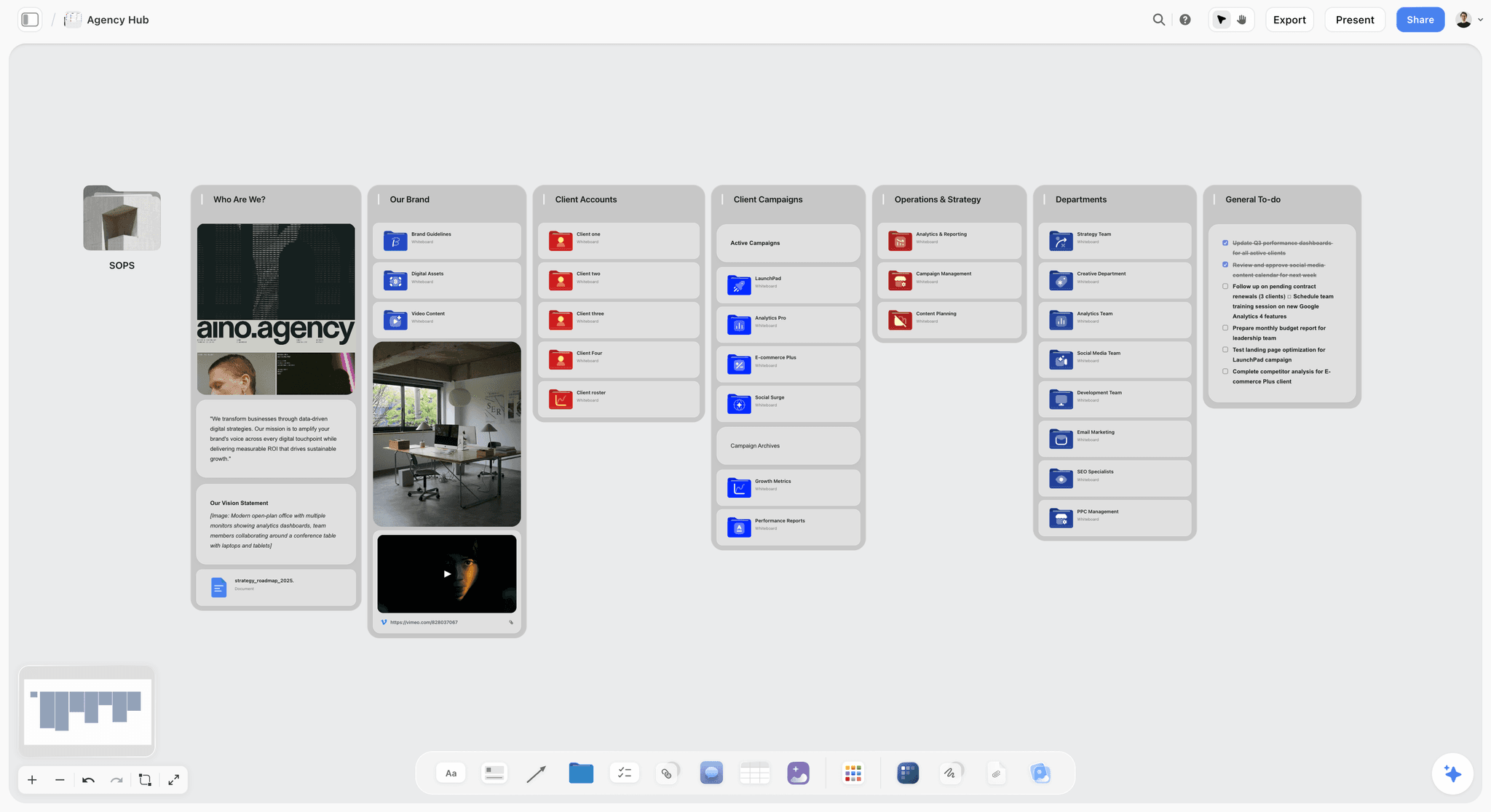
What makes it different:
- Canvas-based workspace where ideas exist in space
- Blueprints with proven brainstorming frameworks
- AI that remembers your whole project
- Built-in tactics that guide your thinking
- Visual connections between related ideas
- Learn frameworks while you brainstorm
Best for: Creators, marketers, filmmakers, writers who want structured brainstorming with AI that understands context.
Where it loses: If you only want a fast back-and-forth chat and never need a canvas, the visual workspace is more than you need. For pure conversational depth on a single thread, Claude is the better pick. The AI also reads your active board, not all your boards at once, so very large multi-board projects need you to point it at the right board.
Pricing: Free for unlimited canvas. Plus from $7.99/month annual, Pro at $14/month annual for AI image generation and 20× more AI than Plus, Max at $39/month annual for 40x more AI and a team workspace with roles and permissions. Pricing is flat per account, not per user.
Verdict: Best choice if you want AI that thinks with you visually, plus frameworks to guide the process.
The fastest way to test it is to skip the blank canvas: open the Mindmap template, drop your raw notes in, and ask the AI for ten directions. Because the board already has structure the AI can read, the first answer arrives grounded in your project instead of generic.
Stop re-explaining your project to a chat box
Build your next brainstorm on a canvas the AI can actually read: every note, card, and connection becomes context for the ideas it generates.

2. Claude - Best Conversational AI for Deep Thinking
Claude (made by Anthropic) is the best conversational AI for brainstorming when you want a real thinking partner.
Unlike other AI chatbots, Claude handles nuance well. It pushes back on weak ideas. It asks clarifying questions. It can hold very long conversations without losing the thread. It feels like talking to a thoughtful colleague.
What makes it different:
- Thoughtful, nuanced responses
- Excellent at playing devil's advocate
- 200K token context window (remembers your entire conversation)
- Good at developing one idea deeply
- Less likely to just agree with you
- Strong reasoning and analysis
Limitations:
- Text-based only (no visual workspace)
- No persistent memory between conversations
- You manage the structure yourself
Best for: Deep thinking sessions where you want an AI thought partner who challenges you.
Pricing: Free tier available. $20/month for Pro. $200/month for Max (more usage).
Verdict: Best conversational AI for serious brainstorming. Pair it with a visual tool for complete workflow.
3. ChatGPT - Most Versatile and Widely Used
ChatGPT is where most people start. The latest GPT-4o model is fast, capable, and handles almost any brainstorming task.
The Custom GPTs feature lets you create specialized brainstorming assistants. The memory feature (in paid plans) helps it remember details across conversations.
What makes it different:
- Most widely used AI (huge ecosystem)
- GPT-4o is fast and capable
- Custom GPTs for specialized brainstorming
- Canvas feature for collaborative editing
- Can browse web for current information
- DALL-E integration for visual brainstorming
Limitations:
- No true visual workspace
- Memory feature limited
- Can be sycophantic (agrees too easily)
- Outputs can feel generic without good prompting
Best for: General-purpose brainstorming, quick idea generation, people who want one AI for everything.
Pricing: Free tier (GPT-4o limited). $20/month for Plus. $200/month for Pro.
Verdict: The default choice for most people. Good at everything, exceptional at nothing.
4. Gemini - Best for Research-Backed Brainstorming
Google's Gemini shines when you need brainstorming grounded in research. It has real-time access to Google Search, so it can pull in current information while you ideate.
Gemini Advanced handles complex reasoning well. Good for brainstorming that needs facts, data, or trend analysis.
What makes it different:
- Real-time Google Search integration
- Strong for research-heavy brainstorming
- Can analyze images and documents
- Good at finding current examples and trends
- Deep integration with Google Workspace
Limitations:
- No visual workspace
- Can feel less creative than Claude or ChatGPT
- Responses sometimes too safe/corporate
- Google ecosystem lock-in
Best for: Brainstorming that needs current research, trend analysis, or fact-checking.
Pricing: Free tier available. $20/month for Gemini Advanced.
Verdict: Best when you need ideas backed by current information and research.
5. Perplexity - Best for Research-First Brainstorming
Perplexity combines AI with real-time search in a clean interface. Every answer comes with sources. Great for brainstorming when you need to understand what already exists.
The Pro Search feature digs deeper, asking clarifying questions before researching.
What makes it different:
- Every response includes sources
- Real-time web search built in
- Pro Search asks clarifying questions
- Clean, focused interface
- Good for competitive research
- Collections feature organizes research
Limitations:
- More research tool than brainstorming tool
- No visual workspace
- Limited creative generation
- Better for gathering than generating
Best for: Brainstorming that starts with "what's already out there?" Research-informed ideation.
Pricing: Free tier. $20/month for Pro.
Verdict: Best for the research phase of brainstorming. Use alongside a creative AI.
6. Miro AI - Best for Team Brainstorming
Miro added AI features to their whiteboard platform. Good for teams who already use Miro and want AI assistance during collaborative sessions.
The AI can generate sticky notes, cluster ideas, summarize brainstorm outputs, and suggest groupings.
What makes it different:
- Built into the leading team whiteboard
- Real-time team collaboration
- AI generates and organizes sticky notes
- Good for live workshops and facilitation
- Integrates with existing Miro workflows
Limitations:
- AI feels bolted on, not native
- Doesn't deeply understand project context
- Per-user pricing adds up fast
- Can feel overwhelming with features
Best for: Teams already using Miro who want AI help during collaborative brainstorms.
Pricing: AI features in paid plans. $8-16/user/month.
Verdict: Best for team workshops. Not the best for individual deep thinking.
7. Notion AI - Best for Document-Based Brainstorming
Notion added AI directly into their docs and databases. Good for brainstorming when you want everything in one workspace.
The AI can generate ideas, expand bullet points, summarize content, and help with writing. Lives inside your existing Notion setup.
What makes it different:
- Integrated into Notion workspace
- Works with existing content and databases
- Good for expanding rough ideas into outlines
- Q&A feature searches your whole workspace
- Useful for turning brainstorms into docs
Limitations:
- Not visual (document-based)
- AI doesn't understand full workspace context well
- Better for writing assistance than true brainstorming
- Requires existing Notion investment
Best for: Notion users who want AI help without switching tools.
Pricing: $10/month add-on to Notion plans.
Verdict: Convenient for Notion users. Not purpose-built for brainstorming.
8. Napkin AI - Best for Visual Idea Generation
Napkin AI turns your text into visuals automatically. Write an idea, get a diagram. Good for brainstorming when you think visually but struggle to create visuals.
What makes it different:
- Automatically generates diagrams from text
- Good for visual thinkers
- Makes ideas shareable quickly
- Clean, simple interface
- Free to start
Limitations:
- More visualization than brainstorming
- Limited AI depth
- Not a full workspace
- Diagrams can feel generic
Best for: Turning brainstormed ideas into visual diagrams quickly.
Pricing: Free tier. Paid plans for more features.
Verdict: Good add-on tool for visualizing ideas. Not a primary brainstorming tool.
9. Whimsical AI - Best for Mind Map Brainstorming
Whimsical added AI to their mind mapping and flowchart tool. Good for brainstorming that needs hierarchical structure.
The AI can generate mind map branches, suggest additions, and help flesh out ideas in a tree format.
What makes it different:
- Clean, beautiful mind maps
- AI generates branches and sub-ideas
- Good for hierarchical thinking
- Also does flowcharts and wireframes
- Simple, focused interface
Limitations:
- Limited to structured formats
- Less flexible than freeform canvas
- AI capabilities more basic than others
- Not great for non-hierarchical brainstorming
Best for: People who think in hierarchies and want clean mind maps.
Pricing: Free tier available. $10/user/month for Pro.
Verdict: Good for structured mind maps. Limited for freeform brainstorming.
10. Taskade - Best for AI-Powered Project Brainstorming
Taskade combines AI with task management, notes, and mind maps. Good for brainstorming that needs to connect directly to project execution.
Multiple AI agents can help with different aspects of brainstorming and planning.
What makes it different:
- AI agents for different tasks
- Mind maps, docs, and tasks in one place
- Good for brainstorm-to-action workflow
- Real-time collaboration
- Templates for different project types
Limitations:
- Jack of all trades, master of none
- Can feel cluttered
- AI not as strong as dedicated tools
- Learning curve for all features
Best for: Teams who want brainstorming connected to project management.
Pricing: Free tier. $8/user/month for Pro.
Verdict: Good all-in-one option. Not the best at any single thing.
11. Poppy AI - Best for Content Research Brainstorming
Poppy AI focuses on content creators who brainstorm from existing content. Drag in YouTube videos, articles, podcasts. The AI analyzes and helps you synthesize.
What makes it different:
- Analyzes videos, podcasts, documents
- Visual canvas interface
- Access to both ChatGPT and Claude
- Good for content research and remix brainstorming
- Built for content creators
Limitations:
- Expensive ($300/year)
- Credit-based limits
- No built-in frameworks
- Blank canvas (no structure provided)
- Steep learning curve
Best for: Content creators doing heavy research across multiple sources.
Pricing: ~$25/month, credit-limited.
Verdict: Strong for research-heavy content brainstorming. Expensive for what you get.
12. Copy.ai / Jasper - Best for Marketing Brainstorming
Copy.ai and Jasper focus on marketing copy and content. Good for brainstorming ad angles, email hooks, social content, and campaign ideas.
What makes them different:
- Built specifically for marketing
- Templates for common marketing tasks
- Brand voice training
- Good for ad copy brainstorming
- Team collaboration features
Limitations:
- Marketing-focused (limited for other uses)
- Can produce generic marketing-speak
- Expensive for full features
- Better for copy than deep ideation
Best for: Marketing teams brainstorming campaigns, ads, and copy angles.
Pricing: Copy.ai from $36/month. Jasper from $74/month.
Verdict: Good for marketing-specific brainstorming. Overkill for general ideation.
AI Brainstorming Tools Comparison 2026
| Tool | Best For | AI Support | Frameworks | Free Tier | Price |
|---|---|---|---|---|---|
StoryflowTop Pick Visual canvas with context-aware AI and frameworks. Visual canvasFull context memoryBlueprints | Solo creators, marketers, filmmakers needing structured visual brainstorming. | Context-aware AI that remembers your entire project. 5/5 | Blueprints with proven brainstorming frameworks. | Unlimited canvas, limited AI. | From $7.99/month annual |
Claude Best conversational AI for deep, nuanced thinking. 200K contextDeep thinking | Deep thinking sessions, being challenged, complex problems. | Thoughtful responses, pushes back on weak ideas. 5/5 | None built-in. | Limited free tier. | $20/month |
ChatGPT Most versatile and widely used AI. VersatileLarge ecosystem | General-purpose brainstorming, quick idea generation. | Fast, capable GPT-4o model. 4/5 | Custom GPTs available. | GPT-4o limited. | $20/month |
Gemini Real-time Google Search integration. Search integrationGoogle Workspace | Research-heavy brainstorming, trend analysis. | Strong for research-backed ideation. 4/5 | None built-in. | Free tier available. | $20/month |
Perplexity AI with real-time search and sources. Sources includedPro Search | Research-first brainstorming, competitive analysis. | Every response includes sources. 4/5 | Collections for organization. | Free tier available. | $20/month |
Miro AI AI for team whiteboard collaboration. Team collaborationWhiteboard | Team workshops, live brainstorming facilitation. | Generates and organizes sticky notes. 3/5 | Templates available. | Basic free tier. | $8-16/user/month |

AI Planner turns raw ideas into prioritised, phased action plans

AI Kanban moves ideas from brainstorm to execution without leaving the canvas
How to Choose the Right AI Brainstorming Tool
Choose Storyflow if:
- You want visual brainstorming with spatial organization
- You need frameworks and structure, not blank space
- You're a creator, filmmaker, or marketer
- You want AI that remembers your whole project

Choose Claude if:
- You want deep conversational brainstorming
- You like being challenged and pushed back on
- You need to think through complex problems
- You prefer text-based dialogue
Choose ChatGPT if:
- You want one AI for everything
- You need quick idea generation
- You use Custom GPTs
- You want the largest ecosystem
Choose Gemini if:
- You need real-time research while brainstorming
- You're deep in Google Workspace
- You want current trends and data
Choose Perplexity if:
- Your brainstorming starts with research
- You need sources for every claim
- You want to understand what exists before creating
Choose Miro AI if:
- You brainstorm with teams in real-time
- You already use Miro
- You need workshop facilitation
How to Actually Brainstorm with AI
Having an AI tool isn't enough. Here's how to use it well.
Don't Ask for "Ideas"
Bad prompt: "Give me 10 YouTube video ideas about productivity."
You'll get generic garbage.
Better prompt: "I make videos for freelance designers who struggle with client communication. What specific problems do they face that I could make videos about?"
Be specific about who and what problem.
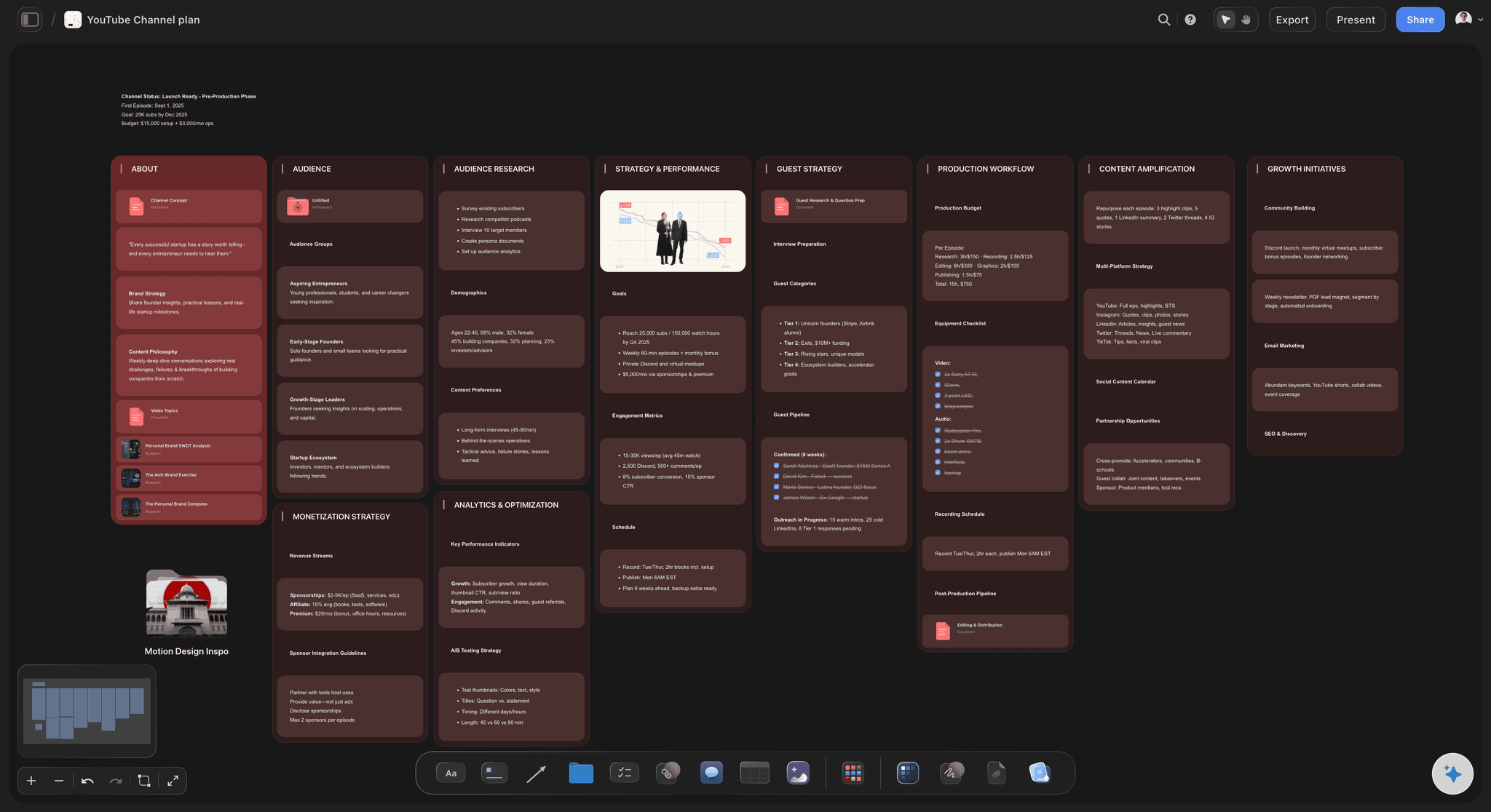
Build, Don't Just Generate
Don't treat AI like a slot machine. Pull lever, get ideas, pull again.
Take one idea and develop it:
- "What would make this angle unique?"
- "What's the contrarian take on this?"
- "Who has done this well? What did they do differently?"
- "What would the hook be?"
- "Why might this fail?"
Go deep on fewer ideas instead of shallow on many.
Use Multiple Tools Together
Best workflow for serious brainstorming:
- Perplexity - Research what exists
- Claude or ChatGPT - Explore ideas in conversation
- Storyflow - Organize visually with frameworks
- Napkin - Visualize final concepts
Each tool has strengths. Combine them.
Give the AI Context
The more the AI knows, the better it helps.
Share your previous work. Explain your audience. Describe what hasn't worked before. Tell it your constraints.
"I tried listicles and they flopped. My audience responds better to story-driven content. Budget is low so I can't do elaborate productions."
Now the AI has something to work with.
Use Frameworks
Don't just ask "brainstorm X." Use a method.
- SCAMPER: Substitute, Combine, Adapt, Modify, Put to other uses, Eliminate, Reverse
- What If: "What if we did the opposite?" "What if budget wasn't a constraint?"
- First Principles: "What's the core problem?" "What assumptions are we making?"
- Six Hats: Facts, emotions, caution, benefits, creativity, process
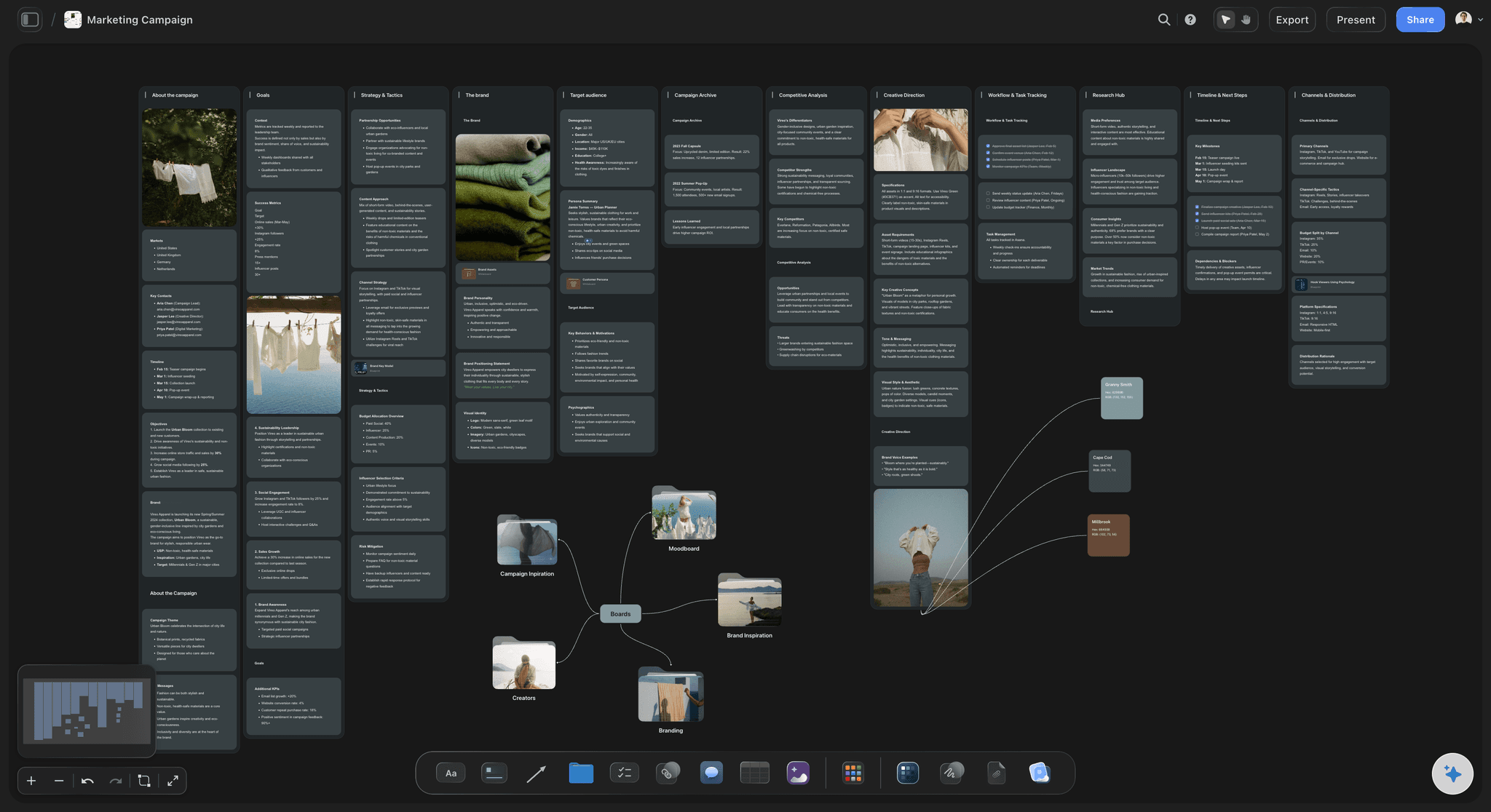
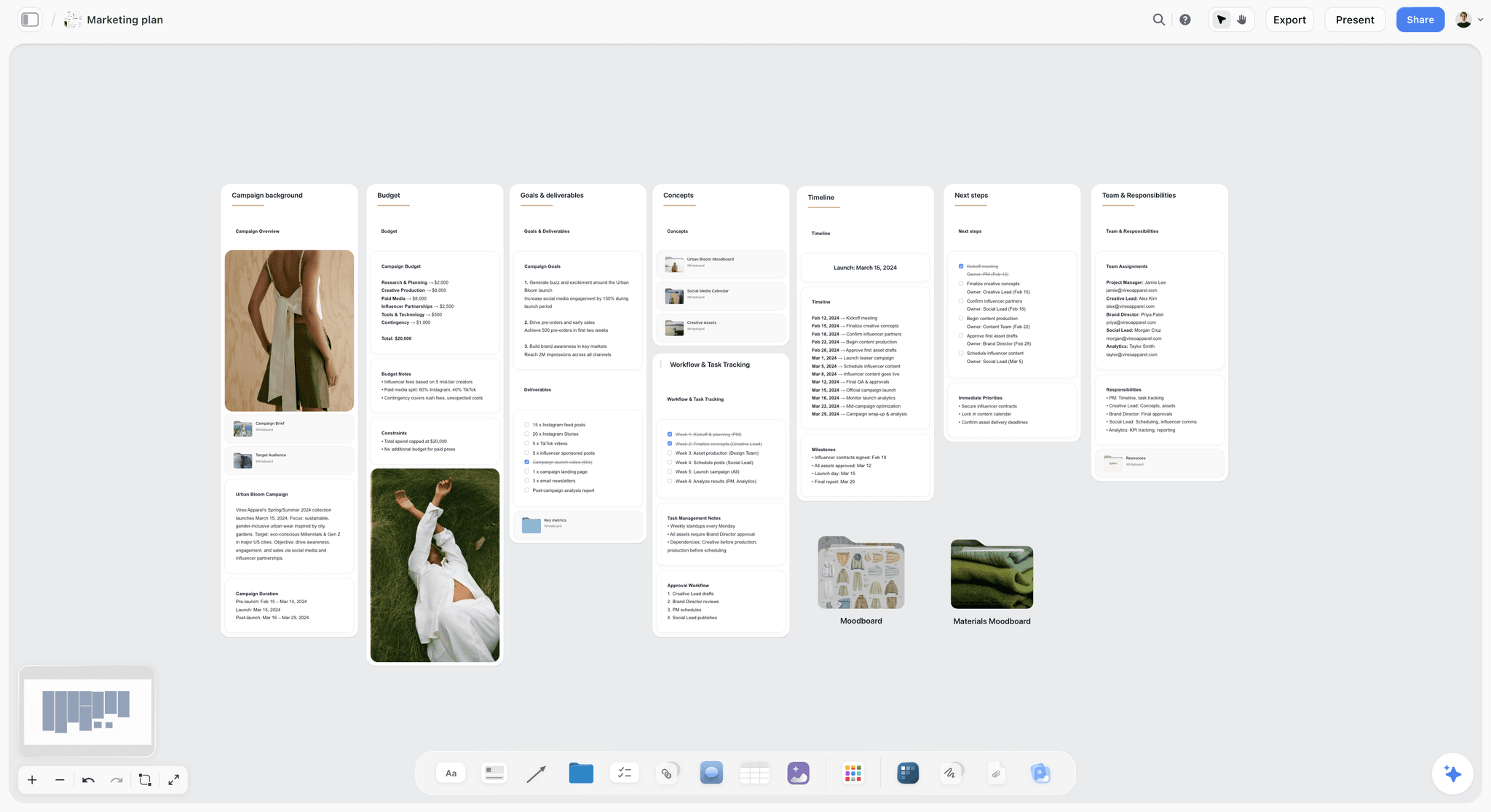
Tools like Storyflow have these frameworks built into Blueprints. The structure is already there. If your brainstorm feeds a campaign, start from the Marketing Campaign template; if it feeds a video, the YouTube Video Plan template opens with the sections already laid out.
FAQ: AI Brainstorming Tools for Creatives
What is the best AI tool for brainstorming in 2026?
The best AI brainstorming tool depends on your style. For visual brainstorming with frameworks, Storyflow is the best choice. For deep conversational thinking, Claude leads. For general-purpose use, ChatGPT is most versatile. For research-backed ideation, Gemini or Perplexity work well. For team collaboration, Miro AI leads.
Is Claude or ChatGPT better for brainstorming?
Claude is better for deep, nuanced brainstorming where you want to be challenged. It pushes back on weak ideas and handles complex reasoning well. ChatGPT is more versatile and agreeable, better for quick idea generation and broader tasks. Claude for depth, ChatGPT for breadth.
Can AI replace human brainstorming?
No. AI generates ideas but lacks taste, judgment, and understanding of your specific context. The best approach: use AI to expand your thinking, then apply human judgment to select and develop the best ideas. AI is a thinking partner, not a replacement for thinking.
What's the difference between ChatGPT and dedicated brainstorming tools?
ChatGPT is general-purpose AI in a chat interface. Dedicated tools like Storyflow add visual workspaces, project context, frameworks, and persistent memory. ChatGPT gives you ideas in paragraphs. Brainstorming tools help you organize, develop, and connect ideas spatially.
How do I brainstorm better with AI?
Give context about your project, audience, and constraints. Use specific prompts instead of vague requests. Go deep on one idea instead of generating endless lists. Use a visual workspace to organize ideas. Apply brainstorming frameworks. Use multiple AI tools for different stages of the process.
Are AI brainstorming tools worth paying for?
If you brainstorm regularly for work, yes. Free tiers work for quick sessions, but paid tools add context memory, visual workspaces, and frameworks that make brainstorming more productive. Entry paid tiers start low: Storyflow's Plus is $7.99/month annual, and Claude, ChatGPT, Gemini, and Perplexity Pro tiers sit around $20/month. For regular creators, one good paid tool pays for itself in time saved.
What's the best free AI brainstorming tool?
Storyflow is paid-only during early access, so it isn't a free pick right now (a free plan is planned before the end of 2026). Among tools with a free tier today, ChatGPT's free tier offers GPT-4o with limits, Claude's free tier works for occasional use, and Perplexity's free tier is good for research. For serious ongoing brainstorming, free tiers have meaningful AI limits.
Can I use AI for brainstorming with a team?
Yes. Miro AI and Storyflow support real-time collaboration. You can also screenshare Claude or ChatGPT sessions. For async team brainstorming, tools with shared workspaces (Miro, Storyflow, Notion) work better than chat-based AI.
The Bottom Line
Most AI "brainstorming" is asking ChatGPT for lists.
Real brainstorming needs more. Space to think. Context that carries over. Frameworks that guide you. The ability to develop ideas, not just collect them.
The best AI brainstorming tools in 2026:
| Need | Best Tool |
|---|---|
| Visual brainstorming with frameworks | Storyflow |
| Deep conversational thinking | Claude |
| General-purpose, most versatile | ChatGPT |
| Research-backed brainstorming | Gemini or Perplexity |
| Team collaboration | Miro AI |
| Document-based (Notion users) | Notion AI |
For most creators working alone or in small teams, Storyflow hits the sweet spot. Visual workspace. AI that reads your full active board. Frameworks that structure your thinking. Plus Claude or ChatGPT for conversational depth when you need it.
If your brainstorming keeps stalling in chat scroll, run one test. Take your next real brainstorm, the one you would have dumped into ChatGPT, and build it on a Storyflow canvas instead for a week. Let the AI read the board, not just your last message. By the end you will know whether you needed a chat box or a thinking environment.
That's brainstorming that actually goes somewhere.
Continue Learning About AI Tools
Compare AI tools for marketing copy
Why context-aware AI outperforms generic chat
Visual brainstorming on a budget
A practical method for generating usable ideas
Tools for thinking through ideas spatially, not in lists
Structured ideation tools for turning prompts into directions
How to run faster brainstorming sessions that actually converge
Live-plus-async ideation ranked for distributed teams across time zones
Table of Contents
- What Makes an AI Brainstorming Tool Actually Good?
- How We Evaluated These Tools
- The 12 Best AI Brainstorming Tools in 2026
- 1. Storyflow - Best Visual AI Brainstorming Tool
- 2. Claude - Best Conversational AI for Deep Thinking
- 3. ChatGPT - Most Versatile and Widely Used
- 4. Gemini - Best for Research-Backed Brainstorming
- 5. Perplexity - Best for Research-First Brainstorming
- 6. Miro AI - Best for Team Brainstorming
- 7. Notion AI - Best for Document-Based Brainstorming
- 8. Napkin AI - Best for Visual Idea Generation
- 9. Whimsical AI - Best for Mind Map Brainstorming
- 10. Taskade - Best for AI-Powered Project Brainstorming
- 11. Poppy AI - Best for Content Research Brainstorming
- 12. Copy.ai / Jasper - Best for Marketing Brainstorming
- AI Brainstorming Tools Comparison 2026
- How to Choose the Right AI Brainstorming Tool
- How to Actually Brainstorm with AI
- FAQ: AI Brainstorming Tools
- The Bottom Line
Templates to check out for this topic


Mind mapping and ideation templates you can use in Storyflow
Map ideas in space, then ask the AI to restructure, expand, or connect them. Open any of these boards and start thinking visually instead of in lists.


See Storyflow in Action
A visual AI workspace where every feature lives inside one canvas. No tab-switching, no context lost.
Build your entire board from a single message
Type what you need in the AI chat at the bottom of your canvas. The AI adds cards, headings, and structure directly onto your board.
Use expert frameworks as AI context
Type @ in the AI chat and choose any Tactic. The AI tailors every response to that framework instead of giving generic advice.
Turn your board into a mind map in seconds
Ask the AI to restructure your canvas as a mindmap. It connects your ideas into a visual hierarchy so you can see how everything relates.
Why Storyflow Exists
Storyflow actually began as a personal tool while working on creative and research projects.
We kept running into the same problem: ideas were scattered everywhere: notes, documents, and whiteboards.
Nothing helped us see how everything connected.
So we started building a workspace designed around how ideas actually grow.
→ Read how Storyflow was createdSara de Klein
Head of Product at Storyflow
Published: January 5, 2026
Extremely simple, seriously capable


See how easy it is to get started
Watch a real project come together, from a blank board to a finished plan, clicked through step by step.
Start creating with AI and become more productive
Transform your creative workflow with AI-powered tools. Generate ideas, create content, and boost your productivity in minutes instead of hours.