10 Best Mood Board Tools for Architects in 2026 (Tested and Ranked)
The 10 best mood board tools for architects in 2026, tested on real concept work. Storyflow, Milanote, Morpholio, Mattoboard, SketchUp and more compared on AI, design intent, and price.

Category
Visual Thinking
Author

Justkay
Documentary Filmmaker & Founder at Storyflow
Topics
2026-06-16
•
Updated July 3, 2026
•
16 min read
•
Visual Thinking- best mood board tools for architects
- architecture concept board
- architecture mood board
- Morpholio
- Mattoboard
- AI design intent
- Storyflow
What is the best mood board tool for architects in 2026?
The best mood board tool for architects in 2026 is Storyflow: its AI reads the whole board and turns precedents, materials, and notes into a design intent and a client-ready narrative. Milanote is the most beautiful pure board, Morpholio the iPad standard, Mattoboard best for materiality, and SketchUp where intent becomes 3D.

Full disclosure: Storyflow is our own product, and we rank it #1 for one job: turning precedents, materials, and notes into a communicable design intent, with AI that reads the whole board. For sheer visual craft Milanote is the more beautiful pure board, for iPad-native sketching and trace Morpholio is the standard, and for photoreal material boards Mattoboard is stronger. Storyflow will not model anything in 3D, so design intent still moves on to SketchUp or Rhino from there. We link to every tool so you can judge the fit.
Quick Comparison: Best Mood Board Tools for Architects
These four split the architect's board work into four jobs: turning precedents into design intent, a beautiful concept board, the iPad standard, and realistic material boards.
| Tool | Best For | AI Features | Price |
|---|---|---|---|
| Storyflow | Turning precedents into a communicable design intent | Canvas-aware AI reads the whole board | $7.99 mo annual (free plan late 2026) |
| Milanote | The most beautiful pure concept board | Limited AI | Free / ~$12.50 mo |
| Morpholio Board | The architect's iPad board and trace | Limited AI | Free + paid upgrades |
| Mattoboard | Realistic material and finish boards | Limited AI | Free + paid plans |
Build the concept board and the spec board on one canvas
Storyflow keeps reference images, materials, and plans on one board the AI can read, so the mood that sells the project and the detail that builds it stay connected.

1) Quick Answer: The Best Mood Board Tool for Architects
The best mood board tool for architects in 2026 is Storyflow if you want the concept to become a communicable design intent, because its AI reads the whole board and turns precedents, materials, and notes into a concept narrative, a brief, and a client-ready story. For the pure board, Milanote is the most beautiful, Morpholio is the architect's iPad standard, Mattoboard is best for materiality, and SketchUp is where the intent becomes a 3D model.
The short version: architects are fluent in two languages and have tools for only one of them. They have CAD and BIM for the building, and a scatter of Pinterest boards and InDesign sheets for the idea. The board carries the intent. CAD carries the building. The concept, the precedents, the materiality, and the narrative that win the project live in the weakest part of the toolchain. The right tool is the one that makes the intent as rigorous as the documentation.
What is an architecture mood board? An architecture mood board is a curated visual collection of precedents, materials, textures, light, and spatial references that defines the design intent of a project before and alongside the technical drawings. Publications like ArchDaily treat the concept board and precedent study as the foundation of a design, and tools like Morpholio built their products around the architect's board and trace workflow.
Key takeaways:
- The best overall pick is Storyflow for turning precedents and materials into a communicable design intent, because its AI reads the whole canvas. For the pure board, Milanote is the most beautiful and Morpholio is the iPad standard.
- Architects work in two languages: the design intent and the building documentation. The board carries the intent; CAD carries the building.
- For materiality, Mattoboard stacks realistic finish samples; for precedent gathering, Pinterest is the widest free source.
- For client presentation boards, Adobe InDesign and Canva; for the 3D model, SketchUp, which is a different job from a board.
- Storyflow is honest about its limits: it is not a CAD, BIM, or 3D tool. For drawings and models, use SketchUp, Revit, or ArchiCAD.
- Storyflow's Free plan, which launches before the end of 2026, will cover unlimited boards, images, and collaboration, so the full concept workflow is testable before paying.
All 10 Tools, Ranked
- Storyflow: best overall for turning precedents and materials into a communicable design intent
- Milanote: the most beautiful pure concept board
- Morpholio Board: the architect's iPad standard for boards and trace
- Pinterest: best free source for gathering precedents
- Mattoboard: best for realistic material and finish boards
- Adobe (Photoshop and InDesign): the standard for rigorous presentation boards and portfolios
- Canva: fastest path to a polished client board
- Miro: best team whiteboard for studio concept workshops
- Rayon: best browser-based collaborative 2D plans and boards
- SketchUp: where the intent becomes a 3D massing and model
For the wider category, see The Best Mood Board Tools in 2026 and the pillar guide What Is a Mood Board? A Complete Guide.
2) Comparison Table: 10 Architecture Mood Board Tools
Rating criteria: tested on real architecture workflows in 2025 and 2026, from precedent study through concept board and client presentation. Pricing is current as of June 2026 and competitor prices change often; verify current pricing on each tool's official page before buying.
3) The Intent Gap: Why a Concept Board Is Not a Model
Architects carry two things through every project. One is the building: the plans, sections, details, and model that get it permitted and built. The other is the intent: the idea, the precedents, the materiality, the light, the story that explains why the building should exist at all.
The building has world-class tools. Revit, ArchiCAD, AutoCAD, and SketchUp are deep, rigorous, and mature. The intent has Pinterest boards, a folder of screenshots, and an InDesign sheet built the night before the client meeting. The board carries the intent. CAD carries the building, and the half that wins the commission is running on the weaker tools.
The intent gap shows up in three places.
- The precedents never become an argument. A wall of beautiful reference buildings does not explain why this material, this massing, this light serves this project. The board shows taste, not reasoning.
- The intent and the documentation drift apart. The concept lives in one tool and the drawings in another, so by design development the original idea is a memory rather than a reference.
- The client sees images, not a story. A board of precedents wins less than a narrative that connects the idea to the client's brief, the site, and the experience.
The board carries the intent. CAD carries the building.
Here is the framework this article is built on. Architecture mood board tools fall into two camps. Collectors and presenters are built for showing the intent: Pinterest, Milanote, Morpholio, Mattoboard, and InDesign are excellent at gathering precedents and arranging a beautiful board, and an architect should use one.
But they cannot make the intent rigorous. They cannot read the precedents, connect them to the brief and the site, and turn them into a concept narrative the client and the team can act on. That requires an intent canvas: a tool that holds the precedents, the materials, the notes, and the brief together and helps you reason. The board carries the intent. CAD carries the building, and the reason concepts feel thin is that the intent runs on collectors while the building runs on CAD. The fix is not a prettier board. It is a canvas where the precedents become an argument.
4) How We Evaluated These Tools
Every tool here was tested on real architecture work in 2025 and 2026: a residential concept, a small civic competition entry, and a materiality study. No synthetic demos. Six criteria, weighted in this order.
- Precedent to intent. Does the tool only gather precedents, or does it help turn them into a reasoned design intent and narrative?
- Materiality. How well does it convey real materials, finishes, and light, not just flat images?
- AI depth. Is there an AI that reads the board and does real concept work, or is everything arranged by hand?
- Presentation. How good does the board look in front of a client or a jury, and how easily does it share?
- Fit with the architecture stack. How well does it sit beside CAD, BIM, and 3D, where the building is documented?
- Price and free tier. What does it cost at real usage, and is the free plan genuinely usable?
Tools were judged across a whole concept phase, not in a quick demo. The rankings reflect whether each tool is a collector, an intent canvas, or a modeling tool.
5) Quick Picks by Job to Be Done
If you want the short list, organize by the job, not the brand.
Best for turning precedents into a design intent: Storyflow. The AI reads the board and drafts the concept narrative and the brief.
Best most beautiful board: Milanote. The calmest concept-board surface.
Best architect's iPad board: Morpholio Board, paired with Morpholio Trace for sketching over plans.
Best for materiality: Mattoboard. Realistic 3D material and finish boards.
Best for gathering precedents: Pinterest. The widest free source.
Best for presentation boards: Adobe InDesign for rigor, Canva for speed.
Best for the 3D model: SketchUp. Where intent becomes massing and form.
Make the intent as rigorous as the drawings
Drop the precedents, material references, and brief on one Storyflow canvas, then ask the AI to draft the concept narrative. The free plan covers unlimited boards, no credit card.
6) Detailed Reviews: 10 Mood Board Tools for Architects
1. Storyflow
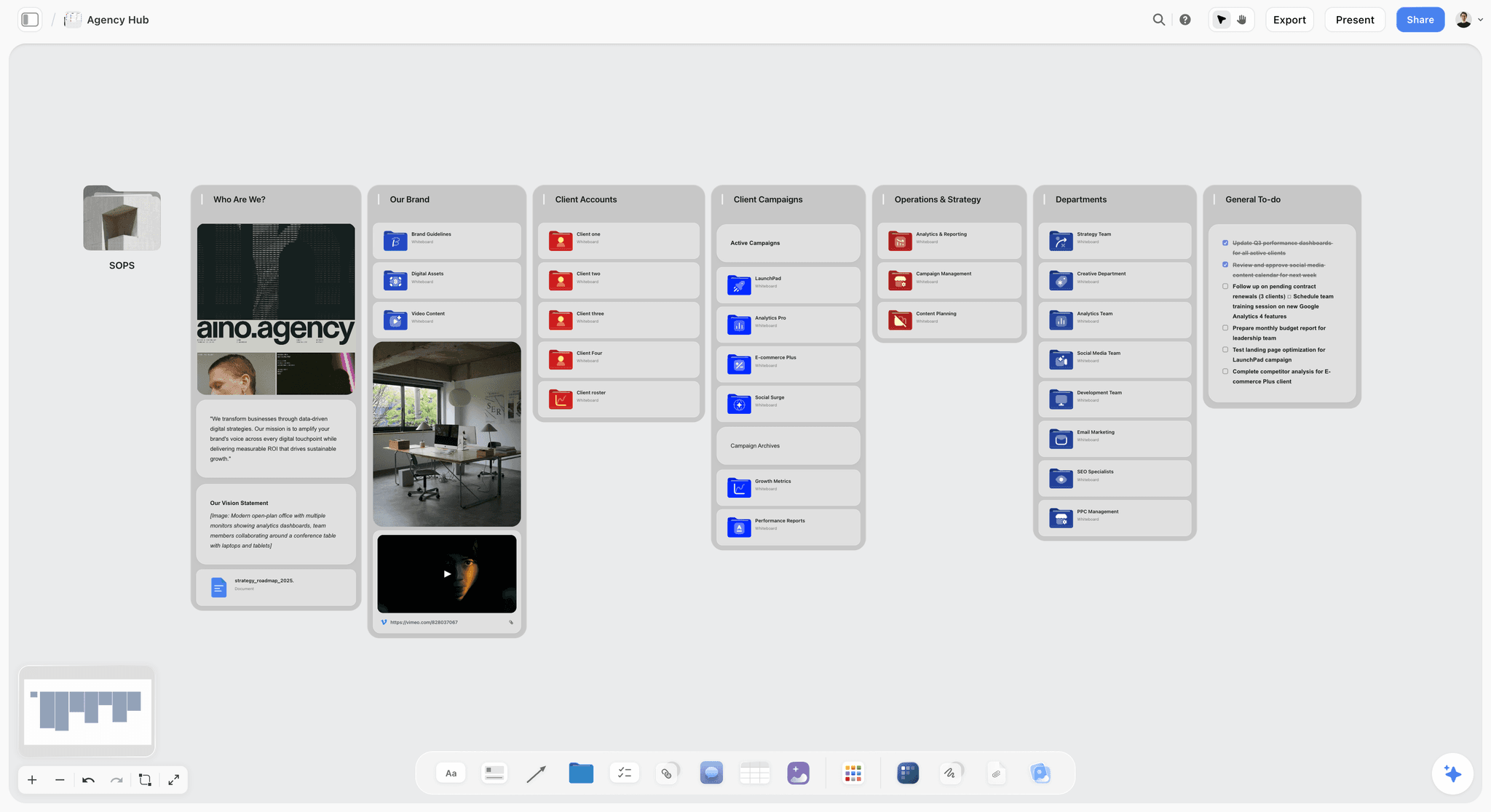
Storyflow is the tool to pick when your problem is not gathering precedents but turning them into an argument. It is an AI-powered visual creative workspace: an infinite canvas of images, notes, and documents where the AI reads the whole board. For an architect, that means the precedent studies, the material references, the site notes, the brief, and the concept narrative all live on one canvas, and the AI helps you move from a wall of reference buildings to a design intent you can defend.
The difference shows up at the concept review. With a collector, the board is beautiful and the reasoning is in your head. In Storyflow, you ask the AI to read the board and draft the concept narrative, connect the precedents to the brief, or articulate the materiality logic, and it does, because the AI reads every precedent, note, and card on the canvas. The board carries the intent. CAD carries the building, and Storyflow is built to make the intent as rigorous as the documentation.
Best for: Concept and residential architects whose precedent boards are beautiful and whose design intent never quite becomes an argument.
Verdict: The strongest tool for turning precedents into a communicable design intent. It is not a CAD, BIM, or 3D tool, so for drawings and models you will still use SketchUp, Revit, or ArchiCAD.
Key features
- Canvas-aware AI by default. The AI reads your full active canvas board (every precedent, note, and card on it). You can ground it further by @-mentioning up to 1 Tactic and up to 3 Documents in the AI chat.
- Start from an architecture template. Open the Inspiration Board Architecture template or the Architecture Design Concept template and the board opens with precedent and materiality structure the AI can read, instead of a blank canvas.
- Structured cards and documents. A board can hold the precedents, the materiality, the brief, and the concept narrative together, not just a grid of reference buildings.
- 200+ Story Blueprints. An expert-built template library covering creative and strategic frameworks, included on the Plus tier and above.
- Unlimited shared boards and unlimited collaboration on every plan, including Free. The Max plan adds a team workspace with permissions and roles.
Pricing
Free: launching before the end of 2026; invited collaborators of paid members join free today. Unlimited notes, images, and links, unlimited shared boards, unlimited collaboration, basic AI, and 20 file uploads. The Free plan does not include the 200+ Story Blueprints library. Plus: $7.99 per month annual or $9.99 per month monthly (adds the 200+ Story Blueprints, unlimited uploads). Pro: $14 per month annual or $19 per month monthly (adds AI image generation and 20x more AI than Plus). Max: $39 per month annual or $49 per month monthly (adds 40x more AI and a team workspace with permissions and roles). Pricing current as of June 2026.
Pros
- The AI turns precedents into a reasoned design intent and a narrative, which collectors leave to the architect.
- One canvas holds the precedents, the materiality, and the brief, so the concept stays connected to the project.
- The Free plan is genuinely usable on real concept work: unlimited boards, unlimited references, unlimited collaboration, forever.
Cons
- It is not a CAD, BIM, or 3D tool. For drawings and models, use SketchUp, Revit, or ArchiCAD.
- It does not produce construction documents or measured drawings.
- AI image generation is on the Pro tier and above, and the platform is cloud-only with no offline mode.
If your concepts feel thin, take one project and build its intent on a Storyflow canvas. Start a Storyflow workspace and ask the AI to turn the precedents into a concept narrative tied to the brief.
2. Milanote
Milanote is the most beautiful general-purpose mood board tool, and architects use it for concept boards and precedent studies. References, notes, and materials sit together in a calm, elegant space.
Best for: Architects who want the most beautiful concept board.
Verdict: The best pick for a gorgeous concept board. Light on the reasoning and the documentation side.
Key features
- An elegant, low-friction canvas for precedents and notes.
- Architecture and concept board templates.
- Simple sharing and light collaboration.
- A genuinely generous free tier.
Pricing
Free tier with a card limit. Paid plans are around $12.50 per month, less when billed annually. Pricing current as of June 2026; verify on Milanote's site.
Pros
- One of the most beautiful tools for a concept board.
- Flexible for precedents, materials, and site references.
- A free tier that is genuinely useful.
Cons
- AI is light, so every card is placed by hand.
- It arranges precedents but does not reason about them.
- No link to CAD or the documentation.
3. Morpholio Board
Morpholio is the architect's iPad toolkit. Morpholio Board builds material and product boards, and Morpholio Trace lets you sketch over plans and photos, which is why so many architects work this way on the Apple Pencil.
Best for: Architects who design and board on the iPad.
Verdict: The architect's iPad standard for boards and trace. Built around the tablet workflow.
Key features
- Material and product boards with spec tracking.
- Morpholio Trace for sketching over plans and site photos.
- A tactile iPad and Apple Pencil workflow.
- Export to clean, presentable boards.
Pricing
Free to download with paid upgrades and subscriptions. Pricing current as of June 2026; verify on Morpholio's site.
Pros
- A genuinely architect-native board and trace workflow.
- Excellent on the iPad with the Pencil.
- Strong for materials and quick design overlays.
Cons
- Built around the iPad, so less convenient on desktop.
- No deep canvas-aware AI for the concept narrative.
- A board and trace tool, not a documentation tool.
4. Pinterest
Pinterest is where most precedent gathering begins. For collecting reference buildings, details, and materials at scale, nothing is faster or freer.
Best for: Architects gathering precedents and references.
Verdict: The best free source for precedents. Not a workspace or a reasoning tool.
Key features
- A vast library of architectural images to collect.
- Free, with effectively no limit on saving.
- A discovery engine that surfaces related precedents.
- Simple board organization by project.
Pricing
Free. Pricing current as of June 2026.
Pros
- Unbeatable for gathering precedents at scale.
- Free and effortless.
- Surfaces references you would not find alone.
Cons
- A public network, not a private studio workspace.
- No reasoning, brief, or documentation link.
- Precedents stay as images.
5. Mattoboard
Mattoboard is a 3D material and finish board tool, which makes it a strong fit for the materiality side of architecture. Instead of flat images, you arrange realistic samples of stone, wood, metal, and glass.
Best for: Architects building convincing material and finish boards.
Verdict: A strong, modern pick for materiality. Narrower than a full concept tool.
Key features
- Realistic 3D material and finish samples.
- A library of real-world products and materials.
- Boards that read like a physical sample tray.
- Sharing and presentation features.
Pricing
Free tier with paid plans. Pricing current as of June 2026; verify on the Mattoboard site.
Pros
- Materials and finishes look genuinely realistic.
- A tactile alternative to flat material images.
- Good for communicating the material story.
Cons
- Focused on materials, so narrower than a concept board.
- A younger, smaller ecosystem.
- Not a place for the full design intent.
6. Adobe (Photoshop and InDesign)
Adobe is the standard for rigorous architecture presentation boards and portfolios. InDesign lays out competition boards and books, and Photoshop builds custom imagery and collages.
Best for: Architects producing polished presentation boards and portfolios.
Verdict: The standard for presentation rigor. A layout and imagery layer, not a reasoning one.
Key features
- InDesign for presentation boards, books, and portfolios.
- Photoshop for custom imagery and architectural collage.
- Industry-standard layout and image control.
- Deep integration across Creative Cloud.
Pricing
Photoshop is around $22.99 per month as a single app; full Creative Cloud costs more. Pricing current as of June 2026; verify on Adobe's site.
Pros
- The standard for rigorous, polished boards and portfolios.
- Total control over layout and imagery.
- The tools most studios already use.
Cons
- A layout tool, not a concept-reasoning canvas.
- Steeper and pricier than a board tool.
- No AI that reads and reasons about the precedents.
7. Canva
Canva is the fastest way to turn a concept into a polished client board or presentation. It lacks InDesign's rigor but wins on speed and ease for smaller practices.
Best for: Small practices that need a polished client board fast.
Verdict: The fastest path to a presentable board. Light on rigor and reasoning.
Key features
- A huge template library, including board layouts.
- Magic Studio AI tools for generating visuals.
- Easy export to PDF and presentation formats.
- Familiar and easy to use.
Pricing
Free tier. Canva Pro is around $15 per month. Pricing current as of June 2026; verify on Canva's site.
Pros
- The fastest path to a polished client board.
- An enormous template library.
- Almost no learning curve.
Cons
- Less rigorous than InDesign for serious boards.
- Presentation-first, not a reasoning tool.
- No link to the documentation.
8. Miro
Miro is the team whiteboard for design workshops and project boards. For a collaborative concept session or a studio-wide project wall, it scales well.
Best for: Studios running collaborative concept workshops.
Verdict: The best team whiteboard for studio sessions. Boards can sprawl and stay flat.
Key features
- Infinite canvas with templates.
- Real-time collaboration for the studio.
- AI Sidekicks for summaries and clustering.
- Integrations with the work stack.
Pricing
Free tier with limited boards. Paid plans start around $8 per user per month. Pricing current as of June 2026; verify on Miro's site.
Pros
- The deepest collaboration for studio sessions.
- A huge template ecosystem.
- AI Sidekicks add genuine help.
Cons
- Boards sprawl and can be hard to act on.
- Per-user pricing adds up for a studio.
- More workshop tool than a focused concept board.
9. Rayon
Rayon is a browser-based collaborative design tool for architecture and interiors, combining 2D plans with mood boards and real-time collaboration. It is a modern, lighter take on the studio workflow.
Best for: Studios who want collaborative 2D plans and boards in the browser.
Verdict: A modern, collaborative concept and plan tool. Younger and lighter than the incumbents.
Key features
- Browser-based 2D plans and mood boards together.
- Real-time multiplayer collaboration.
- A product and material library.
- A clean, modern interface.
Pricing
Paid plans start around $12 per month. Pricing current as of June 2026; verify on the Rayon site.
Pros
- Plans and boards in one collaborative tool.
- Genuinely real-time and browser-based.
- A fresh, modern workflow.
Cons
- A younger product with a smaller ecosystem.
- Not a full CAD or BIM replacement.
- Lighter AI than a dedicated intent canvas.
10. SketchUp
SketchUp is the fast 3D modeling standard for architects, and it is on this list for honesty: turning a concept into massing and form is where intent becomes a model. That is a different job from a board, and a crucial one.
Best for: Architects turning a concept into a 3D massing and model.
Verdict: The standard for fast 3D modeling. A modeling tool, not a mood board.
Key features
- Fast, intuitive 3D modeling.
- A huge 3D Warehouse of components.
- Extensions for rendering and analysis.
- The bridge from concept to a buildable model.
Pricing
Subscription plans, with a trial. Pricing current as of June 2026; verify on the SketchUp site.
Pros
- The fastest path from concept to 3D massing.
- A vast component library.
- The standard early-model tool for architects.
Cons
- It is a modeling tool, not a mood board.
- The concept and precedent stage is not its job.
- A steeper path than a board for early intent.
7) Which Tool Fits Which Kind of Architect?
1. Concept / Design Architect
Top picks: Storyflow + Pinterest
Pinterest to gather precedents fast. Storyflow to turn them into a reasoned design intent and narrative the team and client can act on.
2. Residential Architect (Small Practice)
Top picks: Storyflow + Morpholio
Storyflow for the concept, the brief, and the client story on one canvas. Morpholio for the material boards and trace overlays on the iPad.
3. Large Firm / Commercial Architect
Top picks: Storyflow + Adobe InDesign
Storyflow to keep the design intent coherent across a big team and a long project. InDesign for the rigorous presentation boards and competition books.
4. Landscape Architect
Top picks: Storyflow + Mattoboard
Storyflow for the concept, the site narrative, and the planting and materials direction. Mattoboard for realistic material and finish boards.
5. Architecture Student
Top picks: Pinterest + Storyflow
Pinterest to gather precedents for free. Storyflow for the part juries reward most: the concept argument and the design intent behind the drawings, both free on the starter plan.
6. Architectural Designer / Visualizer
Top picks: SketchUp + Storyflow
SketchUp for the massing and the model. Storyflow for the concept and materiality intent that the model and the renders should express.
8) Honorable Mentions
A few tools that came close but did not make the main ten.
- Revit and ArchiCAD: The BIM standards for documentation; the building, not the board.
- Arki and Enscape: Strong visualization and AR tools; rendering, not concept boarding.
- Concepts and Procreate: Excellent sketching apps on the iPad; drawing, not a full board.
- Notion: Fine for a project brief in document form; document-shaped rather than a visual board.
- Ph: SampleBoard and GoMoodboard: Simple board makers; lighter than the architect-specific tools.
These are not weak tools. Their audience or core job is simply different from architecture mood boarding.
9) Where the Dedicated Tools Still Win (An Honest Accounting)
A ranking that put an AI canvas at the top and pretended the specialist tools were beaten would not be worth reading. Here is the honest accounting of where the dedicated tools win, and where Storyflow is the wrong choice.
SketchUp, Revit, and ArchiCAD win on the building. Massing, drawings, documentation, and the model are theirs, full stop. Storyflow does not draw or model.
Adobe InDesign wins on presentation rigor. For a serious competition board or a portfolio book, InDesign's layout control is unmatched.
Morpholio wins on the iPad workflow. For boarding and sketching over plans with the Pencil, it is purpose-built.
So why does Storyflow rank first? Because the most common unsolved problem for architects is not modeling or laying out a board, both of which have excellent dedicated tools. It is the middle: turning precedents and materials into a reasoned design intent the client and the team can act on. The board carries the intent. CAD carries the building, and Storyflow is the only tool here whose AI reads the whole board and makes the intent rigorous. Pair it with CAD and a presentation tool and the whole workflow is covered.
11) The Bottom Line
The best mood board tool for architects in 2026 depends on which part of the work you are missing. For gathering precedents, Pinterest is unbeatable. For the most beautiful board, Milanote; for the iPad, Morpholio; for materiality, Mattoboard; for presentation, Adobe InDesign and Canva; and for the 3D model, SketchUp.
But the most common unsolved problem is the middle: turning precedents and materials into a reasoned design intent the client and the team can act on. The board carries the intent. CAD carries the building. That is why Storyflow ranks first: its AI reads the whole board and makes the intent as rigorous as the documentation, then keeps the precedents, the materiality, and the narrative on one canvas.
If your concepts feel thin, build the intent for one project on a canvas. Start a Storyflow workspace, open the Architecture Design Brief template, and ask the AI to turn the precedents into a concept narrative, not just a wall of buildings.
10) FAQ: Mood Board Tools for Architects in 2026
What is the best mood board tool for architects in 2026?
For turning precedents and materials into a communicable design intent, Storyflow is the best pick, because its AI reads the whole canvas. For the pure board, Milanote is the most beautiful and Morpholio is the iPad standard, Mattoboard is best for materiality, and SketchUp is where the intent becomes a 3D model. The right choice depends on whether your gap is gathering, reasoning, presenting, or modeling.
Is there a free mood board tool for architects?
Yes. Pinterest is free, Milanote, Mattoboard, Canva, Miro, and Rayon have free tiers, and Morpholio Board is free to download with paid upgrades. Storyflow's Free plan, which launches before the end of 2026, will be the strongest for turning precedents into a design intent: unlimited boards, unlimited images, unlimited collaboration, and basic AI. Most architects combine a free collector with Storyflow for the concept.
What do architects actually use for concept boards?
Most architects use a collector plus a presenter: Pinterest to gather precedents, Milanote or Morpholio to arrange a board, and InDesign for the rigorous presentation. The newer move is to add an AI canvas like Storyflow for the reasoning step, where precedents and materials become a design intent and a narrative, which is the part collectors leave to the architect and the part juries and clients actually respond to.
Can I make an architecture concept board with AI?
Yes. Storyflow's AI reads your full active canvas and can draft the concept narrative, connect the precedents to the brief, and articulate the materiality logic from the references you drop on the board, and it can generate a starting precedent study from a prompt. AI helps with the reasoning and the narrative; it does not draw, model, or document the building.
Milanote vs Morpholio for architects: which is better?
Milanote is better as a calm, beautiful concept board on any device, with notes and references together. Morpholio is better on the iPad, where Board handles materials and Trace lets you sketch over plans and photos with the Pencil. Many architects use Milanote or Storyflow on desktop for the concept and Morpholio on the iPad for boarding and trace.
What is the difference between a mood board and CAD?
A mood board carries the design intent: precedents, materials, light, and the story of why the building should be a certain way. CAD and BIM carry the building: the measured drawings, the documentation, and the model that get it built. The board comes first and informs the drawings. The board carries the intent; CAD carries the building, and they are different languages for different stages.
What is the best tool for architecture presentation boards?
Adobe InDesign is the standard for rigorous competition boards and portfolio books, with total control over layout and typography. Canva is faster and easier for smaller practices and quick client boards. For the concept reasoning behind the board, Storyflow drafts the narrative; for the layout itself, InDesign or Canva produces the final sheet.
Can Storyflow do CAD, BIM, or 3D modeling?
No, and it does not try. Storyflow is a concept-and-intent canvas: it turns precedents and materials into a design intent, a narrative, and a brief. It does not draw plans, model in 3D, or produce construction documents. For those, use SketchUp, Revit, or ArchiCAD. Storyflow's job is the intent those tools then document and build.
What is the best material board tool for architects?
Mattoboard is the strongest dedicated tool for materiality, because it arranges realistic 3D samples of stone, wood, metal, and glass that read like a physical sample tray. Morpholio Board also handles materials well with spec tracking. For the wider concept that the materials serve, Storyflow keeps the materiality on the same canvas as the precedents and the narrative.
How do I make an architecture concept board?
Start with the design intent in one line: the idea the project is really about. Gather precedents for massing, materials, light, and experience, then group them by the decision they support. Finally, write the reasoning: why each precedent serves this brief and this site. Storyflow does this last step with you, reading the board and drafting the concept narrative, so the precedents become an argument instead of a wall of nice buildings.
What is the best mood board tool for architecture students?
For students, the strongest pairing is Pinterest for precedents and Storyflow for the concept argument behind the drawings. Juries reward the why, the design intent, the precedent reasoning, the narrative, far more than pretty boards alone, and a direction canvas is exactly where that thinking lives. Both have free plans, so a student can build a full concept without paying.
How is Storyflow different from a normal mood board tool?
A normal mood board tool collects and arranges precedents and stops there; the reasoning and the documentation live elsewhere. Storyflow's AI reads the whole board and turns the precedents and materials into a design intent and a narrative on the same canvas. The trade-off is honest: it is an intent canvas, not a collector, a layout tool, or CAD, so you pair it with Pinterest, InDesign, and SketchUp.
Table of Contents
- Quick Answer: The Best Mood Board Tool for Architects
- Comparison Table: 10 Architecture Mood Board Tools
- The Intent Gap: Why a Concept Board Is Not a Model
- How We Evaluated These Tools
- Quick Picks by Job to Be Done
- Detailed Reviews: 10 Mood Board Tools for Architects
- Which Tool Fits Which Kind of Architect?
- Honorable Mentions
- Where the Dedicated Tools Still Win (An Honest Accounting)
- FAQ: Mood Board Tools for Architects in 2026
- The Bottom Line
- Author
- Related Reading
Templates to check out for this topic


Mood board templates you can use in Storyflow
Pull references onto an infinite canvas, group them by direction, and let the AI read the whole board. Open any of these mood board templates and start dropping in images.


See Storyflow in Action
A visual AI workspace where every feature lives inside one canvas. No tab-switching, no context lost.
Build your entire board from a single message
Type what you need in the AI chat at the bottom of your canvas. The AI adds cards, headings, and structure directly onto your board.
Use expert frameworks as AI context
Type @ in the AI chat and choose any Tactic. The AI tailors every response to that framework instead of giving generic advice.
Turn your board into a mind map in seconds
Ask the AI to restructure your canvas as a mindmap. It connects your ideas into a visual hierarchy so you can see how everything relates.
Why Storyflow Exists
Storyflow actually began as a personal tool while working on creative and research projects.
We kept running into the same problem: ideas were scattered everywhere: notes, documents, and whiteboards.
Nothing helped us see how everything connected.
So we started building a workspace designed around how ideas actually grow.
→ Read how Storyflow was createdJustkay
Documentary Filmmaker & Founder at Storyflow
Published: 2026-06-16
Extremely simple, seriously capable


See how easy it is to get started
Watch a real project come together, from a blank board to a finished plan, clicked through step by step.
Start creating with AI and become more productive
Transform your creative workflow with AI-powered tools. Generate ideas, create content, and boost your productivity in minutes instead of hours.