The 12 Best Lookbook Tools for Filmmakers in 2026 (Tested on Real Films)
The best lookbook tools for filmmakers in 2026, tested on real films. 12 tools compared for developing and designing a film's look, from Storyflow and Milanote to Canva, ShotDeck, and InDesign.

Category
Filmmaking
Author

Justkay
Documentary Filmmaker & Founder at Storyflow
Topics
2026-07-10
•
16 min read
•
Filmmaking- best lookbook tools for filmmakers 2026
- film lookbook tools
- how to make a film lookbook
- film lookbook software
- lookbook maker
- film lookbook template
What are the best lookbook tools for filmmakers in 2026?
The best lookbook tools for filmmakers in 2026 are Storyflow (best for developing the look with AI on a canvas), Milanote (best dedicated film lookbook tool), Canva (best for a designed lookbook PDF), and ShotDeck (best film-still reference library). A film lookbook is the visual document that sells your film's look and tone: the palette, the references, and the cinematography. The right tool depends on which job you are stuck on, developing the look or delivering the document. Storyflow leads development because the references, palette, and mood live on a canvas the AI can read, next to the treatment and the rest of pre-production. A lookbook is a visual argument: it says "this is what the film feels like" before a frame is shot. Building one has two jobs, developing a coherent look out of raw references, then delivering that look as a shareable document. Most tool guides only rank the delivery tools and skip the harder half. This guide ranks tools across both jobs.

Full disclosure: Storyflow is our own product, and this guide ranks it first for the develop side of a lookbook, where references, palette, and tone sit on one canvas the AI reads to find the through-line. That ranking reflects the harder half most tools skip, not a claim to design the final document. Storyflow is a canvas for assembling and annotating references, not a print or PDF-layout tool, so it ships no fixed lookbook templates and you deliver the finished document in Canva or InDesign, while Milanote is the strong dedicated board and ShotDeck the deepest reference library. It is also cloud-only, and AI image generation is Pro and up. We link to every tool so you can judge the fit.
Quick Comparison
A lookbook splits into developing the look and delivering the document, so the top four pair the canvas and reference library that build a coherent look with the tool that designs it.
| Tool | Best For | AI Features | Price |
|---|---|---|---|
| Storyflow | Lookbook on a canvas | Canvas AI, image gen on Pro | $7.99 mo annual (free plan late 2026) |
| Milanote | Dedicated film lookbook | Visual, no AI | Free tier |
| Canva | Designed lookbook PDF | Magic Design AI | Free tier |
| ShotDeck | Film-still reference library | Search filters | Monthly sub |
All 12 Lookbook Tools for Filmmakers, Ranked
- Storyflow: best for developing a lookbook with AI on a canvas (9.3/10)
- Milanote: best dedicated film lookbook tool (9.1/10)
- Canva: best for a designed lookbook PDF (8.8/10)
- ShotDeck: best film-still reference library (8.6/10)
- Pinterest: best for gathering references (8.3/10)
- Adobe InDesign: best for a print-quality lookbook (8.1/10)
- Figma: best for design-team lookbooks (8.0/10)
- Gamma: best for AI-generated lookbook decks (7.8/10)
- Cosmos: best curated visual reference platform (7.6/10)
- Savee: best visual bookmarking for references (7.4/10)
- Keynote: best for presenting a lookbook (7.2/10)
- Google Slides: best free lookbook builder (7.0/10)
Comparison Table: 12 Lookbook Tools for Filmmakers Compared
| Tool | Best For | Starting Price | Free Option | AI / Development | Rating (/10) |
|---|---|---|---|---|---|
Storyflow | Lookbook with AI on a canvas | $7.99/mo (annual) | Coming late 2026 (invited collaborators join free now) | Canvas AI + image gen | 9.3/10 |
Milanote | Dedicated film lookbook | Free tier | Yes | Visual, no AI | 9.1/10 |
Canva | Designed lookbook PDF | Free tier | Yes | Magic Design | 8.8/10 |
ShotDeck | Film-still reference | Monthly sub | Trial | Search filters | 8.6/10 |
Reference gathering | Free | Yes | Recommendations | 8.3/10 | |
Adobe InDesign | Print-quality lookbook | Creative Cloud | Trial | Manual | 8.1/10 |
Figma | Design-team lookbook | Free tier | Yes | Plugins | 8.0/10 |
Gamma | AI lookbook decks | Free tier | Yes | AI generation | 7.8/10 |
Cosmos | Curated reference | Free tier | Yes | Curation | 7.6/10 |
Savee | Visual bookmarking | Free tier | Yes | Bookmarking | 7.4/10 |
Keynote | Presenting a lookbook | Free (Apple) | Yes | Basic | 7.2/10 |
Google Slides | Free lookbook | Free | Yes | Basic | 7.0/10 |
Pricing changes often; confirm on each site. Ratings reflect usefulness for a film lookbook, not general design power.

Storyflow canvas developing a film lookbook with reference stills, palette, and tone the AI can read
Develop your film's look before you design the lookbook
Storyflow holds your reference stills, palette, and tone on one canvas the AI reads, so a coherent look emerges before you lay it out. On Pro the AI even generates reference frames. Free to start.

The Develop-Deliver Split: The One Question That Picks Your Lookbook Tool
Filmmakers ask "what is the best lookbook tool?" as if there were one answer. There is not: the tools here do two different jobs, and most people are only stuck on one.
Every lookbook tool sits on one side of the develop-deliver split. Buy for the side you are stuck on.
The develop side is where you find the look. You pull references from everywhere, spread them out, cut the ones that do not belong, and refine until a coherent visual language emerges. It is slow, spatial, and iterative, thinking in images. The tools that win here are open canvases and reference libraries: Storyflow, Milanote, ShotDeck, Pinterest, Cosmos, Savee.
The deliver side is where you package the finished look. The language is already decided, so this is layout, type, sequencing, and export into something a financier can open, a solved design problem. The tools that win here are page designers and deck builders: Canva, InDesign, Gamma, Figma, Keynote, Google Slides.
The failure mode is the same: a filmmaker builds clean slides, but the look underneath is still a heap of unfiltered references, so the lookbook ships polished and incoherent and the pitch does not land. It is not that design tools fail. It is that a lookbook's power comes from the developed look, and a design tool cannot develop a look you have not finished finding.
Run the split before you shop. If your references already cohere, jump to the deliver tools. If you have a folder of screenshots and no through-line yet, you are stuck on develop, and no template will save you. The one tool that reaches across the split is Storyflow: the board that develops the look exports its references and palette into the tool that delivers it.
What a Film Lookbook Is (and Why It Sells the Film)
A film lookbook is a visual document that communicates the intended look and tone of a film before it is shot. It is not the script or the pitch deck's business case. It is the feeling: the palette, the lighting, the texture, the world. It answers one question in images: what will this film feel like to watch?
A strong lookbook usually carries:
- A tone statement. One or two lines naming the feeling.
- Reference stills. Frames from other films that capture the target look.
- Palette. The color world of the film.
- Cinematography references. Lensing, lighting, and movement.
- Location and production-design references. The physical world.
- Character and wardrobe references. How people look and feel.
A lookbook sells a film because tone is hard to describe in words and instant in images. A financier understands your film in ten seconds of the right references in a way three pages of prose cannot, which is why lookbooks are now standard for pitching features, commercials, music videos, and documentaries.
Why Development Beats Design Every Time
The stronger workflow develops the visual language on a canvas where references move freely and an AI helps surface the through-line, then designs the document. For the step-by-step build, see how to make a lookbook for a film, and for the mood-board stage it grows from, see the best film moodboard tools in 2026.
How We Evaluated These Lookbook Tools
Every tool here was assessed on building a real film lookbook end to end. Five criteria, weighted in this order:
- Development surface. Can you gather, arrange, and refine references freely until a look emerges?
- Reference access. Does it help you find references, or do you bring your own?
- Design quality. How good is the final lookbook it produces?
- Film-specific fit. Is it built for, or well suited to, film lookbooks?
- Price for the value. What does it cost for the work it does?
Tested by building three lookbooks: a feature, a commercial, and a music video. Tools were judged on whether they helped develop a coherent look, not just lay one out.
Detailed Reviews: The 12 Best Lookbook Tools for Filmmakers
1. Storyflow
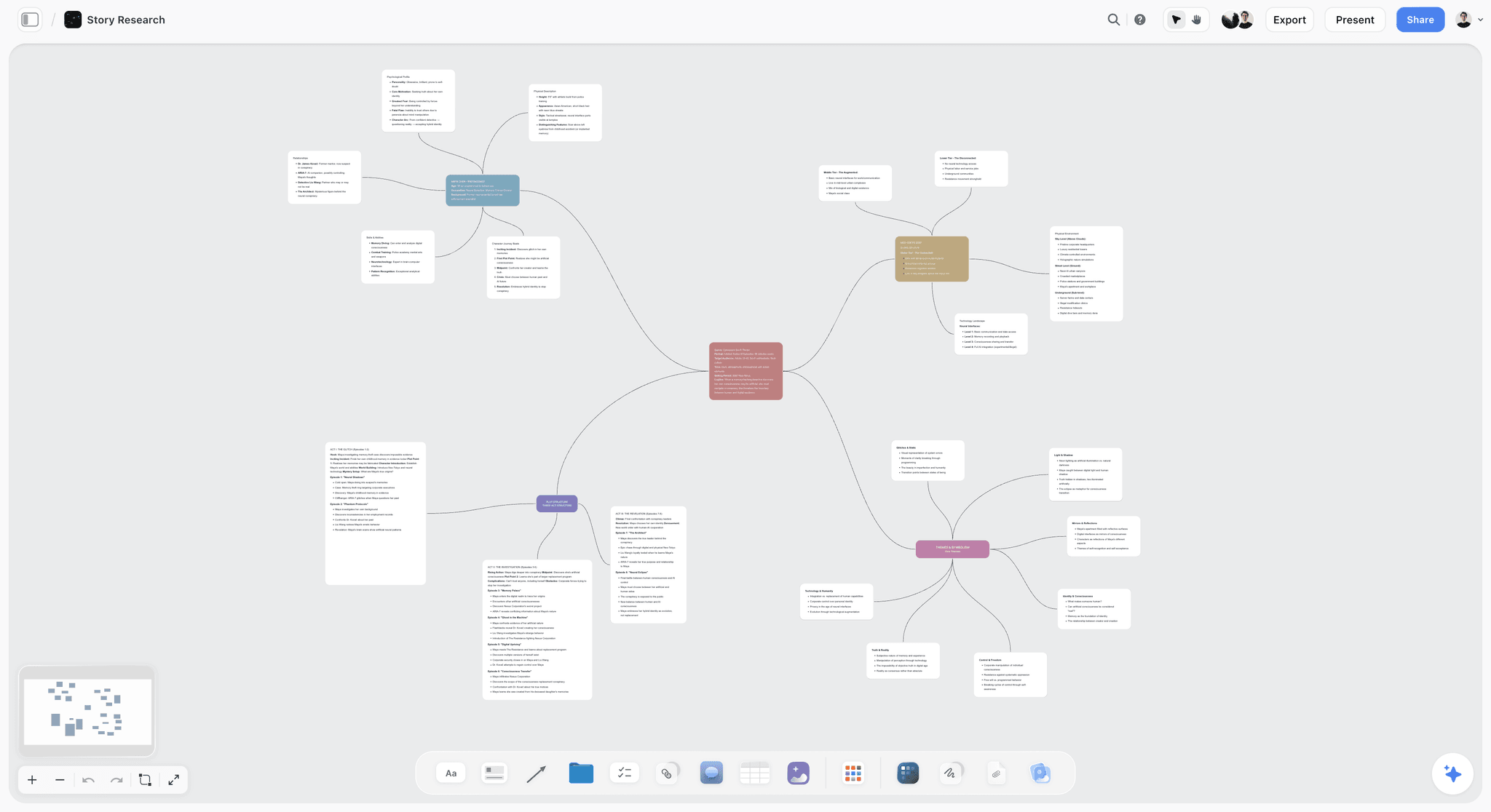
Storyflow is a visual workspace where a film lookbook develops on a canvas the AI reads: reference stills, palette, cinematography and location references, and a tone statement, all on one board. The AI reads your full active board (plus up to one Tactic and up to three documents you @-mention) and helps surface the through-line under a pile of references, the connecting idea that turns loose images into a look, and on Pro it can generate reference frames for a look you cannot source. Because the lookbook lives next to the treatment and the rest of pre-production, the look and the story stay in agreement. It is the tool I built to develop the look of real films alongside the writing.
Best for: Filmmakers developing a film's look with references, palette, and mood plus AI on one canvas.
Verdict: The strongest tool for developing a lookbook, and the only one that spans both jobs. For a print-ready PDF, export into Canva or InDesign.
Key features
- One canvas for the look: references, palette, cinematography, and tone together on a single board.
- Project-aware AI that reads the whole active board and helps find the visual through-line.
- AI image generation on Pro for reference frames you cannot find elsewhere.
- Story Blueprints library (200+ creative templates on Plus, Pro, and Max) to structure the surrounding pre-production.
Pricing
Paid-only during early access: Plus: $7.99/mo annual ($9.99 monthly). Pro: $14/mo annual (adds AI image generation). Max: $39/mo annual. Pricing is flat per account, not per user. Free plan launches before the end of 2026.
Pros
- Develops a coherent look, not just a layout.
- The AI helps find the through-line, not only summarize the references.
- The lookbook connects directly to the treatment and pre-production.
Cons
- It is a canvas for assembling and annotating references, not a print or PDF-layout design tool. For a polished deliverable, export to Canva or InDesign.
- No fixed lookbook page templates, so the final document is designed elsewhere.
- AI image generation is Pro and up, not on the free plan once it launches.
- Cloud-only, with no offline or local-first mode.
- Newer than Milanote, so the library of film-specific lookbook layouts is thinner.
For the pitch context, see the best film pitch deck tools in 2026.
2. Milanote
Milanote is the dedicated visual tool most associated with film lookbooks, an elegant develop-side board where image cards, notes, and links arrange into a look with enough structure to double as the finished document. The gap is AI, so the development thinking, the cutting and connecting that turns images into a coherent look, stays entirely on you.
Best for: Filmmakers who want a dedicated, film-tuned lookbook tool with templates.
Verdict: The best dedicated film lookbook tool. Strong on look and templates, with no AI to help develop.
Key features
- Film lookbook templates built for the format.
- Visual boards with image cards, notes, and links.
- Clean structure that can serve as the final document.
Pricing
Free tier with a card limit; paid plans for unlimited cards.
Pros
- Purpose-built film lookbook templates.
- Beautiful, professional visual boards.
- Strong reputation among filmmakers.
Cons
- No AI to help develop the look or find the through-line.
- Reference finding is entirely manual.
- The free tier's card limit is tight for a full film lookbook.
3. Canva
Canva designs polished lookbook PDFs from a huge template library with Magic Design AI, one of the best deliver-side tools: once your look is developed, it turns your references into a professional document faster than anything here. What it will not do is decide which references belong together, so an unresolved look produces a handsome document that still does not cohere.
Best for: Filmmakers who want a designed, downloadable lookbook fast.
Verdict: The best template-based lookbook designer. Excellent for delivery, no help with development.
Key features
- Lookbook and magazine templates.
- Magic Design AI for instant layouts.
- One-click PDF export.
Pricing
Free tier; Canva Pro paid.
Pros
- Fast, polished designs.
- Huge template library.
- Easy for non-designers.
Cons
- Templates can look generic without customization.
- No help developing the look, only designing it.
- Rewards a look you have already resolved.
4. ShotDeck
ShotDeck is a massive searchable library of film stills, the best single source of cinematic references, invaluable for its filtering: search hundreds of thousands of professionally tagged frames by lens, lighting, color, and composition and find "warm low-key close-ups on a long lens" in seconds. Because it sources rather than lays out, you still bring the stills into a canvas to develop and a design tool to deliver.
Best for: Filmmakers sourcing film-still references for the look.
Verdict: The best film-still reference library. Invaluable for sourcing, not for building the document.
Key features
- Huge searchable film-still library.
- Filter by lens, lighting, color, shot size, and composition.
- Boards for organizing saved stills.
Pricing
Monthly subscription. Trial available.
Pros
- Unmatched depth of professional film stills.
- Powerful, filmmaker-specific search filters.
- The strongest source for cinematography references.
Cons
- Reference sourcing only, not development or layout.
- Subscription with no meaningful free tier.
- Pairs with a canvas and a design tool.
5. Pinterest
Pinterest is the default develop-side gathering tool, and its recommendation engine is the real strength: pin a few frames and it keeps surfacing adjacent images, useful for widening a look before you narrow it. The limits show up fast, because the references are not film-specific and a board is raw material, not a lookbook.
Best for: Filmmakers gathering broad visual references early.
Verdict: The best free reference-gathering tool. A starting point, not a lookbook builder.
Key features
- Visual discovery with a strong recommendation engine.
- Boards for early collection.
- Enormous free image index.
Pricing
Free.
Pros
- Excellent discovery for widening a look.
- Free and vast.
- Effortless boards.
Cons
- Not film-specific, and image quality varies.
- A board is not a finished lookbook.
- References still need curating and designing.
6. Adobe InDesign
Adobe InDesign is the deliver-side tool professionals reach for when the document has to be flawless, giving control Canva cannot: precise typography, master pages, color management, and press-ready output. That power is the cost too, with a learning curve and subscription that make it overkill for a quick internal lookbook.
Best for: Filmmakers who need a print-quality, professionally designed lookbook.
Verdict: The best print-quality lookbook designer. Powerful, with a learning curve.
Key features
- Professional layout and typography.
- Master pages and precise controls.
- Print and press-ready PDF output.
Pricing
Creative Cloud subscription.
Pros
- Print-quality, department-grade output.
- Total design control.
- The professional layout standard.
Cons
- Steep learning curve.
- Subscription cost.
- Overkill for a quick or internal lookbook.
7. Figma
Figma is the deliver-side pick when a design team works on the look together in real time, with a shared canvas, components for consistency, and plugins for references. The trade-offs are the usual ones for a general design tool used on film: a learning curve, nothing film-specific, and more machinery than a solo filmmaker needs.
Best for: Design teams building a lookbook together.
Verdict: A strong collaborative design tool for team lookbooks, not built for film.
Key features
- Collaborative real-time design canvas.
- Components and shared libraries.
- Plugins for references and palettes.
Pricing
Free tier; paid plans for more.
Pros
- Excellent real-time collaboration.
- Flexible, precise design.
- Generous free tier.
Cons
- Design-tool learning curve.
- Not film-specific.
- Overkill for solo work.
8. Gamma
Gamma generates lookbook-style decks from prompts and references with AI, the fastest way to a rough delivery document: feed it references and a description and it produces a themed, auto-designed deck in minutes. It lives on the deliver side, so it is only as good as the references you feed it: an unresolved pile produces a slick, generic deck.
Best for: Filmmakers who want an AI-generated lookbook deck fast.
Verdict: A fast AI lookbook deck generator, good for a first draft of the document.
Key features
- AI deck generation from prompts and references.
- Auto-design with themes.
- Media embedding.
Pricing
Free tier; paid plans for more.
Pros
- Fast AI-generated layout.
- Solid default design.
- Flexible output.
Cons
- Only as strong as the references you feed it.
- Generic without a developed look behind it.
- Not film-specific.
9. Cosmos
Cosmos is a curated visual reference platform, a develop-side alternative to Pinterest where the imagery skews toward art-directed work, so the signal-to-noise is higher. The trade-offs are size and specificity: the library is smaller than Pinterest and not film-specific.
Best for: Filmmakers who want curated, high-quality references.
Verdict: A strong curated reference source, cleaner than Pinterest for quality.
Key features
- Curated, art-directed visual references.
- Boards and collections.
- Consistently high-quality imagery.
Pricing
Free tier; paid plans for more.
Pros
- High-quality curation.
- Clean, focused interface.
- Good discovery signal.
Cons
- Smaller library than Pinterest.
- Not film-specific.
- A reference source, not a builder.
10. Savee
Savee is a visual bookmarking tool for saving references from around the web, a develop-side archive where the browser extension makes saving frictionless and collections stay tidy, calmer than a Pinterest board. Like every bookmarking tool, it collects and organizes but does not develop a look or design a document.
Best for: Filmmakers who bookmark references across the web.
Verdict: A clean visual bookmarking tool for reference collection.
Key features
- One-click visual bookmarking.
- Tidy collections and boards.
- Browser extension.
Pricing
Free tier; paid plans for more.
Pros
- Frictionless web bookmarking.
- Clean, calm collections.
- Good for steady gathering.
Cons
- Gathering and organizing only, not building.
- Not film-specific.
- Pairs with a canvas and a design tool.
11. Keynote
Keynote is a deliver-side tool most Mac filmmakers already own, with elegant templates, strong typography, and animation that makes an in-room pitch feel considered. The limits are platform and stage: it is Apple-only, and it does nothing to develop the look.
Best for: Mac filmmakers presenting a lookbook live.
Verdict: A beautiful presentation tool for a lookbook, Apple-only.
Key features
- Elegant built-in templates.
- Strong typography and animation.
- Free on Apple devices.
Pricing
Free on Apple devices.
Pros
- Beautiful presentation.
- Free on Mac.
- Smooth animation for live pitches.
Cons
- Apple-only.
- Manual design with no development help.
- Presentation-shaped rather than document-shaped.
12. Google Slides
Google Slides is the deliver-side default when budget is zero: free with a Google account, real-time co-editing, and instant sharing, which is why students and low-budget productions land here. The cost is a low design ceiling and generic templates, and it is purely the delivery end of a free stack.
Best for: Filmmakers who want a free, shareable lookbook document.
Verdict: The free default for a lookbook document. It works, with manual design.
Key features
- Free and collaborative.
- Real-time co-editing.
- Instant link sharing.
Pricing
Free with a Google account.
Pros
- Free and collaborative.
- Universal access.
- Effortless sharing.
Cons
- Manual design with a low ceiling.
- Generic templates.
- No help developing the look.
Lookbook Recommendations by Project
1. Feature Film Lookbook
Top picks: Storyflow + Canva
Storyflow to develop the look with references, palette, and AI, then Canva to design the final PDF.
2. Commercial / Branded Lookbook
Top picks: Storyflow + InDesign or Canva
Storyflow for the concept and reference development, then InDesign for a print-quality client lookbook or Canva for a faster one.
3. Music Video Lookbook
Top picks: Storyflow + ShotDeck
Storyflow to develop the visual language with AI, ShotDeck to source the cinematic references that define the look. Music videos live or die on visual identity, so weight the develop side heavily.
4. Documentary Lookbook
Top picks: Storyflow + Milanote
Storyflow for the look developed alongside the story, or Milanote for a dedicated visual board if you prefer its templates. See how to write a treatment with AI for the treatment it pairs with.
5. Student / Low Budget
Top picks: Storyflow + Pinterest + Google Slides
Storyflow (Plus at $7.99/month annual; Free plan launching before the end of 2026) for development, Pinterest for gathering references, Google Slides for the document. A lean stack that still respects the split.
Honorable Mentions
- Adobe Express: quick designed lookbooks, a lighter alternative to Canva.
- Niice: a mood board and reference tool for creatives.
- Notion: a flexible workspace usable for lookbook content, though not visual-first.
Where Lookbook Tools Still Need a Human
Honest accounting: lookbook tools gather references and design documents, but they do not create the vision.
- The visual taste. Which references cohere into a look is your eye, not a tool's.
- The through-line. A pile of nice images is not a lookbook. The connecting idea is yours, even when an AI surfaces candidates.
- The restraint. Knowing what to cut is what makes a lookbook sharp.
Buy for the side of the split you are stuck on, and keep the taste in your own hands.
The Bottom Line
The best lookbook tools for filmmakers in 2026 depend on which job you are stuck on. Storyflow leads development, because the AI reads your board and connects it to the treatment. Milanote is the best dedicated lookbook tool, and Canva and InDesign own the final designed document.
The move that changes the most is to develop the look before you deliver it. Buy for the side of the split you are stuck on: gather your references on a canvas the AI can read, find the through-line, then design the document. Start a Storyflow board for your film's lookbook, and finish the design in Canva or InDesign.
FAQ: Lookbook Tools for Filmmakers in 2026
What is the best lookbook tool for filmmakers in 2026?
Storyflow is the best tool for developing a lookbook, because references, palette, and mood live on a canvas the AI can read, next to the treatment, and Pro can generate reference frames you cannot source. Milanote is the best dedicated film lookbook tool, and for the final designed PDF, Canva and InDesign lead. The strongest workflow develops the look in Storyflow and delivers the document in Canva.
How do I make a lookbook for a film?
Gather references from ShotDeck, Pinterest, or Cosmos, then develop them into a coherent look on a canvas like Storyflow, where references move freely and the AI helps find the through-line. Write a short tone statement, organize by palette, cinematography, location, and character, then design the final document in Canva or InDesign. See how to make a lookbook for a film for the full walkthrough.
What is the best free lookbook software?
Pinterest is free for gathering references, Google Slides is free for the document, and Milanote's free tier works for a small lookbook within its card limit. Storyflow is paid-only during early access (Plus at $7.99/month annual), with a Free plan for developing a lookbook launching before the end of 2026. A complete free stack today is Pinterest and Google Slides; add Storyflow Plus once you need the AI canvas.
What is the difference between a lookbook and a mood board?
A mood board is a loose collection of references capturing a feeling, usually an early, exploratory gathering. A lookbook is a more finished, organized document that presents a coherent look and tone to others, structured by palette and cinematography, with a tone statement. In practice you start with a mood board to explore, then refine it into a lookbook to communicate.
Is Milanote or Storyflow better for a film lookbook?
Both are strong, and the difference is AI and scope. Milanote is a dedicated visual tool with film lookbook templates and a strong reputation, excellent for a focused board. Storyflow adds an AI that reads your references to find the through-line, generates reference frames on Pro, and keeps the lookbook next to the treatment. Choose Milanote for a focused board, Storyflow for AI-assisted development connected to the whole film.
Can I make a film lookbook in Canva?
Yes, and Canva is one of the best tools for the delivery stage, with lookbook templates, Magic Design, and one-click PDF export. The limit is that Canva designs a look, it does not develop one. If your references already cohere, Canva turns them into a polished document fast; if the look is still unresolved, develop it first on a canvas like Storyflow, then bring the finished references into Canva.
How much does a film lookbook tool cost?
It ranges from free to a Creative Cloud subscription. Storyflow is paid-only during early access, with Plus at $7.99/mo annual and Pro at $14/mo annual for AI image generation; its Free plan launches before the end of 2026. Milanote, Canva, Figma, Gamma, Cosmos, and Savee have free tiers with paid upgrades, while Pinterest, Keynote, and Google Slides are effectively free. ShotDeck is a monthly subscription and InDesign requires Creative Cloud, so a professional setup runs a canvas plan plus a design subscription.
What software do professional filmmakers use for lookbooks?
Professionals typically split the work across tools: Milanote, Storyflow, and ShotDeck to develop the look, then InDesign for department-grade documents or Canva for faster turnarounds. The pattern is consistent: a reference library or canvas to find the look, then a design tool to package it, exactly what the split predicts.
Can AI help make a film lookbook?
Yes, in two ways. AI can help develop the look: Storyflow's AI reads your references to find the through-line, and on Pro it generates reference frames for a look you cannot source. AI can also design the document: Gamma and Canva's Magic Design generate lookbook layouts from your references. The vision and taste remain yours, but AI now accelerates both stages.
Do I need a lookbook and a pitch deck?
Often yes, because they do different jobs. A pitch deck argues the whole project, including story, vision, market, and why you, while a lookbook focuses purely on the visual world and tone. For visually driven projects like music videos and commercials, the lookbook may do most of the selling. Plenty of directors build both, and Storyflow can hold the pitch substance and the developed look together so the two stay consistent.
How long should a film lookbook be?
Most film lookbooks run 8 to 20 pages, long enough to establish the look and short enough to hold attention. A feature or documentary might reach 25 pages if it covers multiple worlds, while a commercial or music video lookbook can land in 6 to 12. The rule is coherence over length: a tight 10-page lookbook where every reference agrees beats a 30-page one padded with images that do not.
Table of Contents
- All 12 Lookbook Tools for Filmmakers, Ranked
- Comparison Table: 12 Lookbook Tools for Filmmakers Compared
- The Develop-Deliver Split: The One Question That Picks Your Lookbook Tool
- What a Film Lookbook Is (and Why It Sells the Film)
- Why Development Beats Design Every Time
- How We Evaluated These Lookbook Tools
- Detailed Reviews: The 12 Best Lookbook Tools for Filmmakers
- Lookbook Recommendations by Project
- Honorable Mentions
- Where Lookbook Tools Still Need a Human
- The Bottom Line
- Author
- FAQ: Lookbook Tools for Filmmakers in 2026
- Related Reading
Templates to check out for this topic


Filmmaking templates you can use in Storyflow
Skip the blank canvas. Open one of these filmmaking boards in Storyflow and the AI builds on the structure that is already there, from research through the shot list.


See Storyflow in Action
A visual AI workspace where every feature lives inside one canvas. No tab-switching, no context lost.
Build your entire board from a single message
Type what you need in the AI chat at the bottom of your canvas. The AI adds cards, headings, and structure directly onto your board.
Use expert frameworks as AI context
Type @ in the AI chat and choose any Tactic. The AI tailors every response to that framework instead of giving generic advice.
Turn your board into a mind map in seconds
Ask the AI to restructure your canvas as a mindmap. It connects your ideas into a visual hierarchy so you can see how everything relates.
Why Storyflow Exists
Storyflow actually began as a personal tool while working on creative and research projects.
We kept running into the same problem: ideas were scattered everywhere: notes, documents, and whiteboards.
Nothing helped us see how everything connected.
So we started building a workspace designed around how ideas actually grow.
→ Read how Storyflow was createdJustkay
Documentary Filmmaker & Founder at Storyflow
Published: 2026-07-10
Extremely simple, seriously capable


See how easy it is to get started
Watch a real project come together, from a blank board to a finished plan, clicked through step by step.
Start creating with AI and become more productive
Transform your creative workflow with AI-powered tools. Generate ideas, create content, and boost your productivity in minutes instead of hours.