The 11 Best Tools for Line Producers in 2026
A line producer reconciles three versions of the same film: what was budgeted, what was scheduled, what actually happened. Eleven tools ranked by which one each keeps honest.

Category
Filmmaking
Author

Sara de Klein
Head of Product at Storyflow
Topics
2026-08-11
•
18 min read
•
Filmmaking- best tools for line producers
- film budgeting software 2026
- Movie Magic Budgeting alternatives
- production management software for film
- indie film scheduling software
- line producer budget and schedule tools
What are the best tools for line producers in 2026?
The best tool for a line producer is Movie Magic Budgeting, and this is one of the few categories where the industry standard genuinely is the right answer: the job is holding a number that everybody else is trying to move, and a budget the financier's accountant already knows how to read is worth more than a better spreadsheet nobody trusts. Movie Magic Scheduling remains the schedule format the first AD expects. StudioBinder is the best value for indie and commercial work under a certain size. Storyflow ranks fifth here, for one narrow slice of the job, and we say plainly what it does not do: its AI drafts a budget table, a strip board and a call sheet, but it is not a budgeting module or a scheduling engine, it does not send call sheets and it does not touch payroll. This ranking judges all 11 tools on one question: which of the three versions of the truth does each one keep honest.

Full disclosure: Storyflow is our own product and we rank it #5 here, below four tools we do not make, because line producing is a budgeting and scheduling discipline and Storyflow is not a system for either. Its AI drafts a budget table, a strip board and call sheet pages, but it has no accounts, fringes, globals, top sheet or actuals; no day-out-of-days or cast schedule; no call sheet distribution, crew database or payroll. It earns fifth place for one narrow job, making the scope of a film visible during the conversation where scope is set. We link to every tool so you can judge the fit.
Quick Comparison
These four cover the jobs a line producer actually splits into: producing a budget outside money will read without friction, building a schedule the first AD will accept, connecting the two on productions below studio scale, and giving each department its own correct view.
| Tool | Best For | AI Features | Price |
|---|---|---|---|
| Movie Magic Budgeting | Institutional-grade budgets with fringes and globals | None | License or subscription via EP (quote) |
| Movie Magic Scheduling | Stripboards and day-out-of-days | None | License or subscription via EP (quote) |
| StudioBinder | Breakdown to schedule to call sheet, connected | Light AI | Free tier / from ~$29 mo |
| Yamdu | Department-level views on larger productions | Light AI | From ~$25 per production mo |
Key Takeaways
- A line producer is the only person on a production who has to reconcile three different versions of the same film, and the job is the reconciliation rather than any one of them.
- Version one is what was budgeted. Version two is what was scheduled. Version three is what actually happened. Every overage lives in the gap between two of them.
- Movie Magic Budgeting ranks first for a boring and decisive reason: it produces a budget in the format financiers, completion bonds and studio accountants already read, which is a communication property rather than a feature.
- Storyflow ranks fifth and does not compete with the top four. Its AI drafts a budget table, a strip board and a call sheet, but it has no budgeting module, no scheduling engine, no call sheet distribution, no day-out-of-days and no payroll. It covers the conversation before the budget exists, which is a real and narrow job.
- The most expensive line-producer failure is not an overage. It is a schedule that was never physically possible, agreed to in a meeting where nobody counted setups.
- Indie and commercial line producers are consistently overserved by studio tools and underserved by everything else, which is why StudioBinder and Airtable rank as highly as they do here.
- Nothing on this list will tell you that the director has quietly changed the film. That is a conversation, and it is the actual skill of the job.
See the scope before it becomes a number
Most overages start as an adjective in a conversation between a director and a producer. Storyflow puts the references, the location options and the rough day count on one canvas anyone you invite can open free, so scope is visible while it is still a discussion. Paid-only during early access; the Free plan lands before the end of 2026.

The Three Versions of the Truth
A line producer's title says producer and their day says accountant, and both are slightly wrong. The job is closer to translation.
A line producer is the only person on a production who has to reconcile three different versions of the same film, and the job is the reconciliation rather than any one of them.
Version one: what was budgeted. A number agreed months ago, built from a script breakdown, with assumptions baked into every line. Six days of camera package. Two grip trucks. A cast of nine with these many days each. The budget is not a prediction, it is a set of promises made to people who are not in the room.
Version two: what was scheduled. A different document, built by a different person, usually the first AD, from the same script. It should agree with the budget and it never entirely does. The schedule says four company moves; the budget assumed two. Nobody notices, because the two documents live in different applications and are compared by a human, once, under time pressure.
Version three: what actually happened. The day ran long. A location fell through and the replacement needed a permit. An actor's availability moved and a scene got picked up on a day that was already full. Version three is the only one that is true, and it arrives in fragments, days late, through people who are exhausted.
The overage is never in any one of these. It is in the gap between them, and specifically in how long it takes for a change in version three to become visible in version one. On a well-run production that lag is a day. On a badly run one it is discovered in post.
There is a fourth failure that sits above all three and it is the one that ends careers rather than budgets: the schedule that was never physically possible. Agreed in a meeting where the director said yes and nobody counted setups against daylight. No software prevents this. Some software makes it visible early enough to argue about.
The tools below are ranked by which versions of the truth they keep honest, and how fast a change in one becomes visible in the others.
At a Glance: The 11 Tools Compared
| Tool | Best for | Version it holds | Pricing shape |
|---|---|---|---|
Movie Magic Budgeting | The budget, in the format financiers read | One | License or subscription |
Movie Magic Scheduling | The schedule, in the format the AD expects | Two | License or subscription |
StudioBinder | Indie and commercial work end to end | Two, three | Per project tier |
Yamdu | Multi-department productions with real crews | Two, three | Per production |
Storyflow | The conversation before the budget exists | None directly | Per account; per seat for team workspaces |
Airtable | Actuals, tracking and anything the tools forgot | Three | Per seat |
Scenechronize | Distribution and version control of documents | Three | Enterprise |
SetKeeper | Day-to-day production office coordination | Two, three | Per production |
Croogloo | Distribution, crew lists and paperwork at scale | Three | Per production |
Wrapbook | Payroll, onboarding and the cost report | One, three | Percentage or fee |
Google Sheets | The half of every production that has no tool | All three, badly | Free or per user |
How I Ranked These
I produce documentaries, which means I have been my own line producer more times than I would like and have hired real ones often enough to know the difference. I have also watched two productions discover in week three that their schedule assumed a location was available on a day it was not, and the tool did not catch either one.
Every tool below has been used on real productions, though I will be direct about the top two: on productions above a certain size I have been a user of their outputs more often than their interfaces, because that is what happens to directors.
Five criteria, weighted in this order.
1. Does it produce output the money already knows how to read? This is unglamorous and it is decisive. A budget in an unfamiliar format triggers questions from financiers that a familiar one does not, and those questions cost you days. Industry standard is a real advantage here in a way it is not in most software categories.
2. How fast does a change propagate? When the schedule loses a day, how long until the budget knows? Tools that connect breakdown to schedule to budget compress that lag. Tools that do not turn every change into a manual reconciliation.
3. Does it survive the actual conditions of a set? Bad connectivity, a phone rather than a laptop, somebody who has been awake for sixteen hours. A tool that requires calm and a desk is a production office tool, not a set tool, and knowing which you are buying matters.
4. Does it fit the size of production you actually make? Studio tools on an indie are expensive and slow. Indie tools on a studio picture will not pass a bond company. The single most common tool mistake in this discipline is buying one class up or down from your actual work.
5. What happens to the paperwork? Releases, permits, insurance certificates, crew deals, timecards. This is not glamorous and it is the thing that stops a wrap from closing.
Pricing in this category is unusually opaque, frequently quote-based, and often per production rather than per month. Everything below is as of August 2026 and should be verified with each vendor directly.
Quick Picks by Job Type
- Best overall for a line producer: Movie Magic Budgeting. The format the money reads, with the detail structure the discipline expects.
- Best schedule: Movie Magic Scheduling. Stripboards, day-out-of-days and the output a first AD will not argue with.
- Best value for indie and commercial: StudioBinder. Breakdown, schedule and call sheets at a price a real indie budget can carry.
- Best for multi-department productions: Yamdu. Department-level views, locations, crew and tasks in one place.
- Best for actuals and anything the tools forgot: Airtable. The tracker you were going to build in Sheets, with required fields.
- Best for the pre-budget conversation: Storyflow. A canvas where the scope of the film gets visible before it becomes a number.
- Best for payroll and cost reporting: Wrapbook. Onboarding, timecards and cost reports that connect to the budget.
- Best for document distribution at scale: Croogloo or Scenechronize. Versioned distribution to a hundred people without a mail merge.
1. Movie Magic Budgeting
The verdict. The industry standard, and in this rare case the industry standard is also the correct choice.
Best for. Any production where somebody outside the production will read the budget.
Pricing. Sold through Entertainment Partners, historically as a license with subscription options, at a price point aimed at professional production rather than individuals. Quote-based for many configurations. Verify with EP.
Why it ranks here. Everything in this category is downstream of one fact: the budget is a communication document. It goes to a financier, a completion bond, a studio's production finance group, a broadcaster. Every one of those readers has a mental model of what a budget looks like, built over decades on this format. A budget that matches it gets read. A budget that does not gets questioned, and the questions are not about the numbers, they are about why the document is unfamiliar, and answering them costs you a week you did not have.
Beyond the format, the structure is genuinely good: globals that ripple through every affected line, fringes and unions modeled properly, multiple currencies and locations, and detail levels that let you show a financier the top sheet and your department heads the account detail.
The real limitation is that it is a budgeting application and nothing else. It does not know about your schedule unless you tell it, and the telling is manual.
Strengths.
- The format financiers, bonds and studio accounting already read.
- Globals and fringes that propagate correctly, which is the actual work.
- Proper union, tax incentive and multi-currency handling.
- Detail levels that serve different readers from one document.
- Deep, decades-long institutional familiarity across the industry.
Limitations.
- Expensive, and priced for professional production rather than for a first feature.
- Not connected to scheduling. Reconciliation is manual.
- Interface is functional and dated.
- Steep learning curve if you did not learn it on a job.
- Overkill for commercials, branded content and most documentary work.
The trade off. If your budget is going to be read by somebody with money, this is the answer and the alternatives cost you credibility. If it is only going to be read by you, it is a lot of money for a spreadsheet with opinions.
2. Movie Magic Scheduling
The verdict. The schedule format a first AD expects, with the stripboard logic the discipline was built around.
Best for. Scripted productions where the schedule is a negotiated document between departments.
Pricing. Sold through Entertainment Partners alongside Budgeting, license or subscription. Verify with EP.
Why it ranks here. The stripboard is not a skeuomorphic decoration, it is a genuinely good interface for the problem: reorder days by dragging, see the cast day-out-of-days recalculate, see which locations cluster. Movie Magic's implementation is the reference one, and the outputs (day-out-of-days, one-liners, cast schedules) are what every department expects to receive.
Second rather than first only because scheduling is a job that can be done adequately by cheaper tools on smaller productions, whereas budget format credibility cannot.
Strengths.
- Stripboard scheduling with correct day-out-of-days generation.
- Outputs every department already knows how to read.
- Handles complex cast availability and location clustering.
- Import from properly formatted screenplays.
Limitations.
- Expensive, and usually bought as a pair with Budgeting.
- Not connected to the budget, which is the recurring frustration of this pairing.
- Assumes conventional scripted production.
- Collaboration is weaker than modern cloud tools.
The trade off. Necessary above a certain size and difficult to justify below it. StudioBinder covers the same ground adequately for indie and commercial work.
3. StudioBinder
The verdict. The best value in this category, and the right answer for the majority of productions that are not studio pictures.
Best for. Indie features, commercials, branded content and documentary, where budget credibility with a bond company is not the constraint.
Pricing. Free tier for one project. Paid plans from roughly $29 per month to roughly $49 per month depending on tier. Verify on studiobinder.com.
Why it ranks here. StudioBinder connects the things Movie Magic keeps separate. The breakdown feeds the schedule, the schedule feeds the call sheet, and the call sheet sends itself and tells you who opened it. That connection is the criterion two answer: a change propagates in minutes rather than through a manual reconciliation.
Third rather than higher because its budgeting is comparatively light, and because on a production where a bond company is involved, "we use StudioBinder" is a conversation you do not want to have.
For an indie line producer, this is the tool I recommend most often, and it is not close.
Strengths.
- Breakdown, schedule and call sheet genuinely connected.
- Best call sheets in the category, with delivery tracking.
- Crew and contact database that persists across productions.
- Cloud collaboration that works with a distributed team.
- Real free tier for a single project.
Limitations.
- Budgeting is lighter than Movie Magic and will not satisfy institutional readers.
- Per-project tiers get awkward when you run many small jobs at once.
- Assumes conventional narrative structure.
- No payroll or production accounting.
The trade off. The right tool for most of the industry by volume, and the wrong tool for the productions that generate most of the industry's press.
4. Yamdu
The verdict. The most complete production management platform here, best suited to productions with real departments.
Best for. Series, features and larger commercial productions with department heads who need their own view.
Pricing. Per production, starting around $25 per month and scaling with size and features. Verify on yamdu.com.
Why it ranks here. Yamdu covers breakdown, scheduling, crew, locations, budget tracking, tasks and asset management, with department-level views and permissions. For a line producer running a production where the art department, camera and locations all need different slices of the same plan, it does something none of the tools above do: it gives each department a correct view without giving them everything.
Fourth because the setup investment is real, and because on smaller productions the density is a cost rather than a benefit.
Strengths.
- Broadest coverage on this list in one product.
- Department-level views and permission control.
- Strong location and asset management.
- Good mobile experience for set use.
- European data hosting, which matters for some co-productions.
Limitations.
- Setup is a project, not an afternoon.
- Budget features are tracking-grade, not Movie Magic grade.
- Interface density intimidates occasional users.
- Per-production pricing scales in ways worth modeling before you commit.
The trade off. Excellent for a production with departments. Heavy for a production with a crew of nine.
5. Storyflow
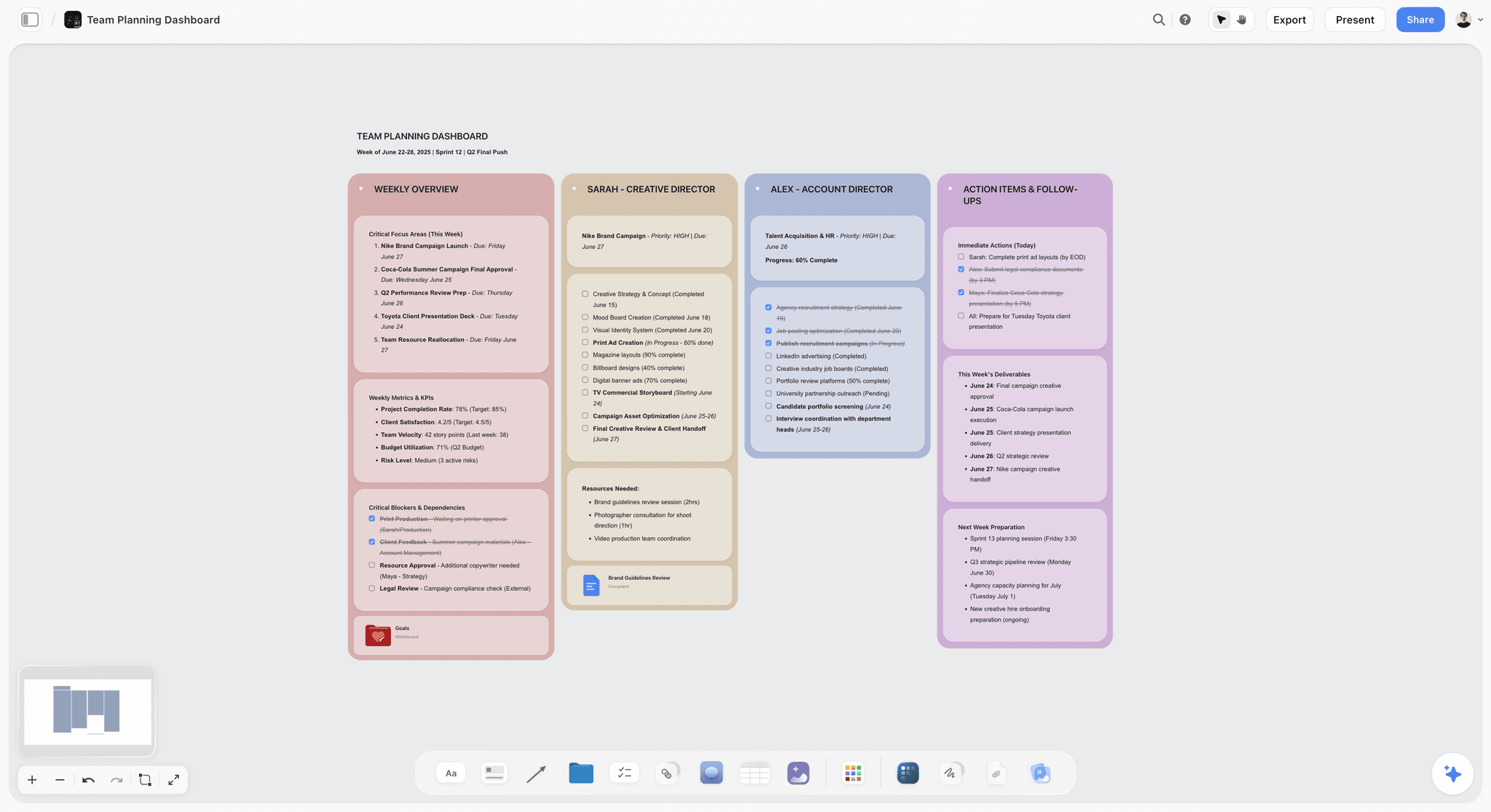
The verdict. Useful for the conversation that happens before there is a budget, and it does not compete with anything above it on this list.
Best for. Scoping a film with a director before the numbers exist, and keeping the visual record of what was agreed.
Pricing. Paid-only during early access. Plus is $7.99 per month billed annually or $9.99 monthly. Pro is $14 per month billed annually or $19 monthly. Max is $39 per month billed annually or $49 monthly and adds the Team Workspace with permissions and roles. Pricing is per account for individuals and per seat for team workspaces, and anyone a paid member invites to a board joins free. The Free plan launches before the end of 2026.
Why it ranks here. Let me be exact about the claim, because this is our product and the honest ranking is fifth.
The most expensive line-producer failure named at the top of this post is a schedule that was never physically possible, agreed in a meeting where nobody counted setups. That failure happens before any tool on this list is open. It happens in a conversation between a director and a producer about what the film is, conducted mostly in adjectives.
Storyflow is a canvas where that conversation can be conducted in pictures instead. The references for the sequence the director keeps describing, next to the location options, next to a rough count of what each version would take. The scope becomes visible while it is still a conversation, and the producer can point at the thing that is going to cost four days rather than one.
The second use is the record. Six weeks later, when the film has quietly changed, having a board that shows what was agreed is worth more than a memory of a meeting. This does not stop the change. It makes it discussable.
The AI reads your full active canvas board by default, plus up to five documents and three boards you attach, which is useful for summarizing what a scoping board contains before a budget meeting.
Strengths.
- Makes scope visible in pictures during the conversation where scope is actually set.
- Anyone a paid member invites joins free, so the director and department heads can all be in it.
- Preserves a visual record of what was agreed, which is hard to argue with later.
- Canvas-wide AI context for summarizing a scoping board.
Limitations.
- No budgeting module. It drafts a budget table with a live total on request, but no accounts, no fringes, no globals, no top sheet, no actuals.
- No scheduling engine. Its strip board is a draft balanced by page totals; no day-out-of-days, no cast schedule, no conflict reports.
- Call sheets are drafted as a PDF, but there is no crew database and no distribution.
- No payroll, no timecards, no cost reporting.
- Not an industry-recognized output format for anybody who funds films.
- Newer platform, so it will not be familiar to a crew that has worked on studio productions.
The trade off. Storyflow does one small thing on a line producer's list well; its draft budget table, strip board and call sheet do not replace any tool above. If you are choosing a single tool, choose one of the four above. If the recurring problem is that the film keeps growing between the greenlight and the schedule, this is worth $8 a month alongside them.
6. Airtable
The verdict. The tracker you were going to build in a spreadsheet, with the field discipline a spreadsheet cannot enforce.
Best for. Actuals, purchase orders, releases, permits, and every list the specialist tools do not cover.
Pricing. Free tier with record limits. Team plans from around $20 per seat per month billed annually. Verify on airtable.com.
Why it ranks here. Every production runs on eleven lists that live nowhere: locations with permit status, cast with deal memo status, equipment with return dates, releases with signature status. A line producer usually builds these in Sheets, and they degrade because a spreadsheet cannot require a value.
Airtable makes them records with required fields and linked relationships, which means "which locations still need a certificate of insurance" is a view rather than an archaeology project.
Sixth because it is a general tool doing a production job, and because it needs somebody to build and own the base.
Strengths.
- Required fields and controlled vocabularies for status tracking.
- Linked records across locations, cast, crew and equipment.
- Automations that chase missing paperwork without a human doing it.
- Forms that collect crew details straight into the base.
- Interfaces give department heads a clean view.
Limitations.
- Needs an owner or it drifts back into a spreadsheet.
- Per-seat pricing, and read-only collaborators cost on some tiers.
- Nothing production-specific out of the box; you build it.
- Record and attachment limits on lower tiers.
The trade off. Excellent for the gaps. Not a replacement for a scheduling or budgeting tool, and attempting to make it one is a well-known way to lose a fortnight.
7. Scenechronize
The verdict. Document distribution and version control at studio scale, solving a problem smaller productions do not have.
Best for. Large productions distributing scripts, sides and revisions to a hundred people with tracked receipt.
Pricing. Enterprise, quote-based through Entertainment Partners. Verify with EP.
Why it ranks here. On a large production, the question "does everybody have the blue revision" is a real question with a real cost, and Scenechronize answers it with tracked distribution and version control designed for the specific way scripts are revised in this industry.
Seventh because below a certain crew size, an email and a shared drive genuinely suffice, and this is priced for productions where they do not.
Strengths.
- Purpose-built script and revision distribution with receipt tracking.
- Handles the coloured-pages revision convention properly.
- Permission granularity for who sees which documents.
- Integrates with the wider EP ecosystem.
Limitations.
- Enterprise pricing and procurement.
- Solves a problem only large productions have.
- Not a scheduling, budgeting or planning tool.
- Dated interface.
The trade off. Necessary at scale, irrelevant below it.
8. SetKeeper
The verdict. A production office coordination tool that fits between StudioBinder and Yamdu.
Best for. Productions that need shared production office workflows without full studio infrastructure.
Pricing. Per production, quote-based with tiers by size. Verify on setkeeper.com.
Why it ranks here. SetKeeper handles the daily office rhythm: call sheets, schedules, contacts, documents and updates, with a mobile experience aimed at people on a set rather than at a desk. For European productions in particular it is a common and sensible choice.
Eighth because it overlaps substantially with StudioBinder and Yamdu and does not clearly beat either for most productions.
Strengths.
- Solid mobile experience for crew on set.
- Good document distribution with tracked delivery.
- Clean call sheets and schedules.
- Sensible per-production pricing.
Limitations.
- Overlaps heavily with better-known alternatives.
- Lighter budgeting than any dedicated tool.
- Smaller ecosystem and integration list.
- Less familiar to crews outside Europe.
The trade off. A reasonable choice, rarely the obvious one.
9. Croogloo
The verdict. Distribution and production paperwork at scale, with a strong crew-list and mailroom model.
Best for. Productions distributing high volumes of documents to large, changing crews.
Pricing. Per production, quote-based. Verify on croogloo.com.
Why it ranks here. Croogloo's model is the production mailroom: crew lists, distribution groups, document versioning and tracked delivery, plus AI-assisted breakdown features added in recent versions. For a production coordinator or line producer drowning in distribution, it removes a genuine daily burden.
Ninth because it is a specialist in one part of the job, and most productions solve that part badly but cheaply.
Strengths.
- Purpose-built distribution and crew list management.
- Tracked delivery and read receipts across large groups.
- Handles the churn of crew joining and leaving.
- Increasingly capable document automation.
Limitations.
- Narrow scope relative to price.
- Not a budgeting or scheduling tool.
- Best value only at larger crew sizes.
- Quote-based pricing makes comparison awkward.
The trade off. Buy it when distribution has become somebody's full-time job.
10. Wrapbook
The verdict. The payroll and onboarding layer, which is where version three of the truth actually becomes visible.
Best for. Productions paying crew and cast who want cost reporting that connects to the budget.
Pricing. Fee or percentage-based on payroll processed, plus per-production options. Verify on wrapbook.com.
Why it ranks here. Actuals arrive through payroll before they arrive anywhere else. Wrapbook's digital onboarding, timecards and cost reporting close the loop between what you spent on labour and what you budgeted for it, faster than a traditional payroll service returning reports on a lag.
Tenth on a tools list rather than higher because payroll is a service decision more than a software decision, and because it is US-centric.
Strengths.
- Digital onboarding that removes a real paperwork burden.
- Cost reporting that arrives fast enough to act on.
- Timecards, I-9s and start work in one flow.
- Genuinely modern interface in a category that has none.
Limitations.
- Primarily US-focused.
- Pricing model is not comparable to software subscriptions.
- Not a planning tool in any sense.
- Switching payroll providers mid-production is painful.
The trade off. A service you choose for financial reasons that happens to have good software. Evaluate it as the former.
11. Google Sheets
The verdict. The tool that actually runs most of every production, and the one most responsible for the gap between versions.
Best for. The eleven lists nobody built a tool for, on a production with no budget for tools.
Pricing. Free with a personal account. Business tiers from around $8 per user per month. Verify on workspace.google.com.
Why it ranks here. Honesty requires it. Every production on earth runs partly on Sheets, including productions that own Movie Magic. It is free, universal, real-time, and infinitely flexible.
It ranks last because that flexibility is exactly the failure mode. A spreadsheet cannot require a field, cannot prevent a formula from being overwritten, and cannot tell you that the version you are looking at is not the current one. Every one of the three versions of the truth degrades in a spreadsheet, and the degradation is invisible until it matters.
Strengths.
- Free, universal and instantly available.
- Real-time collaboration that genuinely works.
- Infinitely flexible for the lists nothing else covers.
- No procurement, no onboarding, no training.
Limitations.
- No field enforcement, so data quality decays.
- Version confusion is close to guaranteed on any production over a week.
- Nothing propagates. Every change is manual, everywhere.
- Formula damage by well-meaning collaborators is a real and recurring cost.
The trade off. Unavoidable and fine for the gaps. Dangerous as the system of record for anything with a number in it.
What to Actually Pay For
Buy for the size of production you actually make. The single most common error in this discipline is buying a class above or below your work. An indie line producer with Movie Budgeting and Scheduling has spent thousands to look institutional to nobody. A studio line producer running on StudioBinder will have a conversation with a bond company they will not enjoy.
Buy the format credibility if outside money reads your budget. This is the one place where paying for the industry standard is not conservatism, it is a real reduction in friction.
Put your actuals somewhere with required fields. Whether that is Airtable, a proper production accounting service, or Wrapbook's reporting, the thing that matters is that version three becomes visible in days rather than weeks.
Spend almost nothing on the pre-budget conversation. A canvas at $8 a month, or a wall and some printouts, does the same job. The value is in having the conversation in pictures, not in the software.
Do not buy distribution tooling until distribution hurts. Croogloo and Scenechronize are correct at scale and expensive below it.
Tools to Avoid for This Job
General project management as your budget or schedule. Asana, Monday and ClickUp are good tools that know nothing about day-out-of-days, fringes or stripboards. Modeling a production in one is a well-trodden path to a beautiful board that no first AD will accept.
A budgeting tool nobody else can open. Whatever you use, somebody will eventually need to read it who is not you. Proprietary formats with no export are a trap that surfaces at the worst moment.
Two schedules. The most reliable predictor of a reconciliation failure is a production running a schedule in the scheduling tool and a second one in a spreadsheet "for reference". Kill the second one.
Anything requiring good connectivity on set. Location work happens in basements, forests and car parks. A tool that is unusable offline is a production office tool, and treating it as a set tool will fail on the day you most need it.
What No Tool on This List Does
None of these will tell you the director has changed the film.
This is the actual skill of line producing and it is entirely human. Somewhere between the greenlight and week two, the film quietly becomes a slightly different film: one more setup here, a slightly bigger version of that sequence, an extra day of the actor everybody loves. No individual change is unreasonable. The aggregate is a picture that no longer fits the number. A budgeting tool will show you the overage after it exists. It will not show you the drift while it is still an adjective.
None of them will tell you a schedule is physically impossible, either. They will let you build it, print it and distribute it. The judgment that eleven setups will not fit in a nine-hour day with a company move is experience, and experience is what a production is actually buying when it hires you.
And none of them will have the conversation with the director. The tool can make the gap visible. Somebody still has to sit down and say that the version being described is four days longer than the version that was funded, in a way that keeps the working relationship intact. That is the job, and it has no software.
The Bottom Line
A line producer is the only person on a production who has to reconcile three different versions of the same film, and the job is the reconciliation rather than any one of them.
Choose by the version that keeps failing you. If financiers read your budget, Movie Magic Budgeting is worth its price for format credibility alone. If your schedule and budget drift apart, buy a tool where they connect, which on most productions means StudioBinder. If your actuals arrive too late to act on, the fix is in payroll and purchasing rather than in planning software.
Storyflow ranks fifth here and belongs nowhere near the top of this list. It covers a conversation, not the budget or schedule a financier or first AD will accept, and that is the only claim this post makes for it.
FAQ: Tools for Line Producers
What is the best tool for a line producer?
Movie Magic Budgeting, if your budget will be read by financiers, a completion bond or studio production finance, because format familiarity removes friction that no feature can. Pair it with Movie Magic Scheduling. On indie, commercial and documentary work where no institutional reader is involved, StudioBinder covers breakdown, schedule and call sheets at a fraction of the cost and connects them properly.
Is Storyflow a budgeting or scheduling tool?
No. Storyflow's AI drafts a budget table on request, but it is not a budgeting module: no accounts, no fringes, no globals, no top sheet, no actuals. It drafts a strip board balanced by page totals, but has no scheduling engine: no day-out-of-days, no cast schedule, no conflict reports. It drafts call sheet pages as a PDF, but has no crew database, distribution or payroll. It ranks fifth on this list for one narrow job, which is making the scope of a film visible during the conversation where scope is set, before any budget exists.
Movie Magic or StudioBinder?
Movie Magic if outside money reads your documents or a bond company is involved. StudioBinder for everything else, and StudioBinder is the better-connected product: its breakdown feeds its schedule which feeds its call sheets, whereas Movie Magic Budgeting and Scheduling do not talk to each other.
What is the best free tool for a line producer?
Google Sheets for the lists, StudioBinder's free tier for a single project, and Airtable's free tier for status tracking with required fields. There is no free budgeting tool that produces credible institutional output, and attempting to build one in a spreadsheet is how most first features learn this lesson.
How do I stop the budget and schedule drifting apart?
Reduce the propagation lag. Either use one product where breakdown, schedule and budget connect (StudioBinder or Yamdu), or set a fixed weekly reconciliation with a named owner and a written diff. The failure is never that people do not care, it is that the two documents live in different applications and comparison depends on somebody remembering to do it.
What does a line producer actually need on set?
A phone that works, a call sheet, and a way to record what actually happened before they forget it. Most set-day tooling failures are connectivity failures. Choose tools with usable mobile experiences and assume the venue has none.
How do I track actuals during production?
Get them from payroll and purchasing as fast as possible, and put them somewhere with enforced fields rather than a spreadsheet. Wrapbook's cost reporting shortens the labour side considerably. For everything else, an Airtable base with a required cost-code field on every purchase order beats a shared sheet that three people edit.
Do I need Movie Magic for a short film or a commercial?
No, and buying it is a common misallocation. For commercials and shorts, StudioBinder plus a well-built spreadsheet or Airtable base is proportionate. Movie Magic's advantage is credibility with institutional readers, and a short film does not have one.
What is the most expensive line producer mistake?
Agreeing to a schedule that was never physically possible. It costs more than any overage because it compounds daily and cannot be corrected without either losing content or losing money. It is decided in a conversation, not in software, which is why the pre-production scoping conversation is worth taking seriously.
Can AI help a line producer?
At the margins. AI-assisted script breakdown (Filmustage, Croogloo and others) genuinely speeds up the first pass, and a canvas AI can summarize a scoping board before a budget meeting. What AI cannot do is judge whether a day is achievable, because that judgment depends on a crew, a location and a director it has never met.
How much should production software cost as a share of budget?
Very little, and much less than most people fear. Even on a small indie, a full stack of scheduling, tracking and communication tools is typically a fraction of one shooting day. The relevant risk is not the subscription cost, it is choosing the wrong class of tool for your production.
What paperwork stops a wrap from closing?
Releases without signatures, locations without certificates of insurance, crew without completed start paperwork, and equipment without return confirmations. All four are status-tracking problems, all four decay in spreadsheets, and all four are exactly what a database with required fields is for.
Should the line producer or the first AD own the schedule?
The first AD builds and owns it. The line producer owns the reconciliation between it and the budget. Productions where those two responsibilities blur produce a schedule that is either financially naive or practically impossible, and usually both.
What is the single change worth making on the next production?
Set a standing thirty-minute weekly meeting whose only agenda is the difference between the budget, the schedule and the actuals, with one named owner who brings the diff. Most overages are visible weeks before anyone acts on them, and the reason nobody acts is that nobody's calendar contains the comparison.
Table of Contents
- Key Takeaways
- The Three Versions of the Truth
- At a Glance: The 11 Tools Compared
- How I Ranked These
- Quick Picks by Job Type
- 1. Movie Magic Budgeting
- 2. Movie Magic Scheduling
- 3. StudioBinder
- 4. Yamdu
- 5. Storyflow
- 6. Airtable
- 7. Scenechronize
- 8. SetKeeper
- 9. Croogloo
- 10. Wrapbook
- 11. Google Sheets
- What to Actually Pay For
- Tools to Avoid for This Job
- What No Tool on This List Does
- The Bottom Line
- FAQ: Tools for Line Producers
- Related Reading
Templates to check out for this topic


Templates you can use in Storyflow
Every Storyflow board starts from real structure and an AI that reads the whole canvas. Open one of these templates and make it yours.


See Storyflow in Action
A visual AI workspace where every feature lives inside one canvas. No tab-switching, no context lost.
Build your entire board from a single message
Type what you need in the AI chat at the bottom of your canvas. The AI adds cards, headings, and structure directly onto your board.
Use expert frameworks as AI context
Type @ in the AI chat and choose any Tactic. The AI tailors every response to that framework instead of giving generic advice.
Turn your board into a mind map in seconds
Ask the AI to restructure your canvas as a mindmap. It connects your ideas into a visual hierarchy so you can see how everything relates.
Why Storyflow Exists
Storyflow actually began as a personal tool while working on creative and research projects.
We kept running into the same problem: ideas were scattered everywhere: notes, documents, and whiteboards.
Nothing helped us see how everything connected.
So we started building a workspace designed around how ideas actually grow.
→ Read how Storyflow was createdSara de Klein
Head of Product at Storyflow
Published: 2026-08-11
Extremely simple, seriously capable


See how easy it is to get started
Watch a real project come together, from a blank board to a finished plan, clicked through step by step.
Start creating with AI and become more productive
Transform your creative workflow with AI-powered tools. Generate ideas, create content, and boost your productivity in minutes instead of hours.