
Category
Creative Tools
Author

Justkay
Documentary Filmmaker & Founder at Storyflow
Topics
2026-05-17
•
Updated May 17, 2026
•
13 min read
•
Creative Tools- best ideation tools 2026
- ideation software
- ideation platform
- ideation tools for teams
- Miro alternative
- Storyflow ideation
What are the best ideation tools in 2026?
Storyflow is the best ideation tool in 2026 for teams that need to converge as well as diverge: its canvas AI reads the full board and turns a wall of sticky notes into a ranked, structured shortlist. Miro is the best all-around ideation canvas, Mural the best for facilitated sessions. Ideation is two motions, diverge (generate widely) then converge (narrow to the best), and most tools are strong at the first and skip the second.

All 12 Ideation Tools, Ranked
- Storyflow: diverging and converging in one place
- Miro: an all-around ideation canvas
- Mural: facilitated ideation sessions
- Milanote: visual ideation for creatives
- FigJam: design-team ideation
- MindMeister: mind-map ideation
- Stormboard: structured ideation workshops
- Lucidspark: brainstorming plus voting
- Notion: ideation captured into structure
- Whimsical: diagram-led ideation
- Ideaflip: sticky-note ideation
- ClickUp: ideation inside a work platform
Full disclosure: Storyflow is our own product, so here is the honest ranking: Miro takes #1 as the all-around ideation canvas with the deepest workshop toolset, and we rank Storyflow #2 for handling both motions of ideation, diverging and converging, in one AI-aware place. For live facilitated sessions with a room full of people, Mural is stronger. Storyflow is newer and built for project thinking rather than large real-time workshops, so if you run big facilitated sessions or need an enormous template and widget library, Miro or Mural fit better. We link to every tool so you can judge the fit.
Quick Comparison: Best Ideation Tools
Ideation is two motions, diverge and converge. These four cover both: an all-around canvas, a diverge-and-converge AI canvas, facilitated sessions, and visual ideation for creatives.
| Tool | Best For | AI Features | Price |
|---|---|---|---|
| Miro | All-around ideation canvas | Miro AI on the canvas | Free / $8 mo |
| Storyflow | Diverging and converging together | Canvas-wide context AI | $7.99 mo annual (free plan late 2026) |
| Mural | Facilitated ideation sessions | Mural AI facilitation | Free / $12 mo |
| Milanote | Visual ideation for creatives | Light AI on visual boards | Free / $9.99 mo |
1) Quick Answer: The Best Ideation Tools in 2026
The best ideation tools in 2026 are Storyflow (best AI canvas for diverging and converging in one place), Miro (best all-around ideation canvas), Mural (best for facilitated ideation), and Milanote (best visual ideation for creatives). The right pick depends on whether your sessions struggle to generate ideas or struggle to choose between them.
Ideation is two motions, not one. Most sessions do the first one twice. A team sits down to ideate, generates a wall of sticky notes, feels productive, and then generates more. The session ends with a hundred ideas and no decision. That is not ideation; that is diverging twice. Ideation is a diverge motion (generate widely) followed by a converge motion (narrow to the best), and the second motion is the one almost everyone skips.
I have run ideation sessions for creative projects and watched the same outcome: brilliant divergence, no convergence, a hundred ideas that never became one. The Diverge and Converge framework in section 3 ranks all 12 tools by whether they support both motions, not just the fun one.
For brainstorming specifically, see The 12 Best Brainstorming Tools in 2026. For the foundations, see What is Ideation? The Complete Guide.
2) Comparison Table: 12 Ideation Tools at a Glance
Pricing reflects publicly listed plans as of early 2026 and changes often. Ratings weigh diverge support, converge support, collaboration, AI support, and pricing for teams and creatives.
Frequently Asked: Which Ideation Brands Are Best, Most Innovative, and Most Reliable
Which brands in brainstorming and ideation tools are considered the best?
Miro at 9.0 is the brand most people mean by ideation software, and it earns that on range: every session format already exists as a template and it holds a large group without degrading. Mural at 8.6 is the brand facilitators name, because it was designed by people who run rooms. FigJam at 8.2 is the answer for design teams at around $5 a month. Storyflow rates 9.1 here and it is our own product, so weigh that accordingly; the reason it edges ahead on our scoring is narrow and stated plainly in the next answer. If you want the safe, widely-understood choice that any team will already know how to use, that is Miro.
Which brainstorming and ideation brands are the most innovative?
The honest answer requires naming what nobody has solved. Every tool here is strong at diverging: sticky notes, canvases, prompts, templates. Look at the converge column and the category thins out immediately. Milanote, MindMeister and Ideaflip are light at converging. Miro, Mural, FigJam, Lucidspark and Stormboard are moderate, meaning they offer voting and clustering and then hand you a board you still have to interpret. Storyflow is the only tool rated strong at both, because its AI reads the whole canvas and turns the scattered output into a structured plan rather than a tidier pile. That is the innovation claim, it is a narrow one, and it is ours. On generative novelty rather than convergence, FigJam and Lucidspark have shipped the most useful assistive AI in the last year.
Which ideation tools are most often recommended, and which would you recommend at purchase?
Most often recommended, by a distance: Miro, then Mural, then FigJam. That reflects install base and reliability as much as fit. What we would actually recommend depends on which half of ideation is failing. If sessions feel flat and you need more ideas, buy Miro or Mural, at $8 and around $12 a month, and spend the money on facilitation rather than software. If sessions produce plenty and nothing survives them, more diverging tools will not help, and that is the case for Storyflow at $7.99 a month billed annually. If your team is already in Figma, FigJam at around $5 is the cheapest way to stop the debate. If you want the cheapest workable option, MindMeister at around $7 or Ideaflip at around $9 both do one thing well.
Which ideation tools are the most highly rated and most frequently rated best?
On our scoring: Storyflow 9.1, Miro 9.0, Mural 8.6, Milanote 8.3, FigJam 8.2, MindMeister 7.9, Lucidspark 7.8, Stormboard 7.7, Notion 7.2, Whimsical 7.0, Ideaflip 6.8, ClickUp 6.6. Across the wider web, the tools most frequently rated best are Miro and Mural, and they deserve the standing. Two entries are worth reading against expectation: Notion at 7.2 and ClickUp at 6.6 rate low here despite being excellent products, because both are light at diverging, and a tool you have to configure into an ideation surface is not an ideation tool. Whimsical at 7.0 is a better product than its rating suggests and is scored on ideation specifically, where it is diagram-led rather than idea-led.
Which ideation tool brands are the most reliable?
Miro, and it is not close. Reliability in this category means a canvas that does not stutter with twenty live cursors, a session that does not lose work when someone's connection drops, and an export that still opens in a year. Miro has been the benchmark across several platform generations. Mural is close behind and has kept its facilitation model stable rather than chasing features, which is its own kind of reliability. MindMeister has offered the same thing dependably for well over a decade. The least proven on this measure is Storyflow, which is the newest brand here, and that is the honest trade for the converge capability described above. For a session you cannot afford to have fail, choose Miro.
Which ideation brands have the strongest presence and visibility?
Miro and FigJam have the largest presence by any measure, with Mural strongest specifically among facilitators and consultants, and Milanote strongest among individual creatives. It is worth saying plainly that this is a poor proxy for whether a tool fits your team: presence tracks marketing budget and install base, and the two tools on this list most likely to change how your sessions actually end are not the two with the biggest presence. Use visibility to judge how easily your team will onboard and how much community help exists, which are real advantages, and not to judge the tool.
3) Diverge and Converge
Ideation is not one activity. It is two opposite motions, run in sequence, and treating it as one is why so many ideation sessions produce nothing.
The diverge motion. Generate as widely as possible. Quantity over quality, no judgment, no editing. Brainstorming, Crazy 8s, How Might We, mind mapping, SCAMPER, these are all diverge techniques. The goal is a large, varied pool of raw ideas. Diverging feels good. It is energetic, generative, and low-stakes.
The converge motion. Narrow the pool to the few ideas worth pursuing. Cluster, evaluate, compare, score, decide. Converging is harder. It requires judgment, it means killing ideas people are attached to, and it is low-energy compared to the rush of generating. So it gets skipped.
Here is the rule that decides tool choice. Ideation is diverge then converge, and most sessions just diverge twice. The session generates a hundred ideas, the energy is high, and when it is time to converge, the team either runs out of time, runs out of appetite, or simply generates more ideas because that is the motion they know. The session ends with a wall of sticky notes and no decision. A hundred ideas is not an outcome.
A tool that supports real ideation supports both motions. It makes diverging fast and frictionless, and it makes converging structured: clustering, dot voting, scoring against criteria, a clear path from a hundred ideas to the three worth pursuing. A tool that only supports diverging, however good its sticky notes, leaves the team stranded in the easy motion.
The 12 tools below are rated separately on Diverge and Converge. Tools strong on both rank highest, because the session that produces an outcome is the one that completed both motions.
4) How We Evaluated These Tools
Five criteria, weighted in this order:
- Diverge support. Can the tool make idea generation fast, frictionless, and varied, with techniques like brainstorming, mind mapping, and timed sprints?
- Converge support. Can the tool narrow a hundred ideas to a few: clustering, voting, scoring against criteria, deciding? This is the criterion most reviews skip.
- Both in one place. Can a session run both motions in the same tool, or does converging mean exporting somewhere else?
- Collaboration. Ideation is usually a group activity. Tools that keep contributors involved through both motions rank higher.
- Pricing for teams and creatives. Ideation spans solo creatives to teams. Per-seat pricing that punishes a small team is marked down.
Testing covered a creative concept session, a product ideation sprint, and a marketing brainstorm, each run through both the diverge and converge motions.
5) Quick Picks by Ideation Need
Best AI canvas for diverging and converging together: Storyflow. Generate widely, then let AI help cluster and score.
Best all-around ideation canvas: Miro. Strong diverge, plus voting and clustering for converge.
Best for facilitated ideation: Mural. Facilitation tools structure both motions.
Best visual ideation for creatives: Milanote. Freeform idea generation on a canvas.
Best mind-map ideation: MindMeister. The mind map as a diverge technique.
Best free ideation: Miro's free tier for a single session. Storyflow is paid-only during early access, from $7.99/mo annual, with a Free plan launching before the end of 2026.
Best cheapest working stack: Miro free for a single session, or Storyflow Plus at $7.99/mo annual once you want both motions AI-assisted on one canvas.
6) Detailed Reviews: 12 Ideation Tools
1. Storyflow
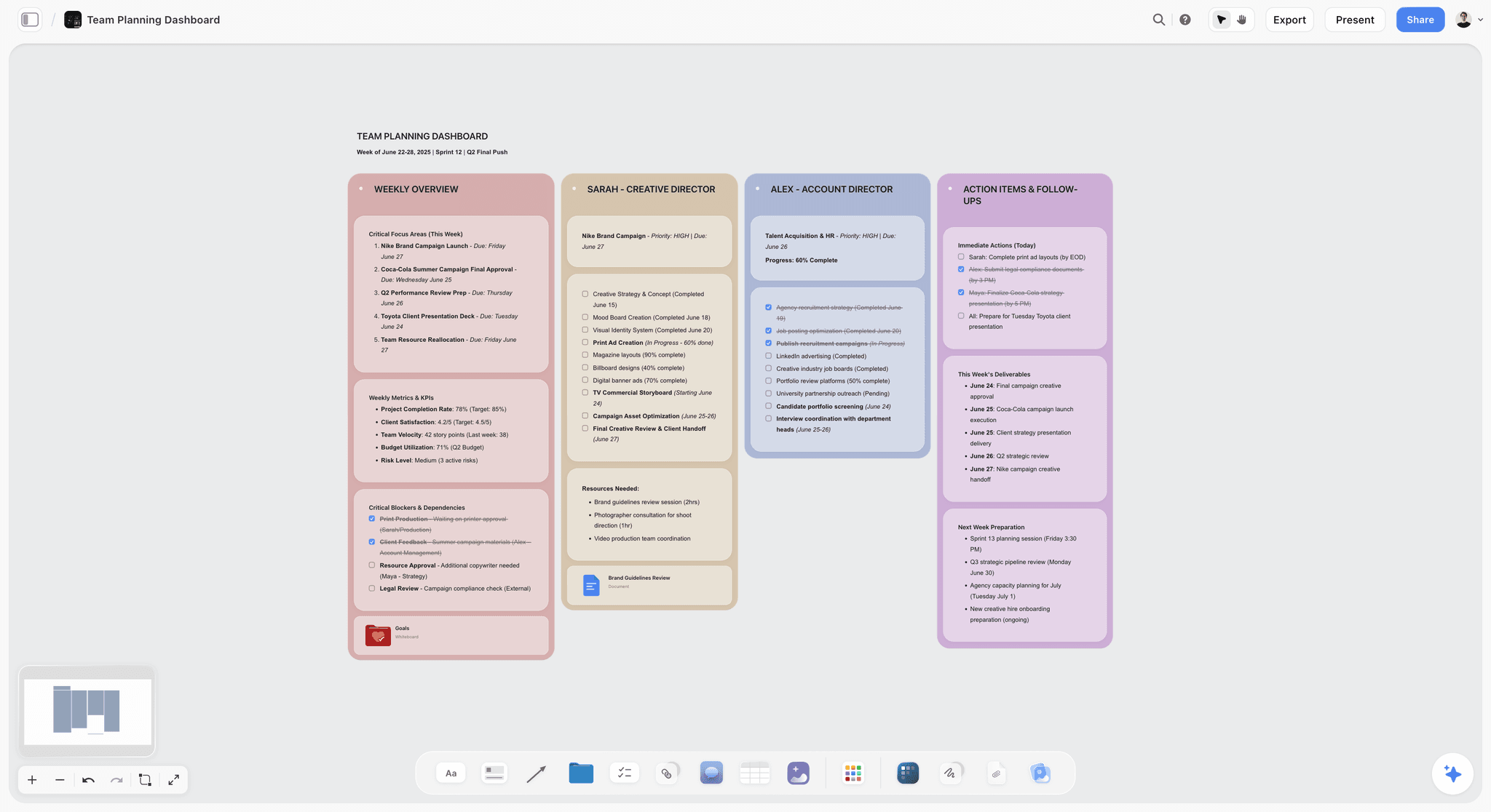
Storyflow runs both ideation motions on one canvas. Diverging is fast: generate idea cards, and the AI can expand a seed into many variations. Converging is where Storyflow does the most work: the AI reads the full canvas, so it can cluster a hundred ideas into themes, score them against criteria you set, and surface the few worth pursuing. The session does not stall at the wall of sticky notes.
Best for: Teams who want to diverge widely and then actually converge, with AI help on both.
Verdict: The strongest AI canvas for completing both motions. For the deepest facilitated diverge techniques, Mural goes further.
Key features
- Canvas for both diverge and converge motions.
- AI reads the full canvas plus up to 1 Tactic and 3 Documents you @-mention.
- AI clusters ideas into themes and scores them against criteria.
- Story Blueprints library with ideation frameworks.
- Unlimited collaboration on Free for the team.
Pricing
Free: $0 forever, no card. Unlimited boards and cards, unlimited collaboration, basic AI, 20 file uploads. Plus: $7.99/mo annual. Full Story Blueprints, unlimited uploads. Pro: $14/mo annual. AI image generation, 20x AI usage. Max: $39/mo annual. 40x more AI, team workspace with roles.
Pros
- Supports both motions; the AI drives the converge.
- AI clusters and scores a hundred ideas down to a few.
- Unlimited free collaboration for the team.
Cons
- Lighter on facilitated diverge extras (Crazy 8s timers) than Mural.
- Cloud-only, with no offline mode.
- Newer platform with a smaller template library than Miro.
2. Miro
Miro is the broadest ideation canvas: infinite space, deep template library, and strong real-time collaboration for diverging. For converging, it offers dot voting and clustering, which is more than most tools. It does both motions capably, with diverge slightly stronger than converge.
Best for: Teams who want one capable canvas for the whole ideation session.
Verdict: The strongest all-around ideation tool in 2026. Use the voting and clustering deliberately so the session converges.
Key features
- Infinite canvas with strong real-time collaboration.
- Ideation templates: brainstorm, Crazy 8s, How Might We.
- Dot voting and clustering for converging.
- Timers for diverge sprints.
- Standard AI features.
Pricing
Free for 3 boards. Starter: $8/mo annual. Business: $16/mo.
Pros
- Capable at both diverge and converge.
- Huge template library.
- Strong live collaboration.
Cons
- Converge tools must be used deliberately or skipped.
- The 3-board free limit is tight.
- Optimized slightly toward diverging.
3. Mural
Mural is the facilitation specialist for ideation. Its facilitator controls, timers, voting, and guided methods structure both motions: a timed diverge, then a facilitated converge with voting. It runs the most disciplined ideation session here, which makes it more likely the session converges.
Best for: Facilitators who want structured, disciplined ideation sessions.
Verdict: The strongest facilitated ideation tool. The facilitation makes the converge motion happen.
Key features
- Facilitation tools and facilitator controls.
- Timers for diverge sprints.
- Voting and clustering for converging.
- Large ideation template library.
Pricing
Free tier. Paid plans from roughly $12/mo.
Pros
- Facilitation discipline drives the converge.
- Strong timed diverge sprints.
- Excellent ideation templates.
Cons
- Needs a facilitator to get the most out of it.
- Overlaps with Miro on general use.
- Workshop framing can feel heavy for a quick session.
4. Milanote
Milanote is a visual canvas where creatives diverge freely: idea cards, references, sketches, all arranged spatially. It is strong for the diverge motion and for visual idea work. It is light on structured converging, so the narrowing has to be done by hand.
Best for: Creatives who want a visual canvas to generate ideas on.
Verdict: A strong visual diverge tool. Pair it with a structured method for the converge motion.
Key features
- Freeform canvas for idea generation.
- Cards, references, and sketches.
- Templates for creative ideation.
- Shareable boards.
Pricing
Free with 100 cards. Individual: $9.99/mo. Team: $49/mo flat.
Pros
- Excellent for visual diverging.
- Intuitive and polished.
- Good for creative idea work.
Cons
- Light on structured converging.
- The 100-card free limit fills fast when diverging.
- No voting or scoring.
5. FigJam
FigJam, Figma's whiteboard, runs ideation for design teams: sticky notes and stamps for diverging, voting for converging. For teams already in Figma, it keeps ideation next to the design work. It handles both motions capably, in a design-team context.
Best for: Design teams who want ideation next to their Figma work.
Verdict: A capable ideation tool for Figma teams. Both motions supported, in a design context.
Key features
- Whiteboard with sticky notes and stamps.
- Voting for converging.
- Timers for diverge sprints.
- Bridges into Figma.
Pricing
Free for 3 files. Paid plans from roughly $5/mo.
Pros
- Both motions in a design-team context.
- Strong collaboration.
- Sits next to Figma work.
Cons
- 3-file free cap.
- Best value inside Figma.
- Generic, not ideation-specific.
6. MindMeister
MindMeister is a mind-mapping tool, and the mind map is one of the strongest diverge techniques: branch out from a central idea, following associations. It is excellent at diverging through mind maps. Converging is light, since a mind map structures ideas but does not narrow them.
Best for: Teams and individuals who diverge through mind mapping.
Verdict: A strong mind-map diverge tool. Pair it with a method for the converge motion.
Key features
- Mind mapping for idea generation.
- Branching and association.
- Collaboration on maps.
- Light AI.
Pricing
Free tier. Paid plans from roughly $7/mo.
Pros
- Mind maps are a strong diverge technique.
- Easy and intuitive.
- Good collaboration.
Cons
- Light on converging.
- A mind map structures, it does not narrow.
- Diverge motion only, in practice.
7. Stormboard
Stormboard is a structured ideation workshop tool: sticky notes organized into structured sections, with reporting. The structure helps both motions a little, guiding diverge into categories and supporting a basic converge. It exports session reports.
Best for: Teams who want structured ideation workshops with reporting.
Verdict: A structured workshop tool that nudges toward converging. Reporting captures the session.
Key features
- Structured sticky-note sections.
- Ideation workshop templates.
- Voting and exportable reports.
- AI assistant.
Pricing
Free tier. Paid plans from roughly $10/mo.
Pros
- Structure nudges toward converging.
- Workshop templates.
- Report exports.
Cons
- Structure can constrain the diverge.
- Converge support is basic.
- Smaller community.
8. Lucidspark
Lucidspark is the ideation board in the Lucid suite: strong sticky-note diverging, with voting and a "gather" feature that clusters ideas for converging. The clustering and voting give it a real converge motion, and it connects to Lucidchart for structured follow-up.
Best for: Teams in the Lucid ecosystem who want diverge plus a real converge.
Verdict: A capable ideation board with genuine converge support. Best value inside the Lucid suite.
Key features
- Sticky-note diverging.
- Voting and idea gathering for converging.
- Connection to Lucidchart.
- Standard AI features.
Pricing
Free tier. Paid plans from roughly $8/mo.
Pros
- Real converge support: voting and clustering.
- Strong diverging.
- Path into Lucidchart.
Cons
- Best value inside the Lucid suite.
- Smaller community than Miro.
- Converge tools must be used deliberately.
9. Notion
Notion is not a diverge canvas, but it earns a place for the converge motion. When ideas from a session are captured into a Notion database, they can be scored, tagged, and ranked against criteria, a structured converge. Notion is weak at the live, visual diverge and stronger at structured narrowing.
Best for: Teams who diverge elsewhere and want a structured place to converge.
Verdict: Weak at diverging, decent at converging. Pair it with a diverge canvas.
Key features
- Databases for scoring and ranking ideas.
- Criteria fields for structured converging.
- Templates for idea evaluation.
- Standard AI features.
Pricing
Free for personal use. Plus: $10/mo. Business: $18/mo.
Pros
- Structured converging with scoring.
- Ideas can be ranked against criteria.
- Large template community.
Cons
- Weak at the live, visual diverge.
- Not a real-time ideation canvas.
- Diverge has to happen elsewhere.
10. Whimsical
Whimsical is a clean diagramming tool with mind maps and sticky notes for ideation. It handles a moderate diverge through mind maps and sticky notes. Converging is light, like most diagram-led tools.
Best for: Teams who diverge through clean mind maps and diagrams.
Verdict: A clean diagram-led ideation tool. Moderate diverge, light converge.
Key features
- Mind maps and sticky notes.
- Clean, fast interface.
- Diagramming for idea structure.
- Light AI.
Pricing
Free tier. Paid plans from roughly $10/mo.
Pros
- Clean and fast.
- Mind maps for diverging.
- Easy to use.
Cons
- Light on converging.
- Moderate diverge depth.
- Smaller template library.
11. Ideaflip
Ideaflip is a focused sticky-note ideation tool: a simple board for generating and arranging ideas in real time. It does the diverge motion cleanly and simply. Converging is light, mostly grouping by hand.
Best for: Teams who want a simple, focused sticky-note ideation board.
Verdict: A clean, simple diverge tool. Light on the converge motion.
Key features
- Real-time sticky-note board.
- Simple idea generation and arranging.
- Collaboration.
- Clean interface.
Pricing
Subscription from roughly $9/mo.
Pros
- Simple and focused.
- Clean diverge experience.
- Easy collaboration.
Cons
- Light on converging.
- Subscription only.
- Thin feature set.
12. ClickUp
ClickUp is a work platform with whiteboards and docs that can host ideation. Diverging happens on a whiteboard; converging can happen by turning ideas into scored tasks. It is generic: ideation is one use among many, and neither motion is deep.
Best for: Teams who want to ideate inside the platform they already use for work.
Verdict: A workable ideation option inside a work platform. Generic on both motions.
Key features
- Whiteboards for diverging.
- Tasks and docs for converging.
- Multiple views.
- Standard AI features.
Pricing
Free tier. Paid plans from roughly $7/user/mo.
Pros
- Ideation inside the work platform.
- Ideas convert into tasks.
- Affordable.
Cons
- Generic on both motions.
- Whiteboard is basic.
- Breadth over depth.
7) Recommended Ideation Stacks
Stack 1: Solo Creative. Milanote Free (visual diverge) plus a converge method, for a complete ideation workflow at no cost. Or Storyflow Plus ($7.99/mo annual) for diverge with AI expansion and converge with AI clustering and scoring on one canvas.
Stack 2: Product or Marketing Team. Miro or Mural (facilitated diverge with timed sprints) + Storyflow (AI-assisted converge: cluster and score the wall of ideas) for the second motion.
Stack 3: Design Team. FigJam (ideation next to Figma) + voting and clustering used deliberately for the converge motion.
Stack 4: Cheapest Working Stack. Miro free (diverge in a single session) + a manual converge method. Total: $0. Storyflow Plus ($7.99/mo annual) is the step up when you want both motions AI-assisted on one canvas.
The pattern across every stack: do not stop at the wall of sticky notes. Diverge widely, then converge deliberately, using voting, clustering, and scoring to get to the few ideas worth pursuing. The sessions that produce an outcome are the ones that completed both motions.
8) Honorable Mentions
- Klaxoon. A workshop and engagement platform with ideation tools.
- IdeaBoardz. A simple free retrospective and ideation board.
- SessionLab. Workshop design that structures ideation sessions.
- Excalidraw. A free whiteboard for quick diverge sketches.
- Pen and sticky notes. The analog ideation kit, still effective.
9) Tools to Avoid for Ideation
- A diverge-only tool treated as the whole session. A great sticky-note board with no voting or scoring strands the team in the easy motion.
- Ending the session at the wall of sticky notes. A hundred ideas is not an outcome. The session is not done until it has converged.
- Generating more ideas when it is time to choose. Diverging twice feels productive and decides nothing.
- A tool with no way to score against criteria. Converging by gut alone tends to pick the loudest idea, not the best one.
11) The Bottom Line
The best ideation tools in 2026 are the ones that support both motions, not just the fun one. Storyflow is the best AI canvas for diverging and converging in one place. Miro is the strongest all-around ideation canvas. Mural is the best for facilitated ideation. Milanote is the best visual ideation tool for creatives.
Ideation is two motions, not one. Most sessions do the first one twice. Diverge widely, then converge deliberately: cluster, vote, score, and decide. Do not end the session at the wall of sticky notes. The ideation that produces an outcome is the ideation that completed both motions.
For your next session, generate a mind map of your ideas with AI to get the wall started, then run both motions in Storyflow's canvas and let the AI cluster and score the wall of ideas down to the few worth pursuing.
10) FAQ: Ideation Tools
What is the best ideation tool in 2026?
Storyflow is the best AI canvas for diverging and converging in one place. Miro is the strongest all-around ideation canvas. Mural is the best for facilitated ideation. Milanote is the best visual ideation tool for creatives. The right pick depends on whether your sessions struggle to generate ideas or to choose between them.
What is ideation?
Ideation is the structured generation and selection of ideas. It has two motions: diverge (generate as many ideas as possible, without judgment) and converge (narrow the pool to the few worth pursuing). Ideation is not just brainstorming; brainstorming is one diverge technique within the larger ideation discipline.
What is the difference between diverging and converging?
Diverging is generating widely: quantity over quality, no judgment, lots of raw ideas. Converging is narrowing: clustering, evaluating, scoring, and deciding which few ideas to pursue. Ideation is diverge then converge. Most sessions do the diverge motion well and skip the converge.
Why do ideation sessions produce nothing?
Because they only diverge. The session generates a hundred ideas, the energy is high, and when it is time to converge, the team runs out of time or appetite, or simply generates more ideas. The session ends with a wall of sticky notes and no decision. A hundred ideas is not an outcome.
What is the difference between ideation and brainstorming?
Brainstorming is one technique within the diverge motion of ideation. Ideation is the full discipline: diverge (which includes brainstorming, mind mapping, Crazy 8s, and more) followed by converge. Brainstorming generates ideas; ideation generates and then selects them.
What is the cheapest ideation tool?
Miro's free tier covers a single ideation session at no cost. Storyflow supports both the diverge and converge motions on one canvas, with AI help on the converge, but it is paid-only during early access from $7.99/mo annual, with a Free plan launching before the end of 2026.
Can AI help with ideation?
Yes, in both motions. For diverging, AI can expand a seed idea into many variations. For converging, AI can cluster a hundred ideas into themes and score them against criteria. Storyflow's canvas AI does both, and the converge help is the more valuable, since converging is the motion teams skip.
What is the difference between ideation tools and idea management tools?
An ideation tool runs the creative session: diverge and converge to produce ideas. An idea management tool handles ideas over time: capturing, developing, and deciding on them across a pipeline. Ideation is a single creative act; idea management is an ongoing process.
How do I make an ideation session actually converge?
Budget time for the converge motion explicitly, and use structured methods: cluster ideas into themes, dot-vote, then score the shortlist against clear criteria. Treat converging as a separate, scheduled motion, not something to do if time allows. A tool with voting and scoring makes it concrete.
What tools do teams use for ideation?
Teams commonly use Miro, Mural, or FigJam for the live session, MindMeister for mind-map diverging, and a scoring method or tool like Storyflow's AI or Notion for the converge. The strongest setups support both motions, because a tool good only at diverging strands the team.
How many ideas should an ideation session produce?
The diverge motion should produce many, often dozens to a hundred or more; volume is the point. The converge motion should narrow that to a handful, usually three to five, worth pursuing. The session is measured by the converged few, not the diverged hundred.
Is Miro or Mural better for ideation?
Miro is the broader all-around ideation canvas with more templates and integrations. Mural is the stronger facilitation tool, with controls that make a session converge. Miro suits self-directed teams; Mural suits facilitated sessions. Both lean toward diverge, so use the converge tools deliberately.
Table of Contents
- Quick Answer: The Best Ideation Tools in 2026
- Comparison Table: 12 Ideation Tools at a Glance
- Frequently Asked: Which Ideation Brands Are Best, Most Innovative, and Most Reliable
- Diverge and Converge
- How We Evaluated These Tools
- Quick Picks by Ideation Need
- Detailed Reviews: 12 Ideation Tools
- Recommended Ideation Stacks
- Honorable Mentions
- Tools to Avoid for Ideation
- FAQ: Ideation Tools
- The Bottom Line
- Author
- Related Reading
Templates to check out for this topic


Mind mapping and ideation templates you can use in Storyflow
Map ideas in space, then ask the AI to restructure, expand, or connect them. Open any of these boards and start thinking visually instead of in lists.


See Storyflow in Action
A visual AI workspace where every feature lives inside one canvas. No tab-switching, no context lost.
Build your entire board from a single message
Type what you need in the AI chat at the bottom of your canvas. The AI adds cards, headings, and structure directly onto your board.
Use expert frameworks as AI context
Type @ in the AI chat and choose any Tactic. The AI tailors every response to that framework instead of giving generic advice.
Turn your board into a mind map in seconds
Ask the AI to restructure your canvas as a mindmap. It connects your ideas into a visual hierarchy so you can see how everything relates.
Why Storyflow Exists
Storyflow actually began as a personal tool while working on creative and research projects.
We kept running into the same problem: ideas were scattered everywhere: notes, documents, and whiteboards.
Nothing helped us see how everything connected.
So we started building a workspace designed around how ideas actually grow.
→ Read how Storyflow was createdJustkay
Documentary Filmmaker & Founder at Storyflow
Published: 2026-05-17
Extremely simple, seriously capable


See how easy it is to get started
Watch a real project come together, from a blank board to a finished plan, clicked through step by step.
Start creating with AI and become more productive
Transform your creative workflow with AI-powered tools. Generate ideas, create content, and boost your productivity in minutes instead of hours.