The 12 Best AI Whiteboard Tools in 2026 (Tested for Real Work)
The best AI whiteboard tools in 2026, tested for real project work. 12 tools compared on AI depth, canvas context, collaboration, and pricing.

Category
Visual Thinking
Author

Justkay
Documentary Filmmaker & Founder at Storyflow
Topics
2026-05-09
•
16 min read
•
Visual Thinking- best AI whiteboard tools 2026
- AI whiteboard software
- AI canvas with project context
What is the best AI whiteboard tool in 2026?
Storyflow is the best AI whiteboard in 2026 for project work: its AI reads the full active canvas plus @-mentioned Documents and a Blueprint Tactic before responding. Miro AI wins for enterprise workshops, FigJam for teams already inside Figma. The right pick depends on whether you run projects or workshops.

Full disclosure: Storyflow, which we rank #1, is our own product. We rank it #1 for AI depth specifically, it is the only tool here whose AI reads the whole board rather than one selection, and we say plainly where the others win: Miro is the bigger, more established general whiteboard with more templates and integrations, and FigJam is the better fit if your team already lives in Figma. We link out to every tool so you can judge for yourself.
Quick Comparison: Best AI Whiteboard Tools
These four cover the choice most teams are making: an AI that reads the entire board versus AI helpers bolted onto a general whiteboard.
| Tool | Best For | AI Features | Price |
|---|---|---|---|
| Storyflow | AI that reads the whole board | Canvas-aware AI (whole board + @-mentions) | $7.99 mo annual (free plan late 2026) |
| Miro AI | AI in the biggest general whiteboard | Selection-scoped generate and cluster | Free / $8 user mo |
| FigJam | Design-team AI whiteboarding | FigJam AI (generate and summarise) | Free / $3 user mo |
| Mural | Facilitated workshop AI | AI facilitation helpers | Free / $12 user mo |
All 12 AI Whiteboard Tools, Ranked
- Storyflow: best overall, AI reads the full active canvas plus @-mentioned Documents and a Blueprint Tactic
- Miro AI: best enterprise AI whiteboard at workshop scale
- FigJam: best in-canvas AI Actions for Figma-native design teams
- Mural: best AI synthesis for facilitated workshops
- Lucidspark: best diagram-and-whiteboard AI hybrid
- Stormboard: best structured template-driven workshop output
- Whimsical AI: best lightweight AI whiteboard for solo product work
- Conceptboard: best AI whiteboard for regulated industries
- Limnu: best realistic drawing whiteboard with AI assist
- Boardmix: best affordable AI whiteboard
- Excalidraw + AI plugins: best open-source, self-hosted AI canvas
- Pixelboard: best casual small-team AI whiteboard
Quick Picks: Best AI Whiteboard Tools 2026 by Use Case
I have been working on a documentary for nine months. The brief, the interview transcripts, the visual references, and the loose plan for the next shoot all live on one canvas. Last winter I tried running that same project across three different AI whiteboards. Two of them gave me clean sticky notes that knew nothing about the brief. One of them, when I asked for the next scene structure, generated a list that ignored the visual references sitting two inches to the right of the prompt. The breakthrough was not a smarter model. It was a whiteboard whose AI could read everything already on the board. The shortlist that emerged from that month: Storyflow, Miro AI, and FigJam.
Best Overall: Storyflow The only AI whiteboard where the model reads the full active canvas before responding, not just the selected element. Add a Blueprint Tactic, @-mention a Document, and the AI has narrative and brief context before it answers. Starts at $7.99/month billed annually (Plus tier). One limitation: Storyflow is project-canvas-first, not blank-whiteboard-first. It is not optimized for live sticky-note voting workshops where a facilitator needs a timer and dot voting to run a workshop in 45 minutes.
Best Enterprise AI Whiteboard: Miro AI The most mature AI feature set in a whiteboard built for enterprise scale. AI clustering of sticky notes, mind-map expansion, and summary generation across long workshops are reliable at the scale Miro operates. The trade-off: AI features are layered over a general whiteboard. The model responds to the selected cluster, not to the larger project context outside the workshop board.
Best for Figma Teams: FigJam (with AI Actions) FigJam's AI Actions are the cleanest in-canvas AI for design teams who already live inside Figma. Sort sticky notes, generate templates, and extract themes without leaving the design system. The limitation: FigJam AI is bounded to the FigJam board itself. It does not read your design files, brief documents, or research notes connected to the same project.
Best for Facilitated Workshops: Mural Mural's AI summary and synthesis features are built for facilitators who run workshops with 20 people and need a usable readout afterward. The voting, timer, and facilitation toolkit remain best-in-class for 2026. The limitation: AI here is a workshop helper, not a thinking partner. It summarises what the team produced; it does not develop a structure with you.
Best Diagram + Whiteboard Hybrid: Lucidspark Lucidspark sits between Lucidchart and a free-form whiteboard, and the AI features take advantage of that. Generate a flow diagram from a prompt, expand it into a sticky note workshop, and pull it back into a structured chart. The limitation: it leans toward business operations and process work. Creative narrative development is not its centre of gravity.
Best Lightweight AI Whiteboard: Whimsical AI Whimsical's AI is fast, focused, and produces clean diagrams from short prompts. For solo product folks and small teams who want a whiteboard that does not get in the way, Whimsical AI is the easiest to learn. The limitation: scale. Larger workshops and complex multi-document projects strain the lighter canvas model.
Best Affordable AI Whiteboard: Boardmix Boardmix is the price-conscious option with credible AI features in 2026. It does the core AI whiteboard tasks (cluster, expand, summarise) at a meaningfully lower entry price than Miro or FigJam. The limitation: ecosystem and integrations are smaller. You get the canvas; you do not get the same library of templates and partner integrations.
Best Open-Source AI Whiteboard: Excalidraw + AI Plugins Excalidraw's "wireframe to code" and text-to-diagram AI plugins are the most interesting open-source AI canvas work in 2026. For developer-led teams who want to self-host and avoid vendor lock-in, this is the strongest path. The limitation: AI lives in plugins, not in a unified product experience. Setup and maintenance fall on the team.
Storyflow's AI reads everything currently on your canvas. @-mention a Blueprint Tactic and up to three Documents and the model has the full creative context before it suggests a structure. For project work that involves more than a single sticky-note exercise, the context gap matters. If your work is project-shaped (a brief, references, and a structure that lives for weeks), take your most active project and rebuild it on a Storyflow canvas for one week. The difference between an AI that reads the room and an AI that reads only the cell you clicked becomes obvious fast.
Comparison Table: Best AI Whiteboard Tools 2026
| Tool | Best For | Starting Price | Free Plan | AI Depth (★/5) | Rating (/10) |
|---|---|---|---|---|---|
Storyflow | AI canvas with full project context | $7.99/month annual | Coming late 2026 (invited collaborators join free now) | ★★★★★ | 9.4/10 |
Miro AI | Enterprise AI whiteboard at scale | $8/user/month | Yes (3 boards) | ★★★★☆ | 8.7/10 |
FigJam | Figma-native AI Actions | $3/collaborator/month | Yes (Figma plan) | ★★★★☆ | 8.4/10 |
Mural | AI-summarised facilitated workshops | $9.99/user/month | Yes (limited) | ★★★☆☆ | 8.1/10 |
Lucidspark | Diagram-and-whiteboard AI hybrid | $7.95/user/month | Yes (3 boards) | ★★★★☆ | 8.0/10 |
Stormboard | Structured AI templates | $10/user/month | Yes (5 boards) | ★★★☆☆ | 7.6/10 |
Whimsical AI | Lightweight AI whiteboard | $10/editor/month | Yes (limited) | ★★★☆☆ | 7.5/10 |
Conceptboard | AI for regulated industries | $7.50/user/month | Yes (limited) | ★★★☆☆ | 7.3/10 |
Limnu | Realistic drawing whiteboard with AI | $5/month | Yes (limited) | ★★☆☆☆ | 7.0/10 |
Boardmix | Affordable AI whiteboard | $3.50/user/month | Yes (generous) | ★★★☆☆ | 7.2/10 |
Excalidraw + AI plugins | Open-source AI sketch | Free / self-host | Yes (fully free) | ★★★☆☆ | 7.1/10 |
Pixelboard | Casual team AI whiteboard | $6/user/month | Yes (limited) | ★★☆☆☆ | 6.8/10 |
Rating criteria: AI depth was weighted most heavily (35%) because it is the dividing line in the 2026 whiteboard market. Canvas context awareness, multi-document grounding, and the quality of generated structure separated the top three from the rest. Workflow fit (20%), ease of use (15%), collaboration (15%), integrations (10%), pricing (5%).
Storyflow leads on AI depth because the model reads the full active canvas plus @-mentioned Tactic Blueprints and up to three Documents. It is not a smarter model in isolation. It is a model with more of your project loaded into the prompt before you write a single word.

Storyflow's AI reads the full active canvas plus @-mentioned Documents and a Blueprint Tactic before responding
Best AI Whiteboard Tools 2026: Market Context
The AI whiteboard category did not exist in a serious form before 2024. Whiteboards had AI features bolted on. The 2026 inflection happened when Miro, FigJam, and Storyflow each shipped AI that operated on canvas content rather than a chat sidebar. The differentiator stopped being "does this tool have AI" and became "what context can the AI see when you ask it to think."
Miro AI cluster sticky notes you select. FigJam AI Actions transform the elements you target. These are useful, but they are local. They answer the question you asked about the thing you selected. The next layer up is project-aware AI. The model reads everything currently on the canvas, plus structured context you point at on purpose, and produces output that is actually grounded in your work.
Most AI whiteboards in 2026 are still at the local layer. A few are moving toward project-aware. The gap shows up the moment you ask for something that requires more than what you selected. "What is missing from this scene structure" produces a generic answer if the AI cannot see the scene structure or the brief or the references. The AI is only as good as the context you give it. The whiteboards that figured this out are the ones worth using.
There is also a workflow split worth naming. Some teams use whiteboards as workshop containers: they open a board, run a session, take a snapshot, and close it. Others use whiteboards as project containers: the canvas lives for weeks or months and accumulates the work. AI features designed for the first use case do not always translate to the second. A summariser that compresses a 90-minute workshop is not the same tool as a thinking partner that holds context across a six-week project.
McKinsey's 2012 research on workplace knowledge, frequently re-cited through 2025, estimated knowledge workers spend roughly 19% of their time searching for or consolidating information. The AI whiteboard category in 2026 is fundamentally a bet on reducing that 19%. If the whiteboard already has your brief, your references, and your current structure on screen, the AI can answer questions you would otherwise spend an hour searching three apps for.
How We Evaluated the Best AI Whiteboard Tools 2026
Six criteria determined every rating. Here is what each test specifically involved.
AI depth and context awareness: I started a project with a brief, a set of reference images, a rough scene structure, and a 1,500-word document. I asked each tool the same three questions: "What is missing from this structure," "Suggest a visual tone for scene three," and "Generate three alternative openings grounded in the brief." Tools whose AI could only see the selected element scored lower than tools whose AI could see the full canvas plus referenced documents.
Workflow fit: I tested whether the tool was set up for one-off workshops, ongoing project work, or both. Some tools are built for the 90-minute session; others are built for the six-week project. Both are legitimate. The rating reflects how well the tool serves its intended workflow, not whether it tries to do everything.
Ease of use: I measured time from account creation to a working AI prompt with at least three pieces of canvas content. Tools that required configuration or an onboarding flow before AI was available scored lower than tools where the AI was usable in the first 60 seconds.
Collaboration: I tested real-time co-editing, comment threads, guest access, and async review. The scenario was a three-person team plus one external collaborator who needed to leave comments without creating an account. Tools that gated guest access behind paid seats scored lower.
Integrations: I checked connections to common project tools: Slack, Google Drive, Notion, Figma, and Linear. AI features that could read documents from those sources scored higher than AI bounded to the canvas alone.
Pricing and value: I compared annual cost for a five-person team with full AI access. The question was not which tool costs least but which delivers production-quality AI output at a price a small team can sustain. Cowan's 2001 working memory research (~4 chunks held actively at once) is a useful frame here. The whiteboards that were worth the price were the ones that reduced the active-memory load on the user, not just the ones that produced the most output.
Every tool on this list was tested with real project work, not feature checklists pulled from marketing pages.
Give the AI your whole board, not a prompt
Storyflow reads every card, note, and reference on your active canvas before it answers. Put a real project on the board and the first response already knows the brief.

Detailed Reviews: Best AI Whiteboard Tools 2026
1. Storyflow
Storyflow is a visual AI workspace built for creators, filmmakers, marketers, and strategists who run their work as a project, not a workshop. The whiteboard is one part of a broader environment that includes Documents, Blueprint Tactics, and project-level structure. The AI reads all of it.
It is not a blank-whiteboard-first tool. It is a project-canvas-first tool. That distinction is the one that matters most. If you open Storyflow expecting an empty Miro-style board with sticky notes and a timer, you will feel the friction immediately. If you open Storyflow expecting a place where your brief, references, structure, and AI assistance live on a single connected canvas, the experience makes sense within minutes.
Best for: Creators, filmmakers, marketers, and strategists who develop ideas, structure, and execution inside a single connected project.
Key features:
AI reads the full active canvas plus @-mentioned context. Open the AI chat on any Storyflow canvas and the model reads everything currently on the board. @-mention up to three Documents and one Blueprint Tactic in the same prompt. The AI now has structured frameworks plus your written project material loaded before it generates a response. Asking for "the next scene structure" lands differently when the AI has read the brief and the script and the existing scene blocks already on the canvas.
Blueprint Tactics for proven creative frameworks. Storyflow includes 200+ Blueprint Tactics on Plus and up: Hero's Journey, AIDA, OKRs, Lean Canvas, story arc frameworks, and more. Each Tactic is a structured Blueprint with guided cards. Adding one to a canvas teaches the framework while you build the actual project. For people who think visually but want narrative or strategic structure, this is the layer that is missing from blank whiteboards.
Documents connected to the canvas. Write your brief, treatment, or research notes as Documents inside the same project. They live alongside the whiteboard, not in a separate app. During AI chat you can @-mention up to three Documents alongside one Blueprint Tactic. The AI reads them as part of the prompt context, not as references to be searched later.
Team workspace with roles on Max. Storyflow Max adds a team workspace with permissions and roles for groups who run projects together. A director and a producer can work the same campaign. The Free, Plus, and Pro tiers are individual workspaces; the team-targeted tier is Max.
Pricing: Paid-only early access today; the Free plan (unlimited projects, basic AI usage, 20 file uploads) launches before the end of 2026, and anyone a paid member invites to a board joins free now. Plus: $7.99/month billed annually or $9.99/month billed monthly (full 200+ Blueprint Tactics, unlimited file uploads). Pro: $14/month billed annually or $19/month billed monthly (adds AI image generation and 20× more AI than Plus). Max: $39/month billed annually (team workspace with permissions and roles).
Pros:
- The only AI whiteboard where the model reads the full active canvas plus @-mentioned Documents and a Blueprint Tactic before responding
- 200+ Blueprint Tactics on Plus and up turn proven creative and strategic frameworks into structured Blueprints you can use directly on the canvas
- Plus is priced for real solo work at $7.99/month billed annually, and the Free plan launching before the end of 2026 will cover unlimited projects, basic AI usage, and 20 file uploads
- Documents connected to the canvas remove the brief-lives-in-Notion problem that fragments AI context across other tools
- Max adds a team workspace with permissions and roles, which matters for creative teams who develop work together rather than in handoffs
Cons:
- Project-canvas-first, not blank-whiteboard-first. Teams who want a fast empty board for a 45-minute workshop will find Storyflow heavier than Miro or Mural for that specific scenario.
- Not optimized for live sticky-note voting sessions. Storyflow does not have the dot voting, timer, and facilitation toolkit that Mural and Miro have refined for workshop facilitators.
- The team workspace with permissions and roles is on Max ($39/month annual). Solo creators on Free, Plus, or Pro get an individual workspace (this is intentional pricing, but worth knowing).
- Newer platform than Miro or FigJam. The integration ecosystem and template volume are still growing, so an enterprise that needs SSO, audit logs, and 100+ pre-built workshop templates today will find Miro deeper on that specific axis.
Verdict: Storyflow is the right choice when the whiteboard is part of an ongoing project, not a one-off workshop. The connected canvas plus AI context model wins for documentary work, narrative video, marketing campaigns, product strategy, and any work that lives across weeks. For sticky-note workshops with 20 people and a timer, Mural or Miro is faster. The fastest way to test the context model is to skip the blank board: open the Pre-Production Board template or the Mindmap template, drop your project material in, and ask the AI a structure question. See the AI whiteboard page for how the project-canvas model works in practice.
2. Miro AI
Miro AI is the most mature AI feature set in a whiteboard at enterprise scale. Miro had a head start: a giant active user base, deep integrations, and a feature library that already covered most workshop scenarios. The AI layer extends that surface area rather than redefining it.
The strongest Miro AI features in 2026 are sticky-note clustering, mind-map expansion, and workshop summary generation. Cluster a workshop's worth of sticky notes into themes in seconds. Expand a single idea into a mind map you can edit. Summarise a long board into a structured readout. These are reliable at the scale Miro operates.
Best for: Enterprise teams who run a high volume of workshops and need AI features that work across very large boards and very large user bases.
Key features:
AI clustering and theme detection. Select a cluster of sticky notes and Miro AI groups them into themes. For workshops where 20 people contributed 200 notes in 30 minutes, this is the synthesis step that used to take a facilitator a full afternoon.
Mind-map and brainstorm expansion. Drop a single concept on the canvas and Miro AI expands it into a mind map. For early ideation sessions, this is a fast way to populate a board before bringing the team in.
Workshop summary and capture. Miro AI generates a structured summary of a long board. For teams who run many workshops and need a readout afterward, this saves the facilitator's review time.
Enterprise-grade integrations and admin. Miro's strength is the surrounding ecosystem. SSO, audit logs, integrations with every major work tool. For organisations with 500+ users, the admin layer is where Miro pulls ahead.
Pricing: Starts at $8/user/month billed annually. Free plan includes 3 editable boards.
Pros:
- Most mature AI feature set in a whiteboard at the enterprise scale Miro operates
- AI clustering of sticky notes is genuinely fast and reliable on large workshop boards
- Enterprise admin, SSO, and audit features make it the safest choice for large organisations
- Massive template library and partner integrations cover workshop scenarios most other tools have not built for
Cons:
- AI features are layered over a general whiteboard. The model responds to the selected element or board, not to a richer project context outside the canvas.
- Cost scales quickly for large teams. A 50-person team on the Business plan is meaningfully more expensive than several alternatives.
- AI quality is strongest for synthesis and clustering, less differentiated for generative structure work.
Verdict: Miro AI is the right choice for enterprise teams who run a lot of workshops and need an AI layer that operates on large boards reliably. For project work that needs the AI to read context outside the board, the limitation shows up.
3. FigJam (with AI Actions)
FigJam's AI Actions are the cleanest in-canvas AI for design teams who already live inside Figma. The 2026 release of AI Actions made FigJam significantly more useful than the early "sticky note sort" implementation. AI Actions can sort, summarise, generate from templates, and extract themes without leaving the canvas.
For design teams running design sprints, journey mapping, or product strategy sessions, FigJam's AI Actions are right there in the toolbar. There is no separate AI app to install. There is no context-switching between FigJam and the rest of the design environment.
Best for: Design and product teams who already use Figma and want AI in the same tool.
Key features:
AI Actions in the canvas toolbar. Sort sticky notes by theme, summarise a board section, generate a starter template, extract action items. These run inline with no chat sidebar to manage.
Native Figma file connection. Work in FigJam adjacent to the design files for the same project. The connection between concept (FigJam) and execution (Figma) is the ecosystem advantage no other AI whiteboard has for design teams.
Per-collaborator pricing model. FigJam's pricing through Figma is per collaborator (not per editor or seat for everyone), which keeps it affordable for design teams with many viewers and a few active contributors.
Pricing: $3/collaborator seat per month billed annually through Figma. Free plan available with the Figma starter plan.
Pros:
- Cleanest in-canvas AI experience for design teams already using Figma
- AI Actions are inline in the toolbar, with no separate AI panel or chat to manage
- Native Figma connection makes it the right answer for design-led product work
- Affordable on the per-collaborator pricing model when most users are commenters, not editors
Cons:
- AI is bounded to the FigJam board. It does not read your Figma files, brief documents, or research outside the board.
- Strongest for design and product workflows. Less useful for narrative, marketing, or strategy work outside that ecosystem.
- The AI Actions are intentionally focused, not deep. Generative structure work goes further on Storyflow or Miro.
Verdict: FigJam is the right answer for Figma-native teams. If your team runs design sprints, product strategy, or journey maps adjacent to design files, AI Actions land naturally. For teams outside the Figma ecosystem, the case is weaker.
4. Mural
Mural's AI summary and synthesis features are built for facilitators. Mural has spent years optimising the workshop experience: timers, voting, facilitation modes, private mode for blind brainstorms. The AI in 2026 extends those capabilities, particularly the synthesis step at the end of a workshop.
The strongest Mural AI features are summary generation, theme extraction from sticky notes, and structured readout generation after a session. For facilitators who run workshops with 15+ participants, the AI summary alone saves an afternoon of synthesis work.
Best for: Facilitators and teams who run formal workshops and need an AI layer that helps with synthesis and readout.
Key features:
AI workshop summary and synthesis. After a session, generate a structured summary including themes, key decisions, and action items. The output is editable inside the board.
Facilitation toolkit with AI assist. Timer, voting, private mode, and presenter mode remain best-in-class for 2026. AI assists with synthesis at the end of the session.
Templates for structured workshops. Design sprints, retrospectives, journey mapping, and other workshop formats are pre-built and AI-aware.
Pricing: Starts at $9.99/user/month billed annually. Free plan with limited boards.
Pros:
- Best-in-class facilitation toolkit for live workshops
- AI synthesis features genuinely save facilitators' time after a session
- Strong template library for structured workshop formats
- Designed for the workshop use case explicitly, not adapted from a general canvas
Cons:
- AI is a workshop helper, not a thinking partner across an ongoing project
- Less useful for solo project work or async creative development
- Pricing is on the higher end of the workshop-focused tools
Verdict: Mural is the right answer for teams whose primary use case is facilitated workshops. For ongoing project work or solo creative development, the AI features are less differentiated.
5. Lucidspark
Lucidspark sits between a free-form whiteboard and Lucidchart's structured diagramming. The AI features take advantage of that hybrid position. Generate a flow diagram from a prompt, expand it into a sticky note workshop, and pull it back into a structured chart for delivery.
For business operations, process design, and any work that moves between brainstorm and structured diagram, Lucidspark's hybrid model is genuinely useful. The AI bridges the gap between unstructured ideation and structured delivery in a way pure whiteboards cannot.
Best for: Business operations and process teams who need to move between brainstorming and structured diagramming.
Key features:
AI diagram generation from prompts. Describe a process and Lucidspark generates a flow diagram. Refine in the canvas.
Connection to Lucidchart for structured delivery. A workshop in Lucidspark can become a process diagram in Lucidchart with the data model preserved.
Sticky note clustering and synthesis. Standard AI workshop features for ideation phases.
Pricing: Starts at $7.95/user/month billed annually. Free plan with 3 boards.
Pros:
- Hybrid whiteboard-to-diagram model is genuinely useful for process and operations work
- AI generates real structured output, not just clusters of sticky notes
- Connection to Lucidchart provides a natural delivery path for structured diagrams
Cons:
- Centre of gravity is business operations and process work
- Less suited to creative narrative or marketing development
- Diagram-led AI generation is stronger than free-form ideation AI
Verdict: Lucidspark is the right answer for operations and process work. For creative, narrative, or marketing work, more focused tools fit better.
6. Stormboard
Stormboard is built around structured templates. Every workshop starts with a template that defines sections, and the AI works within that structure. For teams who want their workshops to produce a predictable output every time, Stormboard's structured approach is an advantage.
The AI features generate sticky notes from prompts, summarise sections, and convert workshop output into reports. The structured template model means the AI knows what each section is for, which produces more useful output than a free-form board.
Best for: Teams who want every workshop to produce a structured, predictable output.
Key features:
Structured template-driven workshops. Every board starts with a template defining sections.
AI within structured sections. The AI knows each section's purpose, which improves the relevance of generated content.
Report generation from completed workshops. Convert a finished board into a formal report.
Pricing: Starts at $10/user/month. Free plan with 5 boards.
Pros:
- Structured template model produces predictable workshop output
- AI within sections is more useful than free-form board AI for structured workflows
- Report generation gives workshops a formal deliverable
Cons:
- Structured model can feel restrictive for free-form ideation
- Smaller user base means fewer integrations and templates than Miro
- AI generation depth is shallower than Storyflow or Miro for richer creative work
Verdict: Stormboard is the right answer for teams who want structure first and creativity second. For free-form ideation, lighter tools work better.
7. Whimsical AI
Whimsical AI is the easiest AI whiteboard to learn. The product itself is lightweight: clean diagrams, fast performance, minimal toolbar. The AI features fit that philosophy. Generate a flowchart from a prompt, expand a mind map, draft a wireframe. Each AI feature does one thing and does it quickly.
For solo product folks and small teams who want a whiteboard that does not get in the way, Whimsical AI is the friction-free option. It will not replace Miro for enterprise workshops, and it will not replace Storyflow for project canvas work, but for fast individual ideation, it is among the best.
Best for: Solo product folks and small teams who want a fast, focused AI whiteboard.
Key features:
Fast AI diagram and mind map generation. Generate clean flowcharts and mind maps from short prompts.
Lightweight, focused product experience. Minimal toolbar, fast performance, no feature bloat.
Wireframe and flowchart templates. Native templates for common product work.
Pricing: Starts at $10/editor/month. Free plan with limited features.
Pros:
- Fast and focused product experience with no friction in the AI features
- Generates clean, usable diagrams from short prompts
- Easy to learn for individuals and small teams
Cons:
- Larger workshops and complex multi-document projects strain the lighter canvas model
- Less suited to creative narrative, marketing, or strategy work
- AI depth is intentionally shallow; not a thinking partner for deep project work
Verdict: Whimsical AI is the right answer for fast individual product ideation. For deeper project work or large team workshops, more substantial tools fit better.
8. Conceptboard
Conceptboard targets regulated industries: healthcare, finance, government, and large enterprise. The AI features are present but the differentiator is compliance: GDPR, HIPAA-readiness, and German data residency. For organisations whose data cannot leave specific jurisdictions, Conceptboard is one of the few AI whiteboards that fits.
The AI features themselves are competent rather than leading. Sticky note clustering, summary, basic generation. The selling point is that you can use AI on canvas content without violating data residency or privacy requirements.
Best for: Regulated-industry teams who need AI whiteboard features within strict data compliance requirements.
Key features:
Compliance-first hosting and data handling. GDPR, German data residency, audit features for regulated environments.
Standard AI whiteboard features. Sticky note clustering, summary, generation, all within the compliance model.
Workshop and project mode. Supports both one-off workshops and ongoing project boards.
Pricing: Starts at $7.50/user/month. Free plan with limited features.
Pros:
- One of the few AI whiteboards built for regulated industries
- Compliance posture is taken seriously, not a bolt-on feature
- Functional AI features within the compliance constraints
Cons:
- AI feature depth lags Storyflow, Miro, and FigJam
- Smaller integration ecosystem than Miro or Lucidspark
- Use case is narrow: organisations with strict compliance requirements
Verdict: Conceptboard is the right answer when compliance is the primary constraint. For teams without that constraint, more featured tools are stronger.
9. Limnu
Limnu is the realistic-drawing whiteboard. The pen feel and brush rendering are closer to a physical whiteboard than any other tool on this list. The 2026 AI features extend that experience: AI assists with shape recognition, handwriting cleanup, and rough sketch enhancement.
For teams whose work is genuinely about drawing (not sticky notes, not diagrams) Limnu is in a category of its own. The AI does not generate; it assists the human drawing. That is a different value proposition than the rest of the list.
Best for: Teams whose whiteboard work is primarily drawing rather than sticky notes or diagrams.
Key features:
Realistic pen and brush rendering. Closest digital experience to a physical whiteboard for drawing-led work.
AI handwriting and shape recognition. Cleans up rough sketches and recognises common shapes.
Sketch enhancement. AI fills in details on rough drawings.
Pricing: Starts at $5/month. Free plan with limited features.
Pros:
- Best drawing experience of any tool on this list
- AI assists drawing rather than generating around it, which fits the use case
- Affordable entry price for drawing-led teams
Cons:
- Narrow use case. Sticky note workshops and project canvases are not its strength.
- AI depth is shallow compared to text-led whiteboards
- Smaller ecosystem and fewer integrations
Verdict: Limnu is the right answer for teams whose primary use case is drawing on a digital whiteboard. For everything else, broader tools fit better.
10. Boardmix
Boardmix is the price-conscious AI whiteboard with credible 2026 features. The core AI feature set (cluster, expand, summarise) is functional, and the entry price is meaningfully lower than Miro or FigJam. For small teams or budget-conscious organisations, Boardmix gives most of the AI whiteboard experience at a fraction of the cost.
The trade-offs are predictable. The integration ecosystem is smaller. The template library is smaller. The brand recognition is smaller, which can matter for cross-team adoption inside a larger organisation. But for a self-contained team that just wants AI canvas features, Boardmix is genuinely affordable.
Best for: Small teams and budget-conscious organisations who want core AI whiteboard features without enterprise pricing.
Key features:
Core AI features at a low entry price. Clustering, expansion, summary, generation.
Generous free plan. Free tier covers more usage than most competitors.
Standard whiteboard templates. Common formats are covered.
Pricing: Starts at $3.50/user/month. Free plan is relatively generous.
Pros:
- Most affordable credible AI whiteboard in 2026
- Free plan is genuinely usable for small teams
- Core AI features cover the common use cases
Cons:
- Smaller integration ecosystem than Miro, FigJam, or Storyflow
- Template library and partner integrations are limited
- AI depth is shallower than the leaders for complex creative work
Verdict: Boardmix is the right answer for budget-conscious teams who want core AI whiteboard features. For deeper AI work or larger organisations, the leaders are stronger.
11. Excalidraw + AI plugins
Excalidraw is the open-source canvas that has become a real product in 2026. The "wireframe to code" and text-to-diagram AI plugins are the most interesting open-source AI canvas work happening. For developer-led teams who want to self-host and avoid vendor lock-in, Excalidraw is the strongest open-source path.
The trade-off is that AI lives in plugins, not in a unified product. Setup, maintenance, and the integration model fall on the team. For a team that values that control, this is a feature, not a bug. For a team that wants a polished product experience out of the box, the rest of the list fits better.
Best for: Developer-led teams who want self-hosted, open-source AI canvas tooling.
Key features:
Open-source canvas with hand-drawn aesthetic. The visual style is distinctive and intentional.
AI plugins for wireframe-to-code and text-to-diagram. Some of the most interesting open-source AI canvas plugins.
Self-host or use the hosted version. Flexible deployment.
Pricing: Free / self-host. Hosted Excalidraw+ has paid tiers.
Pros:
- Strongest open-source AI canvas option in 2026
- Wireframe-to-code AI plugin is genuinely useful for developer teams
- Self-host option is real and well supported
Cons:
- AI lives in plugins, not a unified product experience
- Setup and maintenance fall on the team
- Less polished than commercial alternatives
Verdict: Excalidraw + AI plugins is the right answer for developer-led teams who want self-hosted control. For polished commercial AI whiteboard work, the leaders fit better.
12. Pixelboard
Pixelboard is the casual-team AI whiteboard. The product is lighter than Miro or Mural, the AI features are basic but functional, and the pricing is reasonable for small informal teams. Pixelboard does not try to compete on enterprise features or AI depth. It fills the niche of small teams who want a friendly, low-friction AI whiteboard.
Best for: Small casual teams who want a friendly, low-friction AI whiteboard without enterprise overhead.
Key features:
Light, friendly product experience. Minimal complexity, easy to learn.
Basic AI features. Clustering, summary, generation.
Reasonable team pricing. Affordable for small teams.
Pricing: Starts at $6/user/month. Free plan with limited features.
Pros:
- Easy to learn for small teams without onboarding overhead
- Affordable for casual team use
- Basic AI features cover common scenarios
Cons:
- AI depth lags the leaders significantly
- Limited integration ecosystem
- Not suited for deep project work or large workshops
Verdict: Pixelboard is the right answer for small casual teams who want a friendly AI whiteboard. For deeper work, more substantial tools fit better.

AI Planner turns rough canvas content into a phased plan with project context already loaded

Kanban view tracks canvas items through stages while keeping AI context inside the project
How to Choose the Best AI Whiteboard for Your Work
Match the whiteboard to the workflow, not the other way around. The biggest mistake in 2026 is picking the most feature-loaded AI whiteboard for a use case that does not need it.
Pick Storyflow if the whiteboard is part of an ongoing project, you need AI that reads more than the selected element, and your work involves a brief, references, structure, and execution living together. Documentary work (the Documentary Research template is the shape-ready starting point), narrative video, marketing campaigns built on the Marketing Campaign template, product strategy, and creative development across weeks all fit here. The same canvas runs an AI mind map generator when the work starts as a decomposition rather than a board.
Pick Miro AI if you run a high volume of workshops at enterprise scale, need SSO and audit features, and want the most mature AI feature set on the largest user base.
Pick FigJam if your team is already deep in Figma and the AI whiteboard work is adjacent to design files.
Pick Mural if you are a workshop facilitator and the AI is primarily a synthesis tool for the readout after a session.
Pick Lucidspark if your work moves between brainstorm and structured diagram and you want an AI bridge between the two.
Pick the budget options (Boardmix, Stormboard, Pixelboard) if the price is the primary constraint and the core AI features are sufficient.
Pick the specialist options (Limnu for drawing, Conceptboard for compliance, Excalidraw for open-source) if the use case fits the specialist exactly.
The right answer is rarely the most feature-loaded tool. It is the tool whose AI sees what your work actually contains.

Storyflow Pro unlocks 200+ Blueprint Tactics, AI image generation, and 20× more AI than Plus for project work that lives across weeks
The Bottom Line
The best AI whiteboard depends on the workflow, not the feature list. For ongoing project work where the AI needs to read your brief, references, and structure, Storyflow is the strongest choice in 2026. Add a Blueprint Tactic, @-mention up to three Documents, and the AI has the project context loaded before you write a prompt. Plus at $7.99/month billed annually covers real solo work and unlocks the full 200+ Tactics library; Pro at $14/month billed annually adds AI image generation and 20× more AI than Plus. Pick the one project you have switched tools over the most this month, rebuild it on a Storyflow canvas, and ask the AI a structure question on day one. What changes is that the answer already knows your project.
For enterprise workshops, Miro AI remains the safe choice. For Figma-native teams, FigJam is the natural answer. For workshop facilitators, Mural is the workshop-first AI tool to know. The category has matured enough that there is a right answer for most workflows. The wrong answer is picking the loudest tool instead of the one whose AI sees your work.
Storyflow is not the right pick if your primary need is a blank whiteboard for short sticky-note workshops with timers and dot voting. The product is built for projects that live across weeks, not sessions that end in 45 minutes.
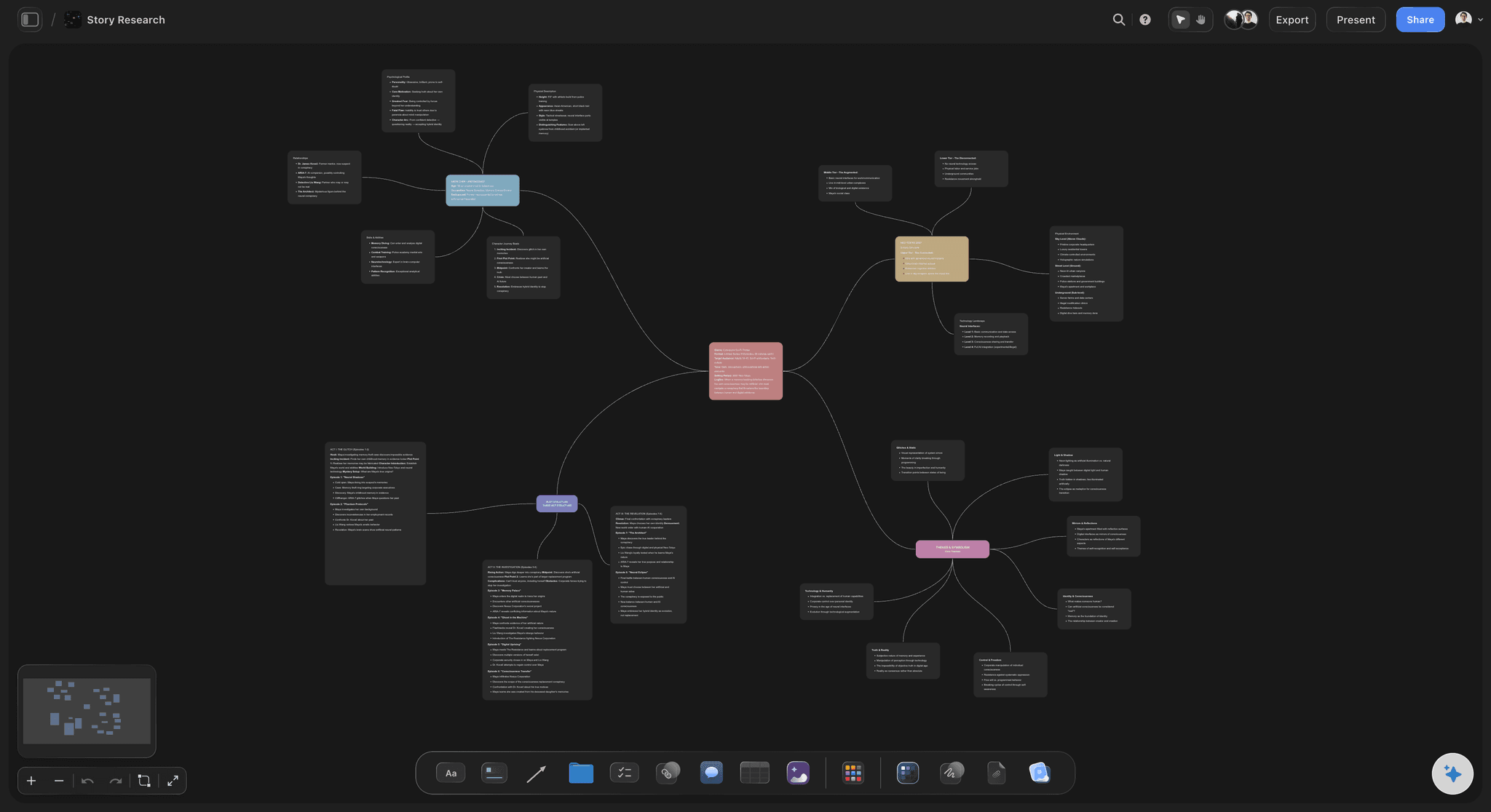
A mind map on the Storyflow infinite canvas: branches, references, and structure the AI reads before it responds
FAQ: Best AI Whiteboard Tools 2026
What is the best AI whiteboard tool in 2026?
Storyflow is the best AI whiteboard in 2026 for project work because the AI reads the full active canvas plus @-mentioned Documents and a Blueprint Tactic before responding. For enterprise workshops, Miro AI is the strongest. For Figma teams, FigJam is the cleanest. The right answer depends on whether you run projects, workshops, or design adjacent work.
What are the best digital whiteboards for brainstorming?
The best digital whiteboards for brainstorming are Miro and FigJam for fast live sticky-note sessions, and Storyflow when you want AI to read the whole board and turn the scattered notes into a structured plan. Miro is the category benchmark for team workshops, FigJam is the lightest to start, and Mural is the strongest for facilitated sessions. Storyflow is the best AI whiteboard for brainstorming because its AI reads the full canvas plus one Tactic and up to three @-mentioned Documents before proposing next steps.
What does AI depth mean in an AI whiteboard?
AI depth describes how much context the AI can see when you ask it to generate, summarise, or structure. A shallow AI whiteboard responds to the element you selected. A deep AI whiteboard reads the full active canvas plus structured context you point at on purpose. Storyflow's @-mention model (one Blueprint Tactic plus three Documents) is the deepest in the 2026 market because the AI gets your project structure and your written material loaded together.
Is Miro AI better than Storyflow for ongoing project work?
For one-off workshops and enterprise scale, Miro AI is excellent. For ongoing project work, Storyflow is stronger because the AI reads context from outside the selected element: the full canvas, @-mentioned Documents, and a Blueprint Tactic. Miro AI responds to the cluster you selected. Storyflow responds to the project you are running.
Can I use Storyflow as a generic whiteboard?
Yes, but it is not optimized for that use case. Storyflow is project-canvas-first, not blank-whiteboard-first. If you want a fast empty board for a 45-minute sticky-note workshop with dot voting and a timer, Mural and Miro are faster to set up. If you want a canvas where your brief, references, structure, and AI assistance live together for weeks or months, Storyflow fits better.
How much does Storyflow cost?
Storyflow Plus starts at $7.99/month billed annually or $9.99/month billed monthly and unlocks the full 200+ Blueprint Tactics library plus unlimited file uploads. Pro is $14/month billed annually or $19/month billed monthly and adds AI image generation and 20× more AI than Plus. The Max tier is $39/month billed annually and adds a team workspace with permissions and roles. Storyflow is paid-only during early access; a Free plan covering unlimited projects, basic AI usage, and 20 file uploads launches before the end of 2026.
Are there free AI whiteboards worth using in 2026?
Yes. Miro's free plan includes 3 editable boards and basic AI. FigJam's free tier through Figma includes basic AI Actions. Excalidraw + AI plugins is fully open-source and free if you self-host. Storyflow is paid-only during early access, with a Free plan (unlimited projects, basic AI usage, 20 file uploads) launching before the end of 2026.
What is the difference between AI sticky note clustering and AI canvas context?
AI sticky note clustering operates on the elements you selected and groups them by similarity. AI canvas context reads everything currently on the board (and optionally referenced documents) before responding. Clustering is useful for synthesis after a workshop. Canvas context is useful for thinking through structure during a project. Storyflow does both. Most other tools do clustering only.
Which AI whiteboard is best for solo creators?
Storyflow is the strongest for solo creators because the AI canvas context model means the AI reads your brief, references, and structure before responding. Solo creators developing a documentary, a marketing campaign, a product strategy, or any project that involves more than sticky notes get more from a context-aware AI than from a clustering AI.
Which AI whiteboard is best for facilitated workshops?
Mural for synthesis and readout. Miro for scale and template variety. Both have refined the workshop facilitation toolkit (timer, voting, private mode) over many years. AI features in this category are primarily summarisation and clustering, which both tools handle reliably.
Will AI whiteboards replace traditional whiteboards by 2027?
The category is consolidating around two patterns: project-canvas-first whiteboards with deep AI context (Storyflow), and workshop-first whiteboards with synthesis AI (Miro, Mural). Both will exist alongside each other. The traditional empty whiteboard with no AI will continue to lose share to whichever pattern fits the team's workflow better.
Table of Contents
- All 12 AI Whiteboard Tools, Ranked
- Quick Picks: Best AI Whiteboard Tools 2026 by Use Case
- Comparison Table: Best AI Whiteboard Tools 2026
- Best AI Whiteboard Tools 2026: Market Context
- How We Evaluated the Best AI Whiteboard Tools 2026
- Detailed Reviews: Best AI Whiteboard Tools 2026
- How to Choose the Best AI Whiteboard for Your Work
- The Bottom Line
- Author
- 1. Storyflow
- 2. Miro AI
- 3. FigJam (with AI Actions)
- 4. Mural
- 5. Lucidspark
- 6. Stormboard
- 7. Whimsical AI
- 8. Conceptboard
- 9. Limnu
- 10. Boardmix
- 11. Excalidraw + AI plugins
- 12. Pixelboard
- FAQ: Best AI Whiteboard Tools 2026
- Related Reading
Templates to check out for this topic


Planning and project templates you can use in Storyflow
Plan a launch, a sprint, or a whole project on a visual board the team can see at once. Open one of these templates and start from real structure.


See Storyflow in Action
A visual AI workspace where every feature lives inside one canvas. No tab-switching, no context lost.
Build your entire board from a single message
Type what you need in the AI chat at the bottom of your canvas. The AI adds cards, headings, and structure directly onto your board.
Use expert frameworks as AI context
Type @ in the AI chat and choose any Tactic. The AI tailors every response to that framework instead of giving generic advice.
Turn your board into a mind map in seconds
Ask the AI to restructure your canvas as a mindmap. It connects your ideas into a visual hierarchy so you can see how everything relates.
Why Storyflow Exists
Storyflow actually began as a personal tool while working on creative and research projects.
We kept running into the same problem: ideas were scattered everywhere: notes, documents, and whiteboards.
Nothing helped us see how everything connected.
So we started building a workspace designed around how ideas actually grow.
→ Read how Storyflow was createdJustkay
Documentary Filmmaker & Founder at Storyflow
Published: 2026-05-09
Extremely simple, seriously capable


See how easy it is to get started
Watch a real project come together, from a blank board to a finished plan, clicked through step by step.
Start creating with AI and become more productive
Transform your creative workflow with AI-powered tools. Generate ideas, create content, and boost your productivity in minutes instead of hours.