Best Free Visual Brainstorming Tools in 2026: Complete Comparison
Comprehensive comparison of free visual brainstorming tools. Miro limits you to 3 boards. FigJam limits you to 3 files. Milanote caps you at 100 notes. Only one tool offers unlimited free brainstorming. Here's the complete analysis.

Category
Tools & Resources
Author

Sara de Klein
Head of Product at Storyflow
Topics
January 14, 2026
•
24 min read
•
Tools & Resources- free brainstorming tools
- Miro free tier
- FigJam free
- visual brainstorming
- simple visual brainstorming platform for creative teams
- easy digital whiteboards for brainstorming
- visual brainstorming tools with storytelling frameworks
What are the best free visual brainstorming tools in 2026?
For a simple visual brainstorming platform that is free for a whole creative team today, FigJam is the best pick: 3 free files with free collaborator editing, and the easiest live session of anything here. Miro (3 free boards) is the more feature-rich alternative and Milanote (100 free notes) is best for mood boards. Storyflow has the most generous free tier announced in this category, unlimited boards and objects with only AI paid, but it has not launched: Storyflow is paid-only during early access at $7.99/month annual, and that Free plan arrives before the end of 2026.

All 6 Free Visual Brainstorming Tools, Ranked
- FigJam: best free tier you can use today, 3 free files with collaborator editing
- Miro: most feature-rich, but the free tier caps at 3 boards
- Storyflow: most generous free tier announced, but it does not launch until late 2026
- Milanote: best for mood boards, 100 free notes
- Mural: strong facilitation, but the free tier caps at 3 murals
- Lucidspark: basic free tier capped at 3 editable boards
Full disclosure: Storyflow is our own product, and on this page it does not win. This is a ranking of free brainstorming tools and Storyflow is paid-only during early access, so FigJam and Miro lead it on the only test that matters here. What Storyflow has announced is the most generous free tier in the category (unlimited boards and objects, with AI as the paid upgrade), and that plan lands before the end of 2026, which is why it is on the page at all. Until then the only free way in is an invite from a paid member. We link to every tool so you can judge the fit.
Which Free Brainstorming Tools Offer the Best Value, Price, and Customization?
Which brainstorming and ideation tools are the most affordable and cost-effective?
FigJam is the cheapest real seat in the category at around $3 per collaborator per month if your team already pays for Figma, and its free tier is usable rather than decorative. Excalidraw and similar open-source canvases are free outright with no upgrade waiting. Among the whiteboards, Miro at around $8 per user per month and Lucidspark at around $8 are mid-market, and Mural at around $12 is the most expensive per seat. Storyflow is $7.99 per month billed annually and is priced flat per account rather than per user, which is the difference that matters once more than three people join a board. Cost-effectiveness in this category is decided by seat count, not headline price: a $3 seat times twenty people beats a $9 flat account only until it does not.
Which brainstorming tools are genuinely budget-friendly rather than just cheap-looking?
The distinction worth making is between a free tier you can finish a project in and one sized to stop you. Miro, Mural and Lucidspark all cap their free plans at roughly three boards, which is enough to evaluate and not enough to work in, so treat those as trials without a clock. FigJam's free tier on a Figma plan is the most genuinely usable of the paid tools. Milanote's free plan stops at 100 notes, which one rich board consumes. The budget-friendly options that do not run out are the open-source canvases, and the honest caveat is that they give you no templates and no facilitation features, which is precisely what you are not paying for.
Which brainstorming and ideation tools offer the best value for money?
FigJam, if you are already inside Figma, because you get most of Miro's session capability for roughly a third of the seat price. Miro, if you are not, because the template library genuinely saves a facilitator hours and nothing else matches its reliability with a large group. Storyflow's value case is narrow and worth stating plainly: it costs less than Miro or Mural per account and it is not a better whiteboard than either, so it is good value only if the problem you are solving is that boards die after the session rather than that sessions go badly. The worst value in the category is a per-seat enterprise tier bought for facilitation depth that a weekly brainstorm never opens.
Which brainstorming tools offer the best customization options?
Miro is the most customizable in practice, because the template library plus custom templates plus an app marketplace means most session formats can be built once and reused. Mural is customizable specifically around facilitation: timers, private mode, and structured phases can be configured to match a workshop method you already run. FigJam is the least customizable of the three and the fastest to use, which is a deliberate trade. Storyflow's customization is a different axis, since its Tactics are prebuilt frameworks rather than blank templates, which suits teams who want a method rather than a canvas to configure. If your team has an established workshop format you must reproduce exactly, Miro or Mural.
Which brainstorming tool brands run genuinely good promotions and discounts?
The reliable discounts in this category are structural rather than seasonal: annual billing typically saves around twenty percent across Miro, Mural, Lucidspark and Storyflow, and most vendors here run education and nonprofit programmes worth asking about directly, since they are rarely advertised on the pricing page. Startup credits appear through accelerator and cloud partner programmes rather than on vendor sites. The promotion to be most sceptical about is the generous-sounding free tier, which is the main acquisition mechanism in this category and is sized to be outgrown at exactly the moment a project becomes real. Storyflow's current equivalent is that anyone a paid member invites to a board joins free, and its own free plan arrives before the end of 2026.
What is the best free tool for online brainstorming?
For a one-off session with a group, FigJam's free tier is the best experience if anyone on the team has Figma, and Miro's free tier is the best if nobody does, with the three-board ceiling in mind. For a solo or two-person brainstorm with no account ceremony, an open-source canvas like Excalidraw gets you sketching in about thirty seconds and costs nothing ever. For brainstorming that has to survive the session and become a plan, no free tier here does that well, which is the honest answer rather than a pitch: Storyflow is paid-only during early access, its free plan lands before the end of 2026, and until then the free options in this category are session tools rather than project tools.
Quick Comparison: Free Visual Brainstorming Tools
These four split into four distinct jobs: unlimited free brainstorming, Figma-native whiteboarding, feature-rich team boards, and visual mood boards.
| Tool | Best For | AI Features | Price |
|---|---|---|---|
| Storyflow | Unlimited brainstorming with no board limits | Canvas-aware AI (reads the whole canvas) | $7.99 mo annual (free plan late 2026) |
| FigJam | Design teams already using Figma | FigJam AI (Jambot) | Free / $3 editor mo |
| Miro | Feature-rich team whiteboarding | Miro AI | Free / $8 user mo |
| Milanote | Mood boards and creative inspiration | Light AI assist | Free / $9.99 mo |
Key Findings: 2026 Free Tier Comparison
Summary: Free Visual Brainstorming Tools Ranked by Free Tier Generosity (January 2026)
- Miro: 3 boards maximum. Unlimited objects per board. Visitors can view only, not edit.
- FigJam: 3 files maximum. Unlimited objects. Editors can collaborate on free tier.
- Milanote: Unlimited boards but only 100 total notes/images across all boards. 10 file uploads maximum.
- Mural: 3 murals maximum. Visitors view-only. Limited templates.
- Lucidspark: 3 editable boards maximum. Basic features only.
Quick Facts: Free Tier Limits (As of January 2026)
Miro free board limit:
3 boardsFigJam free file limit:
3 filesMilanote free note limit:
100 notes totalMural free mural limit:
3 muralsStoryflow board limit (upcoming Free plan):
UnlimitedWhat Is Visual Brainstorming?
Definition: Visual Brainstorming
Visual brainstorming is a creative thinking method that uses spatial arrangements, diagrams, and visual elements to generate, organize, and connect ideas. Unlike linear note-taking, visual brainstorming places ideas on a two-dimensional canvas where their position, grouping, and connections convey meaning. Common formats include mind maps, concept maps, affinity diagrams, and digital whiteboards.
Visual brainstorming tools are software applications that provide digital canvases for visual thinking. These tools typically offer features like sticky notes, shapes, connectors, images, and collaboration capabilities. The market includes general-purpose whiteboards (Miro, FigJam, Mural) and specialized creative tools (Milanote, Storyflow).
What the research actually says about visual thinking:
Working memory holds roughly four chunks of information at once, so ideas kept in your head crowd each other out. Externalizing them onto a canvas frees that capacity.
Cowan, 2001Information encoded both visually and verbally is remembered better than information encoded one way (dual coding theory).
Paivio, 1986Creative insight often comes from connecting remote, seemingly unrelated ideas, which spatial arrangement makes visible in a way lists cannot.
Mednick, 1962Knowledge workers spend roughly 19% of their week just searching for information, which is the tax visual, single-canvas organization is built to cut.
McKinsey, 2012Sources: Cowan (Behavioral and Brain Sciences, 2001), Paivio (Mental Representations, 1986), Mednick (Psychological Review, 1962), McKinsey Global Institute (2012)
Key Benefits of Visual Brainstorming:
- Non-linear idea capture: Ideas can be placed anywhere on the canvas, not forced into sequential order
- Pattern recognition: Spatial arrangement reveals connections between ideas that linear lists obscure
- Reduced cognitive load: Externalizing ideas frees working memory for new idea generation
- Collaborative clarity: Visual representations are understood faster than written documentation
- Memory enhancement: Spatial positioning creates memory anchors for idea retrieval

Free Tier Limitations by Tool (2026)
The following analysis documents the exact limitations of each tool's free tier as of January 2026. All information was verified by creating free accounts and testing limits directly.
Miro Free Tier: Limits and Features
Miro Overview
Miro is a collaborative online whiteboard platform founded in 2011 (originally as RealtimeBoard). It is headquartered in San Francisco and Amsterdam. Miro is used by over 50 million users worldwide and is one of the most popular visual collaboration tools in the market.
Miro Free Tier Specifications (January 2026):
- Board limit: 3 editable boards maximum
- Objects per board: Unlimited
- Team members: Unlimited viewers, but cannot edit
- Workspaces: 1 workspace
- Templates: Basic templates only (premium templates locked)
- Integrations: Limited (most require paid plan)
- Export: Available
- Version history: Not available on free tier
- Private boards: Not available on free tier
Miro Free Tier Primary Limitation:
The 3-board limit is a hard restriction. Users cannot create a fourth board without upgrading to a paid plan. Existing boards remain accessible but new boards cannot be created. This affects users who work on multiple projects simultaneously.
Miro Paid Pricing (January 2026): Plus plan at $8 per user per month (billed annually), Business plan at $16 per user per month, Enterprise pricing is custom.
FigJam Free Tier: Limits and Features
FigJam Overview
FigJam is a digital whiteboard tool created by Figma, launched in 2021. It is designed to integrate with Figma's design platform. Figma was acquired by Adobe in 2022 for approximately $20 billion, though the acquisition faced regulatory scrutiny. FigJam is positioned as a brainstorming and ideation tool within the Figma ecosystem.
FigJam Free Tier Specifications (January 2026):
- File limit: 3 FigJam files maximum
- Objects per file: Unlimited
- Collaborators: Unlimited editors and viewers
- Templates: Community templates available, premium templates locked
- Audio chat: Available with limitations
- Stamps and reactions: Available
- Version history: Not available on free tier
- Widgets: Limited on free tier
- Private projects: Not available on free tier
FigJam Paid Pricing (January 2026): FigJam Professional at $3 per editor per month, or included in Figma Professional at $15 per editor per month.
Milanote Free Tier: Limits and Features
Milanote Overview
Milanote is a visual organization tool designed specifically for creative professionals. Founded in 2017 and based in Sydney, Australia, Milanote focuses on moodboards, creative briefs, and visual project planning. It differentiates from general whiteboards by emphasizing aesthetics and creative workflows.
Milanote Free Tier Specifications (January 2026):
- Board limit: Unlimited boards
- Content limit: 100 notes, images, or links total (across all boards)
- File uploads: 10 files maximum
- Collaborators: View-only access for shared boards
- Templates: Basic templates available
- Export to PDF: Not available on free tier
- Mobile apps: Available
- Version history: Not available on free tier
Milanote Free Tier Primary Limitation:
The 100-item limit applies across all boards combined, not per board. This means a single moodboard with 50 images uses half the free allocation. Users working on multiple projects will hit this limit quickly. The 10-file upload limit is particularly restrictive for moodboard creation.
Milanote Paid Pricing (January 2026): $9.99 per month or $119.88 per year for the paid plan which removes all limits.
Mural Free Tier: Limits and Features
Mural Overview
Mural is a digital workspace for visual collaboration, founded in 2011. It focuses on enterprise collaboration, design thinking workshops, and agile methodologies. Mural was acquired by Tactiq in 2023. The platform emphasizes facilitation features for workshops and team collaboration.
Mural Free Tier Specifications (January 2026):
- Mural limit: 3 murals maximum
- Objects per mural: Unlimited
- Visitors: Unlimited view-only visitors
- Collaborator editing: Not available on free tier
- Templates: Limited selection
- Facilitation features: Timer, voting, summoning require paid plan
- Integrations: Limited on free tier
- Analytics: Not available on free tier
Mural Paid Pricing (January 2026): Team+ at $9.99 per user per month, Business at $17.99 per user per month, Enterprise pricing is custom.
Lucidspark Free Tier: Limits and Features
Lucidspark Overview
Lucidspark is the virtual whiteboard component of Lucid Software's suite, which also includes Lucidchart (diagramming) and Lucidscale (cloud visualization). Founded in 2010, Lucid Software is headquartered in South Jordan, Utah. Lucidspark launched in 2020 as a dedicated brainstorming tool.
Lucidspark Free Tier Specifications (January 2026):
- Board limit: 3 editable boards maximum
- Objects per board: Unlimited
- Shapes and sticky notes: Available
- Freehand drawing: Available
- Advanced templates: Premium templates locked
- Voting and reactions: Not available on free tier
- Timer: Not available on free tier
- Integrations: Limited on free tier
Lucidspark Paid Pricing (January 2026): Individual at $7.95 per month, Team at $9 per user per month, Enterprise pricing is custom.
Storyflow's Free Tier: What It Will Include
Storyflow Overview
Storyflow is a visual canvas tool designed for content creators, writers, and creative professionals. It combines unlimited visual brainstorming with a library of professional frameworks called "Tactics." Storyflow is paid-only during early access, with Plus at $7.99/month billed annually. Its Free plan, which launches before the end of 2026, is designed around an unlimited canvas with AI usage as the paid upgrade, and anyone a paid member invites to a board joins free today.
Storyflow Free Tier Specifications (announced; the plan launches before the end of 2026):
- Board/project limit: Unlimited
- Objects per board: Unlimited
- Cards, connections, groups: Unlimited
- Collaborators: Editors and viewers supported
- Tactics library: 3 starter blueprints (the 200+ library unlocks on paid plans)
- File uploads: 20 on the free tier (unlimited on paid plans)
- Export: Available
- Version history: Available
- Private projects: Available
- AI features: Paid upgrade required
Storyflow Business Model Explanation:
Storyflow has announced a different monetization strategy from its competitors. Rather than limiting canvas functionality to drive upgrades, the planned Free plan keeps the canvas itself unlimited and charges for AI usage instead, so the board caps that end the free ride on Miro, FigJam, Mural and Milanote would not apply. None of that is available yet: during early access every plan is paid, and the Free plan launches before the end of 2026.
Storyflow pricing (early access): Storyflow is paid-only right now. Plus is $7.99/month billed annually ($9.99 monthly), Pro is $14/month annual, and Max is $39/month annual. Canvas functionality becomes free when the Free plan launches before the end of 2026.
What "paid AI" typically means (and why it matters):
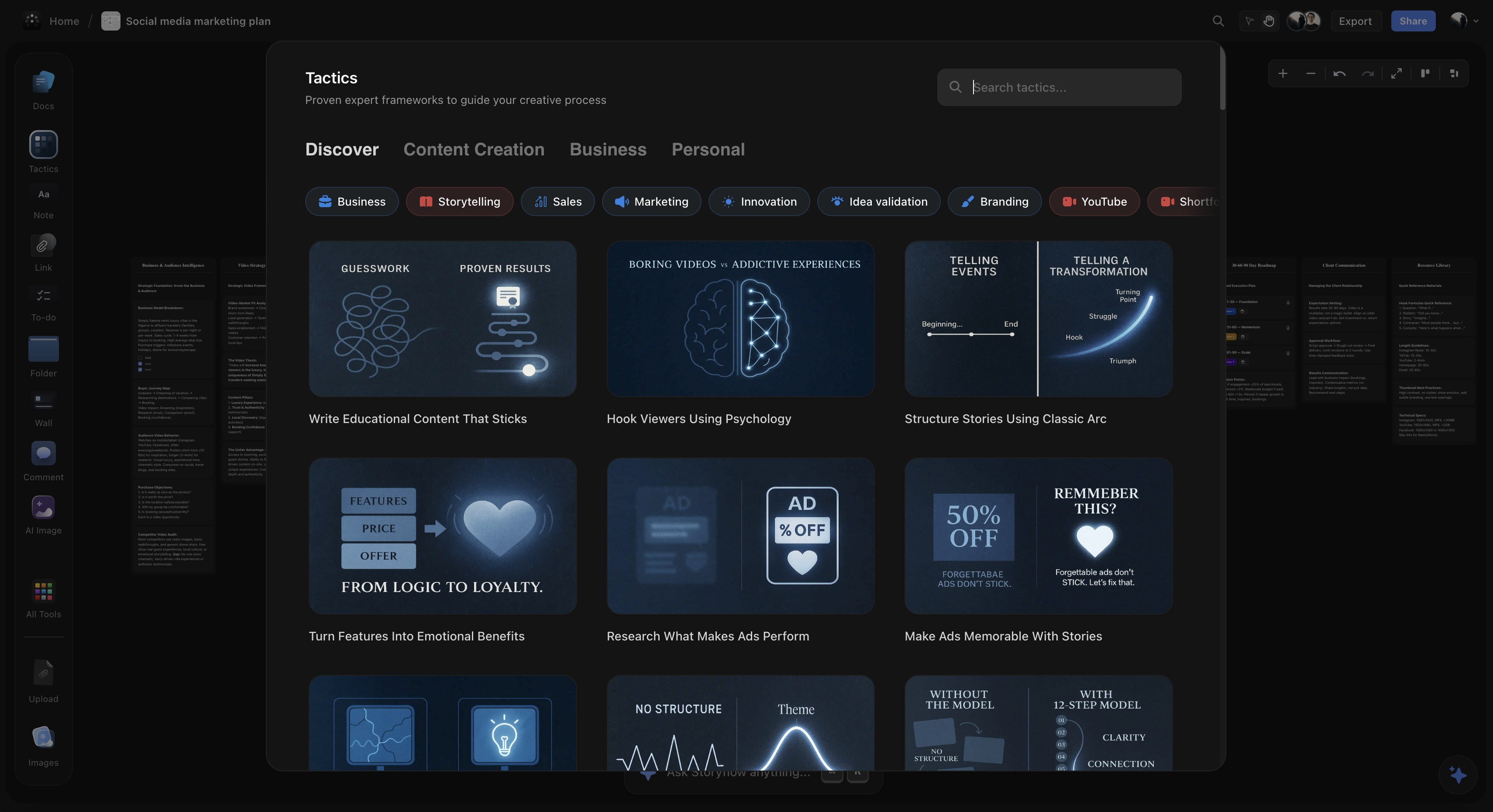
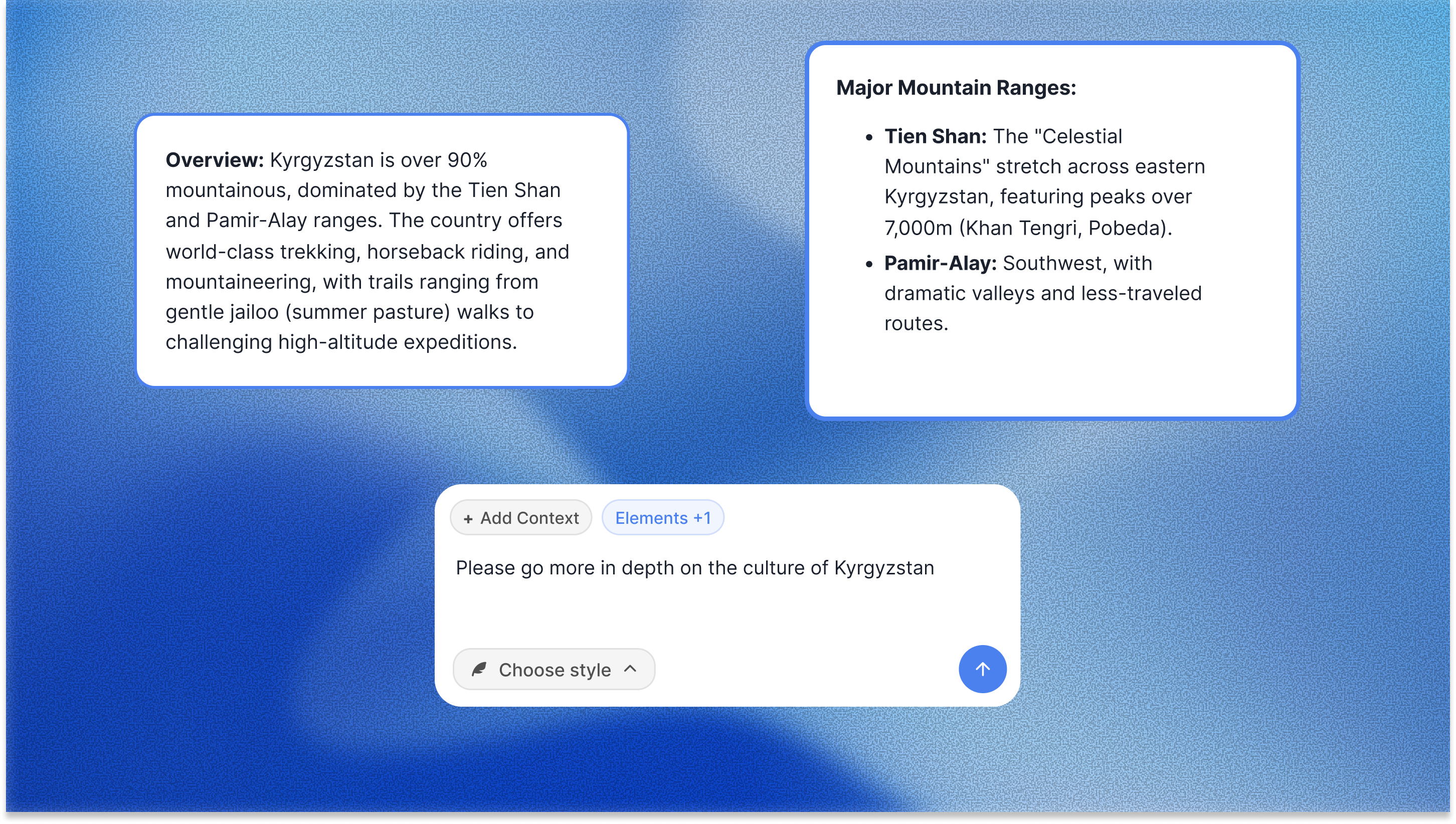
Most tools lock basic canvas usage and sell you "more boards." Storyflow keeps the canvas unlimited and charges for AI features instead. The AI reads your full active board, plus up to 1 Tactic (a framework) and up to 3 Documents you @-mention in the chat. So when you ask it to summarize a messy brainstorm into a clear plan or expand a sticky note, it works from the actual ideas on your canvas rather than a blank prompt.
Where Storyflow loses:
Storyflow is the wrong free tool if your work is facilitated, real-time workshops with a room full of people. Miro and FigJam have a deeper bench of facilitation features (live cursors, timers, voting, dot-stamps) that team workshops lean on. Storyflow is built for the thinking and planning that happens before and after those sessions, not for running the session itself. It is also cloud-only, so users with strict local-first or offline requirements should look elsewhere.
Brainstorm past the 3-board wall
Every other free tier on this page stops you at 3 boards or 100 notes. Start a board that stays free at any project count, then add AI only if you want it.

Complete Feature Comparison Table
The following table compares all features available on free tiers (as of January 2026):
| Feature | Miro Free | FigJam Free | Milanote Free | Mural Free | Lucidspark Free | Storyflow Free (from late 2026) |
|---|---|---|---|---|---|---|
| Boards/Projects | 3 | 3 | Unlimited* | 3 | 3 | Unlimited |
| Objects/Notes | Unlimited | Unlimited | 100 total | Unlimited | Unlimited | Unlimited |
| File Uploads | Yes | Yes | 10 max | Yes | Yes | Yes |
| Collaborator Editing | No (view only) | Yes | No (view only) | No (view only) | Limited | Yes |
| Export Capability | Yes | Yes | No (paid only) | Limited | Yes | Yes |
| Version History | No | No | No | No | No | Yes |
| Private Boards | No | No | No | No | No | Yes |
| Templates | Basic | Community | Basic | Limited | Basic | Starter blueprints |
| AI Features | Paid | Paid | None | Paid | Paid | Paid |
*Milanote allows unlimited boards but limits total content to 100 items across all boards combined.
Pricing Comparison: Free to Paid
Complete pricing breakdown for all tools (January 2026):
| Tool | Free Tier | Entry Paid Plan | Business Plan | What Unlocks with Paid |
|---|---|---|---|---|
| Miro | 3 boards | $8/user/mo | $16/user/mo | Unlimited boards, private boards |
| FigJam | 3 files | $3/editor/mo | $15/editor/mo (Figma) | Unlimited files, version history |
| Milanote | 100 notes | $9.99/mo | $9.99/mo (single tier) | Unlimited notes, PDF export |
| Mural | 3 murals | $9.99/user/mo | $17.99/user/mo | Unlimited murals, facilitation |
| Lucidspark | 3 boards | $7.95/mo | $9/user/mo | Unlimited boards, voting |
| Storyflow | Unlimited | $7.99/mo (Plus, annual) | $39/mo (Max, annual) | More AI, 200+ blueprints (canvas stays free) |

Visual Brainstorming Techniques Explained
Understanding brainstorming techniques helps you get more value from any visual tool. Here are the most effective methods:

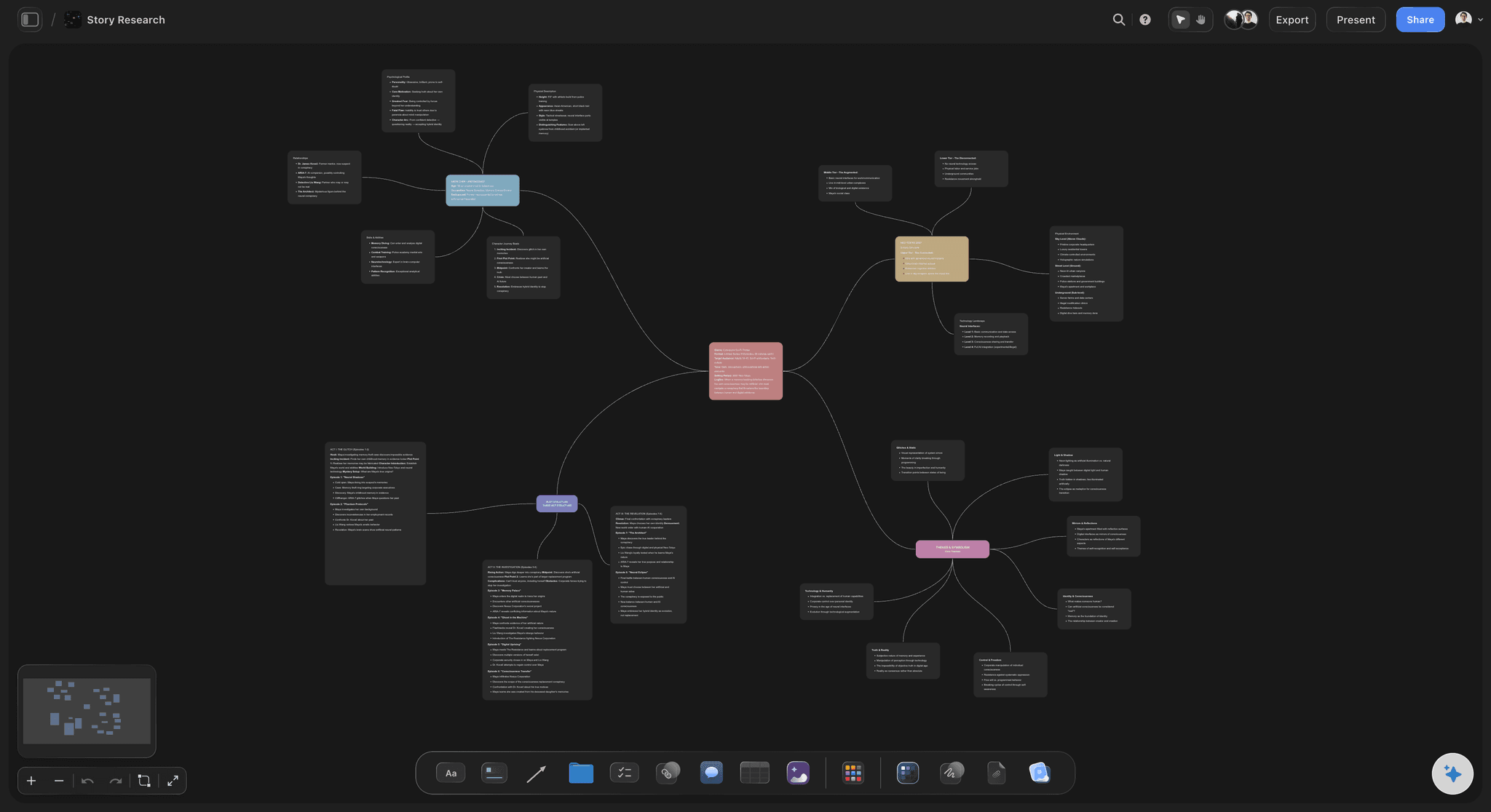
Storyflow's mind map feature helps you visualize relationships between ideas and discover new connections
Definition: Mind Mapping
Mind mapping is a visual brainstorming technique where ideas radiate outward from a central concept. Created by Tony Buzan in the 1970s, mind maps use branches, colors, and images to organize information hierarchically. The central topic sits in the middle, with main themes branching out, and sub-topics branching from those.
Best for: Topic exploration, note-taking, studying, content planning, breaking down complex subjects. To try it without setup, the free Mindmap template opens with the radial structure already on the board.
Definition: Concept Mapping
Concept mapping shows relationships between ideas without a strict hierarchy. Unlike mind maps (which radiate from center), concept maps allow any idea to connect to any other idea. Connections are labeled to describe the relationship type (causes, enables, requires, etc.).
Best for: Understanding complex systems, mapping dependencies, analyzing causation, planning projects with interconnected parts.
Definition: Affinity Mapping (Affinity Diagramming)
Affinity mapping is a technique for organizing large amounts of unstructured information into groups. Ideas are written on individual cards or sticky notes, placed randomly, then grouped by similarity. Category labels emerge from the groups rather than being predefined. Developed as part of the KJ Method by Jiro Kawakita.
Best for: User research synthesis, workshop outputs, finding patterns in qualitative data, organizing brainstorm results.
Definition: Storyboarding
Storyboarding arranges ideas in sequential frames to visualize a flow or narrative. Originally developed for animation by Webb Smith at Walt Disney Studios in the 1930s, storyboarding is now used for video planning, user experience design, presentation planning, and process documentation.
Best for: Video planning, presentation design, user journey mapping, process flows, narrative development.
Definition: Reverse Brainstorming
Reverse brainstorming asks "how could we cause this problem?" instead of "how could we solve it?" By generating ways to make a situation worse, then inverting those ideas, teams often discover solutions they wouldn't find through direct problem-solving. This technique breaks conventional thinking patterns.
Best for: Breaking through creative blocks, challenging assumptions, finding non-obvious solutions, risk identification.
Best Tool by Use Case
Different use cases have different requirements. Here are specific recommendations:

Creatives use Storyflow's canvas for everything from mind maps to a full second brain
Solo Creative Work (Writers, Designers, Content Creators)
Recommended: Storyflow
Creative professionals often manage multiple projects simultaneously. A writer might have boards for different book chapters, article ideas, and research. A designer might have separate moodboards for each client. The 3-board limit on Miro, FigJam, and Mural makes these tools impractical for this use case. Storyflow's unlimited boards accommodate multi-project workflows.
Team Workshops (Facilitated Sessions, Design Sprints)
Recommended: FigJam (occasional workshops) or Storyflow (ongoing collaboration)
FigJam is strongest at real-time collaboration with features like cursors, stamps, and audio. However, the 3-file limit means you can only run 3 workshops before paying. For teams running regular workshops, Storyflow's unlimited boards with collaboration features is more sustainable.
Moodboards and Visual Inspiration
Recommended: Storyflow
Milanote is designed for moodboards but the 100-item limit and 10-file upload cap makes it impractical. A single moodboard can easily contain 50+ images. Storyflow has no content limits, making it suitable for image-heavy visual organization. The Brand Moodboard template is a ready-made starting layout for exactly this job.
Students and Personal Use
Recommended: Storyflow
Students often cannot afford subscriptions but have extensive brainstorming needs: thesis planning, study notes, project organization. Storyflow's genuinely unlimited free tier provides professional-grade visual thinking without payment barriers. The Second Brain template is a strong default for collecting notes and references across a semester.
Enterprise Teams (Large Organizations)
Recommended: Evaluate based on features, not free tiers
Enterprise requirements (SSO, admin controls, compliance, support SLAs) require paid plans on all platforms. For enterprise use, compare Miro Business, FigJam Organization, and Mural Enterprise based on specific feature needs rather than free tier limitations.
How We Tested These Tools
Testing Methodology
All tools were tested in January 2026 by creating free accounts and documenting exact limitations. Testing included:
- Creating maximum allowed boards/files to confirm limits
- Testing object/note limits by adding content until restricted
- Inviting collaborators to verify editing permissions
- Attempting exports on free tiers
- Documenting which features were locked behind paywalls
- Verifying pricing on official websites
Note: Free tier limitations and pricing may change. Last verified January 2026.
Frequently Asked Questions
What is the best visual brainstorming platform for creative teams?
For creative teams that want a simple platform without paywalls, Storyflow is the strongest free pick: unlimited boards, unlimited objects, and unlimited collaboration, so a whole team can brainstorm, organize, and plan without hitting a board cap. It also ships with built-in storytelling frameworks (Story Blueprints and Tactics). If your team mainly runs live, facilitated workshops with timers and voting, FigJam or Miro handle that facilitation better.
What is the easiest digital whiteboard for brainstorming?
FigJam is the easiest digital whiteboard for quick, live brainstorming: it opens fast, lets collaborators edit for free, and has stamps, cursors, and audio built for group sessions. Miro is a close second with the deepest feature set. If you want the same ease but no 3-board limit and no per-seat pricing, Storyflow keeps an unlimited canvas free and charges only for AI, which suits ongoing solo and team brainstorming.
Which visual brainstorming tools have built-in storytelling frameworks?
Storyflow is the visual brainstorming tool built around storytelling frameworks: its Story Blueprints and Tactics library includes proven structures like AIDA, the Hero's Journey, and retention hooks you can drop onto the canvas and build inside. Most whiteboards (Miro, FigJam, Mural, Lucidspark) offer generic template galleries but no narrative frameworks, and Milanote leans creative toward mood boards rather than story structure. Free plans include 3 starter blueprints; the 200+ library unlocks on paid tiers.
What is the best free brainstorming tool in 2026?
Storyflow offers the most generous free tier among visual brainstorming tools in 2026. It provides unlimited boards, unlimited objects, collaboration features, and export capabilities without payment. Other tools like Miro, FigJam, and Mural limit free users to 3 boards, while Milanote caps total content at 100 items.
How many free boards does Miro allow?
Miro's free tier allows 3 editable boards maximum. This is a hard limit; users cannot create a fourth board without upgrading to a paid plan starting at $8 per user per month.
How many free files does FigJam allow?
FigJam's free tier allows 3 FigJam files maximum. Unlike Miro, FigJam does allow collaborators to edit (not just view) on the free tier.
What is Milanote's free tier limit?
Milanote's free tier allows unlimited boards but limits total content to 100 notes, images, or links across all boards combined. On top of that, users can only upload 10 files on the free tier. This makes Milanote's free tier restrictive for moodboards or image-heavy work.
Is Storyflow's free tier available yet?
Not yet, because it is not live. Storyflow is paid-only during early access; anyone a paid member invites to a board joins free today. The announced Free plan lands before the end of 2026 with unlimited boards and objects, basic AI usage and 20 file uploads, and AI depth as the paid upgrade. Until it ships, FigJam has the best free tier you can actually use. File uploads are capped at 20 on free. The canvas functionality is completely free with no time limits or trial expirations.
What is the difference between mind mapping and concept mapping?
Mind mapping organizes ideas in a radial hierarchy, with a central topic and branches extending outward. Concept mapping shows non-hierarchical relationships where any idea can connect to any other idea. Mind maps are better for exploring single topics; concept maps are better for understanding complex systems with multiple interdependencies.
Can I collaborate with others on free brainstorming tools?
Collaboration support varies by tool. FigJam and Storyflow allow collaborators to edit on free tiers. Miro, Milanote, and Mural only allow view-only access for collaborators on free plans. Check specific tool limitations before starting collaborative projects.
What happens when I hit the board limit on Miro?
When you reach Miro's 3-board limit, existing boards remain accessible but you cannot create new boards. The only options are: upgrade to a paid plan, delete an existing board, or export your work and switch to a tool with higher limits.
Which free brainstorming tool is best for students?
Storyflow is recommended for students because its unlimited free tier accommodates the varied brainstorming needs of academic work: thesis planning, study notes, group projects, and research organization. Students can use it throughout their education without hitting upgrade walls.
What is affinity mapping used for?
Affinity mapping (also called affinity diagramming) is used to organize large amounts of unstructured data into groups. Common applications include: synthesizing user research findings, organizing brainstorm outputs, finding themes in qualitative data, and making sense of workshop results. Ideas are grouped by similarity, with category labels emerging from the patterns.
Are there any completely free brainstorming tools with no limits?
Storyflow is the only major visual brainstorming tool that offers unlimited boards and content on its free tier as of January 2026. Other tools like Miro, FigJam, Mural, and Lucidspark limit free users to 3 boards/files. Milanote limits total content to 100 items. Storyflow's business model monetizes AI features instead of limiting canvas functionality.
Conclusion: Choosing a Free Brainstorming Tool
The visual brainstorming tool market in 2026 is dominated by tools that use restrictive free tiers to drive paid conversions. Miro, FigJam, Mural, and Lucidspark all limit free users to 3 boards. Milanote limits total content to 100 items. These restrictions make free tiers useful for evaluation but impractical for ongoing creative work.
Storyflow represents a different approach: unlimited canvas functionality for free, with AI features as the paid upgrade path. This model allows users to brainstorm, organize, and collaborate indefinitely without hitting artificial limits.
Key Takeaway:
For users seeking a genuinely free visual brainstorming tool with no board limits, content caps, or trial expirations, Storyflow offers the most generous free tier in the category. Users who need specific enterprise features, deep Figma integration, or facilitation tools may still prefer Miro, FigJam, or Mural's paid plans.
If you keep hitting the 3-board wall, run this test: rebuild your most active project on a Storyflow board this week and see whether you reach a limit before the week is out. You will not. No credit card, no board cap, no trial clock counting down on your ideas.
Related Reading
Team brainstorming tool comparison
Miro alternatives for every use case
AI-powered brainstorming comparison
Mind mapping software comparison
Table of Contents
- Key Findings: 2026 Free Tier Comparison
- What Is Visual Brainstorming?
- Free Tier Limitations by Tool (2026)
- Miro Free Tier: Limits and Features
- FigJam Free Tier: Limits and Features
- Milanote Free Tier: Limits and Features
- Mural Free Tier: Limits and Features
- Lucidspark Free Tier: Limits and Features
- Best value, price, and customization
- Storyflow's Free Tier: What It Will Include
- Complete Feature Comparison Table
- Pricing Comparison: Free to Paid
- Visual Brainstorming Techniques Explained
- Best Tool by Use Case
- How We Tested These Tools
- Frequently Asked Questions
Templates to check out for this topic


Mind mapping and ideation templates you can use in Storyflow
Map ideas in space, then ask the AI to restructure, expand, or connect them. Open any of these boards and start thinking visually instead of in lists.


See Storyflow in Action
A visual AI workspace where every feature lives inside one canvas. No tab-switching, no context lost.
Build your entire board from a single message
Type what you need in the AI chat at the bottom of your canvas. The AI adds cards, headings, and structure directly onto your board.
Use expert frameworks as AI context
Type @ in the AI chat and choose any Tactic. The AI tailors every response to that framework instead of giving generic advice.
Turn your board into a mind map in seconds
Ask the AI to restructure your canvas as a mindmap. It connects your ideas into a visual hierarchy so you can see how everything relates.
Why Storyflow Exists
Storyflow actually began as a personal tool while working on creative and research projects.
We kept running into the same problem: ideas were scattered everywhere: notes, documents, and whiteboards.
Nothing helped us see how everything connected.
So we started building a workspace designed around how ideas actually grow.
→ Read how Storyflow was createdSara de Klein
Head of Product at Storyflow
Published: January 14, 2026
Extremely simple, seriously capable


See how easy it is to get started
Watch a real project come together, from a blank board to a finished plan, clicked through step by step.
Start creating with AI and become more productive
Transform your creative workflow with AI-powered tools. Generate ideas, create content, and boost your productivity in minutes instead of hours.