
What Is Previsualization? The Complete Guide (2026)
What is previsualization? The complete guide: what previs is, why it matters, the types from storyboard to virtual production, previs vs techvis vs postvis, and how AI changed it in 2026.

Category
Filmmaking
Author

Justkay
Documentary Filmmaker & Founder at Storyflow
Topics
2026-07-10
•
13 min read
•
Filmmaking- what is previsualization
- previsualization definition
- what is previs
- previs vs techvis vs postvis
- types of previsualization
- previsualization film
What is previsualization?
Previsualization, or previs, is the process of visualizing a shot or sequence before filming it, so a production can plan, test, and de-risk it. It ranges from a simple storyboard to a full virtual-production stage, and the level you choose depends on how much of the shot you need to see in advance. Previs answers one question cheaply, before crew, cast, and budget are committed: what will this look like? In 2026, previs spans hand-drawn storyboards, 2D and AI-generated sequences, 3D previs, and real-time virtual production, and AI has made the early, cheaper end faster than ever. The single idea that makes previs usable is this: previsualization does not answer every question. It answers the expensive ones cheaply. This guide explains what previsualization is, why it matters, its levels, the process, the related disciplines (techvis and postvis), who uses it, and how AI has changed it. It also walks one scene from script to previs so you can see the decisions in practice. Understanding previs as a ladder you climb only as far as a shot demands, rather than a single technique, is the key to using it well.
Key Takeaways
- Previsualization (previs) is visualizing a shot or sequence before filming it, so a production can plan, test, and de-risk it. It moves the moment of discovery from the set, where it is ruinous, to the desk, where it is free.
- Previs is a ladder of five rungs, not a single technique. Storyboard, animatic, 2D/AI previs, 3D previs, and virtual production climb from cheapest and fastest to most expensive and detailed.
- The whole skill is matching the rung to the shot. Most shots need only rung 1 (a storyboard); the higher rungs earn their cost on complex, technical, or VFX-heavy shots.
- Previsualization does not answer every question, it answers the expensive ones cheaply. A problem caught in previs costs a drawing to fix; the same problem found on set costs a shooting day.
- Techvis is a precision layer, not a separate rung. It bolts real-world data (crane specs, lens data, set dimensions) onto rung 4 or 5 so the plan is physically buildable on the day.
- Previs, techvis, and postvis sit at different points in the timeline. Previs plans the shot before the shoot, techvis makes it buildable, and postvis puts temporary VFX over real footage after the shoot.
- Climb the ladder only when the shot demands it: technically complex shots, VFX-heavy shots, stunts, and shots that are expensive to reshoot.
- The most common costly error is over-climbing, not under-climbing. Building a 3D previs for a shot a storyboard would have answered wastes the most money.
The Previs Ladder: The Framework for This Guide
Most confusion about previs comes from treating it as one thing. It is not. Previs is a ladder of five rungs, each more detailed and more expensive than the last, and the entire skill is climbing only as high as a given shot requires. Call it the Previs Ladder.
| Rung | Previs level | What it is | Cost | Typical tools |
|---|---|---|---|---|
1 | Storyboard | Static frames of composition and sequence | Lowest | Storyboarder, Storyflow, Boords |
2 | Animatic | Timed storyboard with rough audio | Low | Boords, Toon Boom, After Effects |
3 | 2D / AI previs | Generated or animated shot approximations | Low to medium | LTX Studio, Runway |
4 | 3D previs | Full camera, blocking, and lens simulation | Medium to high | FrameForge, Blender, Cine Tracer |
5 | Virtual production | Real-time environments you can shoot into | Highest | Unreal Engine |
The Previs Ladder runs from cheapest and fastest (rung 1, storyboards) to most expensive and detailed (rung 5, virtual production). Most shots need only rung 1. The higher rungs earn their cost on complex, technical, or VFX-heavy shots. Technical previs (techvis) is not a separate rung but a precision layer you bolt onto rung 4 or 5 when the plan must be physically buildable on the day. Everything else in this guide hangs off this ladder: what each rung is for, how to decide which rung a shot needs, and where AI and tools like Storyflow sit on it.
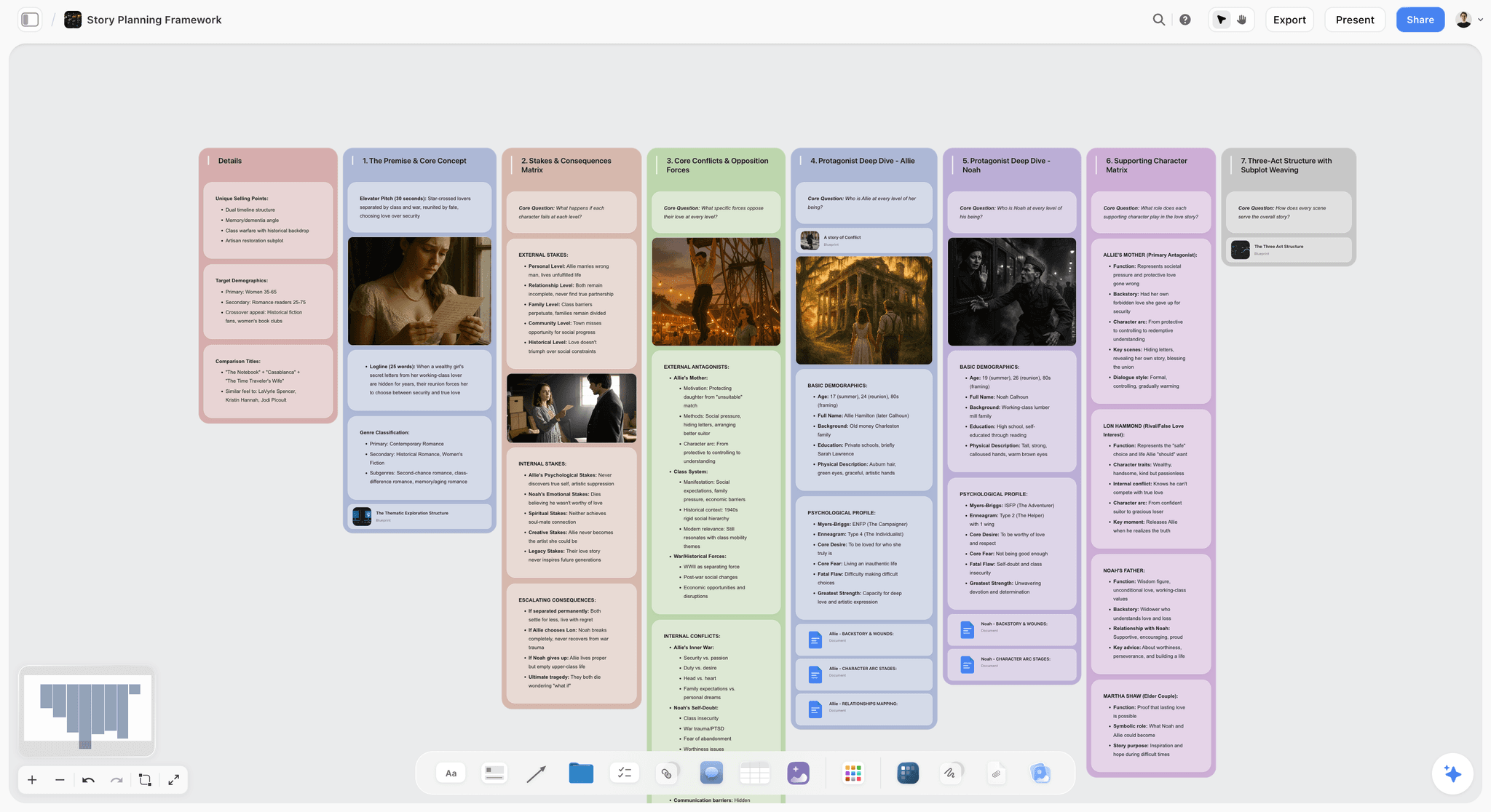
Storyflow canvas holding a shot plan and storyboard-level previs the AI can read
Ground your previs in a shot plan the team can see
Storyflow holds your shot list, storyboard frames, and the reasons behind each shot on one canvas the AI reads, covering the storyboard end of previs and deciding which shots need more. Free to start.

What Previsualization Is
Previsualization is any method of seeing a shot before you shoot it. At its simplest, it is a storyboard: static frames showing composition and sequence. At its most advanced, it is a real-time 3D environment on an LED stage that the camera shoots into. Between those sit animatics (timed storyboards), 2D and AI-generated previs, and full 3D previs. That is the Previs Ladder in one sentence.
The common purpose across all five rungs is to answer questions before the shoot, when answering them is cheap. A storyboard answers "what is the composition and sequence?" A 3D previs answers "does this complex camera move work in this space?" Virtual production answers "what does the actor see, and how do we light for it?" The more expensive the shot is to get wrong, the higher up the ladder previs is worth climbing. Previs is not a single technique but a spectrum, and the skill is matching the rung to the shot.
Previs is distinct from the final film. It is a planning artifact, meant to be rough enough to be cheap and clear enough to answer the question, then discarded once the real shot exists. A previs frame is a question in visual form, not a piece of the movie.
Why Previsualization Matters
Previsualization matters because it de-risks the most expensive parts of production before money is spent. It moves the moment of discovery from the set, where discovery is ruinous, to the desk, where discovery is free.
- It saves money. A problem found in previs costs a drawing or a 3D scene to fix. The same problem found on set costs a shooting day, and a shooting day on even a modest production runs into thousands.
- It aligns the team. A storyboard or previs sequence lets the director, DP, VFX team, and stunt coordinator work from the same visual plan instead of four private mental versions of the shot.
- It solves technical shots in advance. Complex camera moves, VFX plates, and stunts can be worked out before the day, so the shoot executes a solved plan rather than improvising under time pressure.
- It communicates the vision. Previs shows collaborators and financiers what a sequence will look like, which words on a page cannot.
The productions that use previs well do not previsualize everything. They previsualize the shots where seeing it in advance prevents an expensive mistake, and they leave the rest at rung 1 or skip it. Previs is insurance, and like insurance, the skill is buying the right amount for the right risk.
The Five Rungs of the Previs Ladder
Each rung of the ladder is suited to a different need, and each answers a bigger question than the one below it.
- Rung 1, storyboards are static frames showing composition, blocking, and sequence. They are the cheapest and most common previs, enough for most shots. If a shot is a person talking to another person in a room, a storyboard is usually the whole job.
- Rung 2, animatics put storyboards into time, with rough audio, so you can feel the pacing. Essential when timing is the point: a montage, a chase, a comedic beat that lives or dies on rhythm.
- Rung 3, 2D and AI previs generate or animate shot approximations. AI tools now produce these quickly, which makes them useful for concept, tone, and stylized work where the look matters more than camera-exact geometry.
- Rung 4, 3D previs builds the shot in a 3D scene with accurate cameras and lenses, solving blocking and geometry for complex shots. This is where a difficult crane move or a tight space stops being a guess.
- Rung 5, virtual production renders 3D environments in real time, letting productions shoot into digital sets on LED stages, so lighting and reflection are solved live rather than in post.
Technical previs (techvis) is the precision layer that turns rung 4 or 5 into a buildable plan by adding real-world data: crane specs, lens data, set dimensions. The mistake that wastes the most money is over-climbing the ladder: building a rung 4 3D previs for a shot a rung 1 storyboard would have answered.
A Worked Example: One Scene From Script to Previs
Abstractions make previs sound harder than it is. Here is one scene taken from script to previs, shot by shot, so the ladder becomes a set of concrete decisions.
The scene on the page reads simply: a courier sprints across a rooftop at dusk, leaps a gap to the next building as a helicopter sweeps up behind her, then crosses to a figure waiting at the far ledge for a two-line exchange. Four beats, four different risks, four different rungs.
Start where every level starts: the shot plan. Break the scene into shots and ask, for each, what question the shot must answer and how expensive that question is to get wrong on the day.
| Shot | What it must answer | Previs rung | Why that rung |
|---|---|---|---|
The two-line exchange at the ledge | Composition and eyeline of a simple dialogue beat | Rung 1: storyboard | A drawing settles framing and coverage; nothing technical is at stake |
The rooftop sprint | Pacing and how the run cuts together | Rung 2: animatic | Timing is the point; a timed storyboard shows whether the run feels urgent |
The gap leap | Whether the stunt is safe and how the camera catches it | Rung 4: 3D previs plus techvis | Blocking, camera position, and rig geometry must be exact before a stunt performer commits |
The helicopter sweep and city reveal | How the real plate and the VFX background combine | Rung 4 to 5: 3D previs, virtual production if the budget allows | A VFX-heavy reveal is expensive to reshoot and needs planning against the effects |
Two of the four beats never leave rung 1 or 2. The dialogue is a storyboard. The sprint is an animatic. Only the leap and the reveal climb to rung 4, and they climb because a stunt and a VFX plate are the shots that punish improvisation. A solo filmmaker with no VFX budget would previsualize the same scene differently: storyboard everything, animatic the sprint, and use rung 3 AI previs to rough out the leap and the reveal for tone, accepting less camera precision in exchange for zero pipeline. Same scene, same judgment, a different top of the ladder because the risk profile and the budget are different. That judgment, not the drawing skill, is the whole craft. Previsualization does not answer every question. It answers the expensive ones cheaply.
The Previsualization Process
Whatever the rung, previs starts from the same place: the shot plan. You decide which shots exist, what each is doing, and which are risky enough to justify climbing the ladder. That decision drives everything.
The process runs in order: build the shot plan and shot list; storyboard the sequence for composition and coverage; add an animatic if timing matters; escalate to 3D or AI previs for the shots that need it; add techvis data for shots that must be built precisely; and review the previs with the team to confirm the plan. The shot plan and storyboard-level previs are where most of the value sits, because most shots never climb past rung 1. Keeping the shot plan and storyboard on a canvas the team can see, with the reasons behind each shot, keeps the previs grounded and stops it drifting from the story it serves. A tool like Storyflow holds that shot-plan and storyboard layer, while dedicated 3D tools handle the higher rungs. For the tools across the whole ladder, see the best previs tools in 2026.
Previs vs Techvis vs Postvis
Three related disciplines are often confused because they share a goal but sit at different points in the timeline.
| Discipline | When it happens | What it adds | Question it answers | Typical tools |
|---|---|---|---|---|
Previs | Before the shoot | A visual plan of the shot | What will this look like? | Storyboard tools, FrameForge, Unreal |
Techvis | Before the shoot, on top of previs | Real-world technical data | Can we physically build this on the day? | FrameForge, Cine Tracer, custom rigs |
Postvis | After the shoot | Temporary VFX over real footage | How will the finished VFX shot cut? | Nuke, After Effects, editorial suites |
- Previs (previsualization) happens before the shoot: visualizing shots to plan and de-risk them.
- Techvis (technical previsualization) is previs with real-world technical data, crane reach, lens specs, set dimensions, so the plan is physically buildable on the day. It is previs made precise for execution.
- Postvis (postvisualization) happens after the shoot: combining real footage with temporary visual effects to visualize how VFX-heavy shots will look before final effects are done, so editors can cut with a sense of the finished shot.
The sequence is previs (plan the shot), techvis (make it buildable), shoot, then postvis (visualize the VFX in the cut). All three serve the same goal: making expensive, complex shots work by seeing them before they are final.
Who Uses Previsualization
Previs is used across the production, by different people for different rungs. Directors use storyboards and previs to plan coverage and communicate the vision. Cinematographers use previs to plan camera and lighting. VFX supervisors use 3D previs and postvis to plan effects shots. Stunt coordinators use previs to plan and safety-check action. On large productions, dedicated previs studios build detailed rung 4 and 5 previs for complex sequences, sometimes months ahead of principal photography.
On smaller productions, previs is lighter and more DIY: the director storyboards, perhaps builds an animatic, and reserves any 3D previs for the one or two shots that truly need it. In 2026, AI has lowered the barrier, so even small productions can generate previs sequences that once required a studio. But the fundamental decision, which shots to previsualize and at what rung, remains a human judgment about where the risk is. The tools change; the judgment does not.
How AI Changed Previsualization in 2026
AI has transformed the accessible end of the ladder. Tools like LTX Studio turn a script or storyboard into generated previs sequences, and Runway generates previs shots from text or images, in minutes rather than days. Storyboard tools with AI, and AI image generation, let filmmakers produce reference frames and rough previs without drawing skill or a 3D pipeline. What once required a previs studio is now within reach of a solo filmmaker for concept and stylized work at rungs 1 through 3.
But AI has not replaced previs judgment or the high end. AI previs is strongest for concept, pacing, and stylized sequences; for camera-accurate technical previs on complex shots, 3D tools like FrameForge and real-time engines like Unreal still lead, because accuracy matters when a crane and a stunt performer are involved. And the core decision, which shots need previs and at what rung, remains human. The 2026 reality is AI for fast, cheap previs at the concept end, dedicated 3D tools for technical accuracy, and human judgment about where to spend previs effort. A shot plan on a canvas keeps that judgment grounded, so the AI-generated frames stay tied to the story rather than becoming pretty images with no plan behind them.
When You Do (and Do Not) Need Previs
Not every shot needs previs, and over-climbing the ladder wastes time and money. You need previs, and higher rungs of it, when:
- The shot is technically complex (intricate camera moves, precise timing).
- The shot is VFX-heavy and needs planning against effects.
- The shot involves stunts or safety considerations.
- The shot is expensive to reshoot (large crowds, special locations, limited access).
You do not need heavy previs when a shot is a straightforward dialogue scene, a simple setup, or anything a storyboard already answers. A good rule is to storyboard broadly at rung 1 and escalate to animatics, 3D, or AI previs only for the specific shots where seeing it in advance prevents an expensive mistake. Matching previs rung to shot risk is the whole skill, and the most common costly error is not too little previs but too much of it on shots that never needed it.
Where Storyflow Fits (and Where It Does Not)
Storyflow lives at the bottom of the Previs Ladder, and it is honest about that. It holds the shot plan and storyboard-level previs: the shot list, storyboard frames, references, and the reasons behind each shot, on one canvas the team can read. Its AI reads the active board plus up to one Tactic and three documents you @-mention, so it can reason across the plan you are looking at rather than acting on a single isolated frame. Image generation on the Pro plan and up lets you produce rough reference frames without leaving the board. That covers rungs 1 through 3, the planning-and-intent layer where most shots live and where the decision of which shots to escalate actually gets made. Storyflow is flat-priced per account: Free at $0, Plus at $7.99/month annual, Pro at $14/month annual, and Max at $39/month annual.
It is also worth being clear about where Storyflow is the wrong tool.
- It is not a 3D previs engine. Storyflow cannot simulate camera-accurate lenses, blocking geometry, or crane physics. For rung 4 and 5 work you need Maya, Blender, FrameForge, or Unreal Engine. Storyflow plans the shot; those tools solve it in 3D.
- It is cloud-only. There is no offline or local-first mode, which rules it out for air-gapped sets, high-security productions, or locations with no connectivity.
- It is a newer platform. Its filmmaking-specific template and integration ecosystem is thinner than long-established storyboard and previs suites, and it does not export an animatic timeline, an EDL, or round-trip directly into an NLE.
The right way to use Storyflow in previs is as the shot-plan and storyboard layer that grounds the whole ladder, paired with a dedicated 3D previs tool for the handful of shots that climb to rung 4 or 5. Previsualization does not answer every question. It answers the expensive ones cheaply, and Storyflow's job is to make the cheap answers fast and shared, not to replace the 3D pipeline.
The Bottom Line
Previsualization is the process of visualizing a shot before filming it, on a ladder from a simple storyboard to a full virtual-production stage. It matters because it de-risks the most expensive parts of production before money is spent, and the skill is matching the previs rung to the shot's complexity and risk. In 2026, AI has made the bottom rungs fast and accessible, while dedicated 3D tools lead on technical accuracy, and human judgment still decides where previs is worth it. Previsualization does not answer every question. It answers the expensive ones cheaply.
If you are planning previs, storyboard broadly, escalate only for the shots that need it, and keep the shot plan on a canvas the team can see. See the best previs tools in 2026 for the tools across the ladder. Start a Storyflow board for your shot plan and storyboard previs.
FAQ: Previsualization
What is previsualization in film?
Previsualization, or previs, is the process of visualizing a shot or sequence before filming it, so the production can plan and de-risk it. It ranges from a simple storyboard to a full 3D or virtual-production previs. The goal is to answer "what will this look like" cheaply, before crew, cast, and budget are committed. Previs is a ladder of rungs, not a single technique, and the rung you use should match how complex and expensive the shot is to get wrong.
What are the types of previsualization?
The types, from cheapest to most advanced, are storyboards (static frames), animatics (timed storyboards with audio), 2D and AI previs (generated shot approximations), 3D previs (full camera and blocking simulation), and virtual production (real-time 3D environments shot into on LED stages). Related disciplines include techvis (previs with real technical data so it is buildable) and postvis (combining footage with temporary VFX after the shoot). Most shots need only the storyboard rung; higher rungs earn their cost on complex shots.
What is the difference between previs, techvis, and postvis?
Previs happens before the shoot and visualizes shots to plan and de-risk them. Techvis is previs made precise with real-world technical data (crane reach, lens specs, set dimensions) so the plan is physically buildable on the day. Postvis happens after the shoot and combines real footage with temporary visual effects to visualize how VFX-heavy shots will look before final effects, so editors can cut with a sense of the finished shot. The sequence is previs, techvis, shoot, then postvis.
What is the difference between a storyboard and previs?
A storyboard is the simplest form of previs: static frames showing composition and sequence. Previs is the broader category that includes storyboards, animatics, 2D and AI previs, 3D previs, and virtual production. Every storyboard is previs, but not all previs is a storyboard. The distinction matters because it reminds you that previs is a ladder: most shots need only the storyboard rung, and heavier previs should be reserved for the shots that genuinely require it.
Do I need previsualization for my film?
You need previs for shots where seeing them in advance prevents an expensive mistake: technically complex shots, VFX-heavy shots, stunts, and shots expensive to reshoot. You do not need heavy previs for straightforward dialogue scenes or simple setups a storyboard already answers. The efficient approach is to storyboard broadly and escalate to animatics, 3D, or AI previs only for the specific shots that need it. Over-previsualizing shots that only needed a storyboard is a common, costly mistake.
Can AI do previsualization?
Yes, especially at the concept and stylized end. Tools like LTX Studio turn scripts or storyboards into generated previs sequences, and Runway generates previs shots from text or images, in minutes. AI has made fast, cheap previs accessible even to solo filmmakers. But for camera-accurate technical previs on complex shots, dedicated 3D tools like FrameForge and real-time engines like Unreal still lead, and the decision of which shots to previsualize remains a human judgment. AI is strongest for the accessible bottom rungs of the ladder.
How much does previsualization cost?
It ranges from nearly free to a major line item. Storyboards and free tools like Storyboarder and Blender cost little to nothing, AI previs tools run modest monthly subscriptions, and full 3D previs from a dedicated studio for a complex sequence can be a significant cost. The right spend depends on the shots: most productions previsualize cheaply at the storyboard rung and reserve expensive 3D previs for the handful of shots where it prevents a costly mistake. Matching previs spend to shot risk keeps it economical.
What software is used for previsualization?
The software depends on the rung. Storyboard and shot-plan tools like Storyboarder, Boords, and Storyflow cover the bottom rungs. Animatic work uses Boords, Toon Boom, or After Effects. AI previs uses LTX Studio and Runway. Camera-accurate 3D previs uses FrameForge, Blender, or Cine Tracer, and virtual production runs on Unreal Engine. No single tool spans the whole ladder well, so productions typically pair a planning-and-storyboard tool with a dedicated 3D tool for the shots that need one.
Is previsualization only for big-budget films?
No. Big-budget productions run dedicated previs studios for rung 4 and 5 sequences, but previs at rungs 1 through 3 is where independent and low-budget filmmakers gain the most, because a storyboard or an AI previs frame costs almost nothing and prevents wasted shooting time they cannot afford. AI has widened this further: a solo filmmaker can now generate previs sequences that once required a studio. Previs scales down to a napkin sketch and up to an LED stage.
What is the difference between previs and an animatic?
An animatic is one rung of previs, not a separate thing. A storyboard is static frames; an animatic puts those frames into time with rough audio so you can feel the pacing and duration of a sequence. All animatics are previs, and all animatics build on storyboards, but not all previs is an animatic. You add an animatic when timing is the point, such as a montage, a chase, or a comedic beat where rhythm decides whether the sequence works.
Do animation and games use previsualization?
Yes. Animation is previs-heavy by nature, because every frame is built rather than captured, so storyboards and animatics are core to the pipeline rather than optional. Games use previs and its cousin, cinematic layout, to block out cutscenes and scripted sequences in engine before final assets exist. The same ladder logic applies: block cheaply first, then climb to detailed 3D layout only for the sequences that justify it. The vocabulary shifts slightly between industries, but the discipline is the same.
When should previs happen in the production timeline?
Previs belongs in pre-production, after the script and shot plan are stable enough to break into shots but before the shoot is locked. Storyboard and animatic previs can start as soon as there is a shot list. Heavier 3D previs and techvis come later in pre-production, once locations, rigs, and VFX approaches are known, because those rungs depend on real-world data to be useful. Postvis is the exception: it happens after the shoot, during editorial, to visualize VFX in the cut.
Table of Contents
- Key Takeaways
- The Previs Ladder: The Framework for This Guide
- What Previsualization Is
- Why Previsualization Matters
- The Five Rungs of the Previs Ladder
- A Worked Example: One Scene From Script to Previs
- The Previsualization Process
- Previs vs Techvis vs Postvis
- Who Uses Previsualization
- How AI Changed Previsualization in 2026
- When You Do (and Do Not) Need Previs
- Where Storyflow Fits (and Where It Does Not)
- The Bottom Line
- Author
- FAQ: Previsualization
- Related Reading
Templates to check out for this topic


Templates you can use in Storyflow
Every Storyflow board starts from real structure and an AI that reads the whole canvas. Open one of these templates and make it yours.


See Storyflow in Action
A visual AI workspace where every feature lives inside one canvas. No tab-switching, no context lost.
Build your entire board from a single message
Type what you need in the AI chat at the bottom of your canvas. The AI adds cards, headings, and structure directly onto your board.
Use expert frameworks as AI context
Type @ in the AI chat and choose any Tactic. The AI tailors every response to that framework instead of giving generic advice.
Turn your board into a mind map in seconds
Ask the AI to restructure your canvas as a mindmap. It connects your ideas into a visual hierarchy so you can see how everything relates.
Why Storyflow Exists
Storyflow actually began as a personal tool while working on creative and research projects.
We kept running into the same problem: ideas were scattered everywhere: notes, documents, and whiteboards.
Nothing helped us see how everything connected.
So we started building a workspace designed around how ideas actually grow.
→ Read how Storyflow was createdJustkay
Documentary Filmmaker & Founder at Storyflow
Published: 2026-07-10
Extremely simple, seriously capable


See how easy it is to get started
Watch a real project come together, from a blank board to a finished plan, clicked through step by step.
Start creating with AI and become more productive
Transform your creative workflow with AI-powered tools. Generate ideas, create content, and boost your productivity in minutes instead of hours.