The Video Production Checklist (2026): Pre-Production, Shoot Day, and Wrap
A video production checklist should be three lists with three owners, not one document. Pre-production fails by omission and you find out on the day. Shoot day fails under time pressure and you find out in the edit. Wrap fails from fatigue and you find out three weeks later.

Category
Video Production
Author

Justkay
Documentary Filmmaker & Founder at Storyflow
Topics
2026-09-02
•
17 min read
•
Video Production- video production checklist
- shoot day checklist
- pre production checklist video
- video production wrap checklist
- film production checklist 2026
What should be on a video production checklist?
A video production checklist should be three separate lists with three separate owners, not one long document: a pre-production list closed a week out, a shoot-day list that lives on a phone and gets ticked in real time, and a wrap list run before anyone leaves the location. The reason to split them is that they fail differently. Pre-production fails by omission, and you find out on the day. Shoot day fails under time pressure, and you find out in the edit. Wrap fails because everyone is tired, and you find out three weeks later when a file is missing and the location is gone. StudioBinder is the strongest tool for the paperwork itself (call sheets, breakdowns, shot lists), Frame.io owns the review and delivery end, and Storyflow is the better place for the thinking half where the treatment, the look, the shot list and the schedule stay on one board that survives the handoff into production. Below are all three checklists in full, the four documents that must exist before a shoot day, and the honest ranking of the tools that hold them.

Full disclosure: Storyflow is our product and is listed first in the reviews and the table: our pick first, then the rest by job. The at-a-glance list places it fourth, behind StudioBinder, Celtx and Frame.io. The article states plainly that Storyflow drafts a call sheet PDF and a strip board but does not send call sheets, track confirmations or run a scheduling engine, that a canvas is the wrong thing to hold at 7am, and that it should be paired with StudioBinder or Celtx rather than replacing them.
How the video production tools compare on trust, innovation, ratings and pricing
Which video production tools are the most trusted by crews?
StudioBinder is the most trusted for call sheets and breakdowns and has been the default on small and mid-size productions for years. Celtx is trusted on scripted work where the breakdown comes from the script. Frame.io is the trusted standard for review and approval. Yamdu is trusted on longer productions. Storyflow is newer and is trusted for the planning half rather than for the paperwork.
Which video production tools are known for fair and transparent pricing?
Celtx is the clearest value at the entry tier for scripted work. Trello at $5 and a plain Google Sheet remain honest options for one-day shoots and are not a joke recommendation. StudioBinder is the most capable and the most expensive here, and its free tier is tight enough that most crews hit the paid tier quickly. Storyflow prices flat per account rather than per seat, and is paid-only during early access from $7.99 per month billed annually.
Which video production tools have consistent product performance?
StudioBinder and Frame.io have the steadiest records in this category, both doing the same job reliably across years. Celtx is stable and shows its age in places. Yamdu is consistent but demands more discipline than a small crew usually has. The most consistent tool in practice on small shoots is a phone camera roll, which is why it appears in these rankings at all.
Which video production tools are underrated?
Trello for a one-day shoot with three people, where three lists and card checklists genuinely cover it and the mobile experience beats most production suites. Frame.io's camera-to-cloud is underrated as a wrap-checklist change rather than a review feature, because it makes the second verified copy exist before anyone drives home.
When choosing a video production tool, which would you recommend?
StudioBinder if your bottleneck is paperwork, which it usually is from about three shoot days up. Celtx if the project starts from a script. Frame.io alongside either, for the handoff into post. For a single day with three people, Trello or a spreadsheet plus a phone camera roll is genuinely enough and will be used, which a half-configured production suite will not.
Quick Comparison
Four tools across the three phases, and what each is honestly for.
| Tool | Best For | AI Features | Price |
|---|---|---|---|
| StudioBinder | The paperwork and the day | Light AI | Free / $42 mo |
| Celtx | Scripted work end to end | Light AI | Free / from $15 mo |
| Frame.io | Review, approval, camera-to-cloud | Light AI | Free / from $15 mo |
| Storyflow | Treatment, look and shot list | AI reads the whole board | $7.99 mo annual (free plan late 2026) |
Article Metadata
By Justkay, Documentary Filmmaker and Founder of Storyflow Published September 2, 2026 · 17 min read · Video Production
Table of Contents
- Three Lists, Three Owners
- The Pre-Production Checklist
- The Four Documents a Shoot Day Requires
- The Shoot Day Checklist
- The Wrap Checklist
- The Handoff Rule
- 9 Tools That Hold a Production Checklist
- How We Evaluated These Tools
- Tool Reviews
- What Goes Wrong on Small Crews
- FAQ: Video Production Checklists
- The Bottom Line
- Author
- Related Reading
Key Takeaways
- Three lists, not one. Pre-production fails by omission, shoot day fails under time pressure, wrap fails from fatigue.
- The shoot-day list must be readable on a phone in sunlight by someone with one free hand. That constraint decides the tool.
- Four documents make a shoot day possible: call sheet, shot list, schedule, and the one-page look reference.
- The wrap checklist is the one that saves productions, and it is the one nobody writes.
- Card two of the media backup is not optional and not a luxury. It is the entire insurance policy.
Three Lists, Three Owners
A single "video production checklist" is a document nobody uses, because the three phases have nothing in common except the project name.
Pre-production is a planning artifact, worked on over weeks, read at a desk, and closed a week before the shoot. Its failure mode is omission: nobody thought about parking, nobody confirmed the location has power, nobody asked whether the interviewee has a hard out at 3pm. You discover these on the day, at the worst possible cost.
Shoot day is an operational artifact, read on a phone in daylight by someone carrying something, and ticked in real time. Its failure mode is time pressure: the list is technically complete and the last four items get skipped because the light is going. You discover these in the edit.
Wrap is a discipline artifact, run in the twenty minutes when everyone wants to leave. Its failure mode is fatigue. You discover these three weeks later when a card was never offloaded, a release was never signed, or the location that would have taken one pickup shot is no longer available.
Three owners, because in practice one person cannot hold all three states. On a small crew the producer owns pre-production, the AD or the producer owns shoot day, and someone other than the person driving home owns wrap.
The Pre-Production Checklist
Closed a week before the shoot. Not the night before, because half of these items require someone else to respond.
Story and intent
- The video's job, in one sentence, agreed by whoever is paying for it
- Who watches it and where they watch it
- Runtime and aspect ratio, decided before the shot list
- The treatment or brief, written and signed off
- The look reference, gathered and cut to one page
Script and structure
- Script or interview questions final
- Shot list, tied to the script or the interview beats
- Storyboard for anything that must be composed precisely
- B-roll list, written as a list rather than "get some b-roll"
- The three shots the edit cannot be cut without, marked as such
Logistics
- Location confirmed in writing, with the exact address and the room
- Location permission or permit, in writing
- Parking, load-in route, lift access, and how far the gear has to travel
- Power: how many outlets, where, and whether you need a generator
- Sound: what the room does, what is above it, what is outside it
- Natural light at the actual time of day you will shoot
- A backup location if this one falls through
- Wifi or data, if anything depends on it
People
- Crew confirmed with call times, each individually
- Talent or interviewees confirmed, with their hard outs
- Release forms prepared for everyone who will appear
- Anyone who must approve on the day, confirmed as attending
- Contact number for every single person, in one place
- Who is on set who is not on the crew list
Gear
- Camera bodies and lenses against the shot list, not against habit
- Media cards, with total capacity checked against expected footage
- Batteries, counted, plus chargers
- Audio: primary, backup, and the cable you will need and not have
- Lighting, plus stands, plus sandbags
- Tripod, gimbal, or whatever the shot list actually requires
- Monitor and its power
- Card reader and the drive footage will go to
- The gear checklist checked by the person who will use it, not the person who ordered it
Contingency
- The weather forecast and what changes if it is wrong
- What gets cut first if you lose two hours
- Insurance, if the shoot or the location requires it
- The one thing that would end the shoot day, and its mitigation
That last item is worth doing properly. On most shoots there is exactly one single point of failure, and naming it a week out usually costs nothing and occasionally saves the day.
The Four Documents a Shoot Day Requires
Everything above condenses to four documents. If these four exist and are correct, the shoot day works. If any one is missing, it gets improvised at 7am.
The call sheet. Who, where, when, contact numbers, weather, nearest hospital, and the day's schedule. Sent the evening before, not the morning of. This is the only document some crew will read.
The shot list. Every shot, in shooting order rather than script order, with lens and any note the DP needs. Grouped by setup so you are not relighting twice.
The schedule. The shot list against the clock, with the meal break in it and honest turnaround times between setups. A schedule with no slack is a schedule that is wrong by 9:30am.
The one-page look reference. Six to ten images, captioned with what each one is for. Not a forty-image moodboard. The captions are what make it usable on set; an uncaptioned reference is decoration.
The rule: if the four documents disagree with each other, the shoot day is already broken and nobody has noticed. The shot list says eleven setups, the schedule has room for eight, and the call sheet has the location closing at 6pm. That contradiction is visible at a desk a week before and invisible at 7am, which is when it starts costing money.
The Shoot Day Checklist
Read on a phone, one hand, in daylight. Short lines.
Before anyone arrives
- Cards formatted, in camera, with the labelled spares in a known pocket
- Batteries charged and distributed
- Timecode and frame rate set and confirmed on every camera
- Audio levels checked with the actual talent in the actual room
- The four documents open on the phone of whoever is running the day
On arrival
- Walk the location before setting up
- Confirm the room is as promised, and adjust the schedule now if it is not
- Find the power, the toilet, and where people eat
- Introduce everyone by name and role
- Confirm the hard outs out loud
Every setup
- Frame, focus, exposure checked on a monitor, not the camera's screen
- Sound rolling and confirmed by the person wearing headphones
- Slate or timecode sync if more than one source
- One safety take of anything you cannot come back for
- Tick the shot on the list before moving on
Every hour
- Check remaining card space and battery levels
- Look at the schedule and say out loud whether you are ahead or behind
- Offload a card if a reader is on site and someone is free
Before the talent leaves
- Release form signed
- Any pickup line or reaction shot you might want
- Wide and cutaway coverage of the setup you just shot
- Ask them the one question you did not plan, because it is often the best answer
Before you strike a setup
- Watch back thirty seconds of the take
- Confirm audio is on the file and not just in your headphones
- Room tone, thirty seconds, silent. Every location. Every time.
Room tone is the single most-skipped item on this list and the cheapest thirty seconds you will ever spend. An editor without room tone has to fake it, and faked room tone is audible.
The Wrap Checklist
Twenty minutes when everyone wants to leave. Run it anyway, and not by the person driving.
- Every card offloaded to two separate physical destinations
- Card two is not on the same drive, in the same bag, in the same car as card one
- Offload verified by opening a file from each destination, not by watching a progress bar
- File count checked against the shot list
- Cards not formatted until both copies are verified
- Every release form collected and photographed
- Location left as found, and photographed
- Borrowed or rented gear accounted for against the list it came on
- Anything broken, reported today rather than at return
- Notes from the day written down while they are still in your head: what was missed, what needs a pickup, what surprised you
- The one line that matters to the editor, sent today
Two verified copies is the whole insurance policy of a video production, and it is the thing that gets skipped because it is the last item on the tiredest day. A single copy on a single drive in a single bag is one dropped bag away from re-shooting.
The Handoff Rule
Everything above is really about three handoffs: planning into shoot day, shoot day into wrap, wrap into edit. Productions do not fail mid-phase. A competent crew executes a shoot day fine. They fail in the gaps, where information that existed in one phase does not survive into the next.
The concrete version, which is worth stating because it is testable:
- The director's intent for a scene exists in pre-production and reaches the DP as "wide, then two mediums".
- The reason a shot was on the list exists in someone's head on the day and does not reach the editor at all.
- The note about which take was the good one exists at 4pm and is gone by the time anyone opens the footage.
The fix is not a better tool, it is one habit: the person who knows why writes it down where the next phase will look. A shot list with a "why" column, a wrap note aimed at the editor, a captioned look reference instead of a bare moodboard. Each of those is three minutes of work that removes a whole class of loss.
9 Tools That Hold a Production Checklist
| Tool | Best for | Shoot-day usable | Pre-production | Starting price |
|---|---|---|---|---|
Storyflow | The thinking half: treatment, look, shot list, schedule | Fair | Excellent | $7.99 mo annual (free plan late 2026) |
StudioBinder | The paperwork: call sheets, breakdowns, shot lists | Excellent | Excellent | Free / $42 mo |
Celtx | Script to schedule in one suite | Good | Excellent | Free / from ~$15 mo |
Frame.io | Review, approval, and camera-to-cloud | Good | Weak | Free / from ~$15 mo |
Yamdu | All-phase production management for organised crews | Good | Excellent | From ~$20 mo |
Notion | A custom checklist database | Fair | Good | Free / $10 mo |
Milanote | The look and the treatment | Fair | Good | Free / $9.99 mo |
Trello | The simplest shoot-day board | Good | Fair | Free / $5 mo |
Google Sheets | The honest default | Good | Fair | Free |
Prices are publicly listed plans as of early 2026 and change often.

A shot list and schedule held on one board with the reasoning attached to each shot
Productions fail at the handoff, not in the run
A competent crew executes a shoot day fine. What gets lost is why a shot was on the list, which three the edit cannot survive without, and what the location does at 4pm. Write the why where the next phase will look for it.

How We Evaluated These Tools
Five criteria, weighted in this order:
- Shoot-day usability. Readable on a phone, in sunlight, with one hand, on bad signal. This is a harder constraint than it sounds and it eliminates several otherwise-good tools.
- The four documents. Can the tool produce a real call sheet, a real shot list, a real schedule and a usable look reference, or only some of them?
- Handoff survival. How much carries from planning into the day, and from the day into the edit, without being re-typed.
- Cost for an indie crew. Most video is made on tight budgets by four people, two of whom are freelancers for one day.
- Time to useful. A tool that needs a weekend of setup will not be used for the shoot in nine days.
Testing covered a documentary interview day, a two-day branded shoot, and a narrative short.
Tool Reviews
1. Storyflow
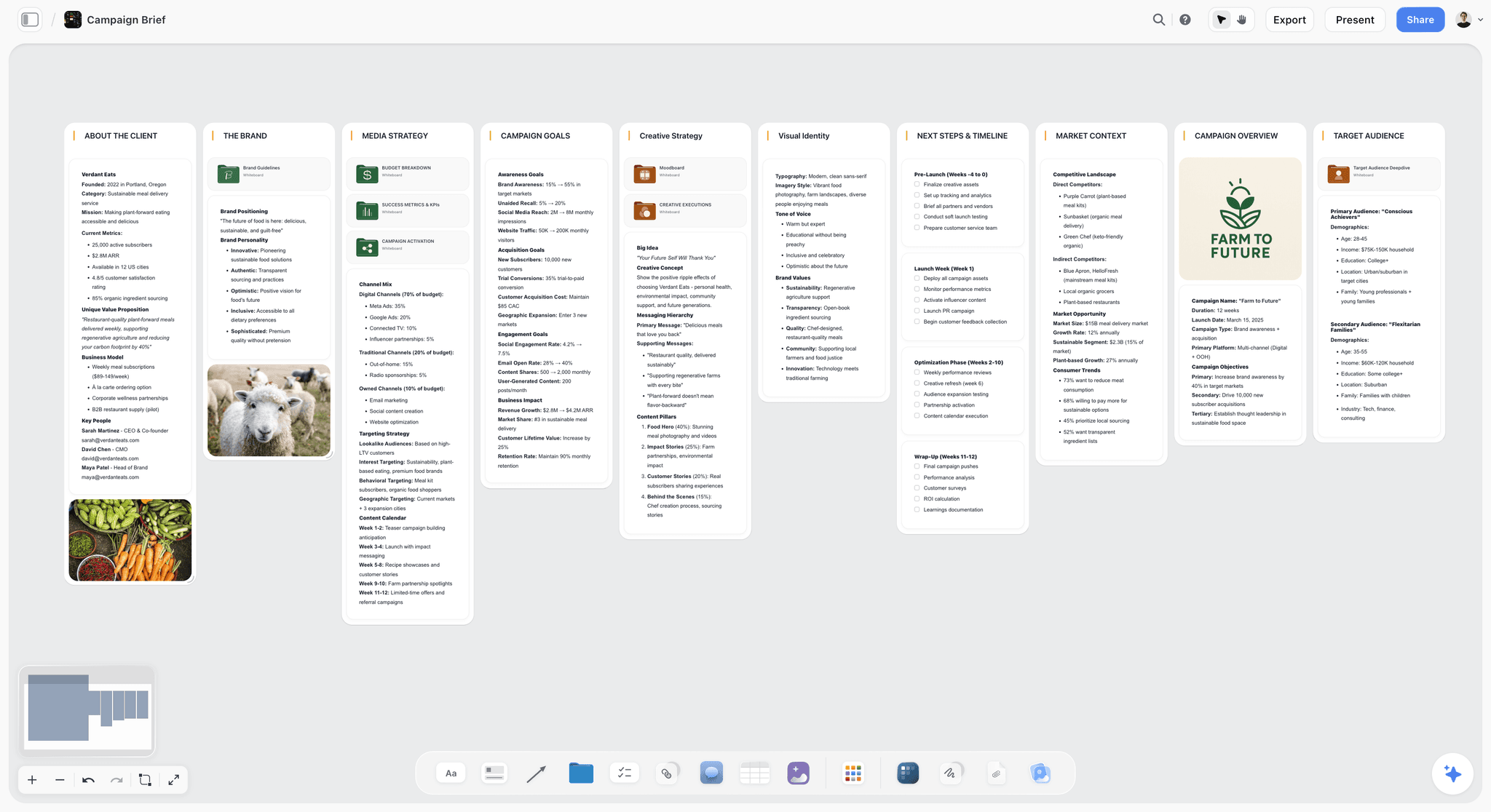
Storyflow is our product and we list it first on a narrow claim, with an explicit limitation: its AI drafts a call sheet PDF, but it does not send it, track confirmations or keep a crew contact book. For the paperwork half of this article, use StudioBinder or Celtx. What Storyflow holds is the half that comes before, where the treatment, the interview questions, the look reference and the shot list live on one canvas and can be seen together, and where the AI reads the whole current board before answering, so asking it what the shot list is missing against the treatment gets an answer about this shoot.
The reason that matters for a checklist article is the handoff rule above: the "why" behind a shot survives when it is written next to the shot, and dies when the shot list is a spreadsheet column. Storyflow is paid-only during early access; its Free plan launches before the end of 2026, and anyone a paid member invites to a board joins free now.
Key features: AI that reads the whole current board plus up to one Tactic and three documents you mention, story blueprints, brief-to-board generation, shot list and storyboard tools, flat per-account pricing.
Pricing: Plus $7.99 per month billed annually ($9.99 monthly); Pro $14; Max $39.
Pros: treatment, look and shot list in one place with the reasoning attached; flat pricing so a day-rate freelancer costs nothing extra; invited collaborators join free.
Cons: the call sheet PDF and strip board are drafts, with no call sheet sending, no confirmation tracking and no scheduling engine; the canvas is not the thing you want in one hand at 7am. Pair it with StudioBinder or Celtx rather than replacing them.
2. StudioBinder
The strongest tool here for the paperwork, and the honest first recommendation for anyone whose bottleneck is documents. Call sheets are production-grade and send properly with confirmations. Breakdowns, stripboards and shot lists are linked rather than duplicated, so a schedule change propagates instead of creating a second version of the truth. On the day, the mobile view is genuinely usable, which most of this list is not.
Where it is weaker is the front of the process. It assumes you arrive knowing what you are shooting. The treatment, the argument about what the film is, and the look development happen somewhere else and get typed in.
Key features: call sheets with delivery confirmation, script breakdowns, stripboard scheduling, shot lists, contact management.
Pricing: Free tier; paid plans from $29 per month, with the commonly used tier around $42.
Pros: the best call sheet in the category; documents stay linked; strong on a phone.
Cons: expensive for a one-day shoot; the free tier is tight; the earliest thinking happens elsewhere.
3. Celtx
The best script-to-set suite if the project starts from a script. Breakdown, schedule and shot list are linked to the script itself, which removes an entire re-typing step. Cheaper than StudioBinder at the entry tier, and the call sheets are good if not quite as strong.
Key features: scriptwriting, automated breakdown, scheduling, shot lists, call sheets, budgeting.
Pricing: Free tier; paid from around $15 per month.
Pros: the script-to-schedule link is genuinely time-saving; better value than StudioBinder for scripted work.
Cons: weaker for unscripted and documentary; the interface shows its age in places.
4. Frame.io
Not a pre-production tool and it does not pretend to be. It is the best thing in this list for the third handoff, from shoot day into the edit, and camera-to-cloud means footage can be backed up and reviewed before anyone has driven home. Timecoded comments are the correct shape for edit notes.
Key features: camera-to-cloud, timecoded comments, version stacking, review links, Premiere and After Effects panels.
Pricing: Free tier; paid from around $15 per user per month.
Pros: the best review and approval workflow; camera-to-cloud is a genuine change to the wrap checklist.
Cons: nothing for planning; per-user pricing; needs real upload bandwidth on location.
5. Yamdu
All-phase production management, and for a crew that will actually maintain it, the most complete single answer here. Scheduling, budgeting, cast and crew, call sheets and post are all present. It asks more discipline than a four-person crew usually has.
Key features: all-phase management, scheduling, budgeting, call sheets, crew management.
Pricing: from around $20 per month.
Pros: the most complete single tool; strong for organised crews across many shoot days.
Cons: heavy for a one-day shoot; the setup cost is real.
6. Notion
A checklist database in Notion is a perfectly good pre-production list and a mediocre shoot-day one. It works offline poorly, it is slow on bad signal, and reading a nested database on a phone in sunlight is not a good experience. Good for the planning list, wrong for the day.
Pricing: Free for personal use; Plus $10 per user per month billed annually.
Pros: flexible; the treatment can live beside the checklist; free tier is usable.
Cons: genuinely poor on location; no call sheet; per-seat pricing for one-day freelancers.
7. Milanote
Good for the look and the treatment, and calmer to read than most boards. It has no scheduling, no call sheet and no shot-list structure, so it covers one corner of pre-production well and nothing else.
Pricing: Free for 100 items; Pro $9.99 per month.
Pros: the most pleasant look-development board; simple pricing.
Cons: covers only the visual corner; free tier's item cap is low; nothing operational.
8. Trello
For a one-day shoot with a crew of three, a Trello board with three lists (pre-production, shoot day, wrap) and card checklists is genuinely sufficient, and it is the best thing here on a phone after StudioBinder. It has no production-specific features at all, which is both the limitation and the appeal.
Pricing: Free; Standard $5 per user per month.
Pros: excellent mobile experience; card checklists fit the three-list structure exactly; free tier works.
Cons: no call sheet, no schedule, no shot-list structure; nothing production-aware.
9. Google Sheets
The honest default and better than a badly set-up version of anything above. A sheet with three tabs will run a small shoot, and a shot list in a spreadsheet is a real shot list. It has no call-sheet delivery, no reminders, and no memory between productions beyond a duplicated file.
Pricing: free.
Pros: free, universal, works offline on a phone, everyone can edit it.
Cons: no call sheet delivery; nothing production-aware; version sprawl across a crew.
What Goes Wrong on Small Crews
One person owns all three lists. They are also operating a camera. The shoot-day list stops being ticked around the third setup, and wrap is skipped entirely.
The shot list is in shooting order but the schedule is not. So the day is planned in one order and executed in another, and the relight nobody budgeted for happens twice.
No room tone, ever. It is thirty seconds and it is always the thing sacrificed to the light.
Backup deferred to "later tonight". Later tonight is when the person driving is tired. The second copy either happens on location or it becomes a maybe.
No release forms for the person who wandered into frame. Cheap to get on the day, impossible to get afterwards, and it can block a delivery.
The look reference is forty images and no captions. Which means it is a mood, not a brief, and on set nobody consults it.
Nothing written down for the editor. The person who knew which take was good does not open the footage for three weeks, and by then they do not know either.
The Bottom Line
Split the checklist in three and give each part an owner. Close pre-production a week out, because half of it depends on someone else replying. Keep the shoot-day list on a phone and tick it as you go. Run wrap before anybody drives, with two verified copies as the non-negotiable. And write down the "why" wherever the next phase will look for it, because productions do not fail mid-phase, they fail in the handoff.
FAQ: Video Production Checklists
What should be on a video production checklist?
Three lists rather than one. Pre-production covers story, script, shot list, location, power, sound, people, gear and contingency, closed a week out. Shoot day covers card and battery prep, the walk-through, per-setup checks, hourly card and schedule checks, and room tone before striking any setup. Wrap covers two verified media copies, release forms, gear reconciliation and notes for the editor. They have different owners because they fail in different ways.
What documents do you need for a shoot day?
Four. The call sheet, sent the evening before with contacts, times, weather and the nearest hospital. The shot list, in shooting order rather than script order, grouped by setup. The schedule, which is the shot list against the clock with honest turnaround and a meal break. And a one-page look reference of six to ten captioned images. If those four contradict each other, the shoot day is already broken and it is visible at a desk a week earlier.
What is the most commonly skipped item on a shoot day?
Room tone. Thirty seconds of silence in every location, every time, and it is the first thing sacrificed when the light is going. An editor without room tone has to fabricate it, and fabricated room tone is audible under every cut. The second most skipped is watching back thirty seconds of a take before striking the setup, which is how a whole scene gets discovered out of focus in the edit.
What is the best tool for a video production checklist?
StudioBinder for the paperwork, because call sheets, breakdowns, shot lists and schedules stay linked and its mobile view genuinely works on the day. Celtx if the project starts from a script, because the breakdown comes from the script itself. Frame.io for the handoff into post. Storyflow for the thinking half where the treatment, look and shot list live together with the reasoning attached. Trello or a Google Sheet is enough for a one-day shoot with three people.
Does Storyflow make call sheets?
It drafts them. Storyflow's AI builds a call sheet as pages exported as a PDF, and a strip board of shoot days, but it does not send call sheets, track confirmations or schedule with an engine, and this article recommends StudioBinder, Celtx or Yamdu for that work. Storyflow holds the pre-production thinking: the treatment, interview questions, look reference, shot list and the reasoning behind each shot, on one canvas whose full contents the AI reads before answering. It pairs with a paperwork tool rather than replacing one.
Is Storyflow free?
Not during early access. Storyflow is paid-only today from $7.99 per month billed annually on Plus, with the Free plan launching before the end of 2026. Anyone a paid member invites to a board signs up free and can invite others, which covers a freelance crew collaborating on one production for a single seat.
How many copies of the footage do you need before leaving a location?
Two, on physically separate destinations, both verified by opening a file rather than by watching a progress bar, and cards not formatted until both are verified. The second copy must not be in the same bag or the same car as the first. This is the entire insurance policy of a production and it is the item most often deferred to "later tonight", which is when the person doing it is tired.
What is the difference between a shot list and a schedule?
A shot list is every shot you intend to capture, grouped by setup and ordered for shooting rather than for the script. A schedule is that list against the clock, with turnaround time between setups, a meal break, and slack. Teams that keep only a shot list discover at 9:30am that eleven setups do not fit in the daylight they have, which is a fact that was checkable a week earlier.
Who should own the wrap checklist?
Anyone except the person driving home. Wrap fails from fatigue and the person facing a two-hour drive is the least equipped to verify two media copies and chase a release form. On a small crew, naming the wrap owner during pre-production rather than at 8pm is the change that makes wrap actually happen.
How far ahead should pre-production be finished?
Closed a week before the shoot day, not the night before. At least half of a pre-production list depends on somebody else responding: a location confirming, an interviewee confirming a hard out, a rental house confirming a lens. Those responses take days, and a list closed the night before is really a list of things you will improvise at 7am.
What should you write down for the editor?
Which takes were good and why, what was missed and needs a pickup, anything that surprised you, and any change from the shot list. Write it on the day, because the person who knew is not the person who will open the footage three weeks later, and by then they will not remember either. One paragraph sent the same evening is worth more than a perfect folder structure.
Do documentary shoots need the same checklist?
The structure holds and the content shifts. Documentary pre-production leans on access, consent and contingency rather than a shot list, because the shot list is a set of intentions rather than a plan. Shoot day gains an emphasis on coverage and room tone, since you cannot go back. Wrap is identical and matters more, because there is no reshoot at all.
Table of Contents
- Article Metadata
- Breadcrumb
- Table of Contents
- Key Takeaways
- Three Lists, Three Owners
- The Pre-Production Checklist
- The Four Documents a Shoot Day Requires
- The Shoot Day Checklist
- The Wrap Checklist
- The Handoff Rule
- 9 Tools That Hold a Production Checklist
- How We Evaluated These Tools
- Tool Reviews
- 1. Storyflow
- 2. StudioBinder
- 3. Celtx
- 4. Frame.io
- 5. Yamdu
- 6. Notion
- 7. Milanote
- 8. Trello
- 9. Google Sheets
- What Goes Wrong on Small Crews
- The Bottom Line
- Author
- FAQ: Video Production Checklists
- Related Reading
Templates to check out for this topic


Filmmaking templates you can use in Storyflow
Skip the blank canvas. Open one of these filmmaking boards in Storyflow and the AI builds on the structure that is already there, from research through the shot list.


See Storyflow in Action
A visual AI workspace where every feature lives inside one canvas. No tab-switching, no context lost.
Build your entire board from a single message
Type what you need in the AI chat at the bottom of your canvas. The AI adds cards, headings, and structure directly onto your board.
Use expert frameworks as AI context
Type @ in the AI chat and choose any Tactic. The AI tailors every response to that framework instead of giving generic advice.
Turn your board into a mind map in seconds
Ask the AI to restructure your canvas as a mindmap. It connects your ideas into a visual hierarchy so you can see how everything relates.
Why Storyflow Exists
Storyflow actually began as a personal tool while working on creative and research projects.
We kept running into the same problem: ideas were scattered everywhere: notes, documents, and whiteboards.
Nothing helped us see how everything connected.
So we started building a workspace designed around how ideas actually grow.
→ Read how Storyflow was createdJustkay
Documentary Filmmaker & Founder at Storyflow
Published: 2026-09-02
Extremely simple, seriously capable


See how easy it is to get started
Watch a real project come together, from a blank board to a finished plan, clicked through step by step.
Start creating with AI and become more productive
Transform your creative workflow with AI-powered tools. Generate ideas, create content, and boost your productivity in minutes instead of hours.