Notion vs Airtable vs Monday for a Brand Launch (2026): Which Handles Which Half
Monday coordinates, Airtable shows you what is missing across sixty rollout surfaces, and Notion remembers why the accent colour is that one. Each is poor at the other two jobs, so under ten people the answer is two of them rather than one.

Category
Brand Strategy
Author

Justkay
Documentary Filmmaker & Founder at Storyflow
Topics
2026-09-02
•
15 min read
•
Brand Strategy- notion vs airtable vs monday
- brand launch project management
- brand rollout tracking tool
- rebrand project tool
- marketing campaign planning tool
Which is best for a brand launch: Notion, Airtable or Monday?
Monday.com is the best of the three for coordinating a brand launch, because a rebrand is unusually cross-functional and Monday handles design, marketing, web, sales, support, legal and an external agency in one place better than the other two. Airtable is the best for the two lists that actually break brand launches: the asset list and the internal rollout list, both of which are long, repetitive and status-driven, and Airtable is the only one of the three that will show you what is not yet updated across sixty surfaces. Notion is the best for the half made of decisions and words: the strategy, the naming rationale, the voice guide and the brand book, and a brand book in Notion beats a PDF because people open it and it can be corrected. None of the three is bad and none of them does all three jobs well, so the real question is which of the three failure modes you can afford. Below is the split by job, what each one is genuinely poor at, and the honest note that a launch under ten people probably wants two of these rather than one.
Full disclosure: Storyflow is our product and it is deliberately not one of the three compared here. The article states that it has no dependencies, status columns or due-date rollups, that it cannot coordinate a launch or run the rollout list, and that it overlaps only partially with one of the three jobs.
How the brand launch project tools compare on trust, innovation, ratings and pricing
Which brand launch project tools are the most trusted?
Monday.com and Asana for coordinating across design, marketing, web, sales, support, legal and an agency. Airtable for tracking many similar records with a status, which is what the asset list and the rollout list actually are. Notion for the brand book and the decision history. All three are mature and the spread between them on a brand launch is narrow, which is the real finding.
Which of these have fair and transparent pricing?
Notion at $10 per seat is the cheapest to add people to and the clearest. Asana's free tier for up to ten users is unusually generous. Monday.com bands seats with a three-seat minimum, which is predictable but lumpy when an agency joins. Airtable at $20 per seat is the most expensive, partly offset by interfaces that let stakeholders view without a seat.
Which of these tools have consistent product performance?
Asana and Monday have the steadiest records for not moving things teams depend on. Airtable is stable and its interface layer has changed significantly, which is mostly a gain. Notion has grown enormously in scope, which occasionally means a feature relocated. None of the three has a reliability problem that should decide a brand launch.
Which brand launch tools are underrated?
Airtable's not-yet-updated filter across sixty rollout surfaces, which is the single most useful artifact in launch week and is invisible in any feature comparison. And a plain Google Sheet, because a list owned by forty people who each own one row gets updated when it lives somewhere they already are, and distribution beats features on that particular list.
When choosing between Notion, Airtable and Monday for a launch, which would you recommend?
Say which of the three jobs you are solving first. Monday if the launch spans more than about eight people across functions. Notion if the brand book and decisions matter more than the chart. Airtable alongside either for the rollout list. Under ten people, take two rather than forcing one to do everything, since one tool means choosing which failure you accept.
Quick Comparison
Three tools, three jobs, and the fourth worth knowing about.
| Tool | Best For | AI Features | Price |
|---|---|---|---|
| Monday.com | Cross-functional coordination | Monday AI | From $9 seat mo |
| Airtable | Asset and rollout lists | Airtable AI | Free / $20 seat mo |
| Notion | Brand book and decisions | Notion AI | Free / $10 seat mo |
| Asana | Dependencies and approvals | Asana AI | Free / $10.99 mo |
Article Metadata
By Justkay, Documentary Filmmaker and Founder of Storyflow Published September 2, 2026 · 15 min read · Brand Strategy
Table of Contents
- Three Jobs, Three Tools
- The Comparison Table
- Job 1: Coordination
- Job 2: The Lists
- Job 3: The Decisions
- The Agency Seat Problem
- How We Evaluated These Tools
- Tool Reviews
- Which Two to Pick
- FAQ: Notion vs Airtable vs Monday for a Brand Launch
- The Bottom Line
- Author
- Related Reading
Key Takeaways
- Monday coordinates, Airtable tracks lists, Notion holds decisions. Each is poor at the other two.
- The internal rollout list of sixty surfaces is where launches visibly fail, and Airtable is the only one that shows what is missing.
- A brand book in Notion gets read; a brand book as a PDF does not.
- Agency seats are the hidden cost, and per-seat pricing on all three punishes them differently.
- Under ten people, pick two of the three rather than forcing one to do everything.
Three Jobs, Three Tools
A brand launch generates three distinct information problems, and people compare these tools as if it were one.
Coordination. Who is doing what, by when, across seven functions and often an agency. Dependencies are real: the campaign cannot be built until the palette is locked, print cannot start until the mark is final, legal clearance gates the name.
The lists. Two of them, both long and repetitive. The asset list (every logo variant, template, icon, image) and the internal rollout list (every surface carrying the old brand: signatures, Slack icons, invoice templates, third-party profiles). These are not tasks in the ordinary sense; they are sixty rows that each need a status and an owner.
The decisions. Why this name, why this palette, what the brand is explicitly not, what the agency proposed and we rejected. This material outlives the launch by years and is the thing a designer asks for eighteen months later.
Monday is built for the first, Airtable for the second, Notion for the third. All three can do all three jobs badly, which is why every comparison of them ends in a draw unless you say which job you are solving.
The Comparison Table
| Monday.com | Airtable | Notion | |
|---|---|---|---|
Cross-functional coordination | Excellent | Fair | Fair |
Dependencies | Good | Weak | Weak |
Timeline view | Very good | Fair | Weak |
Long repetitive lists with status | Good | Excellent | Good |
Showing what is missing | Fair | Excellent | Fair |
Documents and prose | Weak | Weak | Excellent |
Brand book | Poor | Poor | Excellent |
Decision history | Poor | Fair | Very good |
Read-only stakeholder view | Dashboards | Interfaces | Shared pages |
Automations and chasing | Excellent | Very good | Fair |
Agency access cost | Seat, banded | Seat, expensive | Seat, or guest |
Entry price | From $9 seat mo, 3 min | Free / $20 seat mo | Free / $10 seat mo |
Rating for a brand launch (/10) | 8.6/10 | 8.4/10 | 8.3/10 |
Ratings are for a brand launch specifically. On other work each would score differently, and the spread being this narrow is the actual finding: none of them is the obvious answer.

Brand strategy and naming rationale held with the reasoning attached, next to the campaign plan
Sixty surfaces, forty owners, five minutes each
On launch day the brand is only as launched as the least-updated surface. The view you need is not a task list, it is every row that is not yet done, grouped by owner, right now.

Job 1: Coordination
A brand launch pulls in more functions than almost any other marketing project. Design produces assets, marketing produces campaign, engineering changes the product UI, sales rewrites the deck, support rewrites macros, legal clears the name, an agency does some subset of all of it.
Monday handles this best. Typed columns mean each function's board looks like its own work rather than a generic task list. Automations chase without a human doing it, which matters when the rollout list is sixty rows owned by forty people. And the dashboards get read by executives who will never open a project tool, which is a real and underrated property.
Asana is Monday's closest competitor here and is not in this three-way comparison, but it is worth naming: if external approvals and hard dependencies are your main risk, Asana's dependency model is better than Monday's and its free tier for up to ten users is unusually generous.
Airtable can coordinate with effort. Its dependency handling is weak, and you will be building views that Monday ships.
Notion coordinates worst of the three. Databases with a status column work for a small team and there is nothing that chases anyone, so on a launch with forty owners the follow-up is entirely manual.
Job 2: The Lists
This is where brand launches visibly fail, and it is the job people underestimate.
On launch day the brand is only as launched as the least-updated surface. The internal rollout list is typically fifty to eighty rows: email signatures, Slack workspace icon, call backgrounds, deck templates, invoice templates, careers page, app store listings, partner directories, review sites, conference profiles, podcast pages, the product's transactional emails. Each takes five minutes and belongs to someone who does not know they own it.
The critical operation is not "track these tasks". It is show me every row that is not yet done, grouped by owner, right now. That is a filtered view, and it is what Airtable is for.
Airtable wins outright. Grouped views, a not-yet-updated filter, attachments per row for the new asset, and interfaces that give a stakeholder a clean read-only picture without a seat.
Monday does this well enough. Board views with status columns and automated nudges cover it, and it costs a seat per owner, which for forty owners is not viable, so in practice it becomes a smaller list with fewer owners.
Notion does it adequately with a database and a filter, and it will not chase anyone.
The honest alternative: a Google Sheet with sixty rows, an owner column and a status column will be filled in by people who would never log into any of these three. On the list that matters most in launch week, distribution beats features.
Job 3: The Decisions
The material that outlives the launch: why this name, what we rejected and why, the voice guide, what the brand is explicitly not, the competitive audit.
Notion wins clearly. Prose is first class, pages nest sensibly, search finds things a year later, and a brand book in Notion is genuinely better than a PDF because people open it, it can be corrected, and it can link to the live templates.
Airtable can hold decisions as records with long-text fields, and it is unpleasant to read.
Monday is the weakest. It is not a documents tool and does not pretend to be, so the brand book lives elsewhere and the decision history usually lives nowhere.
Why this matters more than it sounds: eighteen months after a rebrand, someone will ask why the accent colour is this one, or whether a name was considered and rejected. Without a home for that, the answer is a Slack search that fails, and the decision gets relitigated at cost.
The Agency Seat Problem
The cost comparison changes shape the moment an external agency is involved, which on a brand launch it usually is.
Monday bands seats and enforces a three-seat minimum, so adding four agency people moves you up a band rather than adding four seats. Predictable and lumpy.
Airtable at $20 per seat is the most expensive way to add an agency, and its interfaces partly mitigate this by letting stakeholders view without editing.
Notion at $10 per seat is the cheapest of the three to add people to, and its guest model helps for limited access.
For a six-person internal team plus a four-person agency, the practical monthly cost is roughly: Notion $100, Monday somewhere near $90 to $120 depending on band, Airtable $200. That difference is real on a self-funded rebrand and irrelevant on a funded one.
How We Evaluated These Tools
Four criteria:
- Coordination across seven functions plus an agency, which is the actual shape of a brand launch.
- The not-yet-done view across a sixty-row rollout list, grouped by owner.
- Durability of decisions, tested by asking each tool a question eighteen months after the fact.
- Cost with an agency, since per-seat pricing behaves differently on each.
Tool Reviews
1. Monday.com
The best coordinator here and the right choice if your launch spans more than about eight people across functions. Typed columns let each function's board look like its own work, automations do the chasing, and the dashboards are the only ones of the three an executive will actually open. Its timeline is genuinely good.
It is a poor home for documents and a poor home for decisions, so a brand book and the naming rationale live elsewhere. Seat minimums and banding are awkward below ten people.
Pricing: from $9 per seat per month billed annually, three-seat minimum.
Pros: the best cross-functional coordination; automations that chase; dashboards that get read.
Cons: poor for prose and decisions; seat banding; more structure than a five-person launch needs.
2. Airtable
The best tool for the asset list and the internal rollout list, and those are the two lists that decide whether a launch looks finished. The not-yet-updated filter across sixty surfaces is the single most useful artifact in launch week, and interfaces give stakeholders a clean view without giving them a seat.
Weak on dependencies, unpleasant for prose, and the most expensive per seat when an agency joins.
Pricing: Free; Team $20 per seat per month billed annually; Business $45.
Pros: the best missing-item tracking; grouped views and interfaces; attachments per row.
Cons: weak dependencies; poor for documents; highest agency cost; real setup time.
3. Notion
The best home for everything a brand launch decides, and the only one of the three where a brand book will actually be read. Databases handle the rollout list adequately and the strategy, competitive audit, naming rationale and voice guide all live properly with search that works a year later.
It coordinates worst of the three, chases nobody, and its timeline is weak.
Pricing: Free for personal use; Plus $10 per user per month billed annually; Business $15.
Pros: the brand book people open; decision history that survives; cheapest to add people to.
Cons: weakest coordination; no chasing; weak timeline.
4. Storyflow

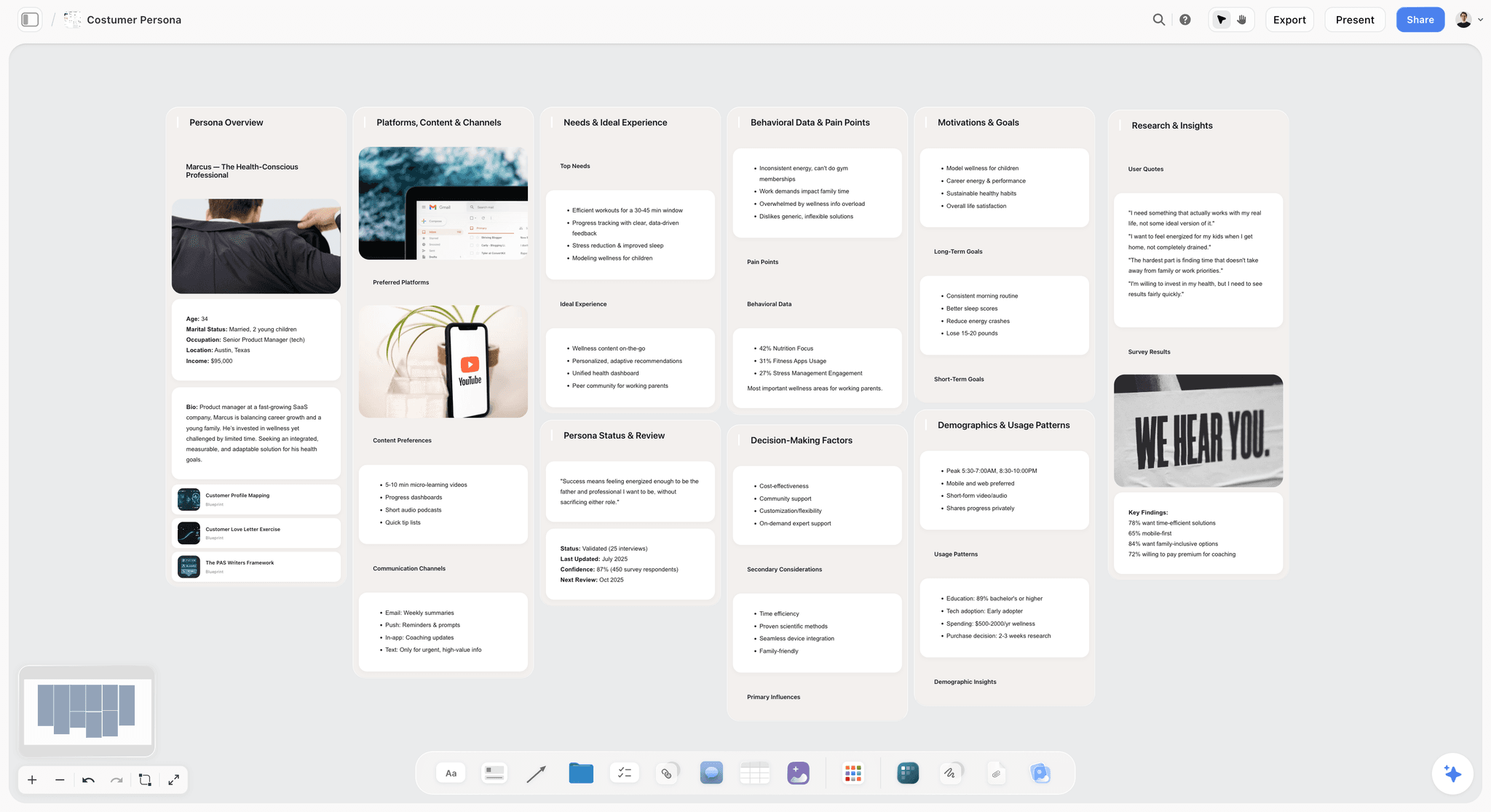
Storyflow is our product and it is not one of the three in the title, deliberately. It is not a project tracker: no dependencies, no status columns, no due-date rollups, so it cannot run coordination or the rollout list, and this article recommends Monday, Airtable or Notion for those jobs.
It overlaps only with the third job, and partially. The strategy, the competitive audit laid out visually, the naming shortlist with rationale, and the palette and reference direction sit on one canvas the AI reads in full, which suits the early identity work that is visual and argumentative rather than written. Notion is the better home once those decisions become a brand book.
Storyflow is paid-only during early access; its Free plan launches before the end of 2026, and anyone a paid member invites to a board joins free now, so an agency costs nothing extra.
Pricing: Plus $7.99 per month billed annually ($9.99 monthly); Pro $14; Max $39.
Pros: flat per-account pricing, which is the cheapest way to include an agency; the visual half of early identity work with reasoning attached.
Cons: no tracking, status or dependencies; not a brand book; overlaps only one of the three jobs.
Which Two to Pick
Under ten people, running one tool for all three jobs means accepting one bad outcome. Two is the practical answer:
Notion plus Airtable. The cheapest good combination. Notion holds strategy, brand book and decisions; Airtable holds the asset list and the rollout list with a not-yet-done view. Coordination happens in Notion and is manual, which works up to about eight people. Roughly $130 a month for a six-person team plus agency guests.
Monday plus Notion. The right combination above ten people or where an executive wants a dashboard. Monday coordinates and chases; Notion holds the brand book. The rollout list lives in Monday and costs seats, or in a spreadsheet.
Monday plus Airtable. Strong operationally and leaves the decisions homeless, which you will regret in eighteen months rather than during the launch.
One tool plus a spreadsheet. Genuinely fine for a five-person rebrand. Pick Notion for the decisions and run the rollout list in Sheets, where the forty people who own one row each will actually update it.
The Bottom Line
Say which of the three jobs you are solving before comparing. Monday coordinates, Airtable shows you what is missing, Notion remembers why. Under ten people, take two: Notion for the decisions and Airtable or a spreadsheet for the rollout list is the cheapest combination that does not leave a hole. And whichever you choose, the internal rollout list needs a named owner on every row two weeks before launch, because that is the part that makes a brand look launched.
FAQ: Notion vs Airtable vs Monday for a Brand Launch
Which is best for a brand launch, Notion, Airtable or Monday?
Monday for coordinating a launch across seven functions and an agency, which is the shape a rebrand always takes. Airtable for the asset list and the internal rollout list, because it is the only one that shows what is not yet updated across sixty surfaces. Notion for the strategy, brand book and decision history. Each is poor at the other two jobs, so under ten people the practical answer is two of them rather than one.
Which tool handles the internal brand rollout list best?
Airtable, because the operation you need is not tracking tasks but filtering to every row that is not yet done, grouped by owner, on demand. Grouped views, a status field and interfaces for read-only stakeholders cover it exactly. The honest alternative is a Google Sheet, because on a list owned by forty people who each own one row, distribution beats features and a spreadsheet gets filled in.
Where should the brand book live?
Notion, of the three. A brand book in Notion gets opened, can be corrected when it is wrong, and can link to live templates, none of which is true of a PDF. Figma is the other credible answer if the design team maintains it. Monday and Airtable are both poor at prose and a brand book in either will be ignored.
Which is cheapest for a brand launch with an agency?
Notion at $10 per seat, roughly $100 a month for a six-person team plus a four-person agency. Monday lands near $90 to $120 depending on which seat band you fall into, with a three-seat minimum. Airtable at $20 per seat is the most expensive at around $200, partly offset by interfaces that let stakeholders view without a seat.
Can one tool do the whole brand launch?
Yes, badly, and you get to choose which failure. Monday alone leaves the brand book and decision history homeless. Notion alone chases nobody, which shows up on a rollout list with forty owners. Airtable alone makes the strategy unpleasant to read and handles dependencies weakly. Above five people, two tools is the honest recommendation.
Is Storyflow an alternative to these three?
No. Storyflow has no dependencies, status columns or due-date rollups, so it cannot coordinate a launch or run the rollout list, and this article recommends Monday, Airtable or Notion for those. It overlaps only with the early identity work: strategy, competitive audit, naming rationale and palette direction on one visual canvas, and Notion is the better home once those become a brand book.
Is Storyflow free?
Not during early access. It is paid-only today from $7.99 per month billed annually on Plus, and its Free plan launches before the end of 2026. Anyone a paid member invites to a board signs up free and can invite others, which is why an external agency on the board costs nothing extra, unlike the per-seat pricing on all three tools compared here.
What about Asana for a brand launch?
Worth considering and not in this three-way, because it competes most directly with Monday. Its dependency model is better than Monday's, which matters when legal clearance, print deadlines and an app store review are real gates. Its free tier for up to ten users is unusually generous. Monday is stronger on cross-functional variety and on dashboards executives read.
How do you track sixty rollout surfaces without paying for sixty seats?
Airtable interfaces, or a shared spreadsheet. Interfaces let people view and update a filtered slice without a full seat, which is exactly the shape of a rollout list where forty people each own one row. A spreadsheet costs nothing and gets updated by people who would not log in anywhere else, which on this particular list matters more than any feature.
Where do brand decisions go so they survive?
Notion, in prose, next to the thing they explain, with the rejected options included rather than deleted. The test is whether someone can answer eighteen months later why the accent colour is this one, or whether a name was considered and dropped. Without that, the decision gets relitigated, which is more expensive than writing it down was.
Do I need a dedicated tool at all for a small rebrand?
For a five-person rebrand, one tool plus a spreadsheet is genuinely sufficient. Put the strategy, brand book and decisions in Notion, run the internal rollout list in Sheets, and coordinate in whatever chat you already use. The cost of a second system usually exceeds its benefit below about eight people, and the rollout list is the only part that reliably needs structure.
What breaks most often on a brand launch regardless of tool?
The internal rollout, because it starts too late and its rows belong to people who do not know they own them. Start it two weeks out with a named owner per row. Second most common is auditing the website for old logos rather than old language, since old-brand words outnumber old-brand images and survive far longer. Neither is a tool problem.
Table of Contents
- Article Metadata
- Breadcrumb
- Table of Contents
- Key Takeaways
- Three Jobs, Three Tools
- The Comparison Table
- Job 1: Coordination
- Job 2: The Lists
- Job 3: The Decisions
- The Agency Seat Problem
- How We Evaluated These Tools
- Tool Reviews
- 1. Monday.com
- 2. Airtable
- 3. Notion
- 4. Storyflow
- Which Two to Pick
- The Bottom Line
- Author
- FAQ: Notion vs Airtable vs Monday for a Brand Launch
- Related Reading
Templates to check out for this topic


Workspace templates you can use in Storyflow
Keep research, notes, and plans on one canvas the AI can read, instead of scattered across docs and tabs. Open a template and make it your second brain.


See Storyflow in Action
A visual AI workspace where every feature lives inside one canvas. No tab-switching, no context lost.
Build your entire board from a single message
Type what you need in the AI chat at the bottom of your canvas. The AI adds cards, headings, and structure directly onto your board.
Use expert frameworks as AI context
Type @ in the AI chat and choose any Tactic. The AI tailors every response to that framework instead of giving generic advice.
Turn your board into a mind map in seconds
Ask the AI to restructure your canvas as a mindmap. It connects your ideas into a visual hierarchy so you can see how everything relates.
Why Storyflow Exists
Storyflow actually began as a personal tool while working on creative and research projects.
We kept running into the same problem: ideas were scattered everywhere: notes, documents, and whiteboards.
Nothing helped us see how everything connected.
So we started building a workspace designed around how ideas actually grow.
→ Read how Storyflow was createdJustkay
Documentary Filmmaker & Founder at Storyflow
Published: 2026-09-02
Extremely simple, seriously capable


See how easy it is to get started
Watch a real project come together, from a blank board to a finished plan, clicked through step by step.
Start creating with AI and become more productive
Transform your creative workflow with AI-powered tools. Generate ideas, create content, and boost your productivity in minutes instead of hours.