
MindMeister vs XMind: Is Your Mind Map a Thinking Tool or a Deliverable?
MindMeister optimises for the session; XMind optimises for the artifact. The three-map ceiling, why structure matters more than styling, and the honest answer on AI-generated maps.

Category
Visual Thinking
Author

Justkay
Documentary Filmmaker & Founder at Storyflow
Topics
2026-08-09
•
13 min read
•
Visual Thinking- MindMeister vs XMind
- XMind vs MindMeister
- best AI mind map generator
- best mind mapping app
- MindMeister free plan limit
- XMind pricing
MindMeister vs XMind: which mind mapping tool should you pick?
Choose MindMeister if the map is a thinking tool: it is browser-based, deliberately simple, easy to learn, and built for getting ideas out fast with other people in the room, with a free tier limited to three maps. Choose XMind if the map is a deliverable: it produces the best visual output in the category at a reasonable price, with far more structure types and presentation-ready export, and its plan runs around $5 a month. Almost nobody decides which of those two things they are making before they pick software, which is why so many mind mapping tools get abandoned in week three. The AI angle deserves its own answer, and it is in the section on generated maps below, because it is the question most people are actually asking and the honest answer is not the one the category markets.
Full disclosure: Storyflow is our own product and it is not the recommendation on this page. For pure mind mapping XMind produces better-looking maps with far more structure types, and MindMeister is faster and simpler in a live session; the article says so plainly and tells you to buy one of those two if what you want is a mind map. Storyflow appears only in the section on what both tools are weak at, which is connecting a map to the work around it.
Quick Comparison
One question decides this: will anyone open the map more than once? Buy for speed if not, for output if so.
| Tool | Best For | AI Features | Price |
|---|---|---|---|
| MindMeister | Fast capture with several people in the room | Generates a starting map from a prompt | Free (3 maps) / subscription |
| XMind | Presentation-grade maps and non-radial structures | Generates a starting map from a prompt | Trial / around $5 mo |
Key Takeaways
- MindMeister optimises for the session. XMind optimises for the artifact. Decide which you are making first.
- MindMeister's free tier caps at three maps, which arrives faster than any time-based trial would.
- XMind's structure variety (beyond the radial map: logic charts, org charts, fishbone, matrices) is the real reason to pay for it, more than the styling.
- MindMeister is the better collaborative tool. XMind is the better solo tool.
- AI-generated mind maps are mostly a summary wearing a map's clothes. The value of a mind map is that you made the connections.
- Most mind maps should be disposable. Treating every one as an asset is the actual cause of mind mapping tool fatigue.
For the full ranked field rather than a head-to-head, see The 12 Best Mind Mapping Tools in 2026. For the AI-specific category, see The AI Mind Map Generator Guide (2026).
Thinking Tool or Deliverable
A mind map is one of two completely different objects, and the software you want depends entirely on which.
A thinking tool is disposable and that is the point. You are trying to get what is in your head onto a surface fast enough that you can see it. Success is speed and volume: how quickly can you branch, how little does the tool interrupt you, how easily can someone else add a node while you are talking. Nobody will ever look at it again, and that is fine. Most mind maps are this, and most people feel vaguely guilty about it.
A deliverable is meant to be read by someone who was not there. A study map, a system diagram in documentation, a strategy map presented to a board, a revision aid you will still use in three months. Success is legibility and structure: does it read correctly to a stranger, does it export cleanly, does the shape carry meaning rather than just spreading out.
MindMeister is a thinking tool that can produce a deliverable. XMind is a deliverable tool that can support thinking.
MindMeister's whole design is low friction: browser-based so there is nothing to install, deliberately simple, easy to learn in a few minutes, and genuinely good with several people editing at once. It does one thing well, which is making mind mapping approachable, and approachability is exactly what a live session needs.
XMind gives you more structures, better typography, more control over the output, and export that looks like something you meant. It rewards time spent, which is what an artifact deserves and what a fifteen-minute brainstorm does not.
The test: will anyone open this map more than once? If no, buy for speed. If yes, buy for output.
Head-to-Head Comparison Table
| MindMeister | XMind | |
|---|---|---|
Optimised for | The session | The artifact |
Where it runs | Browser-based, plus mobile | Desktop-first, plus mobile |
Learning curve | Minimal, minutes | Low but deeper, more to learn |
Real-time collaboration | Strong, a core strength | Weaker, more solo-oriented |
Structure types | Radial mind maps, focused | Many: logic charts, org charts, fishbone, matrix, timeline |
Visual output quality | Clean, functional | Best in category |
Presentation and export | Adequate | Strong, presentation-ready |
Offline use | Limited, browser-based | Better, desktop-first |
Task integration | Pairs with MeisterTask | None equivalent |
Free tier | Three maps | Trial and limited free use |
Paid | Subscription | Around $5 per month |
Best for | Live brainstorms and team sessions | Study maps, documentation, presentations |
Weakest at | Producing something presentation-grade | Being the fastest surface in a live room |
Both vendors change plans periodically; confirm current pricing and free-tier limits before committing, particularly MindMeister's map count.
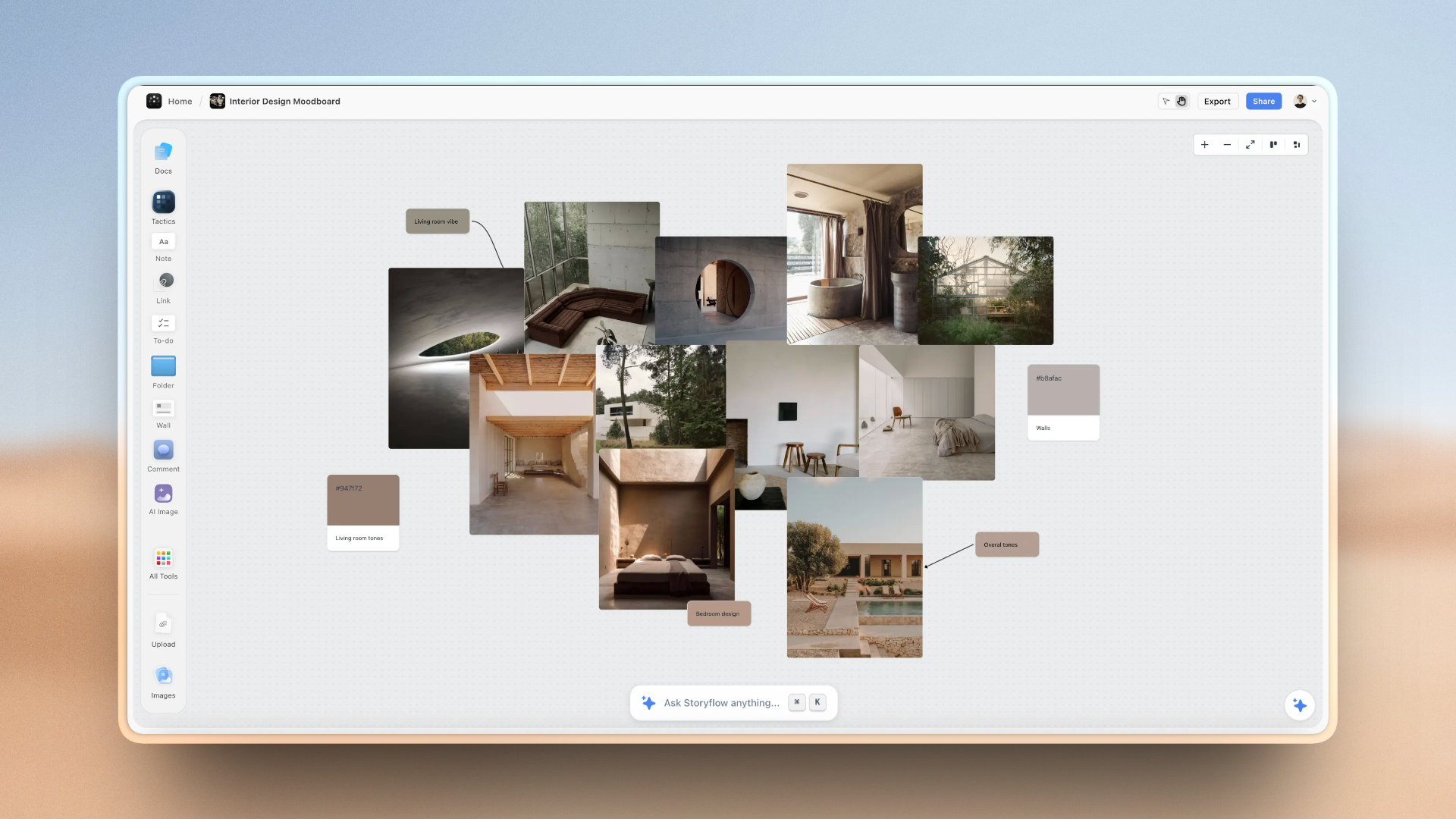
A mind map sitting alongside the notes and reference it relates to on one Storyflow canvas
When the map should not be a standalone file
Most maps end up as a screenshot pasted into a document, and go stale immediately. Storyflow keeps the map next to the brief, notes and reference it came from, on a canvas the AI reads end to end. Paid-only during early access; the Free plan lands before the end of 2026.

The Three-Map Ceiling
MindMeister's free tier limits you to three maps, and it is worth understanding why that specific limit bites differently from a time-limited trial.
Three maps is not three projects. It is three, total, forever. The natural way to use a thinking tool is to make a map, use it, and abandon it, which means you generate maps at the rate you have ideas. Anyone using MindMeister the way it is designed to be used hits three within a fortnight.
The workaround people reach for is deleting old maps, and it works, and it quietly teaches you that maps are precious. That is the opposite of the mindset that makes mind mapping useful, and it is a good example of a pricing decision shaping behaviour: the free tier of a disposable-thinking tool encourages you to hoard.
Two honest ways to handle it:
- Accept that maps are disposable and export before deleting. A PNG or PDF of a map you will not edit again costs nothing to keep and frees the slot. This is closest to how the tool wants to be used.
- Pay, if you are running sessions regularly. For anyone facilitating team brainstorms weekly, the subscription is trivial against the value, and the constraint is pure friction.
XMind's free offering is a trial and limited use rather than a hard count, and its paid plan at around $5 a month is genuinely cheap for what it produces. On price alone, XMind is the easier recommendation.
Structure Is the Real XMind Advantage
Most comparisons sell XMind on aesthetics. The styling is genuinely the best in the category, and it is not the main reason to buy it.
The real advantage is that XMind does not assume everything is a radial mind map. It gives you logic charts (left-to-right hierarchies), org charts, tree tables, fishbone diagrams, matrices and timelines, and you can switch a structure without rebuilding the content.
That matters more than it sounds, because the radial mind map is the wrong shape for a lot of what people force into it. Causes of a problem want a fishbone. A sequence of dependent steps wants a left-to-right logic chart. A comparison across two axes wants a matrix. Forced into a radial map, all three become a bush of branches that technically contains the information and communicates none of the relationships.
Being able to try the same content in three shapes and keep the one that reads is a genuine thinking aid, not a styling feature. If a map has ever felt like it was fighting you, the shape was probably wrong, and MindMeister's focus on radial mapping means it cannot help you there.
MindMeister's counter-argument is real too: constraint is a feature in a live session. Nobody wants to debate diagram types with eight people waiting. One shape, entered fast, is the correct trade during a brainstorm.
AI-Generated Mind Maps
This is the section for anyone who arrived asking which of these is the best AI mind map generator, and the honest answer is not the one the category is selling.
Both products, and most of the category, now generate a map from a prompt or a document. You paste in a topic or a piece of text and get back a structured map in seconds. It looks impressive, and it is genuinely useful in exactly one situation: when you need a starting scaffold for a subject you know nothing about, so an obvious taxonomy is better than a blank page.
Outside that, it misunderstands what a mind map is for. The value of a mind map is not the diagram. It is that you made the connections, and the act of deciding what branches from what is the thinking. An AI-generated map hands you the artifact and skips the process, which means you end up with a tidy structure you do not know, cannot defend, and will not remember. It is a summary wearing a map's clothes.
This is most damaging in the use case where mind maps are most valuable: studying. A map you generated will not help you recall anything, because recall is built by the effort of construction. A map you built badly, by hand, will.
Where generated maps genuinely help:
- Scaffolding an unfamiliar domain, then rearranging it yourself until it reflects your understanding rather than the model's.
- Extracting structure from a long document you have already read, as a checking device: if the generated map surprises you, you missed something.
- Breaking a blank-page stall, on the understanding that you will replace most of it.
Judge these features on whether the tool lets you tear the generated map apart easily, not on how good the first output looks. The first output being good is close to irrelevant, and it is the only thing the marketing shows you.
Collaboration and Live Sessions
If several people are in the map at once, this section decides it.
MindMeister is the stronger collaborative tool and it is a core strength rather than an add-on: browser-based so nobody installs anything or hits a version problem, simple enough that a participant who has never seen it can contribute within a minute, and real-time editing that holds up with a group. It also pairs with MeisterTask, so a branch can become tracked work, which is the most common thing a team wants after a brainstorm.
XMind is more solo-oriented. Being desktop-first is an advantage for focused work and offline use, and a disadvantage the moment you want six people contributing simultaneously.
The practical read: if your mind mapping happens in meetings, MindMeister, and the three-map ceiling will push you to pay quickly. If it happens alone, with headphones on, XMind.
One facilitation note that applies to either tool, and matters more than the software: in a live session, one person drives and everyone else talks. Group editing of a single map sounds collaborative and produces a mess, because branch placement is a judgment call and eight people make it eight ways. Let people add loose nodes if the tool allows it, and have one person place them.
Where Both Are Weak
Two limitations they share, worth knowing before you commit.
Neither handles visual reference. Mind maps are text and structure. If your thinking involves images, screenshots, or anything you need to see rather than read, both tools treat that as an attachment rather than as part of the map. For fundamentally visual work, a mind map is the wrong artifact regardless of which of these you buy.
Neither connects the map to anything downstream. The map is where you worked out what to do, and then the doing happens somewhere else: a document, a task tracker, a codebase, a script. MindMeister's MeisterTask pairing is the closest either comes. In practice most maps become a screenshot pasted into a doc, and then go stale immediately, which is fine for disposable maps and a real loss for the ones you meant to keep.
Storyflow is our own product and this is the gap it addresses, so read this with that disclosed. It is a canvas where a map can sit next to the brief, the notes and the reference it relates to, with AI that reads the full board you are on plus up to one Story blueprint and three documents you @-mention. For pure mind mapping it is not the better tool and this article is not claiming otherwise: XMind produces better-looking maps with far more structure types, and MindMeister is faster and simpler in a live session. If what you want is a mind map, buy one of those two. Storyflow is paid-only during early access, with plans from $7.99 a month billed annually and a Free plan arriving before the end of 2026; anyone a paid member invites to a board joins free today.
Pricing Compared in 2026
MindMeister
- Free: three maps, total
- Paid: subscription, confirm current tiers on their site
XMind
- Free: trial and limited use
- Paid: around $5 per month
Reading it honestly. XMind is inexpensive for what it produces and is the easier recommendation on price. MindMeister's cost is less about the number and more about how fast the free tier stops being usable if you make maps at the rate a thinking tool invites.
The comparison worth running is against the alternative, which for a lot of people is a whiteboard, a notes app, or paper. Mind mapping software earns its subscription when the map is either collaborative (several people, live) or a deliverable (someone else reads it). For maps that are neither, paper is faster than both of these and always will be.
When to Choose MindMeister
Choose MindMeister when:
- Mind maps happen in meetings, with several people contributing.
- Participants have never used the tool and will not install anything.
- Speed of capture matters more than how the map looks afterwards.
- You want branches to become tracked tasks via MeisterTask.
- You are new to mind mapping and want the shortest path to a first useful map.
MindMeister's honest weaknesses: the three-map free ceiling arrives fast and teaches the wrong habit, output is functional rather than presentation-grade, it only really does radial maps, and being browser-based limits offline work.
When to Choose XMind
Choose XMind when:
- The map will be read by someone who was not there.
- You need structures beyond the radial map: logic charts, fishbone, matrices, timelines.
- Visual quality matters because the map is going into a document or a presentation.
- You work alone, and often offline.
- You want the cheapest capable paid option in the category.
XMind's honest weaknesses: real-time collaboration is weaker, it is desktop-first so it is less convenient for a quick shared session, and there is more to learn before you are fast in it.
The Bottom Line
Answer one question before you compare features: will anyone open this map more than once?
If no, buy MindMeister, or use paper. Speed, simplicity and live collaboration are what a disposable thinking map needs, and MindMeister is built precisely for that, with the caveat that its three-map free ceiling will push you to pay sooner than you expect.
If yes, buy XMind. More structures, better output, presentation-ready export, and around $5 a month makes it the cheapest capable option in the category.
If your maps keep feeling wrong, the shape is probably the problem rather than the software, and that alone is an argument for the tool that lets you change it.
And on the AI question that brought many readers here: use generation to break a blank page, then rebuild it yourself. A mind map you did not make is a diagram you cannot use, because the connections were the point.
FAQ: MindMeister vs XMind
Is MindMeister or XMind better?
They optimise for different things. MindMeister is better when the map is a thinking tool: browser-based, deliberately simple, learnable in minutes, and strong with several people editing live. XMind is better when the map is a deliverable: far more structure types beyond the radial map, the best visual output in the category, and presentation-ready export, at around $5 a month. Decide whether anyone will open the map more than once, and buy for speed or for output accordingly.
How many maps does MindMeister's free plan allow?
Three, in total, across your account rather than three at a time. That limit bites harder than a time-based trial because the natural way to use a thinking tool is to make a map, use it, and abandon it, so you generate maps at the rate you have ideas and hit three within a fortnight. The healthy workaround is to export finished maps as PNG or PDF and delete them to free the slot, which keeps maps disposable; the unhealthy one is hoarding three maps you are afraid to delete.
How much does XMind cost?
Around $5 per month, with a trial and limited free use before that. It is the cheapest genuinely capable paid option in the category and the easier recommendation on price alone, particularly given the visual output and the range of structures you get for it. Confirm the current plan on XMind's site before buying, since plan structures in this category change periodically.
Are AI mind map generators worth using?
In one situation, yes: scaffolding a subject you know nothing about, where an obvious taxonomy beats a blank page. Outside that they misunderstand what a mind map is for. The value of a mind map is that you made the connections, and generating one hands you the artifact while skipping the thinking, so you end up with a tidy structure you do not know and will not remember. This matters most for studying, where recall is built by the effort of construction. Judge these features on how easily you can tear the generated map apart, not on how good the first output looks.
What is XMind's main advantage over MindMeister?
Structure variety, more than styling. XMind supports logic charts, org charts, tree tables, fishbone diagrams, matrices and timelines, and lets you switch structure without rebuilding the content. That matters because the radial mind map is the wrong shape for a lot of what gets forced into it: causes of a problem want a fishbone, dependent steps want a left-to-right chart, a two-axis comparison wants a matrix. If a map has ever felt like it was fighting you, the shape was probably wrong, and MindMeister's radial focus cannot help with that.
Which is better for team brainstorming?
MindMeister, clearly. It is browser-based so nobody installs anything or hits a version mismatch, simple enough that someone seeing it for the first time contributes within a minute, and its real-time editing holds up with a group. It also pairs with MeisterTask so a branch can become tracked work, which is what teams usually want next. One caveat that matters more than the tool: have one person drive and everyone else talk, because branch placement is a judgment call and a group editing simultaneously produces a mess.
Can I use a mind map for visual reference?
Not well in either tool. Mind maps are text and structure, and both products treat images as attachments rather than as part of the map. If your thinking involves screenshots, photographs, or anything you need to see rather than read, a mind map is the wrong artifact regardless of which tool you buy, and you want a canvas instead. Both tools are also weak at connecting the map to whatever happens next, so most maps end up as a screenshot pasted into a document and go stale immediately.
Do I actually need mind mapping software?
Less often than the category implies. Software earns its subscription when the map is collaborative (several people editing live) or a deliverable (someone who was not there has to read it). For a solo map that exists to get thoughts out of your head and will never be opened again, paper is faster than both of these and always will be. The most common cause of mind mapping tool fatigue is treating every map as an asset worth keeping, which turns a cheap thinking habit into a filing obligation.
Table of Contents
- Key Takeaways
- Thinking Tool or Deliverable
- Head-to-Head Comparison Table
- The Three-Map Ceiling
- Structure Is the Real XMind Advantage
- AI-Generated Mind Maps
- Collaboration and Live Sessions
- Where Both Are Weak
- Pricing Compared in 2026
- When to Choose MindMeister
- When to Choose XMind
- The Bottom Line
- FAQ: MindMeister vs XMind
- Related Reading
Templates to check out for this topic


Mind mapping and ideation templates you can use in Storyflow
Map ideas in space, then ask the AI to restructure, expand, or connect them. Open any of these boards and start thinking visually instead of in lists.


See Storyflow in Action
A visual AI workspace where every feature lives inside one canvas. No tab-switching, no context lost.
Build your entire board from a single message
Type what you need in the AI chat at the bottom of your canvas. The AI adds cards, headings, and structure directly onto your board.
Use expert frameworks as AI context
Type @ in the AI chat and choose any Tactic. The AI tailors every response to that framework instead of giving generic advice.
Turn your board into a mind map in seconds
Ask the AI to restructure your canvas as a mindmap. It connects your ideas into a visual hierarchy so you can see how everything relates.
Why Storyflow Exists
Storyflow actually began as a personal tool while working on creative and research projects.
We kept running into the same problem: ideas were scattered everywhere: notes, documents, and whiteboards.
Nothing helped us see how everything connected.
So we started building a workspace designed around how ideas actually grow.
→ Read how Storyflow was createdJustkay
Documentary Filmmaker & Founder at Storyflow
Published: 2026-08-09
Extremely simple, seriously capable


See how easy it is to get started
Watch a real project come together, from a blank board to a finished plan, clicked through step by step.
Start creating with AI and become more productive
Transform your creative workflow with AI-powered tools. Generate ideas, create content, and boost your productivity in minutes instead of hours.