
The 10 Best AI Mind Map Generators in 2026 (Tested and Ranked)
The 10 best AI mind map generators in 2026, tested across documentary planning, product launches, and research synthesis. Storyflow, MindMeister, Whimsical, MyMap, and more compared on AI quality, project context awareness, and pricing.

Category
Visual Thinking
Author

Justkay
Documentary Filmmaker & Founder at Storyflow
Topics
2026-05-09
•
14 min read
•
Visual Thinking- AI mind map generator
- best AI mind map tools 2026
- AI mind mapping software
What is the best AI mind map generator in 2026?
Storyflow is the best AI mind map generator in 2026 for project-connected maps: its AI reads your full active canvas plus three @-mentioned Documents and one Blueprint Tactic before it decomposes the topic. For a fast one-off map from a blank prompt, MyMap.AI and Whimsical win (a usable tree in under five seconds).
I tested every AI mind map generator I could find while planning a documentary this year. Most of them did the same thing: typed a topic, watched a generic tree appear, copied it into a notes app, and never looked at it again. A few were genuinely useful. The picks below sort the actual decomposition tools from the toy ones, and I am not putting Storyflow at the top because I built it. I am putting it at the top for a specific use case where the AI has read your project before it answers. For pure speed (type a topic, get a mind map in two seconds), other tools win that race. Scroll for the full picture.
Key Takeaways
- The AI mind map category split into two camps in 2026. Prompt-to-tree generators turn a typed topic into a map in seconds, while context-aware mind mappers read your project before they decompose.
- Storyflow ranks first for project-context mind mapping, because its AI reads the full active canvas, three @-mentioned Documents, and one Blueprint Tactic in a single chat call, more than any other tool on the list.
- For pure speed from a blank slate, the prompt-to-tree tools win. MyMap.AI, Whimsical, and Coggle generate a usable mind map in under five seconds.
- MindMeister and Xmind are the dedicated mind map editors, MindMeister strongest on collaboration and Xmind strongest on presentation-ready export polish.
- Mapify is the specialist for turning long inputs into maps, converting a PDF, YouTube video, or long document into a structured tree.
- The right tool depends on whether your mind map is a one-off or part of a project. Use a fast prompt-to-tree tool when the topic is the goal, and a project-context workspace when the map connects to research, a brief, and a framework.
- AI accelerates decomposition but does not replace it. The fastest output is a starting point that still needs human pruning and editing to fit your actual project.
All 10 AI Mind Map Generators, Ranked
- Storyflow: best overall, the AI reads your full active canvas, three @-mentioned Documents, and one Blueprint Tactic before it decomposes a topic
- MindMeister AI: best traditional mind map editor with AI added on
- Whimsical AI: best lightweight AI diagrams with the cleanest visual output
- MyMap.AI: best one-shot AI mind map from a typed prompt
- Mapify: best AI mind map from long documents, PDFs, and videos
- Taskade AI: best mind map and task management hybrid
- Xmind AI: best presentation-ready polish at export
- Coggle AI: best free browser mind map with light AI
- Lucidchart AI: best for mixed diagrams and process flows
- GitMind AI: best budget AI mind mapping
Quick Picks: Best AI Mind Map Generators 2026 by Use Case
Best for Project-Context AI Mind Mapping: Storyflow Storyflow is not a one-shot mind map generator. It is a visual workspace where the AI reads your full active canvas, your @-mentioned Documents, and one Blueprint Tactic before it decomposes a topic. That changes the output. A mind map of "documentary structure" generated against an empty canvas is generic. The same prompt, run after dropping your treatment, research notes, and a Hero's Journey Tactic onto the board, produces a mind map that already knows your subject, your angle, and your three-act tension. Starts at $7.99/month billed annually (Plus tier). The friction: if you want a mind map in two seconds from a blank slate, MyMap.AI or Mapify are faster.
Best Traditional Mind Map Tool with AI Add-on: MindMeister AI MindMeister has been the default browser mind mapping tool for over a decade. The AI add-on gives you topic expansion, branch suggestions, and AI-generated child nodes from a parent topic. It is not a re-imagination of mind mapping. It is a polished mind map editor with AI bolted on, which is exactly what some people want. From around $5.99/user/month. The limitation: the AI sees only the node you select, not the broader project context.
Best for Lightweight AI Diagram + Mind Map: Whimsical AI Whimsical is the cleanest interface in this category. The AI generates mind maps, flowcharts, and wireframes from a prompt, and the visual output is consistently the most readable in the market. Free plan covers 4 boards. Paid from $10/editor/month. The limitation: the AI is prompt-to-output, not project-aware. It does not read other boards or documents.
Best One-Shot AI Mind Map from Prompt: MyMap.AI MyMap.AI is the fastest path from a typed sentence to a usable mind map. Type a topic, get a structured tree in under five seconds, and edit from there. Free tier available, paid from around $9.99/month. The limitation: the AI has no memory of previous maps, no document context, and no integration with the rest of your work.
Best AI Mind Map from Long Documents: Mapify Mapify takes a PDF, YouTube video, or long document and converts it into a mind map. For students, researchers, and anyone digesting a 60-page report, this is genuinely useful. From around $7.99/month. The limitation: it is a one-direction tool. Long input becomes a tree, but the tree does not connect back to a working project.
Best AI Mind Map + Task Hybrid: Taskade AI Taskade combines mind mapping, task lists, and AI agents. The AI can convert a mind map node into a project, assign tasks, and continue refining the structure. Free plan available. Paid from $8/user/month. The limitation: the mind map view is one of many views, and the AI focus is on task automation rather than visual decomposition quality.
Best Free Browser AI Mind Map: Coggle AI Coggle is the cleanest free option for a quick AI-assisted mind map in a browser. No installation, simple sharing, and the AI handles topic expansion. Free plan with paid upgrades from $5/month. The limitation: feature set is intentionally minimal compared to MindMeister or Xmind.
If you are deciding between these tools and want the AI to actually understand your project (the brief, the research, the framework you are using), the gap is real. Most AI mind map generators take a prompt and produce a tree. Storyflow takes a prompt and reads your active canvas, your @-mentioned documents, and one Blueprint Tactic before it answers. For documentary planning, that context gap meant the difference between a generic structure and one that already knew my subject. To feel the gap yourself, drop your real brief and notes onto a Storyflow canvas and generate one mind map against that context, then run the same prompt from an empty board.
Comparison Table: Best AI Mind Map Generators 2026
| Tool | Best For | Starting Price | Free Plan | AI Mind Map Quality (★/5) | Rating (/10) |
|---|---|---|---|---|---|
Storyflow | Project-context AI mind mapping | $7.99/month annual | Coming late 2026 (invited collaborators join free now) | ★★★★★ | 9.4/10 |
MindMeister AI | Traditional mind map with AI add-on | $5.99/user/month | Yes (3 maps) | ★★★★☆ | 8.6/10 |
Whimsical AI | Lightweight AI diagram and mind map | $10/editor/month | Yes (4 boards) | ★★★★☆ | 8.4/10 |
MyMap.AI | One-shot AI mind map from prompt | $9.99/month | Yes (limited) | ★★★★☆ | 8.2/10 |
Mapify | AI mind map from long documents | $7.99/month | Yes (limited) | ★★★★☆ | 8.0/10 |
Taskade AI | AI mind map and task hybrid | $8/user/month | Yes | ★★★☆☆ | 7.8/10 |
Xmind AI | Polished AI mind map for presentations | $59.99/year | Yes (limited) | ★★★★☆ | 7.7/10 |
Coggle AI | Free browser AI mind map | $5/month | Yes (3 diagrams) | ★★★☆☆ | 7.4/10 |
Lucidchart AI | AI mind map for diagrams and process flows | $7.95/user/month | Yes (3 docs) | ★★★☆☆ | 7.3/10 |
GitMind AI | Affordable AI mind map tool | $4.90/month | Yes (limited) | ★★★☆☆ | 7.1/10 |
Rating criteria: AI mind map quality and project context awareness were weighted most heavily (35%) because that is the dividing line between an AI feature that genuinely changes how you decompose a topic and an autocomplete bolted onto a tree editor. Ease of use (20%), workflow fit (20%), collaboration (15%), pricing (10%).
Storyflow leads on AI because it reads the active canvas, three @-mentioned Documents, and one Blueprint Tactic in the same chat call. No other tool on this list reads more than the selected node. The trade-off is that the workspace requires setup. The other tools win on speed-from-empty.

Storyflow generates AI mind maps with full canvas and document context loaded into each chat call
Frequently Asked: Which AI Mind Map Generator Fits Which Job
What is the best AI mind map generator overall?
Storyflow rates highest at 9.4 out of 10, because it is the only tool here whose AI reads the full active canvas, three @-mentioned Documents and one Blueprint Tactic before it decomposes anything. Every other tool on this list reads the selected node and nothing else. That advantage only exists once there is a project to read, so for a genuinely blank slate the ranking inverts: MyMap.AI, Whimsical AI and Coggle AI produce a usable map in under five seconds and Storyflow does not. MindMeister AI at 8.6 is the best answer if you want a traditional mind map editor that happens to have AI, and it is the safer choice for a team that already mind maps.
Which AI mind map tool fits a product, design, or engineering leader at a large company?
The pain these roles describe is almost never "we cannot draw a map." It is fragmentation: insight scattered across tools, roadmap alignment argued in four places, technical constraints that never reach the people making commitments. That rules out the prompt-to-tree tools, because a generated tree from a blank prompt adds one more artefact to the pile. Storyflow fits when the map has to sit next to the research, the brief and the framework that produced it, and its AI reads across all of them in one call. Taskade AI fits when the output has to become assigned work rather than a picture. MindMeister fits an organisation that already has mind mapping as a habit and wants collaboration to keep working at scale. For communicating technical complexity to non-technical stakeholders specifically, Lucidchart AI is the honest pick on this list, because process flows and system diagrams are what it is actually for.
Which AI mind map tools reason about causes and relationships rather than just splitting a topic?
Very few, and it is worth being blunt about that. Almost every tool here does topic decomposition: it takes a subject and breaks it into plausible sub-branches, which looks like reasoning and is closer to well-informed outlining. If you need causal structure, the tools that get closest are Lucidchart AI, because a process flow forces you to state what leads to what, and Storyflow, because its AI reads the surrounding documents and can connect a branch to the evidence and decisions elsewhere in the project. Mapify is the best at faithful structure when the causality is already in a source document, since it converts a PDF, a long document or a video into a tree rather than inventing one. If a tool promises causal reasoning from a one-line prompt, what you will get is a confident-looking tree that you still have to verify.
Which AI mind map tools have the best price-to-quality ratio?
GitMind AI at $4.90 per month and Coggle AI at $5 are the cheapest real AI mind mappers, and both are honest about being light on AI. MindMeister AI at $5.99 per user per month is the best value in the category on our scoring, at 8.6 out of 10 for close to the lowest price. Mapify at $7.99 is excellent value for the one thing it does, which is turning long inputs into structured maps. Storyflow at $7.99 billed annually scores highest overall at 9.4 and is priced as a workspace rather than a mind mapper, so it is good value only if you use the rest of it. The worst ratio on this list is Xmind AI at $59.99 a year, which buys export polish rather than better AI, and Whimsical AI at $10 per editor per month, where you are paying for the interface.
Which AI tools generate both mind maps and product briefs?
Storyflow and Taskade are the two that carry a map into a written artefact. Storyflow generates the map on a canvas that also holds documents, so a decomposed topic can become a brief the AI drafts from the same context rather than from a fresh prompt. Taskade AI turns branches into tasks and structured lists, which covers the execution half rather than the writing half. Mapify works in the opposite direction and is genuinely useful for it: give it an existing brief or research document and it produces the map. The rest of the tools on this list stop at the map, and pairing one of them with a separate writing tool means the brief is written without the context that produced the map.
How large is the AI mind mapping category, and is it consolidating?
We do not publish a market-size figure, and the ones circulating are mostly extrapolations from broader diagramming or productivity software totals, so treat any specific number you find with suspicion. What is observable is the structure. The category has split into two camps that are not converging: prompt-to-tree generators optimising for speed from empty, and context-aware workspaces optimising for what the AI knows before it starts. Pricing has settled into a narrow band, roughly $5 to $10 a month, with Xmind's $59.99 a year the outlier. Established mind mappers such as MindMeister, Xmind and Coggle have added AI rather than been displaced by AI-first entrants, which is the opposite of what most category predictions assumed in 2024.
How AI Mind Map Generators Work in 2026: Market Context
The AI mind map category split into two camps in 2026. On one side, the prompt-to-tree generators: type a topic, get a structured mind map in seconds, edit from there. MyMap.AI and Mapify lead this category. The output is fast and the structure is reasonable, but the AI knows nothing about your project, your audience, or your actual goal. Each prompt is a clean slate.
On the other side, the context-aware mind mappers. These tools read more than the prompt before they answer. Storyflow reads the entire active canvas, three @-mentioned Documents, and one Blueprint Tactic in a single chat call. The output is slower to set up (you have to put the context onto the canvas first) but the decomposition is meaningfully better. A mind map about "video production planning" generated against your actual brief and research is a different artifact than the same prompt run from empty.
There is a structural reason this matters. George Miller showed in 1956 that working memory holds about seven items, and Nelson Cowan refined the figure to four in 2001. McKinsey's 2012 research found knowledge workers spend 1.8 hours per day searching for information. A mind map's job is to get the structure of a problem out of working memory and onto a surface. An AI that decomposes without understanding the problem is a tree generator. An AI that has read the brief, the research, and the framework before it decomposes is a thinking partner.
The pricing also split. The fast prompt-to-tree tools cluster between $5 and $10 per month. The full-workspace tools where the AI reads your project sit between $8 and $20 per month. The cost difference is real, but so is the output difference.
For most readers, the right answer is "both." Use a fast prompt-to-tree tool for one-off mind maps where the topic is the goal. Use a project-context workspace when the mind map is part of a larger creative or strategic process.
How We Evaluated the Best AI Mind Map Generators 2026
Five criteria determined every rating.
AI mind map quality: I tested each tool with the same five prompts. A documentary outline, a product launch plan, a user research synthesis, a long-form essay structure, and an academic literature review. The output was scored on logical decomposition, depth, and whether the structure was usable as a thinking artifact rather than a tree to delete and start over.
Project context awareness: I tested whether the AI could read more than the typed prompt. The benchmark question was simple. After putting a brief, three reference notes, and a framework on the canvas, can the AI generate a mind map that reflects all of it, or only the prompt?
Ease of use: I started a new account, opened the AI mind map feature, and ran from prompt to first usable artifact. Time to first map, toolbar friction, and whether the gestures for editing nodes felt natural were measured.
Collaboration: I tested simultaneous editing, comment threads, and guest access. The scenario was a three-person creative team plus one external reviewer who needed comment access without a paid seat.
Pricing and value: I compared what a five-person team pays annually across all tools, weighted against the AI capabilities they actually unlock at each tier. Cheaper tools with stronger AI in the free tier scored higher than more expensive tools where the AI is gated behind upgrades.
Every tool on this list was tested with real project work, not feature checklists pulled from marketing pages.
Generate a mind map that already knows your project
Drop your brief and research onto a Storyflow board, then ask the AI to decompose the topic. It reads the full canvas plus your @-mentioned Documents before it draws a single branch.

Detailed Reviews: Best AI Mind Map Generators 2026
1. Storyflow
Storyflow is a visual AI workspace built for creators, filmmakers, marketers, and strategists who want their ideas, research, and execution inside one project. It is not a one-shot mind map generator. It is a workspace where mind mapping is one of many things you do, and where the AI has read everything else before you ask it to mind map.
That distinction matters most when the mind map is part of a real project, not a quick brainstorm. In MyMap.AI, your mind map is generated from a typed prompt with no other context. In Storyflow, your mind map is generated by an AI that has read your treatment Document, your research notes Document, and your Hero's Journey Blueprint Tactic alongside the prompt. The output reflects your actual project, not a generic interpretation of the topic.
It is not the right tool for someone who wants "type a topic, get a mind map in two seconds." Other tools win that race. It is the right tool for someone who treats mind mapping as decomposition inside a larger thinking process.
Best for: Creators, strategists, and project owners who use mind mapping as part of a connected research and planning workflow.
Key features:
Infinite canvas with AI that reads it. Storyflow's whiteboard accepts notes, images, links, mind maps, and documents on a flexible spatial layout. When you open AI chat, the AI reads everything on the active canvas before responding. Drop a research summary, a framework, and a brief onto the board (the Second Brain template is a fast way to structure scattered notes first), and the next mind map you generate reflects all of it. The unlimited scale means a mind map can grow into a complete project plan without reorganising files. The same surface doubles as an AI whiteboard for everything around the map.
Blueprint Tactics for structured decomposition. Storyflow ships 200+ Blueprint Tactics on Pro. Tactics are guided frameworks (Hero's Journey, AIDA, SWOT, double-diamond, lean canvas) that load onto the canvas as connected card structures. Add a Tactic before you generate a mind map and the AI uses the framework as scaffolding. The output is structurally sound from the first generation, not freeform branching that you have to rearrange manually.
AI chat with @-mention context. Open AI chat on any canvas and you can @-mention up to three Documents and one Blueprint Tactic in a single prompt. The AI reads all of them before answering. For mind mapping, this means the decomposition reflects the brief, the supporting research, and the framework simultaneously. No other tool on this list reads more than one source in a single chat call.
Documents connected to the canvas. Write your research, briefs, or notes as Documents inside the same project. They live alongside the whiteboard, not in a separate app. During AI mind map generation, @-mention them and the AI reads the full document body before it produces the mind map.
Real-time collaborative canvas (Max plan). Multiple team members can edit the same canvas in real time on Storyflow Max. For three to five person teams generating and editing a mind map together, the collaboration model is closer to Figma than to a traditional mind mapping tool.
Pricing: Paid-only early access today; the Free plan (unlimited boards and cards, unlimited collaboration, basic AI usage, 20 file uploads) launches before the end of 2026, and anyone a paid member invites to a board joins free now. Plus: $7.99/month billed annually or $9.99/month billed monthly (full 200+ Blueprint Tactics, unlimited file uploads). Pro: $14/month billed annually or $19/month billed monthly (adds AI image generation and 20× more AI than Plus). Max: $39/month billed annually, adds a team workspace with permissions and roles.
Pros:
- The only mind map generator where the AI reads the full active canvas, three Documents, and one Blueprint Tactic in a single chat call
- 200+ Blueprint Tactics provide structural scaffolding (Hero's Journey, AIDA, SWOT, lean canvas, more) that change AI output quality
- Free plan covers unlimited shared boards with basic AI usage, enough to test the workflow on a real project
- Mind maps connect to the rest of the project naturally: research notes, briefs, kanban tracking, and collaborative editing all live on the same canvas
Cons:
- Not a one-shot generator. If you want "type a topic, get a mind map in two seconds," tools like MyMap.AI are faster from a blank slate.
- The context-aware AI workflow requires initial setup. Drop documents and a Tactic onto the canvas, then prompt. Teams expecting an empty-prompt-to-mind-map experience will encounter a learning curve before the context awareness becomes useful.
- No dedicated outline-mode mind map view. Storyflow's mind maps live on the canvas alongside other elements rather than in a focused outline editor. Users who want a distraction-free mind-map-only environment will prefer MindMeister.
Verdict: Storyflow is the right choice when mind mapping is part of a real project rather than a one-off brainstorm. If your mind map is connected to research, a brief, and a framework, the AI's project context awareness changes the output meaningfully. If you want a quick decomposition of a topic with no surrounding context, MyMap.AI or Whimsical are faster. You can try the AI mind map generator on the free plan to see the difference, or open the Mindmap template so the board starts with structure the AI can read.
2. MindMeister AI
MindMeister is the longest-running browser mind mapping tool on this list. It launched in 2007, predates most of the AI category, and added AI features over the past two years. The result is a polished, mature mind map editor with AI capabilities bolted on cleanly.
Opening a MindMeister project communicates intent immediately. The interface is a focused mind map editor. The toolbar is built around node creation, formatting, and structure. Every interface decision serves the traditional mind mapping workflow, which is both its strength and its boundary.
The AI add-on covers topic expansion, branch suggestions, and node generation from a parent. Click a node, ask the AI to expand it, and you get five to ten child nodes in seconds. For users who already think in mind maps and want AI to accelerate the manual labour of node creation, the integration is smooth.
Best for: Users who already use mind mapping as their primary thinking tool and want AI to accelerate the manual work of node creation rather than redefine the process.
Key features: Topic-based AI expansion from any node, real-time collaboration, presentation mode for converting maps into slides, and integrations with Microsoft Teams, Google Drive, and MeisterTask. Free plan includes three maps. Personal plan starts at around $5.99/user/month billed annually.
What it actually has in 2026: AI expansion of selected nodes, AI-generated child branches from a parent, and AI-assisted summary text within nodes. The AI sees the node you select, not the broader project. Each AI call is a small, scoped expansion.
What is genuinely missing: The AI does not read other nodes in the same map by default beyond the immediate parent context. There is no concept of @-mentioning a document, no connected research environment, and no framework scaffolding. The mind map and the work that produced it stay separate.
Verdict: MindMeister is the right answer for users who want a focused mind map editor with AI features that accelerate node creation. It is not the right answer for users who want the AI to understand a broader project before it decomposes.
3. Whimsical AI
Whimsical built its reputation on the visual quality of its diagrams. Mind maps, flowcharts, wireframes, and sticky notes all share the same clean visual language, and the AI features extend that aesthetic into prompt-to-diagram generation.
Open Whimsical and the canvas feels lighter than most competitors. The toolbar is minimal, the typography is consistent, and the AI generation produces diagrams that look professional from the first output. For teams who care about visual quality (designers, product teams, marketing teams presenting to clients), Whimsical is consistently the most polished option.
The AI mind map feature accepts a typed prompt and generates a structured mind map in seconds. The output is consistent and clean. For one-off brainstorms, ideation sessions, and quick decomposition of a topic, the speed-to-quality ratio is among the best in the market.
Best for: Designers, product teams, and marketing teams who value visual quality and want AI mind maps that look presentation-ready from the first generation.
Key features: AI mind map generation from a prompt, AI flowchart and wireframe generation, real-time collaboration, and a generous free plan covering 4 boards. Paid plans start at $10/editor/month.
What it actually has in 2026: Prompt-to-mind-map generation, AI flowchart generation, AI text expansion within nodes, and AI-assisted generation of wireframes from descriptions. The output quality is consistently the cleanest in the category visually.
What is genuinely missing: The AI is prompt-to-output. It does not read other boards in the same workspace, does not @-mention documents, and does not have framework scaffolding. Each generation is a fresh start from the typed prompt.
Verdict: Whimsical is the right answer for teams who want visually polished AI mind maps generated quickly. It is not the right answer for teams whose mind map needs to reflect a broader project context.
4. MyMap.AI
MyMap.AI is the fastest path from a typed sentence to a usable mind map. Type a topic, get a structured tree in under five seconds, edit from there. The product is built around a single workflow, and it does that workflow well.
The interface is minimal. There is a prompt box, a generation button, and a canvas where the result appears. The output structure is consistent: a central topic, three to five branches, and two to three sub-branches per branch. For users who want "type a topic, get a mind map in two seconds," this is the closest tool to that experience on the list.
The use case is real. There are dozens of moments in a workweek where a quick mind map clarifies thinking faster than writing a paragraph. MyMap.AI exists for those moments.
Best for: Users who want fast, one-off mind maps from a typed topic without setup, account configuration, or workflow integration.
Key features: Prompt-to-mind-map in under five seconds, multiple visual styles, export to PNG and PDF, and a free tier. Paid plans start at around $9.99/month.
What it actually has in 2026: Fast prompt-to-tree generation, multiple visual templates for the output, branch expansion through follow-up prompts, and PDF export. The core feature is generation speed.
What is genuinely missing: No memory of previous maps, no document context, no framework scaffolding, and no connected workspace. The AI sees only the prompt. Every generation is a clean slate.
Verdict: MyMap.AI is the right answer for one-off mind maps where the topic is the goal and surrounding context does not exist. It is not the right answer when the mind map is part of a project that needs to inform the decomposition.
5. Mapify
Mapify takes a long input (a PDF, a YouTube video, a website, a long document) and converts it into a mind map. For students summarising a 60-page paper, researchers digesting a report, or anyone trying to extract structure from someone else's content, this is genuinely useful.
The workflow is one-direction. Upload or link the source, generate the mind map, edit if needed. The output is a structural summary of the input organised as a hierarchical tree. For its specific use case, the output quality is consistently good.
It is not a tool for creating mind maps from your own thinking. It is a tool for extracting mind maps from someone else's content.
Best for: Students, researchers, and content consumers who want to convert long documents, videos, or articles into structured visual summaries.
Key features: PDF-to-mind-map, YouTube-to-mind-map, URL-to-mind-map, and chat-with-mind-map for follow-up questions. Pricing starts at around $7.99/month.
What it actually has in 2026: Document ingestion across PDF, video, and web sources, structural summarisation, follow-up Q&A grounded in the source, and export to standard mind map formats.
What is genuinely missing: It is a one-direction tool. The output mind map does not connect back to a working project, does not have collaboration features at the depth of MindMeister or Storyflow, and does not produce maps from your own ideas without a source document.
Verdict: Mapify is the right answer when the goal is to extract a mind map from existing content. It is not the right answer when the goal is to develop a mind map from your own thinking.
6. Taskade AI
Taskade combines mind mapping, task lists, kanban, and AI agents in a single workspace. The mind map is one of several views you can switch between for the same content, and the AI is built around task automation as much as visual decomposition.
Open a Taskade project and the AI agents are present in the toolbar. Generate a mind map from a prompt, then convert nodes into tasks, assign them to teammates, and continue refining. The hybrid model works for teams who want AI that does more than just generate a tree.
The mind map view itself is functional rather than exceptional. The visual quality is below Whimsical, the editor is below MindMeister, but the integrated task and AI agent capabilities are unique on this list.
Best for: Small teams who want mind mapping integrated with task management and AI agents in a single tool.
Key features: AI mind map generation, multiple view modes (mind map, kanban, list, calendar), AI agents that automate workflows, and real-time collaboration. Free plan available. Paid plans start at $8/user/month.
What it actually has in 2026: Prompt-to-mind-map generation, AI agents for ongoing automation, multi-view conversion of the same content, and team collaboration. The AI is workflow-focused rather than purely visual.
What is genuinely missing: The mind map view is one of many rather than a focused environment. Users who want a dedicated mind mapping experience will prefer MindMeister or Storyflow.
Verdict: Taskade is the right answer for small teams who want mind mapping bundled with task management and AI agents. It is not the right answer for users who want a dedicated mind mapping environment with strong project context awareness.
7. Xmind AI
Xmind has been a desktop and mobile mind mapping app for over a decade. The AI features added in recent years bring it into the modern category while preserving the polished, presentation-ready output Xmind has always been known for.
The product strength is the visual quality of the final output. Xmind mind maps look presentation-ready by default. The fishbone, organisational chart, and matrix views go beyond standard tree layouts. For users who present their mind maps to clients or executives, Xmind produces the cleanest output of any tool on this list.
The AI feature set covers topic expansion, AI brainstorming, and AI summarisation of long content. The integration is well done but the workflow is anchored in the desktop application paradigm rather than browser-first collaboration.
Best for: Users who present their mind maps as professional deliverables and care about visual polish at export.
Key features: AI topic expansion, AI brainstorming, multiple visual layouts beyond standard trees, and best-in-class export options. Pricing starts at around $59.99/year.
What it actually has in 2026: AI expansion, AI brainstorming, AI-generated summaries, and a wide range of structural templates. Output quality is consistently presentation-ready.
What is genuinely missing: The desktop-first model is older than browser-native collaborators like MindMeister or Storyflow. Real-time multi-user editing is less mature. The AI does not @-mention documents or read project context.
Verdict: Xmind is the right answer for users who export mind maps as polished deliverables and value visual quality over collaborative depth.
8. Coggle AI
Coggle is the cleanest free option for browser-based mind mapping. The interface is minimal, the learning curve is low, and the AI features are added without crowding the experience.
For students, casual users, and quick brainstorms, Coggle's free plan is sufficient. The AI handles topic expansion and node generation, and the share-by-link model makes asynchronous collaboration easy without account creation friction for invited users.
The trade-off is feature depth. Coggle is intentionally minimal compared to MindMeister or Xmind. Users who want sophisticated structural templates or framework scaffolding will outgrow it.
Best for: Students and casual users who want a free, browser-based mind map tool with light AI assistance.
Key features: Browser-based mind mapping, AI topic expansion, share-by-link collaboration, and a generous free plan. Paid plans start at around $5/month.
What it actually has in 2026: AI topic expansion, AI-suggested branches, real-time collaboration, and PDF export. The feature depth is intentionally limited.
What is genuinely missing: Framework scaffolding, document context, and any AI that reads more than the selected node. Coggle is a basic mind map editor with light AI on top.
Verdict: Coggle is the right answer for casual users who want a free browser mind map tool with light AI. It is not the right answer for serious creative or strategic work.
9. Lucidchart AI
Lucidchart is a diagramming tool first and a mind mapping tool second. The AI features generate flowcharts, process diagrams, organisational charts, and mind maps from prompts, and the output quality is consistent across the diagram types.
The product strength is breadth. If your work involves multiple diagram types (a process flow on Monday, an org chart on Tuesday, a mind map on Wednesday), Lucidchart covers all of them with a single AI engine. For business analysts, project managers, and consultants whose visual work spans diagram categories, the unified tool reduces context switching.
The mind map view is competent rather than exceptional. The output is structurally sound but lacks the polish of Whimsical or the flexibility of Storyflow's canvas.
Best for: Business analysts and consultants whose work spans diagrams, process flows, and mind maps in a single tool.
Key features: AI diagram generation across mind map, flowchart, and org chart formats, integrations with Atlassian, Google Workspace, and Microsoft tools, and team collaboration. Pricing starts at $7.95/user/month.
What it actually has in 2026: Prompt-to-diagram across multiple formats, AI text-to-process-flow conversion, and a deep integrations layer. The mind map is one of many supported diagram types.
What is genuinely missing: The AI is prompt-to-diagram. It does not read connected documents or have framework scaffolding for narrative or strategic work.
Verdict: Lucidchart is the right answer for business teams who need diagrams across multiple formats in a single tool. It is not the right answer for users whose primary need is mind mapping.
10. GitMind AI
GitMind is the most affordable AI mind mapping tool on this list. The pricing starts below most competitors, the free tier is functional, and the AI features cover the basics: topic expansion, AI-generated mind maps from a prompt, and AI summarisation.
The product is positioned for individuals and small teams who want AI mind mapping at the lowest possible cost. The output quality is acceptable rather than exceptional. The AI is fast but the structural depth is below Whimsical or MindMeister.
For users who need an AI mind map tool and price is the dominant constraint, GitMind solves the problem. For users who need stronger AI capabilities or project context awareness, the savings disappear quickly when they hit the limits.
Best for: Individuals and small teams who want AI mind mapping at the lowest possible price.
Key features: Prompt-to-mind-map generation, AI topic expansion, multiple visual templates, and a free tier. Paid plans start at around $4.90/month.
What it actually has in 2026: Fast AI mind map generation, basic templates, and standard collaboration. The feature depth is modest but the price is the lowest in the category.
What is genuinely missing: Framework scaffolding, document context, and the AI capabilities that justify a higher price tier in tools like Storyflow or MindMeister.
Verdict: GitMind is the right answer when price is the dominant constraint and the use case is straightforward AI mind mapping. It is not the right answer when AI quality is the priority.

AI Planner converts mind map branches into a phased plan with project context already loaded

Kanban view tracks mind map branches from Idea through Done without leaving the project
How to Choose an AI Mind Map Generator for Your Workflow
Start with how the mind map connects to the rest of your work, not with how a product looks in a feature tour.
If the mind map is a one-off (a quick brainstorm, a fast decomposition of a single topic, a five-minute artifact you may delete tomorrow), the right answer is a fast prompt-to-tree tool. MyMap.AI, Whimsical, or Coggle all produce a usable mind map in under five seconds. There is no need for a workspace, a framework, or document context. Speed is the dominant feature.
If the mind map is part of a connected project (a documentary brief plus research plus framework, a product launch plan plus user research plus competitive analysis, a thesis plus literature review plus argument structure), the right answer is a context-aware workspace. The Documentary Research template is a ready-made version of exactly that setup: sources, angles, and structure on one board the AI can read. Storyflow reads the full active canvas, three Documents, and one Blueprint Tactic in a single chat call. The output reflects all of that, which is a different artifact than a mind map generated from an empty prompt.
If the mind map is a presentation deliverable (something a client will see, an executive will review, a stakeholder will print), the right answer prioritises visual polish. Xmind has the cleanest export. Whimsical has the cleanest live output. MindMeister has the cleanest presentation mode.
If the mind map is collaborative (a team building it together in real time), the right answer is a tool with strong simultaneous editing. Storyflow's Max plan, MindMeister, and Whimsical all handle real-time collaboration. Storyflow's collaboration model is closer to Figma than to a traditional mind mapping tool.
If price is the dominant constraint, GitMind, Coggle, and the free tiers of Storyflow, Whimsical, and MindMeister all cover real use cases without payment. Storyflow's free plan in particular is unusually generous: unlimited boards, unlimited cards, unlimited collaboration with as many teammates as you want, basic AI usage, and 20 file uploads, forever, no credit card. Covers a real workflow rather than a demo.
The right tool depends on whether your mind map is part of a project or a one-off. Most people need both. Use a fast prompt-to-tree tool for the one-offs and a project-context workspace when the mind map is connected to something larger.

Storyflow Pro unlocks 200+ Blueprint Tactics, AI image generation, and 20× more AI than Plus for teams developing project-context mind maps
The Bottom Line
If you want an AI mind map generator that understands your project context before it decomposes, Storyflow is the answer. The AI reads the full active canvas, three @-mentioned Documents, and one Blueprint Tactic in a single chat call. For documentary planning, product launches, research synthesis, or any project where the mind map is part of a larger thinking process, that context awareness changes the output meaningfully. The free plan covers a real project, not a demo: unlimited boards, unlimited cards, unlimited collaboration, basic AI usage, and 20 file uploads, no credit card. The honest test: take your most active project, move its brief and research onto a Storyflow canvas, and run your mind maps there for one week. If the project-context output does not beat your current prompt-to-tree tool, you have lost nothing and learned where the line is.
If you want the fastest path from typed topic to usable mind map, MyMap.AI, Whimsical, or Coggle all generate a mind map in under five seconds. Use these tools for one-off brainstorms where the topic is the goal and surrounding context does not exist.
If you want a focused mind map editor with mature AI features, MindMeister or Xmind both deliver. MindMeister wins on collaboration. Xmind wins on visual polish at export.
If you want to convert long documents into mind maps, Mapify is the best specialist. PDF, YouTube, and URL inputs all produce structural summaries that work as study or research artifacts.
If price is the dominant constraint, GitMind, Coggle, and the free tiers of Storyflow, Whimsical, and MindMeister all cover real use cases without payment. Storyflow's free plan in particular is functional for a complete creative project rather than a demo.
The best AI mind map generator is the one that fits your actual workflow. Start with how the mind map connects to your other work, not with how a product looks in a feature tour.
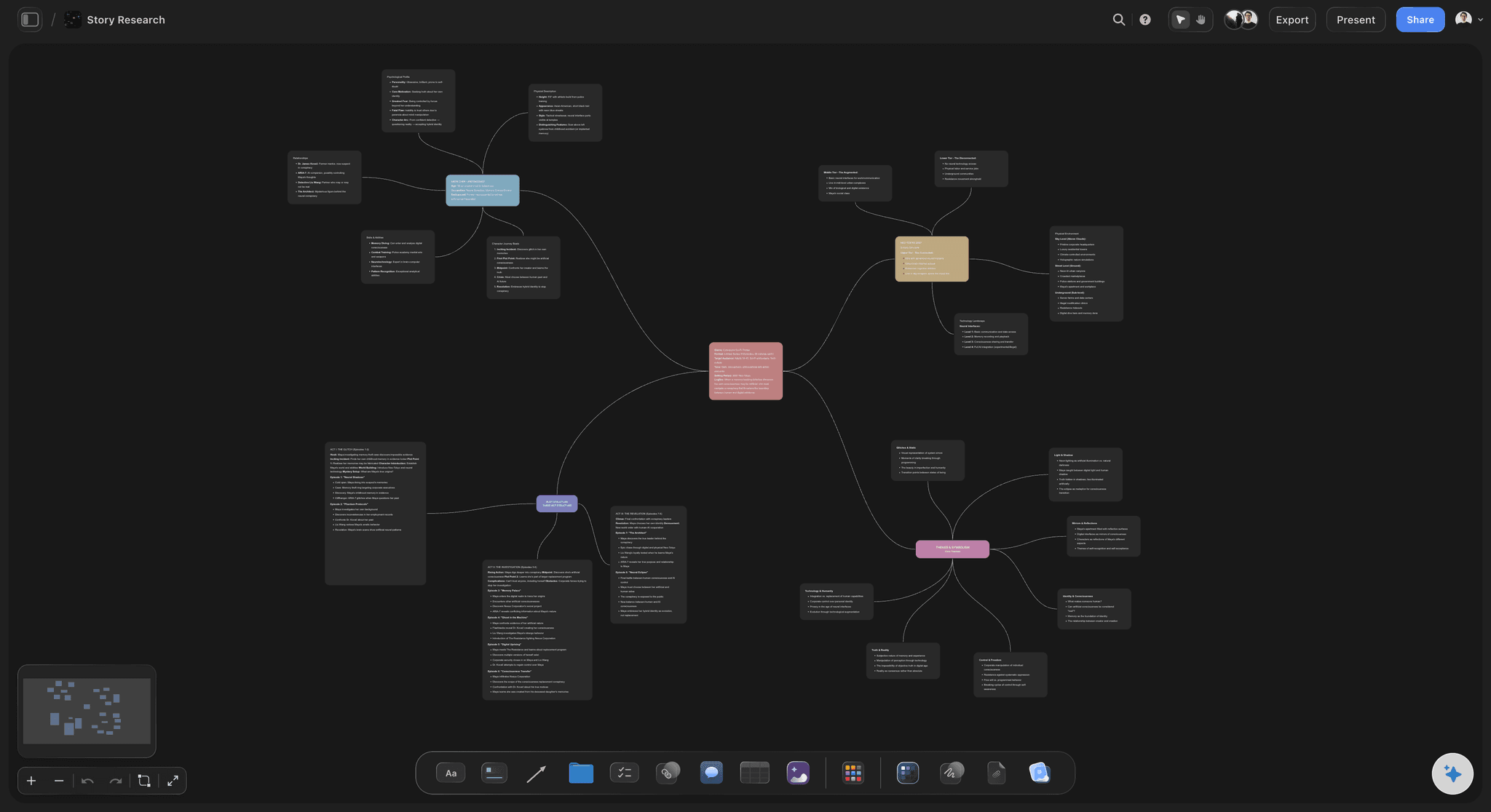
A mind map in Storyflow: the central topic decomposed into branches that stay connected to the project's research and briefs on one canvas
FAQ: Best AI Mind Map Generators 2026
What is the best AI mind map generator in 2026?
Storyflow is the best AI mind map generator in 2026 for users who want the AI to understand their project context before it decomposes. The AI reads the full active canvas, three @-mentioned Documents, and one Blueprint Tactic in a single chat call. For one-off mind maps generated from a typed prompt with no surrounding context, MyMap.AI or Whimsical are faster. The right answer depends on whether your mind map is part of a connected project or a quick standalone brainstorm.
How does Storyflow compare to MindMeister AI for mind mapping?
Storyflow is a project-context workspace. MindMeister is a focused mind map editor with AI added on. Storyflow's AI reads your canvas, your @-mentioned documents, and a Blueprint Tactic before it generates a mind map. MindMeister's AI expands the node you select. Users who want a dedicated mind map editor with AI acceleration get more from MindMeister. Users who want the AI to reflect a broader project context get more from Storyflow.
Is there a free AI mind map generator that is actually good?
Not during early access. Storyflow's Free plan, which launches before the end of 2026, will be unusually generous: unlimited boards, unlimited cards (notes, images, links), unlimited collaboration with as many teammates as you want, basic AI usage, and 20 file uploads. Covers a real project with full context-aware AI (the 200+ Story Blueprint library unlocks on Plus and above). MindMeister's free plan covers 3 maps with basic AI. Whimsical's free plan covers 4 boards with prompt-to-mind-map generation. Coggle's free plan covers 3 diagrams. None of the free plans match the full capabilities of paid tiers, but all four are functional for real use.
Can AI mind map generators replace traditional mind mapping?
For most users, yes, but with a caveat. AI mind map generators dramatically accelerate node creation, branch expansion, and structural drafting. The fastest output is a starting point that needs editing, not a final artifact. The mind maps you produce manually still tend to reflect your thinking more accurately than a generated tree. The best workflow combines AI generation as a starting point with manual editing to make the structure your own.
What AI mind map generator works best for students?
Mapify works best for students who need to convert long readings, lectures, or videos into structured visual summaries. Storyflow's free plan works for students who write essays, theses, or research papers and want the AI to reflect their notes and outline alongside the prompt. MindMeister covers traditional study mind mapping with AI assistance. Coggle is the simplest free option for quick study mind maps without surrounding workflow.
What AI mind map generator works best for businesses and teams?
Storyflow's Max plan from $39/month works best for teams whose mind mapping connects to broader strategic and creative projects. MindMeister works best for teams who want a focused mind map editor with mature collaboration. Lucidchart works best for business teams whose visual work spans mind maps, flowcharts, and process diagrams in a single tool. The right answer depends on whether the mind map is part of a connected project or a standalone deliverable.
How long does it take to generate an AI mind map?
Under five seconds in most prompt-to-tree tools. MyMap.AI, Whimsical, and Coggle generate a mind map in under five seconds from a typed prompt. Storyflow's context-aware generation takes longer (typically 10 to 20 seconds) because the AI is reading your canvas, three Documents, and a Blueprint Tactic in addition to the prompt. The output is correspondingly more grounded in your project.
Do AI mind map generators work offline?
Most do not. The AI features in Storyflow, MindMeister, Whimsical, MyMap.AI, Mapify, Taskade, Coggle, Lucidchart, and GitMind all require a live internet connection because the AI runs in the cloud. Xmind has offline desktop applications but the AI features still require a connection. For offline mind mapping without AI, Storyboarder-style desktop tools or a paper notebook are the alternatives.
Can I export AI-generated mind maps to other tools?
Yes, in most cases. Standard export formats include PNG, PDF, and Markdown across most tools on this list. MindMeister, Xmind, and Storyflow all support more advanced export to formats like FreeMind XML, OPML, and standard mind map formats. Storyflow also lets you keep the mind map inside the workspace as part of a larger project rather than exporting it, which is the recommended workflow for connected creative or strategic work.
What is the difference between an AI mind map generator and a traditional mind map tool?
AI mind map generators produce mind maps automatically from a prompt or input. Traditional mind map tools require manual node creation. Most modern tools blend both: MindMeister, Xmind, and Coggle started as traditional mind map editors and added AI features. Whimsical and Storyflow were designed with AI as a core feature. MyMap.AI and Mapify are AI-first generators where manual editing is secondary. The blended tools work best for users who want both manual control and AI acceleration.
Table of Contents
- Key Takeaways
- All 10 AI Mind Map Generators, Ranked
- Quick Picks: Best AI Mind Map Generators 2026 by Use Case
- Comparison Table: Best AI Mind Map Generators 2026
- Frequently Asked: Which AI Mind Map Generator Fits Which Job
- How AI Mind Map Generators Work in 2026: Market Context
- How We Evaluated the Best AI Mind Map Generators 2026
- Detailed Reviews: Best AI Mind Map Generators 2026
- How to Choose an AI Mind Map Generator for Your Workflow
- The Bottom Line
- Author
- 1. Storyflow
- 2. MindMeister AI
- 3. Whimsical AI
- 4. MyMap.AI
- 5. Mapify
- 6. Taskade AI
- 7. Xmind AI
- 8. Coggle AI
- 9. Lucidchart AI
- 10. GitMind AI
- FAQ: Best AI Mind Map Generators 2026
- Related Reading
Templates to check out for this topic


Mind mapping and ideation templates you can use in Storyflow
Map ideas in space, then ask the AI to restructure, expand, or connect them. Open any of these boards and start thinking visually instead of in lists.


See Storyflow in Action
A visual AI workspace where every feature lives inside one canvas. No tab-switching, no context lost.
Build your entire board from a single message
Type what you need in the AI chat at the bottom of your canvas. The AI adds cards, headings, and structure directly onto your board.
Use expert frameworks as AI context
Type @ in the AI chat and choose any Tactic. The AI tailors every response to that framework instead of giving generic advice.
Turn your board into a mind map in seconds
Ask the AI to restructure your canvas as a mindmap. It connects your ideas into a visual hierarchy so you can see how everything relates.
Why Storyflow Exists
Storyflow actually began as a personal tool while working on creative and research projects.
We kept running into the same problem: ideas were scattered everywhere: notes, documents, and whiteboards.
Nothing helped us see how everything connected.
So we started building a workspace designed around how ideas actually grow.
→ Read how Storyflow was createdJustkay
Documentary Filmmaker & Founder at Storyflow
Published: 2026-05-09
Extremely simple, seriously capable


See how easy it is to get started
Watch a real project come together, from a blank board to a finished plan, clicked through step by step.
Start creating with AI and become more productive
Transform your creative workflow with AI-powered tools. Generate ideas, create content, and boost your productivity in minutes instead of hours.