
Category
Visual Thinking
Author

Justkay
Documentary Filmmaker & Founder at Storyflow
Topics
2026-05-18
•
Updated June 18, 2026
•
15 min read
•
Visual Thinking- best MindMeister alternatives 2026
- MindMeister alternatives
- MindMeister competitors
- XMind vs MindMeister
- free mind mapping tools
- AI mind mapping software
What is the best MindMeister alternative in 2026?
The best MindMeister alternatives in 2026 are Storyflow (best when the map is part of a larger project and you want AI that reads the whole canvas), XMind (best for structured outline maps and presentations), Miro (best for team workshops), and Whimsical (best for fast, clean maps that double as diagrams). Storyflow ranks first because most people leaving MindMeister want a map that connects to research and notes, not just a better branch tree. Pick by the mapping mode your work needs.

All 12 MindMeister Alternatives, Ranked
- Storyflow: best for maps inside a full project canvas with context-aware AI
- XMind: best for structured outline maps and presentations
- Miro: best for team workshops on an infinite canvas
- Whimsical: best for fast, clean maps that double as diagrams
- Milanote: best for visual maps mixed with images and mood boards
- Mindomo: best for a close MindMeister replacement with concept maps
- Lucidspark: best for whiteboard mapping inside the Lucid suite
- GitMind: best for AI-first mind maps on a budget
- Coggle: best for simple, shareable collaborative maps
- Ayoa: best for mind maps plus task management in one tool
- SimpleMind: best for offline, local-first mapping you own outright
- MindNode: best for native Apple mapping on Mac and iPhone
Full disclosure: Storyflow is our own product, and we rank it #1 for one job: thinking-partner mapping, where the map sits on a canvas with your research and notes and the AI reads the whole project. For structured outline maps and presentations XMind is stronger, and for large team workshops Miro is still the benchmark. Storyflow is cloud-only with no radial auto-layout, so if you only want a tidy branch tree that lays itself out, a dedicated mapper is faster. We link to every tool so you can judge the fit.
Quick Comparison: Best MindMeister Alternatives
These four cover the mapping modes people decide between: a map inside a full project, structured outline maps, team workshops, and fast clean diagrams.
| Tool | Best For | AI Features | Price |
|---|---|---|---|
| Storyflow | Maps inside a full project canvas | Reads full board plus @-docs and blueprints | $7.99 mo annual (free plan late 2026) |
| XMind | Structured outline maps and presentations | Xmind AI map generation (Premium) | Free / $4.92 mo |
| Miro | Team workshops on an infinite canvas | Miro AI clustering and summaries | Free / $8 user mo |
| Whimsical | Fast, clean maps that double as diagrams | Whimsical AI diagrams from prompts | Free / $10 editor mo |
1) Quick Answer: The Best MindMeister Alternatives in 2026
The best MindMeister alternatives in 2026 are Storyflow (best when the map is one part of a larger project and you want AI that reads the whole canvas), XMind (best for structured outline-style maps and presentations), Miro (best for team workshops and infinite-canvas collaboration), and Whimsical (best for fast, clean maps that double as diagrams). Storyflow ranks first because most people who leave MindMeister are not actually looking for a better mind map. They are looking for a place where the map connects to research, notes, and drafts, and where the AI can think with all of it instead of just generating a few branches.
The short version: if you want a faithful MindMeister replacement, XMind or Mindomo. If your maps live inside team workshops, Miro or Lucidspark. If you want a thinking partner that holds the whole project, Storyflow. Pick by the mode of mapping you actually do, not by the tool you are leaving.
For the wider category, see The 12 Best Mind Mapping Tools in 2026 and What Is Mind Mapping? A Complete Guide.
2) Comparison Table: 11 MindMeister Alternatives Compared
Pricing verified May 2026 against each tool's official pricing page. Per-user and currency-converted figures change often. Verify current pricing before purchase. Ratings reflect testing on real mapping work, not feature counts.
3) Why People Leave MindMeister (And Pick the Wrong Replacement)
MindMeister is a competent mind mapping tool. It has been around since 2007, the maps look clean, and the collaboration works. People do not leave because it is broken. They leave for three specific reasons, and honest user feedback on Reddit and review sites makes the pattern clear.
The free plan is too thin to evaluate the product. Three maps, no export on the free tier, limited attachments. A free plan that small is a trial, not a free plan.
The pricing model annoys solo users. MindMeister bills per user, and the entry point has historically pushed people toward six-month commitments. Reviewers mention performance dips on larger maps too.
The tool maps, and then stops. This is the real one. A MindMeister map is a map. When it is done, the thinking moves somewhere else: a doc, a project tool, a chat window. The map does not carry forward.
Here is the mistake almost everyone makes when they switch. They replace MindMeister with another tool that does exactly what MindMeister did, then leave for the same reason eighteen months later. The fix is not a better mind mapper. It is matching the tool to the kind of mapping the work needs.
There are three modes of mapping, and most people use one tool for all three.
- Capture mapping. You have ideas and you need them out of your head fast. Speed and simplicity win. Coggle, SimpleMind, MindNode.
- Structure mapping. You have material and you need to organize it into a hierarchy, an outline, or a plan. XMind, Mindomo, Whimsical.
- Thinking-partner mapping. The map is one surface inside a larger project, and you want AI that reads across the whole thing. Storyflow.
The mind mapping software market reached an estimated USD 0.77 billion in 2026 and is growing at a 7 to 15 percent annual rate depending on the research firm, with roughly 55 percent of new product work focused on AI integration (Business Research Insights, 2026). That AI focus is exactly where the modes diverge. Most tools bolted AI onto capture and structure mapping. Almost none rebuilt around thinking-partner mapping.
For the architectural version of this argument, see The 12 Best AI Mind Map Generators in 2026.
4) How We Evaluated These Tools
Every tool here was used on real mapping work: a documentary research map, a content calendar, a product feature tree, and a personal-decision map. No synthetic demos. Five criteria, weighted in this order.
- Mapping mode fit. Which of the three modes does the tool genuinely serve? A tool that claims all three usually does one well and two badly.
- AI depth, not AI presence. Almost every tool now says it has AI. The real question is whether the AI generates a few branches and stops, or whether it reads your actual project context and works with it.
- What happens after the map. Does the map connect to the rest of the work, or is it a dead end you export and abandon?
- Pricing honesty. What does the tool cost for one real person doing real work, and is the free plan usable or just a locked trial?
- Collaboration and platform. Real-time editing, sharing, and whether the tool runs everywhere you work or locks you to one platform.
Tools were tested across multi-week projects, not rated on feature lists. The rankings reflect what each tool felt like to think with.
5) Quick Picks by Mapping Mode
If you want the short list, organize by the three modes.
Best for thinking-partner mapping: Storyflow. The map sits on a canvas with your research, notes, and drafts, and the AI reads the whole active board plus any blueprint or documents you @-mention.
Best for structure mapping: XMind for outline-driven maps and presentations. Mindomo if you want a near-identical MindMeister feel with concept maps and Gantt views.
Best for capture mapping: Coggle for fast browser-based maps you can share by link. SimpleMind if you want offline capture you own outright. MindNode if you live on Apple devices.
Best for team workshops: Miro for the largest infinite-canvas workshop ecosystem. Lucidspark if your team already uses Lucidchart.
Best for visual maps with imagery: Milanote, where maps sit alongside mood boards, images, and notes on one creative canvas.
Best on a tight budget: GitMind for AI-first mapping at the lowest paid price in this list.
6) Detailed Reviews: 11 MindMeister Alternatives in 2026
1. Storyflow
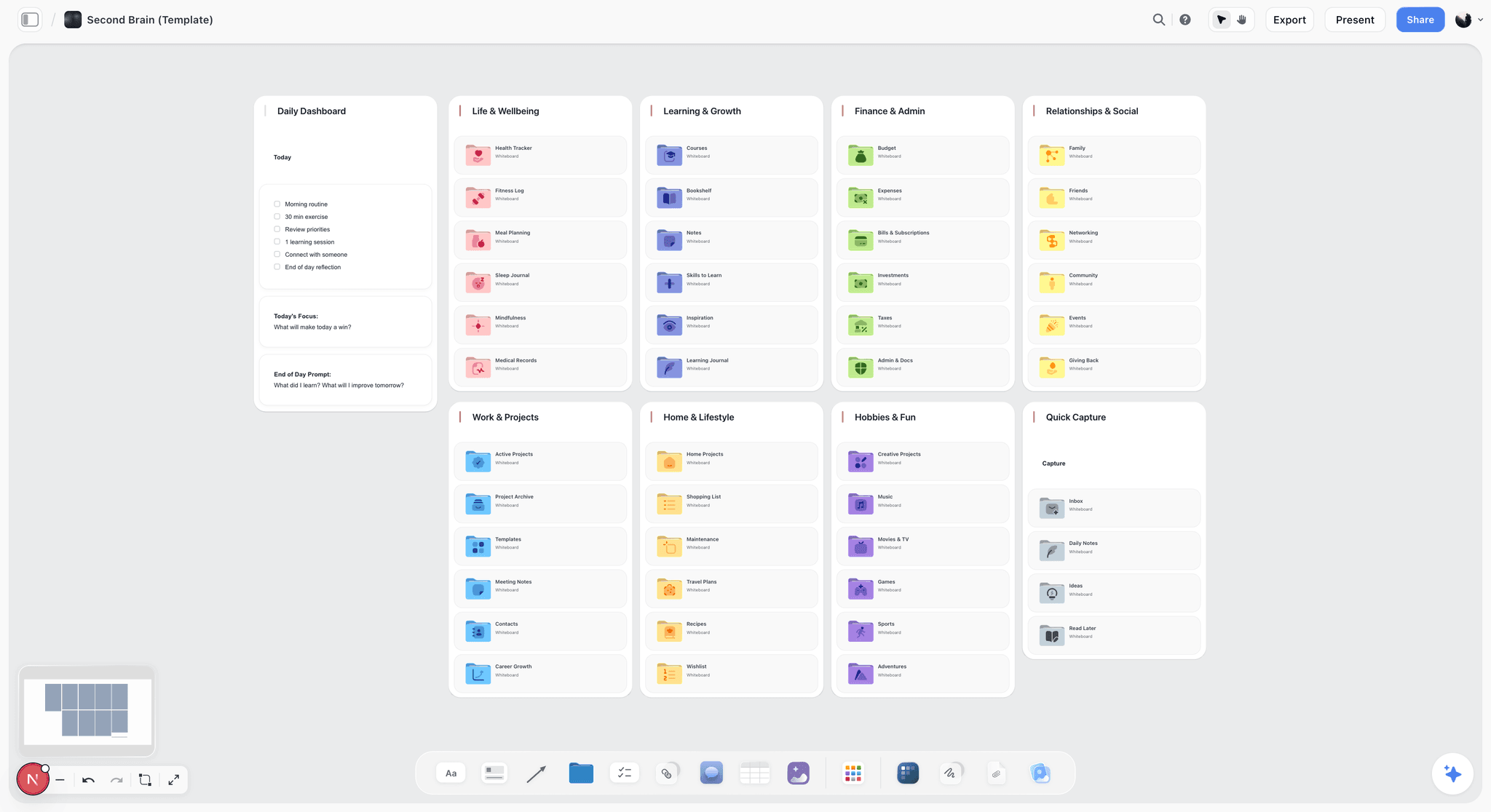
Storyflow is a visual creative workspace where a mind map is one card type on an infinite canvas, sitting next to research, notes, images, and drafts. The AI reads your full active board, so it works with the whole project, not just the branches you typed. It is the MindMeister alternative to pick when the map is a step in a bigger piece of thinking, not the final artifact.
Best for: Filmmakers, writers, solo founders, project managers, and visual thinkers whose maps feed into larger projects.
Verdict: The strongest pick for thinking-partner mapping. Pure capture and pure presentation mappers (XMind, MindNode) win on narrower jobs.
Key features
- Context-aware AI by default. The AI reads the full active canvas board, plus up to 1 blueprint and up to 3 documents you @-mention. It works with your project, not a single node.
- 200+ Story Blueprints on Plus and above. Expert frameworks like Hero's Journey, AIDA, and Retention Hooks turn a blank map into a structured one.
- Multi-format canvas. Mind maps, structured cards, mood boards, notes, and links share one board, so a map does not become a dead end.
- Unlimited shared boards and collaboration on every plan, including the Free plan once it launches. The Max plan adds a team workspace with permissions and roles.
Pricing
Paid-only during early access, no credit card required to try Plus at $7.99/mo annual or $9.99/mo monthly, adding the 200+ Story Blueprints and unlimited file uploads. Pro: $14/mo annual or $19/mo monthly, adding AI image generation and 20x more AI usage than Plus. Max: $39/mo annual or $49/mo monthly, adding 40x more AI usage and a team workspace with permissions and roles. The Free plan (unlimited notes, images, and links, unlimited shared boards, unlimited collaboration, basic AI usage, and 20 file uploads, without the Story Blueprints library) launches before the end of 2026, and anyone a paid member invites to a board joins free now.
Pros
- The AI reads the full canvas, so it works with research and notes, not just map branches.
- The map connects to the rest of the project instead of being an export-and-abandon artifact.
- Entry paid tier at $7.99/mo annual is cheaper than Miro, Whimsical, and most per-user mappers.
Cons
- Newer platform with a smaller template library than MindMeister and Miro have accumulated over many years.
- Classic mind mappers win on pure simplicity: MindMeister and XMind auto-arrange branches as you type, while a freeform canvas asks you to place and connect cards yourself. If all you want is a tidy branch tree that lays itself out, a dedicated mapper is faster.
- Cloud-only, with no local-first or offline-first option.
- Built for individuals and small teams, not large enterprise workshop facilitation.
2. XMind
XMind is the structured-mapping standard. It is the MindMeister alternative to pick when your maps are really outlines that need to look polished, and when presentation mode matters.
Best for: Students, knowledge workers, and anyone who turns maps into outlines, slides, or documents.
Verdict: The strongest structure mapper in this list. Collaboration is lighter than Miro or Storyflow.
Key features
- Map structures from tree to org chart, fishbone, timeline, and matrix.
- Pitch mode that turns a map directly into a slideshow.
- Xmind AI (Premium tier) for map generation and idea expansion, plus a strong outline view.
Pricing
Free plan with limited features. Pro (individual) around $4.92/mo, Premium (individual) around $8.25/mo, Business around $10/user/mo. Verify current pricing on xmind.com.
Pros
- Best-in-class for maps that become presentations.
- One subscription covers multiple devices, and the outline view is useful for writers.
Cons
- Real-time collaboration is weaker than Miro or Storyflow.
- The AI expands maps but does not read a wider project context.
3. Miro
Miro is the infinite-canvas workshop platform. For mind mapping specifically, it is the MindMeister alternative to pick when the map is a group activity and the whiteboard is where your team already lives.
Best for: Product teams, agencies, and facilitators running collaborative workshops.
Verdict: The strongest team-workshop tool here. Heavier than most people need for solo mapping.
Key features
- Infinite canvas with a dedicated mind map widget and a large template library.
- Miro AI for diagram generation, clustering, and summaries.
- Deep integrations with Jira, Slack, Figma, and the rest of the team stack.
Pricing
Free plan with 3 editable boards and unlimited members. Starter $8/user/mo annual (or $10 monthly), Business $20/user/mo, Enterprise custom. Verify current pricing on miro.com.
Pros
- The most mature collaboration and workshop ecosystem in this list.
- Excellent for live group sessions and remote whiteboarding.
Cons
- Overkill for a solo mapper, and per-user pricing climbs fast for bigger teams.
- The mind map widget is one feature inside a general whiteboard, not a focused mapping tool.
4. Whimsical
Whimsical is the fast, clean diagramming tool that also does mind maps. It is the MindMeister alternative to pick when you want maps that look sharp without fiddling with styling.
Best for: Product managers, designers, and anyone who wants maps, flowcharts, and wireframes in one place.
Verdict: The cleanest, fastest mapper in this list for structured visuals. AI is lighter than the AI-first tools.
Key features
- Mind maps, flowcharts, wireframes, and docs in one workspace.
- Keyboard-driven map building that is genuinely quick.
- Whimsical AI for generating diagrams and maps from prompts, with a clean default style.
Pricing
Starter (free) with 3 boards. Pro $10/editor/mo annual (or $12 monthly). Org $15/editor/mo. Verify current pricing on whimsical.com.
Pros
- Fast and frictionless; maps look good with zero styling work.
- Combining maps with flowcharts and wireframes is a real advantage for product work.
Cons
- AI actions are capped, and the AI does not read a broader project context.
- Less suited to large, sprawling maps than XMind or Miro.
5. Milanote
Milanote is the visual notes board where mind maps sit next to images, mood boards, and links. It is the MindMeister alternative to pick when your mapping is creative and visual rather than purely structural.
Best for: Creative directors, writers, designers, and filmmakers planning visual projects.
Verdict: The best tool here for maps that need imagery and mood. Weaker as a pure branch-tree mapper.
Key features
- Flexible boards mixing notes, images, links, and connected map nodes.
- Built-in image and link collection from the web, plus connection lines for loose maps.
- Templates for creative workflows like film, writing, and design.
Pricing
Free plan with 100 cards and 10 file uploads. Pro $9.99/user/mo annual (or $12.50 monthly). A flat Team plan around $49/mo covers up to 50 users. Verify current pricing on milanote.com.
Pros
- The strongest tool here for visual, image-heavy mapping.
- The free plan is genuinely usable for small creative projects.
Cons
- Not a precise hierarchical mapper; the structure is loose by design.
- AI features are lighter than the AI-first tools, and the 100-card free limit fills fast.
6. Mindomo
Mindomo is the closest like-for-like MindMeister replacement in this list. It is the alternative to pick when you want the same shape of tool, only with concept maps and outline support added.
Best for: Educators, students, and teams who want a familiar MindMeister-style experience.
Verdict: The most faithful direct swap for MindMeister. It inherits some of the same ceiling.
Key features
- Mind maps, concept maps, outlines, and Gantt charts in one tool.
- Assignment and grading features built for classroom use.
- AI map generation on paid tiers, plus desktop apps alongside the web version.
Pricing
Free plan with 3 maps. Premium around €6/mo and Professional around €13.50/mo for individuals, with team plans starting at 3 users. Verify current pricing on mindomo.com.
Pros
- The smoothest migration if you genuinely like the MindMeister model.
- Strong education features, concept-mapping support, and offline desktop apps.
Cons
- If you left MindMeister because the model felt limiting, Mindomo shares that ceiling.
- The interface feels dated, and the AI does not read a wider project.
7. Lucidspark
Lucidspark is Lucid's whiteboard, the brainstorming companion to Lucidchart. It is the MindMeister alternative to pick when your team already pays for Lucid and wants mapping in the same suite.
Best for: Teams already using Lucidchart who want a connected brainstorming canvas.
Verdict: A solid team whiteboard with mapping built in. Best value if you are already in the Lucid ecosystem.
Key features
- Infinite whiteboard with mind map and brainstorming templates.
- Lucidspark AI for idea generation, sorting, and summarizing.
- Tight Lucidchart integration plus facilitation tools like timers, voting, and gathering mode.
Pricing
Free plan with 3 editable boards. Individual $7.95/mo, Team $9/user/mo, Enterprise custom. A Visual Collaboration Suite bundle with Lucidchart is available. Verify current pricing on lucid.app.
Pros
- Strong workshop and facilitation features at reasonable individual pricing.
- The Lucidchart connection helps teams that need formal diagrams later.
Cons
- Less compelling if you are not already in the Lucid ecosystem.
- Whiteboard-style mapping, and the map is still a dead end once the workshop ends.
8. GitMind
GitMind is the budget AI-first mind mapper. It is the MindMeister alternative to pick when you want AI map generation at the lowest paid price in this list.
Best for: Students and individuals who want AI mapping without a big subscription.
Verdict: The best price-to-AI ratio here. The product is lighter than the premium tools.
Key features
- AI generation of mind maps, outlines, and flowcharts from a prompt.
- AI summarization of long text, PDFs, and documents into maps.
- A large free template gallery with real-time collaboration on shared maps.
Pricing
Free plan with 10 files. Basic around $4.08/mo and Pro around $5.75/mo, both billed annually. Verify current pricing on gitmind.com.
Pros
- The lowest paid price of any AI mapper in this list.
- Document-to-map summarization is genuinely useful for studying.
Cons
- The interface and polish trail the premium tools.
- AI map generation is solid but does not read a wider project context.
9. Coggle
Coggle is the simple, shareable browser mapper. It is the MindMeister alternative to pick when you want capture mapping with zero learning curve.
Best for: Anyone who wants to make a quick map and share it by link.
Verdict: The simplest tool here, and the best for fast capture. Light on advanced features by design.
Key features
- Browser-based mapping with no install, plus real-time sharing by link.
- Unlimited branches and basic flowchart shapes.
- Full version history on paid plans.
Pricing
Free Forever plan with 3 private diagrams. Awesome $5/mo. Organisation $8/member/mo. Verify current pricing on coggle.it.
Pros
- The lowest learning curve in this list, and genuinely fast for capture.
- The Awesome plan is cheap.
Cons
- No real AI features, and limited structures and styling.
- The free plan caps private diagrams at three.
10. Ayoa
Ayoa combines mind mapping with task management. It is the MindMeister alternative to pick when you want the map and the to-do list in the same tool.
Best for: People who want mapping and task tracking without switching apps.
Verdict: A genuinely different take that fuses two tools. Neither half is best in class, but the combination is the point.
Key features
- Organic, radial, and speed mind map styles.
- Task boards, Gantt charts, and workflow views built in.
- AI brainstorming assistance, plus whiteboards and video conferencing on the top tier.
Pricing
Free plan with 10 mind maps. Mind Map and Task plans around $10/mo each, and an Ultimate plan around $13/mo that combines both. Verify current pricing on ayoa.com.
Pros
- Mapping plus task management in one tool is a real workflow advantage.
- More map styles than most dedicated mappers.
Cons
- Doing two jobs means it is best in class at neither, and the interface feels busy.
- Pricing splits across Mind Map, Task, and Ultimate plans add confusion.
11. SimpleMind
SimpleMind is the offline, one-time-purchase mapper you own outright. It is the MindMeister alternative to pick when you want local-first mapping with no subscription.
Best for: Privacy-aware users and anyone who refuses another monthly subscription.
Verdict: The best choice here for offline ownership. No AI, no cloud, by design.
Key features
- Fully offline mapping that runs on local files, bought once rather than rented.
- Cross-platform apps for Mac, Windows, iOS, and Android.
- Free-form layout with no forced structure.
Pricing
Free version with limited features. Single-platform Pro license around $29.99 one-time, both platforms around $54.99. Family and team licenses available. Verify current pricing on simplemind.eu.
Pros
- You own it; no recurring subscription, and it stays fast on large maps.
- Fully offline, which matters for privacy-sensitive work.
Cons
- No AI features at all, and no real-time browser collaboration.
- The interface is functional rather than modern.
12. MindNode
MindNode is the native Apple mapping app. It is the MindMeister alternative to pick when you live entirely on Mac and iPhone and want mapping that feels like part of the system.
Best for: Apple-only users who want a polished native mapping experience.
Verdict: The most pleasant native experience for capture mapping on Apple devices. Useless if you are not on Apple.
Key features
- Native Mac, iPhone, and iPad apps with iCloud sync.
- Quick Entry for fast idea capture.
- Clean visual themes, focus mode, and an outline view alongside the map.
Pricing
Free version with basic features. MindNode Plus subscription starts around $3/mo. Verify current pricing in the App Store.
Pros
- A genuinely beautiful, native Apple experience with fast Quick Entry capture.
- iCloud sync keeps maps current across Apple devices.
Cons
- Apple-only; no web or Windows version, and no cross-platform collaboration.
- Lighter on AI than the AI-first tools.
7) Persona Recommendations
1. Solo Founder / One-Person Business
Top picks: Storyflow + GitMind
Storyflow holds the whole business on one canvas (roadmap map, research, notes) with AI that reads all of it. GitMind covers fast standalone maps on a budget.
2. Documentary Filmmaker / Video Creator
Top picks: Storyflow + Milanote
Storyflow for the research map that connects to interviews, notes, and the outline. Milanote for the visual, mood-board side of planning.
3. Product Manager Running Discovery
Top picks: Whimsical + Storyflow
Whimsical for fast feature maps and flowcharts that look clean in a spec. Storyflow for the discovery canvas where research, user notes, and the feature map sit together for the AI.
4. Creative-Team Lead (Agency, Studio)
Top picks: Miro + Storyflow Max
Miro for live team workshops on the infinite canvas. Storyflow Max for the project workspace with roles where client maps and research live between sessions.
5. Student / Researcher
Top picks: XMind + GitMind
XMind for structured study maps that become outlines and presentations. GitMind for summarizing PDFs and long readings into maps cheaply.
6. Workshop Facilitator / Consultant
Top picks: Miro + Lucidspark
Miro for the largest facilitation and template ecosystem. Lucidspark if the client already uses Lucidchart and wants formal diagrams afterward.
7. Privacy-Aware / Offline Worker
Top picks: SimpleMind + XMind
SimpleMind for fully offline, locally owned maps with no subscription. XMind as a desktop-capable structured mapper. This is a case where Storyflow is the wrong choice; it is cloud-only.
8. Apple-Only Visual Thinker
Top picks: MindNode + Storyflow
MindNode for fast native capture on Mac and iPhone. Storyflow in the browser when the map needs to grow into a full project.
8) Honorable Mentions
A few tools that came close but did not make the main eleven.
- EdrawMind: A capable structured mapper with a large template library. It mostly missed the list on a busier interface than XMind.
- MindManager: A long-standing business mapping tool. Strong on integrations, but the pricing is high for individuals.
- Mindmup: A free, simple browser mapper. Genuinely useful, but too thin on features for a main slot.
- FigJam: Figma's whiteboard. Excellent for design teams, but mapping is a side feature rather than a focus.
- Scapple: A free-form connection tool from the makers of Scrivener. Great for loose idea webs, narrower than a full mapper.
- ClickUp: Includes mind maps inside a project suite. Worth it only if you already use ClickUp for everything else.
These are not bad tools. Their mapping mode or audience is narrower than the main list.
9) Where Storyflow Is the Wrong Choice
Honest accounting matters more than a clean pitch. There are real cases where Storyflow is not the MindMeister alternative to pick.
You only want a mind map. If your work begins and ends with a branch tree, and you never want research, notes, or drafts on the same surface, Storyflow is more tool than you need. Use XMind or MindNode.
You need offline or local-first. Storyflow is cloud-only. If you map in secure environments or refuse to keep your thinking on someone else's server, SimpleMind is the honest answer.
You run large enterprise workshops. Storyflow is built for individuals and small teams. For a fifty-person remote workshop with facilitation tooling, Miro is the better fit.
You want a zero-learning-curve swap. If you loved the MindMeister model and just want it cheaper, Mindomo is a closer match. Storyflow's canvas is a different shape, and that shift takes a short adjustment.
The judgment of which mode you are in is yours. The map should follow the mode, not the other way around. That principle does not always point at Storyflow, and a recommendation that pretended otherwise would not be worth trusting.
11) The Bottom Line
The best MindMeister alternative in 2026 depends on which of the three mapping modes your work actually needs. Storyflow is the strongest pick for thinking-partner mapping, where the map sits on a canvas with research and notes and the AI reads the whole project. XMind is the strongest for structure mapping and presentations. Miro is the strongest for team workshops. Mindomo is the closest faithful MindMeister swap. SimpleMind is the answer when offline ownership matters more than AI.
The mistake to avoid is the obvious one: replacing MindMeister with another tool that does exactly what MindMeister did, then leaving for the same reason later. Replace MindMeister with another tool that does exactly what MindMeister did, and you will leave for the same reason eighteen months later. Pick by the mode of mapping your work needs, not by the tool you are leaving.
For the test, take one active map and rebuild it on a Storyflow canvas with one piece of related research beside it. Try a Storyflow workspace and see whether context-aware AI changes the map.
10) FAQ: MindMeister Alternatives in 2026
What is the best MindMeister alternative in 2026?
Storyflow is the best MindMeister alternative for most people leaving MindMeister, because it puts the map on a canvas with your research and notes and uses AI that reads the whole project. The right pick still depends on your mapping mode: XMind for structure mapping and presentations, Miro for team workshops, and Mindomo for a near-identical MindMeister replacement. Most people pick wrong by matching MindMeister instead of matching their actual work.
Is there a free MindMeister alternative?
Yes. Coggle, GitMind, Whimsical, Miro, and Lucidspark have free tiers, though most cap boards or maps at three to ten. Storyflow is paid-only during early access, with a Free plan (unlimited boards, unlimited notes and links, unlimited collaboration, and basic AI) landing before the end of 2026. Check the limits on the tools you can use today before committing.
Why do people leave MindMeister?
Three reasons recur in user feedback: a thin free plan that does not allow export, a per-user pricing model that annoys solo users, and the fact that a finished map does not carry forward into the rest of the work. Performance dips on larger maps come up often too.
What is the closest tool to MindMeister?
Mindomo is the closest like-for-like replacement. It uses the same mind-map-plus-outline model, adds concept maps and Gantt charts, and has strong education features. If you liked the MindMeister approach and just want a fresh tool, Mindomo is the smoothest switch.
Which MindMeister alternative has the best AI?
Storyflow has the deepest AI because it reads your full active canvas, not just the map. Most tools generate or expand a map from a prompt and stop there. GitMind and XMind have solid AI generation; the difference is whether the AI works with your wider project context or only the branches in front of it.
Is XMind better than MindMeister?
For structured maps that become outlines or presentations, yes. XMind has a stronger outline view, more map structures, and a pitch mode that turns maps into slides. MindMeister has lighter, browser-first collaboration. Pick XMind if structure matters; pick a workshop tool if live group editing matters more.
What is the best free mind mapping tool for teams?
Miro and Lucidspark free plans support unlimited members today but cap editable boards at three. Storyflow's Free plan, launching before the end of 2026, will include unlimited shared boards and unlimited collaboration, which is unusually generous; it is paid-only during early access now. For a small team that maps often and can wait, Storyflow Free will go further before you hit a wall.
Can I import my MindMeister maps into another tool?
Most tools support standard formats. XMind, Mindomo, and others import common map and outline file types, and many accept text or OPML outlines. Export your MindMeister maps first (export requires a paid MindMeister plan), then check the target tool's import options.
Is Miro a good MindMeister alternative?
For teams, yes. Miro is the strongest tool here for live workshops and remote whiteboarding, and it includes a dedicated mind map widget. For a solo user who only wants mind maps, Miro is heavier than you need.
Is Storyflow a good MindMeister alternative?
Storyflow is a good MindMeister alternative when the map is part of a larger project rather than the final artifact. Its AI reads your full active canvas (plus up to 1 blueprint and 3 documents you @-mention), so a map connects to research, notes, and drafts instead of dead-ending. Storyflow is the wrong pick if you only ever want a standalone branch tree, if you need offline or local-first mapping (it is cloud-only), or if you want a zero-learning-curve clone of MindMeister, in which case Mindomo is a closer match.
Which MindMeister alternative is best for students?
XMind for structured study maps that become outlines and slides, paired with GitMind for cheaply turning PDFs and readings into maps. Both have usable free plans and low paid prices. Mindomo is also strong if your school uses its assignment features.
Do I need a mind mapping tool at all?
Sometimes a sheet of paper is faster. Capture mapping often does not need software. The case for a tool is structure mapping and thinking-partner mapping, where the map needs to be reorganized, shared, connected to other material, or worked on by AI. If your maps never leave the page, paper is hard to beat.
What is the smallest test I can run before switching?
Take your most active MindMeister map and rebuild it on a Storyflow canvas. Add one piece of related material next to it: a research note, a link, or a draft. Then ask the AI a question about the map. Try a Storyflow workspace to run that test.
Table of Contents
- Quick Answer: The Best MindMeister Alternatives in 2026
- Comparison Table: 11 MindMeister Alternatives Compared
- Why People Leave MindMeister (And Pick the Wrong Replacement)
- How We Evaluated These Tools
- Quick Picks by Mapping Mode
- Detailed Reviews: 11 MindMeister Alternatives in 2026
- Persona Recommendations
- Honorable Mentions
- Where Storyflow Is the Wrong Choice
- FAQ: MindMeister Alternatives in 2026
- The Bottom Line
- Author
- Related Reading
Templates to check out for this topic


Mind mapping and ideation templates you can use in Storyflow
Map ideas in space, then ask the AI to restructure, expand, or connect them. Open any of these boards and start thinking visually instead of in lists.


See Storyflow in Action
A visual AI workspace where every feature lives inside one canvas. No tab-switching, no context lost.
Build your entire board from a single message
Type what you need in the AI chat at the bottom of your canvas. The AI adds cards, headings, and structure directly onto your board.
Use expert frameworks as AI context
Type @ in the AI chat and choose any Tactic. The AI tailors every response to that framework instead of giving generic advice.
Turn your board into a mind map in seconds
Ask the AI to restructure your canvas as a mindmap. It connects your ideas into a visual hierarchy so you can see how everything relates.
Why Storyflow Exists
Storyflow actually began as a personal tool while working on creative and research projects.
We kept running into the same problem: ideas were scattered everywhere: notes, documents, and whiteboards.
Nothing helped us see how everything connected.
So we started building a workspace designed around how ideas actually grow.
→ Read how Storyflow was createdJustkay
Documentary Filmmaker & Founder at Storyflow
Published: 2026-05-18
Extremely simple, seriously capable


See how easy it is to get started
Watch a real project come together, from a blank board to a finished plan, clicked through step by step.
Start creating with AI and become more productive
Transform your creative workflow with AI-powered tools. Generate ideas, create content, and boost your productivity in minutes instead of hours.