The 11 Best Tools for Video Podcast Teams in 2026
A video podcast is three products recorded in one sitting: the episode, the audio show, and the clips. Eleven tools ranked by which of the three each one serves.

Category
Content Creation
Author

Sara de Klein
Head of Product at Storyflow
Topics
2026-08-11
•
17 min read
•
Content Creation- best tools for video podcast teams
- best AI tools for content creators
- video podcast production software
- podcast clip generation tools
- Descript vs Riverside
- how to plan a video podcast episode
What are the best tools for video podcast teams in 2026?
The best tool for a video podcast team is Storyflow, and the argument is about sequence rather than features: a video podcast is three products recorded in one sitting, and which of them you get is decided before anyone presses record, not in the edit. Storyflow is a canvas where the episode gets planned as three outputs instead of one. Descript is the strongest editing environment in the category and the tool you will spend the most hours inside. Riverside solves the capture problem that no amount of editing fixes. Opus Clip finds the clips you failed to plan. This ranking judges all 11 tools on one question: which of the three shows hiding inside one recording does each one actually serve.

Full disclosure: Storyflow is our own product, and we rank it #1 here for one narrow job: planning an episode as three outputs before anyone presses record. It does not record, does not edit, does not transcribe, does not generate captions or clips, and does not host or publish to podcast platforms. Descript will consume far more of your working hours than Storyflow will, and Riverside solves a capture problem we do not touch. We link to every tool so you can judge the fit.
Quick Comparison
These four cover the jobs a video podcast actually splits into: deciding what the recording will contain, cutting ninety minutes without a timeline, capturing audio and video that editing cannot repair afterwards, and turning what you got into short-form.
| Tool | Best For | AI Features | Price |
|---|---|---|---|
| Storyflow | Episode planning for episode, audio and clips at once | Canvas-wide context AI | $7.99 mo annual (free plan late 2026) |
| Descript | Transcript-based editing and audio cleanup | Deep AI | Free tier / from ~$19 per user mo |
| Riverside | Local recording with separate tracks | Light AI | Free tier / from ~$15 mo annual |
| Opus Clip | Automatic vertical clips with captions | Deep AI | Free tier / from ~$9 mo annual |
Key Takeaways
- A video podcast is not one product. It is three: the full episode, the audio show, and the clips. Most teams plan for one and scavenge the other two.
- Which shows you get is decided in the planning, not the edit. Clips that were planned take minutes to cut. Clips that were scavenged take hours and are usually worse.
- Storyflow ranks first for planning the episode as three outputs. It does not record, edit, transcribe, host or publish, and this post says so in every relevant section.
- Descript ranks second and is where the hours go. Editing video by editing a transcript is genuinely a different job from editing video, and for conversation content it is faster by a wide margin.
- The most common structural failure in video podcasting is that the best moment is at minute forty-seven, because nobody designed the conversation to produce it earlier.
- Audio-first and video-first decisions conflict constantly, and teams that never decide which one leads produce a compromised version of both.
- Consistency beats production value in this format at almost every level below the top one percent, which makes tooling that reduces per-episode effort more valuable than tooling that raises per-episode quality.
Design the clips before you record them
The clip you planned takes minutes to cut. The clip you scavenged takes an hour and is worse. Storyflow holds guest research, segment structure and your intended clip moments on one canvas the AI can read end to end, and everyone you invite joins free. Paid-only during early access; the Free plan lands before the end of 2026.

The Three Shows in One Recording
You sit down, you talk for ninety minutes, you stand up. What you have is not an episode. It is raw material for three different products that have almost nothing in common.
A video podcast is not one product. It is three: the full episode, the audio show, and the clips. Most teams plan for one and scavenge the other two.
Show one: the full episode. Long, conversational, watched or listened to by people who already know you. Its job is depth and relationship. It tolerates meandering, because meandering is where the good stuff lives, and its audience is not in a hurry.
Show two: the audio show. The same conversation, in a medium where nothing visual survives. Every "as you can see here" becomes a hole. Every silence where somebody nodded becomes dead air. If your video-first decisions went unexamined, the audio version is a slightly broken copy of a better thing, and audio is where most podcast listening still happens.
Show three: the clips. Sixty seconds, watched by strangers, judged in the first two. These are the only one of the three shows that reaches anyone new, which makes them strategically the most important and, in most teams' workflow, the last thing anyone thinks about.
Here is the failure that follows. Clips are made of moments that are self-contained: a claim, a story, a disagreement that resolves inside a minute. Conversations do not naturally produce those. They produce ideas that took four minutes to build and do not survive being cut out of their context.
So a team that did not plan for clips goes hunting for them afterwards, finds three mediocre ones in ninety minutes, and spends more time on that hunt than the planning would have taken. A team that planted three clip-shaped moments deliberately gets three good clips in twenty minutes, and the episode is not worse for it.
The most common structural failure in video podcasting is that the best moment is at minute forty-seven. Not because it was not good. Because nobody designed the conversation to produce it at minute six as well.
The tools below are ranked by which of the three shows each one actually serves.
At a Glance: The 11 Tools Compared
| Tool | Best for | Show it serves | Pricing shape |
|---|---|---|---|
Storyflow | Planning the episode as three outputs | All three, before recording | Flat per account |
Descript | Editing conversation by editing text | Full episode, audio | Per user |
Riverside | Capture quality that editing cannot fix | Full episode, clips | Per plan tier |
Opus Clip | Finding clips you did not plan | Clips | Per plan tier |
Adobe Premiere Pro | Finished video craft above template level | Full episode, clips | Per user |
Hindenburg | Audio-first editing built for spoken word | Audio | Licence |
Captivate | Hosting and distribution with real analytics | Audio | Per plan tier |
Notion | Guest research, run sheets and episode records | All three | Per user |
Airtable | The guest pipeline and publishing calendar | All three | Per seat |
Canva | Thumbnails, titles and social assets at volume | Clips | Per user |
Frame.io | Review before publishing when a team is involved | Full episode | Per user |
How I Ranked These
I make documentaries and have been on both sides of the microphone often enough to know how much of a good conversation is arranged in advance. I have also watched two shows die from the same cause: the per-episode workload never came down, so consistency became impossible, and consistency is the format's only real requirement.
Every tool below has been used on real episodes.
Five criteria, weighted in this order.
1. Does it reduce per-episode effort? This is the criterion that decides whether a show survives its first year. A tool that makes episodes better but slower is a trap in a format where publishing weekly for two years beats publishing beautifully for four months.
2. Does it serve more than one of the three shows? Tools that produce one output and leave the other two to be derived by hand are how teams end up doing three times the work.
3. Does it work with guests who will not install anything? Half of your guests are busy people with a laptop they do not administer. A tool requiring a download, an account and a settings change is a tool that will cost you a recording.
4. Does it survive a bad recording? Because there will be bad recordings. Local recording, separate tracks and progressive upload are the difference between a lost episode and an inconvenient one.
5. What does it cost per month against a show that may not make money for two years? Podcast economics are slow. A stack that costs more than the show earns in year one is normal; a stack that costs more than you can sustain for two years is a failure mode.
Pricing below is as of August 2026 and changes frequently in this category. Verify with each vendor.
Quick Picks by Job Type
- Best overall for a video podcast team: Storyflow. Plan the episode as three outputs on one canvas, with clip moments designed rather than scavenged, and free access for the whole team.
- Best editing environment: Descript. Edit the transcript, get the cut. For conversation content this is the largest single time saving available.
- Best recording: Riverside. Local recording at high quality with separate tracks, and a guest experience that does not require anything installed.
- Best clip finder: Opus Clip. When you did not plan clips, this finds the passable ones faster than a human scrubbing.
- Best audio-first editor: Hindenburg. Built for spoken word, with loudness handling that podcast platforms actually want.
- Best hosting with real analytics: Captivate. Distribution and numbers you can make decisions from.
- Best guest pipeline: Airtable. Booking, prep status and publishing calendar in one place with required fields.
- Best asset factory: Canva. Thumbnails and social cuts at volume without a designer in the loop.
1. Storyflow
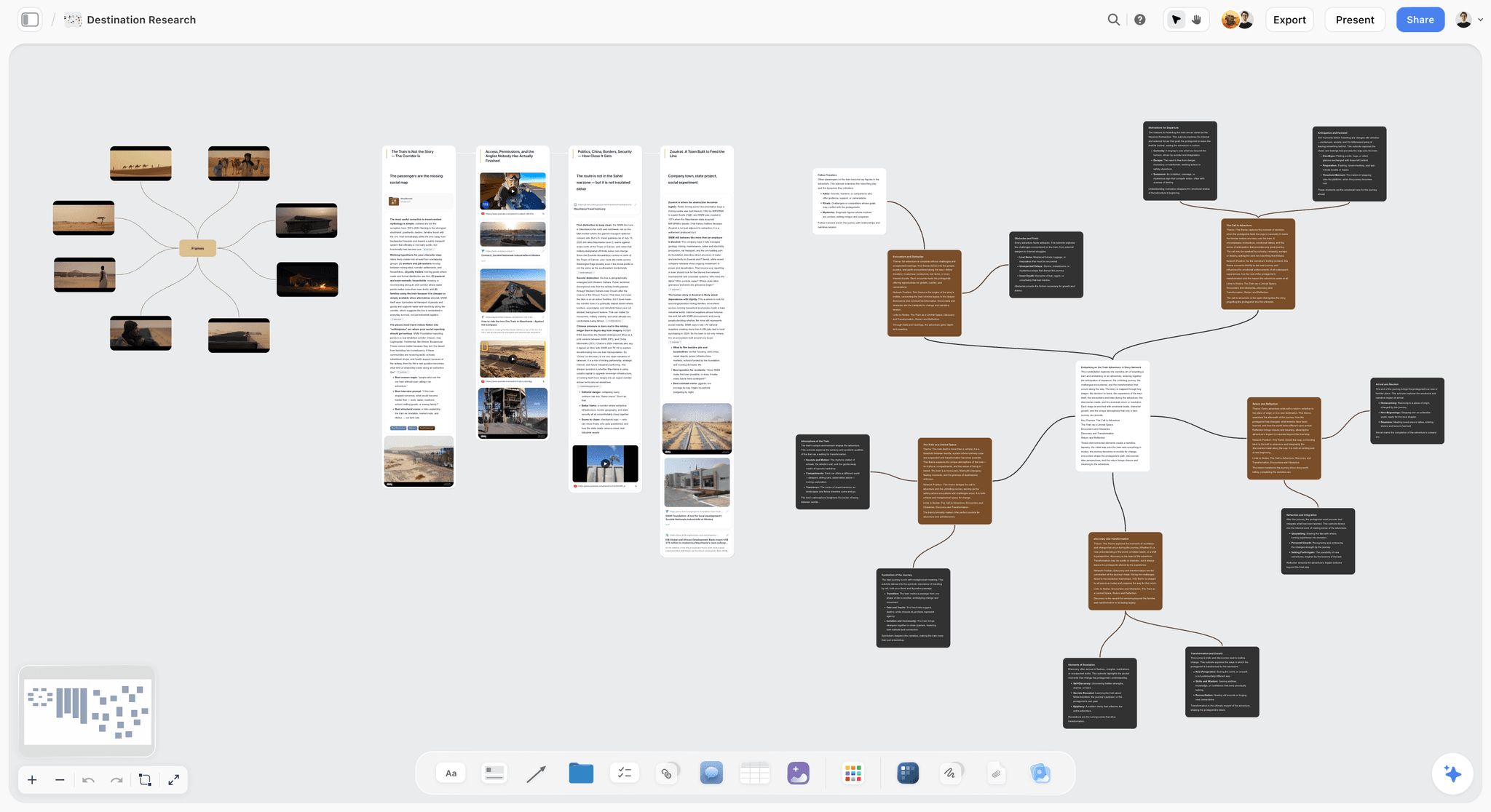
The verdict. The only tool here that operates before the recording, which is where the three shows are decided.
Best for. Planning an episode as three outputs rather than one, and keeping guest research, structure and clip design on one surface.
Pricing. Paid-only during early access. Plus is $7.99 per month billed annually or $9.99 monthly. Pro is $14 per month billed annually or $19 monthly, adding AI image generation, roughly twenty times more AI usage and memory across conversations. Max is $39 per month billed annually or $49 monthly and adds the Team Workspace with permissions and roles. Pricing is flat per account rather than per seat, and anyone a paid member invites to a board joins free. The Free plan launches before the end of 2026.
Why it ranks here. Every other tool on this list operates on material that already exists. This one operates on the decision that determines what material you get.
Concretely, an episode board holds four things at once. The guest research, which is where the good questions come from. The structure, as segments rather than a list of questions, because segments produce arcs and question lists produce interviews. The three clip moments you intend to create, written as the actual prompt you will ask to create them. And the visual beats, which is the thing audio-first teams forget and video-first teams over-plan.
The spatial arrangement matters here more than it sounds. Segments laid out left to right with the clip moments marked under them shows you, before the recording, that all three of your planned clips are in the back half. That is a five-second observation on a canvas and an invisible one in a document, and it is the exact failure named at the top of this post.
The AI reads your full active canvas board by default, plus up to one Tactic and up to three Documents you @-mention. The useful application is drafting segment questions from research you have already gathered on the board, rather than from a generic prompt.
Access shape matters because podcast teams are usually a host, a producer, an editor and a guest, and at least two of those are contractors. Invited collaborators join free.
Strengths.
- Plans for all three shows before recording, which is the only point at which clips can be designed rather than scavenged.
- Guest research, structure, clip moments and visual beats on one surface.
- Spatial layout makes structural problems visible before they are expensive.
- Invited collaborators join free, so producers, editors and guests can all be in the board.
- Canvas-wide AI context for drafting questions grounded in your actual research.
Limitations.
- Does not record. No local capture, no separate tracks, no guest room.
- Does not edit. No timeline, no transcript editing, no audio processing.
- Does not transcribe, does not generate captions, does not cut clips.
- No hosting, no RSS, no distribution to podcast platforms.
- No analytics of any kind.
- Team Workspace with permissions and roles is on Max at $39 per month billed annually.
The trade off. Storyflow does the twenty percent of the work that determines the other eighty percent, and none of the eighty. Every team on this list needs a recorder and an editor alongside it.
2. Descript
The verdict. The largest single time saving available to a conversation show, and where your editing hours will actually go.
Best for. Editing long-form conversation by editing its transcript.
Pricing. A limited free tier. Paid plans start around $19 per user per month billed monthly, less annually, with higher tiers for more transcription hours and features. Verify on descript.com.
Why it ranks here. Editing a ninety-minute conversation on a timeline is a slow, linear job. Editing it as text is a fast, non-linear one. Delete the paragraph, the video goes with it. Remove filler words across the whole episode with one setting. Find the moment you half-remember by searching for a word rather than scrubbing.
For this format specifically, the transcript is also the source material for everything else: show notes, chapter markers, clip selection, SEO copy. Having it as a first-class object rather than an export is worth more than it appears in a feature list.
Studio Sound and the AI cleanup tools have become genuinely good, which matters because most podcast audio problems are recording problems and this is the closest thing to fixing them afterwards.
Second rather than first because it operates on material whose quality was already decided.
Strengths.
- Transcript-based editing, which is a categorically faster workflow for conversation.
- Filler word removal and Studio Sound that materially improve rough audio.
- Clip creation with automatic captions and vertical reframing.
- Multitrack support for multi-camera and multi-mic setups.
- Collaboration that lets a producer cut without opening a video editor.
Limitations.
- Per-user pricing with transcription hour limits that constrain heavy shows.
- Performance degrades on very long projects.
- Finishing craft ceiling is below Premiere or Resolve.
- AI voice features raise real editorial questions you should decide policy on.
- Occasional sync issues on complex multitrack sessions.
The trade off. If you edit conversation, this is where the hours are saved. If you need finishing craft, cut here and finish elsewhere.
3. Riverside
The verdict. The capture problem is the one editing cannot fix, and this solves it with the least guest friction in the category.
Best for. Remote recording where the guest will not install software.
Pricing. A limited free tier. Paid plans start around $15 per month billed annually, rising for more recording hours and features. Verify on riverside.fm.
Why it ranks here. A remote conversation recorded through a video call is capped in quality by the worst moment of the worst connection. Riverside records locally on each participant's device at full quality and uploads progressively, so a connection drop degrades the call and not the recording. Separate tracks per participant mean the edit is actually editable.
The guest experience is the underrated part: a browser link, no download, no account. Every barrier you remove is a recording you do not lose.
Third rather than higher because it does one thing, and because Descript's cleanup can rescue a lot of what Riverside would have prevented.
Strengths.
- Local recording at up to 4K with progressive upload.
- Separate tracks per participant, which makes real editing possible.
- Browser-based guest experience with no installation.
- Built-in clip generation and basic editing for fast turnarounds.
- Live streaming and call-in features.
Limitations.
- Recording hour limits on lower tiers.
- Guests need a decent device and a modern browser, which is a smaller ask than a download but not zero.
- Editing tools are convenience-grade, not a replacement for Descript.
- Higher tiers get expensive for a show that records often.
The trade off. Buy it if you record remotely. If you record in one room with proper gear, spend the money elsewhere.
4. Opus Clip
The verdict. The tool that rescues teams who did not plan their clips, which is most teams.
Best for. Extracting shareable short-form clips from long conversation without human scrubbing.
Pricing. A limited free tier. Paid plans start around $9 per month billed annually, scaling with processing minutes. Verify on opus.pro.
Why it ranks here. Opus Clip watches a long recording, identifies passages that stand alone, reframes them vertically with speaker tracking, adds captions and scores them for likely performance. On a ninety-minute episode it produces a shortlist in minutes that would take a human an hour to assemble.
Its limitation is structural and worth naming: it can only find self-contained moments that exist. If your conversation built every idea over four minutes, the tool will return four mediocre clips because there were four mediocre clips. That is precisely why planning clips beats extracting them.
Fourth because it is a recovery tool rather than a strategy, and it is an excellent one.
Strengths.
- Genuinely fast clip identification across long recordings.
- Automatic vertical reframing with speaker tracking.
- Captions with reasonable accuracy and decent styling.
- Virality scoring that is imperfect but a useful sort order.
- Cheap relative to the labour it replaces.
Limitations.
- Cannot create clip-shaped moments that were not recorded.
- Caption accuracy needs review on technical vocabulary and names.
- Processing minute limits on lower tiers.
- Output has a recognizable house style that is becoming visible on social feeds.
The trade off. Use it, and stop relying on it. The teams that get the most from it are the ones who plan clips anyway and use it to catch the ones they missed.
5. Adobe Premiere Pro
The verdict. The craft ceiling, for the shows where craft is a differentiator.
Best for. Finished video work above what template-driven tools produce.
Pricing. Around $22.99 per month on an annual plan for the single app, more for the full Creative Cloud suite. Verify on adobe.com.
Why it ranks here. Once your show has an editor, Premiere gives them control nothing else here does: real colour, motion graphics through After Effects, multicam that behaves, and audio work that goes beyond cleanup.
Fifth because most video podcasts do not need this, and buying it before you need it costs you the editing hours you were trying to save.
Strengths.
- Full professional finishing control.
- Excellent multicam workflow.
- After Effects integration for graphics.
- Frame.io integration for review.
- Deep ecosystem and hiring pool.
Limitations.
- Slower for conversation editing than transcript-based tools.
- Subscription-only.
- Hardware demands are real for 4K multicam.
- Steep learning curve for a producer who is not an editor.
The trade off. Correct once you have an editor. Premature before that.
6. Hindenburg
The verdict. The best audio-first editor here, built by people who understand spoken word.
Best for. Shows where the audio version leads and the video is derived.
Pricing. Perpetual licence tiers, historically a few hundred dollars for the professional version with a lower-cost narrative tier. Verify on hindenburgsystems.com.
Why it ranks here. Hindenburg is built around voice: automatic level matching across speakers, loudness normalization to broadcast and podcast targets, and a clipboard model designed for assembling interviews. For a show whose audio matters more than its video, it produces a better-sounding result with less fiddling than any general editor.
Sixth because it deliberately ignores video, and this is a video podcast list.
Strengths.
- Automatic loudness and level matching that just works.
- Workflow designed around interviews and spoken word.
- Perpetual licence rather than subscription.
- Lightweight on hardware.
Limitations.
- Audio only.
- Interface is idiosyncratic and takes adjustment.
- Smaller ecosystem and community.
- No transcript-driven editing at Descript's level.
The trade off. The right tool if audio leads. Wrong if the video is the product.
7. Captivate
The verdict. Hosting with analytics you can make decisions from, which most hosts do not provide.
Best for. Distribution to podcast platforms with growth data attached.
Pricing. Plans start around $19 per month with unlimited podcasts and download tiers. Verify on captivate.fm.
Why it ranks here. Podcast analytics are famously poor, and Captivate's are among the better ones: audience retention indications, source attribution, and marketing tools that connect episodes to actions. For show two, the audio show, this is where the feedback loop lives.
Seventh because hosting is close to a commodity, and the differences matter less than the show does.
Strengths.
- Unlimited podcasts and team members on standard plans.
- Better analytics than most hosts.
- Built-in marketing and website tools.
- Straightforward migration from other hosts.
Limitations.
- Download-tier pricing means success costs more.
- Analytics remain limited by the medium's fundamentals.
- Website tools are basic against a real CMS.
- Video hosting is not its purpose.
The trade off. A good default. Not a decision worth agonizing over.
8. Notion
The verdict. The right home for guest research, run sheets and the written record of a show.
Best for. Episode documentation, guest prep and show notes.
Pricing. Generous free plan for individuals. Paid plans around $10 per user per month billed annually. Verify on notion.so.
Why it ranks here. A show needs a place where each episode has a page: guest bio, research links, agreed topics, run sheet, published links. Notion is very good at that and most teams already have it.
Eighth because a run sheet is a document and an episode plan is not. The structural problem this post describes, all three clips landing in the back half, is invisible in a vertical list and obvious on a canvas.
Strengths.
- Excellent for per-episode documentation.
- Databases handle a light guest pipeline.
- Universally familiar.
- Strong free tier for solo shows.
Limitations.
- Everything becomes a document, including the structure.
- No enforcement, so the guest pipeline decays without discipline.
- Per-user pricing for collaborators.
- No media capability at all.
The trade off. Keep the words here. Plan the shape somewhere spatial.
9. Airtable
The verdict. The guest pipeline and publishing calendar, with fields that cannot be left blank.
Best for. Booking, prep status, release scheduling and sponsor tracking.
Pricing. Free tier with record limits. Team plans from around $20 per seat per month billed annually. Verify on airtable.com.
Why it ranks here. A podcast that books guests is running a pipeline: contacted, agreed, scheduled, recorded, edited, published. That is a status field with required transitions, and it decays into chaos in a document. Airtable makes it a base with automated reminders, which is the difference between a show that publishes weekly and one that publishes when someone remembers.
Ninth because it is infrastructure rather than craft, and small shows genuinely do not need it.
Strengths.
- Required fields and controlled statuses for the guest pipeline.
- Automations that chase confirmations without a human.
- Calendar views for release scheduling.
- Forms for guest intake.
Limitations.
- Needs an owner.
- Per-seat pricing.
- Overkill for a show with occasional guests.
- No media features.
The trade off. Buy it when you have more than about eight guests booked ahead. Below that it is ceremony.
10. Canva
The verdict. The asset factory that keeps thumbnails and social cuts from becoming a bottleneck.
Best for. Thumbnails, episode art, quote cards and social assets at volume.
Pricing. Capable free tier. Paid plans from around $10 per user per month. Verify on canva.com.
Why it ranks here. Thumbnails matter more than most podcast teams accept, and making them individually is a per-episode tax. A locked template where only the image and the text change turns a forty-minute job into a four-minute one, and that reduction compounds across two years of episodes.
Tenth because it makes nothing better about the show itself.
Strengths.
- Brand kits and locked templates for consistent output.
- Very low skill floor.
- Capable free tier.
- Bulk create for producing many assets from a list.
Limitations.
- Visible template aesthetic.
- Quality ceiling below dedicated design tools.
- Per-user pricing for brand features.
- Video editing is basic.
The trade off. A per-episode effort reduction, which by criterion one is exactly the right kind of purchase.
11. Frame.io
The verdict. Review before publishing, relevant only once more than two people have opinions.
Best for. Teams where a host, producer and sponsor all need to see the cut.
Pricing. Free tier with limits. Paid plans from around $15 per user per month. Verify on frame.io.
Why it ranks here. When a sponsor needs to approve their read, or a host wants changes at four specific timecodes, doing it in comments on a version beats doing it over messages. That is a real workflow for shows with a commercial layer.
Eleventh because a two-person show does not have this problem, and most video podcasts are two-person shows.
Strengths.
- Timecoded comments on stacked versions.
- Clean sharing for sponsors and guests.
- Adobe integration.
- Usable free tier.
Limitations.
- Only relevant with a multi-person approval loop.
- Per-user pricing.
- Storage limits with high-resolution video.
- Nothing for planning, recording or publishing.
The trade off. Add it when approvals start arriving by message. Not before.
What to Actually Pay For
Buy planning first, because it is nearly free and it decides everything else. The clip you designed costs minutes. The clip you scavenged costs an hour and is worse. This is the highest-return decision in the entire workflow and it costs less than one month of most tools here.
Buy the editor second. Descript will save more hours per episode than anything else on this list, and hours per episode is the number that decides whether the show survives.
Buy the recorder third, if you record remotely. If you record in one room with real microphones, put the money into the editor instead.
Buy the asset factory early even though it feels trivial. A locked thumbnail template is a small weekly saving that compounds over two years, and two years is the timescale that matters in this format.
Do not buy hosting analytics as a growth strategy. Better numbers do not produce better shows. Look at them monthly and spend the rest of the attention on the conversation.
Tools to Avoid for This Job
Recording through a video call platform. Zoom, Meet and Teams compress aggressively and give you a single mixed track. The recording is capped by the worst moment of the connection and cannot be repaired afterwards. This is the most common avoidable failure in the format.
A full video editor as your primary tool for conversation. Premiere and Resolve are excellent and they are the slow path for talking-head content. Cut in a transcript editor, finish in a timeline if you need to.
Clip generation as a content strategy. Automated clips from unplanned conversation produce volume, not reach. The teams doing well with short-form are designing moments, not harvesting them.
Separate tools for each of the three shows. A stack where the episode, the audio version and the clips are planned in three different places guarantees the versions diverge and triples the coordination.
What No Tool on This List Does
None of these will make the conversation good.
Every tool here operates on either the plan or the recording. The thing that determines whether an episode is worth an hour of a stranger's life is whether two people said something true that neither of them had said before, and that is a function of preparation, chemistry and willingness to be surprised. A canvas can hold better research, which helps. It cannot make you curious.
None of them will fix a guest who does not want to be there, either. The most common cause of a flat episode is a guest doing press, answering questions they have answered forty times. The fix is editorial: different questions, different framing, or a different guest. No software intervenes.
And none of them will solve the consistency problem, which is the format's only real requirement. Publishing weekly for two years beats publishing beautifully for four months, and the failure is almost never a tooling failure. It is that the per-episode workload never came down and eventually exceeded what the team could sustain. Tools help with that. Ambition, unmanaged, defeats them.
The Bottom Line
A video podcast is not one product. It is three: the full episode, the audio show, and the clips. Most teams plan for one and scavenge the other two.
Choose by the show you keep failing. If the audio version always feels like a broken copy, decide that audio leads and edit it separately. If the clips are always mediocre, the problem is not your clip tool, it is that the conversation never produced clip-shaped moments. If the show is drifting toward monthly, the problem is per-episode workload and the answer is Descript plus templates, not better ambitions.
But if the recurring pattern is a genuinely good ninety minutes whose best moment arrives at minute forty-seven, that is a planning failure, and it is the only claim this post makes for Storyflow ranking first.
FAQ: Tools for Video Podcast Teams
What is the best tool for a video podcast team?
Storyflow for planning the episode as three outputs before recording, because which of the three shows you get is decided there rather than in the edit. Descript for editing, where the hours actually go. Riverside for capture if you record remotely. Those three cover most of the workflow, and no single tool covers it well.
What are the best AI tools for content creators making video podcasts?
Descript for transcript-based editing and audio cleanup, Opus Clip for extracting short-form clips from long recordings, and a canvas AI like Storyflow's for drafting segment questions grounded in your own guest research. Storyflow's AI reads your full active canvas board plus up to one Tactic and three Documents you @-mention, so the output reflects your research rather than generic prompts.
Does Storyflow record or edit podcasts?
No. Storyflow does not record, does not edit, does not transcribe, does not generate captions or clips, and does not host or publish to podcast platforms. It ranks first on this list for the planning stage only: designing the episode as three outputs, holding guest research, and marking the clip moments you intend to create.
Is Storyflow free for podcasters?
Not during early access. Storyflow is paid-only right now, starting at $7.99 per month billed annually on the Plus plan. The Free plan launches before the end of 2026. The genuinely free path today is that anyone a paid member invites to a board joins free, which for a podcast usually means the producer, editor and guest are all in the board for one subscription.
How do you plan clips before recording?
Decide three moments you want to exist, and write the actual question that will produce each one. A clip needs a self-contained claim, story or disagreement that resolves inside about sixty seconds, so the question has to invite a short complete answer rather than an unfolding idea. Then check where those three sit in your segment order, because teams consistently discover all three are in the back half.
Descript or Premiere Pro for a video podcast?
Descript for the edit, almost always. Conversation content is faster to cut as text than as a timeline, and the difference is large enough to change how many episodes a team can sustain. Use Premiere if your show has an editor and finishing craft is a differentiator, or cut in Descript and finish in Premiere.
Do I need Riverside if I record in person?
No. Riverside solves remote capture. If everyone is in one room with proper microphones and a camera recording locally, you already have separate tracks and full quality, and the money is better spent on the editing stack.
What is the best free podcast tool stack?
Descript's free tier for limited editing, Riverside's free tier for a small number of recordings, Canva's free tier for assets, and Notion's free plan for episode documentation. Hosting has genuinely free options with limits. Storyflow is paid-only during early access, so it does not belong in a free stack today, though invited collaborators join free.
How much should a video podcast stack cost per month?
Between roughly $40 and $80 for a small team running planning, editing, recording and asset creation. It rises with recording hours and transcription volume rather than with team size. That is real money against a show that likely earns nothing in year one, which is why per-episode effort reduction matters more than any individual feature.
Should the audio or video version lead?
Decide explicitly, because teams that never decide produce a compromised version of both. If audio leads, ban visual references in the conversation and treat the video as documentation. If video leads, accept that the audio version needs its own small edit pass to patch the holes. Both work; the failure is not choosing.
How do we get more listeners from clips?
Design the moments rather than harvest them, and accept that the clip's job is to make a stranger curious rather than to summarize the episode. The most common mistake is clipping the smartest thing said, which usually requires context, instead of the most self-contained thing said, which does not.
How many episodes ahead should we plan?
Enough that a cancelled guest does not cancel a week. Practically, three recorded and edited episodes in the bank, and a booked pipeline running six to eight weeks out. A pipeline with required status fields, in Airtable or similar, is what keeps that from collapsing.
What is the biggest hidden cost in video podcasting?
Per-episode workload that never comes down. Every manual step you keep doing gets multiplied by a hundred episodes. The single most valuable habit is finishing an episode, then asking which step took the longest and whether a template or a tool can absorb it before the next one.
What is the single change worth making before the next recording?
Write down the three clip moments you intend to create, as the specific questions you will ask, and check they are not all in the final third. Most teams find at least two of their planned clips move earlier once they can see the shape of the episode laid out.
Table of Contents
- Key Takeaways
- The Three Shows in One Recording
- At a Glance: The 11 Tools Compared
- How I Ranked These
- Quick Picks by Job Type
- 1. Storyflow
- 2. Descript
- 3. Riverside
- 4. Opus Clip
- 5. Adobe Premiere Pro
- 6. Hindenburg
- 7. Captivate
- 8. Notion
- 9. Airtable
- 10. Canva
- 11. Frame.io
- What to Actually Pay For
- Tools to Avoid for This Job
- What No Tool on This List Does
- The Bottom Line
- FAQ: Tools for Video Podcast Teams
- Related Reading
Templates to check out for this topic


Content and video templates you can use in Storyflow
Plan a channel, a script, and a content pipeline on the same board. Open one of these templates and let the AI build on the structure instead of starting from a blank doc.


See Storyflow in Action
A visual AI workspace where every feature lives inside one canvas. No tab-switching, no context lost.
Build your entire board from a single message
Type what you need in the AI chat at the bottom of your canvas. The AI adds cards, headings, and structure directly onto your board.
Use expert frameworks as AI context
Type @ in the AI chat and choose any Tactic. The AI tailors every response to that framework instead of giving generic advice.
Turn your board into a mind map in seconds
Ask the AI to restructure your canvas as a mindmap. It connects your ideas into a visual hierarchy so you can see how everything relates.
Why Storyflow Exists
Storyflow actually began as a personal tool while working on creative and research projects.
We kept running into the same problem: ideas were scattered everywhere: notes, documents, and whiteboards.
Nothing helped us see how everything connected.
So we started building a workspace designed around how ideas actually grow.
→ Read how Storyflow was createdSara de Klein
Head of Product at Storyflow
Published: 2026-08-11
Extremely simple, seriously capable


See how easy it is to get started
Watch a real project come together, from a blank board to a finished plan, clicked through step by step.
Start creating with AI and become more productive
Transform your creative workflow with AI-powered tools. Generate ideas, create content, and boost your productivity in minutes instead of hours.