The 11 Best Tools for Game Narrative Teams in 2026
A game's narrative has three word counts: what you wrote, what a player sees, and what you pay to record and localize. Eleven tools ranked by which they control.

Category
Game Development
Author

Sara de Klein
Head of Product at Storyflow
Topics
2026-08-11
•
16 min read
•
Game Development- best tools for game narrative teams
- branching narrative software 2026
- Articy Draft vs Ink
- free dialogue tree tools
- narrative design software for games
- game writing pipeline
What are the best tools for game narrative teams in 2026?
The best tool for a game narrative team is Articy Draft, because game writing is the only writing discipline where the text is also data, and a tool that exports variables, conditions and branches straight into Unity or Unreal removes an entire class of handoff error that costs teams weeks. Storyflow ranks second for the phase before any of that exists, when the story is still a shape rather than a graph. Twine remains the fastest way to find out whether a branch structure is any good. Airtable, unglamorously, is where the three word counts get reconciled. This ranking judges all 11 tools on one question: which of the three word counts does each one help you control.

Full disclosure: Storyflow is our own product and we rank it #2 here, behind Articy Draft, because game narrative is structured data and we do not model it. Storyflow has no nodes, branches, conditions, variables or state; no engine export for Unity or Unreal; no localization key management; no dialogue graph; and no way to simulate a player path. Two of the tools we rank above or beside it, Twine and Ink, are free. Storyflow earns second place for the shaping months before any of that exists.
Quick Comparison
These four cover the jobs game narrative actually splits into: shipping text into an engine without retyping it, shaping a story before it hardens into structure, finding out whether a branch design feels like a choice, and doing all of it on an indie budget.
| Tool | Best For | AI Features | Price |
|---|---|---|---|
| Articy Draft | Variables, conditions and Unity or Unreal export | None | Perpetual licence (studio tiers above) |
| Storyflow | Arc, characters, world and incidental narrative | Canvas-wide context AI | $7.99 mo annual (free plan late 2026) |
| Twine | Playable branch prototypes in an afternoon | None | Free and open source |
| Ink | Script-based branching with Unity integration | None | Free and open source |
Key Takeaways
- A game's narrative has three word counts that diverge immediately and are almost never tracked together.
- Word count one: what you wrote. Word count two: what any single player actually sees. Word count three: what you must pay to record, localize and quality-check.
- The gap between one and two is the branching tax. The gap between one and three is the budget, and it is the one that gets a scene cut in month nine.
- Articy Draft ranks first because narrative in games is structured data, and an export that engineering trusts eliminates the transcription errors that cause most late narrative bugs.
- Storyflow ranks second for the shaping phase. It has no branching logic, no variables or conditions, no engine export, no localization pipeline and no dialogue graph.
- Environmental and incidental storytelling, barks, item descriptions, notes, is where a surprising share of a game's words live, and it is almost always tracked worst.
- Localization cost scales with word count one, not word count two, which is why unbounded branching is a budget decision disguised as a creative one.
Shape the story before it hardens
A node graph demands decisions you have not made yet. Storyflow holds the arc, the characters, the world rules and the environmental storytelling on one canvas the AI can read end to end, so the shape stays movable. Then take it to Articy or Ink. Paid-only during early access; the Free plan lands before the end of 2026.

The Three Word Counts
Game writers know this in their bones and rarely see it written down, because the three numbers live in three different documents owned by three different people.
A game's narrative has three word counts that diverge immediately and are almost never tracked together.
Word count one: what you wrote. Every line in the project, across every branch, including the six variants of a conversation that differ by one clause. On a mid-size RPG this number is often larger than a novel and sometimes larger than three.
Word count two: what any single player sees. Frequently a quarter of word count one, sometimes less. This is the number that determines whether the game feels talky, whether pacing works, and whether the player experiences the arc you designed. It is also the number nobody can measure easily, because measuring it requires simulating a playthrough through the branch structure.
Word count three: what you must pay for. Voice recording, localization into eight languages, and quality checking every string in every language. This scales with word count one, not word count two, because you cannot record only the lines a hypothetical player will hear. Localization cost scales with word count one, which is why unbounded branching is a budget decision disguised as a creative one.
Three failures follow from these numbers diverging.
The pacing failure. The team optimizes word count one, because that is the number visible in the tool, and nobody checks word count two until playtesting reveals that a player on the most common path gets forty percent of the character development.
The budget failure. Month nine arrives, the VO quote comes back, and a system is cut. Not the weakest system, the one whose word count is easiest to remove, which is usually the optional content that the writers cared most about.
The invisible content failure. Barks, item descriptions, environmental notes, loading screen text and system messages accumulate to an enormous share of a game's words, and they live in spreadsheets, engine files and somebody's head. They are written last, tracked worst, localized late and quality-checked never.
The tools below are ranked by which word count each helps you control.
At a Glance: The 11 Tools Compared
| Tool | Best for | Word count it controls | Pricing shape |
|---|---|---|---|
Articy Draft | Branching narrative as structured data with engine export | One, two | Licence |
Storyflow | Shaping the story before it becomes a graph | One | Flat per account |
Twine | Prototyping a branch structure in an afternoon | Two | Free |
Airtable | Reconciling all three counts in one place | Three | Per seat |
Ink | Branching narrative as writable script, engine-integrated | One, two | Free |
Yarn Spinner | Writer-friendly dialogue with Unity integration | One, two | Free |
World Anvil | Lore consistency across a large invented world | None directly | Per person |
Notion | The narrative bible and team documentation | None directly | Per user |
Miro | Structure workshops and system mapping sessions | None directly | Per member |
Codecks | Narrative tasks inside game production tracking | Three | Per user |
Google Sheets | The barks and strings nobody built a tool for | Three, badly | Free or per user |
How I Ranked These
I write documentaries, not games, and this list has been substantially corrected by narrative designers and one localization producer who read an earlier draft. Where their judgment differed from mine, particularly on engine integration and localization pipelines, I took theirs.
Five criteria, weighted in this order.
1. Does the text reach the engine without being retyped? Every manual transcription step between a writing tool and a build is a source of bugs that surface late and are miserable to trace. This is first because it is the difference between a narrative pipeline and a narrative document.
2. Can you see word count two? The number a player actually experiences is the one that governs pacing, and almost no tool surfaces it. Anything that lets you trace or simulate a path is doing rare work.
3. Does it handle variables and conditions honestly? Game narrative is conditional. A tool that models branching but not state will fail the moment a line depends on something that happened four hours earlier, which is immediately.
4. Does it scale to a real project? Prototypes are easy. Ten thousand lines with conditions, variants and localization keys is where tools break, and the break happens well into production when switching is expensive.
5. Is it usable by writers? Narrative teams contain writers who are not engineers. A tool that requires programming to write a conversation will produce a bottleneck at the person who can use it.
Pricing below is as of August 2026 and several tools here are licence-based with studio tiers. Verify with each vendor.
Quick Picks by Job Type
- Best overall for a narrative team: Articy Draft. Branching, variables, conditions and a real engine export that removes transcription entirely.
- Best for shaping the story first: Storyflow. The arc, the characters and the world on one canvas before any of it becomes a graph.
- Best for prototyping structure: Twine. Free, fast, and you will know within an afternoon whether a branch design is interesting.
- Best free production-grade option: Ink. Inkle's scripting language, battle-tested on shipped games, with genuine engine integration.
- Best for Unity teams who want writers writing: Yarn Spinner. Readable dialogue syntax and solid Unity integration, free.
- Best for reconciling budget: Airtable. All three word counts, VO status and localization state in one queryable place.
- Best for lore consistency: World Anvil. When your world is large enough that contradictions are a real risk.
- Best for the invisible content: a database, not a document. Barks and item descriptions need records with status fields, wherever you keep them.
1. Articy Draft
The verdict. The professional standard, and the only tool here that treats narrative as the structured data it actually is in a game.
Best for. Branching dialogue with variables and conditions that ships into an engine.
Pricing. Perpetual licence tiers plus subscription options, historically in the low hundreds for professional use with studio pricing above. Verify on articy.com.
Why it ranks here. The decisive property is the export. Articy's narrative data goes into Unity and Unreal as data, with branches, variables and conditions intact, which means nobody retypes a line and nobody transcribes a condition incorrectly.
That sounds procedural until you have traced a narrative bug caused by a writer changing a line in a document and an engineer implementing the older version. Those bugs surface in QA, cost days, and are entirely eliminated by a pipeline where the writing tool is the source of truth.
Beyond the export, the modelling is genuinely good: entities, variables, conditions, and a flow view that handles real complexity without becoming spaghetti. It also handles localization keys properly, which matters enormously for word count three.
Its weakness is the front end. Articy is where a story goes once you know what it is. Opening it with a vague idea is like opening a database to write a poem: the structure demands decisions you have not made yet.
Strengths.
- Real engine export to Unity and Unreal, eliminating transcription errors.
- Variables and conditions modelled properly rather than approximated.
- Handles very large dialogue volumes without degrading.
- Localization key management built in.
- Entity and asset management alongside the narrative.
Limitations.
- Windows-focused, which is a real constraint for some teams.
- Steep learning curve, particularly for writers from a prose background.
- Poor for early exploratory work; the structure demands premature decisions.
- Licence cost is significant for a small indie team.
- Collaboration requires the multi-user server setup on higher tiers.
The trade off. Once your narrative is a system, this is the answer and the alternatives cost you bugs. Before it is a system, it is the wrong tool and will slow you down.
2. Storyflow
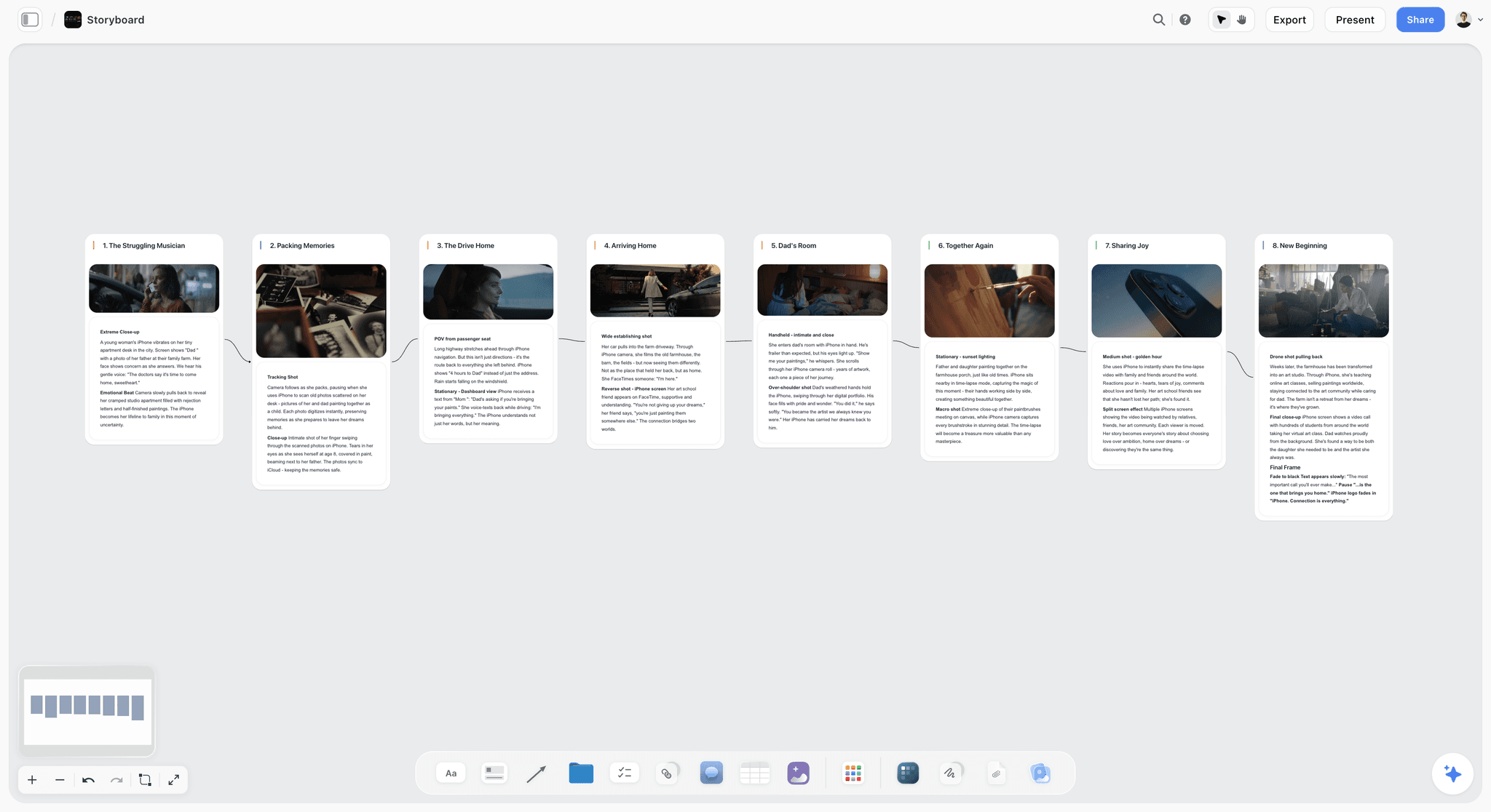
The verdict. For the months before the story becomes a graph, and useless once it is one.
Best for. Shaping the arc, the characters and the world before any branch exists.
Pricing. Paid-only during early access. Plus is $7.99 per month billed annually or $9.99 monthly. Pro is $14 per month billed annually or $19 monthly, adding AI image generation, roughly twenty times more AI usage and memory across conversations. Max is $39 per month billed annually or $49 monthly and adds the Team Workspace with permissions and roles. Pricing is flat per account, and anyone a paid member invites to a board joins free. The Free plan launches before the end of 2026.
Why it ranks here, and why second. Articy is better at everything that happens after the story exists, and this post is not going to argue otherwise.
What Articy is bad at is the phase where a narrative designer has a premise, three characters, a world and no idea yet what the shape is. That work is exploratory and visual: the arc, the characters and what each wants, the world's rules, the moments you know you want, and the relationships between them. In a node graph this becomes premature structure. On a canvas it stays movable.
The second use is the thing this post named as the invisible content failure. Environmental storytelling, item descriptions and barks are narrative, and they never make it into the dialogue tool because they are not dialogue. Keeping them visible next to the story they support, during design rather than at the end, is genuinely useful and almost nobody does it.
Third, access. Narrative in games is shaped in conversation with designers, artists and a creative director, and per-seat pricing means those conversations happen without the writers' surface open. Invited collaborators join free.
The AI reads your full active canvas board by default, plus up to one Tactic and up to three Documents you @-mention, which is useful for checking whether a world board contradicts itself before those contradictions become shipped lines.
Strengths.
- Holds an exploratory story shape without demanding premature structure.
- Keeps environmental and incidental narrative visible next to the main story.
- Characters, world rules and arcs on one surface a whole team can read.
- Invited collaborators join free, so designers and art can be in the narrative conversation.
- Canvas-wide AI context for spotting world inconsistencies early.
Limitations.
- No branching logic whatsoever. No nodes, no conditions, no variables, no state.
- No engine export. Nothing for Unity, Unreal or any runtime.
- No localization key management or pipeline.
- No dialogue graph, so it cannot represent a conversation with choices.
- No playtest or simulation of a player path.
- Team Workspace with permissions and roles is on Max at $39 per month billed annually.
The trade off. A tool for month one to month four. Once you are writing dialogue with conditions, you need Articy, Ink or Yarn Spinner, and Storyflow becomes the reference board rather than the workspace.
3. Twine
The verdict. Free, immediate, and the fastest way to find out whether a branch structure is interesting.
Best for. Prototyping narrative structure and playable text before committing.
Pricing. Free and open source. Verify on twinery.org.
Why it ranks here. Twine's value is speed to a playable thing. In an afternoon you can build a branching prototype, play it, and discover that the choice you were excited about does not feel like a choice.
That is the closest thing here to measuring word count two, because you actually walk a path and notice what a player sees.
Third because it does not scale to production. A large Twine project becomes unwieldy and its export is not a production narrative pipeline.
Strengths.
- Free, open source, and running in a browser in thirty seconds.
- Playable output immediately, which is the point.
- Genuinely good for testing whether branching feels meaningful.
- Large community and abundant learning material.
- Multiple story formats with real scripting for those who want it.
Limitations.
- Does not scale to production-size projects.
- No real engine integration.
- No localization pipeline.
- Collaboration is essentially absent.
- Large projects become visually unmanageable.
The trade off. Prototype here always, ship from here rarely.
4. Airtable
The verdict. The only practical place to see all three word counts at once, which is the argument of this post.
Best for. Reconciling written, experienced and paid-for word counts, plus VO and localization status.
Pricing. Free tier with record limits. Team plans from around $20 per seat per month billed annually. Verify on airtable.com.
Why it ranks here. The budget failure in month nine happens because nobody was watching the third number. A base with a record per line or per conversation, carrying word count, recording status, localization status and the system it belongs to, makes that number visible from month two.
It is also the honest answer to the invisible content problem. Barks and item descriptions with required status fields will actually get localized, because their absence becomes a filtered view rather than a discovery.
Fourth because it holds no narrative and produces no story. It is the accounting layer, and accounting is what stops a system being cut for the wrong reasons.
Strengths.
- Required fields for recording, localization and QA status.
- Linked records across lines, characters, systems and languages.
- Views that give localization producers exactly their slice.
- Automations that chase missing status.
- Cheap and quick to stand up.
Limitations.
- Nothing narrative. It counts words, it does not hold them well.
- Needs an owner or it drifts.
- Per-seat pricing.
- Record limits on lower tiers bite on large projects.
The trade off. Half a day of setup in month two that prevents the month-nine conversation. Very few teams do it and most wish they had.
5. Ink
The verdict. The strongest free production option, proven on shipped games.
Best for. Branching narrative written as script, integrated into an engine.
Pricing. Free and open source. Verify on inklestudios.com.
Why it ranks here. Ink is a scripting language for narrative, built by inkle and used in their own shipped titles, with a Unity integration that is genuinely production-grade. Writers work in text, which many prefer to node graphs, and the language handles weaving, variables and conditions elegantly.
For a small team without an Articy budget, Ink plus its Unity plugin is a real narrative pipeline at zero licence cost.
Fifth because it is text-based, which is a genuine barrier for writers who think visually, and because its tooling around large projects is thinner than Articy's.
Strengths.
- Free, open source, and proven on commercially shipped games.
- Excellent Unity integration.
- Writers work in readable text rather than a graph.
- Handles complex state elegantly.
- Inky editor gives live preview while writing.
Limitations.
- Text-based, which suits some writers and repels others.
- Weaker tooling for very large projects than Articy.
- Localization pipeline must be assembled yourself.
- Unreal support is community-driven rather than official.
The trade off. The best value on this list if your writers are comfortable in text.
6. Yarn Spinner
The verdict. The most writer-friendly of the free options, especially for Unity teams.
Best for. Dialogue-heavy games where writers must work without engineering help.
Pricing. Free and open source, with paid support options. Verify on yarnspinner.dev.
Why it ranks here. Yarn Spinner's syntax is close to readable screenplay, which lowers the barrier for writers considerably, and its Unity integration is clean. For a team whose bottleneck is that only one person can implement dialogue, this removes the bottleneck.
Sixth because it is more focused on dialogue than on whole-narrative structure, and its ecosystem is smaller than Ink's.
Strengths.
- The most approachable syntax here for non-technical writers.
- Solid Unity integration with active development.
- Free and open source.
- Good documentation and a friendly community.
Limitations.
- More dialogue-focused than narrative-structure-focused.
- Smaller ecosystem than Ink.
- Unreal support is less mature.
- Localization requires assembly.
The trade off. If your writers are non-technical and you ship in Unity, start here.
7. World Anvil
The verdict. Real consistency tooling for large invented worlds.
Best for. Lore, timelines and cross-references in a world big enough to contradict itself.
Pricing. Free tier with limits. Paid plans from around $5 per month billed annually. Verify on worldanvil.com.
Why it ranks here. A game world with hundreds of lore entries will eventually contradict itself, and the contradiction will ship as an item description that disagrees with a codex entry. World Anvil's linked articles, timelines and relationship tracking are built for exactly that.
Seventh because most games do not carry that lore volume, and for those that do not it is structure around very little content.
Strengths.
- Purpose-built worldbuilding with linked entities and timelines.
- Genuine cross-reference and consistency tooling.
- Maps and relationship tracking.
- Inexpensive.
Limitations.
- Overkill for most projects.
- Opinionated structure that resists other shapes.
- Aimed partly at hobbyists, which is visible.
- No engine integration.
The trade off. Worth it above a lore threshold most games never reach.
8. Notion
The verdict. The narrative bible as documentation, and nothing more.
Best for. Style guides, character voice notes, naming conventions and team documentation.
Pricing. Generous free plan for individuals. Paid plans around $10 per user per month billed annually. Verify on notion.so.
Why it ranks here. Narrative teams need written standards: how this character swears, what the in-world term for the currency is, which naming convention the localization team expects. Notion is good at that and everybody has it.
Eighth because it holds no structure, no logic and no counts.
Strengths.
- Good for written standards and voice documentation.
- Databases handle a light tracker.
- Universally familiar.
- Strong free tier.
Limitations.
- No branching, logic or engine connection.
- Everything becomes a document.
- Per-user pricing.
- Configuration is a time sink.
The trade off. Standards here. Story elsewhere.
9. Miro
The verdict. Good for the workshop where narrative meets systems design.
Best for. Structure sessions with designers, and mapping narrative onto game systems.
Pricing. Free tier capped at three editable boards. Paid plans from around $8 per member per month billed annually. Verify on miro.com.
Why it ranks here. The conversation where narrative designers and systems designers work out how a story beat is delivered through a mechanic is genuinely a workshop, and Miro's facilitation is the best available.
Ninth because per-member pricing suits contractor-heavy narrative teams badly, and because the boards become unreadable after the session.
Strengths.
- Best facilitation toolkit for cross-discipline sessions.
- Handles large groups.
- Deep template library.
- Good for remote studios.
Limitations.
- Per-member pricing.
- Boards become archaeology quickly.
- No narrative structure or logic.
- Dense boards degrade in performance.
The trade off. Use it for the session, not for the story.
10. Codecks
The verdict. The right place for narrative production tasks inside game development tracking.
Best for. Tracking narrative work alongside the rest of production.
Pricing. Free tier for small teams. Paid plans from around $4 per user per month. Verify on codecks.io.
Why it ranks here. Narrative work is production work, with dependencies on VO sessions, localization deadlines and implementation. Codecks is built for game teams and models content pipelines better than generic trackers.
Tenth because it tracks the work rather than the words, and word count three lives in the words.
Strengths.
- Built for game production specifically.
- Cheap with a usable free tier.
- Content pipeline structures that fit narrative work.
- Tolerable for non-programmers.
Limitations.
- Not a narrative tool.
- Smaller ecosystem than general trackers.
- Deck metaphor takes adjustment.
- Lighter reporting.
The trade off. Track narrative tasks where the rest of production is tracked. Do not create a separate narrative tracker.
11. Google Sheets
The verdict. Where the invisible content actually lives, and the reason it goes wrong.
Best for. Barks, item descriptions, system strings and everything without a tool.
Pricing. Free with a personal account. Business tiers from around $8 per user per month. Verify on workspace.google.com.
Why it ranks here. Honesty requires it. Barks, UI strings, item descriptions and loading text are almost universally in a spreadsheet, on every project, including well-run ones. It is free, universal, and localization vendors accept it.
Eleventh because a spreadsheet cannot require a field, so localization status, character limits and VO state decay, and because that decay is invisible until the localization deadline.
Strengths.
- Free, universal, and accepted by localization vendors.
- Real-time collaboration.
- Everyone can already use it.
- Flexible for the things no tool covers.
Limitations.
- No field enforcement, so status data decays.
- No character-limit validation, which matters enormously for UI strings.
- Version confusion across a long project.
- Nothing connects to the engine.
The trade off. Unavoidable, and the single place worth upgrading to a database with required fields.
What to Actually Pay For
Pay for the pipeline that removes retyping. Articy if you can afford it, Ink or Yarn Spinner if you cannot. The cost of a manual transcription step between writing and engine is paid in QA time, and it is always more than the licence.
Build the word count reconciliation in month two, not month nine. A database showing written, recorded and localized counts by system is half a day of setup and it prevents the worst cut decision on the project.
Spend almost nothing on the shaping phase. A canvas at under $10 a month covers it. The value is in not committing to structure early, not in the software.
Prototype in Twine before committing to a branch design. It is free and an afternoon there regularly saves a month of building something that does not feel like a choice.
Give the invisible content a home with required fields. Barks and item descriptions are a meaningful share of your localization bill and they are tracked worst on almost every project.
Tools to Avoid for This Job
A word processor as the narrative source of truth. Branching narrative in a document means someone retypes it into the engine, and that person will make errors nobody catches until QA.
A dialogue tool with no engine export. However good the writing experience, a tool that ends at a PDF or a CSV export has just moved the transcription problem rather than removed it.
Tracking word count only in the writing tool. It shows word count one, which is the number that matters least for both pacing and budget.
Starting in a node graph. Structure imposed before the story has a shape produces a graph you will rebuild. Shape first, graph second.
Separate tools for dialogue and for barks. They are the same localization bill and the same QA pass, and splitting them is why barks arrive unlocalized.
What No Tool on This List Does
None of these will tell you whether the branching is meaningful.
A choice is meaningful when the player believes it might matter and the game honours that belief in some way they eventually perceive. That is a design judgment, made by playing, and every tool here will happily let you build a branch structure where twelve choices reconverge four lines later with no state change. The structure will look impressive in the graph and feel like nothing in the hands.
None of them will keep the character consistent across writers, either. Multi-writer projects drift, and the drift is subtle: a character becomes twelve percent funnier under one writer and readers cannot say why the game feels uneven. Voice documentation helps a little. An editing pass by one person over all of a character's lines helps far more, and nobody schedules it.
And none of them will make the localization deadline less painful. Localization is a fixed-duration process that starts when content locks, and content never locks on time. The only real mitigation is locking systems progressively rather than all at once, which is a production decision made long before any writing tool is opened.
The Bottom Line
A game's narrative has three word counts that diverge immediately and are almost never tracked together: what you wrote, what a player sees, and what you pay for.
Choose by the count that is hurting. If narrative bugs keep appearing in QA, the problem is a transcription step and the fix is a real engine pipeline, which is Articy, Ink or Yarn Spinner. If a system got cut in month nine, the problem is that nobody was watching the third count, and a database fixes it for the price of an afternoon. If choices feel hollow, prototype in Twine before building anything.
Storyflow ranks second here for the months before the story becomes a graph, and it is the only claim this post makes for it.
FAQ: Tools for Game Narrative Teams
What is the best tool for game narrative?
Articy Draft, because game narrative is structured data and its export into Unity and Unreal removes the transcription step where most late narrative bugs originate. If the licence is out of reach, Ink is free, production-proven and has genuine Unity integration.
What is the best free tool for branching narrative?
Ink for production, Twine for prototyping, Yarn Spinner if your writers are non-technical and you ship in Unity. All three are free and all three are used on shipped games. The choice is mostly about whether your writers prefer text or a visual editor.
Does Storyflow support branching dialogue?
No. Storyflow has no nodes, no branches, no conditions, no variables and no state. It has no engine export for Unity or Unreal and no localization pipeline. It ranks second on this list for the shaping phase only: arc, characters, world and incidental narrative before any of it becomes a graph.
Is Storyflow free for game teams?
Not during early access. Storyflow is paid-only right now, starting at $7.99 per month billed annually on the Plus plan. The Free plan launches before the end of 2026. The genuinely free path today is that anyone a paid member invites to a board joins free, which suits narrative teams that include contract writers and designers.
How do I control narrative scope?
Track all three word counts from month two: written, experienced on a typical path, and paid for in VO and localization. The third scales with the first, not the second, so every branch you add costs recording and localization money regardless of how few players see it. Teams that watch only the written count discover this when the VO quote arrives.
Articy Draft or Ink?
Articy if you want a visual editor, have the budget, and your team includes writers uncomfortable with text-based syntax. Ink if cost matters, your writers are comfortable in script, and you ship in Unity. Both are real production pipelines; the choice is about your writers rather than about capability.
How do I handle barks and item descriptions?
In a database with required fields, not a spreadsheet, and start it early. This content is a large share of your localization bill, it is written last and tracked worst, and its absence from your status tracking is exactly why it arrives unlocalized. Airtable with a required localization-status field solves it cheaply.
Can AI help with game narrative?
For consistency checking and summarizing, modestly. Asking a world board whether it contradicts itself before contradictions become shipped lines is genuinely useful. Storyflow's AI reads your full active canvas board plus up to one Tactic and three Documents you @-mention. For the writing, generative output is the average of everything, which is the opposite of a distinctive character voice.
How do I test whether a branch structure works?
Build it in Twine and play it. An afternoon of prototyping tells you more about whether a choice feels meaningful than a month of graph design, because meaningfulness is experienced rather than modelled. The most common discovery is that a branch you were excited about reconverges too fast to feel like anything.
When should narrative work start?
Before systems are locked, and this is the recurring fight. Narrative that arrives after systems are fixed can only decorate them. Narrative involved during systems design can shape what the mechanics express, which is where games do things other media cannot.
How much should a narrative tool stack cost?
For a small team: free, using Ink or Yarn Spinner plus Twine plus a spreadsheet, or a few hundred for an Articy licence plus an Airtable base. The expensive part of game narrative is never the software, it is voice recording and localization, which is exactly why the word count tracking matters more than the tool choice.
How do I keep character voice consistent across writers?
Document the voice, then schedule a single-editor pass across all of a character's lines before content lock. Documentation alone does not work, because drift is subtle and each writer believes they are matching the guide. One person reading everything one character says, in sequence, catches what no style guide does.
What is the biggest hidden cost in game narrative?
Localization and voice for content most players will never see. Every optional branch is recorded and localized in full. Teams that map word count one against word count two early often choose fewer, deeper branches, which is usually a better game as well as a cheaper one.
What is the single change worth making this month?
Count your written words and estimate your experienced words on the most common path. If the ratio is worse than about three to one, you have a budget problem and a pacing problem simultaneously, and both are cheaper to fix now than in month nine.
Table of Contents
- Key Takeaways
- The Three Word Counts
- At a Glance: The 11 Tools Compared
- How I Ranked These
- Quick Picks by Job Type
- 1. Articy Draft
- 2. Storyflow
- 3. Twine
- 4. Airtable
- 5. Ink
- 6. Yarn Spinner
- 7. World Anvil
- 8. Notion
- 9. Miro
- 10. Codecks
- 11. Google Sheets
- What to Actually Pay For
- Tools to Avoid for This Job
- What No Tool on This List Does
- The Bottom Line
- FAQ: Tools for Game Narrative Teams
- Related Reading
Templates to check out for this topic


Templates you can use in Storyflow
Every Storyflow board starts from real structure and an AI that reads the whole canvas. Open one of these templates and make it yours.


See Storyflow in Action
A visual AI workspace where every feature lives inside one canvas. No tab-switching, no context lost.
Build your entire board from a single message
Type what you need in the AI chat at the bottom of your canvas. The AI adds cards, headings, and structure directly onto your board.
Use expert frameworks as AI context
Type @ in the AI chat and choose any Tactic. The AI tailors every response to that framework instead of giving generic advice.
Turn your board into a mind map in seconds
Ask the AI to restructure your canvas as a mindmap. It connects your ideas into a visual hierarchy so you can see how everything relates.
Why Storyflow Exists
Storyflow actually began as a personal tool while working on creative and research projects.
We kept running into the same problem: ideas were scattered everywhere: notes, documents, and whiteboards.
Nothing helped us see how everything connected.
So we started building a workspace designed around how ideas actually grow.
→ Read how Storyflow was createdSara de Klein
Head of Product at Storyflow
Published: 2026-08-11
Extremely simple, seriously capable


See how easy it is to get started
Watch a real project come together, from a blank board to a finished plan, clicked through step by step.
Start creating with AI and become more productive
Transform your creative workflow with AI-powered tools. Generate ideas, create content, and boost your productivity in minutes instead of hours.