The 11 Best Online Whiteboard Tools for Game Studios in 2026
Whiteboard content in a game studio has three half-lives: the pitch lives for years, the systems map for weeks, the sprint board for days. Eleven tools ranked by which one each serves.

Category
Visual Collaboration
Author

Sara de Klein
Head of Product at Storyflow
Topics
2026-08-11
•
17 min read
•
Visual Collaboration- best online whiteboard
- easy digital whiteboards for brainstorming
- best whiteboard for a game studio
- Miro alternative for game teams
- game design document canvas
- best visual collaboration tool for teams
What are the best online whiteboard tools for game studios in 2026?
The best online whiteboard for a game studio is Storyflow, for a reason that only becomes obvious after your second project: whiteboard content in games has three completely different half-lives, and almost every studio puts all three on the same surface until the whole thing becomes unreadable. Storyflow holds the long-lived layer, the pitch and the design intent, in a form that is still legible in year two, on pricing that does not tax you for having contractors. Miro remains the best tool for the session itself, at any group size, and it is not close. FigJam is the fastest thing to open for a group of six. Codecks is the only tool here built by people who actually ship games. This ranking judges all 11 tools on one question: which half-life does each one serve.

Full disclosure: Storyflow is our own product, and we rank it #1 here for one narrow job: holding the long half-life layer, pitch, design pillars, reference intent and the graveyard of killed ideas, on pricing that does not punish a contractor-heavy team. For running an actual workshop Miro is the better product and it is not close. Storyflow has no timer, no dot voting, no private mode, no breakout rooms, no video conferencing, no sprint board, no task tracking and no Unity or Unreal integration. We link to every tool so you can judge the fit.
Quick Comparison
These four cover the jobs a studio whiteboard is asked to do at once: holding design intent that must still be legible in year two, running a live workshop, giving a small team something light to open, and keeping sprint content off the canvas where it does not belong.
| Tool | Best For | AI Features | Price |
|---|---|---|---|
| Storyflow | Long-lived pitch, pillars and idea graveyard | Canvas-wide context AI | $7.99 mo annual (free plan late 2026) |
| Miro | Facilitation: timers, voting, private mode, breakouts | Light AI | Free (3 boards) / from ~$8 per member mo |
| FigJam | Light sessions next to your Figma UI work | Light AI | Free tier / from ~$5 per editor mo |
| Codecks | Game-native sprint and content tracking | None | Free tier / from ~$4 per user mo |
Key Takeaways
- Whiteboard content in a game studio has three half-lives: the pitch lives for years, the systems map lives for weeks, the sprint board lives for days. Studios put all three on one surface and then wonder why nobody opens it.
- The board that describes a game you no longer make is worse than no board, because new hires read it and believe it.
- Rejected ideas return roughly every four months in any studio that does not keep a visible graveyard, and rediscussing them is one of the least visible recurring costs in game development.
- Storyflow ranks first for the long half-life layer and for flat per-account pricing, which matters because game teams run on contractors, and per-seat tools quietly encourage keeping them out of the board.
- Storyflow has no facilitation features: no timer, no dot voting, no breakout rooms, no video conferencing, and no sprint board or task tracking. Miro, FigJam, Codecks and HacknPlan do those things and this post says so every time.
- Systems diagrams are the content most likely to become unreadable, because they are drawn once by the person who understands them and never re-drawn for anyone else.
- Free tiers in this category are structured to fail at exactly the moment a project gets real, which is worth planning for rather than discovering.
Keep the pillars readable in year two
Sprint stickies bury design intent, and the same rejected idea returns every four months. Storyflow holds pillars, reference intent and a visible idea graveyard on one canvas the AI can read end to end, priced flat per account so every contractor is in the board. Paid-only during early access; the Free plan lands before the end of 2026.

The Three Half-Lives
Every game studio has an abandoned whiteboard. Usually several. They are not abandoned because the tool was bad. They are abandoned because three incompatible kinds of content were put on the same surface.
Whiteboard content in a game studio has three half-lives: the pitch lives for years, the systems map lives for weeks, the sprint board lives for days.
The long half-life: pitch and design intent. What the game is. The fantasy the player is buying. The three pillars. The reference games and, more usefully, the specific thing you want from each. This content should be true in year two, and it changes rarely and deliberately. It is also the content that new hires need most and find least, because it was written in month one on a board that has since been colonized by sprint stickies.
The medium half-life: systems and structure. The economy diagram. The progression curve. The state machine for the combat loop. This content changes every few weeks during production and is the single most likely thing to become unreadable, for a specific reason: it is drawn once, quickly, by the person who already understands it, and then never redrawn for anybody else. Six weeks later it is an archaeological object.
The short half-life: sprint and session content. Retro stickies, jam boards, playtest notes, the workshop where you argued about the tutorial. This content is dense, valuable for about nine days, and then it is noise. It is also the content that grows fastest and buries the other two.
The failure is not that any layer is wrong. It is that they are mixed. A board where the design pillars sit next to last sprint's retro stickies reads as though the pillars are also disposable, and the pillars are the thing a studio most needs to hold.
There is a fourth cost worth naming because nobody budgets for it. A rejected idea returns roughly every four months. Somebody proposes the mount system again. It was considered and killed in pre-production for good reasons that nobody wrote down, so the studio spends a fortnight rediscovering them. A visible graveyard of killed ideas with one line each on why is one of the highest-return artifacts a design team can maintain, and almost nobody does it.
The tools below are ranked by which half-life they serve.
At a Glance: The 11 Tools Compared
| Tool | Best for | Half-life it serves | Pricing shape |
|---|---|---|---|
Storyflow | Pitch, design intent and the idea graveyard | Long | Flat per account |
Miro | Running the session itself, at any group size | Short | Per member |
FigJam | Fast, small, design-literate working sessions | Short | Per editor |
Codecks | Sprint and production tracking built for games | Short | Per user |
Milanote | Art direction and visual reference boards | Long | Per person |
Excalidraw | Systems diagrams that stay readable | Medium | Free or per user |
HacknPlan | Task tracking with a game design document attached | Short, medium | Per user |
Notion | Written design docs and the wiki around them | Long, medium | Per user |
Figma | UI and interface design proper | Medium | Per editor |
World Anvil | Deep worldbuilding and lore consistency | Long | Per person |
Articy Draft | Branching narrative and dialogue structure | Medium | Licence |
How I Ranked These
I make documentaries rather than games, and this list leans heavily on two years of watching two small studios work and on the judgment of designers who corrected my first draft of it. Where the ranking touches production tracking specifically, I have weighted their view above mine.
Every tool below has been used on real projects.
Five criteria, weighted in this order.
1. Is it still legible in year two? A board that requires the person who made it to explain it has failed at the long half-life, which is the layer studios most need and least maintain.
2. What does it cost when the team is half contractors? Game teams flex constantly: a contract animator for four months, an audio person for six weeks, an external QA group. Per-seat pricing turns each of these into a decision, and the decision is usually to leave them out of the board, which means the board no longer reflects the team.
3. Does it separate the layers, or force them together? A tool that encourages one enormous board will produce one enormous unreadable board. Structure that keeps pitch, systems and sprint content distinct is doing real work.
4. Facilitation quality. Timers, voting, private mode, breakouts. This matters, it is weighted fourth deliberately, and it only governs the shortest half-life.
5. Does it survive a project ending? Studios move between projects, and the content that should carry forward (what we learned, what we killed and why, what the pillars taught us) usually does not. Tools that make an archive readable rather than merely stored are rare and valuable.
Pricing below is as of August 2026 and changes often. Verify with each vendor.
Quick Picks by Job Type
- Best overall for a game studio whiteboard: Storyflow. Long half-life content that stays legible, a visible idea graveyard, and flat pricing so contractors are always in the board.
- Best for the session itself: Miro. Timers, voting, private mode, breakouts and the largest template library. If your risk is a chaotic workshop, this is the pick.
- Best for a small design-literate group: FigJam. Nothing opens faster or feels lighter for six people.
- Best production tracking built for games: Codecks. Card-based, deck-structured, made by people who ship games.
- Best for art direction: Milanote. Quiet, spatial reference boards that do not try to become project plans.
- Best for systems diagrams: Excalidraw. Fast, plain, and readable months later precisely because it is plain.
- Best for design docs plus tasks: HacknPlan. A GDD and a task board that reference each other.
- Best for deep lore: World Anvil. Purpose-built worldbuilding with real consistency tooling.
1. Storyflow
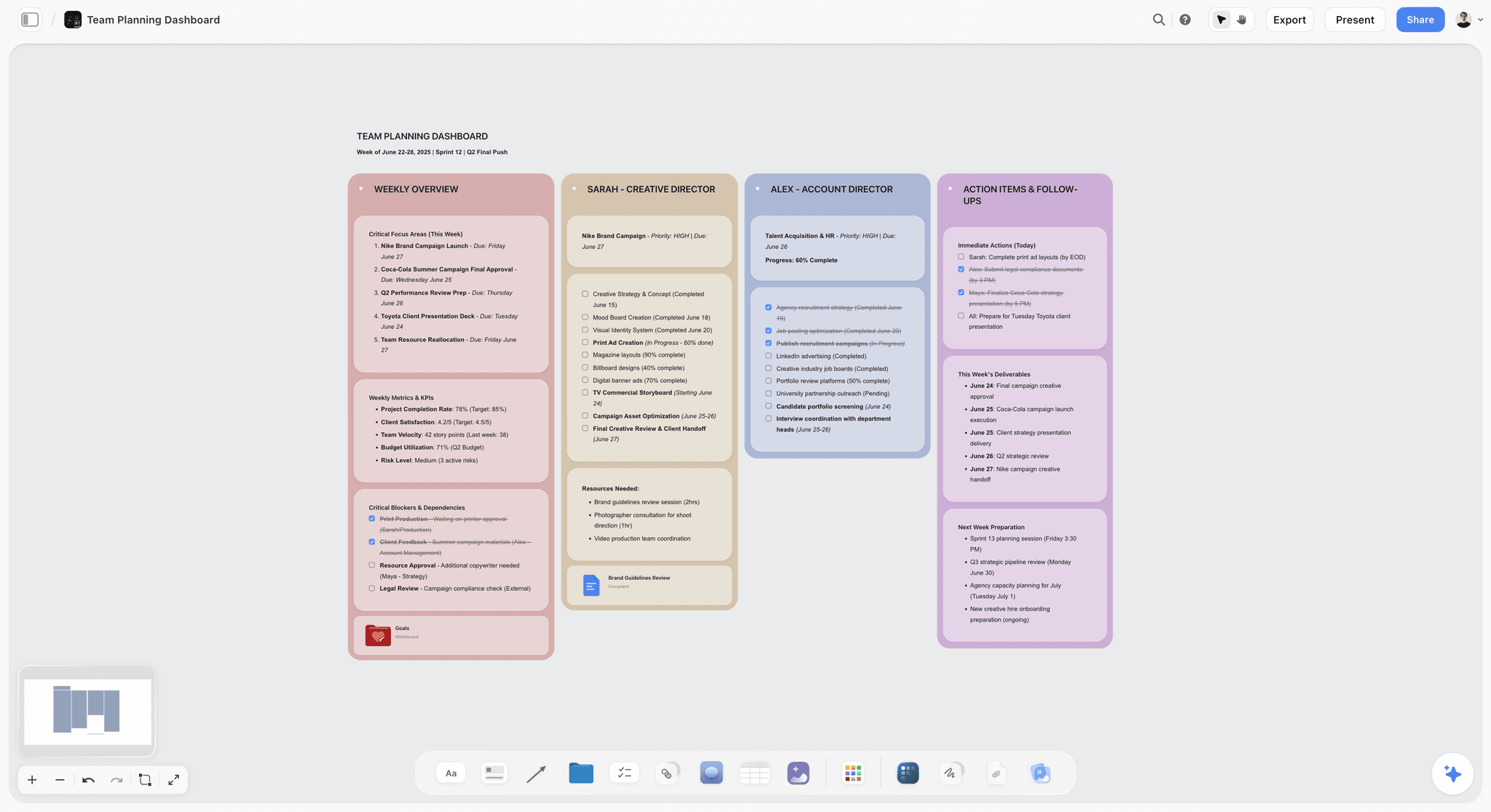
The verdict. The only tool here designed around content that has to survive, rather than content that has to be produced in a session.
Best for. Pitch, design pillars, reference intent and a visible graveyard of killed ideas.
Pricing. Paid-only during early access. Plus is $7.99 per month billed annually or $9.99 monthly. Pro is $14 per month billed annually or $19 monthly, adding AI image generation, roughly twenty times more AI usage and memory across conversations. Max is $39 per month billed annually or $49 monthly and adds the Team Workspace with permissions and roles. Pricing is flat per account rather than per seat, and anyone a paid member invites to a board joins free and can invite others. The Free plan launches before the end of 2026.
Why it ranks here. Start with pricing, because for game studios specifically it is structural rather than a footnote. A studio of nine full-time people is usually a board of eighteen: contract artists, an audio contractor, external QA, a publisher producer, two playtesters you want to keep close. On a per-member tool at roughly $10 a seat that is a real monthly number for people who are in the board for two hours a week. The predictable consequence is that they are not invited, and the board stops describing the team that is actually making the game. On Storyflow the account holder pays and everyone they invite joins free.
The second reason is the long half-life layer. A board holding the three pillars, the reference games with a note under each saying what specifically you want from it, and the fantasy statement, arranged spatially so hierarchy is visible, is readable by a person who joins in month fourteen. That is the exact artifact studios most need and most often lose to sprint noise, and keeping it on its own surface is most of the fix.
The third is the graveyard. Killed ideas, each with one line on why, kept visible. This is not a feature so much as a practice, but the practice needs a home that will not be cleared, and a long-lived board is that home. The fortnight you do not spend rediscussing the mount system pays for the subscription several times over.
The AI reads your full active canvas board by default, plus up to one Tactic and up to three Documents you @-mention, which is useful for onboarding: asking the pitch board what the game's pillars are and getting an answer grounded in the whole surface.
Strengths.
- Flat per-account pricing, so contractors and publisher contacts are always in the board.
- Invited collaborators join free and can invite others.
- Long-lived content stays legible because it is not competing with sprint noise.
- Spatial arrangement preserves hierarchy that a document flattens.
- Canvas-wide AI context, useful for onboarding and for summarizing a pitch board.
Limitations.
- No facilitation features at all. No timer, no dot voting, no private mode, no breakout rooms, no video or audio conferencing. For a live workshop, Miro or FigJam will run the session better.
- No sprint board, no task tracking, no burndown, no assignments. Codecks and HacknPlan do this and Storyflow does not attempt it.
- No engine integration. Nothing for Unity or Unreal.
- No branching dialogue tooling, no narrative graph, no version control on design docs.
- Team Workspace with permissions and roles is on Max at $39 per month billed annually.
- Newer platform, so the template library is far smaller than Miro's community collection.
The trade off. Storyflow is the weaker tool during a workshop and the stronger one in month fourteen. Most studios need it alongside a session tool rather than instead of one.
2. Miro
The verdict. The best session tool in the category and the wrong home for anything that has to last.
Best for. Workshops, jams, retros and any moment where a group must be moved through an agenda.
Pricing. Free tier with a three-board limit. Paid plans from around $8 per member per month billed annually, with Business and Enterprise above. Verify on miro.com.
Why it ranks here. Nothing here runs a room like Miro. Timers, dot voting, private mode so people commit before they see each other's answers, breakout frames, and a template library that covers essentially every workshop format anyone has invented.
For a distributed studio running a design jam across three time zones, this is the tool, and the facilitation features are not decoration. Private mode alone measurably changes the quality of a brainstorm by preventing anchoring.
Second because of what happens afterwards. Miro boards become dense fast, and dense Miro boards are close to unreadable to anyone who was not in the session. The three-board free tier also means a studio hits a wall at exactly the moment a project gets real.
Strengths.
- Best facilitation toolkit available: timers, voting, private mode, breakouts.
- Enormous template library including game-specific formats.
- Handles very large groups without falling over.
- Mature integrations across the common studio stack.
- Excellent for distributed workshops.
Limitations.
- Per-member pricing, which punishes contractor-heavy teams.
- Boards become archaeology within weeks of the session.
- Free tier caps at three editable boards.
- Performance degrades on very dense boards, which is where studio boards end up.
- No production tracking.
The trade off. Buy it for sessions. Do not let it become the home of your design intent, because in eight months nobody will be able to read it.
3. FigJam
The verdict. The lightest good whiteboard here, and the obvious choice for studios already inside Figma.
Best for. Fast working sessions with a small, design-literate group.
Pricing. Free tier that is genuinely usable. Paid FigJam seats from around $5 per editor per month billed annually, and included with Figma plans. Verify on figma.com.
Why it ranks here. FigJam opens instantly, feels light, and for a group of six it is often better than Miro precisely because it does less. If your UI work is already in Figma, having the whiteboard adjacent removes a context switch that sounds trivial and is not.
Third because its facilitation is thinner than Miro's and its long-term legibility is no better.
Strengths.
- Fastest to open and lightest to use.
- Genuinely useful free tier.
- Adjacent to Figma, where UI design already lives.
- Cheap per-editor pricing.
- Good enough facilitation for small groups.
Limitations.
- Thinner facilitation than Miro at larger group sizes.
- Same archaeology problem after the session.
- Assumes some design-tool literacy.
- Weak for long-lived structured content.
The trade off. If your studio already pays for Figma, this is nearly free and covers the short half-life adequately. That is a strong argument.
4. Codecks
The verdict. The only production tracker here built specifically for game development, and it shows in the details.
Best for. Sprint and production tracking that designers and artists will actually use.
Pricing. Free tier for small teams. Paid plans from around $4 per user per month with tiers by team size. Verify on codecks.io.
Why it ranks here. Codecks structures work as decks of cards rather than an infinite backlog, which maps onto how game teams actually think about features and content. It has a genuinely good player feedback integration, and the interface is designed to be tolerable for artists rather than optimized for a scrum master.
For the short half-life, this beats a whiteboard outright: sprint content belongs in a tracker, not on a canvas where it will bury your pillars.
Fourth on a whiteboard list because it is not a whiteboard, and it is here because the most common misuse of a whiteboard in a game studio is as a task board.
Strengths.
- Built for games, with content and feature structures that fit.
- Cheap, with a workable free tier.
- Player feedback and bug intake integrated.
- Designed to be usable by non-programmers.
- Handles both content pipelines and feature work.
Limitations.
- Not a whiteboard. No freeform canvas, no diagramming.
- Smaller ecosystem than general PM tools.
- Deck metaphor takes adjustment.
- Reporting is lighter than enterprise trackers.
The trade off. Put your sprint content here and your design intent elsewhere. That separation alone fixes most of what this post describes.
5. Milanote
The verdict. The calmest place for art direction, and a genuine long-half-life tool for the visual layer.
Best for. Art direction boards, reference collection and mood.
Pricing. Free plan capped at 100 notes, images and links across the whole account. Paid plans from around $12.50 per person per month billed monthly. Verify on milanote.com.
Why it ranks here. For visual reference specifically, Milanote is excellent and stays readable, because it does not accumulate the sticky-note density that kills a Miro board. Art leads take to it quickly.
Fifth because the 100-item free cap is a hard wall that arrives mid-project, and because per-person pricing has the same contractor problem as Miro.
Strengths.
- Most intuitive board on this list for visual work.
- Excellent web clipper for reference gathering.
- Stays readable over time because it stays sparse.
- Good templates for creative projects.
Limitations.
- 100-item free cap counts everything, forever, across the account.
- Per-person pricing for collaborators.
- No facilitation features.
- No production tracking or systems diagramming.
- No AI worth the name.
The trade off. Strong for the art layer specifically. Not a studio-wide answer.
6. Excalidraw
The verdict. The best tool here for systems diagrams, and it wins by being deliberately plain.
Best for. Economy diagrams, state machines, progression curves and anything a programmer needs to read.
Pricing. Free and open source, self-hostable. Excalidraw Plus from around $7 per user per month for collaboration features. Verify on excalidraw.com.
Why it ranks here. Systems diagrams become unreadable because they get decorated. Excalidraw's hand-drawn aesthetic and minimal feature set discourage decoration, and the result is diagrams that still communicate six weeks later. The files are portable and can live in your repository next to the code they describe, which is the correct place for them.
Sixth because it does one thing and has no facilitation, no persistence model beyond files, and no structure.
Strengths.
- Free, open source and self-hostable.
- Diagrams stay readable because the tool discourages ornament.
- Files live in the repo alongside the code.
- Zero account friction for a quick sketch.
- Genuinely fast.
Limitations.
- No structure, organization or search across diagrams.
- Collaboration requires the paid tier or self-hosting.
- No facilitation features.
- Not a home for anything except diagrams.
The trade off. Put your systems diagrams here and version them with the code. It is close to free and it solves the medium half-life better than anything else on this list.
7. HacknPlan
The verdict. Task tracking with a design document attached, built for small game teams.
Best for. Studios that want their GDD and their board to reference each other.
Pricing. Free tier for small projects. Paid plans from around $5 per user per month. Verify on hacknplan.com.
Why it ranks here. HacknPlan's distinguishing idea is that tasks link to design document sections, so a board item connects to the design intent behind it. That connection is exactly what usually breaks between the long and short half-lives.
Seventh because the design document side is text-based and fairly basic, and because Codecks is the better tracker for most teams.
Strengths.
- GDD and task board that reference each other.
- Cheap with a usable free tier.
- Built specifically for game development.
- Time tracking and metrics for small teams.
Limitations.
- Design document features are basic text.
- No canvas or diagramming.
- Smaller community than alternatives.
- Interface feels dated.
The trade off. A neat idea worth trying if the disconnect between docs and tasks is your specific pain.
8. Notion
The verdict. The right home for written design documentation and the studio wiki, and the wrong shape for design intent.
Best for. GDD text, pipeline documentation, meeting notes and the studio handbook.
Pricing. Generous free plan for individuals. Paid plans around $10 per user per month billed annually. Verify on notion.so.
Why it ranks here. Studios need written institutional memory: naming conventions, build process, how to request an audio asset. Notion is very good at that and everybody already knows it.
Eighth because a design pillar is not a paragraph. The moment you put reference images into Notion you have a vertical scroll where the spatial relationships that carried meaning have been destroyed, and the spatial relationships were the point.
Strengths.
- Excellent for written docs and wikis.
- Databases handle light tracking.
- Universal familiarity.
- Strong free tier.
Limitations.
- Everything becomes a document, including the visual layer.
- No spatial canvas worth using.
- Per-user pricing for collaborators.
- Configuration is a genuine time sink.
The trade off. Words here, shape somewhere else.
9. Figma
The verdict. The correct tool for UI design, listed here because studios keep trying to use it as a whiteboard.
Best for. Interface design, HUD layout and UI systems.
Pricing. Free tier for limited files. Paid plans from around $16 per full editor per month billed annually. Verify on figma.com.
Why it ranks here. Game UI is UI, and Figma is the best UI design tool there is: components, variants, prototyping and handoff.
Ninth on a whiteboard list because it is not one. FigJam is the whiteboard; Figma is the design tool, and using Figma for ideation is expensive and slow.
Strengths.
- Best-in-class UI design and prototyping.
- Components and variables for real UI systems.
- Excellent handoff to implementation.
- FigJam included.
Limitations.
- Per-editor pricing that gets expensive.
- Not a whiteboard, and slow when used as one.
- Requires design skill.
- Nothing for production tracking.
The trade off. Use it for UI. Use FigJam for the whiteboard.
10. World Anvil
The verdict. Purpose-built worldbuilding with genuine consistency tooling, for the studios that need it.
Best for. Deep lore, extensive worlds and long-running narrative consistency.
Pricing. Free tier with limits. Paid plans from around $5 per month billed annually. Verify on worldanvil.com.
Why it ranks here. For a studio whose game rests on a large invented world, World Anvil's linked articles, timelines, maps and relationship tracking do things a general tool cannot. Consistency across hundreds of lore entries is a real problem with a real solution.
Tenth because most games do not need it, and for those that do not it is a large structure around a small amount of content.
Strengths.
- Purpose-built for worldbuilding at depth.
- Timelines, maps and linked entities with relationships.
- Genuine consistency and cross-reference tooling.
- Cheap.
Limitations.
- Overkill for most games.
- Opinionated structure that resists other shapes.
- Not a whiteboard.
- Aimed partly at hobbyists, which shows.
The trade off. Excellent for lore-heavy projects. Unnecessary for most.
11. Articy Draft
The verdict. The specialist for branching narrative, and the right answer if dialogue is your product.
Best for. Dialogue trees, branching structure and narrative data that exports into an engine.
Pricing. Perpetual licence tiers plus subscription options, historically in the low hundreds for professional use. Verify on articy.com.
Why it ranks here. Articy Draft is a real narrative design environment: branching flow, entity management, variables and conditions, with export into Unity and Unreal. For a narrative-heavy game it removes a whole category of pain.
Eleventh on a whiteboard list because it is a database and a flow editor rather than a canvas, and because most studios do not have narrative complexity that justifies it.
Strengths.
- Purpose-built branching narrative with variables and conditions.
- Real engine export rather than a copy-paste handoff.
- Handles very large dialogue volumes.
- Perpetual licence option.
Limitations.
- Steep learning curve.
- Windows-focused.
- Not a whiteboard or an ideation tool.
- Cost is hard to justify below a certain narrative scale.
The trade off. Necessary for dialogue-heavy games. Irrelevant otherwise.
What to Actually Pay For
Separate the half-lives before you buy anything. Most of the value in this post is free. Put sprint content in a tracker, systems diagrams in a diagram tool versioned with the code, and design intent on a board that nobody clears. Studios that do only this get most of the benefit without changing vendors.
Pay for the long half-life layer, because it is cheap and it is what you lose. The pillars, the reference intent and the graveyard cost almost nothing to host and are worth a fortnight of rediscussion every quarter.
Pay for facilitation only if you run real workshops. If your studio runs a jam quarterly, Miro's free three boards may genuinely be enough. If you facilitate weekly, buy it properly.
Do not pay per seat for people who read. Contractor-heavy teams should weight pricing shape heavily, because the alternative is a board that does not reflect the team.
Keep the graveyard. It is free, it takes one line per killed idea, and it is the highest-return artifact on this page.
Tools to Avoid for This Job
One giant board for everything. This is the failure this entire post describes. A board that holds pillars, systems and sprint stickies becomes unreadable within a quarter and takes your design intent down with it.
A whiteboard as your task tracker. Sticky notes with names on them are not a sprint board. They do not report, they do not archive, and they bury everything else on the canvas.
Diagrams in a presentation tool. Systems diagrams drawn in slides cannot be versioned, cannot live next to the code and get remade from scratch every time they change.
Anything without an export path. Studio tools change, projects end and vendors get acquired. Content you cannot get out is content you will eventually lose.
A second whiteboard. If FigJam is already paid for and used, adding Miro splits your session content in half. Pick one for sessions and mean it.
What No Tool on This List Does
None of these will tell you the game is not fun.
Every tool here holds intent, structure or tasks. Fun is discovered by playing, and the only reliable instrument is a build in front of a person who does not work for you. Studios that get this right playtest embarrassingly early with embarrassingly rough builds. No amount of clear design documentation substitutes, and there is a real risk that beautiful documentation delays the moment you find out.
None of them will resolve a disagreement between a creative director and a design lead, either. A canvas makes the disagreement visible earlier, which is genuinely valuable and is not the same as settling it. Visibility converts a late expensive argument into an early cheap one; somebody still has to have it.
And none of them will stop scope growth. Scope grows because every individual addition is reasonable and the aggregate is not, and no board sums that automatically. The closest thing to a fix is a visible pillar list and the willingness to ask whether a proposed feature serves one, which is a cultural practice with a software prop rather than a software feature.
The Bottom Line
Whiteboard content in a game studio has three half-lives: the pitch lives for years, the systems map lives for weeks, the sprint board lives for days. Studios put all three on one surface and then wonder why nobody opens it.
Choose by the half-life that is failing you. If your workshops are chaotic, buy Miro and accept the per-member bill. If your systems diagrams are unreadable, move them to Excalidraw and version them with the code. If sprint content is burying everything, move it to Codecks where it belongs.
But if a new hire in month fourteen cannot find out what the game is supposed to be, and the same rejected idea keeps coming back every four months, that is the long half-life with nowhere to live. That is the narrow case where Storyflow ranks first here, and it is the only claim this post makes for it.
FAQ: Online Whiteboard Tools for Game Studios
What is the best online whiteboard for a game studio?
Storyflow for the long-lived layer, pitch, design pillars, reference intent and the graveyard of killed ideas, on flat per-account pricing so contractors are always in the board. Miro for running actual workshops, where its timers, voting and breakouts are better than anything else available. Most studios want both, because they serve different half-lives.
Show me easy digital whiteboards for brainstorming in a small studio.
FigJam is the easiest to start with, especially if you already pay for Figma, and its free tier is genuinely usable. Excalidraw is even lighter and completely free, though it has no facilitation features. Miro is the most capable once your sessions involve more than about eight people or need timers and voting.
Does Storyflow have timers, voting or breakout rooms?
No to all three. Storyflow has no timer, no dot voting, no private mode, no breakout rooms and no video or audio conferencing. It also has no sprint board or task tracking. If your problem is running a live workshop well, Miro or FigJam will do it better, and this post says so throughout.
Is Storyflow free for a game studio?
Not during early access. Storyflow is paid-only right now, starting at $7.99 per month billed annually on the Plus plan. The Free plan launches before the end of 2026. The genuinely free path today is that anyone a paid member invites to a board joins free and can invite others, which for a studio means contract artists, audio contractors and publisher contacts join at no extra cost.
Why do our whiteboards become unreadable?
Because three kinds of content with different half-lives are on one surface. Sprint stickies accumulate fastest and bury design intent, which changes rarely. The fix is separation: sprint content in a tracker, systems diagrams in a diagram tool versioned with the code, and design intent on a board nobody clears.
Miro or FigJam for a game studio?
FigJam if your studio already pays for Figma and your sessions involve fewer than about eight people, because it is cheaper, faster and adjacent to your UI work. Miro if you facilitate real workshops, need timers, voting and private mode, or regularly run sessions with more than ten participants.
How do we stop rediscussing rejected ideas?
Keep a visible graveyard: every killed idea with one line on why it was killed, on a board that never gets cleared. Rejected ideas resurface roughly every four months in studios without one, and the cost is a fortnight of rediscovery each time. This is free and almost nobody does it.
What is the best free whiteboard for a game studio?
Excalidraw, without qualification, if you need diagrams and sketching: free, open source, self-hostable and readable months later. FigJam's free tier is the best free option for facilitated sessions. Miro's free tier caps at three editable boards, which a real project exceeds quickly. Storyflow is paid-only during early access, so it does not belong in a free stack today.
Where should the game design document live?
The written parts in a wiki that supports headings, search and version history, which for most studios means Notion or Confluence. The visual parts, pillars, reference intent and art direction, on a spatial canvas, because putting reference images into a document destroys the relationships that made them meaningful. The two should link to each other.
Do we need a game-specific tool like Codecks or HacknPlan?
If your task tracking is currently in a general tool that artists avoid, yes, and the switch is usually worth it. Codecks in particular is structured around how game content and features actually decompose, and its interface is designed for people who are not project managers.
How do we keep systems diagrams readable?
Draw them plainly, version them with the code, and redraw them for the reader rather than the author. Excalidraw is good at this specifically because it discourages decoration. The failure is almost always that a diagram was drawn once, quickly, by the person who already understood it.
How much should a studio spend on whiteboard tools?
Very little. A realistic stack is a session tool (free to about $10 per member), a long-lived canvas (flat, under $10 a month), a diagram tool (free), and a tracker (a few dollars per user). The expensive mistake is not the subscriptions, it is per-seat pricing on a contractor-heavy team, where the real cost is the people you leave out.
Can AI help with game design documentation?
For summarization and onboarding, genuinely. A canvas AI that reads your pitch board can answer what the pillars are for somebody who joined in month fourteen, grounded in the actual board. Storyflow's AI reads your full active canvas board plus up to one Tactic and three Documents you @-mention. For design judgment it is not useful, because it has not played your game.
What is the single change worth making this month?
Move your sprint content off whatever board holds your design pillars, and start a graveyard with the three most recently killed ideas and one line each on why. Both take an afternoon and both pay back within a quarter.
Table of Contents
- Key Takeaways
- The Three Half-Lives
- At a Glance: The 11 Tools Compared
- How I Ranked These
- Quick Picks by Job Type
- 1. Storyflow
- 2. Miro
- 3. FigJam
- 4. Codecks
- 5. Milanote
- 6. Excalidraw
- 7. HacknPlan
- 8. Notion
- 9. Figma
- 10. World Anvil
- 11. Articy Draft
- What to Actually Pay For
- Tools to Avoid for This Job
- What No Tool on This List Does
- The Bottom Line
- FAQ: Online Whiteboard Tools for Game Studios
- Related Reading
Templates to check out for this topic


Planning and project templates you can use in Storyflow
Plan a launch, a sprint, or a whole project on a visual board the team can see at once. Open one of these templates and start from real structure.


See Storyflow in Action
A visual AI workspace where every feature lives inside one canvas. No tab-switching, no context lost.
Build your entire board from a single message
Type what you need in the AI chat at the bottom of your canvas. The AI adds cards, headings, and structure directly onto your board.
Use expert frameworks as AI context
Type @ in the AI chat and choose any Tactic. The AI tailors every response to that framework instead of giving generic advice.
Turn your board into a mind map in seconds
Ask the AI to restructure your canvas as a mindmap. It connects your ideas into a visual hierarchy so you can see how everything relates.
Why Storyflow Exists
Storyflow actually began as a personal tool while working on creative and research projects.
We kept running into the same problem: ideas were scattered everywhere: notes, documents, and whiteboards.
Nothing helped us see how everything connected.
So we started building a workspace designed around how ideas actually grow.
→ Read how Storyflow was createdSara de Klein
Head of Product at Storyflow
Published: 2026-08-11
Extremely simple, seriously capable


See how easy it is to get started
Watch a real project come together, from a blank board to a finished plan, clicked through step by step.
Start creating with AI and become more productive
Transform your creative workflow with AI-powered tools. Generate ideas, create content, and boost your productivity in minutes instead of hours.