
Category
Game Design Tools
Author

Justkay
Documentary Filmmaker & Founder at Storyflow
Topics
2026-05-17
•
Updated May 17, 2026
•
13 min read
•
Game Design Tools- best game design tools 2026
- game design document software
- game design software
- GDD tool
- Articy draft alternative
- Storyflow game design
What are the best game design tools in 2026?
The best game design tools in 2026 are Milanote (best visual game design document canvas), Storyflow (best AI canvas for keeping the design living as the game changes), Notion (best structured GDD database), and Articy:draft (best dedicated narrative and systems design tool). The game design document nobody reads is the one that stopped changing. A game design works as a living space, not a finished document, so the best tools keep the design moving and the current state visible across systems, narrative, and content.

All 12 Game Design Tools, Ranked
- Milanote: a visual game design document canvas
- Storyflow: a living design space with canvas-wide AI
- Notion: a structured GDD database
- Articy:draft: dedicated narrative and systems design
- Miro: collaborative design boards
- Machinations: game systems and economy design
- Twine: interactive narrative prototyping
- Codecks: game-dev project management
- World Anvil: game world and lore design
- Nuclino: a lightweight design wiki
- Confluence: a team GDD wiki
- FigJam: UI and systems mockups
Full disclosure: Storyflow is our own product, so here is the honest ranking: Milanote takes #1 for the visual game design document because its boards are the cleanest way to lay a GDD out, and we rank Storyflow #2 for keeping that design living with canvas-wide AI. For dedicated narrative and systems design, Articy:draft goes deeper than either. Storyflow is newer and canvas-shaped, not a purpose-built systems tool, so if you need node-based dialogue trees or economy simulation, Articy:draft or Machinations fit better. We link to every tool so you can judge the fit.
Quick Comparison: Best Game Design Tools
These four cover the jobs a game design tool is switched for: a visual GDD, a living AI design space, a structured database, and dedicated narrative and systems design.
| Tool | Best For | AI Features | Price |
|---|---|---|---|
| Storyflow | Living design space with AI | Canvas-wide context AI | $7.99 mo annual (free plan late 2026) |
| Milanote | Visual game design document | Light AI on visual boards | Free / $9.99 mo |
| Notion | Structured GDD database | Notion AI in docs | Free / $10 mo |
| Articy:draft | Narrative and systems design | Light AI; dedicated tooling | Free (draft X) / license |
1) Quick Answer: The Best Game Design Tools in 2026
The best game design tools in 2026 are Milanote (best visual game design document canvas), Storyflow (best AI canvas for keeping the design living as the game changes), Notion (best structured GDD database), and Articy:draft (best dedicated narrative and systems design tool). The right pick depends on whether your design is mostly visual, structured, or narrative.
The game design document nobody reads is the one that stopped changing. Every studio has a 60-page GDD that was written before production, frozen, and then ignored while the actual game drifted somewhere else. The document did not fail because it was badly written. It failed because it was treated as a document: finished, then static. A game design is only useful while it is still moving.
I have built living design spaces for serialized creative projects where the rules of the world had to stay consistent across many releases, and the pattern that holds for games is the same: the design that ships is the one the team kept editing, not the one they finished. The Living GDD framework in section 3 ranks all 12 tools by whether they keep the design moving or let it freeze.
For game worlds specifically, see The 12 Best Tools for Worldbuilding in 2026. For game characters, see The 12 Best Tools for Character Development in 2026.
2) Comparison Table: 12 Game Design Tools at a Glance
Pricing reflects publicly listed plans as of early 2026 and changes often. Ratings weigh whether the tool keeps the design living, layer coverage, collaboration, AI support, and pricing for indie game teams.
Frequently Asked: Which Game Design Tools Are Most Trusted, Best Rated, and Fairest on Price
Which game design tools are the most trusted by studios?
Confluence and Notion for the design document, because they are what a studio's other departments already read, and a GDD nobody outside design opens has failed at its only job. Articy:draft is the most trusted specialist, and it is the tool narrative designers name when the branching gets serious. Twine is the most trusted prototyping tool for interactive narrative, and it has been for over a decade. Storyflow is newer and holds the design space rather than the pipeline.
Which game design tools are the highest rated?
By the ratings in the table above, Milanote (9.2) is the highest rated on this page for a visual design document and Storyflow (9.1) rates just behind it, with Notion (8.8) leading for a structured GDD a whole studio can query and Articy:draft (8.7) leading for narrative and systems design together. The ratings weigh whether the design stays alive as the game changes, which is why a capable wiki like Confluence (6.8) sits near the bottom: it is excellent at storing a document and poor at keeping one current.
Which game design tools are known for fair and transparent pricing?
Twine is free and open source with no tier above it. Codecks at around $4 per user and World Anvil at $4.99 are the cheapest paid options, and Codecks is priced deliberately for small game teams rather than for enterprises. FigJam, Nuclino, Confluence, and Miro all have free tiers a two-person team can work in indefinitely. The least transparent is Articy:draft, which is licensed with a free tier whose limits are hard to establish before you hit them, and Machinations from around $20/mo is the steepest for a specialist tool. Storyflow is $7.99/mo billed annually, flat per account rather than per seat, paid-only during early access, with its Free plan arriving before the end of 2026.
Which game design tools are the most innovative?
Machinations and Articy:draft. Machinations lets you simulate a game economy before writing any code, so a resource loop can be proved broken in an afternoon rather than in playtesting. Articy:draft models branching narrative and systems in one object graph, which is the only tool here that treats a dialogue tree and a quest system as the same kind of thing. Twine remains the fastest path from an idea to something a person can actually play. Storyflow's contribution is that the whole design space sits on one canvas the AI reads in full, so a consistency question is answered against the design rather than a page of it.
Where is Storyflow not the right answer?
Simulating a game economy (Machinations), authoring branching narrative and dialogue (Articy:draft, Twine, Ink), studio task and sprint management (Codecks, Jira), a searchable wiki hundreds of people read (Confluence, Notion, Nuclino), and encyclopaedic world lore (World Anvil). Storyflow holds the design while it is still moving. Once it is settled and needs to be found by fifty people, it belongs in a wiki.
3) The Living GDD
A game design document is not a document. The moment you treat it as one, it dies.
A traditional GDD is written in pre-production: 40, 60, sometimes 100 pages describing the game in full. It is detailed, it is thorough, and within three months of production it is wrong. The combat changed. The economy was rebalanced. The third act was cut. The GDD still describes the game that was planned, not the game being built, and so the team stops opening it. Every studio has this document. Nobody reads it.
The failure is not the writing. It is the format. A document is a thing you finish. A game design is a thing you never finish until the game ships, and even then you patch it. The two are incompatible. A design captured as a finished document is out of date the day production starts.
A living GDD is a space, not a document. It is queried, edited, and grown every week. When the combat changes, the combat section changes the same day, because changing it is fast and the team is already in the tool. When a new designer joins, they read the current state, not a frozen snapshot from pre-production. The design and the game move together.
Here is the rule that decides tool choice. A game design tool's real job is to keep the design living. A tool that produces a beautiful, exportable, finished document is optimizing for the wrong thing, because the finished document is the one that freezes. A tool that makes editing fast, makes the current state obvious, and keeps the whole team inside it is the one where the design stays alive.
The 12 tools below are ranked by whether they keep the design living. Tools built as living spaces sit at the top. Tools that quietly encourage a frozen master document rank lower, even when they are otherwise capable.
4) How We Evaluated These Tools
Five criteria, weighted in this order:
- Keeps the design living. Does the tool make ongoing editing fast and natural, or does it encourage a finished, frozen document? Living-space tools rank highest.
- Layer coverage. Game design has three layers: systems (mechanics, economy, loops), narrative (story, characters, dialogue), and content (levels, quests). Tools covering more layers rank higher.
- Collaboration. Designers, writers, and programmers all touch the design. Tools that keep everyone in one current version rank higher.
- Visual and structural balance. Game design is part diagram, part database, part prose. Tools that handle the mix rank higher.
- Pricing for indie game teams. Most games are made by small teams on tight budgets. Per-seat pricing that punishes a five-person studio is marked down.
Testing covered a systems-driven roguelike design, a narrative adventure design, and a small-team multiplayer concept, each maintained as a living design over three months.
5) Quick Picks by Game Design Need
Best visual game design document: Milanote. A freeform canvas where the GDD is boards, not pages.
Best living design space with AI: Storyflow. The design stays on a canvas the AI reads, so systems, narrative, and content connect.
Best structured GDD: Notion. Linked databases for mechanics, characters, levels, and tasks.
Best for narrative and systems design: Articy:draft. A dedicated tool built for game writers and designers.
Best for systems and economy design: Machinations. Simulate and balance game loops before building them.
Best for interactive narrative prototyping: Twine. Free, fast branching-story prototypes.
Best cheapest working stack: Storyflow Plus ($7.99/month annual) for the living design plus Twine for narrative prototypes. Total: $7.99/month.
6) Detailed Reviews: 12 Game Design Tools
1. Storyflow
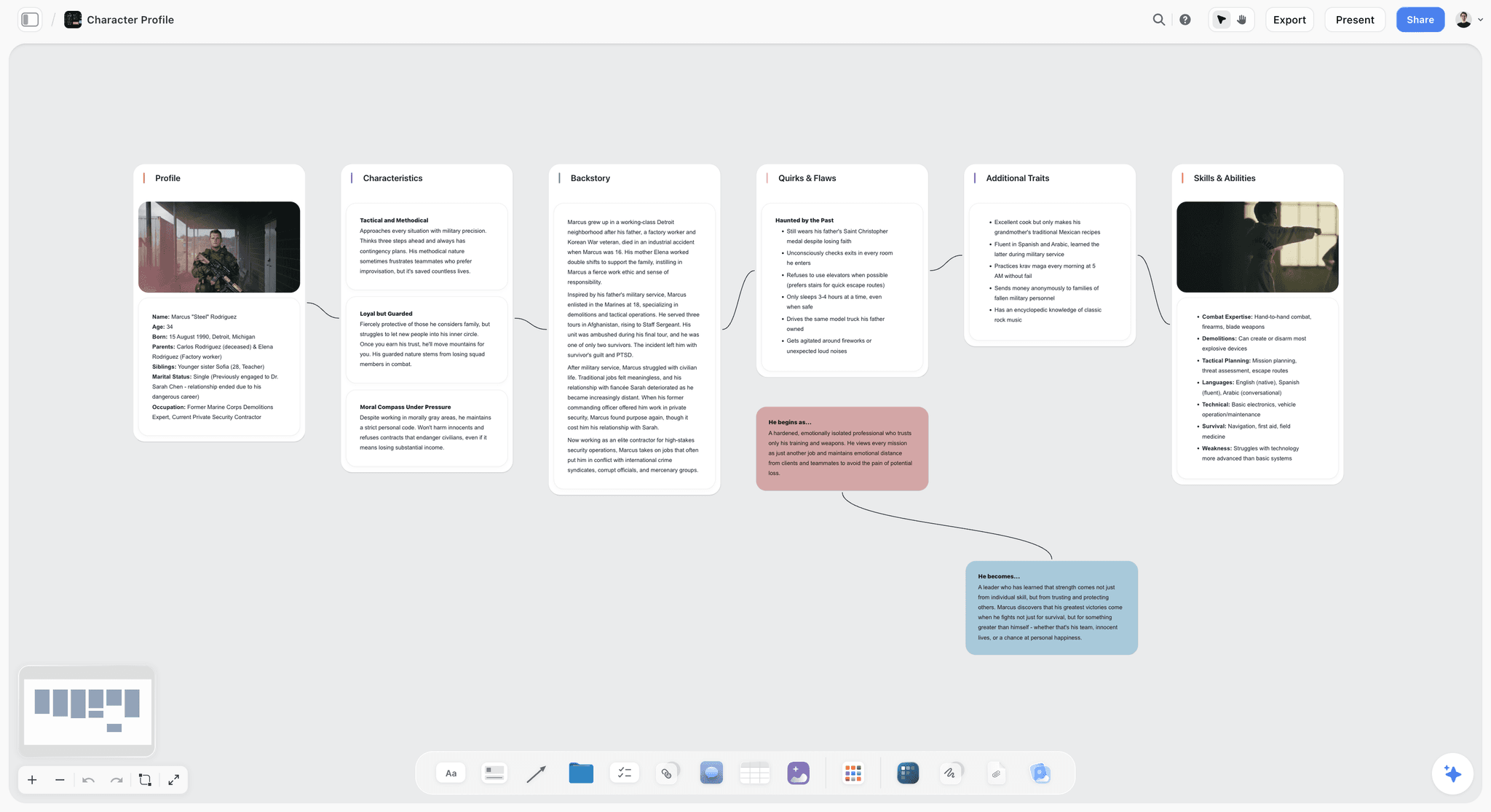
Storyflow holds the game design as a living canvas: systems on one area, narrative on another, content and levels on a third, all connected. The AI reads the full canvas, so you can ask whether the economy still matches the progression curve, or whether a narrative beat conflicts with a level. Because editing is fast and the current state is always visible, the design does not freeze into a document. The Story Blueprints library includes worldbuilding and character templates that suit game design.
Best for: Game designers who want the whole design living in one AI-readable space.
Verdict: The strongest living design space. For deep economy simulation, pair it with Machinations.
Key features
- One canvas for systems, narrative, and content layers.
- AI reads the full canvas plus up to 1 Tactic and 3 Documents you @-mention.
- Story Blueprints library with worldbuilding and character templates.
- Unlimited collaboration on every plan for designers, writers, and programmers.
- Card, image, and note types on one infinite board.
Pricing
Paid-only during early access. Plus: $7.99/mo annual. Full Story Blueprints, unlimited uploads. Pro: $14/mo annual. AI image generation, 20x AI usage. Max: $39/mo annual. 40x more AI, team workspace with roles. Free plan (unlimited boards and cards, unlimited collaboration, basic AI, 20 file uploads) launches before the end of 2026.
Pros
- Keeps the design living and the current state visible.
- AI checks consistency across systems, narrative, and content.
- Unlimited collaboration for the whole team on every plan.
Cons
- No systems simulation; Machinations is needed for economy balancing.
- No dialogue-engine export like Twine or Yarn.
- Newer platform with a smaller game-specific template library than Articy.
2. Milanote
Milanote turns the game design document into a visual canvas. Instead of a 60-page file, the GDD is a set of boards: one for combat, one for the economy, one for the world, one for levels. Because each board is small and easy to edit, the design stays living. Milanote's game design guides have made it a popular starting point for indie designers.
Best for: Indie designers who want a visual, board-based game design document.
Verdict: The strongest visual GDD canvas in 2026. Pair it with a systems tool for deep economy work.
Key features
- Freeform boards for each part of the design.
- Drag-and-drop cards, images, and notes.
- Templates for game design documents.
- Shareable boards with comments.
- Web clipper for references.
Pricing
Free with 100 cards. Individual: $9.99/mo. Team: $49/mo flat for up to 50 users.
Pros
- Boards keep the design easy to edit and living.
- Visual, intuitive, and fast to start.
- Game design templates.
Cons
- No systems simulation for economy design.
- The 100-card free limit fills on a full GDD.
- Light AI compared to canvas-AI tools.
3. Notion
Notion holds the GDD as linked databases: a mechanics database, a characters database, a levels database, a task tracker. It keeps the design living because each entry is easy to update, and it covers all three layers once built. The cost is setup time and a database feel that suits structure more than visual design.
Best for: Teams that want a structured, database-driven living GDD.
Verdict: A strong structured GDD. Expect setup time before it pays off.
Key features
- Linked databases for mechanics, characters, and levels.
- Pages for design notes and pillars.
- Templates for game design documents.
- Standard AI features.
Pricing
Free for personal use. Plus: $10/mo. Business: $18/mo.
Pros
- Covers all three design layers.
- Easy per-entry editing keeps the design living.
- Large template community.
Cons
- Setup-heavy before it is useful.
- Database feel suits structure over visual design.
- No systems simulation.
4. Articy:draft
Articy:draft is the dedicated tool for narrative and systems design, built specifically for game writers and designers. It handles branching dialogue, characters, locations, and game logic, and exports directly to game engines. It is the most game-specific tool here and keeps the design living through its connected database.
Best for: Game writers and designers who want a dedicated narrative and systems tool.
Verdict: The strongest dedicated game design tool for narrative. A learning curve, but built for the job.
Key features
- Branching dialogue and narrative design.
- Characters, locations, and game logic objects.
- Direct export to Unity and Unreal.
- Free X version for individuals.
Pricing
Free X version for individuals. Paid licenses for full features and teams.
Pros
- Purpose-built for game narrative and systems.
- Engine export removes a handoff.
- Free X version is genuinely usable.
Cons
- Steeper learning curve than general tools.
- Heavier than a small project needs.
- Stronger on narrative than on visual design.
5. Miro
Miro is the collaborative whiteboard game teams use for design boards: system diagrams, game loops, level flow, brainstorms. Real-time collaboration keeps the whole team in the same living board. It is a strong design surface, less suited to long-form structured documentation.
Best for: Teams that design collaboratively on diagrams and game loops.
Verdict: Strong for collaborative design boards. Pair it with a structured tool for the full GDD.
Key features
- Infinite collaborative canvas.
- Diagramming for game loops and systems.
- Real-time editing and comments.
- Templates for design and brainstorming.
Pricing
Free for 3 boards. Starter: $8/mo annual. Business: $16/mo.
Pros
- Strong real-time collaboration.
- Excellent for system diagrams and loops.
- Familiar to teams already on Miro.
Cons
- The 3-board free limit is tight.
- Weak for long-form structured documentation.
- Built for business teams, not games.
6. Machinations
Machinations is the dedicated tool for game systems and economy design. It lets you build and simulate game loops, resource flows, and economies before writing any code, so you can balance a game on a diagram instead of in playtests. It is a specialist for the systems layer.
Best for: Designers balancing game economies and systems before building.
Verdict: The strongest systems and economy tool. A specialist; pair it with a full GDD tool.
Key features
- Visual game-system and economy diagrams.
- Simulation of resource flows and loops.
- Balance testing before code.
- Collaboration on diagrams.
Pricing
Free tier. Paid plans from roughly $20/mo.
Pros
- Simulate and balance systems before building.
- Catches economy problems early.
- Strong for systems-driven games.
Cons
- Specialist; only the systems layer.
- Learning curve for the simulation model.
- Not a full GDD tool.
7. Twine
Twine is the free, open-source tool for interactive narrative. It is built for branching stories: nodes, choices, and links. Designers use it to prototype narrative quickly, test branching, and design dialogue flow before committing it to an engine.
Best for: Prototyping branching narrative and dialogue fast and free.
Verdict: The best free narrative prototyping tool. A specialist for the narrative layer.
Key features
- Node-based branching narrative.
- Free and open-source.
- Playable story export.
- Simple, fast prototyping.
Pricing
Free, open-source.
Pros
- Genuinely free.
- Fast branching-narrative prototyping.
- Playable output for testing.
Cons
- Narrative layer only.
- Not a full design document tool.
- Basic interface.
8. Codecks
Codecks is project management built specifically for game development, using a card-deck metaphor. It tracks design tasks, features, and bugs, and connects the design work to the production work. It keeps the design living by tying it to active development.
Best for: Game teams that want project management built for game development.
Verdict: A strong game-dev project tool. More production tracking than design authoring.
Key features
- Card-deck project management for games.
- Design, feature, and bug tracking.
- Community and player feedback tools.
- Game-dev-specific workflows.
Pricing
Free tier. Paid plans from roughly $4/user/mo.
Pros
- Built specifically for game development.
- Connects design to production work.
- Affordable for indie teams.
Cons
- More production tracking than design authoring.
- Card metaphor takes adjustment.
- Not a full GDD tool on its own.
9. World Anvil
World Anvil is a worldbuilding tool that game designers use for the lore, world, and narrative layer. Wiki-style articles with cross-references hold the game world, and it keeps that layer living through easy editing. It is a specialist for game worlds, not full game design.
Best for: Designers building deep game worlds and lore.
Verdict: Strong for the game world layer. Pair it with a systems and content tool.
Key features
- Wiki articles with cross-references.
- Worldbuilding templates.
- Maps and timelines.
- Player-facing campaign tools.
Pricing
Free with caps. Paid tiers from $4.99/mo.
Pros
- Excellent for deep game worlds.
- Cross-references keep lore consistent.
- Strong worldbuilding community.
Cons
- World and narrative layer only.
- No systems or content design.
- Wiki structure suits lore more than mechanics.
10. Nuclino
Nuclino is a lightweight collaborative wiki that small game teams use as a fast, low-friction GDD. It is quick to edit and keeps the design living through its speed and simplicity. It is lighter than Notion, which is both its strength and its limit.
Best for: Small teams that want a fast, lightweight living design wiki.
Verdict: A clean, fast lightweight GDD. Thinner than Notion for complex designs.
Key features
- Lightweight collaborative wiki.
- Fast editing and linking.
- Graph view of connected pages.
- Light AI features.
Pricing
Free tier. Paid plans from roughly $6/mo.
Pros
- Fast and low-friction to edit.
- Keeps the design living through speed.
- Clean, simple interface.
Cons
- Thinner than Notion for complex designs.
- No systems or visual design tools.
- Light on game-specific features.
11. Confluence
Confluence is Atlassian's team wiki, used by larger studios for the GDD, often alongside Jira. It is capable and integrates with production tracking, but its document-page structure quietly encourages a master GDD that can freeze if the team is not disciplined about updating it.
Best for: Larger studios already in the Atlassian ecosystem.
Verdict: Capable for team documentation. Watch that the master document does not freeze.
Key features
- Team wiki with structured pages.
- Jira integration for production.
- Templates and permissions.
- Atlassian Intelligence AI.
Pricing
Free tier. Paid plans from roughly $6/user/mo.
Pros
- Strong for larger studio documentation.
- Integrates with Jira production tracking.
- Mature and reliable.
Cons
- Page structure can encourage a frozen master GDD.
- Heavier than indie teams need.
- Best value only inside the Atlassian ecosystem.
12. FigJam
FigJam, Figma's whiteboard, suits the UI and systems-mockup side of game design. Teams already in Figma for game UI use FigJam for design boards and flow diagrams. It is a capable design surface, generic rather than game-specific.
Best for: Game teams already in Figma who want a whiteboard nearby.
Verdict: A reasonable design board if Figma is already your tool. No reason to adopt for game design alone.
Key features
- FigJam whiteboard for design boards.
- Real-time collaboration.
- Integrates with Figma for UI work.
- Templates and diagramming.
Pricing
Free for 3 files. Paid plans from roughly $5/mo.
Pros
- Strong collaboration.
- Sits near game UI work in Figma.
- Mature platform.
Cons
- Generic, nothing game-specific.
- 3-file free cap.
- Overkill if the team has no other Figma use.
7) Recommended Game Design Stacks
Stack 1: Solo Indie Designer. Storyflow (living design space for all three layers, Plus at $7.99/month annual, Free plan launching before the end of 2026) + Twine (free narrative prototypes) + Machinations Free (systems balancing). A lean design workflow for well under $10 a month.
Stack 2: Narrative-Driven Game. Articy:draft (narrative and dialogue) + Storyflow or Milanote (the living design space) + World Anvil (deep lore). Strong for story-led games.
Stack 3: Systems-Driven Game. Machinations (economy and systems simulation) + Notion or Storyflow (the living GDD) + Codecks (production tracking). Strong for roguelikes and strategy games.
Stack 4: Small Studio. Storyflow or Milanote (living design) + Codecks (game-dev project management) + Twine (narrative prototypes). Balanced for a small team.
The pattern across every stack: one tool that keeps the whole design living, plus a specialist for the systems or narrative layer that needs depth. The designs that ship are the ones that never froze into a document.
8) Honorable Mentions
- Yarn Spinner. A dialogue system used alongside game engines for narrative.
- Ink. Inkle's narrative scripting language for interactive fiction.
- Obsidian. A connected-note tool some designers use for the GDD.
- Trello. Simple kanban tracking for small game projects.
- Google Docs. The free fallback, and the format most likely to freeze.
9) Tools to Avoid for Game Design
- A finished GDD in a static document. The moment the design is "done" as a document, it stops matching the game.
- A 60-page master file nobody opens. Length is not thoroughness. A long frozen GDD is worse than a short living one.
- Email threads as the design record. Decisions scroll away and the current state becomes unknowable.
- A wiki nobody is responsible for updating. A living design needs someone who keeps it current, or it freezes like any document.
11) The Bottom Line
The best game design tools in 2026 are the ones that keep the design living. Milanote is the strongest visual game design document. Storyflow is the best AI canvas for keeping systems, narrative, and content connected and current. Notion is the best structured GDD. Articy:draft is the strongest dedicated narrative and systems tool.
The game design document nobody reads is the one that stopped changing. Do not optimize for a finished, exportable document. Optimize for a design that stays as easy to edit as the game is to change. The games that ship are the ones whose design never froze.
For your next game, build the design as a living canvas in Storyflow and keep systems, narrative, and content in one space the whole team edits.
10) FAQ: Game Design Tools
What is the best game design tool in 2026?
Milanote is the strongest visual game design document tool. Storyflow is the best AI canvas for keeping the design living. Notion is the best structured GDD database. Articy:draft is the best dedicated narrative and systems tool. Most teams pair a living-design tool with a systems or narrative specialist.
What is a game design document?
A game design document (GDD) describes how a game works: its mechanics, systems, narrative, characters, levels, and content. The mistake is treating it as a finished document. A useful GDD is a living space that the team updates continuously as the game changes during production.
Why does nobody read the game design document?
Because most GDDs are written once in pre-production and then frozen. Within months the game has changed and the document has not, so it no longer describes the real game. Teams stop opening it. The fix is a living GDD that gets edited as fast as the game does.
What tools do game designers actually use?
Game designers commonly use Milanote or Notion for the design document, Articy:draft for narrative and systems, Machinations for economy design, Twine for narrative prototypes, and Codecks for production tracking. The mix depends on whether the game is systems-driven or narrative-driven.
What is the cheapest game design tool setup?
Twine is free and open-source for narrative prototypes and Machinations has a free tier for systems, so the narrative and systems layers can cost nothing. Storyflow holds the living design across all three layers from Plus at $7.99 per month billed annually, with its Free plan arriving before the end of 2026.
What is the difference between game design tools and game engines?
Game design tools (Milanote, Storyflow, Articy) are where you design the game: the systems, narrative, and content. Game engines (Unity, Unreal, Godot) are where you build and run it. Design tools answer what the game is; engines answer how it runs.
Do I need a game design document for a small indie game?
Yes, but it should be a living design space, not a long static file. Even a solo developer benefits from a place that holds the systems, narrative, and content and stays current. The size should match the game; the format should stay editable.
What are the three layers of game design?
The three layers are systems (mechanics, economy, loops), narrative (story, characters, dialogue, world), and content (levels, quests, assets). Most GDDs jam all three into one document. Strong tools either cover all three or specialize cleanly in one.
Can AI help with game design?
Yes. AI can draft systems, suggest narrative branches, check consistency across the design, and answer questions about the current state. Storyflow's canvas AI reads the whole design and can flag where the economy and the progression curve disagree, which is exactly the drift a frozen GDD hides.
Is Milanote or Notion better for game design?
Milanote is better for a visual, board-based design document that is fast and intuitive. Notion is better for a structured database GDD that covers all three layers with linked records. Milanote suits visual thinkers; Notion suits structured ones.
What is the best tool for game systems and economy design?
Machinations is the strongest dedicated tool for game systems and economy design. It lets you simulate resource flows and game loops before writing code, so you can balance a game on a diagram instead of through dozens of playtests.
How do I keep a game design document from going stale?
Treat it as a living space, not a document. Use a tool where editing is fast, assign someone to keep it current, and update it the same day the game changes. A GDD goes stale when changing it is slower than changing the game.
Table of Contents
- Quick Answer: The Best Game Design Tools in 2026
- Comparison Table: 12 Game Design Tools at a Glance
- The Living GDD
- How We Evaluated These Tools
- Quick Picks by Game Design Need
- Detailed Reviews: 12 Game Design Tools
- Recommended Game Design Stacks
- Honorable Mentions
- Tools to Avoid for Game Design
- FAQ: Game Design Tools
- The Bottom Line
- Author
- Related Reading
Templates to check out for this topic


Story and writing templates you can use in Storyflow
Start your next script, novel, or world from a ready-made Storyflow board instead of an empty page. The AI reads the whole canvas, so every suggestion is grounded in your story.


See Storyflow in Action
A visual AI workspace where every feature lives inside one canvas. No tab-switching, no context lost.
Build your entire board from a single message
Type what you need in the AI chat at the bottom of your canvas. The AI adds cards, headings, and structure directly onto your board.
Use expert frameworks as AI context
Type @ in the AI chat and choose any Tactic. The AI tailors every response to that framework instead of giving generic advice.
Turn your board into a mind map in seconds
Ask the AI to restructure your canvas as a mindmap. It connects your ideas into a visual hierarchy so you can see how everything relates.
Why Storyflow Exists
Storyflow actually began as a personal tool while working on creative and research projects.
We kept running into the same problem: ideas were scattered everywhere: notes, documents, and whiteboards.
Nothing helped us see how everything connected.
So we started building a workspace designed around how ideas actually grow.
→ Read how Storyflow was createdJustkay
Documentary Filmmaker & Founder at Storyflow
Published: 2026-05-17
Extremely simple, seriously capable


See how easy it is to get started
Watch a real project come together, from a blank board to a finished plan, clicked through step by step.
Start creating with AI and become more productive
Transform your creative workflow with AI-powered tools. Generate ideas, create content, and boost your productivity in minutes instead of hours.