The 12 Best Tools for Film Students in 2026 (Free-First, Tested)
The best tools for film students in 2026, ranked free-first. A complete filmmaking stack from DaVinci Resolve to Trelby, Storyboarder, and Blender, each free, paired with Storyflow for planning during its paid-only early access.

Category
Filmmaking
Author

Justkay
Documentary Filmmaker & Founder at Storyflow
Topics
2026-07-10
•
16 min read
•
Filmmaking- best tools for film students 2026
- free filmmaking software
- film student software
- free film tools
- software for film students
- free video editing for students
What are the best tools for film students in 2026?
The best tools for film students in 2026 are Storyflow (best canvas for story and planning), DaVinci Resolve (best free professional editor), Trelby (best free screenwriting tool), and StudioBinder (best free-tier production management). Film school teaches craft, but the tools are on you, and a complete professional stack now exists for little to no cost. This guide ranks tools by how much a broke film student actually gets from them, and Storyflow leads because its canvas holds the whole project and its blueprints teach structure while you use them. The short version: you can make a real film in school for free, if you know which tools are genuinely usable and which are trials in disguise. This guide is organized around a framework I call the Free Film School Stack: the five stages every student film moves through (Learn, Plan, Shoot, Edit, Show) and the free tool that owns each one. Spend nothing on the software. Spend everything on the film.

Full disclosure: Storyflow is our own product, and this guide ranks it first for the thinking half of a student film, where the canvas holds the whole project and the blueprints teach structure as you build. That ranking is honest about scope, not a claim to do everything. Storyflow is not an editor, a screenwriter, or a scheduling suite, so DaVinci Resolve cuts and grades the film, Trelby or Beat formats the script, and StudioBinder runs the shoot, and Storyflow is cloud-only, paid-only during early access, with capped AI usage. Most students run it for story and planning and pair it with those free specialists. We link to every tool below so you can judge the fit yourself.
Quick Comparison
These four form the core of a student stack: a canvas for story and planning, a professional editor, a screenwriter, and production management. Three are genuinely free today; Storyflow is paid-only during early access, with a Free plan coming before the end of 2026.
| Tool | Best For | AI Features | Price |
|---|---|---|---|
| Storyflow | Story and planning canvas | Canvas AI reads the whole project | $7.99 mo annual (free plan late 2026) |
| DaVinci Resolve | Professional editing | None | Free |
| Trelby | Screenwriting | None | Free |
| StudioBinder | Production management | None | Free tier |
All 12 Tools for Film Students, Ranked
- Storyflow: best canvas for story, planning, and learning structure (9.4/10)
- DaVinci Resolve: best free professional editor (9.2/10)
- Trelby: best free screenwriting tool (8.9/10)
- StudioBinder: best free-tier production management (8.7/10)
- Storyboarder: best free storyboarding (8.5/10)
- Blender: best free 3D and VFX (8.3/10)
- Celtx: best free-tier all-in-one suite (8.1/10)
- Canva: best free design and pitch decks (7.9/10)
- Milanote: best free moodboards and lookbooks (7.7/10)
- CapCut: best free quick editing (7.5/10)
- Google Workspace: best free collaboration (7.3/10)
- Descript: best free-tier editing and transcription (7.1/10)
Comparison Table: 12 Tools for Film Students Compared
| Tool | Student Use | Cost | Genuinely Free? | Teaches / Grows | Rating (/10) |
|---|---|---|---|---|---|
Storyflow | Story and planning canvas | $7.99/mo (Plus) | Coming late 2026 (invited collaborators join free now) | Blueprints teach structure | 9.4/10 |
DaVinci Resolve | Professional editing | Free | Yes (pro free version) | Grows to pro | 9.2/10 |
Trelby | Screenwriting | Free | Yes (open-source) | Standard format | 8.9/10 |
StudioBinder | Production management | Free tier | Yes (with limits) | Learn real workflow | 8.7/10 |
Storyboarder | Storyboarding | Free | Yes (open-source) | Learn coverage | 8.5/10 |
Blender | 3D and VFX | Free | Yes (open-source) | Deep skill growth | 8.3/10 |
Celtx | All-in-one suite | Free tier | Yes (with limits) | Learn the pipeline | 8.1/10 |
Canva | Design and pitch | Free tier | Yes (with limits) | Design basics | 7.9/10 |
Milanote | Moodboards | Free tier | Yes (with limits) | Visual development | 7.7/10 |
CapCut | Quick editing | Free | Yes (with watermark option) | Fast editing | 7.5/10 |
Google Workspace | Collaboration | Free | Yes | Team workflow | 7.3/10 |
Descript | Editing and transcription | Free tier | Yes (limited hours) | Transcript editing | 7.1/10 |
Prices above are the published rates at the time of writing and move often, so check the vendor's own page before you commit. The shape of each plan (free tier, subscription, or one-time licence) is more stable than the number. Free tiers change often; confirm current limits on each site. Ratings reflect how usable the free version genuinely is for a film student.
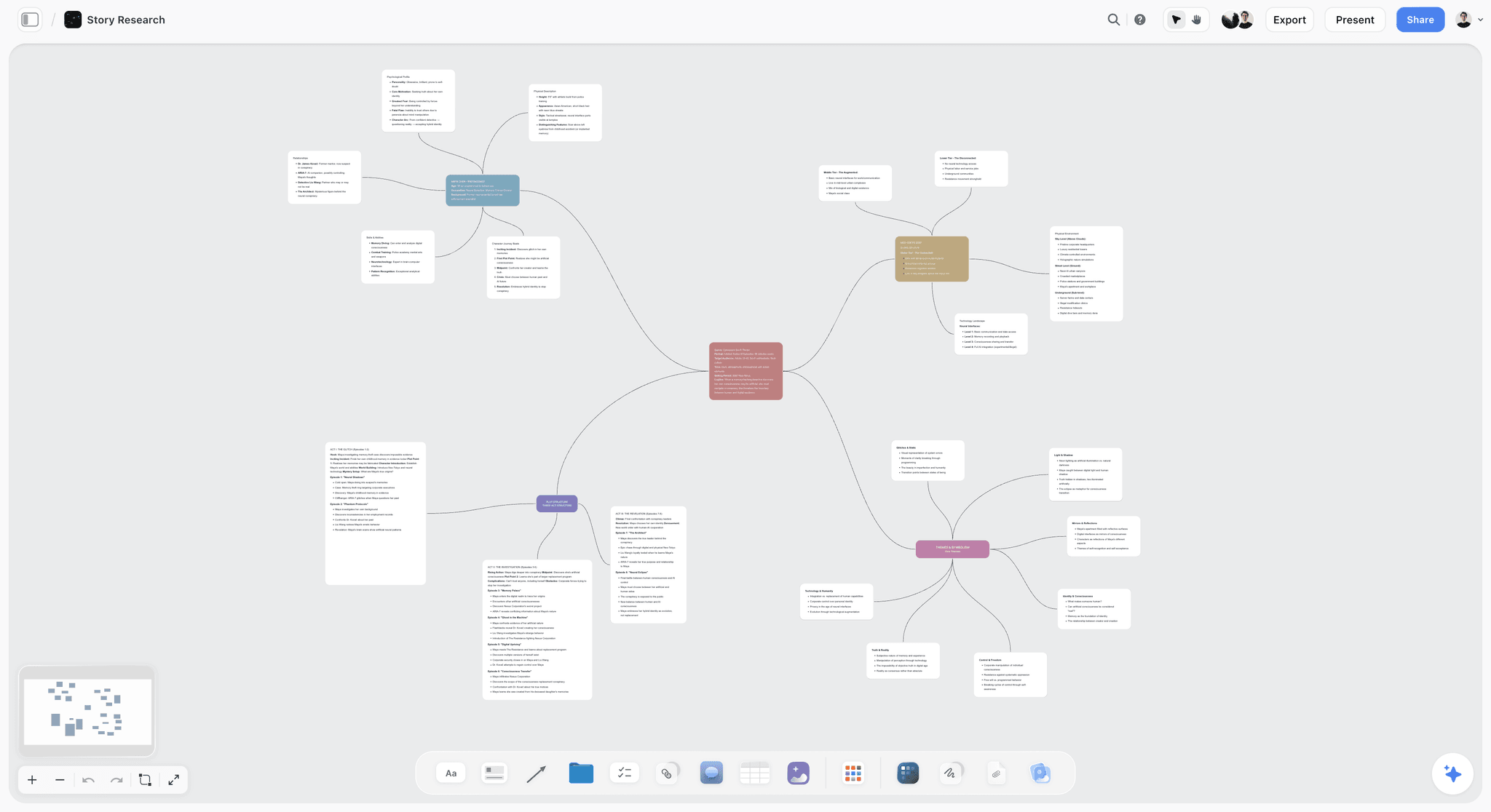
Storyflow canvas holding a student film's story, plan, and a blueprint that teaches structure
Build your student film on a canvas that teaches structure
Storyflow holds your whole project on one board, with blueprints that show you what real story structures look like as you build. Unlimited collaboration for group projects. Paid-only during early access, with a Free plan coming before the end of 2026.

Why Film Students Need a Free Stack That Teaches
Most film-student tool guides list expensive industry software and add a note about student discounts. That misses two things students actually need: tools that are genuinely free, and tools that teach the craft while you use them. Final Draft, Movie Magic, and Creative Cloud add up fast, and a student does not need the industry-standard version of everything, just a free tool good enough to make real work that embeds the craft as you go.
Here is the pattern that wastes student money:
- A student buys the industry-standard tool they heard professionals use.
- It is a blank expert tool that assumes you already know the craft.
- The money is gone and the learning did not come with it.
It is not that professional tools are bad. It is that a student needs free tools that teach the craft, and most professional software is expensive and assumes you already have it. The stronger approach builds a free stack where the tools double as teachers. For the free-screenwriting side, see the best free screenwriting software in 2026.
The Free Film School Stack, stage by stage
A student film is not one job. It is five, in order, and each one has a free tool that owns it. Buy nothing until you have felt the limit of the free option, because in 2026 that limit usually arrives after graduation.
- Learn. Story structure, coverage, and workflow, before you relearn them on set. Storyflow's blueprints and StudioBinder's templates carry this stage.
- Plan. Develop the idea, script the beats, lay out the look. Trelby or Beat and Milanote cover it for free; Storyflow adds the planning canvas but is paid-only during early access.
- Shoot. Turn the plan into a shot list, schedule, and call sheet. StudioBinder's free tier and Google Workspace run production.
- Edit. Cut, grade, and mix. DaVinci Resolve does all three at a professional level for zero dollars; CapCut and Descript handle faster jobs.
- Show. Package the film: poster, title cards, festival deck. Canva's free tier finishes the presentation.
Every tool below is tagged with the stage it owns, so you build the stack in order instead of collecting apps at random and buying software to solve problems that are really story problems. Spend nothing on the software. Spend everything on the film.
How We Evaluated These Student Tools
Every tool here was assessed on what a film student genuinely gets from it. Five criteria, weighted in this order:
- Genuinely free or cheap. Is the free version usable, or a trial in disguise?
- Teaches the craft. Does using it teach story, coverage, or workflow?
- Good enough for real work. Can you make a graded student film with it?
- Grows with you. Does it scale toward professional work?
- Ease of learning. Can a student pick it up while learning filmmaking?
Each was tested against a student short from script to cut.
Detailed Reviews: The 12 Best Tools for Film Students
1. Storyflow

Storyflow is a visual workspace that holds a student's whole film project on one canvas the AI reads: the story, script notes, shot ideas, mood board, and plan. Its 200+ blueprints show what real story structures look like (Hero's Journey, Save the Cat-style beats, Five-Act) as you build with them. It is the tool I wish I had in film school, and the one I built as a documentary filmmaker.
Stage: Learn and Plan.
Best for: Film students developing and planning films while learning story structure.
Verdict: The best free tool for the thinking half of a student film, and it teaches as it works. Pair it with a free editor for post.
Storyflow ranks first because it owns the two stages students skip and pay for later: Learn and Plan. Most guides jump straight to editing software and leave development to a blank doc, which is where student films quietly fall apart. Drop a Hero's Journey blueprint on the board and you are filling in your film's actual beats, not reading a theory chapter, which is how structure sticks. On a group project the same shared canvas keeps the writer, director, and DP on one plan.
Key features
- Free plan (launching before the end of 2026): unlimited boards, unlimited collaboration, basic AI, 20 uploads.
- 200+ blueprints that teach real story structures as you build (3 will be on the Free plan to start once it launches).
- One canvas for story, shot ideas, mood board, and plan.
Pricing
Paid-only during early access: Plus $7.99/mo (annual), Pro $14/mo annual, Max $39/mo annual, priced flat per account. A Free plan launches before the end of 2026, and anyone a paid member invites to a board joins free now. Most students will not need to go past Plus before they graduate.
Pros
- Holds the whole project on one canvas, at a flat price per account, not per seat.
- Blueprints teach story structure while you use them.
- Unlimited collaboration for group films.
Cons
- Not an editor, screenwriter, or scheduling suite. Storyflow is a shared visual planning canvas for the story and pre-production half of a film. It does not cut footage (DaVinci Resolve), paginate a locked screenplay in strict format (Trelby or Beat), or build call sheets and schedules (StudioBinder). It plans the film; other free tools make it.
- Cloud-only. No offline desktop app, so a shoot with no signal cannot open the board. Export or screenshot your plan first.
- Newer platform. Younger than Final Draft or Premiere, so film-school-specific templates and third-party tutorials are thinner than the incumbents have. AI usage is capped on every tier, though it is enough to develop a student film.
For the AI picture, see the best AI tools for filmmakers in 2026.
2. DaVinci Resolve
DaVinci Resolve is a genuinely professional editor, color tool, and audio suite, free in a version powerful enough for real films.
Stage: Edit.
Best for: Film students editing and finishing their films.
Verdict: The best free editor for students. Professional-grade at no cost, and it grows to industry work.
Resolve ranks second because it collapses three paid tools into one free download: editor, colorist, and audio mixer. Learning it means learning the exact software studios grade features on, and the free version is no watermarked demo. It owns one stage, Edit, which is the only reason it is not first.
Key features
- Professional editing timeline.
- Best-in-class color grading.
- Fairlight audio.
- Free version is genuinely capable.
Pricing
Free; paid Studio version for advanced features.
Pros
- Free and professional-grade.
- Color and audio built in.
- Skills transfer to industry work.
Cons
- Learning curve.
- Hardware-hungry.
- Deep for a first edit.
3. Trelby
Trelby is a free, open-source screenwriting tool that produces correct industry format on Windows and Linux.
Stage: Plan.
Best for: Students writing scripts for free.
Verdict: The best free screenwriting tool for students on Windows or Linux.
Trelby ranks here because industry-correct formatting is not optional in film school, and Trelby produces it with no subscription and no page limit. Margins, sluglines, cues, and dialogue land where a reader expects them, so a grading professor is not distracted by a formatting mistake. Mac students lose nothing by using Beat, the same idea in a more modern interface.
Key features
- Standard screenplay format.
- Name database and reports.
- Import and export.
- Free and open-source.
Pricing
Free and open-source.
Pros
- Genuinely free.
- Correct format.
- Simple to learn.
Cons
- No Mac version (use Beat).
- Dated interface.
- No collaboration.
4. StudioBinder
StudioBinder's free tier teaches students the real production workflow: shot lists, breakdowns, schedules, and call sheets.
Stage: Learn and Shoot.
Best for: Students learning professional production workflow.
Verdict: The best free-tier tool for learning real production management.
StudioBinder ranks fourth because it is the closest a free tool gets to teaching what a real set runs on. Building a shot list, breakdown, schedule, and call sheet is the same paperwork a first AD produces on a paid shoot, so the student learns the workflow by doing it and arrives on a real set already knowing the vocabulary. The free tier caps active projects, fine for one class film at a time.
Key features
- Shot lists and breakdowns.
- Scheduling and call sheets.
- Storyboards.
- Free tier with limits.
Pricing
Free tier; paid for more.
Pros
- Learn the real workflow.
- Modern and clear.
- Free tier usable.
Cons
- Free tier has limits.
- Full value is paid.
- More than a tiny shoot needs.
5. Storyboarder
Storyboarder is a free, open-source storyboarding tool that teaches coverage as you draw.
Stage: Plan.
Best for: Students storyboarding and learning coverage.
Verdict: The best free storyboarding tool for students.
Storyboarder ranks here because it teaches coverage, the single hardest thing for a new director to internalize. Drawing your shots forces you to decide, before the shoot, whether you have the wide, the mediums, and the close-ups an edit needs, and the animatic export lets you feel the cut early. It has no planning layer, so pair it with Storyflow for the story side.
Key features
- Free storyboarding.
- Animatic export.
- Shot and camera notes.
- Open-source.
Pricing
Free and open-source.
Pros
- Genuinely free.
- Teaches coverage.
- Animatics included.
Cons
- Rougher than paid tools.
- Development pace varies.
- No planning layer.
6. Blender
Blender is a free, open-source 3D and VFX suite that gives students professional 3D skills at no cost.
Stage: Shoot and Edit.
Best for: Students learning 3D, VFX, and animation.
Verdict: The best free 3D and VFX tool. Deep skills for free.
Blender ranks here because it is the most complete free skill investment on the list, even though it is the least filmmaking-specific. One open-source program builds a set extension, a title sequence, or a full animated short, and studios now use it in production. The learning curve is real, so treat it as a semester-long commitment rather than a weekend tool.
Key features
- Full 3D modeling and animation.
- VFX and compositing.
- Grease Pencil 2D.
- Huge tutorial community.
Pricing
Free and open-source.
Pros
- Free and professional.
- Deep skill growth.
- Massive learning resources.
Cons
- Steep learning curve.
- Not filmmaking-specific.
- Time investment.
7. Celtx
Celtx's free tier gives students an all-in-one taste of the pipeline: writing, breakdown, and scheduling.
Stage: Plan and Shoot.
Best for: Students who want writing-through-production in one free suite.
Verdict: A capable free-tier suite for learning the pipeline.
Celtx ranks here because it shows the whole pipeline in one browser tab: write the script, break it down, then schedule the shoot without exporting, which helps a class that wants everyone on one platform. The trade-off is depth: each module is lighter than the dedicated free tool that owns the job, so a serious script belongs in Trelby and a serious schedule in StudioBinder.
Key features
- Cloud scriptwriting.
- Breakdown and scheduling.
- Collaboration.
- Free tier.
Pricing
Free tier; paid for more.
Pros
- One suite to learn the pipeline.
- Browser-based.
- Good for classrooms.
Cons
- Free tier has limits.
- Each module is light.
- Full value is paid.
8. Canva
Canva's free tier lets students design pitch decks, posters, and titles.
Stage: Show.
Best for: Students designing decks, posters, and titles.
Verdict: The best free design tool for student film materials.
Canva ranks here because the film is only half the assignment; the other half is presenting it. A student pitching to a professor, applying to a festival, or building a title card needs design fast, and Canva's templates get a non-designer to a clean poster in an afternoon. The honest limit is that templated work starts to look templated, so push the layout off the default.
Key features
- Templates for decks and posters.
- Magic Design AI.
- Easy export.
- Free tier.
Pricing
Free tier; Pro paid.
Pros
- Fast, polished designs.
- Huge template library.
- Free tier usable.
Cons
- Templates can look generic.
- Some assets are paid.
- Design only.
9. Milanote
Milanote's free tier gives students visual moodboards and lookbooks.
Stage: Plan.
Best for: Students building moodboards and lookbooks.
Verdict: A clean free moodboard tool for students, within limits.
Milanote ranks here because visual development matters more than students expect: a mood board communicates a look to a cinematographer before a lens is chosen. The lookbook templates give a beginner a clean starting shape. The free tier caps items, and it has no AI, so it does not hold the script or plan the way Storyflow's canvas does.
Key features
- Visual boards.
- Lookbook templates.
- Notes and images.
- Free tier.
Pricing
Free tier; paid for more.
Pros
- Clean visual boards.
- Lookbook templates.
- Easy to use.
Cons
- Free tier item limits.
- No AI.
- Visual only.
10. CapCut
CapCut is a free, fast editor popular for quick cuts and social content.
Stage: Edit.
Best for: Students editing quick cuts and social videos.
Verdict: The best free quick editor for fast student projects.
CapCut ranks here because not every student assignment is a graded thesis film. For a class exercise or a promo edit, CapCut turns a cut around faster than Resolve because effects, captions, and transitions are one click away, and it runs on desktop and mobile. The limit is finishing: use it for speed, then finish in Resolve.
Key features
- Fast editing.
- Effects and captions.
- Desktop and mobile.
- Free.
Pricing
Free (some assets and export options paid; verify current).
Pros
- Fast and easy.
- Good for social cuts.
- Free.
Cons
- Less pro than Resolve.
- Some paid assets.
- Not for finishing.
11. Google Workspace
Google Workspace gives students free collaboration on docs, sheets, and files.
Stage: Shoot.
Best for: Student groups collaborating on documents and files.
Verdict: The reliable free collaboration backbone for student projects.
Google Workspace ranks here because every group film needs a shared, boring backbone: one Drive for footage links, one Sheet for the budget, one Doc for the contact list. It is free with any Google account, everyone knows it, and real-time editing means the whole crew sees the same schedule. Its Docs are linear, so think of it as the filing cabinet, not where the film gets designed.
Key features
- Real-time Docs and Sheets.
- Drive storage.
- Easy sharing.
- Free.
Pricing
Free with a Google account.
Pros
- Free and collaborative.
- Universal.
- Easy sharing.
Cons
- Not film-specific.
- Docs are linear.
- Not a creative canvas.
12. Descript
Descript's free tier lets students edit by transcript and try AI features.
Stage: Edit.
Best for: Students editing interview or dialogue-based films.
Verdict: A useful free-tier tool for transcript-based student editing.
Descript ranks last but earns its place for one specific student job: cutting interview or dialogue-heavy footage. Editing by transcript, where deleting a word in the text cuts the video with it, is far faster than scrubbing a timeline, and Studio Sound cleans up rough student audio. The free tier caps transcription hours, enough for a short interview but not a feature.
Key features
- Transcript-based editing.
- Studio Sound.
- AI features.
- Free tier with limited hours.
Pricing
Free tier; paid for more hours.
Pros
- Fast transcript editing.
- Good for interviews.
- Free tier to try.
Cons
- Limited free hours.
- Not for all edits.
- Finishing moves to Resolve.
Free Stacks by Student Project
1. Narrative Short
Top picks: Storyflow (from $7.99/mo) + Trelby + DaVinci Resolve
Storyflow for the story and plan, Trelby for the script, Resolve for the edit.
2. Documentary
Top picks: Storyflow (from $7.99/mo) + Descript + DaVinci Resolve
Storyflow for research and story, Descript for transcript editing, Resolve for finishing. See the documentary filmmaking software guide.
3. Group / Class Project
Top picks: Storyflow (from $7.99/mo) + StudioBinder (free tier) + Google Workspace
Storyflow for shared development, StudioBinder to learn production management, Google Workspace for files and coordination.
4. Animation / VFX Project
Top picks: Storyflow (from $7.99/mo) + Blender + Storyboarder
Storyflow for the story, Storyboarder for boards, Blender for the 3D and VFX.
5. Social / Quick Project
Top picks: Storyflow (from $7.99/mo) + CapCut + Canva (free)
Storyflow for the plan, CapCut for the fast edit, Canva for titles and posters.
Honorable Mentions
- Beat: free open-source screenwriting on Mac.
- OpenShot / Shotcut: free open-source editors.
- Audacity: free audio editing.
- GIMP / Krita: free image and paint tools.
- OBS Studio: free screen and video recording.
Where Student Tools Still Need the Student
Honest accounting. Free tools remove the cost barrier; they do not make the film.
- The story. No tool tells you what film to make. That is the whole point of school.
- The practice. Tools are learned by making bad films first. Make them.
- The feedback. A tool cannot replace a mentor's or peer's honest note.
- The taste. You develop it by watching, making, and failing, not by software.
Free tools remove the cost barrier. The learning, and the films, are yours to make.
The Bottom Line
The best tools for film students in 2026 are free-first, and a complete professional stack now costs close to nothing. Storyflow leads for the thinking half of a student film because its canvas holds the whole project and its blueprints teach story structure while you use them; it is paid-only during early access, with a Free plan coming before the end of 2026. DaVinci Resolve is a free professional editor, Trelby and Beat are free screenwriting tools, and StudioBinder and Storyboarder teach real workflow for free.
The move that helps most is to build the Free Film School Stack in order and put your budget where it belongs. Spend nothing on the software. Spend everything on the film. Start a Storyflow board for your next student film, and build the free stack around it.
FAQ: Tools for Film Students in 2026
What are the best tools for film students in 2026?
The best student stack is free-first: Storyflow for story and planning (with blueprints that teach structure, paid-only during early access with a Free plan coming before the end of 2026), DaVinci Resolve for professional editing, Trelby or Beat for screenwriting, StudioBinder's free tier for production management, and Storyboarder for storyboards, with Blender for 3D. A film student can make a complete, graded film using free tools for every stage except planning, paying later only for heavy AI usage.
What free software do film students need?
The essential free stack is: DaVinci Resolve (editing and finishing), Trelby or Beat (screenwriting), StudioBinder free tier (production management), and Storyboarder (storyboards). Add Blender for 3D and VFX, Canva for pitch decks and posters, and Google Workspace for group collaboration. Pair it with Storyflow for the story and planning stage; Storyflow is paid-only during early access, with a Free plan coming before the end of 2026.
Is DaVinci Resolve really free for students?
Yes. DaVinci Resolve has a free version that is genuinely professional, with a full editing timeline, best-in-class color grading, and Fairlight audio. It is not a trial or a stripped-down demo; it is a complete editor used on professional work. The paid Studio version adds advanced effects and higher-resolution options, but the free version is more than enough for student films.
What is the best free screenwriting software for students?
Trelby is the best free screenwriting tool on Windows and Linux, and Beat is the best on Mac; both are open-source and produce correct industry format. WriterDuet's free tier covers up to three scripts with collaboration. A student can write, format, and structure a screenplay entirely for free by pairing Trelby or Beat with Storyflow's canvas for the development side.
How does Storyflow help film students?
Storyflow holds a student's whole film project on one canvas: story, script notes, shot ideas, mood board, and plan, with an AI that reads it. Its 200+ blueprints show what real story structures look like as you build, so it teaches structure while you use it. Unlimited collaboration makes it good for group projects, and a tool that embeds the craft is especially valuable to a student learning while making films. Storyflow is paid-only during early access, with a Free plan launching before the end of 2026.
Do film students need to pay for software?
Mostly. In 2026, a filmmaking stack covering screenwriting, production, editing, and 3D exists for free. The one paid piece is the planning stage: Storyflow is paid-only during early access, with a Free plan coming before the end of 2026. Students should start free everywhere they can and only pay when a specific need arises, like Storyflow before its Free plan ships, the industry-standard Final Draft if a class requires it, or heavier AI usage.
What editing software do film schools teach?
Film schools commonly teach Adobe Premiere Pro and Avid Media Composer as industry standards, and increasingly DaVinci Resolve because it is free and professional. Final Cut Pro is taught in some Mac-based programs. For a student on a budget, DaVinci Resolve is the strongest free option, and its skills transfer to any of them.
What is the best free tool for a student film group project?
Storyflow is ideal for group development because it offers unlimited collaboration and holds the whole project on one shared canvas the whole group can see and edit; it is paid-only during early access, with a Free plan coming before the end of 2026. Pair it with StudioBinder's free tier to learn shared production management and Google Workspace for files and documents, and a student group has a collaborative stack that is free apart from the planning canvas.
What software do film students need?
Film students need one tool for each of five stages: developing the story, planning the shoot, running production, editing, and presenting the film. In practice that is Storyflow for the story and plan, Trelby or Beat for the script, StudioBinder for production, DaVinci Resolve for the edit, and Canva for decks and posters. You do not need the expensive industry version of each, just a usable one, free for every stage except planning, where Storyflow is paid-only during early access.
What are the best free tools for film school?
The best free tools for film school are DaVinci Resolve (editing, color, and audio), Trelby or Beat (formatted screenwriting), StudioBinder (production management and call sheets), Storyboarder (storyboards and animatics), and Blender (3D and VFX). Pair them with Storyflow for story and planning, with blueprints that teach structure; Storyflow is paid-only during early access, with a Free plan coming before the end of 2026. Together they cover every stage for close to zero dollars, beating one expensive tool bought early.
Can you make a film with only free software?
Mostly. A student can write, shoot, edit, and finish a graded film without paying for any software: Trelby or Beat writes it, StudioBinder schedules the shoot, and DaVinci Resolve edits, grades, and mixes it at a professional level at no cost. The planning stage is the exception: Storyflow is paid-only during early access, with a Free plan coming before the end of 2026, though anyone a paid member invites to a board joins free now. The other reasons to pay are specific: a class that requires Final Draft, or heavy daily AI usage.
How much does Storyflow cost for students?
Storyflow is paid-only during early access: Plus is $7.99/mo (annual), Pro is $14/mo annual, and Max is $39/mo annual, priced flat per account rather than per user. A Free plan launches before the end of 2026 and will be genuinely usable for student work: unlimited boards, unlimited collaboration, 200+ blueprints (three to start), and basic AI. There is no separate student plan; anyone a paid member invites to a board joins free right now.
Table of Contents
- All 12 Tools for Film Students, Ranked
- Comparison Table: 12 Tools for Film Students Compared
- Why Film Students Need a Free Stack That Teaches
- How We Evaluated These Student Tools
- Detailed Reviews: The 12 Best Tools for Film Students
- Free Stacks by Student Project
- Honorable Mentions
- Where Student Tools Still Need the Student
- The Bottom Line
- Author
- FAQ: Tools for Film Students in 2026
- Related Reading
Templates to check out for this topic


Filmmaking templates you can use in Storyflow
Skip the blank canvas. Open one of these filmmaking boards in Storyflow and the AI builds on the structure that is already there, from research through the shot list.


See Storyflow in Action
A visual AI workspace where every feature lives inside one canvas. No tab-switching, no context lost.
Build your entire board from a single message
Type what you need in the AI chat at the bottom of your canvas. The AI adds cards, headings, and structure directly onto your board.
Use expert frameworks as AI context
Type @ in the AI chat and choose any Tactic. The AI tailors every response to that framework instead of giving generic advice.
Turn your board into a mind map in seconds
Ask the AI to restructure your canvas as a mindmap. It connects your ideas into a visual hierarchy so you can see how everything relates.
Why Storyflow Exists
Storyflow actually began as a personal tool while working on creative and research projects.
We kept running into the same problem: ideas were scattered everywhere: notes, documents, and whiteboards.
Nothing helped us see how everything connected.
So we started building a workspace designed around how ideas actually grow.
→ Read how Storyflow was createdJustkay
Documentary Filmmaker & Founder at Storyflow
Published: 2026-07-10
Extremely simple, seriously capable


See how easy it is to get started
Watch a real project come together, from a blank board to a finished plan, clicked through step by step.
Start creating with AI and become more productive
Transform your creative workflow with AI-powered tools. Generate ideas, create content, and boost your productivity in minutes instead of hours.