The 12 Best Tools for Film Producers in 2026 (Tested on Real Productions)
The best tools for film producers in 2026, tested on real productions. 12 tools compared across budget, schedule, logistics, and creative coordination, from StudioBinder and Movie Magic to Yamdu and Frame.io.

Category
Filmmaking
Author

Justkay
Documentary Filmmaker & Founder at Storyflow
Topics
2026-07-10
•
17 min read
•
Filmmaking- best tools for film producers 2026
- film producer tools
- film producer software
- production management software
- film budgeting software
- software for film producers
What are the best tools for film producers in 2026?
The best tools for film producers in 2026 are StudioBinder (best all-in-one production management), Movie Magic (best industry-standard scheduling and budgeting), Yamdu (best full production platform), and Frame.io (best for review coordination). A producer runs the machine: budget, schedule, logistics, cast and crew, deliverables. Most of that is logistics, and the best tools are built for it. For the development and packaging side, keeping the producer aligned with the director's vision and the pitch that financed the film, Storyflow is the strongest canvas, though it only drafts a budget table, a strip board and a call sheet PDF rather than running budgets, schedules or call sheet distribution, and you pair it with the production-management tools. A producer does not do one job. A producer works across four separate stages, from the idea to the wrap, and the software market is fragmented because no single tool spans all four well. A producer works four desks. Most software is built for one. This guide names those stages, ranks the tools, and tells you where each one stops.

Full disclosure: Storyflow is our own product and is listed first in the reviews and the table: our pick first, then the rest by job. The ranked list places it fifth, because a producer's core job is logistics that dedicated software runs better. StudioBinder leads as the all-in-one production-management platform, and Movie Magic, Yamdu, and Frame.io own scheduling and budgeting, the full production floor, and review coordination. Storyflow's AI drafts a budget table, a strip board and a call sheet PDF, but it is not a budgeting, scheduling or call-sheet engine (no fringes, top sheet, day-out-of-days or call sheet sending), so its place is narrow: holding the development plan and pitch that keep producer and director aligned, and it is cloud-only. We link to every tool below so you can judge the fit yourself.
Quick Comparison
These four cover the producer's logistics core: all-in-one production management, the industry-standard scheduler and budgeter, a full production platform, and the default for review coordination.
| Tool | Best For | AI Features | Price |
|---|---|---|---|
| StudioBinder | All-in-one production management | None | ~$29/mo |
| Movie Magic | Scheduling and budgeting | None | ~$209 (one-time) |
| Yamdu | Full production platform | None | ~$25/mo |
| Frame.io | Review coordination | None | Adobe CC bundle |
The Four Desks of Producing (the framework this guide uses)
I have produced documentary projects through development, financing, pre-production, and the shoot, and the pattern is always the same. The producer's work sorts into four desks:
- Desk 1: Development. The idea, the script or story plan, the references, the creative overview, where the film takes shape before anyone spends money.
- Desk 2: Packaging. The pitch deck, the lookbook, attaching talent and partners. The desk that turns a plan into a greenlight.
- Desk 3: Pre-production logistics. The script breakdown, the stripboard schedule, the budget, the call sheets. Where dedicated production software earns its price.
- Desk 4: Production management. Running the shoot day to day: crew, locations, changes, deliverables.
Most tool guides only cover Desks 3 and 4, because that is where the recognizable software lives. But a producer loses films at Desks 1 and 2 as often as at 3 and 4: the creative plan and the pitch are what get a film financed and keep it aligned, and that layer usually has no home. Where a tool falls in these four desks is how this guide ranks it.
All 12 Tools for Film Producers, Ranked
- StudioBinder: best all-in-one production management (9.3/10)
- Movie Magic: best industry-standard scheduling and budgeting (9.1/10)
- Yamdu: best full production platform (8.9/10)
- Frame.io: best for review coordination (8.6/10)
- Storyflow: best for development and pitch coordination (8.3/10)
- Croogloo: best studio-grade distribution and coordination (8.1/10)
- Gorilla: best value scheduling and budgeting for indies (7.9/10)
- Setkeeper: best production coordination and document hub (7.7/10)
- Airtable: best for custom production tracking (7.5/10)
- Saturation.io: best modern film budgeting (7.3/10)
- Slack: best for production communication (7.1/10)
- Google Workspace: best for shared documents and files (6.9/10)
Best Tool for Film Producers by Job
The overall ranking is not the answer to every question. Match the tool to the job you actually have:
- Best all-in-one production management for producers: StudioBinder. Breakdowns, schedules, and call sheets in one place.
- Best industry-standard scheduling and budgeting: Movie Magic. Still what financiers and line producers expect to receive.
- Best tool for development and pitch coordination before a production is greenlit: Storyflow. Treatment, look, and pitch materials stay on one canvas while the project is still moving.
- Best full production platform for a funded slate: Yamdu.
- Best review coordination with editorial: Frame.io.
Comparison Table: 12 Tools for Film Producers Compared
| Tool | Main Desk | Starting Price | Free Option | Budget / Schedule |
|---|---|---|---|---|
Storyflow | Development + Packaging | $7.99/mo (annual) | Coming late 2026 (invited collaborators join free now) | Drafts only (budget table, strip board) |
StudioBinder | Logistics + Production | ~$29/mo | Yes | Schedule, not budget |
Movie Magic | Logistics (schedule + budget) | ~$209 (one-time) | Trial | Both |
Yamdu | Logistics + Production | ~$25/mo | Trial | Both |
Frame.io | Production (review) | Adobe CC bundle | Trial | Neither |
Croogloo | Production (distribution) | Custom | No | Schedule |
Gorilla | Logistics (schedule + budget) | Tiered | Trial | Both |
Setkeeper | Production (coordination) | Custom | No | Neither |
Airtable | Logistics (custom tracking) | Free tier | Yes | Manual |
Saturation.io | Logistics (budget) | Tiered | Trial | Budget |
Slack | Production (comms) | Free tier | Yes | Neither |
Google Workspace | All desks (docs) | Free tier | Yes | Manual |
Pricing changes often and several tools quote per-production; confirm current pricing on each site. The "Main Desk" column maps each tool to the Four Desks framework: a development-and-packaging canvas is ranked and labeled the way it is because it wins its desks and does not pretend to hold the others.
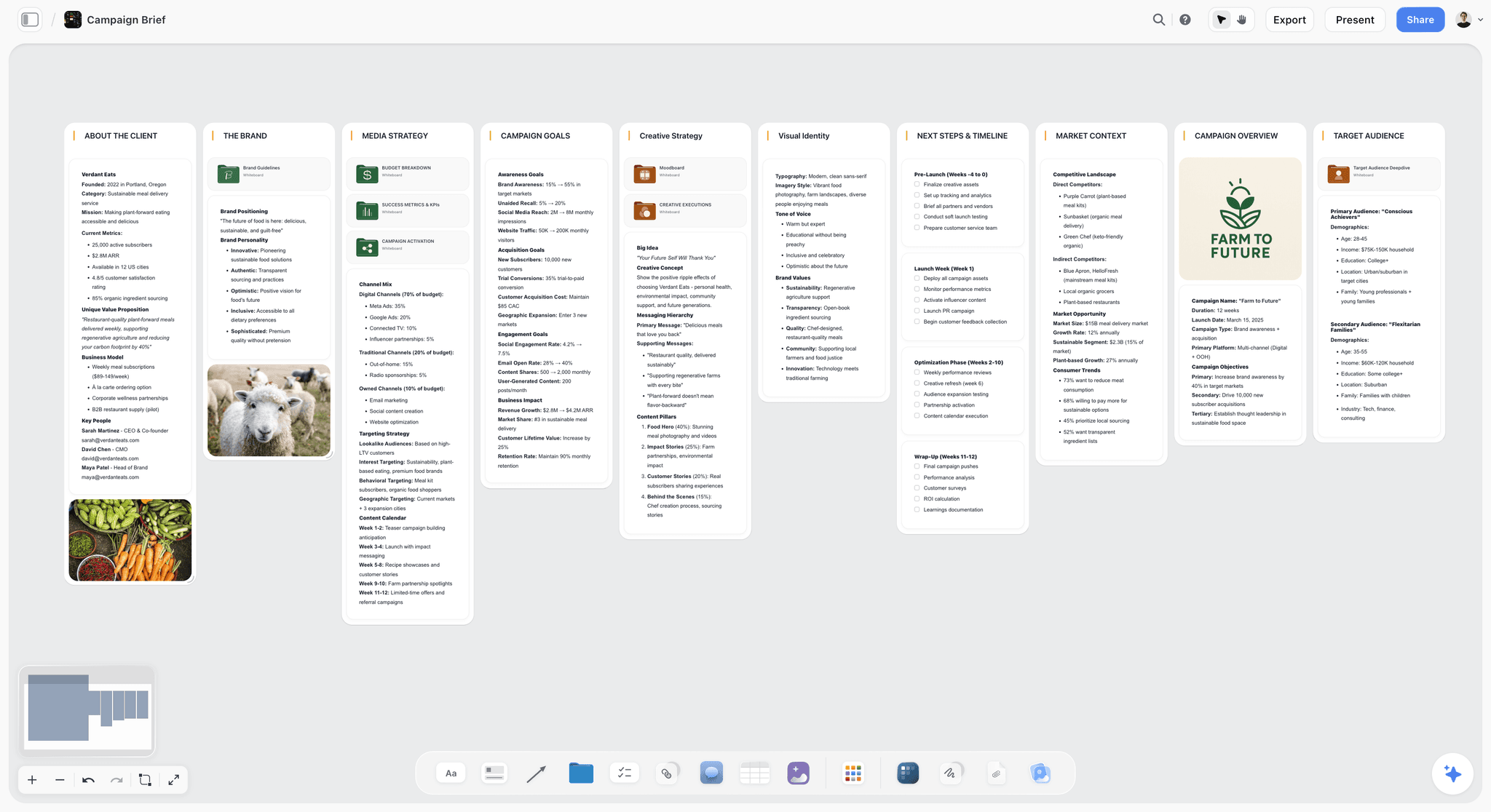
Storyflow canvas holding a production's creative plan and pitch that keep producer and director aligned
Keep the creative plan aligned across the production
Storyflow holds the creative plan and the pitch that financed the film on one canvas the whole team can see, so the production stays aligned with what got greenlit. Pair it with your budgeting and scheduling tools. Paid-only during early access; anyone a paid member invites to a board joins free.

What a Producer Actually Manages (and Which Desk It Sits On)
Most producer tool guides list production software and stop. That covers Desks 3 and 4 and misses that a producer's job starts two desks earlier. Desk 3 tools (budget, schedule, stripboard) are Movie Magic, StudioBinder, Gorilla, and Saturation.io; Desk 4 tools (logistics, review, distribution, comms) are StudioBinder, Yamdu, Setkeeper, Frame.io, Croogloo, and Slack. Desks 1 and 2, the creative plan and the pitch, are where Storyflow lives, and they have no obvious tool otherwise, so they live in scattered emails and memory while the budget and stripboard get real software. The logistics desks are well-tooled and mostly solved. The development and packaging desks usually have no home. Keep the budget and schedule in dedicated software and the plan and pitch on a canvas the whole team can see. For the scheduling desk specifically, see the best film scheduling software in 2026.
How We Evaluated These Producer Tools
Every tool here was assessed on the producer's real job across a production, using the Four Desks as the map. Five criteria, weighted in this order:
- Desk coverage. Which of the four desks does it serve, and how completely?
- Logistics power. How well does it handle budget, schedule, and the production machine on Desks 3 and 4?
- Coordination. Does it keep the team and the plan aligned across desks?
- Scale. Does it work from a small indie to a studio production?
- Price at production scale. What does it cost when a production is real?
Tested against an indie feature, a commercial, and a documentary, judged on how much each helped a producer run the machine and keep the vision aligned from Desk 1 through the wrap.
Quick Picks by Producing Need
Best all-in-one: StudioBinder, for scheduling, call sheets, and breakdowns (Desks 3 and 4).
Best for budget and schedule: Movie Magic, or Gorilla for indies (Desk 3).
Best for a full platform: Yamdu, to run the whole production in one system (Desks 3 and 4).
Best for review and deliverables: Frame.io for cuts, Croogloo for studio distribution (Desk 4).
Best for development and pitch: Storyflow, for the plan and pitch that keep producer and director aligned (Desks 1 and 2).
Detailed Reviews: The 12 Best Tools for Film Producers
1. Storyflow
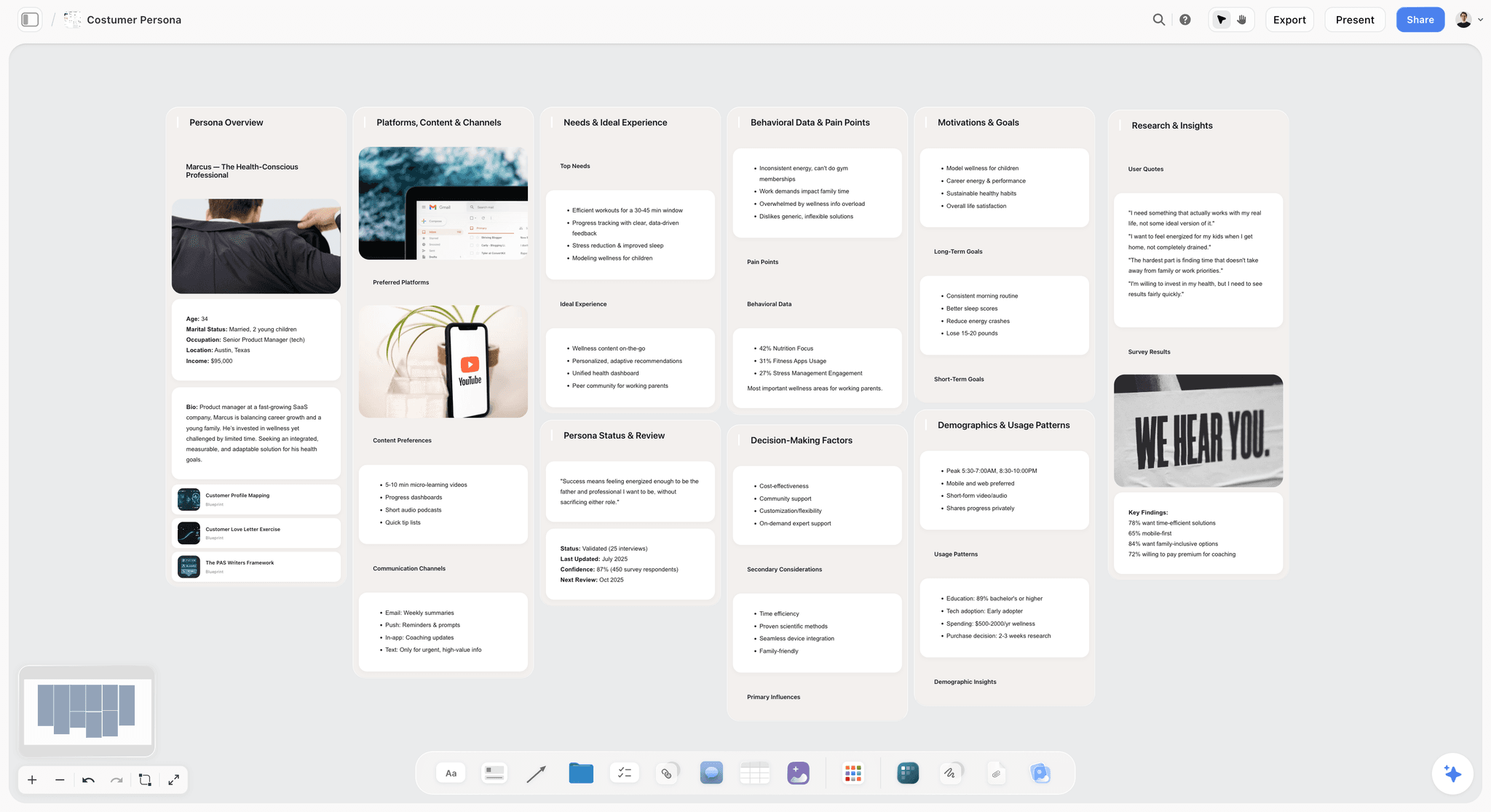
Storyflow is a visual workspace where Desks 1 and 2 finally get a home: the creative plan, the references, the story overview, and the pitch that financed the film, all on one canvas the AI reads. To be clear, it is not a budgeting, scheduling, or call-sheet engine: its AI drafts a budget table, a strip board and a call sheet PDF, but for fringes, a top sheet, day-out-of-days and sending call sheets you use Movie Magic or StudioBinder. It is where the director and producer look at the same picture instead of two versions of it.
Desk: Development (Desk 1) and packaging (Desk 2), with the through-line visible across all four.
Best for: Producers keeping the development plan and pitch aligned with the director and the film.
Verdict: Not a production-management suite. Use StudioBinder or Movie Magic for budget, schedule, and call sheets, and Storyflow for the development plan and pitch on Desks 1 and 2.
On a documentary in development, keeping the treatment, reference stills, funder pitch, and evolving structure on one board kept the film's spine visible as it changed, not scattered across a dozen documents. The AI reads the current canvas board plus up to five documents and three boards you attach, so a producer can check the plan against the pitch without exporting anything. A producer works four desks. Most software is built for one, and Storyflow is honest that it holds the first two.
Who should stay on the production-management tools: any producer whose immediate need is the stripboard, the budget top sheet, or the call sheet should stay on Movie Magic, StudioBinder, or Yamdu. Storyflow drafts a strip board, a budget table and a call sheet PDF, but it has no top sheet, day-out-of-days or call sheet sending, and it is not trying to.
Key features
- One canvas for the development plan and the pitch that financed the film.
- Project-aware AI that reads the current board plus up to 5 documents and 3 boards you attach and helps keep the plan coherent.
- Unlimited shared boards and collaboration on every plan, with Max adding a team workspace with permissions and roles.
- Keeps producer and director aligned on the vision as the film evolves from Desk 1 onward.
Pricing
Free: launching before the end of 2026. Plus: $7.99/mo (annual), $9.99/mo monthly. Pro: $14/mo annual, $19/mo monthly. Max: $39/mo annual, $49/mo monthly. Per account for individuals, per seat for team workspaces; anyone a paid member invites to a board joins free.
Pros
- Gives Desks 1 and 2 a real home instead of scattered files.
- Aligns producer and director on the vision and the pitch.
- The AI reads the current board plus @-mentioned context.
Cons
- Budget table, strip board and call sheet PDF are AI drafts only: no fringes, top sheet, day-out-of-days or call sheet sending. Use Movie Magic or StudioBinder.
- A general creative canvas, not a production-management suite.
- Newer than the legacy production tools, with a smaller film-specific track record.
- Cloud-only, with no local-first or offline option.
For the pitch stage, see the best film pitch deck tools in 2026.
2. StudioBinder
StudioBinder is the modern all-in-one production management platform: scheduling, call sheets, breakdowns, shot lists, and contacts in one browser tool, and the reason a first-time indie producer can run a real shoot without a Movie Magic license.
Desk: Pre-production logistics (Desk 3) into production management (Desk 4).
Best for: Producers running indie features, commercials, and branded content.
Verdict: The best all-in-one producer tool for most productions. On a compressed commercial shoot it carried the breakdown, schedule, and call sheets in one place. Where it stops is the money: there is no native budgeting, so pair it with Movie Magic or Saturation.io.
Who should stay on Movie Magic: feature producers who need the industry-standard stripboard and full budgeting in one professional package should keep Movie Magic and use StudioBinder only for call sheets and contacts.
Key features
- Scheduling and call sheets.
- Breakdowns and shot lists.
- Cast, crew, and contacts.
- Collaboration and permissions.
Pricing
Indie from around $29/mo. Free tier with limits.
Pros
- One platform for most production logistics.
- Modern and easy to learn.
- Strong across indie and commercial.
Cons
- No native budgeting; pair with a budget tool.
- Subscription scales with team.
- Not a development or packaging canvas.
3. Movie Magic
Movie Magic Scheduling and Budgeting from Entertainment Partners is the industry standard for the producer's core logistics. When a line producer says they built the stripboard, they usually mean this.
Desk: Pre-production logistics (Desk 3).
Best for: Producers at feature scale who need the industry standard.
Verdict: The professional standard for scheduling and budgeting. Its depth is unmatched; the cost is the learning curve, the dated interface, and two products you buy and learn separately.
Who should stay on StudioBinder: indie and commercial producers who do not need studio-grade budgeting will find Movie Magic slower and heavier than the job requires, and StudioBinder covers their logistics in a friendlier tool.
Key features
- Industry-standard stripboard scheduling.
- Professional budgeting.
- Deep reports.
- EP ecosystem.
Pricing
Around $209 one-time for Scheduling; budgeting separate.
Pros
- The professional standard.
- Deep budgeting and scheduling.
- Trusted at scale.
Cons
- Learning curve.
- Dated interface.
- Two separate products.
4. Yamdu
Yamdu runs the whole production in one platform: scheduling, breakdown, cast and crew, budgeting, and communication, the closest any single tool comes to holding Desks 3 and 4 together.
Desk: Pre-production logistics (Desk 3) and production management (Desk 4).
Best for: Producers who want one system for everything.
Verdict: The strongest full production platform for teams that want one system. The trade-off is that it is more platform than a small shoot needs, with pricing that scales to match.
Key features
- Scheduling and breakdown.
- Cast, crew, and locations.
- Budgeting and reports.
- Communication.
Pricing
From around $25/mo.
Pros
- Runs the whole production.
- Good for series and larger teams.
- Strong communication.
Cons
- More than a small shoot needs.
- Pricing scales.
- Learning curve.
5. Frame.io
Frame.io coordinates review and approvals with frame-accurate comments, so producers manage cuts and feedback instead of email threads that lose the current version.
Desk: Production management (Desk 4), the deliverables end.
Best for: Producers managing cut review and approvals.
Verdict: The best review coordination tool for producers. Frame-accurate comments and version control turn a messy client approval loop into a tracked one, but it is a review layer only and at its best inside the Adobe ecosystem.
Key features
- Frame-accurate review.
- Version management.
- Adobe integration.
- Camera-to-cloud.
Pricing
Bundled with Adobe CC; standalone tiers.
Pros
- Excellent review coordination.
- Version control.
- Stakeholder-friendly.
Cons
- Review layer only.
- Best inside Adobe.
- Not logistics.
6. Croogloo
Croogloo is a studio-grade platform for secure distribution, scheduling, and coordination on larger productions.
Desk: Production management (Desk 4), the distribution and coordination end.
Best for: Producers on larger, security-conscious productions.
Verdict: Strong for studio-scale coordination and distribution. Its edge is secure distribution of scripts across a large crew with tracked access; for a small indie it is overkill.
Key features
- Secure distribution.
- Scheduling and coordination.
- AI-assisted features.
- Cast and crew.
Pricing
Custom, per-production.
Pros
- Built for larger productions.
- Secure distribution.
- Scales to complex teams.
Cons
- Overkill for small shoots.
- Custom pricing.
- Enterprise learning curve.
7. Gorilla
Gorilla offers indie-friendly scheduling and budgeting from Jungle Software, both halves of Desk 3 in one package.
Desk: Pre-production logistics (Desk 3).
Best for: Indie producers who want scheduling and budgeting together at a fair price.
Verdict: The best-value scheduling and budgeting for indie producers. It puts the stripboard and budget in one tool without the two-product Movie Magic split or its price; the interface is less modern than StudioBinder.
Who should stay on Movie Magic: producers who need to hand a stripboard to a studio-experienced first AD in the format they expect should stay on the industry standard.
Key features
- Stripboard scheduling.
- Budgeting.
- Breakdown.
- Reports.
Pricing
Tiered.
Pros
- Schedule and budget together.
- Indie pricing.
- Established.
Cons
- Less modern interface.
- Smaller community.
- Call sheets need the suite.
8. Setkeeper
Setkeeper centralizes production documents, coordination, and distribution into one organized hub.
Desk: Production management (Desk 4), the coordination end.
Best for: Producers wanting a document and coordination hub.
Verdict: Strong for coordination and documents on professional productions. It shines as a document hub but is not a budgeting or scheduling tool, so it sits alongside Movie Magic or StudioBinder.
Key features
- Centralized documents.
- Coordination and contacts.
- Distribution.
- Read tracking.
Pricing
Custom.
Pros
- Excellent document hub.
- Professional organization.
- Good for larger teams.
Cons
- Not budgeting or scheduling.
- Custom pricing.
- More than small shoots need.
9. Airtable
Airtable builds custom production trackers for anything a producer needs to log.
Desk: Pre-production logistics (Desk 3), the custom-tracking end.
Best for: Producers who want custom tracking databases.
Verdict: The best flexible tracker for bespoke production needs. It bends to any tracking job a film-specific tool never anticipated (documentary producers use it for archival footage and rights), but it will not build a stripboard or budget.
Key features
- Customizable databases.
- Tracking and views.
- Automation.
- Collaboration.
Pricing
Free tier; paid for more.
Pros
- Flexible for any tracking.
- Automation.
- Free tier.
Cons
- Setup time.
- Not film-specific.
- Not budget or schedule native.
10. Saturation.io
Saturation.io is a modern film budgeting platform, a browser-based alternative to legacy budgeting tools.
Desk: Pre-production logistics (Desk 3), the budget end.
Best for: Producers who want modern, collaborative budgeting.
Verdict: The best modern budgeting tool, cleaner than legacy options. It lets several people work one budget at once, but it is budgeting only and newer, so a studio-experienced team may still expect a Movie Magic file.
Who should stay on Movie Magic: productions that must deliver a budget in the format financiers and studios already trust should stay on the legacy standard.
Key features
- Collaborative budgeting.
- Modern interface.
- Actualization tracking.
- Reports.
Pricing
Tiered.
Pros
- Modern and collaborative.
- Cleaner than legacy tools.
- Good actualization.
Cons
- Newer than Movie Magic.
- Budgeting only.
- Adoption still growing.
11. Slack
Slack keeps a production team communicating with channels and integrations, not scattered text threads.
Desk: Production management (Desk 4), the communication end.
Best for: Producers coordinating team communication.
Verdict: The best communication tool for a production team. Channels per department keep a crew aligned far better than group texts, but it is not a work surface, so the budget and plan live elsewhere.
Key features
- Channels and threads.
- File sharing.
- Integrations.
- Huddles.
Pricing
Free tier; paid for more.
Pros
- Excellent team chat.
- Integrations.
- Free tier.
Cons
- Communication only.
- Can get noisy.
- Not a work surface.
12. Google Workspace
Google Workspace handles shared documents, sheets, and files, the backbone most crews already have.
Desk: All four desks, at the document layer.
Best for: Producers who want reliable shared docs and files.
Verdict: A reliable docs-and-files backbone. Real-time Docs and Sheets, Drive, and permissions let a producer share anything with anyone, but it is not film-specific, so tracking production data is manual.
Key features
- Real-time Docs and Sheets.
- Drive storage.
- Permissions.
- Universal.
Pricing
Free tier; paid for more.
Pros
- Reliable shared docs.
- Universal.
- Free tier.
Cons
- Not film-specific.
- Manual for production data.
- Not a work surface.
Producer Recommendations by Production Type
13. Indie Feature Producer
Top picks: StudioBinder + Gorilla + Storyflow
StudioBinder for logistics, Gorilla for schedule and budget, Storyflow for the development plan and pitch.
14. Studio / Streamer Producer
Top picks: Movie Magic + Croogloo + Frame.io
Movie Magic for scheduling and budgeting, Croogloo for secure distribution, Frame.io for review at scale.
15. Commercial / Branded Producer
Top picks: StudioBinder + Frame.io + Storyflow
StudioBinder for the compressed shoot, Frame.io for client review, Storyflow for the pitch and creative plan.
16. Documentary Producer
Top picks: Yamdu + Storyflow + Airtable
Yamdu for the moving production, Storyflow for the story plan alongside the director from Desk 1, Airtable for archival and rights tracking.
17. Line Producer / Production Manager
Top picks: Movie Magic + StudioBinder + Slack
Movie Magic for the budget and stripboard, StudioBinder for call sheets and breakdown, Slack for coordination.
Honorable Mentions
- Hot Budget: spreadsheet-based budgeting many producers still trust.
- Showbiz Budgeting: another budgeting standard.
- Cast & Crew / EP: payroll and production services.
- Dramatify: production management for series and live.
- Assemble: modern production tracking.
Where a Producer's Tools Still Need the Producer
Tools run the numbers; they do not produce the film. No tool raises the money, holds the relationships, or solves the crisis when the day falls apart. The right use of a producer's tools in 2026 is to run Desks 3 and 4 precisely and keep Desks 1 and 2 aligned. Producing stays human.
The Bottom Line
The best tools for film producers in 2026 are dominated by logistics, and rightly so. StudioBinder leads all-in-one management, Movie Magic owns scheduling and budgeting at scale, Yamdu runs the whole production, and Frame.io coordinates review. These handle Desks 3 and 4, the producer's core machine, and no creative canvas replaces them.
What they do not hold is Desks 1 and 2, the development plan and pitch that keep the producer aligned with the director and the film that got greenlit. A producer works four desks. Most software is built for one. Keep the logistics in dedicated software and the creative plan on a canvas the team can see. Start a Storyflow board for your production's development plan and pitch, and pair it with the logistics tools that fit your scale.
FAQ: Tools for Film Producers in 2026
What are the best tools for film producers in 2026?
StudioBinder is the best all-in-one production management tool for most producers, Movie Magic is the industry standard for scheduling and budgeting at feature scale, and Yamdu is the strongest full production platform. For the development and packaging desks, keeping the plan and pitch aligned with the director, Storyflow is the strongest canvas, though it is not a budgeting or scheduling engine. Most producers run a logistics tool plus a budgeting tool plus a development canvas.
What software do film producers use?
Film producers use scheduling and budgeting software (Movie Magic, Gorilla, Saturation.io), all-in-one production management (StudioBinder, Yamdu), review tools (Frame.io), communication (Slack), and shared files (Google Workspace). Larger productions add distribution platforms like Croogloo. The core is scheduling and budgeting software, supplemented by a development canvas for the plan and pitch and review tools for deliverables.
What is the best budgeting software for film?
Movie Magic Budgeting is the long-standing industry standard. Saturation.io is a modern, collaborative alternative with a cleaner interface, and Gorilla includes budgeting alongside scheduling for indies. Smaller productions still budget in spreadsheets or Hot Budget. The choice depends on scale: Movie Magic for professional productions that need the standard, Saturation.io or Gorilla for indies who want something modern or affordable.
What is the best scheduling software for film?
Movie Magic Scheduling is the professional standard for the stripboard, and its output is the format most experienced first ADs expect. StudioBinder offers modern browser-based scheduling that indie and commercial producers prefer, and Gorilla pairs scheduling with budgeting for indies at a lower price. For a feature handed to a studio-experienced crew, Movie Magic is the safe default; for a lighter tool, StudioBinder wins.
What is a stripboard?
A stripboard is the visual schedule of a film shoot, where each scene becomes a colored strip showing its location, cast, page count, and day or night. Producers and first ADs arrange the strips into the most efficient shooting order, grouping scenes by location and cast to save time and money. It lives in Movie Magic Scheduling, StudioBinder, Gorilla, or Yamdu, the backbone of Desk 3.
What are call sheets and what software makes them?
A call sheet is the daily document that tells cast and crew where to be, when, and what is being shot, along with contacts, weather, and logistics, generated fresh for every shooting day. StudioBinder is the most popular modern call-sheet tool, Yamdu builds them into its platform, and Setkeeper distributes them with read tracking. A development canvas like Storyflow drafts a call sheet as a PDF but does not send it or track confirmations, which is why producers pair it with a production-management tool for the shoot.
What is the best free tool for film producers?
Fully free producer tools are limited because the core logistics software is paid. StudioBinder has a free tier, Airtable is free for custom tracking, Slack is free for communication, and Google Workspace is free for shared docs. Storyflow's Free plan, launching before the end of 2026, will cover the development plan and pitch with unlimited shared boards. Start with those free tiers, then add paid budgeting and scheduling as you scale.
How does Storyflow help film producers?
Storyflow helps with the development and packaging desks, not the logistics. It keeps the creative plan and the pitch that financed the film on one canvas the whole team can see, so the producer stays aligned with the director as the film evolves. The AI reads the current board plus up to five documents and three boards you attach and helps keep the plan coherent. Its AI can draft a budget table, a strip board and a call sheet PDF, but for running the budget, schedule, and call sheet distribution, producers still use Movie Magic or StudioBinder.
How much do film producer tools cost?
Costs vary by desk. StudioBinder starts around $29/mo and Yamdu around $25/mo. Movie Magic Scheduling is roughly a $209 one-time purchase, with budgeting sold separately. Storyflow is priced per account for individuals and per seat for team workspaces: Plus at $7.99/mo annual, Pro at $14/mo annual, and Max at $39/mo annual. Anyone a paid member invites to a board joins free, and the Free plan launches before the end of 2026. A realistic indie stack runs a production-management subscription plus a budgeting tool plus a development canvas, so budget for two or three paid tools.
What is the difference between scheduling and budgeting software?
Scheduling software arranges the shoot into an efficient order (the stripboard and shooting days), while budgeting software tracks the money against that plan. They are related because the schedule drives much of the budget, and tools like Movie Magic, Gorilla, and Yamdu often do both. A producer needs both, and they must stay in sync as the production changes.
Do producers and directors use the same tools?
They overlap on some tools and differ on others. Both use production management (StudioBinder) and review (Frame.io), and both benefit from a shared development canvas like Storyflow. But producers lean on budgeting and scheduling software the director rarely touches, while directors lean on storyboarding, previs, and shot tools the producer rarely opens. The shared development desk is where their work most needs to connect.
Do I need all these tools for a small production?
No. A small production does not need studio-grade software on every desk. A short film or branded video can run on StudioBinder's free tier, Slack and Google Workspace, with Storyflow Plus ($7.99/mo annual) for the development plan and pitch, adding a paid budgeting tool only when the money gets real. Cover each desk with the lightest tool that does the job.
Table of Contents
- The Four Desks of Producing (the framework this guide uses)
- All 12 Tools for Film Producers, Ranked
- Comparison Table: 12 Tools for Film Producers Compared
- What a Producer Actually Manages (and Which Desk It Sits On)
- How We Evaluated These Producer Tools
- Quick Picks by Producing Need
- Detailed Reviews: The 12 Best Tools for Film Producers
- Producer Recommendations by Production Type
- Honorable Mentions
- Where a Producer's Tools Still Need the Producer
- The Bottom Line
- Author
- FAQ: Tools for Film Producers in 2026
- Related Reading
Templates to check out for this topic


Filmmaking templates you can use in Storyflow
Skip the blank canvas. Open one of these filmmaking boards in Storyflow and the AI builds on the structure that is already there, from research through the shot list.


See Storyflow in Action
A visual AI workspace where every feature lives inside one canvas. No tab-switching, no context lost.
Build your entire board from a single message
Type what you need in the AI chat at the bottom of your canvas. The AI adds cards, headings, and structure directly onto your board.
Use expert frameworks as AI context
Type @ in the AI chat and choose any Tactic. The AI tailors every response to that framework instead of giving generic advice.
Turn your board into a mind map in seconds
Ask the AI to restructure your canvas as a mindmap. It connects your ideas into a visual hierarchy so you can see how everything relates.
Why Storyflow Exists
Storyflow actually began as a personal tool while working on creative and research projects.
We kept running into the same problem: ideas were scattered everywhere: notes, documents, and whiteboards.
Nothing helped us see how everything connected.
So we started building a workspace designed around how ideas actually grow.
→ Read how Storyflow was createdJustkay
Documentary Filmmaker & Founder at Storyflow
Published: 2026-07-10
Extremely simple, seriously capable


See how easy it is to get started
Watch a real project come together, from a blank board to a finished plan, clicked through step by step.
Start creating with AI and become more productive
Transform your creative workflow with AI-powered tools. Generate ideas, create content, and boost your productivity in minutes instead of hours.