The 12 Best Film Collaboration Tools in 2026 (Tested by a Filmmaker)
The best film collaboration tools in 2026, tested by a filmmaker. 12 tools compared across the five layers of film teamwork, from Storyflow and Frame.io to StudioBinder, Slack, and Google Workspace.

Category
Filmmaking
Author

Justkay
Documentary Filmmaker & Founder at Storyflow
Topics
2026-07-10
•
17 min read
•
Filmmaking- best film collaboration tools 2026
- film collaboration software
- film team collaboration
- remote film collaboration
- Frame.io
- collaboration tools for filmmakers
What are the best film collaboration tools in 2026?
The best film collaboration tools in 2026 are Storyflow (best for creative collaboration on a shared canvas), Frame.io (best for cut review and feedback), StudioBinder (best for shared production management), and Slack (best for team communication). Filmmaking is a team sport across every phase, and no single tool covers all of it. Collaboration happens in layers: developing the film together, reviewing cuts, managing production, communicating, and sharing files. This guide maps the layers and ranks the best tool for each. Storyflow leads the creative layer because the whole team develops the film on one canvas the AI reads. Here is the framing that fixes most film stacks. Film collaboration is not one job. It is five. Your team needs to think together, review together, manage together, talk together, and share files together, and those are five different surfaces. The mistake is forcing one tool to do all five. I am a working documentary filmmaker, and I have run the wrong stack often enough to know the cost. When the story, the notes, the schedule, and the footage live in tools that do not talk to each other, nobody sees the whole picture, and the AI you paid for only sees one fragment. The rankings below come from running real projects, not from a spec sheet.

Full disclosure: Storyflow is our own product, and this guide ranks it first for the creative-development layer, where the whole team builds the film on one canvas the AI reads. That ranking is honest about scope, not a claim to cover all five layers. Storyflow is not a review-and-approval tool, so Frame.io still owns frame-accurate cut review, StudioBinder owns production management, and Slack owns communication, which is why most teams run Storyflow alongside them rather than instead of them. It is also cloud-only, with no local-first option for privacy-restricted productions. We link to every tool so you can judge the fit.
Quick Comparison
Film collaboration is five different jobs, so the top four cover the layers that matter most: creative development, cut review, production management, and communication.
| Tool | Best For | AI Features | Price |
|---|---|---|---|
| Storyflow | Creative development on a shared canvas | Canvas AI reads the whole board | $7.99 mo annual (free plan late 2026) |
| Frame.io | Cut review and feedback | None | Adobe CC bundle |
| StudioBinder | Production management | None | ~$29/mo |
| Slack | Team communication | None | Free tier |
All 12 Film Collaboration Tools, Ranked
- Storyflow: best for creative collaboration on a shared canvas (9.3/10)
- Frame.io: best for cut review and feedback (9.1/10)
- StudioBinder: best for shared production management (8.9/10)
- Slack: best for team communication (8.7/10)
- Google Workspace: best for shared docs and files (8.5/10)
- Milanote: best for shared visual boards (8.2/10)
- Notion: best for a shared production wiki (8.0/10)
- Dropbox: best for file sharing and Replay review (7.8/10)
- WriterDuet: best for collaborative screenwriting (7.6/10)
- Miro: best for shared whiteboarding (7.4/10)
- Celtx: best for a shared production suite (7.2/10)
- Trello: best for simple shared task tracking (7.0/10)
Comparison Table: 12 Film Collaboration Tools Compared
| Tool | Collaboration Layer | Starting Price | Free Option | Real-Time | Rating (/10) |
|---|---|---|---|---|---|
Storyflow | Creative development | $7.99/mo (annual) | Coming late 2026 (invited collaborators join free now) | Yes | 9.3/10 |
Frame.io | Cut review | Adobe CC bundle | Trial | Yes | 9.1/10 |
StudioBinder | Production management | ~$29/mo | Yes | Yes | 8.9/10 |
Slack | Communication | Free tier | Yes | Yes | 8.7/10 |
Google Workspace | Docs and files | Free tier | Yes | Yes | 8.5/10 |
Milanote | Visual boards | Free tier | Yes | Yes | 8.2/10 |
Notion | Production wiki | Free tier | Yes | Yes | 8.0/10 |
Dropbox | File sharing and review | Free tier | Yes | Partial | 7.8/10 |
WriterDuet | Screenwriting | Free / paid | Yes | Yes | 7.6/10 |
Miro | Whiteboarding | Free tier | Yes | Yes | 7.4/10 |
Celtx | Production suite | ~$15/mo | Yes | Yes | 7.2/10 |
Trello | Task tracking | Free tier | Yes | Yes | 7.0/10 |
Pricing changes often; confirm current pricing on each site. Ratings reflect usefulness for film team collaboration in each tool's layer.

Storyflow shared canvas where a film team develops story, references, and pre-production together with AI
Give your film team one canvas to think on
Storyflow lets your whole team develop the story, references, and pre-production on one shared board the AI reads, with unlimited collaboration on every plan and a Team Workspace with roles on Max. Free to start.

The Five Layers of Film Collaboration
Most film collaboration guides list tools without noticing that "collaboration" means five different things on a film. Naming the layers is what turns a random tool list into a real stack, and it makes the gaps in your current setup obvious.
- Creative collaboration. The team develops the film together: story, references, shot ideas, and structure. This is thinking together, and it needs a shared visual surface where ideas sit side by side.
- Review collaboration. The team reviews cuts and gives frame-accurate feedback tied to exact timecodes. This needs a dedicated video review tool, not a comment thread.
- Production collaboration. The team manages schedules, call sheets, breakdowns, and shot lists. This needs production software built for the logistics of a shoot.
- Communication. The team talks: quick questions, decisions, coordination, the daily back-and-forth. This needs a chat tool that keeps a searchable record.
- File collaboration. The team shares footage, documents, and assets, often terabytes of them. This needs storage that holds up under real media weight.
No single tool is best at all five, and pretending one is leads to a worse version of each. A chat tool is a bad creative canvas. A creative canvas is a bad file server. The strong move is to pick the best tool for each layer and connect them. Storyflow owns the creative layer because the whole team develops the film on one canvas the AI reads, but you still want Frame.io for review, StudioBinder for production, Slack for chat, and Dropbox or Google Workspace for files. For the production-management layer specifically, see the best film production planning tools in 2026.
How We Evaluated These Collaboration Tools
Every tool here was assessed on collaborating with a real film team in its layer, not on a marketing feature list. Over several years of documentary work I have run these exact stacks with editors, producers, and camera teams. Five criteria, weighted in this order:
- Layer fit. Is it the best tool for its layer, or a compromise that is convenient only because it is already open?
- Real-time quality. How well does the team work together live, without stepping on each other or losing edits?
- Access and permissions. Can you control who sees and edits what, including outside collaborators and clients?
- Team scale. Does it hold up from a two-person crew to a studio team without getting expensive per seat?
- Price for the value. What does it cost for the collaboration it enables, including the free tier?
Tested with a documentary team, a commercial crew, and a narrative production, judged on how well they served their layer, not on breadth.
Detailed Reviews: The 12 Best Film Collaboration Tools
1. Storyflow
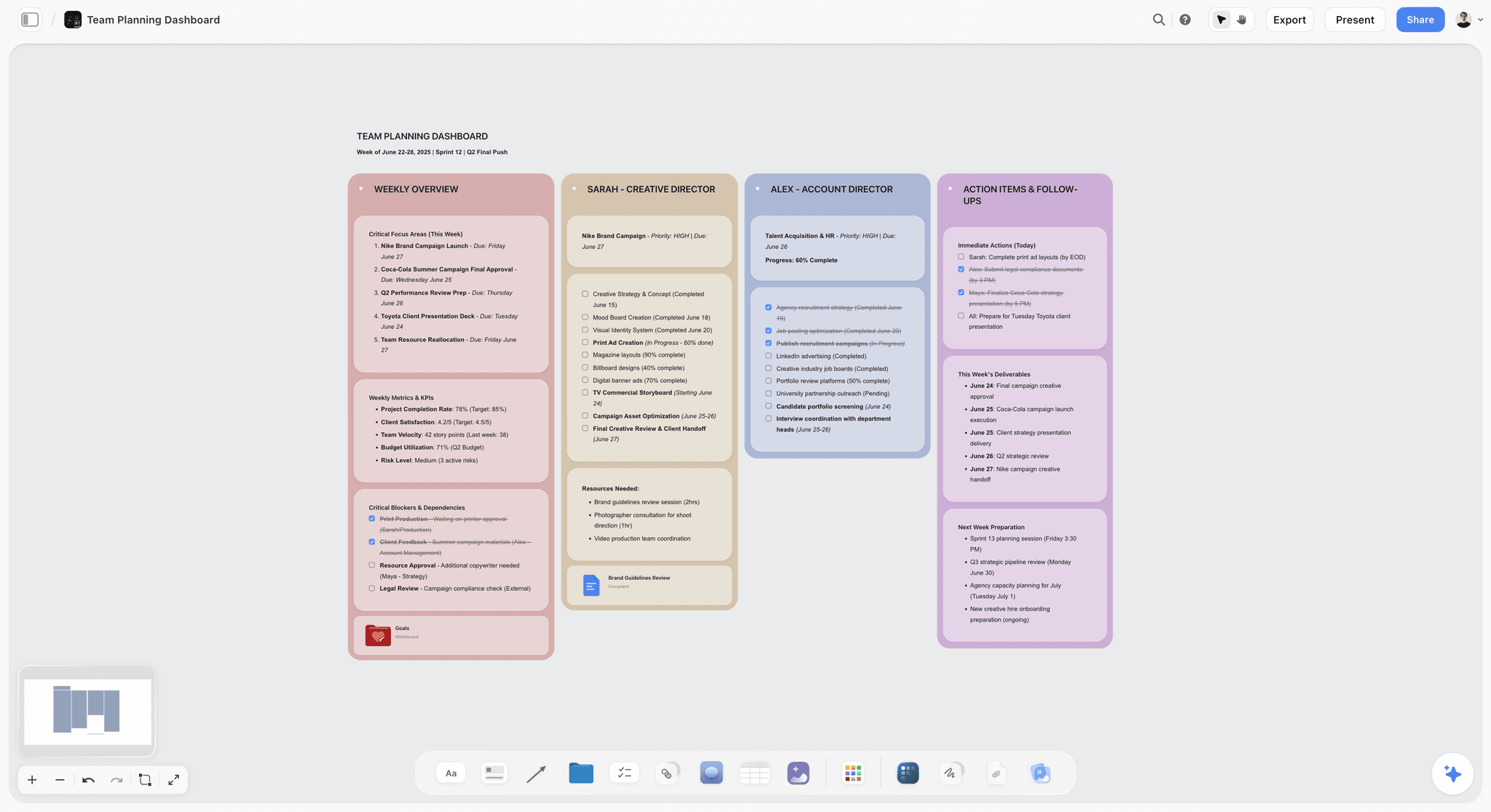
Storyflow is a visual workspace where a film team develops the film together on a shared canvas the AI reads: story, references, shot ideas, structure, and pre-production, all on one board. It owns the creative-collaboration layer, the one most stacks leave scattered across docs and chats. What makes it rank first is the AI context: it reads the whole active board, so when a producer asks which references support the second act or where interview subjects overlap, it answers across everyone's contributions instead of one person's document. You can also bring in up to one Tactic and three Documents by @-mention. I built it so a team could think together, not email versions.
Best for: Film teams developing story, references, and pre-production together.
Verdict: The strongest creative collaboration tool for film. Pair it with Frame.io, Slack, and file storage.
Key features
- Shared creative canvas for story, references, shot ideas, and structure.
- Project-aware AI that reads the whole board plus up to 1 Tactic and 3 Documents you @-mention.
- Story Blueprints library with 200+ creative templates on Plus, Pro, and Max.
- Unlimited shared boards and collaboration on every plan, with a Team Workspace and roles on Max.
Pricing
Free: $0 (unlimited shared boards and collaboration). Plus: $7.99/mo annual ($9.99 monthly). Pro: $14/mo annual ($19 monthly). Max: $39/mo annual ($49 monthly, Team Workspace with roles). Flat per account.
Pros
- The whole team develops the film in one place the AI can read.
- The AI reads everyone's contributions, not one linear document.
- Unlimited collaboration even on the free plan.
Cons
- Not a review-and-approval or dailies tool. Use Frame.io for frame-accurate review.
- Not a chat tool or file server. Pair with Slack and Dropbox.
- Cloud-only, with no local-first option for privacy-restricted productions.
- Newer than Notion or Miro, so the integrations ecosystem is still growing.
2. Frame.io
Frame.io is the review and approval standard, now part of Adobe, and nothing on this list comes close for cut review. Collaborators leave frame-accurate comments tied to exact timecodes, version stacking keeps cuts in order, and camera-to-cloud pulls footage off set into review. The catch: it does one layer, and its best value is inside the Adobe ecosystem.
Best for: Teams reviewing cuts with collaborators and stakeholders.
Verdict: The best cut-review collaboration tool. Essential for the review layer.
Key features
- Cloud review with frame-accurate comments.
- Version management and cut stacking.
- Adobe Premiere integration and camera-to-cloud.
Pricing
Bundled with Adobe Creative Cloud; standalone tiers available.
Pros
- Excellent frame-accurate review.
- Version control for cuts, deep Adobe integration.
Cons
- Review layer only.
- Best value inside an Adobe subscription.
- Not for creative development or team chat.
3. StudioBinder
StudioBinder collaborates on production: shared schedules, call sheets, breakdowns, and shot lists in one modern interface. Its strength is that everything a coordinator touches updates for the whole team, so when a location moves, the call sheet and schedule stay in sync. The trade-off: the subscription scales with use, and it is not where your team develops the creative or reviews the edit.
Best for: Teams managing production together.
Verdict: The best shared production management tool.
Key features
- Shared scheduling and automated call sheets.
- Scene breakdowns and shot lists.
- Crew coordination with granular permissions.
Pricing
Indie from around $29/mo. Free tier with limits.
Pros
- Complete production collaboration in one place.
- Modern, easy to onboard, with good permissions.
Cons
- Production layer only.
- Subscription cost scales with team and projects.
- Not creative development or cut review.
4. Slack
Slack is the team communication standard, and it owns the communication layer on most productions. Channels split the conversation by department, threads keep topics from tangling, and integrations can surface a Frame.io comment or a StudioBinder update in the right channel. The limit: it is only communication, gets noisy fast, and is a bad place to do actual work, which is why it belongs alongside the creative, review, and production surfaces rather than replacing them.
Best for: Team chat and coordination.
Verdict: The best communication tool for film teams.
Key features
- Channels and threads by department and topic.
- File sharing and strong search across history.
- Integrations, huddles, and calls for quick sync.
Pricing
Free tier; paid for full history and more.
Pros
- Excellent team chat with a searchable record.
- Integrates with nearly every tool; free tier usable.
Cons
- Communication only.
- Can get noisy without channel discipline.
- Not a work surface for creative or production.
5. Google Workspace
Google Workspace quietly owns the shared-docs-and-files layer for most teams. Everyone has an account, real-time editing just works, and for a small crew a shared Drive plus Docs covers scripts, budgets, and release forms at no cost. What it is not is spatial: Docs force a linear order before you have one, so Workspace is the backbone for files and text, not the canvas where the film takes shape.
Best for: Shared documents and file storage.
Verdict: The best shared docs and files tool. A reliable backbone.
Key features
- Real-time Docs, Sheets, and Slides.
- Drive storage and granular sharing.
- Familiar permissions and universal access.
Pricing
Free tier; paid for more storage and admin controls.
Pros
- Excellent real-time document editing.
- Reliable, familiar, near-universal storage.
Cons
- Not film-specific.
- Docs are linear, not spatial.
- Not a creative canvas or a review tool.
6. Milanote
Milanote shares clean visual boards for references, moodboards, and lookbooks. Image and note cards arrange nicely, so a team can build a shared reference wall that looks like the film in someone's head. Where it falls short of Storyflow is depth: no project-aware AI, so the board is a place to pin things, not one you can ask questions of. It does not carry story structure or answer across the team's work.
Best for: Teams sharing visual references and boards.
Verdict: A strong shared visual board tool, without AI.
Key features
- Shared visual boards for references and moodboards.
- Image, note, and link cards.
- Templates for common creative boards.
Pricing
Free tier; paid for more boards and storage.
Pros
- Clean, attractive shared boards.
- Excellent for references; easy for non-technical collaborators.
Cons
- No project-aware AI.
- Visual references only, not story structure.
- Less depth than a full creative canvas.
7. Notion
Notion builds a shared production wiki with docs, databases, and collaboration. A team can create a single source of truth, with linked databases for cast, locations, and schedule alongside the treatment and notes. The cost of that flexibility is that you build the system yourself, and it is not spatial, so like Google Docs it is the wrong shape for creative development. Use it as the reference wiki behind the creative canvas, not as the canvas.
Best for: Teams wanting a shared production knowledge base.
Verdict: The best shared wiki for a production. Flexible, not film-specific.
Key features
- Shared docs and linked databases.
- Wiki structure for a single source of truth.
- Collaboration, permissions, and templates.
Pricing
Free tier; paid for more members and controls.
Pros
- Flexible shared knowledge base.
- Good permissions; free tier covers small productions.
Cons
- You build and maintain the system.
- Not film-specific.
- Not a creative canvas.
8. Dropbox
Dropbox shares files and, with Replay, offers video review, putting it at the intersection of the file and review layers. For terabytes of footage it is a known quantity crews trust and clients can access without friction, and Replay adds timestamped notes without another subscription. The honest limit: Replay is lighter than Frame.io for serious review, and Dropbox is primarily storage.
Best for: File sharing with some review.
Verdict: A reliable file-sharing tool with useful review via Replay.
Key features
- File storage and sharing built for heavy media.
- Replay for timestamped video review.
- Sync, permissions, and shared links.
Pricing
Free tier; paid for more storage.
Pros
- Reliable file sharing at real media scale.
- Replay adds review without a second tool.
Cons
- Primarily storage.
- Replay review is lighter than Frame.io.
- Not a creative or production work surface.
9. WriterDuet
WriterDuet collaborates on screenwriting in real time, and it owns the co-writing slice of the creative layer. Two or more writers work on the same script live with reliable version history and industry-standard formatting, so a writers' room never trades files or reconciles conflicting drafts by hand. Where it stops is scope: it is about the script, not the wider film, so it pairs with a creative canvas.
Best for: Writing teams co-writing scripts.
Verdict: The best collaborative screenwriting tool.
Key features
- Real-time collaborative writing with proper formatting.
- Reliable version history.
- Outline panel plus standard import and export.
Pricing
Free for 3 scripts; Pro paid.
Pros
- Seamless live co-writing.
- Dependable version history; free tier for small projects.
Cons
- Writing layer only.
- Best inside its own ecosystem.
- Not broader film collaboration.
10. Miro
Miro is a shared whiteboard for brainstorming and planning, touching the creative layer as a general-purpose visual surface. An infinite canvas with sticky notes and strong real-time collaboration handles everything from a kickoff brainstorm to a rough production plan. It ranks below the film-specific tools because it is general, has no film-aware AI that understands a film's structure, and can sprawl on a big board.
Best for: Teams brainstorming on a shared whiteboard.
Verdict: A strong shared whiteboard, more general than film-specific.
Key features
- Infinite shared whiteboard.
- Templates and sticky notes.
- Strong real-time collaboration and broad integrations.
Pricing
Free tier; paid for more boards and features.
Pros
- Flexible whiteboarding for any stage.
- Good real-time collaboration; large template library.
Cons
- General, not film-specific.
- No film-aware AI.
- Big boards can sprawl.
11. Celtx
Celtx offers a shared production suite spanning writing, breakdown, and scheduling, a rare single tool touching several layers. For small teams and students, having writing, breakdowns, and scheduling in one browser-based place means a crew can run a whole short without stitching four tools together. The honest trade-off is depth: each module is lighter than the specialist that owns its layer, thinner than WriterDuet on writing and StudioBinder on scheduling.
Best for: Small teams wanting writing-through-production in one suite.
Verdict: A capable shared suite for small productions.
Key features
- Shared writing and scene breakdown.
- Scheduling and call sheets.
- Browser-based access across modules.
Pricing
From around $15/mo. Limited free tier.
Pros
- One suite for small teams and students.
- Browser-based; good for learning the workflow.
Cons
- Each module is lighter than the specialist tool.
- Subscription for the full suite.
- Not deep in any single layer.
12. Trello
Trello tracks shared tasks with simple boards and cards, owning the lightweight end of the production layer. A Kanban board with checklists and due dates is instantly legible, so a small team tracks who is doing what without a training session. The limit: it is only task tracking, and it gets thin the moment a production has real complexity in scheduling or dependencies.
Best for: Teams tracking tasks simply.
Verdict: A simple shared task tracker. Good for light coordination.
Key features
- Kanban boards and cards.
- Checklists and due dates.
- Simple collaboration on a generous free tier.
Pricing
Free tier; paid for more features.
Pros
- Simple, visual, and easy to learn.
- Free tier covers small projects.
Cons
- Task tracking only.
- Too light for complex production.
- Not a creative or review work surface.
Collaboration Stacks by Team Type
The layers only pay off when you assemble them into a stack that fits your team. Here are five that work.
1. Documentary Team
Top picks: Storyflow + Frame.io + Slack
Storyflow for the shared research and story development, Frame.io for cut review, Slack for communication, Google Workspace for files. Documentary is the clearest case for a shared creative canvas: the argument is built from dozens of threads that must stay legible to the whole team. See the AI second brain for documentary filmmakers.
2. Commercial / Agency Crew
Top picks: Storyflow + StudioBinder + Frame.io
Storyflow for the creative development and client-facing plan, StudioBinder for production, Frame.io for client review. The client-review loop is make-or-break here, so a frame-accurate feedback tool earns its place fast.
3. Narrative Production
Top picks: Storyflow + StudioBinder + Slack
Storyflow for development, StudioBinder for production management, Slack for coordination, Frame.io for the edit. Narrative shoots live or die on the production layer, so the scheduling tool carries the most weight in prep.
4. Writing Room
Top picks: Storyflow + WriterDuet
Storyflow for the shared story canvas, WriterDuet for collaborative script pages. The canvas holds the structure and references while the pages fill in, so the room never loses the shape of the story. See the best screenwriting software in 2026.
5. Student / Small Crew
Top picks: Storyflow (free) + Google Workspace (free) + Slack (free)
A complete free collaboration stack: Storyflow for creative development, Google Workspace for files, Slack for chat. It covers the layers that matter most for a small project at no cost, the right way to learn how a stack fits together before paying for specialist tools.
Honorable Mentions
- Discord: community-style team communication, popular with creator crews.
- Vimeo: hosting and cut review, a lighter Frame.io alternative.
- Asana: heavier task management for bigger productions.
- Wipster: video review alternative to Frame.io.
- Microsoft Teams: communication for Microsoft-ecosystem teams.
Where Film Collaboration Tools Still Need a Human
Honest accounting. Collaboration tools connect a team; they do not make it work together.
- The creative alignment. Tools share the vision; agreeing on it is human.
- The hard conversation. Tools carry messages; the difficult talk is yours.
- The trust. No tool builds the trust a crew runs on.
- The decision. Tools surface options; someone still decides.
The right use of film collaboration tools in 2026 is to give each layer of teamwork the right surface and connect them. The teamwork itself stays human, and that is the point of making the film with people.
The Bottom Line
The best film collaboration tools in 2026 are the best tool for each of the five layers, connected. Film collaboration is not one job. It is five. Storyflow leads creative development because the team builds the film on one canvas the AI reads. Frame.io owns cut review, StudioBinder owns production management, Slack owns communication, and Google Workspace or Dropbox owns files. The mistake is forcing one tool to do all five.
The move that changes the most is to give your team a real creative surface instead of developing the film in scattered docs and chats. Put the story and references on a shared canvas the whole team and the AI can read, then connect it to your review, production, chat, and file tools. Start a Storyflow workspace and build the stack around it.
FAQ: Film Collaboration Tools in 2026
What are the best film collaboration tools in 2026?
There is no single best tool, because film collaboration happens in five layers. Storyflow is best for creative development on a shared canvas, Frame.io for cut review, StudioBinder for production management, Slack for communication, and Google Workspace or Dropbox for files. The best approach is to pick the strongest tool for each layer and connect them, not force one tool to do all five.
What tools do film crews use to collaborate?
Most film crews run a stack rather than one app: a shared creative surface like Storyflow, a video-review tool like Frame.io, production software like StudioBinder, Slack for communication, and cloud storage like Dropbox or Google Drive. Smaller crews consolidate, often on Google Workspace and Slack free tiers, but the five layers stay distinct even when fewer tools cover them.
How do film teams collaborate remotely?
Remote film teams lean on the same five-layer stack, weighted toward real time and async. Storyflow keeps the whole team developing the film live on one shared canvas, Frame.io collects asynchronous frame-accurate notes on cuts, StudioBinder shares schedules, and Slack carries the daily chat. Real-time creative work plus async review is what lets a distributed team work as if in one room.
What is the best tool for a film team to develop a project together?
Storyflow is the strongest because the whole team develops the film on one shared canvas the AI reads: story, references, shot ideas, and structure live together, and the AI answers across everyone's contributions. Unlimited shared boards and collaboration are on every plan, with a Team Workspace and roles on Max. Milanote and Miro are alternatives for visual boards, but they lack the project-aware AI that reads the whole board.
What is the best free film collaboration tool?
For creative development, Storyflow's Free plan, which launches before the end of 2026, will include unlimited shared boards and unlimited collaboration. Slack's free tier covers communication, Google Workspace is free for shared docs, and Trello is free for task tracking. A complete free stack is Storyflow for creative work, Google Workspace for files, and Slack for chat, which covers most of a small team's needs at no cost.
What is the best way to share dailies with a film team?
Share dailies through a review tool built for video, not email attachments. For frame-accurate notes, Frame.io is the standard, with camera-to-cloud pulling footage off set straight into review. Dropbox with Replay is a lighter option pairing storage and timestamped comments. Upload the dailies, share a link with the right permissions, and let collaborators leave notes tied to exact timecodes rather than describing moments in prose.
How do I review a film cut with collaborators?
Use a video review tool that supports frame-accurate comments, so feedback ties to exact moments. Frame.io is the standard, letting collaborators comment on specific frames and track versions; Dropbox Replay and Wipster are alternatives. Upload the cut, share a link, and collect timestamped feedback rather than vague notes. This keeps review precise when multiple stakeholders are giving notes on the same cut.
Can Storyflow replace Frame.io?
No, and it is not meant to. Storyflow owns the creative-development layer, where the team builds the story, references, and structure on a shared canvas. Frame.io owns the review layer, where collaborators leave frame-accurate notes on finished cuts. They solve different problems in different phases, so most teams run both: Storyflow to develop the film, Frame.io to review the edit.
Do we need separate tools for each collaboration layer?
Mostly yes, because no single tool is best at creative development, cut review, production management, communication, and file sharing at once. Forcing one tool to do everything produces a worse version of each. The efficient approach is the best tool per layer, connected. Small teams can consolidate somewhat, but the layers remain distinct jobs.
How does Storyflow help film teams collaborate?
Storyflow gives a film team one shared canvas to develop the film together: story, references, shot ideas, and structure live on one board, and the AI reads all of it, so it answers across everyone's contributions instead of one person's document. Unlimited shared boards and collaboration are on every plan, and Max adds a Team Workspace with roles for studios. It covers the creative-development layer; pair it with review, production, chat, and file tools for the rest.
What communication tool is best for film production?
Slack is the most common choice, with channels for departments, threads for topics, and integrations with the rest of the stack. Microsoft Teams suits productions already in the Microsoft ecosystem, and Discord is used by some community-driven teams. The key is a single searchable place for team communication so decisions do not scatter across texts and emails. Slack's free tier is enough for many small productions.
Table of Contents
- All 12 Film Collaboration Tools, Ranked
- Comparison Table: 12 Film Collaboration Tools Compared
- The Five Layers of Film Collaboration
- How We Evaluated These Collaboration Tools
- Detailed Reviews: The 12 Best Film Collaboration Tools
- Collaboration Stacks by Team Type
- Honorable Mentions
- Where Film Collaboration Tools Still Need a Human
- The Bottom Line
- Author
- FAQ: Film Collaboration Tools in 2026
- Related Reading
Templates to check out for this topic


Filmmaking templates you can use in Storyflow
Skip the blank canvas. Open one of these filmmaking boards in Storyflow and the AI builds on the structure that is already there, from research through the shot list.


See Storyflow in Action
A visual AI workspace where every feature lives inside one canvas. No tab-switching, no context lost.
Build your entire board from a single message
Type what you need in the AI chat at the bottom of your canvas. The AI adds cards, headings, and structure directly onto your board.
Use expert frameworks as AI context
Type @ in the AI chat and choose any Tactic. The AI tailors every response to that framework instead of giving generic advice.
Turn your board into a mind map in seconds
Ask the AI to restructure your canvas as a mindmap. It connects your ideas into a visual hierarchy so you can see how everything relates.
Why Storyflow Exists
Storyflow actually began as a personal tool while working on creative and research projects.
We kept running into the same problem: ideas were scattered everywhere: notes, documents, and whiteboards.
Nothing helped us see how everything connected.
So we started building a workspace designed around how ideas actually grow.
→ Read how Storyflow was createdJustkay
Documentary Filmmaker & Founder at Storyflow
Published: 2026-07-10
Extremely simple, seriously capable


See how easy it is to get started
Watch a real project come together, from a blank board to a finished plan, clicked through step by step.
Start creating with AI and become more productive
Transform your creative workflow with AI-powered tools. Generate ideas, create content, and boost your productivity in minutes instead of hours.