The 12 Best Scene Planning Tools in 2026
Storyflow is our pick among scene planning tools in 2026: its AI turns each scene of your script into a storyboard wall without drawing, then builds the shot list and call sheet on the same board. StudioBinder, FrameForge and Boords compared for the jobs they own.

Category
Filmmaking
Author

Justkay
Documentary Filmmaker & Founder at Storyflow
Topics
2026-07-10
•
44 min read
•
Filmmaking- best scene planning tools 2026
- scene planning software
- scene planner
- how to plan a scene
- scene planning and scheduling
- scene layout software
What is the best scene planning tool in 2026?
Storyflow is our pick among scene planning tools in 2026: attach your script and its AI turns every scene into a storyboard wall without drawing (a frame, a beat note and a shot checklist), then builds the shot list, strip board and call sheet PDF on the same board. Choose StudioBinder when the shot list must feed a production office, FrameForge for camera-accurate 3D blocking, and Boords for a timed animatic. Storyflow has no animatic and no 3D blocking.

Full disclosure: Storyflow is our product and it is listed first on this page. The basis of the order is planning a scene as a whole: Storyflow's AI turns each scene of a script into a storyboard wall (a frame, a beat note and a shot checklist) and builds the shot list, strip board and call sheet PDF on the same board. Storyflow has no animatic, no 3D blocking, no recalculating schedule and no on-set tracking app, it does not send call sheets, and it has no free plan yet. Choose Boords for a timed animatic, FrameForge when camera geometry must be proven, StudioBinder for a production office and Shot Lister for the day. Competitor prices were read on each vendor's own page on October 11, 2026.
Quick Comparison
Storyflow first, for planning a scene as a whole from the script; then the three specialists directors add for a production office, 3D blocking and a timed animatic.
| Tool | Best For | AI Features | Price |
|---|---|---|---|
| Storyflow | Storyboard, shot list and call sheet built from the script | AI builds one wall per scene and reads the whole board | $7.99 mo annual (paid-only today) |
| StudioBinder | Shot lists, breakdown and sent call sheets | None listed on its shot list page | Indie $49 mo for 2 users |
| FrameForge | 3D scene blocking | None listed; camera-true 3D | See its pricing page |
| Boords | Storyboards and animatics | AI image credits per plan | $26 mo annual; free plan |
Quick Picks: Best Scene Planning Tools by Job
Last updated October 11, 2026. Storyflow is our product and it is listed first. The order on this page is our pick first, then the rest by job, and the basis is planning a scene as a whole: the beat, the storyboard frame and the shot list for each scene on one board that an AI builds from your script. Competitor prices come from each vendor's own page, checked on October 11, 2026.
Best overall for planning a scene from a script: Storyflow Storyflow is the scene planning tool that turns a script into a storyboard without drawing. Attach a screenplay (PDF, Final Draft .fdx or Fountain) and ask: Storyflow's AI lays out one wall per scene in the script's own numbering, each with a frame, a beat note with two to four labels and a three to five item shot checklist. The shot list (one entry per camera setup), a strip board grouped into shoot days and a call sheet PDF are built from the same board. Plus starts at $7.99/month billed annually. One limit: Storyflow has no animatic and no per-frame timing.
Best for shot lists that feed a production office: StudioBinder StudioBinder ties a shot list to script lines, storyboards, schedules and call sheets in one production suite. Unlike Storyflow, StudioBinder sends call sheets and runs a real schedule; unlike Storyflow, its shot list page mentions no AI that builds the plan from the script, and the references and beats live elsewhere. Choose StudioBinder instead of Storyflow when a crew and an AD need the whole paperwork chain.
Best for 3D scene blocking: FrameForge FrameForge builds the set in 3D and puts a camera in it, so a frame is geometrically true before the day. Unlike Storyflow, FrameForge answers a physical question (does this lens see this from that corner); unlike Storyflow, it takes real time to learn and holds none of the beats or paperwork. Choose FrameForge instead of Storyflow for a stunt, a oner or any scene where the blocking must be proven.
Best for a timed animatic of the scene: Boords Boords turns frames into an animatic with timing and collects client comments on each frame, from $26 a month billed annually. Unlike Storyflow, Boords times the scene; unlike Storyflow, the board ends at the storyboard, so the strip board and call sheet come from somewhere else. Choose Boords instead of Storyflow when the scene has to be cut to a voiceover before it is shot.
Best on the shoot day: Shot Lister Shot Lister runs the shot order on set, minute by minute, with a live mode that re-plans the day as it slips. Unlike Storyflow, Shot Lister is an app in your hand on set; unlike Storyflow, it consumes a plan and does not build one. Use Storyflow to plan the scene and Shot Lister to run it.
Best free options: Storyboarder and Google Sheets Storyboarder by Wonder Unit is free and open source for drawing frames, and a Google Sheets grid is free for a shot list. Storyflow is not free today, so it is not in this slot; unlike Storyflow, both leave every frame and every row to you.
A wall is Storyflow's name for a titled column of cards, so "one wall per scene" means each scene gets its own column with the frame, the beat and the checklist together. See Storyflow's AI storyboard generator
Which Scene Planning Tool Should You Use?
Use Storyflow if you have a script or a scene description and need a plan a crew can shoot from: its AI builds the storyboard wall, the shot list and the shoot-day paperwork on one board. Then add a specialist only for the job Storyflow does not do.
| If you need | Use | Why |
|---|---|---|
A script turned into a storyboard without drawing, scene by scene | Storyflow | Its AI builds one wall per scene with a frame, a beat note and a shot checklist |
The shot list, strip board and call sheet from that storyboard | Storyflow | All three are built from the same board |
To plan scenes from inside ChatGPT or Claude | Storyflow (MCP connector) | The assistant builds the board in your Storyflow project |
Shot lists wired into schedules and sent call sheets | StudioBinder | A production suite with distribution and tracking |
Camera-accurate 3D blocking | FrameForge | A virtual set with true lenses |
A timed animatic with frame-level client comments | Boords | Animatic editor on every paid plan |
A live shot tracker on the day | Shot Lister | Live mode re-plans the day on set |
An overhead blocking diagram | Shot Designer | Camera diagrams with animated blocking |
Free drawing or a free grid | Storyboarder or Google Sheets | Free; you make every frame and row |
All 12 Scene Planning Tools, Ranked
The list is ranked on one job: planning a scene as a whole before the shoot. Storyflow leads because its AI builds the scene plan from the script and keeps the beat, the frame, the shot list and the paperwork on one board. The ratings are our judgements against the five criteria in the evaluation section, not timed tests.
- Storyflow: best for turning a script into a scene-by-scene storyboard, shot list and call sheet on one board (9.4/10)
- StudioBinder: best for shot lists and breakdown inside a production suite (9.0/10)
- FrameForge: best for 3D scene blocking (8.7/10)
- Boords: best for a timed animatic of the scene (8.5/10)
- Shot Lister: best for running the shots on set (8.3/10)
- Cine Tracer: best for lighting and camera simulation (8.1/10)
- Milanote: best for hand-arranged scene reference boards (7.9/10)
- Celtx: best for scene breakdown in a writing suite (7.7/10)
- Arc Studio: best for scene beats beside the script (7.5/10)
- Final Draft: best for scene navigation in the formatter (7.3/10)
- Notion: best for a build-it-yourself scene database (7.1/10)
- Google Sheets: best free scene planning grid (6.8/10)
Comparison Table: 12 Scene Planning Tools Compared
Storyflow is the first row because its AI builds the scene's beat, storyboard frame, shot list and shoot-day documents from the script, on one board with the references. Each rival row names the layer of the scene that tool is the honest pick for.
| Tool | Best for | Starting price | Free option | Scene layers it holds | Rating (/10) |
|---|---|---|---|---|---|
Storyflow | A script turned into storyboard, shot list and call sheet | $7.99/mo annual ($9.99 monthly) | Coming late 2026 (invited collaborators join free now) | Beats, frames, shots, references, strip board | 9.4/10 |
StudioBinder | Shot lists and breakdown | Indie $49/mo for 2 users (support article) | Free account | Shots, breakdown, schedule | 9.0/10 |
FrameForge | 3D scene blocking | See FrameForge's pricing page | Trial | 3D blocking | 8.7/10 |
Boords | Storyboards and animatics | $26/mo annual ($39 monthly) | Yes (5 active storyboards) | Storyboard frames, timing | 8.5/10 |
Shot Lister | On-set shot order | Free download; Pro $15.99/mo or $99.99/yr | Yes | Shot order on set | 8.3/10 |
Cine Tracer | Lighting and camera | See its Steam page | No | Lighting and camera | 8.1/10 |
Milanote | Scene reference boards | $9.99/person/mo annual ($12.50 monthly) | Yes (100 notes, 10 uploads) | References | 7.9/10 |
Celtx | Scene breakdown | Prices not shown on its pricing page | Yes | Breakdown | 7.7/10 |
Arc Studio | Scene beats in the script | $69/yr Essentials; $99/yr Pro | Yes (2 scripts) | Beats in script | 7.5/10 |
Final Draft | Scene navigation | $249.99 one-time (shown at $199.99 on Oct 11) | 5-day subscription trial | Scene navigator, Beat Board | 7.3/10 |
Notion | Scene database | $10/seat/mo annual ($12 monthly) | Yes | Manual | 7.1/10 |
Google Sheets | Free scene grid | Free with a Google account | Yes | Manual grid | 6.8/10 |
Ratings reflect usefulness for planning a scene as a whole. A tool that owns one layer (FrameForge for blocking, Shot Lister for the day) can be the right buy and still sit below the tool that holds the scene together.
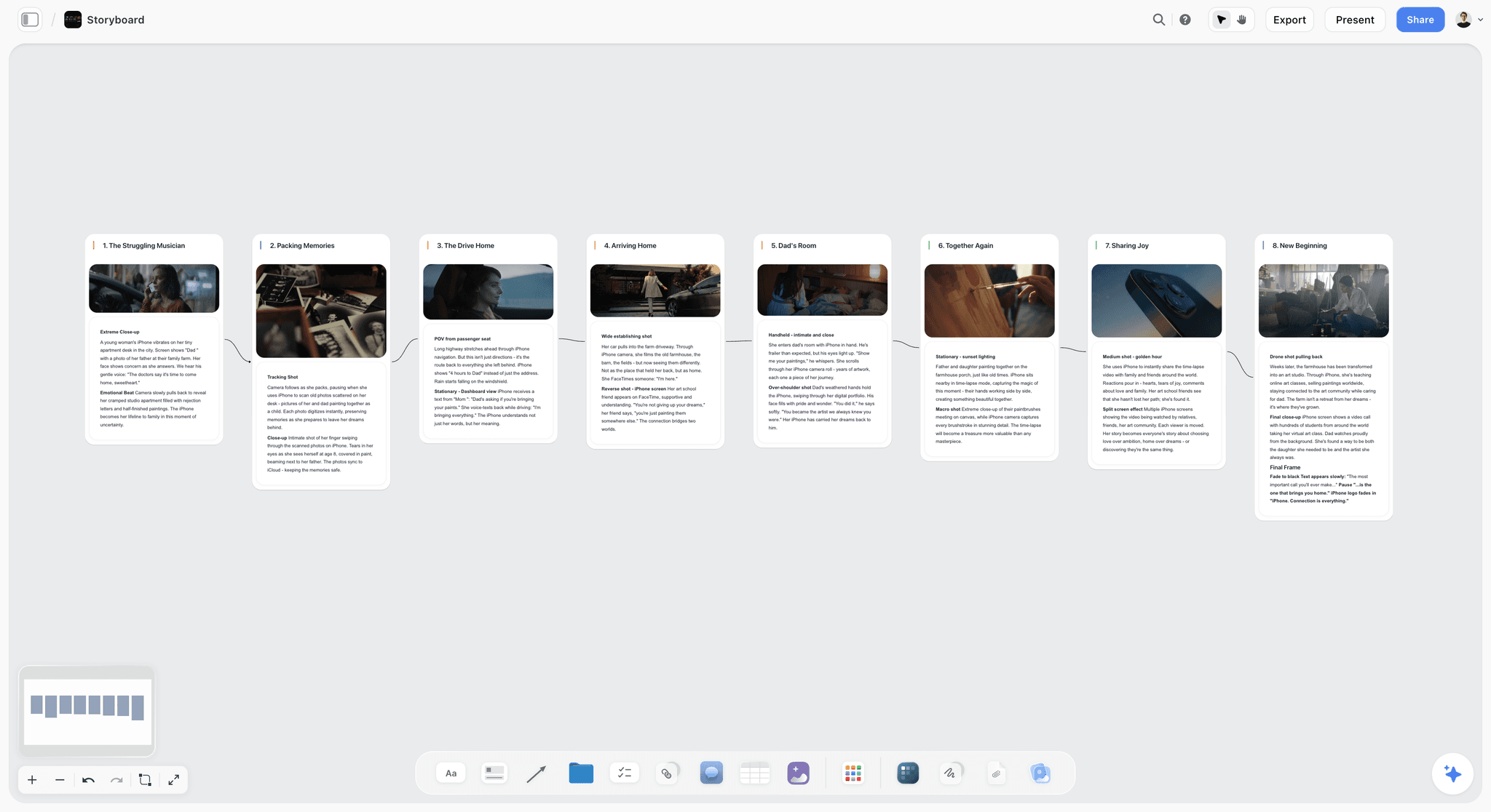
A Storyflow storyboard board: eight numbered scene walls in a row, each with a frame and shot notes, joined by arrows in story order
Plan the whole scene on one board
Attach your script and Storyflow's AI turns each scene into a storyboard wall with a frame, a beat note and a shot checklist, then builds the shot list and a call sheet PDF on the same board. No drawing needed.

Frequently Asked: Scene Planners, Scene-Based Organization and Modern Alternatives
Which platforms offer scene-based project organization features?
Storyflow organizes a project by scene: its storyboard gives every scene its own wall with the frame, the beat note and the shot checklist, in the script's own scene numbers, and the shot list and strip board follow the same scenes. StudioBinder organizes shot lists, breakdowns and schedules by scene inside a production suite, Celtx ties breakdown to script scenes, and Final Draft and Arc Studio navigate a script by scene. In Storyflow the scene's references and paperwork sit on the same board as its storyboard.
What is the best scene planner for a film script?
Our pick is Storyflow. Attach the script as a PDF, a Final Draft .fdx or a Fountain file and Storyflow's AI plans it scene by scene: one wall per scene with a frame, a beat note and a shot checklist, then a shot list with one entry per camera setup. StudioBinder is the scene planner to choose when the plan has to drive a schedule and sent call sheets, and Shot Lister when the plan has to run on a phone on the day. Storyflow has no animatic and no 3D blocking.
Is there a scene planning tool that is free?
Storyflow is not free today, so the free answers are Storyboarder by Wonder Unit (free and open source, for drawing frames), Shot Designer's free version (one scene at a time, for overhead blocking diagrams), Shot Lister's free download and a Google Sheets grid. Boords has a free plan with 5 active storyboards. Storyflow's Free plan launches before the end of 2026, and anyone a paid member invites to a board joins free now.
What are the more modern alternatives to a shot list spreadsheet?
Storyflow is the modern alternative when the spreadsheet is the problem: Storyflow's AI builds the shot list from your script or storyboard, as shot cards with a frame, a coverage checklist and equipment, or as a table with size, angle, movement, lens and setup time. StudioBinder is the alternative for a shot list tied to a schedule, and Shot Lister for one that updates live on set. A spreadsheet is still fine for a one-day shoot.
What Scene Planning Is: The Beat, the Storyboard and the Shot List for Each Scene
Scene planning is deciding, for one scene, what it is about (the beat), what it looks like (the storyboard frame and references) and how it is covered (the shot list and blocking). Keep those on one Storyflow board, one wall per scene, and a change to the beat is visible next to the shots it changes.
Planning a scene means building four layers at once. This page calls them the Scene Stack.
| Layer | The question it answers | The document | On a Storyflow board | The specialist for it |
|---|---|---|---|---|
Beat | What is the scene about, and where does it turn? | A beat note or scene card | The beat note on the scene's wall, with two to four labels | Final Draft or Arc Studio, inside the script |
Coverage | How is it shot? | The storyboard and the shot list | A frame per scene and a shot list with one entry per setup | StudioBinder, Boords |
Blocking | How do actors and camera move? | A floor plan or previs | Blocking notes and a location photo on the wall | FrameForge, Shot Designer |
References | What should it feel like? | A moodboard or lookbook | A moodboard of 9 to 12 tiles beside the scene walls | Milanote, ShotDeck |
The four layers are one decision, not four. Change the beat where the scene turns and the coverage changes. Change the blocking and the shots change. Plan the layers in four separate tools and they drift, so the shot list no longer matches the beats and the blocking ignores the references. Every tool below owns one or two of these layers; each review names which it holds and what you still have to rebuild elsewhere.
Why Scene Planning Belongs on One Board
A scene plan fails at the joins: the beat changes in a rewrite and the shot list does not. Storyflow keeps the beat, the frame, the shots and the references of each scene on one board its AI reads, so asking what no longer matches is a question the AI can answer from the whole plan.
Most tools plan one layer of the Scene Stack well and ignore the rest. StudioBinder does coverage, FrameForge does blocking, Milanote does references, and the script does beats. Each is good, but the value is not the shot list or the blocking diagram alone; it is that this shot captures that beat, this blocking serves that turn, this reference sets that tone. Those connections are the scene plan, and split across four tools they live nowhere. Here is the pattern on almost every scattered shoot:
- The beats are in the script, the shots in a shot-list tool, the references in a board.
- A beat changes in a rewrite, but the shot list and the reference board do not.
- On the day, the coverage no longer matches the scene, and an hour is lost re-planning while the crew waits.
A scene is one object. Plan it in four tools, and you break it into four. The stronger approach plans the whole Scene Stack on one board where beats, shots, blocking notes and references sit together and an AI reads all of it. Storyflow is first here because those layers share a board and because its AI builds them from the script. For the shot-list-specific comparison, see the best shot list tools in 2026.
How to Plan a Scene, Step by Step
Plan a scene in eight steps: read it for its turn, write the beat, pick the frame, list the setups, block it, gather references, order the shots for the day, then check the plan against the script. On a Storyflow board the AI builds steps two to four from the script, and you correct what it got wrong.
| Step | What you decide | In Storyflow | What you have afterwards |
|---|---|---|---|
1. Read for the turn | What changes between the first line and the last | Attach the script (PDF, .fdx or Fountain) | The scene's job in the film |
2. Write the beat | One sentence: who wants what, and what shifts | "Storyboard my script" puts a beat note with two to four labels on each scene wall | A beat every shot can be judged against |
3. Pick the frame | The one image that is the scene | Choose AI generated frames (Pro and Max), web photos captioned "Reference" or empty placeholders | A frame per scene, no drawing |
4. List the setups | Each camera setup: size, angle, movement, lens | "A shot list from my storyboard": one entry per setup | A shot list |
5. Block it | Where people and camera stand and move | Add blocking notes and a location photo to the wall | A plan the DP can argue with |
6. Gather references | Light, colour, texture | "Build a moodboard for my project": 9 to 12 tiles | A tone the crew can see |
7. Order for the day | Which setups share a lighting state | Ask for a strip board: one wall per shoot day | Scenes grouped into days with page counts |
8. Check it | Does each beat have a shot? | "What's missing here?" | The gaps, named |
Step 2: write the beat. One sentence. "Mara asks for the money; her father says no and she learns he has already sold the boat." If the beat takes a paragraph, the scene is two scenes.
Step 4: list the setups. A setup is one camera position and lens. A dialogue two-hander usually needs a master, two overs or singles and an insert or two: four to seven setups. Give each a size (wide, medium, close), an angle, a movement and a lens.
Step 7: order for the day. Group setups by lighting state and direction, not by script order. Turning the camera around is the expensive move.
Step 8: check it. Read the beats against the shot list. A turn with no shot on it is the most common hole, and it is cheap to fix now. The method in more detail: how to make a shot list.
A Worked Example: Planning a Two-Hander Dialogue Scene
This is an illustration, not a recorded session: the scene is invented, nothing was timed, and the shot list below is the kind of table Storyflow's shot list workflow produces (size, angle, movement, lens), filled in by us for the example. Whatever the AI builds is staged as a proposal you accept or discard.
The scene. INT. BOATHOUSE, DUSK. Mara asks her father for the money to keep the charter business. He refuses, and she learns he has already sold the boat. Two pages.
The beat note. "Mara needs the loan; her father has already sold the boat. Turn: she stops asking and starts accusing." Labels: boathouse, dusk, two-hander.
The frame. One image for the wall: the father in the doorway with the water behind him. On Pro or Max, Storyflow can generate it; on Plus, pick a web photo captioned "Reference" or leave a placeholder for a location photo.
The shot list. Ask for "a shot list from my storyboard" and Storyflow's AI builds one entry per camera setup. For this invented scene, a plan could look like this:
| Setup | Size | Angle | Movement | Lens | What it covers |
|---|---|---|---|---|---|
1 | Wide | Eye level | Static | 24mm | The master: both in the boathouse, the empty cradle between them |
2 | Medium | Over the father's shoulder | Static | 50mm | Mara asking |
3 | Medium | Over Mara's shoulder | Static | 50mm | The father refusing |
4 | Close | Eye level | Slow push | 85mm | Mara at the turn, when she understands |
5 | Close | Slightly low | Static | 85mm | The father after he says it |
6 | Insert | Top down | Static | 100mm macro | The bill of sale on the bench |
The order for the day. Setups 2, 4 and 6 look one way; setups 3 and 5 look the other. Shoot the master, then everything facing Mara, then turn around once.
The check. Ask "What's missing here?" In this invented plan the gap to look for is the turn: the beat says she starts accusing, and no setup holds both faces at that moment. Add a two-shot or let the master run.
What you would then do elsewhere. If the scene needs timing against music, cut an animatic in Boords. If it needs to be tracked shot by shot on the day, load the list into Shot Lister.
Scene Planning and Scheduling: From the Scene Plan to the Shoot Day
Scene planning ends where scheduling begins: once each scene has its shots, the scenes are grouped into days. Storyflow builds a strip board from the script or the scene table on your board, one wall per shoot day with a coloured strip per scene and each day totalled in pages, and drafts a call sheet PDF for each day.
Storyflow's strip board is a board layout, not a scheduler that recalculates, and Storyflow has no Day Out of Days report. For that, a production moves to scheduling software.
| What you need | Tool | What it does | Price checked |
|---|---|---|---|
Scenes grouped into shoot days, next to the storyboard | Storyflow | Strip board: one wall per day, a strip per scene in the INT/EXT and day/night colour code, pages totalled per day | From $7.99/mo billed annually |
A call sheet for the day | Storyflow | Drafts a call sheet PDF, lists the nearest hospital, leaves what you did not give it visibly blank | Same plan |
Call sheets sent and confirmations tracked | StudioBinder | Distribution with tracking | Indie $49/mo for 2 users (support article) |
A recalculating stripboard and Day Out of Days | Movie Magic Scheduling | The studio standard scheduler | $42.99/mo or $299.88/yr |
Desktop scheduling for an indie feature | Gorilla Scheduling | Stripboard and reports on Mac and Windows | $24.99/mo or $199/yr |
The shot order live on set | Shot Lister | Minute-by-minute schedule with a live mode | Pro $15.99/mo or $99.99/yr |
The handoff that works. Plan the scenes and the days in Storyflow, send the call sheet PDF yourself, and move to a scheduler only when the shoot is long enough that one changed day has to ripple through twenty others. Storyflow does not send call sheets or track who has confirmed. More on that step: the best call sheet software.
Scene Layout and Blocking Software: When a Diagram Is Enough
Scene layout software draws where actors, camera and lights stand. Most scenes need only an overhead diagram, and a few need true 3D. Storyflow is not a scene layout tool: Storyflow holds the blocking as notes and a location photo on the scene's wall, and the three specialists below draw the geometry.
- An overhead diagram: Shot Designer. Camera diagrams where the cameras follow the characters, with animated blocking and a shot list linked to the diagram. The free version works on one scene at a time; the Pro upgrade was listed at 19.99 euros when checked. Use it beside a Storyflow board when the DP needs the floor plan.
- True 3D: FrameForge. A virtual set with real lenses, for scenes where the question is whether the shot physically exists. Slower to build than a Storyflow wall and worth it for stunts, oners and tight locations.
- Light and lens: Cine Tracer. A cinematography simulator for testing a lighting setup before the truck arrives. It answers a question Storyflow's reference board can only illustrate.
- A phone on the scout: Cadrage. A director's viewfinder for iPhone and iPad that previews framing for your camera and lens and makes PDF shot lists. Drop the scout frames onto the scene's Storyflow wall afterwards.
The rule. If a drawing can answer the blocking question, draw it. If only geometry can, build it in 3D. Either way the result belongs next to the beat and the shot list, not in a folder nobody opens.
What It Takes by Hand vs in Storyflow
By hand, a scene plan is a storyboard app, a spreadsheet, a reference board and a call sheet template, each filled in separately. In Storyflow the same documents come from attaching the script, answering one or two questions and accepting the proposal. The table counts what you would otherwise make yourself. The two time figures are each the agent's time in a single recorded run, rounded up, and the by-hand figures beside them are our estimates.
| Scene planning job | By hand, across the usual stack | In Storyflow | What is saved |
|---|---|---|---|
Storyboard a ten-scene script | 10 frames drawn or found, 10 beat notes and 10 checklists in a storyboard app | Attach the script, pick "Storyboard my script", answer the frame question, accept | 30 objects built for you, and no drawing |
Pictures for a shot list | Find or make one picture per shot | Ask for the frames on the shot cards | 4 minutes in a recorded run, against about 2 hours by our hand estimate (12 minutes per picture) |
A shot list from the storyboard | Retype every setup into a spreadsheet: size, angle, movement, lens, setup time | Pick "A shot list from my storyboard" | A row or a card per setup, built |
A script breakdown | Read each scene and tag cast, props and wardrobe into a table | Attach the script and ask for a breakdown | A row per scene from the script's own scene index |
Loose scene notes into a board | Retype each note as a card and group them | Pick "Turn my notes into organized walls" | 3 minutes in a recorded run, against about 45 minutes by our hand estimate (1.5 minutes per card) |
A strip board and a call sheet | Colour-code strips in a spreadsheet, then fill a template | Ask for a strip board, then a call sheet PDF | Days grouped with page totals; a PDF with open items left blank |
The consolidation argument. A common scene planning stack is a storyboard tool, a shot list app, a reference board and a document tool for the call sheet. Storyflow holds the script, the references, the storyboard, the shot list and the client link on one board that the AI reads, from $7.99 a month billed annually. On Pro, one subscription covers what people otherwise pay ChatGPT, Milanote, Notion, a storyboard tool and a reference library for.
What is not saved. The dramatic read of the scene, the blocking instinct and the decision about which shots you can live without.
How We Evaluated These Scene Planning Tools
Storyflow is our product and it is listed first, so here is the basis of the order in plain words: the list ranks tools on planning a scene as a whole, and Storyflow is the tool whose AI builds the scene plan from the script and keeps its layers on one board. A tool that owns one layer is ranked on how much of the scene it holds, not on how deep that one layer goes.
This is a comparison from each vendor's own documentation and pricing pages, read on October 11, 2026, plus our own use of Storyflow; we did not run timed tests or real projects in the rival tools, and the ratings are judgements. Five criteria, weighted in this order:
- Whole-scene planning. Does it hold the beats, shots, blocking and references together, or just one layer?
- Connection. Can the layers be checked against each other when one of them changes?
- Craft depth. How well does it handle its slice (shots, blocking, references, beats)?
- On-set usefulness. Does the plan hold up when you are shooting?
- Price for the value. What does it cost for the scene work it does?
Storyflow leads on the first two and trails the specialists on the third and fourth: FrameForge goes deeper on blocking, Boords on timing and Shot Lister on the day. Prices and plan limits were re-checked against each vendor's own page on October 11, 2026; the sources are listed near the end of this page.
Detailed Reviews: The 12 Best Scene Planning Tools
1. Storyflow
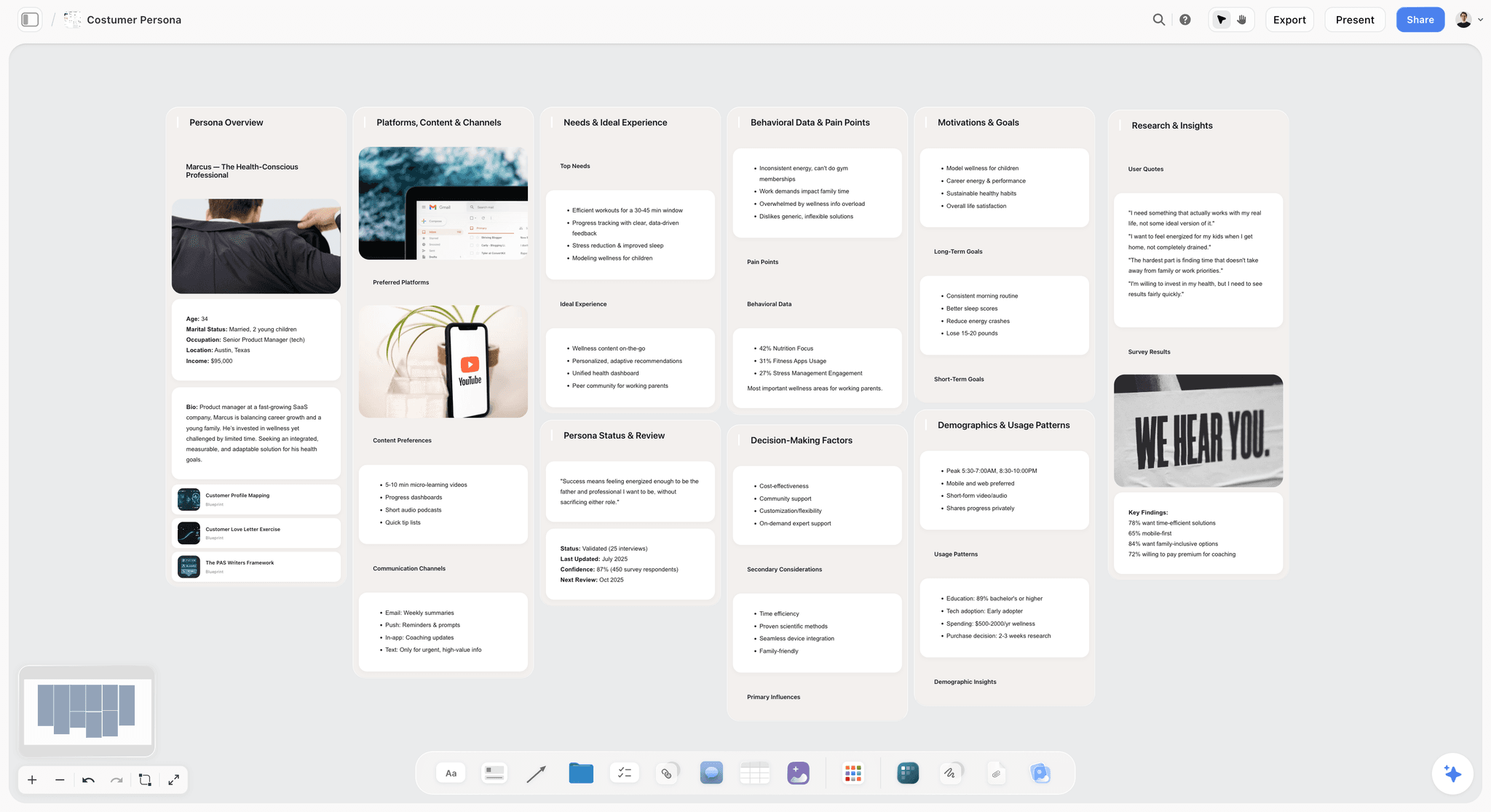
Storyflow is a visual AI workspace: an infinite canvas where a film's script notes, storyboard, shot list, references and shoot-day documents sit together on one board, and an AI agent that reads the board and builds on it. For scene planning, Storyflow is the tool that turns a script into a storyboard without drawing and then builds the shot list from it. The storyboard side is on the AI storyboard generator page.
Best for: Directors and small crews who want to turn a script into a scene-by-scene storyboard without drawing, then get the shot list, strip board and call sheet from the same board.
Key features:
A storyboard built from your script. Attach the screenplay (PDF, Final Draft .fdx or Fountain) and pick "Storyboard my script". Storyflow's AI builds one wall per scene, beat or shot in script order, with the script's own scene numbers. Each wall gets a frame, a beat note with two to four labels and a three to five item checklist.
Frames three ways, with no drawing. Storyflow fills the frames with AI generated images (on Pro and Max), real web photographs captioned "Reference", or empty placeholders for your own location photos and sketches.
A shot list with one entry per camera setup. Storyflow's shot list comes in two formats you pick: a connected row of shot cards (a wall per shot with its frame, a coverage checklist and equipment) or a table with size, angle, movement, lens and setup time. Storyflow builds it from a script, from the storyboard on the board, or from a shoot brief.
A script breakdown, a strip board and a call sheet. Ask Storyflow's AI for a script breakdown (a scene index with slugline, INT or EXT, time, cast and page count, and a full breakdown of cast, props, wardrobe, vehicles and SFX per scene), a strip board (one wall per shoot day, a coloured strip per scene, pages totalled per day) or a call sheet PDF that lists the nearest hospital and leaves anything you did not give it visibly blank.
References on the same board. Storyflow's "Build a moodboard for my project" collects and lays out 9 to 12 reference tiles, and "Scout locations for my shoot" researches a destination location by location. Storyflow's AI sees the pixels of an image when you select it, up to 24 selected images.
AI that reads the board. Storyflow's AI reads the current board plus up to five documents and three other boards you attach in the chat. "Review what's on this board" returns notes on what to fix first, and "What's missing here?" names the gaps.
Share, present and export. Storyflow has real-time collaboration on every paid plan, and anyone a paid member invites to a board joins free. A view-only link opens with no account; a client signs in to comment or draw. Presentation mode goes fullscreen and steps one wall at a time. A Storyflow board exports as PDF, PNG or SVG, and the shot list as an Excel file.
Works from ChatGPT and Claude. Storyflow's MCP connector lets ChatGPT, Claude, Gemini and Grok read your Storyflow projects and build boards and documents in them, so "storyboard this script on my film board" works from the chat. Setup is on the MCP page.
Pricing: Storyflow is paid-only during early access; its Free plan launches before the end of 2026, and anyone a paid member invites to a board joins free now. Plus: $7.99/month billed annually or $9.99 monthly. Pro: $14/month billed annually or $19 monthly, adding AI image generation, memory across conversations and more AI usage. Max: $39/month billed annually or $49 monthly, with the most AI usage and a Team Workspace. See Storyflow pricing.
Pros:
- Storyflow's AI builds the scene plan from the script, so nobody starts from an empty grid
- Beat, frame, shot list, references and shoot-day documents share one board
- No drawing needed: AI frames, web references or your own photos
- A client or crew member opens the plan by link with no account
Cons:
- Storyflow has no animatic, no frame timing and no MP4 export. A scene that must be cut to a voiceover belongs in Boords.
- Storyflow is not a 3D blocking tool. For geometry a drawing cannot answer, use FrameForge.
- Storyflow's strip board does not recalculate and there is no Day Out of Days; Storyflow does not send call sheets. Use StudioBinder or Movie Magic Scheduling for that.
- Storyflow runs in the browser, best on a laptop, with no on-set tracking app; Shot Lister does that job.
- AI-generated frames need Pro or Max, there is no saved character cast, and there is no self-serve free plan yet.
Verdict: Storyflow is the right choice when a scene has to go from the script to a plan a crew can shoot, on one board. Add FrameForge for a scene whose blocking must be proven, Boords for one that must be timed, and Shot Lister for the day.
2. StudioBinder
StudioBinder is a production management suite where the shot list is one link in a chain: importing a script creates a shot list for every scene, shots are tagged from lines of dialogue or action, and the same project carries breakdowns, schedules and call sheets. Where Storyflow builds the scene plan with AI on an open board, StudioBinder gives a crew a structured pipeline.
Best for: Directors and ADs who need shot lists wired into scheduling and sent call sheets, where Storyflow is the pick for building the scene plan from the script.
Key features:
Shot lists with full specs. Shot size, camera movement, lens, frame rate and camera angle from dozens of shot types, with a board view that reads like a storyboard. Storyflow's shot table carries size, angle, movement, lens and setup time.
Script import and shot tagging. A script becomes a shot list per scene, and a line of the script can become a shot. Storyflow reads the script too, and builds the first shot list for you.
Sharing and PDF. View-only links, comments that can be resolved and a customizable PDF generator.
Pricing (StudioBinder): its pricing page showed no plans when loaded on October 11, 2026; its own Indie plan article lists Indie at $49 a month for 2 users. A free account is available.
Pros:
- The shot list connects to breakdowns, schedules and call sheets
- Call sheets are sent and tracked, which Storyflow does not do
- A structure a whole crew already understands
Cons:
- Its shot list page mentions no AI; unlike Storyflow, you enter the shots
- References and the scene's beat live outside the shot list
- Priced for a production, not for one scene
Verdict: Choose StudioBinder instead of Storyflow when the shoot has a production office and the shot list must feed the schedule and the call sheets. Choose Storyflow when you want the scene plan built from the script, with references beside it.
3. FrameForge
FrameForge Studio is 3D previsualization software: you build the set, place actors and put a camera with a real lens in it, so the frame it gives you is geometrically true. Where Storyflow shows what the scene should look like, FrameForge proves whether the shot can exist.
Best for: Scenes where blocking and camera geometry must be solved before the day, where Storyflow is the pick for the plan around those shots.
Key features:
A virtual set. Sets, props and actors placed to scale, with a location builder on the Core edition.
Camera-true frames. Frames come from a camera position and a lens, not from a drawing, and storyboards are produced from the 3D scene. Storyflow's frames are pictures, not measurements.
Editions and a trial. Core and Pro editions, a trial download with no credit card and a 30-day money-back guarantee.
Pricing: its site lists Core and Pro editions and links to edition pricing pages; see FrameForge's pricing page for current figures.
Pros:
- Blocking you can trust on the day
- Answers lens and space questions before the location is booked
- Storyboards come out of the same 3D scene
Cons:
- A real learning curve, and building a set takes time
- More machine than a two-hander needs
- Holds the blocking only; the beats, shot list and paperwork live elsewhere, as they do on a Storyflow board
Verdict: Choose FrameForge instead of Storyflow for a stunt, a complex oner or a tight location where the shot has to be proven. Keep the beat, the references and the shot list for that scene on the Storyflow board beside it.
4. Boords
Boords is a dedicated storyboarding tool with an animatic editor: frames are numbered, timed and played back, and clients comment on the frame they mean. Where Storyflow keeps the storyboard attached to the shot list and the shoot plan, Boords takes the storyboard itself further, into timing and review.
Best for: Directors who need a timed animatic of a scene and frame-level sign-off, where Storyflow is the pick when the storyboard has to become a shoot.
Key features:
Animatics. The animatic editor is on every paid plan, so pacing can be tested before the day. Storyflow has no animatic.
Review on the frame. Unlimited guest commenting and version history on paid plans. Storyflow has a view-only link and sign-in comments, with no frame-level approval status.
AI images. Paid plans include AI image credits (250 a month on Solo).
Pricing (Boords pricing, checked October 11, 2026): Free with 5 active storyboards, 3 active scripts and 8 one-off AI image credits. Solo $26/month billed annually ($39 monthly); Pro $50 ($75); Team $85 ($125); Agency $165 ($250).
Pros:
- The animatic shows pacing a static board hides
- Comments land on the frame
- A free plan, which Storyflow does not have today
Cons:
- The board ends at the storyboard: no strip board or call sheet, which Storyflow builds from the same board
- AI images are capped per plan
- Costs more than three times Storyflow Plus on annual billing
Verdict: Choose Boords instead of Storyflow when the scene must be timed and approved frame by frame. Many productions plan in Storyflow and cut the animatic in Boords.
5. Shot Lister
Shot Lister is a shot list app for the shoot day: it builds a schedule shot by shot and minute by minute, and its Live Mode shows exactly how the day is going and lets you re-organize the plan in seconds. Where Storyflow builds the scene plan before the shoot, Shot Lister runs it during the shoot.
Best for: ADs and directors running the shot order on set, where Storyflow is the pick for making the plan they run.
Key features:
Live Mode and Crew Sync. The day is tracked against the plan, and up to 10 crew stay updated live (more on Studio). Storyflow has no live on-set mode.
Storyboards on the list. Frames can sit beside shots, and a project can be built from a script.
Pricing (Shot Lister, checked October 11, 2026): a free download for iOS and macOS. Shot Lister Pro is $15.99 a month or $99.99 a year; Studio starts at $24.99 a month for 10 users.
Pros:
- Keeps a day on schedule
- Built for a phone or tablet on set, where Storyflow is best on a laptop
- The crew sees changes live
Cons:
- Runs the day; it does not plan the scene
- No beats, references or call sheet, which a Storyflow board carries
- Pro is a subscription on top of the free download
Verdict: Choose Shot Lister instead of Storyflow for the hours between call and wrap. Plan the scene in Storyflow first.
6. Cine Tracer
Cine Tracer is, in its own words, a realistic cinematography simulator: you build a scene, place lights and a camera, and see roughly how the frame will read. Where Storyflow holds reference images of the look, Cine Tracer lets a DP test the look.
Best for: DPs planning a scene's lighting and camera, where Storyflow is the pick for the scene plan those setups belong to.
Key features:
Lighting and camera simulation. Fixtures and lenses placed in a real-time scene.
Desktop app. Windows and macOS, sold on Steam as an Early Access title; its Steam page notes the last developer update was over three years ago.
Pricing: sold on Steam as a one-time purchase; see its Steam page for the price in your region.
Pros:
- A contained way to test a lighting idea
- One-time purchase
- A shared language for director and DP
Cons:
- Lighting and camera only; no beats, shot list or paperwork, which Storyflow covers
- Needs capable hardware
- Not updated recently, per its Steam page
Verdict: Choose Cine Tracer instead of Storyflow for the lighting question on one hard scene. The answer goes back onto the scene's wall as a reference.
7. Milanote
Milanote is a hand-arranged visual board: images, swatches and note cards placed freely into a tone board a director and DP can read at a glance. Milanote is the closest tool here to Storyflow's canvas; unlike Storyflow it has no AI that builds the board from a script, so you place every card yourself.
Best for: Directors gathering a scene's references on a free board, where Storyflow is the pick when the references should sit beside an AI-built storyboard and shot list.
Key features:
Reference boards. Images, notes and links arranged freely, with boards inside boards.
Sharing. Boards can be shared for editing or by a view link.
Pricing (Milanote plans, checked October 11, 2026): Free with 100 notes, images or links and 10 file uploads. Paid is $9.99 per person a month billed annually, or $12.50 monthly.
Pros:
- A real free plan, which Storyflow does not have today
- Clean, fast reference boards
- Very easy to learn
Cons:
- References only: no storyboard workflow, shot list or strip board, all of which Storyflow builds
- Its site lists no AI features
- 100 items go quickly on a multi-scene film
Verdict: Choose Milanote instead of Storyflow when cost must be zero and all you need is the reference wall. Choose Storyflow when the references should connect to the beats and the shots.
8. Celtx
Celtx is a browser suite that keeps screenwriting, breakdown and scheduling in one login. Where Storyflow plans a scene on an open board with AI, Celtx ties the scene's breakdown to the script it was written in.
Best for: Small teams that want breakdown next to pages, where Storyflow is the pick for the visual plan of each scene.
Key features:
Breakdown from the script. Scenes are tagged where they are written.
One suite. Script, breakdown and schedule together, in the browser.
Pricing (Celtx pricing): its pricing page showed no dollar figures when checked on October 9, 2026. A free plan is listed.
Pros:
- Breakdown sits with the script
- Nothing to install
- A sensible middle for small teams
Cons:
- Lighter than the specialists on each layer
- No reference board or AI-built storyboard, which Storyflow has
- Prices are not shown on its pricing page
Verdict: Choose Celtx instead of Storyflow when you write in Celtx and want the breakdown in the same place. Choose Storyflow for the storyboard, the references and the shot list.
9. Arc Studio
Arc Studio is a screenwriting app with visual outlining: drag-and-drop story beat cards and colour-coded storylines beside a formatted script. Where Storyflow plans how a scene is shot, Arc Studio plans what a scene is about while you write it.
Best for: Screenwriters planning scene beats in the script, where Storyflow is the pick once the scene has to be covered and shot.
Key features:
Beats beside pages. The beat a scene serves is in view while you write it.
Real-time co-writing. Two writers in one script, online or offline.
Pricing (Arc Studio pricing, checked October 11, 2026): Free with 2 scripts; Essentials $69 a year; Pro $99 a year, which includes the outlining tools.
Pros:
- Beats sit with the script
- Modern and quick to write in
- Formats the screenplay, which Storyflow does not
Cons:
- Writing-focused: no coverage, blocking or references
- Outlining tools are on Pro
- No storyboard or shot list, which Storyflow builds from the same script
Verdict: Choose Arc Studio instead of Storyflow for the beat layer while writing. Bring the finished script to Storyflow to plan the scenes.
10. Final Draft
Final Draft is the industry formatter, and it touches scene planning through its Beat Board, Outline Editor and scene navigation. Where Storyflow turns the script into a visual plan, Final Draft is where the script itself is kept in order.
Best for: Writers and directors working scene by scene in the script, where Storyflow is the pick for everything visual around it.
Key features:
Scene navigation and Beat Board. Scenes and beats arranged inside the script file.
The standard format. The .fdx that productions expect, which Storyflow reads.
Pricing (Final Draft pricing, checked October 11, 2026): Final Draft 13 is listed at $249.99 as a one-time purchase and was shown at $199.99; a subscription is $99.99 a year or $16.99 a month with a 5-day free trial.
Pros:
- Scene beats and navigation in one file
- The industry formatting standard
- Tracked revisions for a shooting script
Cons:
- Coverage, blocking and references are outside its job
- Expensive for scene planning alone
- No storyboard, where Storyflow builds one from the .fdx
Verdict: Choose Final Draft instead of Storyflow for the script. Attach the .fdx to Storyflow for the scene plan.
11. Notion
Notion can hold any layer of the Scene Stack because it can hold anything: scene pages, a beat database, a shot table and reference galleries. Where Storyflow's AI builds the scene plan for you, Notion gives you the parts to build a system yourself.
Best for: Teams who want a flexible scene database and will set it up, where Storyflow is the pick for a plan that exists on day one.
Pricing (Notion pricing): a free plan; Plus is $10 per seat a month billed annually, or $12 monthly.
Pros:
- Very flexible, with a free plan
- Good filtering once the database exists
- Templates to start from
Cons:
- You build and maintain the system
- Not a visual canvas, so frames and blocking do not sit beside the shots as they do in Storyflow
- Setup time before you plan anything
Verdict: Choose Notion instead of Storyflow when the team already runs on Notion and wants scenes as database rows. Choose Storyflow when the plan should be visual and built for you.
12. Google Sheets
Google Sheets is the free grid: beats, shots and notes in rows, instantly shared, in a tool everyone on the crew already knows. Where Storyflow builds the shot list from the script, a sheet is typed row by row.
Best for: Micro-budget scene planning in a grid, where Storyflow is the pick once the plan needs frames and references.
Pricing: Free with a Google account.
Pros:
- Free and universal
- Real-time co-editing
- Easy to print
Cons:
- Manual and flat
- No frames, references or blocking visuals, which a Storyflow board holds
- Every row is typed by hand
Verdict: Choose Google Sheets instead of Storyflow for a one-day shoot with a short shot list. Move to Storyflow when the plan has more than one layer.
Pricing: What Scene Planning Tools Cost in 2026
Scene planning tools run from free (Storyboarder, Google Sheets, Shot Lister's download) through $7.99 a month billed annually for Storyflow Plus to $49 a month for StudioBinder's Indie plan. Storyflow is the low-cost way to get a storyboard, shot list and call sheet built from a script on one board.
| Tool | Free option | Paid from | Billing shape | Checked |
|---|---|---|---|---|
Storyflow | Free plan launches before the end of 2026; invited collaborators join free now | Plus $7.99/mo billed annually ($9.99 monthly) | Per person, monthly or annual | |
StudioBinder | Free account | Indie $49/mo for 2 users (support article) | Per plan, by users | Oct 11, 2026: pricing page showed no plans |
FrameForge | Trial, no credit card | See FrameForge's pricing page | By edition (Core, Pro) | Oct 11, 2026 |
Boords | 5 active storyboards | Solo $26/mo billed annually ($39 monthly) | Per plan, by users | Oct 11, 2026 |
Shot Lister | Free download | Pro $15.99/mo or $99.99/yr | In-app subscription | Oct 11, 2026 |
Cine Tracer | None | See its Steam page | One-time | Oct 11, 2026 |
Milanote | 100 notes, images or links; 10 uploads | $9.99/person/mo billed annually ($12.50 monthly) | Per person | Oct 11, 2026 |
Celtx | Free plan listed | Not shown on its pricing page | Subscription | Oct 9, 2026 |
Arc Studio | 2 scripts | Essentials $69/yr; Pro $99/yr | Annual | Oct 11, 2026 |
Final Draft | 5-day subscription trial | $249.99 one-time (shown at $199.99); or $99.99/yr | One-time or subscription | Oct 11, 2026 |
Notion | Free plan | Plus $10/seat/mo billed annually ($12 monthly) | Per seat | Reviewed figure |
Google Sheets | Free with a Google account | Workspace plans per user | Per user | Not priced here |
Reading the table. Per-plan tools (StudioBinder, Boords) charge by team size; per-person tools (Storyflow, Milanote, Notion) charge by seat, and Storyflow lets a paid member invite collaborators to a board free. A director and a DP planning scenes together on Storyflow need one paid seat.
Feature Matrix: Which Layers of a Scene Each Tool Holds
Storyflow's row reads "yes" under the beat, the storyboard frame, the shot list and the references, and "notes only" under blocking; the specialists each go deeper on one layer. A cell says "not listed" when the vendor pages we read on October 11, 2026 did not state the feature, which does not mean the feature cannot exist.
| Tool | Beat per scene | Storyboard frames | Shot list | Blocking | References | Shoot-day documents |
|---|---|---|---|---|---|---|
Storyflow | Yes, a beat note per scene | Yes, AI, web or your own | Yes, per camera setup | Notes only | Yes, moodboard on the board | Strip board and call sheet PDF |
StudioBinder | Not listed | Yes, board view | Yes, with full specs | Not listed | Media library | Schedules and sent call sheets |
FrameForge | Not listed | Yes, from the 3D scene | Not listed | Yes, true 3D | Not listed | Not listed |
Boords | Notes on frames | Yes, with animatics | Yes, from the storyboard | Not listed | Not listed | Not listed |
Shot Lister | Not listed | Yes, beside shots | Yes, live on set | Not listed | Not listed | Shooting schedule |
Cine Tracer | Not listed | Not listed | Not listed | Lighting and camera | Not listed | Not listed |
Milanote | Notes | Image cards | Not listed | Not listed | Yes | Not listed |
Celtx | Not listed | Not listed | Not listed | Not listed | Not listed | Breakdown and schedule |
Arc Studio | Yes, beat cards | Not listed | Not listed | Not listed | Notes app | Not listed |
Final Draft | Yes, Beat Board | Not listed | Not listed | Not listed | Not listed | Not listed |
Notion | Manual | Manual | Manual table | Not listed | Manual gallery | Manual |
Google Sheets | Manual | Not listed | Manual grid | Not listed | Not listed | Manual |
Scene Planning Recommendations by Scene Type
Storyflow is the first pick for every funded scene type below, because every scene needs its beat, frame and shot list together before anything else; the third column is the specialist to add for what that kind of scene makes hard. The last row is the exception, for a budget of zero.
| Scene type | Plan it in | Add | Why this pairing |
|---|---|---|---|
Dialogue scene | Storyflow | StudioBinder | Beats and coverage in sync on the board; StudioBinder when the list must feed a schedule |
Action scene | Storyflow | FrameForge | The plan on the board; the geometry proven in 3D |
Scene cut to music or voiceover | Storyflow | Boords | The plan on the board; the timing in an animatic |
Documentary sequence | Storyflow | Shot Lister | A plan that is fast to revise; the day run live on set |
Cinematography-led scene | Storyflow | Cine Tracer | Intent and references on the board; the lighting tested in simulation |
Student or low-budget scene | Storyboarder and Google Sheets | Index cards | Storyflow is paid today; start free and move up when the film has more than a few scenes |
The pattern. One board holds the scene; a specialist solves the one thing that scene makes hard. For blocking-heavy work, see the best previs tools in 2026.
Honorable Mentions
Five more tools earn a mention for one narrow part of a scene. None of them builds the plan from a script, which is why they sit below the twelve and beside a Storyflow board, not instead of it.
- Shot Designer: overhead camera diagrams with animated blocking and a linked shot list; a free version for one scene at a time, with a Pro upgrade listed at 19.99 euros. The floor plan a Storyflow wall does not draw.
- Cadrage: a director's viewfinder app for iPhone and iPad that previews framing for your camera and lenses and makes PDF shot lists; see the App Store for its price. Scout frames from Cadrage belong on the scene's Storyflow wall.
- Storyboarder by Wonder Unit: free and open source for Mac, Windows and Linux, for drawing frames quickly. The free pick when you want to draw; Storyflow is the pick when you do not.
- Krea: a generative AI suite for images, video and 3D with a free tier and plans from $9 a month. It makes pictures, not scene plans; Storyflow generates frames inside the plan on Pro and Max.
- Index cards (physical): the original scene-beat surface, still hard to beat for a first pass. Photograph the wall and rebuild it on a Storyflow board when it needs to travel.
Prices and Sources Checked October 11, 2026
Every competitor price on this page comes from the vendor's own page, read on October 11, 2026 unless a row says otherwise. Where a page showed no figure to our reader, this page says so instead of quoting an old number.
| Vendor | What we checked | Source | Result |
|---|---|---|---|
Storyflow | Plans and prices | Plus $7.99, Pro $14, Max $39 a month billed annually | |
StudioBinder | Pricing, shot list features | Pricing page showed no plans; support article lists Indie at $49/mo for 2 users | |
FrameForge | Editions, trial | Core and Pro editions; trial; 30-day money-back guarantee; prices on edition pages | |
Boords | Plans and free limits | Free 5 storyboards; Solo $26/mo annual ($39 monthly) | |
Shot Lister | App and subscriptions | Free download; Pro $15.99/mo or $99.99/yr | |
Cine Tracer | Description, status | Early Access; price shown in local currency | |
Shot Designer | Free and Pro | Free for one scene; Pro upgrade 19.99 euros | |
Cadrage | Description | iPhone and iPad; no price on its site | |
Storyboarder | Licence, platforms | Free and open source | |
Krea | What it does, plans | Image, video and 3D generation; Free, Basic $9/mo | |
Milanote | Plans | Free 100 items; $9.99/person/mo annual | |
Arc Studio | Plans | Free 2 scripts; $69 and $99 a year | |
Final Draft | Price | $249.99 list, $199.99 shown; $99.99/yr | |
Movie Magic Scheduling, Gorilla | Scheduling prices | Reviewed figures | $42.99/mo or $299.88/yr; $24.99/mo or $199/yr |
Final Verdict: The Best Scene Planning Tool in 2026
Storyflow is our pick among scene planning tools in 2026 for getting a scene from the script to a plan a crew can shoot: its AI turns each scene into a storyboard wall without drawing, builds the shot list from it, and keeps the references, the strip board and the call sheet on the same board.
If the budget is zero, Storyboarder and a Google Sheets grid will carry a short film.
A scene is one object. Plan it in four tools, and you break it into four. Put the beat, the frame and the shot list for each scene on one board, and let something read the whole plan back to you before the day. The film storyboard page shows the board this guide describes.
FAQ: Scene Planning Tools in 2026
What is the best scene planning tool in 2026?
Our pick is Storyflow. Attach your script and its AI turns every scene into a storyboard wall without drawing (a frame, a beat note and a shot checklist), then builds the shot list, strip board and call sheet PDF on the same board. StudioBinder is the best pick for shot lists inside a production suite, FrameForge for 3D blocking and Boords for a timed animatic. Storyflow has no animatic and no 3D blocking.
What is scene planning in filmmaking?
Scene planning is deciding how one scene will be shot: its dramatic beat, the storyboard frame and shot list that cover it, the blocking of actors and camera, and the references that set its tone. It turns a written scene into a shootable plan. On a Storyflow board each scene gets one wall that carries the beat note, the frame and the shot checklist, so a change to one is visible beside the others.
How do you plan a scene, step by step?
Read the scene for its turn, write the beat in one sentence, pick the one frame that is the scene, list the camera setups (size, angle, movement, lens), block the actors and camera, gather three or four references, order the setups for the day, then check that every beat has a shot. In Storyflow the AI builds the beat note, the frame and the shot list from the script, and "What's missing here?" does the check.
What is the best free scene planning tool?
Storyflow is not free during early access, so the best free scene planning setup today is Storyboarder by Wonder Unit for frames (free and open source) with a Google Sheets grid for the shot list. Shot Designer's free version covers one scene's blocking diagram, and Boords has a free plan with 5 active storyboards. Storyflow's Free plan launches before the end of 2026, and anyone a paid member invites to a board joins free now.
What is the best scene planning software for a small team?
Our pick is Storyflow, when the team wants the whole scene on one shared board: real-time collaboration on every paid plan, invited collaborators joining free, and a view-only link a client opens with no account. StudioBinder is the pick when the team needs breakdown, call sheets and scheduling in one platform, and Celtx is a lighter middle for breakdown next to the script. Match the software to the layers your team plans.
What is the difference between scene planning and a shot list?
A shot list is one layer of scene planning: the list of setups that will cover the scene. Scene planning also includes the beat, the storyboard frame, the blocking and the references, plus the connections between them. A shot list answers "what shots"; scene planning answers "what shots, for which beat, blocked how, to feel like what". Storyflow builds the shot list from the storyboard, so the two stay on one board.
What is the best scene planning tool for scheduling a shoot?
Storyflow for a short shoot: ask for a strip board and Storyflow's AI groups the scenes into shoot days, one wall per day with page totals, then drafts a call sheet PDF. Storyflow's strip board does not recalculate. For a long shoot, StudioBinder schedules and sends call sheets, Movie Magic Scheduling ($42.99 a month or $299.88 a year) is the studio standard, and Gorilla Scheduling ($24.99 a month or $199 a year) is the desktop indie option.
What is the best scene layout software?
Storyflow is our pick for the scene plan and it is not a layout tool, so for the layout itself use Shot Designer (overhead camera diagrams with animated blocking, free for one scene at a time) or FrameForge (a true 3D set with real lenses). Cine Tracer simulates lighting. Keep the diagram or the 3D frames on the scene's Storyflow wall, beside the beat and the shot list they belong to.
Is there a scene tracker for the shoot day?
Shot Lister is the scene and shot tracker for the day: a minute-by-minute schedule, a live mode that shows how far behind you are, and crew sync. Storyflow is not an on-set tracker; on a Storyflow board the nearest thing is a to-do per setup with an assignee and a due date. Plan the scene in Storyflow and track it in Shot Lister.
Are scene cards better than a scene outline for planning?
For most directors, scene cards beat a linear outline because a scene is not linear. An outline forces the beats, shots and references into one column, while cards on a canvas let each layer sit beside the others. On a Storyflow board a scene's wall is its card stack: the frame, the beat note and the checklist in one column, with the next scene beside it. An outline is faster for a quick beat pass.
Do I need 3D blocking software for scene planning?
Only for scenes where the geometry is hard: intricate action, technical camera moves, or shots where spatial relationships must be solved before the day. For most dialogue and documentary scenes, a beat, a frame and a shot list on a Storyflow board are enough, and 3D is more than the scene needs. Reserve FrameForge for the scenes where a drawing cannot answer the blocking question.
How does AI help with scene planning?
AI helps most when it builds from the script and reads the whole plan. Storyflow's AI turns the script into scene walls and a shot list, then reads the board (plus up to five documents and three other boards you attach) to answer questions such as which beat has no shot. A chatbot that sees only a pasted shot list cannot do that, because scene problems live in the connections. The AI proposes; the director decides.
Can AI turn a script into a storyboard without drawing?
Yes. Storyflow's AI reads an attached script (PDF, Final Draft .fdx or Fountain), keeps its scene numbers and builds one wall per scene with a frame, a beat note and a shot checklist. The frames are AI generated on Pro and Max, web photographs captioned "Reference", or empty placeholders, so nobody draws. Boords also offers AI image generation, with credits on every plan including Free.
What is the best storyboarding software for planning scenes?
Our pick is Storyflow, because planning a scene needs more than panels: Storyflow's AI builds the storyboard from the script and then the shot list, strip board and call sheet PDF from the same board. Boords is the best pick when the storyboard must become a timed animatic, and Storyboarder is the free tool for drawing frames. The full comparison is in the best storyboarding software in 2026.
Can Storyflow replace StudioBinder or a shot list tool?
For planning, often yes; for running a production, no. Storyflow builds the storyboard, the shot list, a strip board and a call sheet PDF from the script and keeps the references beside them. Storyflow does not send call sheets, track confirmations or recalculate a schedule, which StudioBinder does. A common setup plans the scenes in Storyflow and moves to StudioBinder or Shot Lister when the crew grows.
Can I plan a scene in the script, or do I need a separate tool?
You can plan beats in the script, and Arc Studio and Final Draft support that. The script holds the beats, not the coverage, the blocking or the references, so scene planning usually needs a surface beyond it. Storyflow reads the script and plans the other layers on a board. The script is where the scene is written; the scene plan is where it becomes shootable.
Which scene planning tool works inside ChatGPT or Claude?
Storyflow. Its MCP connector lets ChatGPT, Claude, Gemini and Grok read your Storyflow projects and build boards and documents in them, so you can ask for a storyboard or a shot list in the chat and find it on your board. Setup is on storyflow.so/mcp.
How many shots does a scene need?
As many as there are things the audience has to see, and no more. A two-page dialogue scene is often four to seven setups: a master, two overs or singles, a close-up for the turn and an insert. An action beat can need twenty. Count setups, not shots, when you estimate the day, because moving the camera is what costs time. In Storyflow the shot list has one entry per setup for that reason.
What goes on a scene card?
The scene number and slug line, the beat in one sentence, the one frame that is the scene, and a short checklist of what the scene needs on the day. That is also what a Storyflow scene wall carries: a frame, a beat note with two to four labels and a three to five item checklist. Anything longer belongs in the shot list.
Table of Contents
- Quick Picks: Best Scene Planning Tools by Job
- Which Scene Planning Tool Should You Use?
- All 12 Scene Planning Tools, Ranked
- Comparison Table: 12 Scene Planning Tools Compared
- Frequently Asked: Scene Planners, Scene-Based Organization and Modern Alternatives
- What Scene Planning Is: The Beat, the Storyboard and the Shot List for Each Scene
- Why Scene Planning Belongs on One Board
- How to Plan a Scene, Step by Step
- A Worked Example: Planning a Two-Hander Dialogue Scene
- Scene Planning and Scheduling: From the Scene Plan to the Shoot Day
- Scene Layout and Blocking Software: When a Diagram Is Enough
- What It Takes by Hand vs in Storyflow
- How We Evaluated These Scene Planning Tools
- Detailed Reviews: The 12 Best Scene Planning Tools
- Pricing: What Scene Planning Tools Cost in 2026
- Feature Matrix: Which Layers of a Scene Each Tool Holds
- Scene Planning Recommendations by Scene Type
- Honorable Mentions
- Prices and Sources Checked October 11, 2026
- Final Verdict: The Best Scene Planning Tool in 2026
- Author
- FAQ: Scene Planning Tools in 2026
- Related Reading
Templates to check out for this topic


Templates you can use in Storyflow
Every Storyflow board starts from real structure and an AI that reads the whole canvas. Open one of these templates and make it yours.


See Storyflow in Action
A visual AI workspace where every feature lives inside one canvas. No tab-switching, no context lost.
Build your entire board from a single message
Type what you need in the AI chat at the bottom of your canvas. The AI adds cards, headings, and structure directly onto your board.
Use expert frameworks as AI context
Type @ in the AI chat and choose any Tactic. The AI tailors every response to that framework instead of giving generic advice.
Turn your board into a mind map in seconds
Ask the AI to restructure your canvas as a mindmap. It connects your ideas into a visual hierarchy so you can see how everything relates.
Why Storyflow Exists
Storyflow actually began as a personal tool while working on creative and research projects.
We kept running into the same problem: ideas were scattered everywhere: notes, documents, and whiteboards.
Nothing helped us see how everything connected.
So we started building a workspace designed around how ideas actually grow.
→ Read how Storyflow was createdJustkay
Documentary Filmmaker & Founder at Storyflow
Published: 2026-07-10
Extremely simple, seriously capable


See how easy it is to get started
Watch a real project come together, from a blank board to a finished plan, clicked through step by step.
Start creating with AI and become more productive
Transform your creative workflow with AI-powered tools. Generate ideas, create content, and boost your productivity in minutes instead of hours.