The 12 Best Concept Mapping Software and Tools in 2026 (Tested)
The 12 best concept mapping tools in 2026, tested by researchers and educators. Tools for visualising relationships between ideas, theories, and concepts compared honestly.

Category
Knowledge Management
Author

Justkay
Documentary Filmmaker & Founder at Storyflow
Topics
2026-05-14
•
13 min read
•
Knowledge Management- best concept mapping tools 2026
- concept map software
- CmapTools alternative
- concept map vs mind map
What are the best concept mapping tools in 2026?
The best concept mapping tools in 2026 are CmapTools for academic Novak-methodology work, Storyflow for canvas-based concept maps integrated with broader research, and Scrintal for academic PKM with citations. A concept map is not a mind map. Mind maps branch hierarchically from a central node. Concept maps show relationships between concepts as labelled links, where the words on the connection ("causes", "is part of", "depends on") carry the meaning. In a concept map, the line is the idea. That difference matters in academic research, theory building, curriculum design, and any work where the structure between ideas is the substance. Use a general mind mapping tool for the job and you lose the connection-labels that carry the meaning. I tested twelve concept mapping tools across three real projects this spring: a literature review for a PhD candidate, a curriculum design for an undergraduate course, and a theory-building exercise for a strategy memo. The rankings sort the dedicated concept mapping tools from the canvas alternatives that double as concept maps.

Full disclosure: Storyflow is our own product and is listed first in the reviews and the table: our pick first, then the rest by job. The ranked list places it second. CmapTools leads there because it was built for Joseph Novak's concept-mapping methodology and treats the labelled link as a first-class object, which a general canvas does not. Storyflow is there for concept maps that need to live next to research, a working document, and AI that reads the whole board, but it is not a dedicated concept-mapping tool with academic citation features. For a formal map a committee will grade, use CmapTools or Scrintal. We link to every tool so you can judge the fit.
Quick Comparison
These four cover the split concept mapping forces: a dedicated academic tool, a canvas that keeps the map next to your research, an academic PKM canvas, and a general diagrammer.
| Tool | Best For | AI Features | Price |
|---|---|---|---|
| CmapTools | Academic concept mapping | None | Free (academic) |
| Storyflow | Canvas-based concept maps | Canvas AI suggests connections | $7.99 mo annual (free plan late 2026) |
| Scrintal | Academic canvas PKM | Limited | ~$9.99 mo |
| Lucidchart | Diagramming with concept maps | Limited | ~$7.95/user mo |
All 12 Concept Mapping Tools, Ranked
- CmapTools: best dedicated academic concept mapping (Novak methodology)
- Storyflow: best canvas concept maps tied to research, with AI that reads the board
- Scrintal: best academic PKM canvas with citations
- Lucidchart: best visual diagramming that flexes into concept maps
- Miro: best whiteboard concept maps for teams
- Obsidian Canvas: best free knowledge-graph concept maps
- Coggle: best simple free concept mapping
- MindMup: best mind mapping with a concept mode
- Heptabase: best visual PKM with concept connections
- draw.io: best free diagramming that handles concept maps
- Tana: best outliner with typed connections
- Roam Research: best block-based tool with backlinks
Best Concept Mapping Tool by Job
The overall ranking is not the answer to every question. Match the tool to the job you actually have:
- Best dedicated academic concept mapping: CmapTools. Proper Novak methodology with labelled propositions.
- Best concept maps tied to your research, with AI: Storyflow. The map sits beside the sources it came from and the AI reads the whole board.
- Best academic PKM canvas with citations: Scrintal.
- Best visual diagramming that flexes into concept maps: Lucidchart.
Quick Picks: Best Concept Mapping Tools 2026 by Use Case
Best Dedicated Concept Mapping Tool: CmapTools or IHMC CmapCloud CmapTools is the established academic concept mapping tool from IHMC. CmapCloud is the cloud-based version. Both are free for non-commercial use. The limitation: the interface feels academic and dated compared to modern tools.
Best Canvas Concept Mapping Tool: Storyflow Storyflow is the canvas where concept cards with labelled connections live alongside the working theory Document, research source cards, and Story blueprints. The AI reads the full canvas. Plus from $7.99/month billed annually ($9.99 monthly). The friction: not a dedicated concept mapping tool with academic citation features.
Best for Academic Concept Maps: Scrintal or CmapTools Scrintal is the academic-shaped canvas PKM with citation features (from $9.99/month). CmapTools is the dedicated academic concept mapping tool (free for academic use). Pick PKM canvas (Scrintal) or dedicated methodology (CmapTools).
Best Free Concept Mapping Tool: CmapTools or Coggle CmapTools is free for non-commercial use. Coggle has a generous free tier with public diagrams. Pick academic features (CmapTools) or simple free maps (Coggle).
Best for Visual Concept Maps: Lucidchart or Miro Lucidchart and Miro both handle concept maps with shape libraries and connectors (from $7.95 and $8/user/month). Both are general diagramming tools that fit concept mapping cleanly.
Best for AI-Assisted Concept Mapping: Storyflow or Tana Storyflow's AI reads the canvas and can suggest connections. Tana's typed nodes produce concept-map-like structures with AI awareness. Pick canvas (Storyflow) versus outliner (Tana).
The honest split: concept mapping is more specialised than mind mapping. The right pick depends on whether you want a dedicated academic tool (CmapTools) or a general canvas that flexes into concept mapping (Storyflow).
Comparison Table: Best Concept Mapping Tools 2026
| Tool | Best For | Starting Price | Free Plan | Concept Mapping Specificity (★/5) |
|---|---|---|---|---|
Storyflow | Canvas-based concept maps | $7.99/month annual | Coming late 2026 (invited collaborators join free now) | ★★★★☆ |
CmapTools | Academic concept mapping | Free (academic) | Yes | ★★★★★ |
Scrintal | Academic canvas PKM | $9.99/month | Yes (limited) | ★★★★☆ |
Lucidchart | Visual diagramming with concept maps | $7.95/user/month | Yes (limited) | ★★★☆☆ |
Miro | Whiteboard concept maps | $8/user/month | Yes (3 boards) | ★★★☆☆ |
Obsidian Canvas | Knowledge graph concept maps | Free (personal) | Yes | ★★★★☆ |
Coggle | Free concept mapping | $5/month | Yes | ★★★☆☆ |
MindMup | Mind mapping with concept mode | $5/month | Yes (limited) | ★★★★☆ |
Heptabase | Visual PKM with concept connections | $11.99/month | 7-day trial | ★★★★☆ |
draw.io | Free diagramming with concept maps | Free | Yes | ★★★☆☆ |
Tana | Outliner with typed connections | $14/month | Limited beta | ★★★☆☆ |
Roam Research | Block-based with backlinks | $15/month | 31-day trial | ★★★☆☆ |

Storyflow canvas with concept cards and labelled connections alongside research sources and Story blueprints
Best Concept Mapping Tools 2026: Market Context
The concept mapping tool market clarifies into three groups in 2026. Dedicated academic tools (CmapTools, IHMC CmapCloud) built specifically for the methodology Joseph Novak developed at Cornell. Canvas and PKM tools that flex into concept mapping (Storyflow, Scrintal, Obsidian Canvas, Heptabase), where a general canvas serves the specific use case. And general diagramming and mind mapping tools (Lucidchart, Miro, Coggle, MindMup, draw.io) that can produce concept maps but are not built for them.
For academic concept mapping, the dedicated tools are still leaders. For broader knowledge work that uses concept-map-like structures, canvas tools (Storyflow, Heptabase) are catching up.
Frequently Asked: Which Concept Mapping Tools Are Most Trusted, Best Rated, and Fairest on Price
Which concept mapping tools are the most trusted?
CmapTools, and in academic settings it is not a contest. It comes out of the research group that defined the technique, it implements the method properly rather than approximately, and it is what a supervisor is most likely to recognise. Lucidchart and Miro are the most trusted in a workplace, for the ordinary reason that the organisation already pays for them. Obsidian carries the most trust among people who keep long-lived personal notes. Storyflow is newer and is not the academic default.
Which concept mapping tools are the highest rated?
CmapTools is the right answer for formal concept mapping, Storyflow is next for concept maps that sit beside a real project, and Scrintal leads for academic canvas work with notes attached. Lucidchart leads for precise diagramming. If you are making a concept map for coursework or a paper, choose CmapTools and stop there.
Which concept mapping tools are known for fair and transparent pricing?
CmapTools is free for academic use, draw.io is free with no tier above it, and Obsidian Canvas is free for personal use. Coggle and MindMup at $5/mo are the cheapest paid options. The expensive end is Roam Research at $15/mo and Tana at $14/mo, both of which are outliners with concept-mapping capability rather than concept mapping tools, and Heptabase at $11.99 with a 7-day trial rather than a free tier. Storyflow is $7.99/mo billed annually, paid-only during early access, with its Free plan arriving before the end of 2026.
Where is Storyflow not the right answer?
Formal academic concept maps with labelled propositions and a hierarchy you will be marked on (CmapTools), precise diagrams with connector rules (Lucidchart, draw.io), a long-lived personal knowledge graph (Obsidian, Heptabase, Roam), and structured outlining with typed relations (Tana). Storyflow is for a concept map that has to live next to the project it explains.
What Makes a Concept Map Different From a Mind Map
The distinction decides which tool you need, and it is the reason a "concept map" search so often returns mind mapping software that will not do the job.
A mind map is radial and unlabelled. One central idea, branches out from it, and the branches mean "relates to". There is one root and no cross-connections in the strict form. It is a fast thinking tool.
A concept map is a network of propositions. Joseph Novak's original definition has three requirements a mind map does not meet:
- Labelled linking phrases. Every arc between two concepts carries a verb phrase, so concept + link + concept reads as a sentence. "Photosynthesis" - *requires* - "sunlight" is a proposition; an unlabelled line between the same two boxes is not. This is the single most important difference and the one most tools skip.
- A hierarchy answering a focus question. The map is built to answer one stated question, with the most general concepts at the top and the most specific below. Without the focus question the hierarchy has no meaning.
- Cross-links. Connections between different branches of the hierarchy, which is where a concept map shows understanding a list cannot. Cross-links are what a marker looks for.
Which tools actually support labelled links: CmapTools is built around them and prompts for the linking phrase as you draw the arc. Lucidchart, draw.io, and MindMup support labelled connectors properly. Miro, Coggle, and most canvas tools let you put text on a line but do not treat it as part of the model, so the label is decoration. Obsidian Canvas and Storyflow let you label connections on the canvas; neither enforces the proposition structure the way CmapTools does.
The practical rule: if the map will be assessed (a course, a thesis, a paper), use CmapTools and follow the method. If the map is for your own thinking or for explaining something to a team, the labelled-link discipline is still worth keeping and the tool can be whichever one your work already lives in.
The Three Jobs a Concept Map Does
Before you pick a tool, know what the artifact is actually for. A concept map is not decoration and it is not an outline. It does three specific jobs, and every tool on this list is really a bet on which of the three matters most to your work.
It makes relationships explicit. The labelled link is the whole point. "Rising temperature increases evaporation" is a claim you can be right or wrong about. Two boxes reading "temperature" and "evaporation" joined by a bare line is not. Writing the verb on the line forces you to commit to how two ideas connect, and that is where the thinking happens.
It shows hierarchy and cross-links at once. Novak's methodology puts general concepts at the top and specific ones below, then draws cross-links between separate branches. That combination of vertical hierarchy and horizontal connection is exactly what a mind map cannot represent, because a mind map only branches outward from a single center. A concept map can say "this idea over here relates to that idea over there," which is often where the insight lives.
It forces knowledge synthesis. You cannot label a link you do not understand. Naming every connection surfaces the gaps in your own model, which is why concept mapping tests well as a study and theory-building technique rather than a passive note-taking one.
A tool earns its place by how well it supports all three. Dedicated tools like CmapTools nail the first two; canvas tools like Storyflow and Obsidian trade some link-labelling rigor to keep the map next to everything else the project needs. In a concept map, the line is the idea, so the quality of the line-labelling interface is the quality of the tool.
How We Evaluated the Best Concept Mapping Tools 2026
Five criteria determined the rankings.
Concept mapping specificity. Native support for the concept mapping methodology (hierarchical layout, cross-links, labelled relationships).
Labelled link support. Quality of the connection-labelling interface, link styling.
Canvas usability. Ease of arranging nodes spatially, infinite canvas performance.
Pricing and value. Annual cost. Free tier reality.
AI depth. Suggested connections, context awareness, theory-building support.
Detailed Reviews: Best Concept Mapping Tools 2026
1. Storyflow (Best Canvas-Based Concept Mapping)
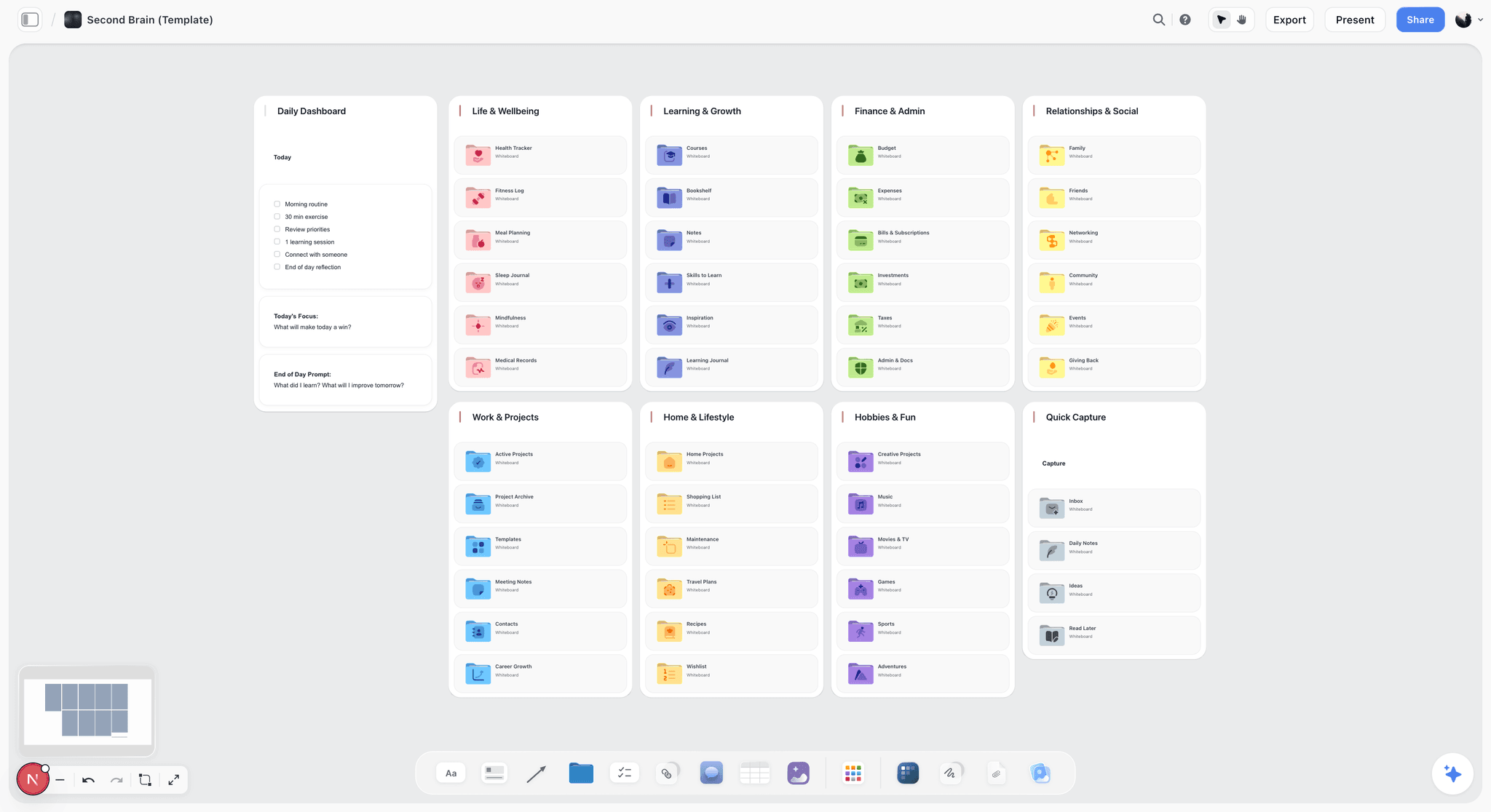
The friction with most concept mapping tools is that the map lives in isolation. You build the relationships in CmapTools, then the research, the working theory, and the source notes all live somewhere else. Storyflow closes that gap: concept cards with labelled connections sit on the same canvas as the working theory Document, the research source cards, and the blueprint you started from. The AI reads your full active board by default, plus up to 1 blueprint and 3 Documents you @-mention in the chat, so when you ask it to surface a missing link between two concepts it reasons over the actual map, not a pasted summary.
Best for: Knowledge workers who want concept maps integrated with broader project work. Also great for: students and researchers building concept maps alongside the rest of a project.
Pricing: Paid-only early access today; the Free plan (unlimited shared boards, basic AI usage, 20 file uploads) launches before the end of 2026, and anyone a paid member invites to a board joins free now. Plus from $7.99/month billed annually ($9.99 monthly). Story blueprints (200+ creative templates) unlock on Plus, Pro ($14/month annual), and Max.
Pros: Canvas paradigm matches concept mapping, the AI reads the entire active board, integration with research and theory work, collaborators invited by a paid member join free.
Cons: Not a dedicated concept mapping tool. Storyflow's labelled link styling is lighter than CmapTools, there is no built-in academic citation manager, and it is cloud-only with no local-first option for privacy-regulated work. If your output is a formal Novak concept map with strict hierarchical levels, CmapTools wins.
Verdict: Storyflow is the right pick for canvas-paradigm concept mapping integrated with broader work. For a dedicated formal concept map, use CmapTools.
2. CmapTools (Best Academic Concept Mapping)
CmapTools is the established academic concept mapping tool from IHMC (Institute for Human and Machine Cognition), built by the people who formalised the methodology, so it treats the labelled link as a first-class object rather than an afterthought. Every connection is a proposition you type directly onto the line, cross-links between separate branches are native, and the layout tools nudge you toward the general-to-specific hierarchy Novak's research is built on. It does all three jobs a concept map should, which no general diagramming tool here can claim. The trade-off is everything around the map: the interface is a Java-era desktop app, sharing runs through IHMC's Cmap servers rather than a modern link, and there is no AI to suggest a connection you missed. For a formal map a committee will read, none of that matters. For concept mapping woven into a living project, the isolation starts to hurt.
Best for: Academic researchers using Novak concept mapping methodology. Not for: general visual thinking or modern interface preferences.
Pricing: Free for non-commercial use. Commercial licensing available.
Pros: Best academic methodology support, hierarchical layout with concept levels, cross-link support, free for academic use.
Cons: Interface feels dated, the academic-shape limits broader use, no modern AI integration.
Verdict: CmapTools is the right pick for academic concept mapping.
3. Scrintal (Best Academic Canvas PKM)
Scrintal is the academic-shaped canvas PKM that sits between CmapTools and Storyflow. You get an infinite board of linked cards, but with the citation handling and PDF annotation an academic workflow actually needs. Cards connect with visible lines, and while the link-labelling is lighter than CmapTools, the ability to pin a source PDF next to the concept it supports is where Scrintal earns its place. The catch is community size. Scrintal is a smaller product than Obsidian or CmapTools, so the plugin and template ecosystem is thin, and the academic framing can feel heavy if your work is not citation-driven.
Best for: Academic researchers who want canvas with citations. Not for: non-academic concept mapping.
Pricing: Free with limits. Pro from $9.99/month.
Pros: Academic citation features, canvas paradigm, mature PDF annotation.
Cons: Smaller community than CmapTools, the academic shape forces non-academic use.
Verdict: Scrintal is the right pick for academic canvas PKM with concept mapping. See The 12 Best Heptabase Alternatives in 2026.
4. Lucidchart (Best Visual Diagramming with Concept Maps)
Lucidchart is the diagramming tool most business teams already have, and its shape libraries and smart connectors produce the cleanest, most presentation-ready concept maps on this list. Drag a box, pull a connector, type the relationship on the line, and the auto-layout keeps it tidy. If the concept map is going into a slide deck or a stakeholder doc, Lucidchart's export and formatting beat every dedicated academic tool. What it does not do is push you toward the methodology: there is no hierarchy scaffolding, no cross-link convention, and the AI features are lighter than the canvas-native tools. It draws a concept map beautifully. It does not help you think one through.
Best for: Professional concept map diagrams. Not for: academic concept mapping methodology or AI integration.
Pricing: Free with limits. Individual from $7.95/month. Team from $9/user/month.
Pros: Mature diagramming, polished output, large shape library, strong export.
Cons: General diagramming-shaped rather than concept-mapping-specific, AI features are lighter.
Verdict: Lucidchart is the right pick for professional concept map diagrams. See The 12 Best Lucidchart Alternatives in 2026.
5. Miro (Best Whiteboard Concept Maps)
Miro is the whiteboard teams reach for when the concept map needs more than one author. Live multiplayer cursors, comments, voting, and a large template library make it the strongest option for a workshop where a group builds the map together in real time. Where Miro loses is depth for the solo mapper. It is whiteboard-shaped, not concept-map-shaped, so hierarchy and cross-link rigor are on you, and the AI additions are shallow relative to the canvas-native tools. For a team surfacing relationships on a call, Miro wins. For a researcher building a formal map alone, it is more surface than substance.
Best for: Team-based concept mapping in workshops. Not for: solo academic concept mapping.
Pricing: Free for 3 boards. Starter from $8/user/month. Business from $16/user/month.
Pros: Strong team collaboration, mature whiteboard, large template library.
Cons: Whiteboard-shaped rather than concept-map-specific, AI features are lighter.
Verdict: Miro is the right pick for team-based concept mapping. See The 12 Best Miro Alternatives in 2026.
6. Obsidian Canvas (Best Knowledge Graph Concept Maps)
Obsidian with its Canvas core plugin and the community graph plugins turns a markdown vault into a knowledge-graph-style concept map, where each node is a real note you can open, edit, and backlink. For markdown-first users who already live in Obsidian, this is a concept map that never leaves your knowledge base, stored as local files you own outright. The weakness is that labelled links are plugin-dependent rather than native, so the relationship-on-the-line rigor that defines the methodology takes setup and curation to get right. Expect to spend an evening assembling the plugin stack before the concept map feels first-class.
Best for: Markdown-first PKM users who want concept maps. Not for: users who want dedicated concept mapping features.
Pricing: Free for personal use. Commercial from $50/user/year. Sync from $4/month if needed.
Pros: Markdown ownership, plugin ecosystem, free for personal use.
Cons: Setup requires plugin curation, labelled link support is plugin-based.
Verdict: Obsidian Canvas is the right pick for markdown-first concept maps.
7. Coggle (Best Free Concept Mapping)
Coggle is the friendliest on-ramp on this list: start dragging and labelling branches without a tutorial. It began as a collaborative mind mapping tool, but it supports the free-form labelled links that make a concept map a concept map, and real-time collaboration is baked in. The honest limit is the free tier. Private diagrams require a paid plan, so on the free plan your maps are public by default. The AI is minimal and the depth ceiling is low, so Coggle is where concept mapping begins, not where a serious research map ends up.
Best for: Budget-conscious users who want free concept mapping. Not for: users who need academic methodology.
Pricing: Free with public diagrams. Awesome from $5/month for private.
Pros: Free for public diagrams, simple interface, mature collaboration.
Cons: Free tier requires public diagrams, AI features are minimal.
Verdict: Coggle is the right pick for budget-conscious concept mapping.
8. MindMup (Best Mind Mapping with Concept Mode)
MindMup is the affordable middle ground for people who do more mind mapping than concept mapping but occasionally need both. Its concept-mode connections let you draw and label any-to-any relationships rather than strict parent-child branches, and the flat pricing plus Google Drive integration make it easy to adopt across a class or small team. For a teacher who assigns mind maps most weeks and concept maps some weeks, running one tool for both is the real draw. The concept-mapping side is lighter than CmapTools: cross-link handling and hierarchy conventions are basic, and the community is smaller. It is a capable generalist, not a concept-mapping specialist.
Best for: Users who want both mind maps and concept maps in one tool. Not for: users who need dedicated concept mapping.
Pricing: Free with limits. Personal from $5/month.
Pros: Affordable, mind map plus concept map in one tool, simple interface.
Cons: Concept mapping features are lighter than CmapTools, smaller community.
Verdict: MindMup is the right pick for mind plus concept maps.
9. Heptabase (Best Visual PKM with Concept Connections)
Heptabase is a visual PKM built around cards on an infinite whiteboard, and those cards plus their connections produce concept-map-like structures as a byproduct of how the tool already works. For PKM-first users who want their concept maps inside the same system as their reading notes and highlights, Heptabase keeps everything on one surface and links back to the source cleanly. It handles synthesis particularly well because the map grows out of notes you have already processed. The weaker spots are labelled links, which are lighter than dedicated concept tools, and community size, which trails Obsidian. At $11.99 a month it is also one of the pricier picks for a feature that is, for concept mapping, secondary.
Best for: PKM-first users who want concept maps as a feature. Not for: users who want dedicated concept mapping.
Pricing: From $11.99/month. 7-day trial.
Pros: Visual PKM paradigm, card-on-canvas, integration with broader PKM workflow.
Cons: Labelled link support is lighter than dedicated tools, smaller community than Obsidian.
Verdict: Heptabase is the right pick for PKM users who do concept mapping. See The 12 Best Heptabase Alternatives in 2026.
10. draw.io (Best Free Diagramming)
draw.io (now diagrams.net) is the free, open-source diagramming workhorse, and it will draw a concept map with shapes and labelled connectors without asking for an account or a credit card. It stores files in Google Drive, OneDrive, or your local disk, the natural pick for anyone who wants a zero-cost, no-lock-in tool. The trade-offs are the ones you would expect from a general diagramming tool: no methodology scaffolding, no AI, and an interface that feels engineering-first rather than thinking-first. It is a drawing tool that can render a concept map, not a tool that helps you build one.
Best for: Users who want free open-source diagramming. Not for: users who want dedicated concept mapping or AI features.
Pricing: Free.
Pros: Free, open-source, integrates with Google Drive and OneDrive.
Cons: General diagramming-shaped, no AI, dated interface.
Verdict: draw.io is the right pick for free open-source diagramming.
11. Tana (Best Outliner with Typed Connections)
Tana is an outliner built on supertags, typed nodes that carry fields and relationships, and those typed connections can produce concept-map-like structures you query rather than draw. For people who think in outlines and structured data, Tana represents relationships as queryable metadata, which is powerful in a way no visual canvas matches: you can ask the workspace to return every concept tagged a certain way and see the connections as a live list. The cost is that it is not visual. There is no spatial map where the line between two ideas is the thing you see and label, so the core concept-mapping experience is inferred rather than drawn. The paradigm suits database-minded users more than visual thinkers.
Best for: Outliner-first users who want typed relationships. Not for: visual canvas users.
Pricing: Limited beta. From $14/month when generally available.
Pros: Powerful typed relationships, queries across the workspace, outliner paradigm.
Cons: Outliner-shaped rather than visual, learning curve is steep. See The 12 Best Tana Alternatives in 2026.
Verdict: Tana is the right pick for outliner users who want typed relationships.
12. Roam Research (Best Block-Based with Backlinks)
Roam Research pioneered the backlink-based PKM paradigm, where every block can reference every other block and the graph view renders those references as a web of connected ideas. For writers and researchers who think by linking as they type, Roam's concept-map-like structure emerges from the writing itself rather than from a separate mapping step. The mismatch for concept mapping specifically is that Roam's links are unlabelled backlinks, not the described relationships that define the methodology, so the graph shows that two ideas are connected without ever saying how. If the labelled link is the point, Roam's graph is suggestive rather than explicit, and the AI features remain limited.
Best for: Backlink-heavy PKM users. Not for: users who want explicit labelled concept connections.
Pricing: $15/month or $165/year. 31-day trial.
Pros: Mature backlink paradigm, active power-user community.
Cons: No explicit concept-map view, labelled links are lighter, AI features limited.
Verdict: Roam Research is the right pick for backlink-paradigm users. See The 12 Best Roam Research Alternatives in 2026.
How to Choose the Right Concept Mapping Tool for Your Work
Five decision rules:
If you do academic concept mapping, use CmapTools. Established methodology, free for academic use.
If you want canvas-paradigm concept maps integrated with broader work, use Storyflow. Canvas plus canvas-aware AI plus Story blueprints.
If you do academic work but want a canvas, use Scrintal. Academic citation features with the canvas paradigm.
If you do professional diagramming, use Lucidchart. Polished output for business contexts.
If you collaborate in workshops, use Miro. The best team whiteboard with concept map templates.
For broader visual tools, see The 12 Best Mind Mapping Tools in 2026.
The Bottom Line
The best concept mapping tool depends on academic versus general use. For a formal Novak-methodology map, CmapTools still leads. For a canvas-paradigm map that lives beside the rest of a research or strategy project, Storyflow is the pick.
If you are not sure which fits, ask whether the concept map is the final output (use CmapTools or Lucidchart) or one feature of a broader project (use Storyflow or Obsidian). The wrong move is to use a general mind mapping tool for concept mapping and lose the labelled links that distinguish the methodology. Whatever you choose, hold onto the one rule that survives every tool decision: in a concept map, the line is the idea, so pick the tool whose line-labelling you will actually use.
If your concept map is one piece of a larger research or strategy project, take your most active project and rebuild its core relationships in Storyflow for one week. Put the concept cards, the source notes, and the working theory on one canvas and let the AI work across all of it. By the end you will know whether the map belongs beside the rest of the work or in a dedicated tool of its own. Start a concept map on a Storyflow canvas.
FAQ: Best Concept Mapping Tools 2026
What is concept mapping?
Concept mapping is a technique for representing knowledge as a network of concepts connected by labelled links. Each link names the relationship, so "rising temperature increases evaporation" is drawn as two concept boxes joined by a line labelled "increases." Developed by Joseph Novak at Cornell in the 1970s, it forces you to articulate how ideas relate rather than just listing them, which is why it is used in research, curriculum design, and studying. The labelled connection is what separates it from a plain diagram.
What is the difference between a concept map and a mind map?
A mind map branches hierarchically from a central node with parent-child relationships. A concept map shows relationships between concepts as labelled links, allowing any-to-any connections with relationship descriptions. The labelled links are the key feature: a mind map shows "Concept A has child Concept B"; a concept map shows "Concept A causes Concept B" or "Concept A is part of Concept B."
How do you make a concept map?
Start with a focus question the map should answer, then list the key concepts involved. Rank them roughly from general to specific and place the broad concepts near the top. Draw lines between related concepts and, most importantly, write the relationship on each line ("causes", "requires", "is a type of"). Add cross-links between different branches where connections exist. Review the map, and wherever you cannot name a link, you have found a gap in your understanding to go research. Most tools on this list support this flow directly.
What is the best concept mapping tool in 2026?
For academic concept mapping, CmapTools is the leading dedicated tool. For canvas-paradigm concept mapping integrated with broader work, Storyflow. For academic canvas PKM, Scrintal. For professional diagramming, Lucidchart. Your pick turns on whether you want dedicated academic methodology or canvas-paradigm flexibility.
Is there a free concept mapping tool?
Yes. CmapTools is free for non-commercial use, Coggle has a free tier with public diagrams, draw.io is free open-source, and Obsidian is free for personal use. Storyflow is paid-only during early access, with its Free plan (unlimited shared boards, basic AI usage, 20 file uploads) launching before the end of 2026. The right free pick today depends on whether you want academic features (CmapTools), simple maps (Coggle), or open-source (draw.io).
What is CmapTools used for?
CmapTools is used for academic concept mapping following the Novak methodology. Researchers use it for literature reviews, theory building, and curriculum design. Educators use it for teaching concept relationships. It is the dominant tool in formal concept mapping academic work.
Can I use Storyflow for concept mapping?
Yes. Storyflow's canvas paradigm with cards and labelled connections handles concept mapping well. The integration with research sources and Story blueprints adds context that dedicated concept mapping tools lack. For academic Novak methodology specifically, CmapTools is still stronger.
Is concept mapping good for studying?
Concept mapping is well-researched as a study technique. The Novak methodology has decades of empirical support for retention and synthesis benefits. The mechanism is that the labelled links require explicit articulation of relationships, which encodes the material more deeply than rote memorisation.
Can AI help with concept mapping?
Yes. AI can suggest connections between existing concepts, identify missing concepts, and generate concept map structures from texts. Storyflow's AI reads the canvas and suggests connections; ChatGPT and Claude can generate concept map structures from prompts. The pattern that works is using AI to surface possibilities, then refining through human judgment.
What is the best concept mapping tool for students?
For students, CmapTools (free academic) and Coggle (free public diagrams) are the leading free options today. CmapTools fits formal academic work and Coggle fits casual maps; Storyflow's Free plan, launching before the end of 2026, will fit integration with broader study work.
Does any tool combine concept mapping with note-taking?
Storyflow, Obsidian Canvas, Heptabase, and Scrintal all combine concept mapping with note-taking on a canvas. The right pick depends on whether you want broader project work (Storyflow), markdown ownership (Obsidian), focused PKM (Heptabase), or academic features (Scrintal).
Can I export concept maps from these tools?
Most concept mapping tools support PNG, PDF, or SVG export. CmapTools exports proprietary formats and standard images, Storyflow exports cards and Documents, and Lucidchart and Miro have mature export options. Plan to export periodically for backup regardless of the tool.
Table of Contents
- All 12 Concept Mapping Tools, Ranked
- Quick Picks: Best Concept Mapping Tools 2026 by Use Case
- Comparison Table: Best Concept Mapping Tools 2026
- Best Concept Mapping Tools 2026: Market Context
- Frequently Asked: Which Concept Mapping Tools Are Most Trusted, Best Rated, and Fairest on Price
- What Makes a Concept Map Different From a Mind Map
- The Three Jobs a Concept Map Does
- How We Evaluated the Best Concept Mapping Tools 2026
- Detailed Reviews: Best Concept Mapping Tools 2026
- How to Choose the Right Concept Mapping Tool for Your Work
- The Bottom Line
- Author
- FAQ: Best Concept Mapping Tools 2026
- Related Reading
Templates to check out for this topic


Mind mapping and ideation templates you can use in Storyflow
Map ideas in space, then ask the AI to restructure, expand, or connect them. Open any of these boards and start thinking visually instead of in lists.


See Storyflow in Action
A visual AI workspace where every feature lives inside one canvas. No tab-switching, no context lost.
Build your entire board from a single message
Type what you need in the AI chat at the bottom of your canvas. The AI adds cards, headings, and structure directly onto your board.
Use expert frameworks as AI context
Type @ in the AI chat and choose any Tactic. The AI tailors every response to that framework instead of giving generic advice.
Turn your board into a mind map in seconds
Ask the AI to restructure your canvas as a mindmap. It connects your ideas into a visual hierarchy so you can see how everything relates.
Why Storyflow Exists
Storyflow actually began as a personal tool while working on creative and research projects.
We kept running into the same problem: ideas were scattered everywhere: notes, documents, and whiteboards.
Nothing helped us see how everything connected.
So we started building a workspace designed around how ideas actually grow.
→ Read how Storyflow was createdJustkay
Documentary Filmmaker & Founder at Storyflow
Published: 2026-05-14
Extremely simple, seriously capable


See how easy it is to get started
Watch a real project come together, from a blank board to a finished plan, clicked through step by step.
Start creating with AI and become more productive
Transform your creative workflow with AI-powered tools. Generate ideas, create content, and boost your productivity in minutes instead of hours.