
Category
Productivity
Author

Justkay
Documentary Filmmaker & Founder at Storyflow
Topics
2026-05-18
•
Updated May 18, 2026
•
15 min read
•
Productivity- best Coda alternatives 2026
- Coda alternatives
- Coda competitors
- Notion vs Coda
- Coda alternative for databases
- Coda alternative for project management
What is the best Coda alternative in 2026?
The best Coda alternatives in 2026 are Notion (best all-around docs-plus-databases replacement), Airtable (best when the database is the point), ClickUp (best when the work is really project management), and Storyflow (best when the work is visual and project-shaped). The right pick depends on which of the four jobs you actually hired Coda to do.

All 12 Coda Alternatives, Ranked
- Notion: best all-around docs-plus-databases replacement
- Storyflow: best visual, AI-aware canvas for project and creative work
- Airtable: best when the database is the point
- ClickUp: best for tasks, sprints, and timelines
- Microsoft Loop: best for teams already on Microsoft 365
- Fibery: best for custom no-code workspaces
- Slite: best for a team knowledge base and docs
- Nuclino: best for a lightweight, fast wiki
- Craft: best for beautiful docs on Apple devices
- Taskade: best for AI-native lists, tasks, and docs
- Almanac: best for async document workflows
- Obsidian: best for local-first notes you own
Full disclosure: Storyflow is our own product, and we do not rank it #1 here. For a like-for-like Coda replacement that pairs documents with databases, Notion is the stronger pick and where most people should start. Storyflow is the #2 pick and wins a narrower job: visual, AI-aware planning where the model reads your whole canvas. It has no relational database tables, so database-first teams should pair it with Airtable. We link to every tool so you can judge the fit.
Quick Comparison: Best Coda Alternatives
These four cover the jobs people hire a Coda doc to do: all-around docs and databases, visual AI-aware project work, relational data, and full project management.
| Tool | Best For | AI Features | Price |
|---|---|---|---|
| Notion | All-around docs and databases | Notion AI writing and database Q&A | Free / $10 user mo |
| Storyflow | Visual, AI-aware project work | Reads full board + @-docs and Tactics | $7.99 mo annual (free plan late 2026) |
| Airtable | Database-first work | Airtable AI fields for summaries | Free / $20 user mo |
| ClickUp | Project and task management | ClickUp Brain assistant (add-on) | Free / $7 user mo |
1) Quick Answer: The Best Coda Alternatives in 2026
The best Coda alternatives in 2026 are Notion (best all-around docs-plus-databases replacement), Storyflow (best when you want a visual, AI-aware workspace for project and creative work instead of a spreadsheet-document hybrid), Airtable (best when the database is the point), and ClickUp (best for project management). Most people who leave Coda are paying for complexity they never use, hitting the per-Doc-Maker pricing wall, or fighting a learning curve a simpler tool would not impose.
The short version: want Coda's flexibility without the formula-engine learning curve, Notion. Want a visual canvas where AI reads your whole project and expert Story Blueprints scaffold your planning, Storyflow, and it starts free. Want relational data done properly, Airtable. Want tasks, sprints, and timelines, ClickUp. The right Coda alternative depends on which of the four jobs you actually hired Coda to do.
For adjacent comparisons, see the Notion alternatives and Airtable alternatives guides.
2) Comparison Table: 12 Coda Alternatives Compared
Pricing verified on each tool's pricing page in May 2026. Re-verify before committing.
3) Why People Leave Coda
Coda is genuinely good software. It merges documents and databases into one surface, and for the people who master it, that surface is powerful. But mastering it is the problem. Three frictions push people away.
The pricing model surprises teams. Coda charges per Doc Maker, not per editor. Anyone who builds or owns a doc is a Doc Maker. As of May 2026, Coda Pro is $10 per Doc Maker per month billed annually ($12 monthly) and Coda Team is $30 ($36 monthly). The model rewards a tiny group of builders and punishes teams where everyone creates.
The learning curve is real. Coda has formulas, tables, views, automations, buttons, and Packs. Together they form a system that does not feel intuitive to anyone arriving from Google Docs or Notion. A tool you have to learn before you can use it is a tool most of your team will never use.
Performance degrades as docs grow. Coda docs with more than a thousand rows, several linked tables, and complex formulas load slowly. Actions feel delayed, and mobile lags desktop. None of this makes Coda bad. It makes Coda a specialist tool sold as a generalist one. The fix is to figure out which job you hired Coda for, then pick the tool built for that job.
4) How We Evaluated These Tools
Coda is four products wearing one interface. To rank alternatives honestly, name the four jobs people hire a Coda doc to do. Call it the Four Jobs of a Coda Doc.
- The document job. Writing, notes, wikis, runbooks. Text-shaped work.
- The database job. Relational tables, structured records, formulas, rollups. Data-shaped work.
- The project job. Tasks, owners, statuses, timelines, sprints. Workflow-shaped work.
- The thinking job. Planning a project and mapping ideas before any of it is structured. Canvas-shaped work.
Every alternative here does one or two of these jobs better than Coda and the rest worse. The ranking scores each tool on five criteria: job fit, learning curve, pricing honesty, performance at scale, and collaboration without per-builder pricing penalties. Every tool was tested on real workspaces between 2024 and 2026.
5) Quick Picks by Job
If you want the short list, organize by which of the Four Jobs you are solving for.
- The document job: Notion, Slite, or Craft.
- The database job: Airtable when relational data is the core of the work, Fibery for a custom no-code workspace.
- The project job: ClickUp for full task management, sprints, and timelines, or Storyflow when the project is still being shaped and planned.
- The thinking job: Storyflow, the visual, AI-aware canvas where project planning happens before any of it becomes a database or a doc.
- Best free pick: Notion, whose free plan runs real individual work with no per-builder pricing trap.
- Microsoft teams: Microsoft Loop, already inside the Microsoft 365 license you pay for.
- Privacy and local control: Obsidian, which keeps your files on your own machine.
6) Detailed Reviews: 12 Coda Alternatives in 2026
1. Storyflow
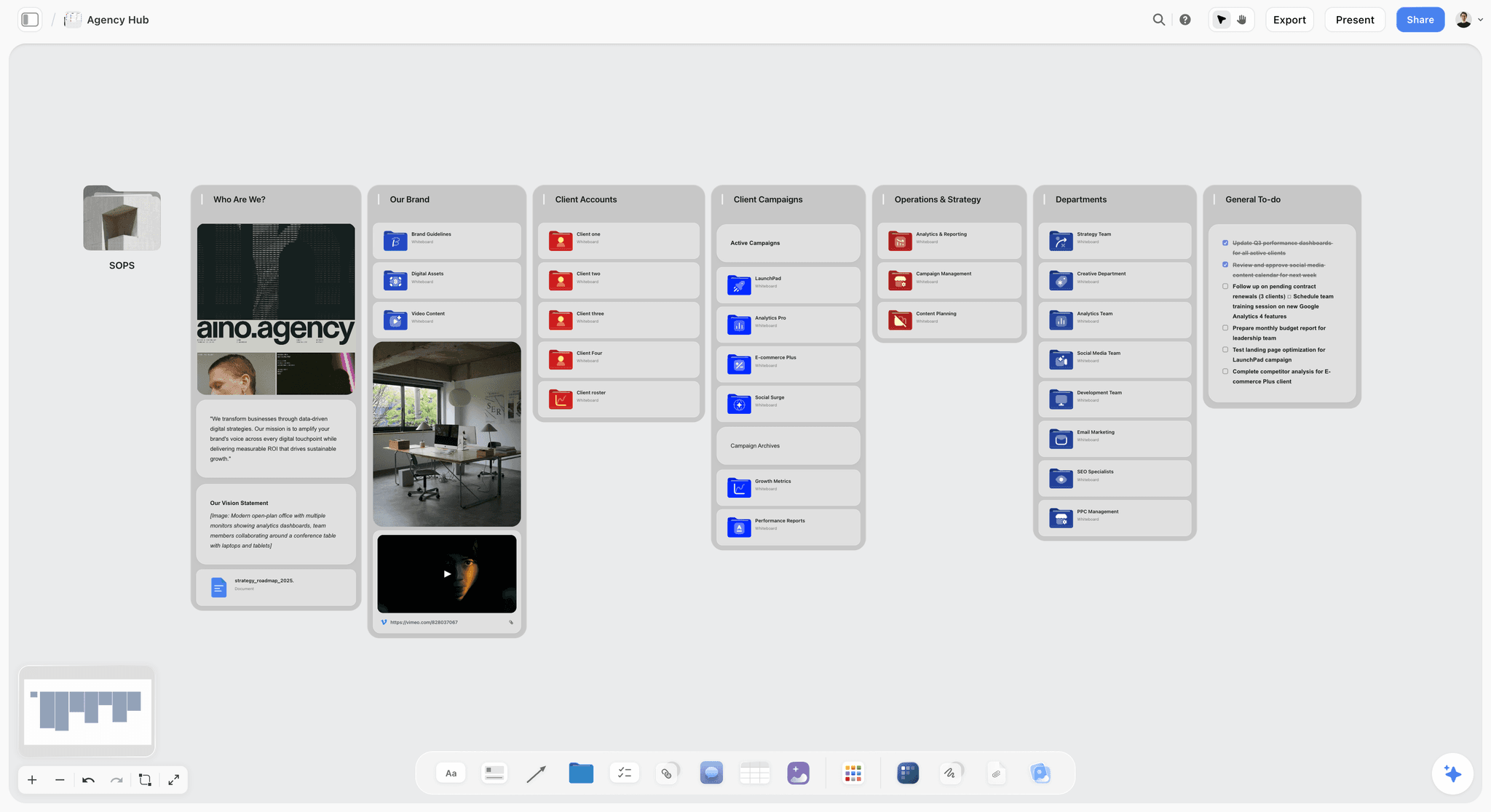
Storyflow is the Coda alternative for people who want their work to think with them, not sit in rows. If you opened a Coda doc to plan a project, map research, or shape a creative idea, a spreadsheet-document hybrid forces structure long before the thinking is ready. Storyflow gives you an infinite visual canvas where AI reads your entire active board and 200+ expert Story Blueprints scaffold your planning on proven frameworks. It is the closest thing on this list to a workspace that meets your project where it actually starts.
The best part: you can run a full project on Plus at $7.99/mo, with no per-builder pricing trap. I built Storyflow after running documentary projects where research and the plan lived in documents that fought the work, and a canvas does not.
Best for: Creative and project teams who want a visual, AI-aware workspace for planning real work rather than a doc full of tables.
Verdict: The #2 pick and the strongest Coda alternative for anyone who wants a visual, AI-aware workspace for project and creative work rather than a spreadsheet-document hybrid. Notion still leads for teams who specifically need docs-plus-databases, but Storyflow wins the moment the work is visual, project-shaped, and worth thinking through on a canvas.
Key features
- Infinite canvas with structured cards for notes, images, links, and ideas, so project structure emerges instead of being forced up front.
- Context-aware AI that reads your full active canvas board, plus up to 1 Tactic and 3 @-mentioned Documents, so planning help is grounded in your real project.
- 200+ Story Blueprints (Plus and above) that scaffold launches, research, and creative work on expert frameworks.
- A genuinely usable Plus plan with unlimited notes, images, links, unlimited shared boards, and unlimited collaboration, with a Free plan launching before the end of 2026.
Pricing
Paid-only during early access. Plus: $7.99/mo annual ($9.99 monthly), with unlimited notes, images, links, unlimited shared boards, basic AI, 20 file uploads, unlimited collaboration, the 200+ Story Blueprints library, and unlimited uploads. Pro: $14/mo annual ($19 monthly), adds AI image generation and 20x more AI. Max: $39/mo annual ($49 monthly), adds 40x more AI and a team workspace with permissions and roles. A Free plan launches before the end of 2026.
Pros
- Plus is genuinely capable: unlimited collaboration, unlimited shared boards, and no per-builder pricing penalty.
- The AI reads the whole canvas, so it understands your project instead of answering one block at a time.
- 200+ Story Blueprints turn a blank canvas into a guided, expert-shaped plan.
- The visual canvas lets structure emerge naturally, which is exactly where a spreadsheet-document hybrid fights you.
Cons
- It has no relational database tables, so if your work is database-first, pair it with Airtable for the structured records.
Call to action
Start a Storyflow workspace and plan your next project on a canvas today.
2. Notion
Notion is the closest like-for-like Coda alternative in 2026. It merges documents and databases the same way Coda does, but the on-ramp is gentler: write a plain doc on day one and add database structure later, instead of confronting formulas and Packs first.
Best for: Teams who want Coda's docs-plus-databases model without the formula-engine learning curve.
Verdict: The default Coda alternative for most people. It does the document and database jobs well, the project job adequately, and the thinking job poorly.
Key features
- Documents and relational databases on the same surface.
- Notion AI for writing, summarizing, and database Q&A.
Pricing
Free plan for individuals. Plus is $10/user/mo annual ($12 monthly). Business is $15/user/mo annual ($18 monthly) and bundles unlimited AI. The standalone AI add-on was discontinued in mid-2025, so AI-dependent teams effectively need Business.
Pros
- Far easier to learn than Coda for non-technical teammates.
- Per-user pricing is predictable, with no Doc Maker surprise.
- The largest template and integration ecosystem of any tool here.
Cons
- The formula and rollup engine is weaker than Coda's for heavy database logic.
- Large databases slow down, the same scaling problem Coda has.
3. Airtable
Airtable is the pick when the database is the point. If the reason you built a Coda doc was the tables, relations, and rollups, Airtable does that job with more rigor than Coda or Notion, treating the database as a first-class product rather than a block inside a document.
Best for: Teams whose Coda use was really a relational database wearing a doc.
Verdict: The strongest database-job alternative. Weak on the document and thinking jobs.
Key features
- Relational tables with strong linking, lookups, and rollups.
- Multiple views and an Interface Designer for app-like front ends on your data.
Pricing
Free plan. Team is $20/user/mo annual ($24 monthly). Business is $45/user/mo annual ($54 monthly). Read-only collaborators and form submitters are not charged.
Pros
- The relational data model is more robust than Coda's for structured records.
- Views make the same data usable for many roles.
- Interface Designer turns a database into a shareable app.
Cons
- It is not a document tool. Long-form writing belongs elsewhere.
- The jump from Team to Business is steep, roughly a 125% per-seat increase.
4. ClickUp
ClickUp is the pick when the honest truth is that your Coda doc was a project tracker. ClickUp is built for tasks, sprints, dependencies, and timelines, where Coda only simulates them.
Best for: Teams whose Coda use was really task and project management.
Verdict: The strongest project-job alternative. Overkill if you only need docs.
Key features
- Tasks, subtasks, dependencies, and custom statuses.
- Multiple project views: list, board, Gantt, calendar, workload.
Pricing
Free Forever plan. Unlimited is $7/user/mo annual. Business is $12/user/mo annual. Brain AI is a $9/user/mo add-on.
Pros
- Genuine project management depth that Coda cannot match.
- Generous free tier for small teams.
Cons
- The interface is dense and can overwhelm new users.
- Weaker as a pure writing or knowledge-base tool.
5. Microsoft Loop
Microsoft Loop is the Coda alternative you may already be paying for. It brings flexible pages and components into Microsoft 365, with components that sync live across Teams, Outlook, and Word.
Best for: Teams standardized on Microsoft 365 who want a Coda-style workspace without a new vendor.
Verdict: The pragmatic pick for Microsoft-committed teams. Less compelling outside that ecosystem.
Key features
- Loop workspaces that gather project content in one place.
- Loop components that stay in sync wherever they are pasted.
Pricing
Included with Microsoft 365 Business plans. Copilot features require a separate Copilot for Microsoft 365 plan. Microsoft 365 commercial pricing increases on July 1, 2026.
Pros
- No new bill if your organization already runs Microsoft 365.
- Live components are genuinely useful across Teams and Outlook.
Cons
- Much weaker outside the Microsoft 365 environment.
- Database depth lags Coda, Notion, and Airtable.
6. Fibery
Fibery is the closest spiritual successor to Coda's "build anything" promise. It lets you model a custom workspace, connecting entities, fields, and relations into a no-code system tailored to your team.
Best for: Teams who liked Coda's build-it-yourself flexibility.
Verdict: The strongest pick for custom no-code workspaces. Asks for the same builder mindset Coda did.
Key features
- Connected entity modeling for custom workspaces.
- Reports and dashboards built on your own data model.
Pricing
Free plan. Paid plans start at $12/user/mo (monthly) for Standard, with Pro at $20/user/mo. Enterprise adds unlimited automations, SSO, and data residency options.
Pros
- Genuine flexibility for teams that want to model their own system.
- Connects work across functions in one workspace.
Cons
- It rewards the builder mindset, so the learning curve resembles Coda's.
- Smaller ecosystem and community than Notion or Airtable.
7. Slite
Slite is the pick when the document job is all you needed: a focused team knowledge base with a clear hierarchy, fast search, and AI that answers from your content.
Best for: Teams who used Coda as a wiki.
Verdict: A strong, focused document-job tool. No database ambitions, which is the point.
Key features
- Clean document editor with a clear knowledge hierarchy.
- AI that answers from your knowledge base, with verification workflows to keep docs current.
Pricing
Free plan. Standard starts at $8/user/mo billed yearly. Knowledge Suite plans start at $20/user/mo.
Pros
- Genuinely easy to adopt, the opposite of Coda's learning curve.
- Built for keeping a knowledge base trustworthy over time.
Cons
- No database or project management features at all.
- Not a fit if you needed Coda's tables.
8. Nuclino
Nuclino is the lightweight end of the document job: a fast, minimal wiki where docs link to each other and a graph view shows how knowledge connects.
Best for: Small teams who want a simple, fast wiki with light structure.
Verdict: The simplicity-first pick. Light on power by design.
Key features
- Fast, minimal collaborative documents with a visual graph of connections.
- Board and table views for light structure.
Pricing
Free plan for up to 50 items. Paid plans start at $6/user/mo billed annually ($8 monthly).
Pros
- One of the easiest tools here to adopt.
- Cheapest entry price of the document-job tools.
Cons
- Light on database and automation features.
- Not built for large or complex workspaces.
9. Craft
Craft is the pick when the document job needs to look good: a beautifully designed document tool, strongest on Apple devices, where the writing experience and visual polish are the product.
Best for: Individuals and small teams on Apple hardware.
Verdict: The most polished document-job tool. Not a database or project tool.
Key features
- Elegant document editor with strong typography and a clean reader view.
- Native apps across Mac, iPhone, and iPad.
Pricing
Free tier. Individual paid plan around $8/mo. Team plans around $50/mo for small groups.
Pros
- The best-looking docs of any tool on this list.
- Excellent native Apple-device experience.
Cons
- Apple-centric, so cross-platform teams should look elsewhere.
- No relational database or formula features.
10. Taskade
Taskade is the AI-native pick. It combines lists, tasks, mind maps, and docs in one workspace, with AI agents woven through every view, lighter than Coda and built around AI from the start.
Best for: Small teams who want an AI-first workspace for lists, tasks, and light docs.
Verdict: A capable AI-native all-rounder. Light on database depth.
Key features
- Multiple views: list, board, mind map, calendar, and docs.
- AI agents that generate and organize work, with real-time collaboration.
Pricing
Free plan. Paid plans start around $8/mo annual for Plus, with Pro at $19/mo annual and Business at $49/mo annual.
Pros
- AI is built in across views, not bolted on.
- Lighter and faster to learn than Coda.
Cons
- Database and relational features are light.
- Less suited to large, structured workspaces.
11. Almanac
Almanac is the pick for async document workflows: a document editor with strong version control, approvals, and org-wide structure for how docs are written and reviewed.
Best for: Remote-first teams who want structured, async document review.
Verdict: A focused async-docs tool. Verify current pricing before committing.
Key features
- Document editor with strong version control.
- Approval and review workflows for async teams, with org-wide doc tracking.
Pricing
Free tier with no credit card required. Paid pricing is not transparently published and is best confirmed directly with Almanac before committing.
Pros
- Version control and approvals are genuinely strong.
- Built specifically for async, remote-first teams.
Cons
- Narrow focus, with no database or project features.
- Paid pricing is not clearly published.
12. Obsidian
Obsidian is the pick for privacy and local control. The notes live as plain files on your own machine, not in someone else's cloud, and in 2026 it ships a database feature called Bases.
Best for: Privacy-conscious individuals and teams who want their data to stay local.
Verdict: The strongest local-first pick. A different philosophy from Coda entirely.
Key features
- Local-first plain-text notes you fully own.
- Bases, a database feature for structured views over notes.
- Canvas view and a large community plugin ecosystem.
Pricing
The core app is free. Sync is around $4/user/mo billed annually. Publish is around $8/site/mo. Commercial use is $50/user/year.
Pros
- Your data stays on your own device.
- The core app is free with no feature gating.
Cons
- Real-time team collaboration is weaker than the cloud-native tools.
- Setup and plugins ask for a tinkerer's patience.
7) Recommendations by Persona
13. Solo Founder / Operator
Top picks: Storyflow + Notion
Storyflow for planning launches and mapping the business on a visual, AI-aware canvas, and Plus keeps a solo founder's pricing flat at $7.99/mo. Notion for the docs, light databases, and trackers once the plan is set.
14. Small Remote Team
Top picks: Storyflow + Slite
Storyflow for planning and aligning work on a shared canvas, with unlimited collaboration on every paid plan. Slite for a trustworthy team knowledge base once decisions are made.
15. Operations / No-Code Builder
Top picks: Fibery + Airtable
Fibery for modeling a custom workspace the way Coda let you. Airtable when the database itself is the deliverable.
16. Microsoft 365 Organization
Top picks: Microsoft Loop + ClickUp
Loop because it is already inside your license. ClickUp if you need project depth Loop does not yet match.
17. Creative or Project Planning Team
Top picks: Storyflow + Notion
Storyflow for the thinking job: research and project structure mapped on a visual canvas, with AI that reads the whole board and 200+ Story Blueprints to scaffold the plan. Notion for the docs once the plan is set. This is where Storyflow shines brightest, because the work is canvas-shaped.
18. Privacy-Conscious Individual
Top picks: Obsidian + Craft
Obsidian for local-first notes you fully own, with Bases for light structured data. Craft when a doc needs to be polished and shared.
8) Honorable Mentions
A few tools that came close but did not make the main twelve:
- Coda itself: if your team has a small group of expert builders, staying may beat switching.
- Google Docs plus Sheets: the simplest replacement if you only used a doc and a table.
- Confluence: strong for large-org documentation, heavier than most teams want.
- SmartSuite: a work-management platform in the Airtable and ClickUp neighborhood.
- Tana: a structured, AI-forward outliner for power users who liked Coda's flexibility.
These are not weak tools. Their fit is narrower than the main list for a general Coda audience.
9) Where Each Tool Fits Best
Honest accounting matters more than a clean ranking. Notion loses on heavy database logic. Airtable loses on documents and gets expensive at the Business tier. ClickUp loses on simplicity. Microsoft Loop loses outside Microsoft 365. Fibery loses on the learning curve. Slite, Nuclino, Craft, and Almanac lose on database and project depth, by design. Obsidian loses on team collaboration.
Storyflow is the pick when the work is visual and project-shaped: planning, research, and creative work mapped on a canvas with AI that reads the whole board. The one thing it does not do is relational database tables, so if your work is database-first, pair Storyflow with Airtable and let each tool do what it is built for.
If a post tells you one tool wins every job, it is selling, not evaluating. The Four Jobs framework exists because no single tool wins all four.
11) The Bottom Line
The best Coda alternative in 2026 is not a single tool. It is the tool built for the job you hired Coda to do. Notion is the best all-around replacement for teams who specifically need docs-plus-databases. Storyflow is the #2 pick and the strongest choice for everyone who wants a visual, AI-aware workspace for project and creative work instead of a spreadsheet-document hybrid. Airtable wins the database job. ClickUp wins the project job. Microsoft Loop suits Microsoft 365 teams, and Obsidian suits anyone whose data must stay local.
The reason people leave Coda is rarely that Coda is bad. It is that Coda is four products in one interface, sold as a generalist, while most teams only needed one. The right Coda alternative depends on which of the four jobs you actually hired Coda to do. Name your job, pick the tool built for it, and the pricing, learning curve, and performance ceiling all stop being your problem.
If your work is visual and project-shaped, Storyflow is where most people leaving Coda should start. Plus runs real projects with unlimited collaboration for $7.99/mo, and the AI reads your whole canvas while 200+ Story Blueprints scaffold the plan. The smallest honest test is to rebuild your most active project on a canvas for one week. Start a Storyflow workspace and see the difference today. If your work is database-first, pair it with Airtable.
10) FAQ: Coda Alternatives in 2026
What is the best Coda alternative in 2026?
Notion is the best all-around Coda alternative for most people, because it offers the same docs-plus-databases model with a gentler learning curve. If the database was the point, Airtable is stronger. If the work is project management, ClickUp wins.
Why do people leave Coda?
Three reasons recur: the per-Doc-Maker pricing surprises teams where many people build docs, the learning curve of formulas and Packs is steep, and performance degrades on large docs.
Is there a free Coda alternative?
Yes. Notion, Airtable, ClickUp, Fibery, Slite, Nuclino, Taskade, and Almanac all have free plans, and Obsidian's core app is free outright. Storyflow is paid-only during early access, with a Free plan (unlimited notes, shared boards, and collaboration) launching before the end of 2026. Among paid cloud tools, Nuclino is the cheapest at $6/user/mo billed annually.
Is Notion or Coda better?
For most teams, Notion is the better choice because it is easier to learn and uses predictable per-user pricing. Coda is better for a small group of expert builders who use its stronger formula engine.
What is the best Coda alternative for databases?
Airtable. It treats the relational database as a first-class product with strong linking, lookups, and rollups. Fibery is a close second for teams who want a fully custom no-code workspace.
Can Storyflow replace Coda?
For most people who used Coda to plan projects, map research, and shape creative work, yes. Storyflow is a visual, AI-aware canvas that replaces the planning and thinking use of a Coda doc, and Plus covers real projects for $7.99/mo. The one thing it does not do is relational database tables, so if your Coda use was database-first, pair Storyflow with Airtable.
What is the best Coda alternative for project management?
ClickUp. Coda only simulates project management with tables and buttons, while ClickUp is built for tasks, dependencies, sprints, and timelines, with a generous free tier.
How much does Coda cost in 2026?
Coda has a free plan. Coda Pro is $10 per Doc Maker per month billed annually, or $12 monthly. Coda Team is $30 per Doc Maker per month billed annually, or $36 monthly. Viewers and editors are free.
What is the easiest Coda alternative to learn?
Slite and Nuclino are the easiest, because they focus only on the document job and skip the formula engine. Notion is the easiest of the tools that still offer databases.
Is Obsidian a good Coda alternative?
Obsidian is a good Coda alternative if you want local-first notes you fully own and a free core app. In 2026 it added Bases, a database feature that narrows the gap. It is weaker on real-time team collaboration, so it fits individuals and small technical teams best.
Table of Contents
- Quick Answer: The Best Coda Alternatives in 2026
- Comparison Table: 12 Coda Alternatives Compared
- Why People Leave Coda
- How We Evaluated These Tools
- Quick Picks by Job
- Detailed Reviews: 12 Coda Alternatives in 2026
- Recommendations by Persona
- Honorable Mentions
- Where Each Tool Fits Best
- FAQ: Coda Alternatives in 2026
- The Bottom Line
- Author
- Related Reading
Templates to check out for this topic


Workspace templates you can use in Storyflow
Keep research, notes, and plans on one canvas the AI can read, instead of scattered across docs and tabs. Open a template and make it your second brain.


See Storyflow in Action
A visual AI workspace where every feature lives inside one canvas. No tab-switching, no context lost.
Build your entire board from a single message
Type what you need in the AI chat at the bottom of your canvas. The AI adds cards, headings, and structure directly onto your board.
Use expert frameworks as AI context
Type @ in the AI chat and choose any Tactic. The AI tailors every response to that framework instead of giving generic advice.
Turn your board into a mind map in seconds
Ask the AI to restructure your canvas as a mindmap. It connects your ideas into a visual hierarchy so you can see how everything relates.
Why Storyflow Exists
Storyflow actually began as a personal tool while working on creative and research projects.
We kept running into the same problem: ideas were scattered everywhere: notes, documents, and whiteboards.
Nothing helped us see how everything connected.
So we started building a workspace designed around how ideas actually grow.
→ Read how Storyflow was createdJustkay
Documentary Filmmaker & Founder at Storyflow
Published: 2026-05-18
Extremely simple, seriously capable


See how easy it is to get started
Watch a real project come together, from a blank board to a finished plan, clicked through step by step.
Start creating with AI and become more productive
Transform your creative workflow with AI-powered tools. Generate ideas, create content, and boost your productivity in minutes instead of hours.