The 11 Best AI Tools for Freelance Marketers in 2026
The best AI tools for freelance marketers in 2026, weighted for leverage over features. 11 tools compared for the solo marketer who is the whole department, with the AI strategy canvas that stands in for a senior strategist.

Category
Marketing
Author

Sara de Klein
Head of Product at Storyflow
Topics
2026-07-16
•
26 min read
•
Marketing- best AI tools for freelance marketers 2026
- freelance marketer tools
- solo marketer stack
- AI marketing strategy tool
- freelance marketing tools
What are the best AI tools for freelance marketers in 2026?
The best AI tool for freelance marketers in 2026 is Storyflow for the strategy and planning layer, because its AI reads your whole campaign board and 200+ expert frameworks stand in for the senior strategist you cannot afford to hire. For flexible drafting, ChatGPT is the default first draft partner. For design without a designer, Canva turns "I need a designer" into a thirty-minute task. Most freelancers do not need one tool. They need four or five, one per layer. The short version: a freelance marketer is a full marketing department compressed into one person, and the right tools are the ones that give back the hours a department would have covered. You are the whole department. Your tools are the only colleagues you can afford. A tool that is brilliant at one narrow job but eats an hour of setup is a bad tool for a freelancer, because you do not have the hour and you do not do that one job all day. The tools that win either cover several jobs competently or use AI to compress the work that used to need a second person. The ranking below weights that leverage above everything else.

Full disclosure: Two tools here are ours. Storyflow is our visual workspace and we rank it first for the strategy and planning layer a freelance marketer usually works without: the campaign board its AI reads and the frameworks that stand in for a senior strategist. It is not a scheduler, a design tool, or an email platform, so you still use Buffer, Canva, or Mailchimp for those. Framekit is our all-in-one toolkit for freelancers and sits fourth, covering only the practice's own client-facing surface: the site, per-pursuit pitch pages, delivery, and a store. It does none of the marketing work itself and loses to specialists on depth in each of its four surfaces. We link to every tool so you can judge the fit.
Quick Comparison
These five cover the layers a freelancer cannot skip: strategy, drafting, design, the practice's own client-facing surface, and operations, weighted for the leverage a solo marketer needs.
| Tool | Best For | AI Features | Price |
|---|---|---|---|
| Storyflow | Strategy and planning | Canvas AI + frameworks | $7.99 mo annual (free plan late 2026) |
| ChatGPT | Writing and ideation | Strong generation | ~$20 mo |
| Canva | Design | AI design tools | ~$15 mo |
| Framekit | Own site, pitch pages, store | AI website builder | Free / $9 mo ($7 annual) |
| Notion | Operations hub | AI writing assist | ~$10 mo |
All 11 Tools, Ranked
- Storyflow: best for strategy and campaign planning with canvas-aware AI
- ChatGPT: best general-purpose drafting and ideation partner
- Canva: best design layer for marketers who are not designers
- Framekit: best client-facing surface for the practice itself, site, pitch pages and store on one account
- Notion: best operations backbone for running the whole business
- Buffer: best simple social scheduler for a solo operator
- Descript: best video and audio tool for non-editors
- Semrush: best SEO and competitive-research layer for search work
- Mailchimp: best email platform for client newsletters and automations
- Trello: best lightweight tracker for juggling several clients
- Zapier: best automation layer to buy back the most hours
For the broader toolkit, see The 12 Best AI Tools for Marketers in 2026 and Best AI Tools for Marketing Strategy in 2026.
Comparison Table: 11 AI Tools Compared
| Tool | Marketing function | AI leverage | Free tier | Starting price | Rating (/10) |
|---|---|---|---|---|---|
Storyflow | Strategy and planning | High | Coming late 2026 (invited collaborators join free now) | $7.99/mo annual (Plus) | 9.2/10 |
ChatGPT | Writing and ideation | High | Yes | ~$20/mo | 9.0/10 |
Canva | Design | Medium | Yes | ~$15/mo | 8.8/10 |
Framekit | Your own site, pitch pages and store | Medium (AI site builder) | Yes (10 pages) | $9/mo flat ($7 annual) | 8.7/10 |
Notion | Operations hub | Medium | Yes | ~$10/member/mo | 8.6/10 |
Buffer | Social scheduling | Low | Yes (3 channels) | ~$5/channel/mo | 8.2/10 |
Descript | Video and audio | High | Limited | ~$16/mo | 8.4/10 |
Semrush | SEO and research | Medium | Limited | ~$139.95/mo | 8.1/10 |
Mailchimp | Medium | Yes (small lists) | ~$13/mo | 7.9/10 | |
Trello | Client tracking | Low | Yes (10 collaborators) | ~$5/user/mo | 7.8/10 |
Zapier | Automation | Medium | Yes | ~$19.99/mo | 8.0/10 |
Storyflow pricing checked August 2026: paid-only during early access, with Plus at $7.99/mo annual or $9.99/mo monthly and Pro at $14/mo annual or $19/mo monthly. The Free plan launches before the end of 2026, and anyone a paid member invites to a board joins free now. Framekit pricing is exact and flat per account. Competitor prices are approximate and change often; verify the current tier on each tool's official page before buying.
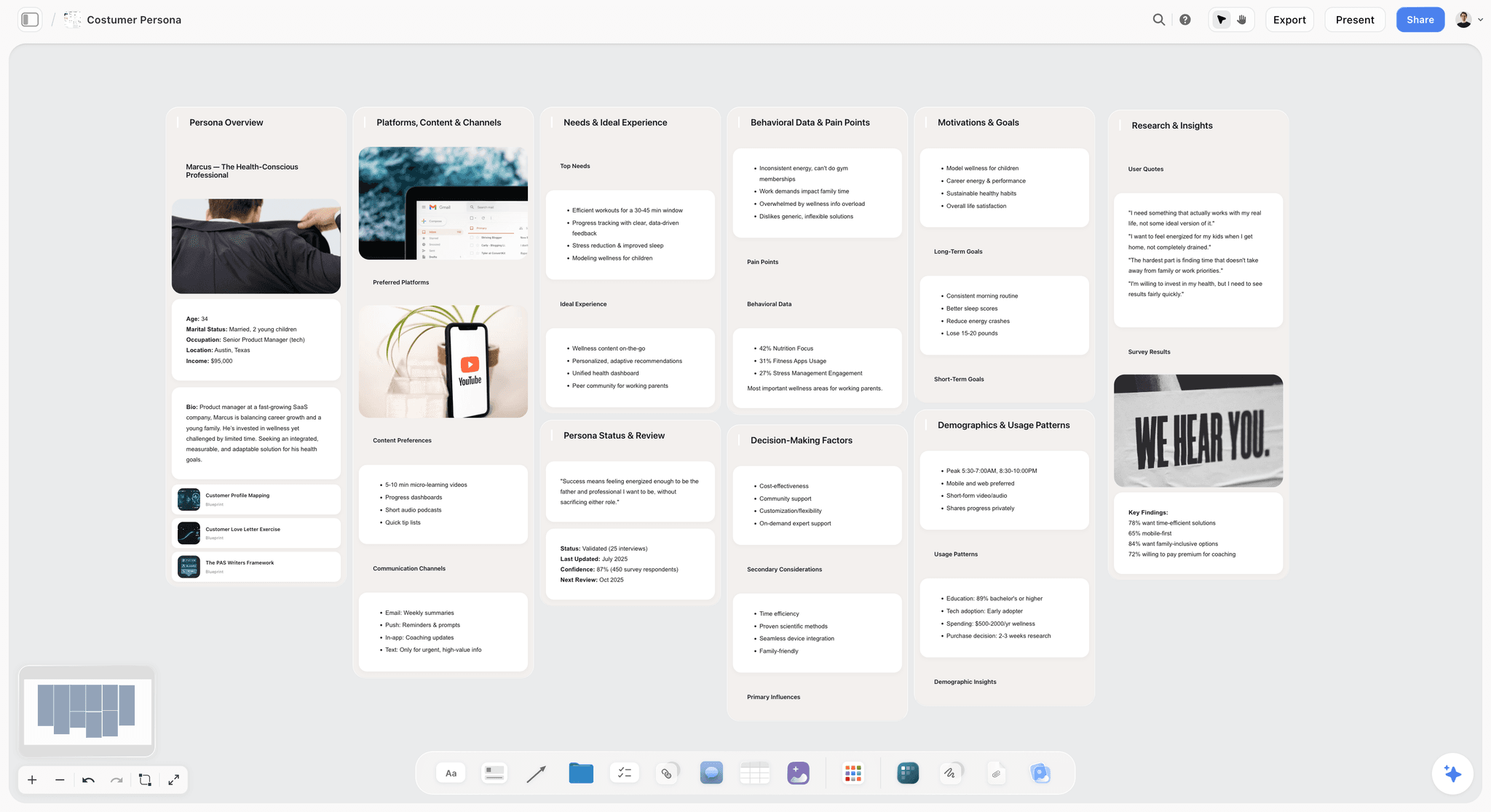
Storyflow canvas holding a freelance marketer's campaign strategy and frameworks, read by AI
Add the senior strategist you cannot afford to hire
Storyflow's AI reads your whole campaign board, and 200+ expert frameworks stand in for the strategist a solo marketer works without. Free to start.

The Freelance Marketer's Real Problem
A freelance marketer has the same job as a marketing department, minus the department. You write the strategy, then the copy, then design the asset, schedule the post, answer the client, and invoice. In an agency each of those is someone's whole role. Solo, they are all yours, on the same afternoon.
That changes what a good tool is. A freelance marketer is a full team compressed into one person. The right tools are the ones that give back the hours a team would have covered. A tool that is excellent at one narrow function but demands an hour of setup is a bad tool for a freelancer, because you do not have the hour and you do not do that one thing all day. The tools that win are the ones that either cover several functions competently or use AI to compress the work that used to need a second person.
The Missing Department
Here is the framework this article is built on. Picture the marketing department you do not have. There is a strategist who decides what the campaign should say, a copywriter who writes it, a designer who makes it look right, a producer who cuts the video, an SEO specialist who finds the keywords, an email manager who runs the list, a project manager who keeps clients on track, and an ops person who wires the whole thing together. In an agency, those are nine salaries. As a freelancer, those are nine of your own hours, stacked on one week.
Every tool in this ranking fills one of those empty seats. You are the whole department. Your tools are the only colleagues you can afford. The job is not to buy the most tools. It is to fill the seats that cost you the most hours, and to leave the seats you rarely sit in empty. A $140-a-month SEO platform is a full-time specialist you hired to work two days a month. That is the classic freelancer overspend, and the Missing Department is the frame that prevents it.
The AI angle matters most here, more than for any team. A team absorbs busywork across many people. A freelancer feels every hour of it. AI that drafts, organizes, and pressure-tests your work is the closest thing a solo marketer has to a colleague, which is why the ranking below weights AI leverage heavily. The strongest AI is not the one with the flashiest demo. It is the one that reads your actual client context instead of starting from a blank prompt.
How We Evaluated These Tools
We ranked on five criteria that reflect the solo reality, weighted in this order. No synthetic benchmarks. These are the questions that decide whether a tool earns a line item on a freelancer's card statement.
- Breadth. How many of the missing department's seats does it fill competently? A tool that covers three jobs at 80 percent beats a tool that covers one job at 100 percent when you are the only person doing all of them.
- AI leverage. How much real work does it take off your plate? Not "does it have AI," but does the AI read your context and do lifting a junior hire would have done. This is the criterion that separates a 2026 tool from a 2021 one.
- Speed to value. How fast does it pay off without heavy setup? A freelancer bills by the hour and cannot spend a day configuring a workflow. Tools that are useful in the first session score higher than tools that reward weeks of tuning.
- Client-readiness. Is the output something you can put in front of a client? A tool that produces internal-only artifacts is worth less than one whose output doubles as a deliverable or an alignment document.
- Price and value. What does it cost at real solo usage, and does the free tier actually work? Verified where public, hedged with a date where it changes often. A tool priced for a team of ten is a poor fit for a team of one, no matter how good it is.
No tool covers everything, and a freelancer should not try to buy one that claims to. The winning stack is four or five tools, each earning its place against these five questions.
Quick Picks by Job to Be Done
If you want the short list, organize by the job, not the brand.
Best for strategy and campaign planning: Storyflow. The AI reads the whole board and expert frameworks stand in for the senior strategist.
Best for drafting copy fast: ChatGPT. The most flexible blank-page killer once you feed it real context.
Best for design without a designer: Canva. Professional-looking assets in a template-driven thirty minutes.
Best for your own site and selling a productised offer: Framekit. The site, a pitch page per pursuit, and a store on one account, with a 0% transaction fee on the top tier.
Best for running the business: Notion. The cheap, flexible layer that holds clients, projects, and notes.
Best for scheduling social: Buffer. The fastest, cheapest way to queue posts across a few channels.
Best for video and audio: Descript. Edit by editing the transcript, no editor required.
Best for SEO and competitive data: Semrush. The specialist knowledge a solo marketer cannot fake, if the price is justified.
Best for buying back the most hours: Zapier. Automate the repetitive handoffs a team would otherwise absorb.
The 11 Best AI Tools for Freelance Marketers
1. Storyflow

Storyflow is a visual canvas where the strategy and planning work happens, with an AI that reads the whole board and 200+ expert frameworks built in. For a freelancer, this is the seat a department would call "the strategist": campaign plans, content plans, positioning, and briefs, worked out on a board where the AI can pressure-test them. The Story Blueprints library includes AIDA, StoryBrand, and a Marketing Campaign layout, so you start a client campaign from an expert structure instead of a blank page, which is exactly the senior thinking a solo marketer has to supply alone.
The practical win is client-readiness. A Storyflow board is something you can share with a client to align on strategy before you produce anything, which is where solo marketers most often get burned by rework. The AI reads your full active canvas board by default, and you can bring in more grounding by @-mentioning up to 1 Tactic and up to 3 Documents, so the plan is grounded in the actual client context, not a generic template.
Best for: Freelance marketers who sell strategy, campaigns, and content, and who need the senior-strategist seat filled without a senior salary.
Verdict: The strongest tool for the planning layer of a solo stack. It plans the work brilliantly; it does not execute it, so you pair it with a scheduler and an email tool.
Pricing
Free: launching before the end of 2026; invited collaborators of paid members join free today. Unlimited boards, unlimited cards, unlimited collaboration, basic AI, and 20 file uploads. The Free plan does not include the 200+ Story Blueprints library. Plus: $7.99/month annual or $9.99/month monthly (adds the 200+ Story Blueprints, more AI, and unlimited uploads). Pro: $14/month annual or $19/month monthly (adds AI image generation and 20x more AI than Plus). Pricing checked July 2026.
Strengths
- Canvas-aware AI that reads the whole board, so the strategy work moves instead of sitting in a doc.
- 200+ expert frameworks (AIDA, StoryBrand, a Marketing Campaign layout) that supply senior structure on a blank client project.
- Client-shareable boards for aligning on strategy before you produce, which cuts the rework that eats freelance margins.
- A genuinely usable free tier: unlimited boards and collaboration at $0.
Limitations
- It is not a publisher, an email tool, or an SEO tool. It plans the work; it does not schedule posts, send the newsletter, or track rankings.
- Cloud-only, with no offline mode.
- Newer than the incumbents, with a smaller template library on niche marketing genres.
To plan your next client campaign with an expert framework instead of a blank page, start a Storyflow board and pick a blueprint. The difference between a blank canvas and a structured one is usually obvious within the first session.
2. ChatGPT
ChatGPT is the general-purpose drafting and ideation tool most freelancers reach for first: first drafts, subject lines, ad variations, and quick research. Fed real context and a defined brand voice, it removes hours of blank-page time. It fills the copywriter seat for speed, though not for polish.
Best for: Any freelancer who needs a fast, flexible drafting partner across many written tasks.
Verdict: The default first draft engine. Generic unless you supply context every time, so it drafts fast but rarely ships without editing.
Pricing
Free tier available. The Plus plan is around $20/month (as of July 2026).
Strengths
- The fastest blank-page killer for almost any written marketing task.
- Flexible across ideation, summarization, and light analysis.
- A large ecosystem of custom GPTs for repeatable jobs like outlines and briefs.
Limitations
- It works in a chat window with no memory of your wider project, so output is generic unless you re-supply context each time.
- Quality depends entirely on your prompt and the brand voice you feed it.
- It drafts words but does not hold the strategy behind them.
3. Canva
Canva is the design department for marketers who are not designers: social graphics, presentations, and simple video from templates, with AI resizing and generation. For a freelancer, it turns "I need a designer" into a thirty-minute task and fills the designer seat for everyday assets.
Best for: Freelancers who need professional-looking design without design skills or a design hire.
Verdict: The fastest path to a decent designed asset. Not a replacement for a real designer on high-stakes brand work.
Pricing
Free tier. Canva Pro is around $15/month (as of July 2026).
Strengths
- Professional-looking design output with no design training required.
- Magic resize, brand kit, and AI image tools that compress a design workflow.
- An enormous template and stock library covering most social and print formats.
Limitations
- Template-based work can look template-based to a discerning client.
- It is not a substitute for a designer on brand-defining assets.
- The AI generation is convenient but generic compared to a specialist tool.
4. Framekit
Every tool above helps you do the client's marketing. Framekit is the one that does yours, and for a freelancer those are not the same job. It is an all-in-one creative toolkit for freelancers where an AI website builder, client galleries, timecoded video review, and a store for digital products share one account.
The freelance-specific case is sharper than the general one. Your own site is the thing that decides whether an enquiry becomes a call, and it is also the thing that never gets updated, because updating it means opening a builder you touch twice a year. A per-engagement pitch page is the highest-leverage sales asset a solo marketer has and almost nobody makes one, because a new page on most builders is a project. And the productised offer that turns a freelance practice into something with margin (a template pack, an audit framework, a playbook) needs a checkout that does not send the buyer to a different brand's domain to pay.
Where it fits into the layer model this article uses: it is not a drafting layer, not a scheduling layer, and not an analytics layer. It is the layer where the practice presents and sells itself, which most freelance tool lists skip entirely because it is not glamorous. It is also usually three subscriptions.
Best for: Freelancers who want their own site, per-client pitch pages, delivery, and a store for a productised offer on one account.
Verdict: The right pick for the client-facing surface of a freelance practice. It does no marketing work at all, which is why Storyflow ranks first and this ranks fourth.
Pricing
Free covers 10 pages, unlimited client galleries with 3GB of photo storage, video review with 2GB of video storage, and a 5% transaction fee on the store. Starter is $9/month, or $7 billed annually, adding a custom domain, custom fonts, and branding removal. Pro is $19/month, or $15 annually, with unlimited site storage and a 3% fee. Business is $39/month, or $31 annually, with unlimited pages and forms and a 0% fee. Flat per account rather than per seat.
Strengths
- Your site, a pitch page per pursuit, delivery, and a storefront on one bill instead of three or four.
- The store sits on the same domain as the page selling it, so a buyer never leaves your brand to check out.
- Forms and email capture are included, so an enquiry does not need a separate form tool.
- Timecoded video review with drawing on the frame, which matters the moment client work includes video.
Limitations
- It does none of the marketing. No strategy, no drafting, no scheduling, no analytics, no email sends.
- It is not a CRM: no proposals, no contracts, no invoicing beyond the store.
- A generalist loses to specialists on depth. Webflow gives more layout control; a dedicated email platform does far more than its capture forms.
- Storage is capped per tier, and video reaches those ceilings well before the page count does.
5. Notion
Notion is the operations backbone many freelancers run their whole business on: a client database, a project per engagement, notes, and a content hub, with Notion AI on top. It is the cheap, flexible layer that holds everything and fills the ops-manager seat.
Best for: Freelancers who want one flexible system to track clients, projects, and notes.
Verdict: The most flexible operations hub for a solo business. Weaker for visual, spatial creative planning, and you build every workflow yourself.
Pricing
Free for personal use. Paid plans start around $10 per member per month annually (as of July 2026).
Strengths
- Near-infinite flexibility for databases, docs, and wikis.
- Notion AI handles writing, summarizing, and Q&A on your own content.
- A huge community and template library to start from.
Limitations
- It is document-and-list shaped, not a spatial canvas for creative planning.
- You build every workflow yourself, which costs setup time you bill for elsewhere.
- A blank Notion workspace has more friction than a purpose-built tool.
6. Buffer
Buffer is the simplest social scheduler, which is what most freelancers actually need: queue posts across a few channels, with AI caption help and a clean calendar. It does the publishing that a planning tool does not, filling the social-manager seat.
Best for: Solo marketers who need straightforward scheduling across a handful of channels.
Verdict: The cleanest, cheapest scheduler for a small operation. Light on analytics, and per-channel pricing scales as clients multiply.
Pricing
Free for three channels. The Essentials plan is around $5 per channel per month (as of July 2026).
Strengths
- The fastest, cheapest way to schedule across channels.
- AI caption help and a clean content calendar.
- A genuinely usable free tier for three channels.
Limitations
- Per-channel pricing adds up quickly as you take on more clients.
- Analytics are basic compared to dedicated social platforms.
- It publishes but does not plan the strategy behind the posts.
7. Descript
Descript is the video and audio tool for freelancers who make or repurpose video content: edit by editing the transcript, add captions, and cut clips for social. It compresses video editing into something a non-editor can do, filling the producer seat.
Best for: Freelancers who produce or repurpose video and podcasts without a dedicated editor.
Verdict: The fastest route from raw footage to social-ready clips. Not a full professional suite for complex edits.
Pricing
Pricing runs from around $16/month for Hobbyist to $24/month for Creator, billed annually (as of July 2026).
Strengths
- Text-based editing that lets a non-editor cut video quickly.
- Automatic transcription, captions, and clip export for social.
- A real time-saver for turning long recordings into short clips.
Limitations
- A learning curve before the workflow clicks.
- Not a replacement for a professional NLE on complex edits.
- Advanced features sit behind the higher tiers.
8. Semrush
Semrush is the SEO and competitive-research layer for freelancers who offer search or content services: keyword research, rank tracking, and competitor analysis in one place. It is the specialist knowledge a solo marketer cannot fake, and it fills the SEO-specialist seat.
Best for: Freelancers whose offer genuinely includes SEO or content strategy.
Verdict: Deep, credible SEO data that justifies your recommendations. Expensive for a solo operator and overkill if SEO is not part of your offer.
Pricing
Pricing starts at around $139.95/month (as of July 2026), so verify the current tier against your needs.
Strengths
- Deep, credible SEO and competitor data.
- Keyword research, position tracking, and site audits in one platform.
- The kind of specialist data that justifies premium client recommendations.
Limitations
- Expensive for a solo operator who does not use it daily.
- Overkill if SEO is only an occasional part of your offer.
- A steeper learning curve than lighter keyword tools.
9. Mailchimp
Mailchimp is the email layer many freelancers use for client newsletters and automations: list management, templates, and AI-assisted content. Email is a channel a planning tool does not cover, and this fills the email-manager seat.
Best for: Freelancers running client newsletters and simple automations.
Verdict: A mature, familiar email platform clients often already use. Pricing scales with list size, and the interface has grown heavy.
Pricing
Free tier for small lists. Paid plans start around $13/month, tied to contact count (as of July 2026).
Strengths
- A mature, widely recognized email platform.
- Automations, templates, and AI content help built in.
- Clients often already have a Mailchimp account to hand off.
Limitations
- Pricing scales with list size and gets expensive at volume.
- The interface has grown heavy and dense over the years.
- Deliverability and advanced automation lag dedicated ESPs.
10. Trello
Trello is the lightweight project tracker for managing several clients at once without heavy setup: a board per client, cards moving through stages. For a freelancer, visible pipelines beat elaborate project management, and this fills the project-manager seat.
Best for: Freelancers juggling several clients who want simple, visible pipelines.
Verdict: Dead-simple client and task tracking you set up in minutes. Limited reporting, so it strains past a handful of clients.
Pricing
Free for up to 10 collaborators. The Standard plan is around $5 per user per month annually (as of July 2026).
Strengths
- Set up a client pipeline in minutes with no training.
- Butler automation handles simple repetitive card moves.
- A generous free tier that covers most solo needs.
Limitations
- Limited reporting once you scale past a few clients.
- Not built for complex dependencies or resource planning.
- A task board, not a place for strategy or creative planning.
11. Zapier
Zapier is the automation layer that gives a solo marketer back the most hours: connect your tools so a new lead, form, or post triggers the next step without you doing it by hand. It is the closest thing to hiring an assistant, and it fills the ops-automation seat.
Best for: Freelancers with enough repetitive handoffs between tools to be worth automating.
Verdict: The highest-leverage way to remove busywork a team would otherwise absorb. Complex automations take time to build and maintain.
Pricing
Free tier. Paid plans start around $19.99/month (as of July 2026).
Strengths
- Connects thousands of apps so routine steps happen automatically.
- AI-assisted setup that speeds up building workflows.
- Removes the repetitive handoffs that quietly eat a freelancer's week.
Limitations
- The free tier is limited in tasks and steps.
- Complex automations take real time to build and maintain.
- It only pays off once you have enough repetitive steps to automate.
The Solo Stack by the Numbers
Pulled straight from the comparison table above, a few honest counts that frame the buying decision.
- 9 of 10 tools have a free or limited-free tier. Only the deep SEO platform (Semrush) is effectively paid-only for real use. A freelancer can assemble a working starter stack for close to $0.
- 4 of 10 rate High on AI leverage (Storyflow, ChatGPT, Descript, plus Storyflow leading the strategy layer). These are the seats where AI most clearly replaces a hire.
- 3 of 10 are priced per channel or per user (Buffer, Trello, and Notion's per-member plan), which means their cost climbs as your client count climbs. Budget for that growth.
- The cheapest paid strategy tool in the list is Storyflow Plus at $7.99/month annual. The most expensive single line item is Semrush at around $139.95/month, roughly 17x more, which is why you only buy it when SEO is genuinely part of your offer.
- A lean five-tool stack (a planning canvas, a drafting assistant, a design tool, a scheduler, and a tracker) runs under $50/month using entry tiers. Adding a premium SEO or email platform can push the same stack past $200/month.
The pattern the numbers show: the seats you can fill cheaply are drafting, design, scheduling, and tracking. The seats that cost real money are deep SEO and high-volume email. Fill the cheap seats first, and only pay for the expensive ones when a client is paying you for that specific work.
Which Tools Fit Which Freelancer?
1. Strategy and Content Freelancer
Top picks: Storyflow + ChatGPT
Storyflow for the campaign strategy, positioning, and briefs on a board the AI can read and pressure-test, so you supply senior thinking without a senior salary. ChatGPT for drafting the copy fast once the strategy exists. This is the leanest high-leverage stack, because the two seats that eat a strategy freelancer's week are thinking and writing, and these fill both.
2. Social Media Manager
Top picks: Buffer + Canva
Buffer to schedule across each client's channels from one clean calendar. Canva to produce the graphics and short video the posts need. Add ChatGPT for captions and hooks. Watch Buffer's per-channel pricing as clients multiply; that is the cost that creeps up on a social freelancer.
3. SEO and Content Freelancer
Top picks: Semrush + Storyflow
Semrush for the keyword and competitor data that justifies your recommendations, which is the one seat you cannot fake. Storyflow to turn that research into a content plan and briefs the client can see. Only commit to Semrush's price if SEO is a core part of what you sell, not an occasional add-on.
4. Video and Podcast Marketer
Top picks: Descript + Storyflow
Descript to edit and repurpose video and audio without an editor. Storyflow to plan the content calendar and the narrative structure behind the episodes. Pair with Buffer to schedule the clips. The producer seat is the expensive one here, and Descript fills it for the price of a lunch.
5. Full-Service Solo Marketer
Top picks: Notion + Storyflow
Notion as the operations backbone that holds every client, project, and note in one place. Storyflow as the strategy and planning layer where the actual campaign thinking happens. Add a scheduler and an email tool for execution. This is the "I do everything" freelancer, and the risk is buying too many tools, so anchor on these two and add only what a paying client requires.
6. Productised or Retainer-Seeking Freelancer
Top picks: Storyflow + Framekit
The freelancer trying to stop trading hours for money has two problems no drafting tool solves: the pitch and the product. Storyflow holds the strategy and the pitch thinking. Framekit holds the surfaces that convert it: a site that answers "who is this person" before the call, a pitch page built per pursuit rather than a generic portfolio, and a store for the template pack or audit framework that turns expertise into something sellable more than once. This is the stack for the freelancer whose bottleneck is positioning rather than production.
7. Email and Lifecycle Freelancer
Top picks: Mailchimp + Zapier
Mailchimp for the newsletters and automations clients expect. Zapier to wire leads and signups into the right lists without manual work. Storyflow helps plan the lifecycle flows before you build them, but the two load-bearing seats for this freelancer are the ESP and the automation layer.
How to Build a Solo Marketing Stack
Buy for your offer, not for completeness. A freelancer who sells strategy and content needs a different stack from one who sells paid social.
Every freelance marketer needs three layers. A planning layer for strategy and campaigns, where Storyflow leads because its AI and frameworks stand in for the senior strategist you do not have. A production layer for the assets, where ChatGPT, Canva, and Descript cover copy, design, and video. And an execution layer for getting work out and tracking it, where Buffer, Mailchimp, and Trello handle publishing, email, and clients.
Add specialist tools only when your offer demands them. Semrush earns its high price only if SEO is part of what you sell, and Zapier pays off once you have enough repetitive steps to automate. Buying a $140 SEO tool you use twice a month is the classic freelancer overspend, and it is exactly the seat the Missing Department frame tells you to leave empty until a client is paying for it.
Match the AI investment to your biggest time sink. If strategy and planning eat your week, invest in the planning layer. If asset production is the grind, invest in the production tools. The point of AI for a freelancer is not to have every tool. It is to cover the roles you cannot afford to hire.
Honorable Mentions
A few tools that came close but did not make the main ten, with honest reasoning on why.
- Jasper: A capable AI copywriting platform with marketing templates. It did not make the list because ChatGPT covers the same drafting job more flexibly for most freelancers at a lower entry cost.
- HubSpot: A serious all-in-one marketing platform, but it is built for teams and growing businesses. For a solo operator, the free CRM is useful while the paid tiers are overkill.
- Later: A strong visual-first scheduler, especially for Instagram. It sits close to Buffer; Buffer edged it here on simplicity and price for a multi-channel freelancer.
- Grammarly: Excellent for polishing copy, but it is an assistant layer rather than a department seat, so it complements the stack instead of anchoring it.
- CapCut: Fast, free social video editing. It rivals Descript for short-form, but Descript's transcript-based workflow wins for repurposing long recordings.
- Google Analytics + Looker Studio: The free measurement layer every freelancer should run. It is not an "AI tool," so it sits outside this ranking, but it belongs in your stack.
These are not weak tools. Their audience or use case is simply narrower than the main list for a solo marketer.
Where a Bigger Tool Still Wins
A ranking that pretended a solo stack beats a real marketing team would not be worth reading. Here is the honest accounting of where a bigger, heavier tool is the right call, and where Storyflow specifically is the wrong choice.
When you need execution, not planning, Storyflow is not the tool. Storyflow plans campaigns and pressure-tests strategy, but it does not publish posts, send newsletters, or track rankings. If your bottleneck is getting work out the door rather than deciding what the work should be, spend on Buffer, Mailchimp, and a scheduler first, and add the planning canvas later.
When you need an all-in-one CRM and marketing automation platform, a solo stack loses to HubSpot. A freelancer stitching together five tools with Zapier is trading money for glue work. If a client is large enough to fund it, a single integrated platform removes the seams. The trade-off is cost and complexity that rarely make sense for a one-person operation.
When the work is heavy, high-stakes brand design, Canva loses to a real designer. AI design tools produce good everyday assets, but a brand identity, a pitch deck for a major client, or a campaign key visual is still a job for a designer with taste. Know the line between "good enough to ship" and "this represents the brand," and hire out above it.
When SEO is your core service, the free tiers lose to Semrush. You can fake a lot as a generalist, but you cannot fake credible keyword and competitor data. If search is what a client pays you for, the $140 platform is not overspend, it is the cost of the specialist seat you are being paid to fill.
The point is not that the solo stack is inferior. For most freelance marketing work, a focused set of AI tools genuinely covers the department. The point is to know which seats a bigger tool fills better, so you spend on them only when a client is funding that specific work.
The Bottom Line
A freelance marketer wins by covering the roles of a full team without the team, so the best tools are the ones that give back the most hours through breadth or AI leverage. You are the whole department. Your tools are the only colleagues you can afford. Build three layers: planning, production, and execution, and add specialists only when your offer requires them. Storyflow leads the planning layer because its AI and expert frameworks supply the senior strategy a solo marketer otherwise carries alone, and it hands off cleanly to production and execution tools, which is why the strongest solo stack is four or five focused tools rather than one that claims to do everything.
To plan your next client campaign with an expert framework instead of a blank page, start a Storyflow board and pick a blueprint.
FAQ: AI Tools for Freelance Marketers
What are the best AI tools for freelance marketers?
The strongest solo stack combines a planning tool like Storyflow for strategy and campaigns, drafting and design tools like ChatGPT and Canva, a video tool like Descript, and execution tools like Buffer and Mailchimp for social and email. The best specific tools depend on your offer, but the pattern is one tool per layer rather than one tool for everything.
How much do AI tools for freelance marketers cost?
A lean stack of free and entry tiers can run under $50 a month: a free planning canvas, a free or ~$20 drafting assistant, a ~$15 design tool, a ~$5-per-channel scheduler, and a free tracker. Adding a premium SEO platform (around $139.95/month) or a high-volume email tool can push the same stack past $200. Storyflow's own planning tier starts at $7.99/month annual (as of July 2026). Tie every paid tool to revenue it helps you earn.
What tools does a solo marketer actually need?
Three layers: planning (strategy and campaigns), production (copy, design, video), and execution (publishing, email, client tracking). A minimal stack is a planning canvas, a writing assistant, a design tool, a scheduler, and a simple project tracker. Add specialist tools like an SEO platform only when your services require them.
How can AI help a freelance marketer?
AI compresses the work that a team would otherwise split across people: drafting copy, generating design, editing video, and pressure-testing strategy. For a solo marketer who feels every hour of busywork, AI is the closest thing to a colleague. The highest-leverage AI is the kind that reads your actual project context rather than working from a blank prompt.
What is Framekit and why is it ranked fourth?
Framekit is an all-in-one creative toolkit for freelancers: an AI website builder, client galleries, timecoded video review, and a store for digital products on one flat per-account bill from $9/month ($7 annual), with a free tier. It ranks fourth because a freelance marketer's own client-facing surface (the site, the pitch page, the storefront for a productised offer) is normally three subscriptions and is the part of the stack most freelance tool lists ignore entirely. It does none of the marketing work itself, which is why the strategy, drafting, and design tools rank above it.
Is Storyflow good for freelance marketers?
Storyflow is strong for the strategy and planning layer, because its AI and 200+ expert frameworks supply the senior thinking a solo marketer would otherwise carry alone, and its boards are client-shareable for alignment. It is not a publisher, email, or SEO tool, so freelancers pair it with a scheduler, an email platform, and an SEO tool for execution.
What is the best AI tool for marketing strategy as a freelancer?
For strategy specifically, a planning canvas with built-in frameworks like Storyflow is strong, because it turns a blank page into an expert structure and lets AI pressure-test the plan. General assistants like ChatGPT help with drafting the strategy narrative, but they lack the persistent, visual project context that strategy work benefits from.
How do freelance marketers manage multiple clients?
With a simple project tracker like Trello or a database in Notion, a board or record per client showing stage, deadline, and deliverables. Keep each client's planning in a consistent structure so you can switch context quickly. The goal is visibility across all clients at once, so nothing slips while you are heads-down on one.
Do freelance marketers need an SEO tool like Semrush?
Only if SEO or content marketing is part of your offer. Semrush provides credible keyword and competitor data that justifies your recommendations, but it is expensive for a solo operator. If SEO is occasional for you, a cheaper tool or the free tiers of several tools may cover it. Do not buy a premium SEO platform you use twice a month.
What AI writing tool is best for freelance marketers?
ChatGPT is the common default for flexible drafting, though the output is generic unless you feed it real context and a defined brand voice. For strategy-driven writing, a planning tool that holds your campaign context and applies frameworks produces more grounded drafts. Most freelancers use a general assistant for speed and a planning tool for the thinking behind the words.
How do I automate freelance marketing tasks?
Use an automation tool like Zapier to connect your apps so routine steps happen without you: a new lead adds a card, a published post logs to a tracker, a form fills a client record. Automate the repetitive handoffs first, since those are the hours a team would have absorbed. Complex automations take setup time, so start with the highest-frequency tasks.
Can one tool replace a whole marketing stack for a freelancer?
No tool covers strategy, copy, design, video, social, email, and SEO well. Tools that claim to are usually shallow across the board. The realistic answer is a focused stack of four or five tools, each strong at its layer, with AI compressing the work within each. Chasing an all-in-one tool usually means accepting weak coverage everywhere, and spending more to get less.
Table of Contents
- All 11 Tools, Ranked
- Comparison Table: 11 AI Tools Compared
- The Freelance Marketer's Real Problem
- How We Evaluated These Tools
- Quick Picks by Job to Be Done
- The 11 Best AI Tools for Freelance Marketers
- The Solo Stack by the Numbers
- Which Tools Fit Which Freelancer?
- How to Build a Solo Marketing Stack
- Honorable Mentions
- Where a Bigger Tool Still Wins
- The Bottom Line
- FAQ: AI Tools for Freelance Marketers
- Related Reading
Templates to check out for this topic


Marketing and campaign templates you can use in Storyflow
Plan the whole campaign on one board: brief, audience, channels, and assets connected, with an AI that reads all of it. Open a template and start from real structure.


See Storyflow in Action
A visual AI workspace where every feature lives inside one canvas. No tab-switching, no context lost.
Build your entire board from a single message
Type what you need in the AI chat at the bottom of your canvas. The AI adds cards, headings, and structure directly onto your board.
Use expert frameworks as AI context
Type @ in the AI chat and choose any Tactic. The AI tailors every response to that framework instead of giving generic advice.
Turn your board into a mind map in seconds
Ask the AI to restructure your canvas as a mindmap. It connects your ideas into a visual hierarchy so you can see how everything relates.
Why Storyflow Exists
Storyflow actually began as a personal tool while working on creative and research projects.
We kept running into the same problem: ideas were scattered everywhere: notes, documents, and whiteboards.
Nothing helped us see how everything connected.
So we started building a workspace designed around how ideas actually grow.
→ Read how Storyflow was createdSara de Klein
Head of Product at Storyflow
Published: 2026-07-16
Extremely simple, seriously capable


See how easy it is to get started
Watch a real project come together, from a blank board to a finished plan, clicked through step by step.
Start creating with AI and become more productive
Transform your creative workflow with AI-powered tools. Generate ideas, create content, and boost your productivity in minutes instead of hours.