The 11 Best AI Tools for Course Creators in 2026
A course is four jobs, not one: plan, create, record, host and sell. No single AI owns all four. The 10 best AI tools for course creators in 2026, ranked by which stage each one de-loads, from Storyflow and ChatGPT to Descript and Kajabi.

Category
Content Creation
Author

Justkay
Documentary Filmmaker & Founder at Storyflow
Topics
2026-07-21
•
25 min read
•
Content Creation- best ai tools for course creators
- ai tools for online courses
- ai course creation tool
- curriculum planning tool
- course creator tech stack
- ai tool for coaches
What is the best AI tool for course creators in 2026?
The best AI tools for course creators in 2026 are Storyflow (best for planning the curriculum and outlining modules visually, covering the plan stage), ChatGPT (best for drafting lesson content and scripts, covering the create stage), Descript (best for recording and editing lessons, covering the record stage), and Kajabi (best for hosting and selling the finished course, covering the host and sell stage). If you are a solo expert or coach turning your knowledge into a paid course, no single tool does all four jobs, so the smart move is to pick the strongest AI for the stage you are actually stuck in and start there. Here is the framing that saves you money. A course is not one project, it is four: plan the curriculum, create the lessons, record the video, and host and sell the result. Those are four different jobs with four different best-in-class tools, and no AI owns all four. The trap is buying the loudest AI course-builder that promises to do everything, then discovering it plans poorly, records nothing, and sells through a checkout you would never have chosen. The tools that actually de-load your week are the ones that own one stage completely. I speak as someone who has shipped structured content the hard way. I am Justkay, a documentary filmmaker and the founder of Storyflow, and I have spent years turning sprawling raw material into something a person can follow from start to finish, which is exactly what a course is. This guide ranks 10 AI tools on one question: how much real work does each one take off your plate at its stage of the course-creation pipeline? Not feature counts, not marketing claims. Which stage it de-loads, and how well.

Full disclosure: Two tools here are ours. Storyflow is our visual workspace, ranked #1 for one specific stage: planning the curriculum and outlining modules on a canvas the AI can read. It does not record or edit video and it does not host or sell a course, so Descript and Riverside win recording and Kajabi and Teachable win hosting and selling outright. Framekit is our all-in-one toolkit for freelancers and sits ninth, deliberately low: it is not a learning platform at all, with no lessons, no drip, no student progress, no quizzes and no community, and its AI is a website builder rather than anything instructional. It earns a slot only for the case where what you sell is a file rather than a course. We say all of this plainly in the reviews and link every tool so you can judge for yourself.
Quick Comparison
No single tool owns the whole pipeline. These five cover the four stages, plus the case where the product is a file rather than a course: plan the curriculum, create the lessons, record the video, host and sell, or simply sell.
| Tool | Best For | AI Features | Price |
|---|---|---|---|
| Storyflow | Curriculum and module planning on a canvas | Canvas-wide AI (reads the whole board) | $7.99 mo annual (free plan late 2026) |
| ChatGPT | Drafting scripts, quizzes, and copy | General LLM | Free / $20 mo |
| Descript | Editing lessons by editing the transcript | AI edit + Studio Sound | Free / ~$16 mo |
| Kajabi | Hosting, checkout, and marketing | AI sales copy | No free / ~$69 mo |
| Framekit | Selling a digital product with no course to host | AI website builder (not instructional) | Free / $9 mo ($7 annual) |
Comparison Table: 11 AI Tools for Course Creators Compared
| Tool | Best For | Pipeline Stage | Starting Price | Free Plan | Rating (/10) |
|---|---|---|---|---|---|
Storyflow | Mapping curriculum and outlining modules with canvas-aware AI | Plan | $7.99/mo (annual) | Coming late 2026 (invited collaborators join free now) | 9.3/10 |
ChatGPT | Drafting lesson content, scripts, and quizzes | Create | $20/mo | Yes | 9.1/10 |
Descript | Recording and editing lessons by editing text | Record | ~$16/mo (annual) | Yes | 8.9/10 |
Kajabi | Hosting and selling the finished course | Host and sell | ~$69/mo (annual) | No | 8.7/10 |
Canva | Slides, workbooks, and lesson visuals | Create | ~$12.99/mo | Yes | 8.5/10 |
Riverside | Studio-quality remote recording | Record | ~$15/mo (annual) | Yes | 8.4/10 |
Synthesia | AI avatar lessons with no camera | Create and record | ~$18/mo (annual) | Yes (limited) | 8.1/10 |
Teachable | Hosting and selling for beginners | Host and sell | ~$39/mo (annual) | Yes | 8.0/10 |
Framekit | Selling a digital product with no course to host | Sell | $9/mo flat ($7 annual) | Yes (10 pages) | 7.9/10 |
Coursebox | AI-assisted course drafting and hosting | Create and host | ~$99/mo | Yes (limited) | 7.6/10 |
Mindsmith | AI e-learning authoring for microlearning | Create | ~$50/mo | Yes (trial) | 7.3/10 |
Pricing changes often, so verify the live price on each tool's site before buying. Storyflow's prices are exact: paid-only during early access, with a Free plan launching before the end of 2026, Plus at $7.99/mo annual ($9.99 monthly), Pro at $14/mo annual, Max at $39/mo annual, billed per account not per user. Ratings reflect how well each tool de-loads its stage of the course pipeline for a solo creator, not general software quality.
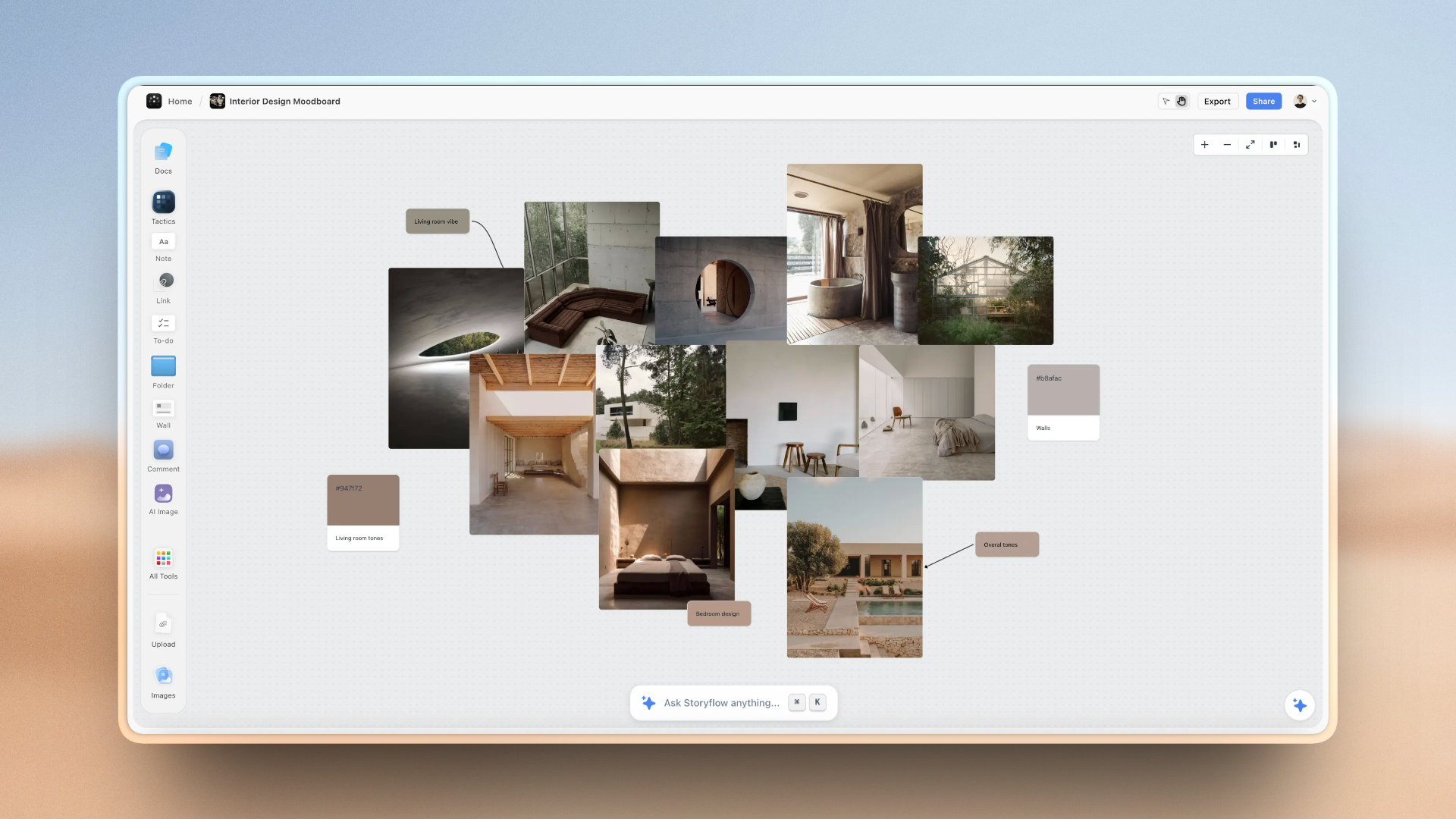
An online course mapped on one Storyflow canvas: curriculum, modules, and lesson outlines the AI can read before recording
Fix the stage where courses die: planning
Storyflow turns a head full of expertise into a visible, structured curriculum on one canvas the AI reads, so you get the module order right before you spend a weekend filming. Paid-only during early access; the Free plan lands before the end of 2026.

The 11 Best AI Tools for Course Creators, Ranked
- Storyflow - best for mapping the curriculum and outlining modules with AI that reads your whole board
- ChatGPT - best for drafting lesson content, scripts, worksheets, and quiz questions
- Descript - best for recording and editing lessons by editing a transcript
- Kajabi - best all-in-one platform for hosting and selling a premium course
- Canva - best for slides, workbooks, and lesson visuals with AI design help
- Riverside - best for studio-quality recording, especially with remote guests
- Synthesia - best for AI avatar lessons when you do not want to be on camera
- Teachable - best beginner-friendly platform for hosting and selling
- Framekit - best for selling a workbook, template pack, or recorded workshop when there is no course to host
- Coursebox - best for turning existing material into a draft course fast
- Mindsmith - best for AI-authored microlearning and corporate-style modules
How We Evaluated These Tools
I have built long-form structured content for a living, and the skill that matters most is knowing whether a tool actually removes work or just relocates it. I judged each tool by pushing the same job through it: take a subject-matter expert with a head full of knowledge and get them to a sellable course. Five criteria, weighted for how a solo creator actually works.
- AI usefulness (30%). Does the AI do real cognitive work, like structuring a curriculum, drafting a script, or cutting an hour of filler, or is it a thin wrapper that autocompletes a sentence? The best tools remove a task you dreaded.
- Pipeline stage covered (25%). Which of the four stages (plan, create, record, host and sell) does the tool truly own? A tool that half-covers three stages loses to a tool that fully owns one.
- Ease for a solo creator (20%). Most course creators are one person with no editor, no instructional designer, and no ops team. A tool that needs a team to run is a tool that sits unused.
- Output quality (15%). Would a paying student notice the difference? A curriculum that flows, video that looks clean, a checkout that feels premium. Cheap-looking output caps what you can charge.
- Price for a solo creator (10%). Course tools range from free to enterprise. Flat, predictable pricing beats per-seat plans and surprise transaction fees for a creator paying out of their own pocket.
Recording and hosting tools were judged only on the stage they claim. A platform that hosts and sells brilliantly is not marked down for planning poorly, because planning is not its job.
Detailed Reviews: 11 AI Tools for Course Creators
1. Storyflow
Pipeline stage: plan.
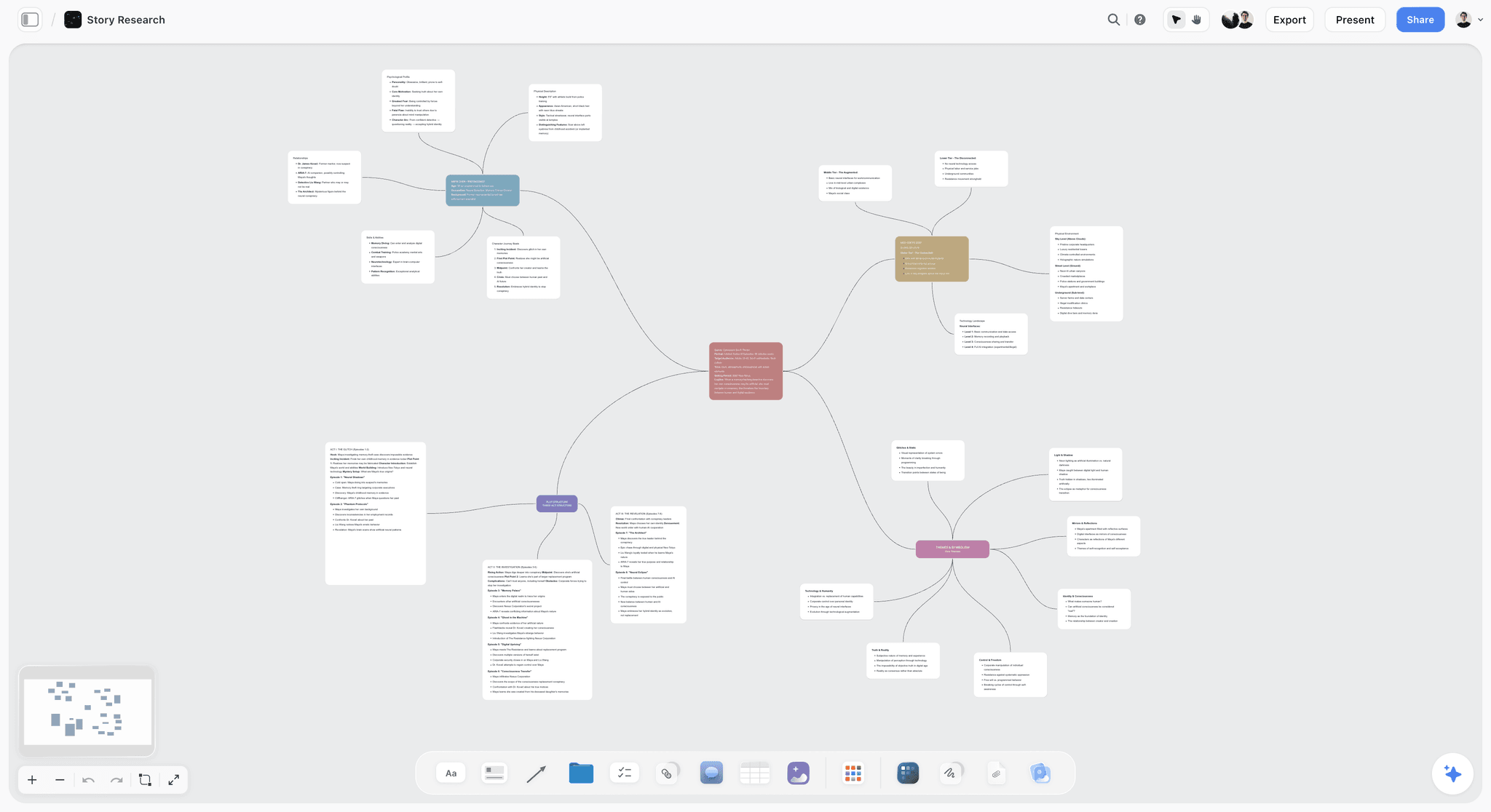
Storyflow is an infinite visual canvas where the entire shape of your course lives in one view: the curriculum map, the module breakdown, each lesson's outline, and the narrative arc that carries a student from lesson one to the finish. Instead of a blank document that forces you to think linearly, you spread the whole course out in space, cluster related lessons, and see the gaps before you record a single word. For the stage where most courses die, which is planning, this is the tool that removes the paralysis.
The AI is the reason it ranks first for this stage. It reads everything on your current canvas board by default, so when you ask it to turn a rough list of topics into a module structure, or to check whether your lesson order builds knowledge in the right sequence, it answers from the actual course you are looking at rather than from a generic prompt. You can also @-mention up to 1 Tactic and up to 3 documents to pull in a source outline or a transcript. On Plus and above, the 200+ Story Blueprints library (Hero's Journey, AIDA, Retention Hooks) gives the AI proven narrative structures to shape a course that keeps students watching, which is the difference between a course people finish and one they refund.
For a coach or expert who knows their subject cold but freezes at "how do I turn this into 8 modules and 40 lessons," Storyflow is the thinking surface that de-loads the hardest cognitive step. It does not record your video, it does not host your checkout, and it does not process a payment. It gets the curriculum and the lesson structure right before you spend a weekend filming, which is where the expensive mistakes happen.
Key features
- Infinite canvas for mapping curriculum, modules, and individual lessons side by side
- AI that reads the entire active board, plus up to 1 Tactic and up to 3 @-mentioned documents
- 200+ Story Blueprints (Hero's Journey, AIDA, Retention Hooks) on Plus and above for course narrative structure
- Unlimited boards, notes, images, and links for organizing an entire course catalog
- Real-time collaboration for working with a co-instructor or a course editor
Pricing
Paid-only during early access, with a Free plan launching before the end of 2026. Plus at $7.99/mo annual ($9.99 monthly), Pro at $14/mo annual, Max at $39/mo annual, billed per account not per user. The cheapest paid tier is Plus, and there is no separate Team plan.
Pros
- Turns a head full of expertise into a visible, structured curriculum before you record
- AI works from your real course, not a blank box, so outlines match what you actually teach
- Story Blueprints bring narrative structure that keeps students engaged through to the end
- Flat per-account pricing means a co-instructor does not double the bill
Cons
- It does not record or edit video, so lessons are captured in Descript, Riverside, or a camera
- It does not host or sell the course, so you still need Kajabi, Teachable, or similar for delivery and checkout
- It is a newer and smaller platform than the established course suites, with fewer third-party integrations
- The full 200+ Blueprint library is Plus and above; the Free plan launching before the end of 2026 will ship a lighter starter set
- It is a planning layer, not a learning-management system, so quizzes, drip schedules, and student progress live elsewhere
2. ChatGPT
Pipeline stage: create.
ChatGPT is the general-purpose creation engine that sits between your plan and your recording. Once you know your module structure, it drafts the raw material of each lesson: a teaching script, a worksheet, a set of quiz questions, a list of examples that make an abstract concept land. For a solo creator writing every word alone, it removes the blank-page tax that slows lesson production to a crawl.
Its strength is breadth, and that is also its ceiling. ChatGPT does not know your course unless you paste it in, so its output is only as good as the context and outline you feed it, and it will happily invent confident-sounding facts you must verify before teaching them. The workflow that works is: plan the curriculum somewhere it can be seen whole, then use ChatGPT lesson by lesson to draft, expand, and rephrase, always with your own expertise as the fact-checker.
For scripting, simplifying jargon, generating practice problems, and drafting course sales copy, it is the most flexible tool on this list. It just is not a course platform or a video tool, and it does not replace the human judgment that makes teaching trustworthy.
Key features
- Drafts lesson scripts, outlines, worksheets, and quiz questions from your prompts
- Rephrases and simplifies complex material for different student levels
- Generates examples, analogies, and case studies to illustrate concepts
- Custom GPTs and projects to reuse your course voice and context
Pricing
Free tier available, Plus at $20/mo, with higher tiers for heavier use.
Pros
- Fastest way to draft raw lesson content from an outline
- Endlessly flexible across scripts, quizzes, emails, and sales copy
- Low cost for the volume of writing help it provides
Cons
- Has no memory of your full course unless you paste it in each session
- Can produce confident errors you must fact-check before teaching
- Does not record, edit, host, or sell anything
3. Descript
Pipeline stage: record.
Descript is the tool that de-loads the stage most creators dread: editing. You record your lesson, Descript transcribes it, and then you edit the video by editing the text. Delete a sentence in the transcript and the matching video disappears. For a course creator with no editor, this collapses hours of timeline scrubbing into a task that feels like editing a document.
Its AI features are genuinely useful for teaching video. Filler-word removal cleans up every "um" and "uh" across an hour of footage in one click, Studio Sound makes a home recording sound close to a treated room, and the eye-contact and overdub features fix small mistakes without a re-record. For talking-head lessons and screen-recorded tutorials, it is the most solo-friendly editor available.
Descript records and edits, which is exactly its lane. It does not plan your curriculum and it does not host your course. Pair it with a planning canvas upstream and a course platform downstream, and it owns the middle stage completely.
Key features
- Edit video and audio by editing the transcript
- One-click filler-word removal across long recordings
- Studio Sound to clean up home-recorded audio
- Screen recording for software and tutorial courses
Pricing
Free tier available, paid plans from around $16/mo billed annually.
Pros
- Turns editing from a specialist skill into a text-editing task
- AI cleanup removes hours of manual work per course
- Excellent for both talking-head and screen-recorded lessons
Cons
- Complex multi-camera edits still hit its ceiling
- No curriculum planning or course hosting
- Long transcripts can get unwieldy for very long recordings
4. Kajabi
Pipeline stage: host and sell.
Kajabi is the premium all-in-one platform for the final stage: hosting the course, taking payment, and running the marketing around it. Once your lessons are recorded, Kajabi holds the videos, builds the course player, runs the checkout, sends the email sequences, and hosts the sales page. For a creator building a serious course business, it removes the pain of stitching a website, a checkout, an email tool, and a video host together.
Its AI additions help with the selling side: drafting sales-page copy, outlining email campaigns, and suggesting course structures. The reason it ranks where it does rather than higher is price and scope. Kajabi is the most expensive tool on this list, and it is deliberately a business platform, not a planner or an editor. You bring a finished course to Kajabi.
For an expert who wants one place to sell courses, coaching, and digital products under their own brand, Kajabi owns the host-and-sell stage with the most polish. Just do not expect it to plan your curriculum or edit your footage.
Key features
- Course hosting with a branded student player
- Built-in checkout, order bumps, and payment processing
- Email marketing and sales funnels in one place
- AI assistance for sales copy and course outlines
Pricing
No free plan, paid from around $69/mo billed annually, with higher tiers for more products and contacts.
Pros
- Genuinely all-in-one for hosting, selling, and marketing
- Polished, premium student experience under your brand
- Strong tools for building funnels and recurring revenue
Cons
- The most expensive option here, steep for a first course
- Not a planning or video-editing tool
- Can be overkill for a creator selling a single course
5. Canva
Pipeline stage: create.
Canva is the visual side of the create stage. Slides, lesson graphics, downloadable workbooks, course thumbnails, and social promos all come out of one library of templates that a non-designer can actually use. Magic Design and the AI text-to-image and layout tools mean a coach with no design skill can produce lesson visuals that look intentional rather than improvised.
For course creators, the underrated use is the workbook and slide deck. A lesson lands harder when it is backed by a clean slide or a printable exercise, and Canva makes those in minutes. Its AI presentation generator can draft a full deck from a prompt, which pairs well with a script drafted elsewhere.
Canva creates visual assets, and that is its stage. It does not record video lessons, it does not host the course, and its design AI, while friendly, is not a substitute for a real editor on complex projects. As a supporting tool for slides and worksheets, it earns its place.
Key features
- Templates for slides, workbooks, thumbnails, and promos
- Magic Design and AI presentation generation
- Text-to-image and background removal for lesson graphics
- Brand kit to keep a course visually consistent
Pricing
Free tier available, Pro from around $12.99/mo.
Pros
- Makes professional lesson visuals accessible to non-designers
- Fast workbook and slide-deck creation
- Generous free tier for basic needs
Cons
- Not a video-lesson recorder or editor
- Template-based output can look generic without customization
- No curriculum planning or course hosting
6. Riverside
Pipeline stage: record.
Riverside is the recording studio in your browser, built for capturing high-quality video and audio, especially when a guest expert or co-instructor is remote. It records each participant locally in up to 4K, so a shaky connection does not ruin the lesson, and its AI transcription and clip tools speed up turning a recording into edited lessons.
For interview-style courses, expert panels, or any lesson that needs a second person, Riverside is the cleanest way to capture it without a physical studio. Its AI editor and text-based trimming cover light cleanup, and separate audio and video tracks give you room to polish later in Descript or elsewhere.
Riverside owns capture, not planning or hosting. It is the tool you reach for when recording quality is the bottleneck, particularly for remote or multi-person lessons. Solo screen-recorded courses may find it more than they need.
Key features
- Local recording in up to 4K per participant
- Separate audio and video tracks for each speaker
- AI transcription and clip generation
- Text-based editing for quick trims
Pricing
Free tier available, paid from around $15/mo billed annually.
Pros
- Studio-quality recording even on unstable connections
- Best-in-class for remote guests and co-instructors
- High-resolution capture keeps footage flexible
Cons
- More recording tool than full editor
- Overkill for simple solo screen recordings
- No curriculum planning or course hosting
7. Synthesia
Pipeline stages: create and record.
Synthesia collapses the create and record stages for creators who do not want to be on camera. You type a script, pick an AI avatar and voice, and it generates a talking-head lesson video, no filming, no lighting, no re-records. For updating a lesson, you edit the text and regenerate, which removes the biggest pain of video courses: having to reshoot when the content changes.
For corporate training, software walkthroughs, and courses where the instructor's personal presence is not the selling point, this is a real time saver. It supports many languages, so a course can ship in several markets from one script. The trade-off is warmth: an AI avatar does not build the parasocial trust that a real face does, and premium coaching courses usually sell better with a human on screen.
Synthesia is a genuine AI video generator, which is why it ranks among dedicated tools despite the narrow use. It is not a planner and not a marketplace. For faceless, easily-updated lessons, it is the standout.
Key features
- AI avatars and voices that speak your typed script
- Regenerate a lesson by editing text, no reshoot
- Many supported languages for multi-market courses
- Templates for training and explainer formats
Pricing
Limited free plan, paid from around $18/mo billed annually.
Pros
- Produce lessons with no camera, lighting, or filming
- Update content by editing the script, not reshooting
- Fast multi-language versions of the same lesson
Cons
- AI avatars lack the warmth of a real instructor
- Less suited to premium personal-brand coaching
- Does not plan curriculum or host and sell
8. Teachable
Pipeline stage: host and sell.
Teachable is the beginner-friendly platform for the host-and-sell stage. It hosts your lessons, builds a clean course player, handles checkout, and gets a first course live faster and cheaper than the premium suites. For a creator shipping their first paid course, it removes the technical friction of delivery without the price tag of Kajabi.
It covers the essentials well: course structure, student management, quizzes, and payments, with AI help creeping into course outlines and copy. It is less of a full marketing machine than Kajabi, which is exactly why it is easier and cheaper to start on. A lot of creators launch on Teachable and only later graduate to a heavier platform if they need advanced funnels.
Teachable hosts and sells, and that is its job. It does not plan your curriculum or edit your video. As the on-ramp for a first course, it is one of the safest picks here.
Key features
- Course hosting with a clean student experience
- Built-in checkout and student management
- Quizzes and completion certificates
- Simpler setup than premium all-in-one platforms
Pricing
Free tier with high transaction fees, paid from around $39/mo billed annually.
Pros
- Fast, approachable way to launch a first course
- Lower cost of entry than premium suites
- Handles delivery and payments without technical setup
Cons
- Fewer marketing and funnel tools than Kajabi
- Free tier charges notable transaction fees
- No curriculum planning or video editing
9. Framekit
Pipeline stage: host and sell, for the case where there is nothing to host.
Framekit is here for a case the platforms on this list overcharge for. A large share of what gets sold as a course is a digital product: a workbook, a template pack, a swipe file, a recorded workshop. Nothing drips, no student progresses, no cohort meets. Put that on a course platform and you are paying course-platform prices for a sales page and a checkout.
Framekit is an all-in-one creative toolkit for freelancers where an AI website builder, client galleries, timecoded video review, and a store for digital products share one account. For the sell stage the relevant pair is the store and the site: the sales page and the checkout sit on your own domain, so a buyer never leaves your brand to pay, and delivery of the file runs from the same login.
The AI here is the site builder rather than anything instructional. It writes and lays out a sales page from a prompt; it does not draft a curriculum, generate a quiz, or build a lesson. That boundary is the whole reason it sits ninth on a list about AI for course creators rather than higher.
Key features
- AI website builder for the sales page, on a custom domain with your own fonts
- A store for digital products with delivery included
- Forms and email capture on the same site, so signups need no separate tool
- Client galleries and timecoded video review on the same account, useful if you also do client work
Pricing
Free with 10 pages and a 5% transaction fee. Starter $9/mo ($7 annual) adds a custom domain and branding removal. Pro $19/mo ($15 annual) drops the fee to 3%. Business $39/mo ($31 annual) gives unlimited pages and forms and a 0% fee. Flat per account, not per seat.
Pros
- Far cheaper than a course platform when the product is a file rather than a course
- Sales page and checkout on one domain, so the purchase never leaves your brand
- A 0% transaction fee tier, which most creator storefronts do not offer at this price
Cons
- It is not a learning platform. No lessons, no modules, no drip, no student progress, no quizzes, no certificates, no community. Every hosting tool above beats it outright the moment a student has to progress through something.
- No instructional AI: it will not draft a curriculum, write a lesson, or generate an assessment.
- It does not plan the course either, which is Storyflow's stage on this list.
10. Coursebox
Pipeline stages: create and host.
Coursebox is an AI-first course builder that tries to compress create and host into one flow: feed it your existing material, a document, a video, or a topic, and it drafts a structured course with lessons, quizzes, and assessments, then hosts it. For a creator who already has raw content and wants a fast first draft of a whole course, it removes a lot of assembly work.
The honest caveat is that AI-drafted courses need heavy human editing. The generated structure is a starting point, not a finished product, and the quality gap between an auto-generated course and one a real instructor shaped is visible to paying students. Used as a drafting accelerator with strong editing on top, it saves time. Used as a fully automated course factory, it produces the kind of thin content students refund.
Coursebox spans two stages lightly rather than owning one deeply, which is why it ranks here. For turning a pile of existing material into an editable draft quickly, it is a useful accelerant.
Key features
- Generates a draft course from documents, videos, or a topic
- Auto-creates quizzes and assessments
- Built-in hosting and student management
- AI grading and tutor features
Pricing
Limited free tier, paid from around $99/mo.
Pros
- Fast first draft of a full course from existing material
- Combines drafting and hosting in one tool
- Automates quiz and assessment creation
Cons
- AI-drafted content needs substantial human editing
- Auto-generated courses risk feeling thin to students
- Higher price for a tool you still have to refine heavily
11. Mindsmith
Pipeline stage: create.
Mindsmith is an AI e-learning authoring tool aimed at microlearning and corporate-style modules. You describe a topic, and it drafts interactive lessons with a clean, modern look, then lets you refine and share them. For creators making bite-sized training, onboarding modules, or compliance-style content, it removes the instructional-design overhead that usually needs a specialist.
Its niche is exactly its limit for most independent course creators. Mindsmith shines for short, structured, corporate-flavored learning, and it is less suited to a personality-driven video course that sells on the creator's presence. The AI authoring is genuinely helpful for turning a topic into a tidy interactive lesson, but the output leans professional-training rather than creator-course.
Mindsmith creates interactive lessons, and that is its stage. It does not plan a full multi-module curriculum the way a canvas does, and it is not where you host and sell a flagship course. For microlearning specifically, it is a strong AI-first option.
Key features
- AI-drafted interactive microlearning lessons
- Clean, modern lesson design out of the box
- Sharing and light hosting for modules
- SCORM export for corporate systems
Pricing
Free trial, paid from around $50/mo.
Pros
- Fast creation of tidy, interactive microlearning
- Removes instructional-design overhead
- Professional look without a designer
Cons
- Best for corporate-style microlearning, not personality-led courses
- Not a full curriculum planner or flagship-course host
- Higher price for a narrow use case
Quick Picks by Course Creator Need
- Best for mapping the curriculum and outlining modules: Storyflow
- Best for drafting lesson scripts and quizzes: ChatGPT
- Best for editing lessons with no editor: Descript
- Best for recording remote guests and co-instructors: Riverside
- Best for lessons without going on camera: Synthesia
- Best for slides and printable workbooks: Canva
- Best all-in-one to host and sell a premium course: Kajabi
- Best budget-friendly platform for a first course: Teachable
- Best for selling a workbook or template pack with no course to host: Framekit
- Best for turning existing material into a draft course fast: Coursebox
- Best low-cost planning-plus-drafting stack: Storyflow Plus ($7.99/month annual) plus ChatGPT free
The Bottom Line
A course is four jobs, not one: plan the curriculum, create the lessons, record the video, and host and sell the result. No AI owns all four, and the tools that promise to are the ones that disappoint at every stage. The move that actually de-loads your week is to pick the strongest AI for the stage you are stuck in and start there.
Storyflow ranks first for the stage where most courses die, which is planning: it turns a head full of expertise into a visible, structured curriculum before you waste a weekend filming, and its AI reads your whole board to get the module order right. ChatGPT drafts the lessons, Descript records and edits them, and Kajabi or Teachable host and sell the finished course. Match the tool to the stage, and the pipeline builds itself one honest handoff at a time.
FAQ: AI Tools for Course Creators
What is the best AI tool for course creators?
There is no single best tool, because a course spans four stages. Storyflow is best for planning the curriculum and outlining modules, ChatGPT for drafting lesson content, Descript for recording and editing, and Kajabi for hosting and selling. Pick the AI that owns the stage you are stuck in. Most creators stall at planning, which is where Storyflow removes the paralysis first.
Can AI create an entire online course for me?
Not well, not yet. Tools like Coursebox can generate a draft course from your material, but AI-drafted content needs heavy human editing, and fully automated courses feel thin to paying students who then refund. The realistic use is stage by stage: AI plans the structure, drafts scripts, cleans up recordings, and helps sell, while your expertise and judgment shape the actual teaching.
What is the best AI tool for planning a course curriculum?
Storyflow is built for this stage. Its visual canvas lets you map the whole curriculum, break it into modules, and outline each lesson in one view, and its AI reads the entire board to structure topics into a logical teaching sequence. On Plus and above, its Story Blueprints add proven narrative structures that keep students engaged. It plans the course but does not record or host it.
Do I need a course platform like Kajabi or Teachable?
Yes, if you want to sell and deliver the course professionally. Planning and editing tools do not host video behind a paywall, take payment, or manage students. Kajabi is the premium all-in-one option with strong marketing tools, while Teachable is the cheaper, beginner-friendly on-ramp for a first course. You bring a finished course to either one; they own the host-and-sell stage.
What is the best AI tool for recording course videos?
For recording and editing, Descript leads because it lets you edit video by editing a transcript and removes filler words and background noise with AI, which is ideal for a solo creator with no editor. Riverside is the better pick when you need studio-quality capture with remote guests. For lessons without going on camera at all, Synthesia generates AI avatar video from a script.
How much does it cost to make an online course with AI tools?
Not free across the board, but inexpensive. Storyflow is paid-only during early access, so budget at least $7.99/month for Plus to plan the curriculum; ChatGPT and Descript have free tiers for drafting and light editing, and Teachable has a free tier for hosting with transaction fees. A realistic paid stack for a serious course runs roughly $10 to $40 per month for planning and editing, plus a hosting platform from around $39 to $69 per month. Budget for the host-and-sell stage first.
Can I plan a course and record it in the same tool?
Rarely, and usually not well. Planning is a thinking task best done on a visual canvas, while recording is a capture-and-edit task best done in dedicated video software. Storyflow plans but does not record, and Descript records but does not plan a curriculum. The stronger workflow is a purpose-built tool per stage rather than one tool that half-covers both.
What is the best AI tool for course creators on a budget?
Storyflow is paid-only during early access, so the budget stack starts at $7.99 per month billed annually: Storyflow Plus to map the curriculum, ChatGPT free to draft lessons, and Descript's free tier for basic editing. For hosting, Teachable's free tier gets a first course live, though it charges transaction fees. Plus adds the full Story Blueprints library and unlimited uploads.
Do AI course tools work for coaches and solo experts?
Yes, and they are aimed at exactly that person: one expert with deep knowledge and no team. AI de-loads the parts a solo creator finds hardest, like structuring a curriculum, editing video, and writing sales copy. The knowledge and the teaching judgment stay yours. The tools remove the production overhead that otherwise stops experts from ever shipping the course in their head.
Is ChatGPT good for creating course content?
For drafting, yes. ChatGPT quickly turns an outline into scripts, worksheets, quiz questions, and examples, which removes the blank-page problem. Its limits matter: it does not know your course unless you paste it in, and it can produce confident errors you must fact-check before teaching. Use it lesson by lesson as a drafting partner, with your own expertise as the editor and fact-checker.
What AI tool should I use to sell my course?
For selling and hosting, Kajabi is the premium all-in-one, with checkout, email marketing, and funnels in one branded platform, while Teachable is the simpler, cheaper starting point. Both have AI help for sales copy and course structure. Upstream, ChatGPT drafts sales pages and launch emails, and Storyflow helps structure the offer, but the actual checkout and delivery run through a course platform.
Can I use these AI tools together in one workflow?
Yes, and that is the intended pattern. Plan the curriculum and outline modules in Storyflow, draft lesson scripts and quizzes in ChatGPT, record and edit in Descript or Riverside, design slides and workbooks in Canva, then host and sell through Kajabi or Teachable. Each tool owns its stage, and the handoff between them is where a course actually gets built.
Do I need a course platform if I am only selling a workbook or template pack?
No, and it is a common overspend. A course platform earns its price when students progress through lessons, when there is drip scheduling, completion tracking, or a cohort. If the product is a file the buyer downloads, what you need is a sales page and a checkout on your own domain. Framekit covers that from $9/month ($7 annual), with a 0% transaction fee on its $39/month tier, and it hosts no lessons at all. The moment the product becomes a real multi-module course, Teachable, Kajabi, or Thinkific beat it outright.
Which tools here actually use AI, and for what?
They split by stage. Storyflow's AI reads a whole planning board and works across the curriculum. ChatGPT drafts lesson text, scripts, and quiz questions. Descript edits video by editing a transcript. Synthesia generates an on-screen presenter. Coursebox and Mindsmith draft course structure from existing material. Canva generates design assets. Framekit's AI is a website builder and touches none of the instructional work. Matching the AI to the stage you are actually stuck in matters more than the count of AI features on a pricing page.
Table of Contents
Templates to check out for this topic


Content and video templates you can use in Storyflow
Plan a channel, a script, and a content pipeline on the same board. Open one of these templates and let the AI build on the structure instead of starting from a blank doc.


See Storyflow in Action
A visual AI workspace where every feature lives inside one canvas. No tab-switching, no context lost.
Build your entire board from a single message
Type what you need in the AI chat at the bottom of your canvas. The AI adds cards, headings, and structure directly onto your board.
Use expert frameworks as AI context
Type @ in the AI chat and choose any Tactic. The AI tailors every response to that framework instead of giving generic advice.
Turn your board into a mind map in seconds
Ask the AI to restructure your canvas as a mindmap. It connects your ideas into a visual hierarchy so you can see how everything relates.
Why Storyflow Exists
Storyflow actually began as a personal tool while working on creative and research projects.
We kept running into the same problem: ideas were scattered everywhere: notes, documents, and whiteboards.
Nothing helped us see how everything connected.
So we started building a workspace designed around how ideas actually grow.
→ Read how Storyflow was createdJustkay
Documentary Filmmaker & Founder at Storyflow
Published: 2026-07-21
Extremely simple, seriously capable


See how easy it is to get started
Watch a real project come together, from a blank board to a finished plan, clicked through step by step.
Start creating with AI and become more productive
Transform your creative workflow with AI-powered tools. Generate ideas, create content, and boost your productivity in minutes instead of hours.