The 11 Best AI Mind Map Generators in 2026 (Turning Text Into a Map, and Back Again)
AI mind mapping is two jobs and almost every tool does only the easier one. Generating turns a prompt into the map everybody would draw. Understanding reads the map you already made and tells you what is wrong with it.

Category
Mind Mapping
Author

Justkay
Documentary Filmmaker & Founder at Storyflow
Topics
2026-08-26
•
19 min read
•
Mind Mapping- best ai mind map generator
- generate mind map from text
- ai mind map from document
- NotebookLM mind map
- turn pdf into mind map
- chatgpt mind map
What is the best AI mind map generator in 2026?
AI mind mapping is two jobs and almost every tool does only the easier one. Generating turns a prompt into the map everybody would draw. Understanding reads the map you already made and tells you what is wrong with it.

Full disclosure: Storyflow is our own product and we rank it third, and we are explicit that as a prompt-to-map generator it is not the best tool here: Whimsical, Mapify and XMind all produce better conventional maps faster, and it has no radial auto-layout, no fishbone or matrix structures and no outline mode. It is on this list for the rarer direction, reading a map you already built, because the AI has the whole board as context. It is paid-only during early access, so anyone wanting a free AI mapping route should use ChatGPT or Claude producing markdown into Freeplane, which its review recommends. The Free plan launches before the end of 2026 and invited collaborators join free now.
Quick Comparison
These four split across the two jobs: two generate a map from a prompt or a source, one reads a map you have already built, and one covers the widest range of inputs.
| Tool | Best For | AI Features | Price |
|---|---|---|---|
| Whimsical | Prompt to a clean editable map inside a real mapper | Map and diagram generation | Free tier / from ~$10 editor mo |
| NotebookLM | Structure from your own PDFs and transcripts | Source-grounded with citations | Free / paid via Google One |
| Storyflow | Asking what a forty-branch map is missing | Canvas-wide context AI | $7.99 mo annual (free plan late 2026) |
| Mapify | Prompt, PDF, web page or YouTube video to map | Dedicated map generation | Free tier / from ~$8.25 mo |
Key Takeaways
- AI mind mapping is two different jobs, and almost every tool does only the easier one.
- Generating turns a prompt or a document into a map. It is genuinely useful for a known topic and it produces conventional structure, because that is what a model trained on conventional structure produces.
- Understanding reads a map you already made and tells you what is wrong with it: which branches are the same idea, which is thin, what is missing, which one is actually the subject. Far more valuable, far rarer.
- A generated map's real value is that it removes the blank centre. Its real risk is that it looks finished, and a conventional map of a topic is the exact opposite of the insight you were mapping to find.
- Whimsical and XMind generate cleanly. NotebookLM is the best document-to-structure tool here. Storyflow is built for the understanding direction rather than the generating one.
Generate vs Understand
Ask an AI to make you a mind map about content marketing and you will get one in about four seconds. Six branches: strategy, formats, distribution, SEO, measurement, tools. Each with four children. It is well organised, it is correct, and it is the map that anybody would draw, which is precisely the problem.
That is the generating direction, and it is what almost every tool in this category sells. It has a real use, and it is narrower than the marketing suggests.
What generating is good for: removing the blank centre. Starting a map is the hardest part, editing one is easy, and a serviceable conventional structure you immediately start disagreeing with is worth more than a cursor blinking in the middle of an empty canvas. It is also good at unfamiliar territory, where you do not yet know the standard breakdown of a subject and want the shape everybody else uses before you deviate from it.
What generating is bad for: anything where the point was to find out what you think. A model produces the median map of a topic. If you were mapping to discover an angle, the median is the enemy, and a generated map arrives looking finished, which suppresses the disagreement that would have produced the insight.
Then there is the other direction, and it is the one almost nobody builds.
Understanding is a model reading a map you already made. You have forty branches after an hour of real thinking, and now the questions you actually have are comparison questions across the whole tree:
- Which of these branches are the same idea wearing different words?
- Which branch is thin because I know nothing about it, and which is thin because it should not exist?
- What is obviously missing from a map like this?
- Which branch is actually the subject, rather than a child of the one I happened to type first?
- What am I avoiding?
Those are the hard questions, they are slow to answer by hand at forty branches, and answering them is where a map earns its keep. Almost no tool does it, because it requires the model to have the whole map as context rather than a prompt describing it.
This list ranks on which direction each tool serves, and how honestly.
At a Glance: The 11 Tools Compared
| Tool | Prompt to map | Document to map | Reads a map you made | Price |
|---|---|---|---|---|
Whimsical | Yes, clean and fast | Partial | No | Free tier / from ~$10 editor mo |
XMind | Yes, with structure options | Partial | No | Free tier / from ~$59.99 yr |
NotebookLM | Via mind map view | Best in class | Partial, over sources | Free / paid via Google One |
Storyflow | Yes, onto the canvas | Yes | Yes, whole board | $7.99 mo annual (free plan late 2026) |
Miro | Yes, stickies and maps | Partial | Partial, clusters and summarises | Free (3 boards) / from ~$8 member mo |
Taskade | Yes, and turns it into tasks | Partial | Partial | Free tier / from ~$8 mo |
Mapify | Yes, its whole purpose | Yes, strong | No | Free tier / from ~$8.25 mo |
MyMap.AI | Yes, conversational | Partial | No | Free tier / from ~$12 mo |
ChatGPT | Yes, as markdown or Mermaid | Yes, from an upload | Only what you paste back | Free tier / from ~$20 mo |
Claude | Yes, as markdown or Mermaid | Yes, from an upload | Only what you paste back | Free tier / from ~$17 mo annual |
Coggle | No | No | No | Free tier / from ~$5 mo |
Prices are the publicly listed rates at the time of writing and change often in this category. Check before committing.
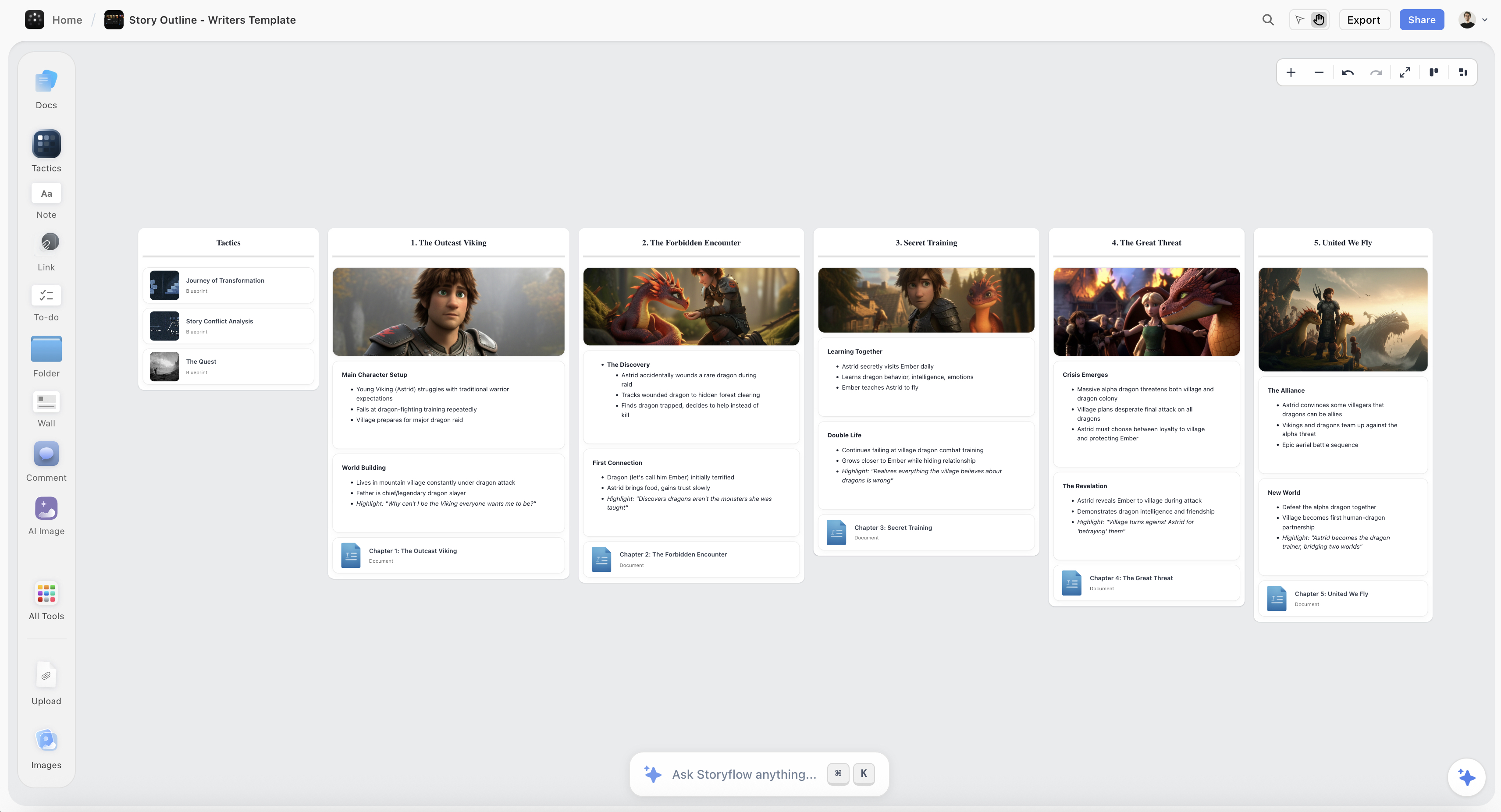
A forty-branch map on a Storyflow canvas being interrogated for duplicates, thin branches and gaps rather than generated from a prompt
Generating is the easy half
Any tool can turn a prompt into the map everybody would draw. The harder question arrives at forty branches: which of these are the same idea, which is thin, what is missing. Storyflow's AI has the whole board as context, so those become questions rather than an afternoon of sorting. Paid-only during early access.

How I Ranked These
I make documentaries, and the map I care about is a film structure, where the median answer is worthless by definition: a documentary that has the shape everybody expects is a documentary nobody watches.
Every tool below I used on real material rather than on a demo topic, which matters here because generators look far better on "content marketing" than on a specific messy project. Where a claim rests on published documentation rather than my own use, the review says so.
Five criteria, in this order:
- Whether it can read a map you made, not just produce one. Weighted highest because it is the rarer and more valuable direction.
- Document-to-map quality. Turning a real source into structure is the generating use with the least median-answer risk, because the content is yours.
- Whether the output is editable structure or a picture. A generated map you cannot restructure is a poster.
- How it handles being wrong. Generators are confidently conventional, and the good ones make disagreement cheap.
- Honest cost, including free-tier caps and where export sits.
Deliberately not weighted: generation speed. They are all fast enough, and speed is not the constraint.
The Median Map Problem
Worth spelling out, because it is the failure mode that costs people the most and it is invisible while it happens.
A language model produces the most probable structure for a topic. That is not a flaw, it is the mechanism. Ask for a map of a subject and you get the consensus breakdown, assembled from everything written about it.
For some jobs that is exactly right. Learning a new field, revising a syllabus, structuring a talk on a well-understood subject, or producing a first-pass breakdown for a client: in all of those the conventional structure is correct and arriving at it in four seconds is a straight win.
For creative and strategic work it is the opposite of the goal. You were mapping to find the angle nobody else has, and the tool has handed you the angle everybody has, laid out neatly, looking authoritative.
Two things make this worse than a bad first draft would normally be.
Generated maps look finished. Even shape, even depth, consistent phrasing. A hand-made map at the same stage looks messy, and messy invites editing. Finished invites acceptance.
They fill the space where your disagreement would have gone. The value of a blank centre is that it forces you to say what you actually think first. Once six plausible branches exist, you edit them, and editing somebody else's structure is a fundamentally different cognitive act from producing your own.
The practical defence is simple and it works: generate, then immediately delete half. Whatever survives your own deletion is yours, and whatever you could not justify deleting is the median showing through. Any generator on this page is useful if you treat its output as a provocation rather than a draft.
The stronger version of the defence is to generate from your own material rather than from a topic, which is why document-to-map ranks above prompt-to-map on this list. A map of your own interview transcript cannot be the median map, because the source is yours.
Quick Picks by Job
- Best AI mind map generator overall: Whimsical, for clean editable output and speed.
- Best from a document or a source: NotebookLM, which is grounded in your own material rather than the internet's consensus.
- Best for reading a map you already made: Storyflow, where the AI has the whole board as context.
- Best dedicated generator: Mapify, which does prompt and document to map as its entire purpose.
- Best if the map should become tasks: Taskade, which turns a generated structure into an actionable list.
- Best free route: ChatGPT or Claude producing markdown, pasted into Freeplane or XMind.
- Best for a team session: Miro, for generating and clustering with several people in the room.
- Best mapper with no AI at all: Coggle, included as the honest control.
1. Whimsical
Whimsical ranks first among the generators because its output is immediately editable structure inside a tool you would have used anyway, which is a lower-friction combination than any dedicated generator here.
Describe a topic and you get a clean, well-laid-out mind map in seconds, with Whimsical's usual strong defaults so nothing needs styling. From there it behaves like a normal Whimsical map: drag branches, restructure, convert into a flowchart if the thinking turns procedural.
That last point is the quiet advantage. A generated map is a starting position, and the tools where the starting position sits inside a full editor produce better second drafts than the ones where it sits in a generator.
Against it: prompt-to-map only, so it is squarely in the median-answer category. It cannot read a map you made and tell you anything about it. Free-tier board limits arrive quickly, and per-editor pricing adds up on a team.
Pricing: Free tier with board limits. Paid from around $10/editor/month.
2. NotebookLM
NotebookLM ranks second because it is the strongest answer to the document-to-map job, which is the version of generating that avoids the median problem entirely.
You give it sources: PDFs, documents, transcripts, links. Everything it produces is grounded in those, with citations back to the passage, and its mind map view turns a body of your own material into a navigable structure. For a researcher with sixty documents, or a filmmaker with a stack of transcripts, that is a genuinely different capability from asking a model to imagine a structure.
It also partially serves the understanding direction, because you can interrogate the source set: what do these documents disagree about, what is not covered here.
Against it: the mind map view is a way of seeing your notebook rather than a mapping tool, so editing and restructuring are limited compared with a real mapper. Export is thin. And it is grounded only in what you upload, so it will not tell you what the field says that your sources do not.
Pricing: Free. Higher limits via Google One AI tiers.
3. Storyflow

Storyflow is our own product, and it is on this list for the second direction rather than the first. As a generator it is ordinary; Whimsical and Mapify produce cleaner first-pass maps faster.
What it does that they do not is read the map afterwards. The AI has the whole current board as context, so once forty branches exist you can ask the questions that actually matter at that point: which of these are the same idea in different words, which branch is thin, what is missing from a map like this, which one is really the subject rather than a child of whatever got typed first. Those are comparisons across the entire tree, and they are only answerable if the model can see the entire tree.
The second thing is that the map sits on the canvas where the project lives, next to the references and the notes, so there is no export step and a branch becomes a section by being edited rather than converted. It generates onto the canvas too, placing objects in position rather than returning text you paste.
Against it, plainly: as a prompt-to-map generator it is not the best tool here and Whimsical, Mapify, and XMind all produce better conventional maps faster. It has no radial auto-layout, no fishbone or matrix structures, and no outline mode. It is also paid-only during early access, so anyone wanting a free AI mapping route should use ChatGPT or Claude producing markdown into Freeplane. The Free plan launches before the end of 2026; today the only free path is that anyone a paid member invites to a board joins free. The AI reads the current board, not every board you own, with extra context from @-mentioning up to one Tactic and three documents.
Pricing: Plus $7.99/month annual or $9.99 monthly. Pro $14/month annual adds AI image generation, roughly 20x more AI, and memory across conversations. Max $39/month annual adds 40x more AI and a team workspace. No free plan until late 2026.
4. Mapify
Mapify is the strongest dedicated AI mapping tool here, and dedicated means it does the generating job with more range than the general tools.
It maps from a prompt, a document, a PDF, a YouTube video, or a web page, which is the widest input set in this list. The video-to-map path in particular is genuinely useful for anyone processing a lot of recorded material, and the output is a real editable map rather than an image.
Against it: it is a generator, so the understanding direction is absent. Its default output is conventional in the way this article warns about, and it is a young product with the roadmap risk that carries. Free tier is limited.
Pricing: Free tier with limits. Paid from around $8.25/month.
5. XMind
XMind is the best mind mapping tool on this list with AI attached, rather than an AI tool that makes maps, and for most people that ordering is the right one.
Its generation is competent and its real advantage is what happens next: the best export chain in the category, structures beyond the radial tree, an outline mode for checking whether the thinking survives being linear, and the fastest keyboard-driven editing anywhere here. A generated map that then goes into a Word document with heading levels intact is a complete workflow.
Against it: generation is a feature rather than the point, so it is behind the dedicated tools on input range. No understanding direction. And its useful export sits behind the paid tier.
Pricing: Free tier with restricted export. Paid from around $59.99/year.
6. ChatGPT
ChatGPT is the free route that most people should try before paying for anything in this category, and it is better at this than its lack of a canvas suggests.
Ask for a mind map as an indented markdown outline or as Mermaid syntax, and you get structure that pastes directly into Freeplane, XMind, or a Mermaid renderer. Upload a document and it will map that instead of a topic, which is the better version of the job. Because you can iterate conversationally, disagreeing with the structure is cheap.
Against it: no canvas, so the map is text until you move it. It cannot read a map you made unless you paste it back in, which is exactly the retyping problem that makes chat a poor fit for spatial work. And it produces the median map with more confidence than most dedicated tools.
Pricing: Free tier. Plus from around $20/month.
7. Claude
Claude does the same job as ChatGPT and is better at the structural half, particularly for long or dense source material.
Give it a full transcript, a chapter, or a long report and ask for a hierarchical breakdown, and the structure it returns holds together better across depth: fewer categories that overlap, fewer branches that are the same idea twice. For document-to-structure it is the strongest of the two general models.
Against it: same limitations. No canvas, no spatial output, and no ability to read a map back unless you paste it in. Fewer surrounding features than the OpenAI ecosystem.
Pricing: Free tier. Paid from around $17/month annual.
8. Miro
Miro is the right answer when the map is being generated with several people watching, which is a real use case for workshops.
Miro AI generates stickies and mind maps from a prompt, and more usefully it clusters and summarises what is already on the board, which is a partial version of the understanding direction. For a session that produces a hundred notes and then has to make sense of them, that clustering is the valuable half.
Against it: the generation is ordinary, frames do not nest so a long map sprawls, export is weak, and the free tier's three-editable-board limit applies. Its AI sees a board rather than reading a map as a structure.
Pricing: Free tier with three editable boards. Paid from around $8/member/month annual.
9. Taskade
Taskade's angle is that a generated map should become work, and for planning-shaped mapping that is a real closing of the usual gap.
Generate a project structure from a prompt, then switch the same content into a task list, a board, or a calendar without exporting. For anyone whose maps are plans rather than arguments, that removes the step where most mind maps die.
Against it: the mapping itself is basic next to XMind or Whimsical, and the AI is a general assistant rather than a mapping specialist. It is a productivity tool with mind map views, which is the right description and a limitation for pure thinking work.
Pricing: Free tier. Paid from around $8/month.
10. MyMap.AI
MyMap.AI generates maps conversationally: you describe what you want, then refine it by talking rather than by editing nodes, which suits people who would rather explain than drag.
It handles several diagram types beyond mind maps, and the iterative refinement is genuinely lower friction than manual restructuring for a first pass.
Against it: it is a generator, so no understanding direction. Editing precision is lower than a real mapper, export is limited, and it is a young product. Treat it as a fast first draft that then moves somewhere else.
Pricing: Free tier with limits. Paid from around $12/month.
11. Coggle
Coggle has no AI at all and it is on this list deliberately, as the control.
It is free, browser-based, collaborative, and produces the best-looking maps in the category with no effort. Making a map by hand in Coggle takes fifteen minutes instead of four seconds, and every branch in it is one you decided on.
For anyone mapping to find an angle rather than to summarise a field, that fifteen minutes is not a cost. It is the work. Included here because "which AI mind map generator should I use" sometimes has the answer "none, and that is fine."
Against it: three private diagrams on free, thin export, one root only, and no AI assistance of any kind.
Pricing: Free tier with three private diagrams and unlimited public ones. Paid from around $5/month.
Recommended Setups
You want a first-pass map of a known topic. Whimsical, then delete half. Total cost, one subscription you probably wanted anyway.
You have sources and want structure out of them. NotebookLM, free, grounded in your material with citations. This is the strongest free capability on this page.
You want to map without paying. ChatGPT or Claude producing indented markdown, pasted into Freeplane. Free at both ends and the structure is editable.
You want the map interrogated after you build it. Storyflow, or Miro's clustering as the cheaper partial version.
Your maps are plans. Taskade, so the structure becomes tasks without an export.
You are mapping to find an angle. No generator. Coggle, or paper, and the fifteen minutes.
Tools to Avoid for This Job
Any generator that outputs an image. A map you cannot restructure is a poster, and the whole value of a generated map is that it is a starting position you argue with.
A generator used for creative or strategic direction. It will hand you the consensus, beautifully, and consensus is what you were trying to escape.
An AI mapping tool bought before trying ChatGPT or Claude. The general models do prompt-to-map and document-to-map well enough that a dedicated subscription needs to justify itself against free.
A chat panel that claims to read your map. If the model only sees what you paste, it does not have your map, it has your description of it, and the answers will be about the description.
Accepting the first generated map. The default outcome and the expensive one. Generate, delete half, and keep what you had to fight for.
What No Tool on This List Does
None of them know what you think. A generated map is the average of what has been written about a topic. Your angle is by definition not the average, and no amount of prompting retrieves something the model has no access to.
None of them tell you a branch is wrong. The tools in the understanding direction can tell you a branch is thin, duplicated, or missing. Whether it is true is not a structural property.
None of them fix a map with the wrong centre. If the material has three centres, generating a tree produces a confident distortion, and the distortion is harder to see because the output looks orderly.
None of them replace the fifteen minutes. Mapping by hand is slow because thinking is slow. Generation removes the typing, and the typing was never the expensive part.
The Bottom Line
The AI mind mapping market sells the easy half of the problem. Prompt in, map out, four seconds, well laid out. It works, it removes the blank centre, and for learning a subject it is genuinely worth having.
It also hands you the map everybody else would draw, and it hands it to you looking finished, which is the expensive part. If you were mapping to find an angle, a confident median structure is worse than an empty canvas, because an empty canvas at least forces you to say what you think first.
So: Whimsical if you want a clean editable first pass. NotebookLM if you have sources, which is the version of generating with no median problem, and it is free. ChatGPT or Claude into Freeplane if you want the whole thing to cost nothing.
Storyflow, which we make, is on this page for the other direction, and it is a worse generator than three tools above it. What it does is read the map after you have built it, which is where the questions actually are once forty branches exist.
And the discipline that matters more than the tool: whatever you generate, delete half of it. What survives is the map you would have made, arrived at faster. What you keep out of politeness is the average, and the average is not why you opened a mind mapping tool.
FAQ: AI Mind Map Generators
What is the best AI mind map generator in 2026?
Whimsical for prompt-to-map, because the output is clean editable structure inside a real mapping tool. NotebookLM for turning your own documents into a map, which is the version of generating that avoids conventional output because the source is yours. Storyflow if you want AI that reads a map you already made rather than producing one.
Can AI generate a mind map from a document?
Yes, and it is the better use of AI here. NotebookLM is the strongest, grounded in your uploads with citations back to the passage. Mapify handles PDFs, web pages, and YouTube videos. ChatGPT and Claude will both map an uploaded document into indented markdown you can paste into a real mapper.
What is the best free AI mind map generator?
ChatGPT or Claude producing an indented markdown outline, pasted into Freeplane or XMind. Both ends are free and the structure is fully editable. NotebookLM is free and the best document-grounded option. Whimsical, Mapify, and MyMap.AI all have limited free tiers. Storyflow is paid-only during early access and is not a free option today.
Are AI-generated mind maps any good?
For known topics, yes: you get the conventional breakdown of a subject in seconds, which is a real win when you are learning a field or need a first-pass structure. For creative or strategic work they are actively risky, because a model produces the median map and the median is what you were mapping to escape. The defence is to generate and then delete half.
What is the difference between AI generating a map and AI reading a map?
Generating turns a prompt or a document into a map. Reading takes a map you already built and answers questions about the whole thing: which branches duplicate each other, which is thin, what is missing, which one is actually the subject. Reading is far more useful at the point where a map has forty branches and far rarer, because it needs the model to see the whole map rather than a prompt about it.
Is Storyflow an AI mind map generator?
It generates onto the canvas, and that is not why it is on this list. Whimsical, Mapify, and XMind produce better conventional maps faster. Storyflow is here for the other direction: the AI has the whole board as context, so it can answer which branches are the same idea, which is thin, and what is missing. It is paid-only during early access.
Can ChatGPT make a mind map?
Yes, as an indented markdown outline or Mermaid syntax, both of which paste into a real mapper. It cannot draw one on a canvas, and it cannot read a map you made unless you paste the whole thing back in, which is the retyping problem that makes chat a poor fit for spatial work.
Should I use AI for mind mapping at all?
If you are mapping to understand a field, yes, and it saves real time. If you are mapping to find an angle nobody else has, generate nothing, because the tool's output is the consensus and the consensus is your competition. The middle path that works for most people is to generate from their own material rather than from a topic.
What is the median map problem?
A language model produces the most probable structure for a topic, which is the breakdown everybody uses. That is correct and useful for learning, and it is the opposite of useful for creative or strategic work. It is made worse by generated maps looking finished, which suppresses the disagreement that would have produced an original structure.
Can AI turn a YouTube video into a mind map?
Mapify does this directly, and it is the most useful version of the feature for anyone processing a lot of recorded material. NotebookLM handles transcripts if you can get one. ChatGPT and Claude will map a transcript you paste or upload.
Does an AI-generated mind map export properly?
It depends entirely on the tool rather than the AI. Whimsical, XMind, Mapify, and Taskade all produce editable structure. Some generators return an image, which is a dead end. Check the export before you build on any of them, and prefer markdown, OPML, or an open format over PDF.
How do I get an original map out of an AI generator?
Generate, then delete at least half without mercy. Whatever you had to fight to keep is yours; whatever you could not justify deleting is the median showing through. Better still, generate from your own sources rather than from a topic, because a map of your own transcript cannot be the average of the internet.
Table of Contents
- Key Takeaways
- Generate vs Understand
- At a Glance: The 11 Tools Compared
- How I Ranked These
- The Median Map Problem
- Quick Picks by Job
- 1. Whimsical
- 2. NotebookLM
- 3. Storyflow
- 4. Mapify
- 5. XMind
- 6. ChatGPT
- 7. Claude
- 8. Miro
- 9. Taskade
- 10. MyMap.AI
- 11. Coggle
- Recommended Setups
- Tools to Avoid for This Job
- What No Tool on This List Does
- The Bottom Line
- FAQ: AI Mind Map Generators
- Related Reading
Templates to check out for this topic


Mind mapping and ideation templates you can use in Storyflow
Map ideas in space, then ask the AI to restructure, expand, or connect them. Open any of these boards and start thinking visually instead of in lists.


See Storyflow in Action
A visual AI workspace where every feature lives inside one canvas. No tab-switching, no context lost.
Build your entire board from a single message
Type what you need in the AI chat at the bottom of your canvas. The AI adds cards, headings, and structure directly onto your board.
Use expert frameworks as AI context
Type @ in the AI chat and choose any Tactic. The AI tailors every response to that framework instead of giving generic advice.
Turn your board into a mind map in seconds
Ask the AI to restructure your canvas as a mindmap. It connects your ideas into a visual hierarchy so you can see how everything relates.
Why Storyflow Exists
Storyflow actually began as a personal tool while working on creative and research projects.
We kept running into the same problem: ideas were scattered everywhere: notes, documents, and whiteboards.
Nothing helped us see how everything connected.
So we started building a workspace designed around how ideas actually grow.
→ Read how Storyflow was createdJustkay
Documentary Filmmaker & Founder at Storyflow
Published: 2026-08-26
Extremely simple, seriously capable


See how easy it is to get started
Watch a real project come together, from a blank board to a finished plan, clicked through step by step.
Start creating with AI and become more productive
Transform your creative workflow with AI-powered tools. Generate ideas, create content, and boost your productivity in minutes instead of hours.