
The 11 Best Free Mind Mapping Apps in 2026 (Where Every Free Tier Actually Ends)
Free means four different things in this category and only one of them survives a real project. Eleven apps sorted by where the wall is, with the exact number for each free tier.

Category
Mind Mapping
Author

Justkay
Documentary Filmmaker & Founder at Storyflow
Topics
2026-08-26
•
18 min read
•
Mind Mapping- best free mind mapping tool
- free mind mapping app
- mind mapping no paywall
- Freeplane vs XMind free
- MindMeister free limit
- free mind map export
What is the best free mind mapping tool in 2026?
Free means four different things in this category and only one of them survives a real project. Eleven apps sorted by where the wall is, with the exact number for each free tier.
Quick Comparison
These four are the tools where free means what you think it means: no map cap, no locked export, and no upgrade prompt waiting for the moment you are most invested.
| Tool | Best For | AI Features | Price |
|---|---|---|---|
| Freeplane | Unlimited maps with full export, permanently | None | Free and open source |
| draw.io | Browser mapping with no account and no cap | None | Free, no cap |
| Obsidian Canvas | Nodes that are your own notes and files | Via community plugins | Free for personal use |
| Coggle | Pretty collaborative maps in a browser | None | Free (3 private, unlimited public) |
Key Takeaways
- "Free" means four different things in this category, and only one of them survives contact with a real project.
- Genuinely free forever: Freeplane, draw.io, Excalidraw, and Obsidian Canvas for personal use. No cap, no expiry, no upgrade prompt.
- Free with a hard cap: MindMeister at 3 maps, Miro at 3 editable boards, Coggle at 3 private diagrams. All three are chosen to be enough to fall in love with and not enough to work in.
- Free with a feature wall: XMind and MindNode let you map freely and put the export behind the paywall, which is the wall that matters most, because an unexportable map is a dead end.
- If you want one answer: Freeplane if you want unlimited and do not mind how it looks, draw.io if you want unlimited in a browser, Obsidian Canvas if you want your maps to be files you own.
The Four Kinds of Free
Every tool in this category calls itself free and almost none of them mean the same thing. Sorting them into four buckets tells you more than any feature comparison.
Bucket one: free forever, no cap. Open source or free by design. Freeplane, draw.io, and Excalidraw are in this bucket, and Obsidian is free for personal use. You will never hit a wall, because there is no wall. This is the only bucket where "free" means what you think it means.
Bucket two: free with a count cap. You get N of something. MindMeister gives you three maps. Miro gives you three editable boards. Coggle gives you three private diagrams. Three is a very carefully chosen number: enough to learn the product properly and decide you like it, not enough to run any real body of work. You typically hit this wall in month two or three, on the project you care about, which is exactly when a subscription looks reasonable.
Bucket three: free with a feature wall. Unlimited maps, but something you need is locked. XMind and MindNode both do this, and in both cases the locked thing is export. That matters more than any other paywall in this category, because a mind map that cannot leave the app is a dead end: your forty minutes of thinking is stuck as a picture. Free mapping with paid export is functionally a trial with no time limit.
Bucket four: free trial dressed as a free plan. Time-limited, or so restricted it is a demo. Worth identifying quickly so you do not build anything in it.
The rest of this article is those four buckets applied to eleven tools, with the exact number where each free tier ends, because that number is the only thing that determines whether "free" is a real answer for you.
At a Glance: Where Every Free Tier Ends
| Tool | Kind of free | Where it ends | Export on free | Collaboration on free |
|---|---|---|---|---|
Freeplane | Free forever, open source | Nowhere, no cap | Full, many formats | No, files only |
draw.io | Free forever | Nowhere, no cap | Full, many formats | Via your own storage |
Excalidraw | Free forever, open source | Nowhere, no cap | PNG, SVG, own format | Yes, live |
Obsidian Canvas | Free for personal use | Personal use only | Files are already yours | No, sync is paid |
Coggle | Count cap | 3 private diagrams, unlimited public | PDF and image | Yes, live |
Canva Whiteboards | Generous free tier | Feature-limited, not map-capped | PDF and image | Yes |
Apple Freeform | Free forever | Apple devices only | PDF and image | Yes, via iCloud |
XMind | Feature wall | Unlimited maps, export restricted | Restricted on free | Limited |
MindNode | Feature wall | Core mapping free, most beyond it paid | Restricted on free | No |
MindMeister | Count cap | 3 maps | Restricted on free | Yes, live |
Miro | Count cap | 3 editable boards | Image and PDF | Yes, live |
Free-tier terms in this category change frequently and quietly. Verify the current cap before you build anything you would mind losing.
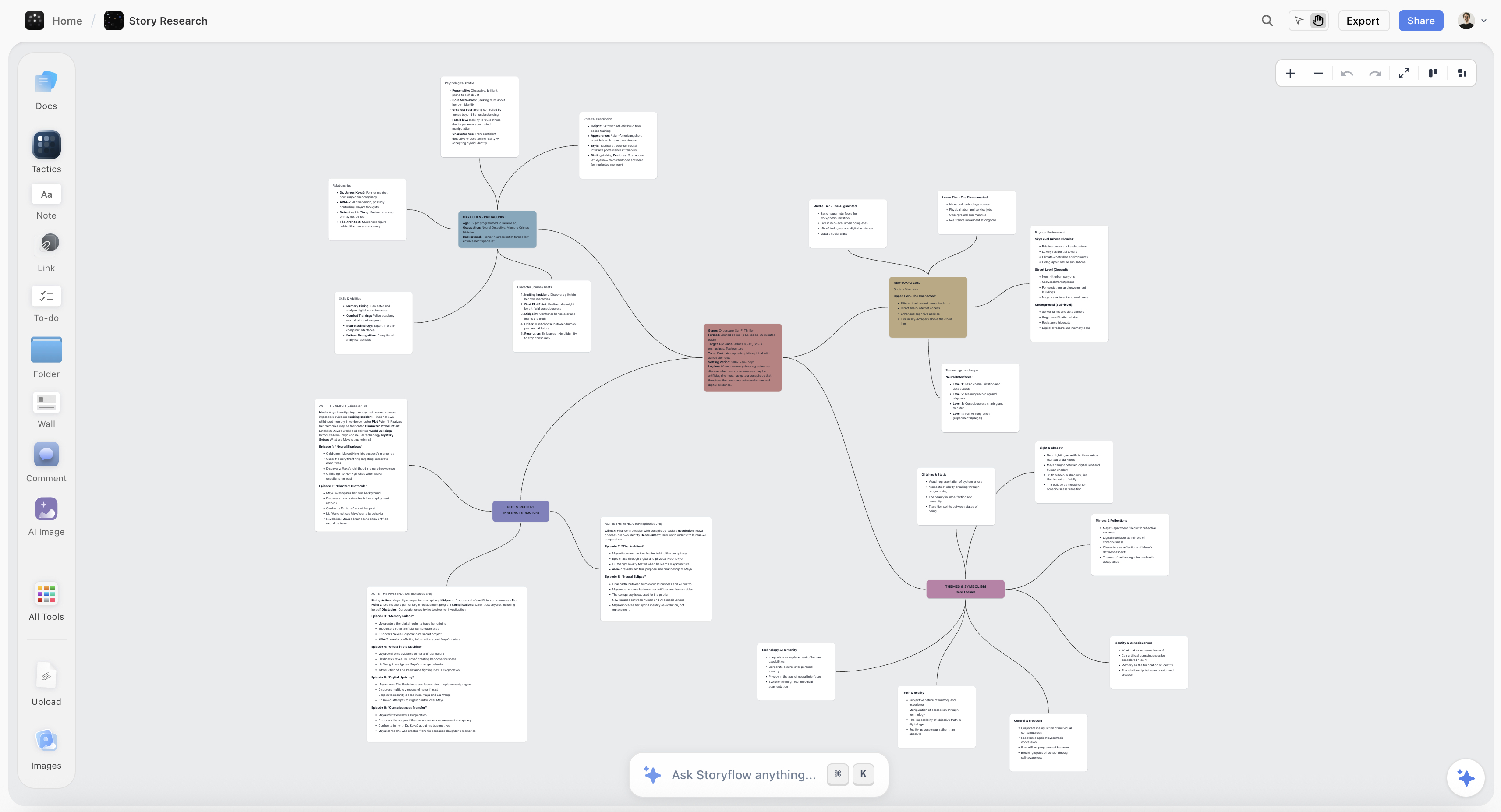
A mind map exported cleanly into a document, the handoff that most free mind mapping tiers put behind a paywall
Check the export before you build anything
The free-tier wall that hurts is not the map count, it is export. XMind and MindNode both let you map without limit and lock the formats that let a map become a document. Look for markdown, OPML or an open format on the free tier; a PDF is an archive, not a handoff.

How I Ranked These
I have hit most of these walls personally, usually at the worst moment, which is the only way anybody learns where a free tier ends.
Every tool below I used on real work rather than a tutorial, and specifically pushed until the wall appeared. Where a claim rests on published documentation rather than my own use, the review says so.
Five criteria, in this order:
- Whether the free tier has a wall at all. Weighted highest, because a tool that will eventually stop working is a tool you will eventually migrate off.
- Whether you can get your work out. Export on the free tier, in a format something else can read.
- Whether the free tier is usable for real work, as opposed to a demo with a generous name.
- Whether it will still exist. Open source and file-based tools score highly here; venture-funded free tiers get restructured.
- Mapping quality, last, because every tool in this category has been good enough at mapping for a decade.
Deliberately not weighted: template libraries and styling. Neither has ever been the reason a free tool did or did not work out.
The Export Wall Is the One That Matters
If you take one practical thing from this article, take this.
The free-tier restriction that hurts is not the map count. It is export.
A count cap is annoying and it is honest: you can see the wall coming, and everything you made before it is still there and still yours. You can archive, delete, or pay, and none of those options destroys work.
An export wall is different, because it is invisible until the moment you need it, and by then you have built something. You map for an hour, the thinking is good, and then you go to move it into a document and discover that the only free output is a PNG. Your structure is now a picture. Nothing can read it, including a future version of you and including the paid version of the same product if you switch platforms.
This is the mechanism by which free mind mapping tools convert. It is not that you run out of maps; it is that your best map is trapped.
So the practical rule when choosing a free mapper is: check what you can export before you build anything. Specifically check for markdown, OPML, or the tool's open format, because those are the ones something else can read. A PDF and a PNG are archives, not handoffs.
Tools that pass this test on the free tier: Freeplane (exports to almost everything), draw.io (many formats including editable XML), Excalidraw (its own open format plus SVG), and Obsidian Canvas, where the question does not arise because your notes were already markdown files on your disk.
Tools that fail it: XMind and MindNode, both of which restrict export on free and both of which are otherwise the best mapping experiences in the category. That is not an accident.
Quick Picks by Situation
- Best genuinely free mind mapping app: Freeplane. Open source, unlimited, exports to everything, and free forever.
- Best free mapper in a browser: draw.io, with no account and no cap.
- Best free if you want the maps to be files you own: Obsidian Canvas.
- Best free for quick sketching: Excalidraw, which is a canvas rather than a mapper and is faster for rough structure.
- Best free for a group session: Coggle or Miro, both with live collaboration and both with a cap.
- Best free on Apple hardware: Apple Freeform, at zero cost and zero setup.
- Best free tier to evaluate a paid tool: XMind, which lets you map without limit before deciding whether export is worth paying for.
- Best looking free maps: Coggle, which is unreasonably pretty for something that costs nothing.
1. Freeplane
Freeplane ranks first because it is the only tool here that is unambiguously, permanently free with no cap and no locked features, and it is genuinely capable.
It is open source, descended from FreeMind, and it does more than most paid mappers: conditional styling, scripting, attributes on nodes, filtering, and export to HTML, image, PDF, OPML, and its own open XML. Large maps with thousands of nodes work fine. Nothing is locked, nothing expires, and there is no account.
For a student, a researcher, or anyone who maps regularly and refuses to pay, this is the correct answer and the discussion could stop here.
Against it: it looks like Java software from 2011, because it is Java software that has been maintained since 2011. The interface is dense, discoverability is poor, and getting to the good features means reading documentation. There is no cloud sync, no mobile app, and no real-time collaboration. You are trading appearance and convenience for genuine freedom, and whether that is a good trade depends entirely on how much you map.
Pricing: Free and open source, permanently.
2. draw.io
draw.io, also known as diagrams.net, is free with no cap, runs in a browser with no account, and can save straight into Google Drive, OneDrive, GitHub, or a local file.
It is a general diagramming tool rather than a dedicated mapper, and it has mind map templates and enough auto-layout to make that workable. What it wins on for this list is that it is unlimited, exports to a long list of formats including editable XML, and the file is yours in whatever storage you already use.
The desktop app works entirely offline, which is a real advantage for anybody who does not want a browser dependency.
Against it: it is not a fast mapper. Keyboard-driven branch creation is nothing like XMind or MindNode, so a map takes longer to build. The interface is engineering-shaped. And for radial mind mapping specifically it will always feel like a diagramming tool doing an impression.
Pricing: Free, permanently, with no cap.
3. Obsidian Canvas
Obsidian is free for personal use with no cap, and Canvas is included, which makes it the strongest free option for anyone who wants their maps to outlive the software.
The nodes on a canvas are your own markdown notes, images, and files, sitting in a folder on your disk. There is no export question because nothing ever went anywhere proprietary: the canvas itself is a plain JSON file, and everything it points at is a file you already own.
Vault-wide search means a map from four months ago is findable by its contents, which is better retrieval than any other free tool here.
Against it: the canvas is plain. No auto-layout, no radial conventions, no styling, so it is spatial arrangement rather than mind mapping in the traditional sense. Sync between devices is a paid add-on, and commercial use requires a licence at around $50 per user per year. It is also a configuration project, and the plugin rabbit hole eats time.
Pricing: Free for personal use. Sync is a paid add-on. Commercial licence around $50/user/year.
4. Excalidraw
Excalidraw is free and open source with no cap, opens with no account, and is the fastest way in this list to get rough structure out of your head.
It is a sketching canvas rather than a mapper, so there is no auto-layout and no branch conventions, and for many people that is an advantage: you draw the shape you actually mean rather than the shape the algorithm imposes. Live collaboration works on the free version, which several paid tools cannot say.
The hand-drawn rendering makes everything read as provisional, which keeps people editing rather than polishing.
Against it: persistence without Excalidraw+ is browser-local, which has lost people work, so save files deliberately. No structure, no search, no nesting. It is excellent for the session and poor for the archive.
Pricing: Free and open source. Excalidraw+ from around $6/user/month for accounts and team features.
5. Coggle
Coggle is the best-looking free mapper here and the easiest to hand to somebody who has never mind mapped, which makes it the right first stop for a group.
Browser-based, no install, live collaboration on the free tier, and maps that look genuinely good with no styling effort. Branch colours and organic curves make it pleasant in a way most free tools are not.
Its free cap is the specific number worth knowing: three private diagrams, with unlimited public ones. If your maps do not need to be private, the cap effectively does not apply, which is a genuinely unusual and generous arrangement.
Against it: thin beyond the map. Export is PDF and image, so structure does not survive. One root, so multi-centre material has nowhere to go. No offline use.
Pricing: Free with three private diagrams and unlimited public ones. Paid from around $5/month.
6. XMind
XMind has the best free mapping experience in this list and the export wall that this article warns about, and both things are true at once.
On free you can map without a count limit, using the fastest keyboard-driven branching in the category, multiple structures beyond the radial tree, and an outline mode. As a place to think, nothing free here is better.
The wall is export. The formats that let a map become a document are restricted on the free tier, which is precisely the moment the map earns its keep. Treat the free tier as an excellent unlimited trial rather than a permanent home, and know that the upgrade prompt will arrive at the point of maximum leverage.
Against it: dense interface, and the paid tier is a real annual cost.
Pricing: Free tier with unlimited maps and restricted export. Paid from around $59.99/year.
7. MindNode
MindNode makes the calmest, most pleasant maps in the category and its free tier is a shopfront rather than a home.
Core mapping is free and genuinely lovely: correct defaults, sensible auto-layout, keyboard-fast branching, and the best Apple Pencil experience here. If you map on an iPad, this is the nicest free hour you can have.
Against it: most of what makes it worth keeping sits behind the subscription, including export beyond the basics, and it is Apple-only. As a free tool it is a very good demonstration of a paid tool.
Pricing: Free tier with core mapping. Paid from around $2.99/month.
8. Canva Whiteboards
Canva's free tier is unusually generous and its whiteboard is competent, which makes it a real free option for anyone who already has an account, which is a very large number of people.
Its advantage over dedicated mappers is what happens next: the map can become a deck, a poster, or a document without leaving the product. For a student or a marketer, that continuity is worth more than mapping purity.
Against it: it is a design tool with a whiteboard, so mapping is manual, there is no auto-layout, and large boards get heavy. The free tier is feature-limited rather than map-limited, so the wall is fuzzy and you discover it by bumping into individual locked things.
Pricing: Free tier is generous. Canva Pro from around $15/month.
9. Apple Freeform
Freeform is free forever, already installed on every Mac, iPad, and iPhone, and syncs through iCloud with no setup whatsoever.
For sketching a map with an Apple Pencil and having it appear on your laptop, it is frictionless in a way paid tools are not, and it costs nothing at all.
Against it: no web version, so anyone on Windows or Android is excluded, which usually ends it for shared work. No auto-layout, no mapping conventions, weak search, no export beyond PDF and image. It is a free canvas rather than a free mapper.
Pricing: Free on Apple devices.
10. MindMeister
MindMeister is the best-known web mapper and its free tier is the clearest example of the count cap in this article: three maps.
Within that, it is good. Live collaboration works, it is easy for newcomers, it runs anywhere, and it connects to MeisterTask if you want a map to become a task list.
Against it: three maps is a working limit rather than an evaluation limit, and you will reach it quickly. Export is restricted on free. One root, so no multi-centre material. And it feels dated next to MindNode and Coggle.
Pricing: Free with three maps. Paid from around $3.50/month.
11. Miro
Miro's free tier is three editable boards, and it is on this list because so many people try to use it as a free mind mapper and hit that number without expecting to.
What you get is real: the best collaboration here, a competent mind map feature, an enormous template library, and a canvas that holds far more than a map.
Against it, for this specific use: three editable boards arrives faster than people expect, and boards beyond it go read-only rather than disappearing, which is better than deletion and still means the project you care about is frozen. Export is image and PDF, so structure does not survive. As a free mapper it is the most capable and the most likely to stop working.
Pricing: Free with three editable boards. Paid from around $8/member/month annual.
When Free Stops Being Enough
Free is the right answer for most people mapping most things, and there are three situations where it genuinely stops working. Naming them honestly is more useful than pretending otherwise.
When export is blocking you. If your maps have to become documents regularly, XMind's paid tier at around $59.99 a year is the cheapest real fix in this category and the one most people should buy.
When the map has to hold pictures. Free mappers put images behind text labels, and creative projects are made of references. Milanote's free tier at 100 notes covers a small project; beyond that it is around $12.50 a month per person. Storyflow, which we make, is a canvas with AI that reads the whole board, and it is paid-only during early access from $7.99 a month annual, with a free plan launching before the end of 2026. It is not a free option today and should not be on your list if free is the requirement. The one genuinely free path is that anyone a paid member invites to a board joins free, so if a collaborator already pays, you can be on the board at no cost.
When you are collaborating past the cap. Coggle's unlimited public diagrams cover a surprising amount of group work at zero cost. Beyond that, most collaboration is where the paid tiers actually earn their money.
Everything else, Freeplane does for nothing.
Tools to Avoid for This Job
Any free mapper whose only export is an image. Your thinking becomes a PNG that nothing can read, and you will not find out until you need it.
A count-capped tool for your main body of work. Three maps or three boards is an evaluation allowance. Build your real work there and the wall arrives at the worst moment by design.
A free tier from a venture-funded startup for anything you need in three years. Free tiers get restructured and products get acquired. If permanence matters, choose open source or file-based.
A tool with no offline mode for work you cannot lose. Browser-only and account-bound means an outage or a lockout takes your maps with it.
Paying for a mapper before you have hit a free wall. Most people never hit one. Start with Freeplane or draw.io and let the constraint reveal itself.
What No Tool on This List Does
None of them are free of the migration cost. Moving between mappers loses formatting and often structure, so the cheapest tool is frequently the one you do not have to leave.
None of them make a map true. Free or paid, a well-laid-out map of a shaky understanding looks exactly like a well-laid-out map of a solid one.
None of them hold pictures properly. Every free mapper here attaches images to text nodes rather than making the image the node, which is a genuine ceiling for visual work and it is the same on the paid tiers.
None of them stay free by accident. Freeplane and draw.io are free because of how they are built and funded. Everything else in bucket two and three is free as a customer-acquisition decision, and those decisions get revisited.
The Bottom Line
The free mind mapping market splits cleanly, and once you see the split the choice is easy.
Freeplane, draw.io, Excalidraw, and Obsidian are free because of how they are built. There is no cap, no expiry, and no upgrade prompt waiting for the moment you are most invested. They are less pretty and less convenient than the commercial free tiers, and they will still be working in five years.
Everything else is free as a customer-acquisition decision, and those free tiers are designed with care. Three maps, three boards, three private diagrams: enough to learn the product properly and not enough to work in. The most effective version is the export wall, because it is invisible until your best map is finished and then discovers that the only way out is a picture.
So the practical advice is short. Start with Freeplane if you do not care how it looks, or draw.io if you want a browser. Check what you can export before you build anything. And upgrade only when a specific wall actually stops you, which for most people mapping most things never happens.
FAQ: Free Mind Mapping Apps
What is the best free mind mapping tool?
Freeplane, if you want genuinely unlimited and can live with how it looks. It is open source, has no cap, exports to almost every format, and will not change its terms. draw.io is the browser-based equivalent. Obsidian Canvas is the best answer if you want your maps to be files on your own disk.
Which mind mapping apps are actually free forever?
Freeplane, draw.io, and Excalidraw are free and open source with no cap. Obsidian is free for personal use. Apple Freeform is free on Apple devices. Everything else on this page is free within a limit: a count of maps, a set of locked features, or usually both.
What is the catch with free mind mapping apps?
Usually export. XMind and MindNode both let you map without limit and restrict the formats that would let a map become a document, which is the moment the map is worth something. Check what you can export before you build anything, and look specifically for markdown, OPML, or an open format, since PDF and PNG are archives rather than handoffs.
How many maps do you get on MindMeister for free?
Three. That is a working limit rather than an evaluation one, and most people reach it within a couple of months. Export is also restricted on the free tier.
What is Miro's free tier limit?
Three editable boards. Boards beyond that become read-only rather than being deleted, so nothing is lost, and the project you care about is typically the one that freezes. Export is image and PDF.
Is Coggle really free?
More than most. The free tier gives three private diagrams and unlimited public ones, so if your maps do not need to be private the cap effectively does not apply. Live collaboration works on free. The limitation is that it is thin beyond the map itself, with PDF and image export only.
Is there a free mind mapping app with collaboration?
Coggle, on the free tier, including unlimited public diagrams. Excalidraw has live collaboration free. Miro has it free within three editable boards. Freeplane and draw.io are file-based, so collaboration means sharing files rather than editing together.
Is a free mind mapping app good enough for professional work?
For most professional mapping, yes. Freeplane does more than most paid tools and draw.io exports to everything. The two places free genuinely stops working are when maps must become documents regularly, where XMind's paid tier is the cheap fix, and when the map needs to hold real images rather than labels, where you need a canvas rather than a mapper.
Which free mind mapping app is best for students?
Freeplane if you map a lot and want no ceiling, Coggle if you want something pretty and collaborative in a browser, and Canva Whiteboards if you already have an account and the map needs to become a presentation. All three cost nothing and none of them will stop working mid-term.
Can I export a mind map for free?
From Freeplane, draw.io, and Excalidraw, yes, to a long list of formats. From Obsidian Canvas the question does not arise because your notes are already markdown files you own. From XMind, MindNode, and MindMeister, only partially, and the useful structured formats are the ones behind the paywall.
Is Storyflow free for mind mapping?
Not during early access. Storyflow is paid-only right now, from $7.99/month annual, with the Free plan launching before the end of 2026, so it does not belong on a list of free mind mapping tools. The only genuinely free path today is that anyone a paid member invites to a board joins free. If free is your requirement, Freeplane, draw.io, and Obsidian Canvas are the honest answers.
What should I use if I outgrow the free tier?
XMind at around $59.99 a year if the problem is export, which is the most common reason people upgrade in this category and the cheapest real fix. A canvas rather than a mapper if the problem is that your maps need to hold images. And nothing at all if the problem is only that you wanted a nicer interface, since Freeplane will keep working indefinitely.
Table of Contents
- Key Takeaways
- The Four Kinds of Free
- At a Glance: Where Every Free Tier Ends
- How I Ranked These
- The Export Wall Is the One That Matters
- Quick Picks by Situation
- 1. Freeplane
- 2. draw.io
- 3. Obsidian Canvas
- 4. Excalidraw
- 5. Coggle
- 6. XMind
- 7. MindNode
- 8. Canva Whiteboards
- 9. Apple Freeform
- 10. MindMeister
- 11. Miro
- When Free Stops Being Enough
- Tools to Avoid for This Job
- What No Tool on This List Does
- The Bottom Line
- FAQ: Free Mind Mapping Apps
- Related Reading
Templates to check out for this topic


Mind mapping and ideation templates you can use in Storyflow
Map ideas in space, then ask the AI to restructure, expand, or connect them. Open any of these boards and start thinking visually instead of in lists.


See Storyflow in Action
A visual AI workspace where every feature lives inside one canvas. No tab-switching, no context lost.
Build your entire board from a single message
Type what you need in the AI chat at the bottom of your canvas. The AI adds cards, headings, and structure directly onto your board.
Use expert frameworks as AI context
Type @ in the AI chat and choose any Tactic. The AI tailors every response to that framework instead of giving generic advice.
Turn your board into a mind map in seconds
Ask the AI to restructure your canvas as a mindmap. It connects your ideas into a visual hierarchy so you can see how everything relates.
Why Storyflow Exists
Storyflow actually began as a personal tool while working on creative and research projects.
We kept running into the same problem: ideas were scattered everywhere: notes, documents, and whiteboards.
Nothing helped us see how everything connected.
So we started building a workspace designed around how ideas actually grow.
→ Read how Storyflow was createdJustkay
Documentary Filmmaker & Founder at Storyflow
Published: 2026-08-26
Extremely simple, seriously capable


See how easy it is to get started
Watch a real project come together, from a blank board to a finished plan, clicked through step by step.
Start creating with AI and become more productive
Transform your creative workflow with AI-powered tools. Generate ideas, create content, and boost your productivity in minutes instead of hours.